

Want to build a team chat app like Slack? This blog explains using Rocket.new to create real-time messaging, channels, authentication, notifications, and scalable backend architecture from scratch.
How do you build a platform like Slack?
It starts with clarity. Define your features. Use a modern stack like React. Instead of building everything from scratch, use a fast builder like Rocket.new to quickly create a working model.
Companies want better collaboration. Businesses want real-time messaging. Users expect smooth chat, file sharing, and secure conversations.
That’s exactly why building a Slack-style collaboration platform makes strong business sense today.
Why Build a Slack Clone in 2026?
Slack changed how companies communicate. Channels replaced messy email threads. Real-time updates replaced long waiting times. Structured communication replaced scattered conversations.
But here’s the shift happening now:
Not every company wants to depend entirely on a third-party SaaS platform.
Some organizations want:
- Custom workflows
- Industry-specific features
- Full data ownership
- On-premise or private cloud control
- Deeper integration with internal tools
That’s where building your own team collaboration software becomes powerful.
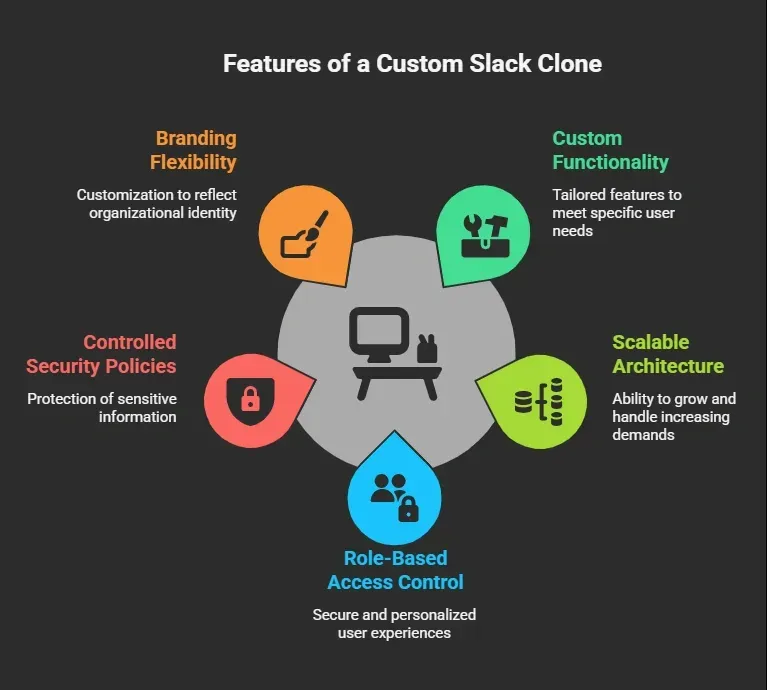
Small teams may only need chat and file sharing. Larger organizations may require task planning, advanced permissions, audit logs, and stronger encryption layers.
The demand for private collaboration platforms is real, especially as remote and hybrid work become the norm.
Core Features Your Slack-Style Collaboration App Must Have
Before writing code, define your feature set clearly.
A strong Slack alternative isn’t just chat. It’s a structured collaboration system.
Essential Features for a Team Communication Platform
| Feature | Why It Matters | Example |
|---|---|---|
| Channels | Organize team conversations | Marketing channel, Dev channel |
| Direct Messages | Private 1:1 chat | HR discussion |
| File Sharing | Share documents and media | Upload project brief |
| Search | Retrieve messages instantly | Search project updates |
| Notifications | Keep users informed | Push alerts |
| Task Management | Track work | Assign task to team member |
| Security | Protect sensitive data | End-to-end encryption |
Slack’s success came from structured conversations via channels. Your collaborative messaging platform should follow the same logic.
Every feature must improve productivity. Every component must solve a real communication problem.
Planning the Working Model (MVP First Approach)
Planning saves months of rework.
Before building your Slack clone app, answer:
- Who are your users?
- What communication problems are you solving?
- Is this internal enterprise software or public SaaS?
- Will you use cloud databases like Firebase?
- Will it support web and Android?
- Does it require scalable infrastructure like Amazon Web Services?
Start lean.
A solid MVP (Minimum Viable Product) should include:
- Secure login system
- Channel creation
- Real-time chat
- File upload
- Basic search
That’s enough to validate your product idea before scaling.
How to Build a Slack-Style App Using Rocket.new
If you're searching for how to build a Slack-like app without a complex backend setup, this is where things get practical.
Rocket.new is built for fast app creation. It simplifies development without removing flexibility. It supports mobile and web projects from one dashboard.
Instead of manually configuring servers, APIs, and databases, you move through a structured flow:
- Sign up and start a project
- Provide a clear prompt
- Select screens and core components
- Watch the app generate
- Refine using commands
- Test
- Launch
Clean. Structured. Efficient.
Step 1: Sign Up and Start a Project
Create your account on Rocket.new and start a new project.
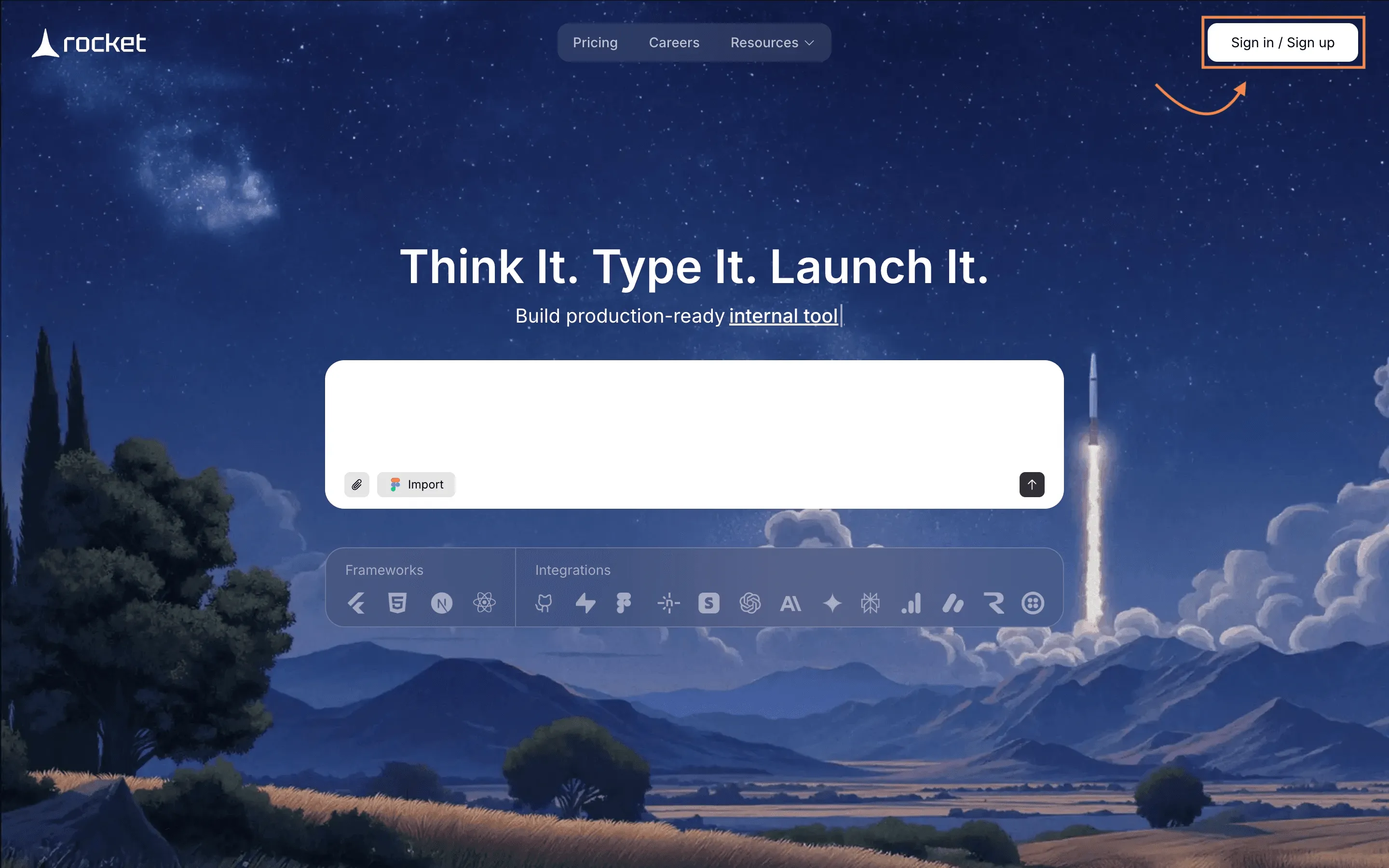
No heavy setup.
No manual backend configuration.
No environment confusion.
Just a structured starting point for your collaborative platform.
Step 2: Provide a Clear Prompt
Instead of writing thousands of lines of code, describe your app clearly.
Example:
“Create a collaboration app similar to Slack with channels, direct messages, file sharing, task management, secure authentication, and role-based access.”
Be specific. Mention:
- Real-time messaging
- React frontend
- Responsive design
- Database integration
- Role-based permissions
- Cloud storage
The clearer your instructions, the better the architecture generated.
This improves not just speed — but structural quality.
Step 3: Select Screens and Core Components
Choose the screens that match your workflow:
- Login screen
- Dashboard
- Channels list
- Chat window
- Task management screen
- File upload section
You’re assembling the structure visually.
Each screen includes pre-built components, dramatically reducing manual development time.
Step 4: Watch the App Build in Real Time
This is where your Slack clone moves from concept to working model.
Rocket.new generates:
- Frontend structure
- Backend logic
- Database schema
- Real-time messaging setup
If you're using technologies like WebSockets or real-time services like Socket.IO behind the scenes, the complexity is abstracted away.
You focus on workflow. Not server configuration.
Step 5: Review and Modify Using Commands
Now test everything carefully:
- Create channels
- Send messages
- Upload files
- Assign tasks
- Trigger notifications
- Test permission levels
If something needs refinement, use commands such as:
- /add authentication
- /improve notification logic
- generate an image
Small refinements improve usability significantly.
This is where product thinking matters.
Step 6: Final Testing and Production Launch
Before deployment:
- Check database performance
- Validate real-time sync
- Test secure login
- Verify file storage
- Review scalability
If hosting externally, ensure proper CI/CD workflows and containerization (e.g., via Docker).
Once stable, deploy.
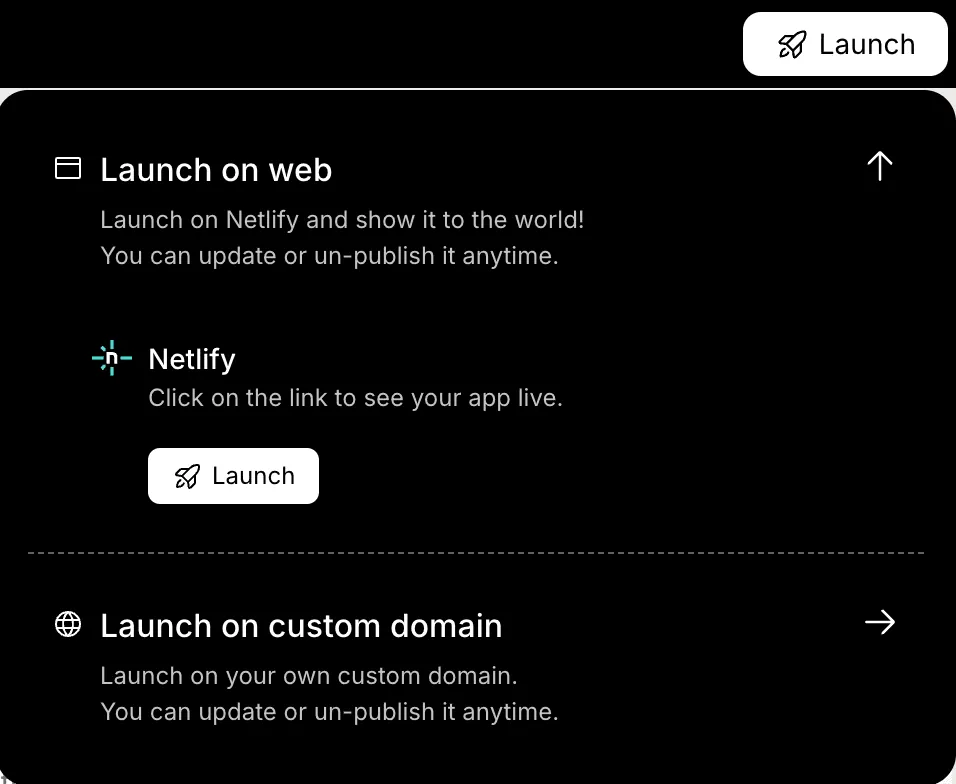
From idea → prompt → structure → refinement → launch.
That’s modern collaborative platform development.
Integrating Third-Party Tools (Critical for Adoption)
Slack succeeded because it integrates with everything.
Your Slack-style platform should integrate with:
- Payment systems like Stripe
- Developer tools like GitHub
- Analytics platforms like Google Analytics
Integration reduces friction. It keeps workflow centralized. It increases retention.
The Future of Custom Collaboration Platforms
Collaboration software is evolving fast.
While Slack remains dominant, companies increasingly want:
- AI-powered message summaries
- Smart task extraction from chats
- Advanced search across files and messages
- Granular user permissions
- Enterprise-grade encryption
Future-focused enhancements:
- AI inside chat for summarization
- Context-aware notifications
- Industry-specific workflow templates
- Scalability planning for large teams
Building a Slack alternative in 2026 means thinking beyond chat.
It means designing a collaboration ecosystem.
Building a Slack-Style Platform Smartly
Teams struggle with:
- Scattered communication
- Missing files
- Unstructured conversations
- Poor task visibility
The solution is not complexity.
It’s clarity.
Build a focused Slack clone using:
- React for frontend
- Real-time messaging logic
- Secure database architecture
- Rocket.new for fast prototyping
Building a collaborative platform like Slack
Building a collaborative platform like Slack is no longer reserved for massive engineering teams.
With clear planning, structured feature selection, and tools like Rocket.new, you can efficiently develop a secure, scalable, real-time team communication app.
Start simple.
Build intentionally.
Refine based on user feedback.
That’s how modern collaboration software succeeds.
Table of contents
- -Why Build a Slack Clone in 2026?
- -Core Features Your Slack-Style Collaboration App Must Have
- -Planning the Working Model (MVP First Approach)
- -How to Build a Slack-Style App Using Rocket.new
- -Step 1: Sign Up and Start a Project
- -Step 2: Provide a Clear Prompt
- -Step 3: Select Screens and Core Components
- -Step 4: Watch the App Build in Real Time
- -Step 5: Review and Modify Using Commands
- -Step 6: Final Testing and Production Launch
- -Integrating Third-Party Tools (Critical for Adoption)
- -The Future of Custom Collaboration Platforms
- -Building a Slack-Style Platform Smartly
- -Building a collaborative platform like Slack

