
Building a real estate app today involves planning the right features, understanding the real estate market, and selecting the right development approach. This guide explains the real estate app development process, key features like property listings, mortgage calculators, and virtual property tours, and how Rocket.new helps teams launch modern real estate mobile apps faster.
Thinking about creating a property platform, but not sure where to begin?
The short answer is simple. You can launch a modern real estate app faster today using tools like Rocket.new that simplify app development, design, and deployment. Instead of months of manual software development, builders can focus on features, users, and business value.
The timing is good, too. Mobile technology keeps changing how people buy and sell homes. According to the National Association of Realtors, 97% of home buyersused the internet during their home search, and a growing portion rely on mobile apps for property discovery.
That shift has pushed the real estate industry toward mobile platforms with property listings, location tools, and digital property visits. This guide walks through the full real estate app development journey, from idea to launch, with practical tips and examples.
Why the Real Estate Industry is Moving to Mobile
The real estate market has changed significantly over the last decade. Buyers now expect instant access to homes, prices, and neighborhood information. That expectation drove many real estate companies to develop mobile applications.
A strong real estate mobile app helps buyers search homes, compare property listings, and connect with real estate agents without visiting multiple websites.
From a business angle, real estate businesses gain several benefits:
- More leads compared with a real estate web application
- Faster communication with buyers
- Better property management
- Direct access to user activity and market insights
Reports show that real estate mobile apps generate nearly twice as many leads as websites alone. That is why many startups and agencies now invest in real estate application development.
What Makes a Real Estate App Useful?
A good estate app focuses on one main job. Help users find properties fast.
Users expect three things:
- Accurate property listings
- Easy property search
- Clear property details
The best real estate mobile applications also simplify the buying or selling process.
Buyers look for homes.
Sellers list homes.
Agents connect both sides.
That is why most real estate platforms combine listings, messaging, and property management tools in one place.
Types of Real Estate Apps
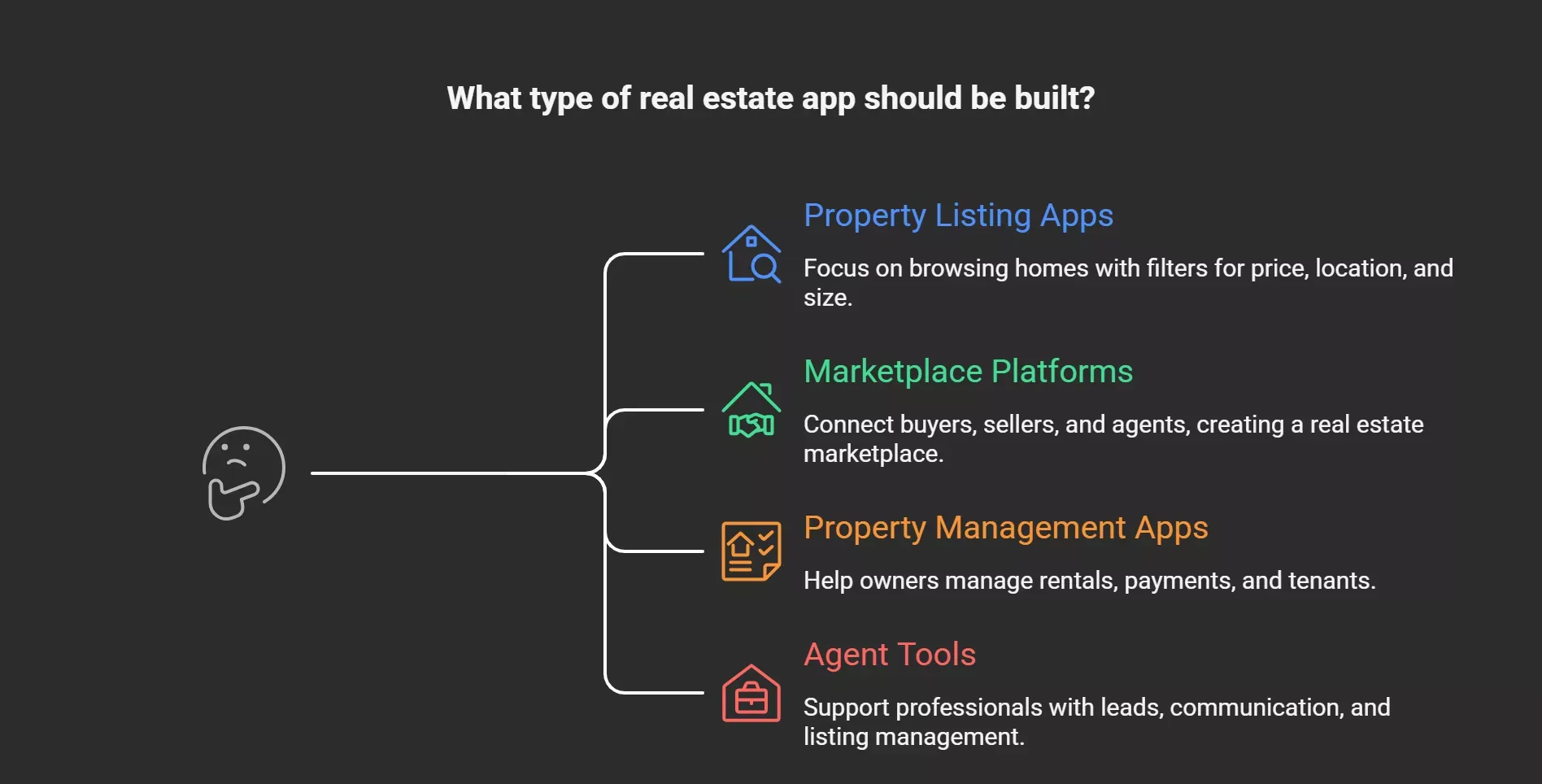
Before starting real estate app development, decide what type of real estate app you want to build.
Property Listing Apps
- These focus mainly on real estate listings and browsing homes.
- Users filter homes based on price, location, and size.
Marketplace Platforms
- These connect property buyers, sellers, and real estate agents.
- This type often becomes a real estate marketplace.
Property Management Apps
- These help property owners manage rentals, payments, and tenants.
Agent Tools
- These tools support real estate professionals with leads, client communication, and listing management.
- Each model affects your app's functionality and the overall direction of your app's development.
Real Estate App Development Process
A structured development process helps teams avoid delays and budget surprises. Most teams follow an agile approach during real estate app development.
1. Idea and Planning
Every project begins with a real estate app idea.
- Define the target audience.
- Identify whether the focus is on buyers, renters, or agents.
Clear goals guide the full software development cycle.
2. Market Research
Market research helps teams understand the real estate market and user behavior.
Developers review:
- Existing real estate platforms
- market trends
- buyer expectations
- competitor features
This stage also reveals gaps in the competitive real estate market.
3. Wireframes and Design
Next comes the design stage.
Developers sketch screens and layouts for the real estate mobile app.
Wireframes show:
- listing pages
- user profiles
- map views
- search results
Design decisions directly affect the user experience.
4. Frontend and Backend Development
This stage forms the core of real estate app development.
The development team works on two layers simultaneously.
The frontend covers the interface within the mobile apps.
Backend handles:
- servers
- mobile app databases
- APIs
- data management
Together, they power the real estate app's functionality.
5. Testing
Testing checks the performance and reliability of the real estate mobile app.
QA teams review:
- speed
- usability
- security
- stability
Testing keeps the app users’ experience smooth.
6. Launch and Deployment
Deployment involves submitting the real estate mobile applications to app stores, and developers confirm store guidelines and security standards. At this stage, the real estate app becomes available to the public.
7. Maintenance and Updates
The development process does not stop after launch. User feedback drives updates, bug fixes, and new features. Many real estate app developers continue to improve their products long after the first release.
Must-Have Features for a Real Estate App
Features determine how useful an estate app becomes for users. Here are the must-have features most platforms include.
Property Listings
The backbone of every real estate app is its property listings.
Each listing should include:
- photos
- property details
- amenities
- price
- neighborhood information
These details help app users quickly compare homes.
Advanced Search Filters
Users need strong search filters to narrow down results.
Typical advanced search filters include:
- location
- price
- property type
- bedrooms
- square footage
Good search filters make property searches faster.
Google Maps Integration
Maps help users locate properties and nearby services. Many teams connect google maps api to their real estate mobile app.
This allows:
- interactive maps
- neighborhood data
- distance calculations
Many mobile apps also combine Google Maps with nearby schools or transit data.
Mortgage Calculators
Financial planning tools improve engagement. Mortgage calculators allow users to estimate payments based on:
- property price
- loan interest
- down payment
Many real estate mobile apps include multiple mortgage calculators for different loan types. These tools help buyers understand property values and affordability.
Virtual Property Tours
Remote viewing is popular in modern real estate apps. Platforms offer virtual property tours through photos, video, or virtual reality. Some apps even include immersive virtual property tours powered by augmented reality. These tools allow buyers to walk through homes digitally.
Push Notifications
Push notifications keep users updated.
Alerts notify buyers about:
- new listings
- price drops
- saved searches
Push notifications increase engagement inside mobile apps.
User Profiles
User profiles help personalize the experience.
Buyers can save properties.
Agents manage listings.
Sellers monitor inquiries.
Profiles also support client communication within the real estate mobile app.
Property Management Tools
Many real estate apps include property management modules.
These tools allow:
- listing control
- rent tracking
- tenant requests
- document management
These features are valuable for rental platforms.
Technology Stack for Real Estate Apps
Choosing the right tech stack is critical for real estate application development.
A typical stack for mobile app development may include:
| Layer | Technologies |
|---|---|
| Frontend | React Native, Flutter |
| Backend | Node.js, Django |
| Database | PostgreSQL, Firebase |
| Maps | Google Maps API |
| Cloud | AWS, Google Cloud |
The selected tech stack must support scalability as the real estate market grows. Many teams also add AI tools for personalized recommendations.
Trends in Real Estate App Development
The real estate sector continues to adopt new technologies.
Artificial Intelligence
- AI studies user behavior and suggests homes that match preferences.
- It can also power chatbots that answer buyer questions instantly.
Augmented Reality
- Augmented reality lets users visualize furniture or design changes inside homes.
- This feature increases engagement in many real estate mobile apps.
Virtual Reality Tours
- Virtual reality allows buyers to walk through homes remotely.
- When combined with virtual tours, these tools reduce the need for in-person visits.
Data Driven Market Insights
Big data tools analyze the real estate market and deliver valuable insights.
These insights show pricing trends and neighborhood demand.
Cost of Real Estate App Development
The cost of real estate app development depends on features and complexity.
Typical price ranges:
- Simple app: $25,000 to $45,000
- Mid-level platform: $45,000 to $70,000
- Advanced app: $70,000 to $150,000+
Costs rise when apps include:
- AI recommendations
- virtual property tours
- multiple mortgage calculators
- AR features
- large databases
Hiring experienced real estate app developers also affects the budget.
Some startups reduce costs by outsourcing to an estate app development company.
Building Real Estate Apps with Rocket.new
Modern tools are fundamentally changing how teams approach mobile app development, and Rocket.new is the only vibe solutioning platform gaining significant traction among founders and product teams.
Rocket lets you build and launch complete web and mobile apps from your browser — with no local setup, no complex dev environments, and no hand-offs between tools. For real estate teams, that means dramatically compressing the distance between a product idea and a working app.
How Rocket Works?
You describe what you want in plain language, and Rocket generates everything your app needs: the screens users see, the logic behind them, the data storage, connections to other services, and the ability to go live — all in one continuous flow.
Building with Rocket follows a simple loop: describe, build, refine, ship. In practice, this means a real estate team can go from a plain-language description of their app idea to a live, testable product without writing a single line of setup code. The workflow has four stages:
- Describe — Tell Rocket what you want. You can start from a text description, a Figma design, a template, or even a screenshot of a competitor's app. Rocket then generates a complete, production-ready app with all screens, components, and logic.
- Refine — Iterate through conversation. Ask Rocket to change the search filter layout, add a mortgage calculator, or adjust the property card design. You can use visual editing to click and tweak elements directly, or open the code view for full control.
- Integrate — Connect services like Stripe for payments, Supabase for databases, OpenAI for AI features, or any API. Just tell Rocket what you need, and it wires everything up automatically.
- Ship — Publish your app to the web with one click, connect a custom domain, or submit to the App Store and Google Play. Your app goes live in minutes, not weeks.
What Rocket Builds (Not Mockups — Real Apps)
Rocket generates complete apps, not mockups or wireframes, but real working software with full source code. For a real estate product, that distinction matters enormously. Teams can hand the output to a senior engineering team for scale-up without discarding prior work.
Mobile apps are built using Flutter, the cross-platform framework that compiles to native iOS and Android. This means a real estate app built in Rocket runs natively on both platforms from a single codebase — a significant advantage for early-stage teams managing limited resources.
Key Capabilities for Real Estate Development
- AI-assisted development. The core engine is conversational. Teams can describe a listing dashboard, a buyer-agent messaging interface, or a map-based property search in plain language and Rocket generates the full implementation.
- Full-stack workflows. Rocket handles front-end UI, back-end logic, database connections, and authentication in a single environment. No separate back-end setup is required to get a property listing app off the ground.
- Rapid UI creation. The visual edit tool or chat interface lets you change any element — colors, text, layout, spacing — making it straightforward to match a real estate brand's look and feel without a dedicated designer.
- Simplified deployment. Once a real estate app is ready, Rocket publishes it to the web, connects a custom domain, or packages it for app store submission — all without leaving the platform.
- API connections to third-party services. Rocket integrates with 29+ services out of the box. Connect once via API key or OAuth, then tell Rocket what you want to build. It automatically generates the code, UI, and logic.
Note: For real estate apps, this is particularly powerful: Map providers like Mapbox can be connected for location-based property listings, Twilio for SMS notifications to buyers, Calendly or Cal.com for showing scheduling, and Supabase for storing listings and user accounts.
What a Real Estate Team Can Build
Using Rocket, real estate product teams can build:
- Listing dashboards — Property management views with filterable tables, status indicators, price history, and agent assignment panels, all generated from a plain-language prompt.
- Advanced search systems — Multi-criteria property search with filters for price range, bedrooms, square footage, property type, and neighborhood, backed by a Supabase database.
- Location-based property listings — Mapbox can be integrated via Rocket's API layer to display properties on an interactive map, with radius-based search and pin clustering.
- Buyer-agent messaging tools — In-app messaging between buyers and agents, with notification support via Twilio SMS or email via Resend or SendGrid, generated automatically once the integration is connected.
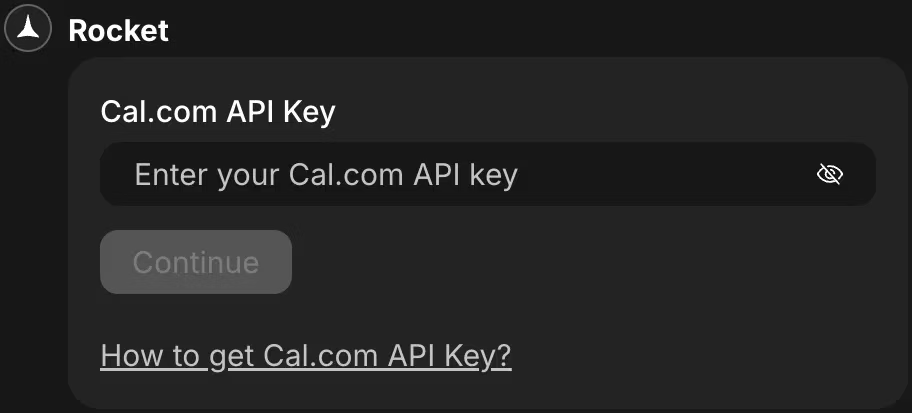
- Scheduling and tours — Calendly or Cal.com can be connected for scheduling and calendar sync, enabling buyers to book property viewings directly through the app.
Six Ways to Start a Real Estate Project
There are six ways to start a project in Rocket: from a plain-language idea, from a Figma design, from a URL (pasting a competitor's site), from an image or wireframe, from a pre-built template, or from a remix link to clone a shared project. For real estate teams, starting from a wireframe or a Figma mockup is particularly useful — design-first teams can import their property listing screens and get working code in return.
Build your real estate app now→
The Recommended Stack for a Real Estate App
Based on Rocket's integration documentation, a well-structured real estate app stack would look like:
Supabase for the property database, user authentication, and file storage (listing photos). Stripe for any subscription features (premium listings, agent plans). Twilio for SMS notifications to buyers when new listings match their saved search. Mapbox for interactive map views of available properties. Google Analytics or Mixpanel for tracking search behavior and conversion funnels.
API keys are encrypted at rest and never exposed in your code, and any integration can be disconnected at any time from Project Settings.
Community Insight
Developers often discuss modern development tools in startup communities.
A Reddit discussion highlighted the rise of AI-driven development platforms.
A developer wrote:
“Tools that automate parts of app development let small teams ship MVPs faster. That means you can test product ideas without hiring a big engineering team.” - Source
Many founders building real estate platforms follow a similar strategy. Launch quickly, gather user feedback, then expand features.
Top Real Estate App Development Companies
Large companies often rely on specialized estate app development company partners.
Some well-known firms include:
- Ascendix Technologies
- Swenson He
- Octal IT Solution
- NMG Technologies
- Cognizant
- Appinventiv
- Fingent
- Saritasa
- Mind Studios
- Utility
These companies offer real estate application development services with experienced teams and industry knowledge. An experienced estate app development company can guide architecture, scalability, and advanced integrations.
Real Estate App Benefits for Businesses
A good real estate mobile app helps businesses reach customers faster.
Benefits include:
- direct connection with buyers
- real-time listing updates
- better real estate operations
- improved lead tracking
- stronger engagement with app users
Many agencies also report higher lead quality from real estate mobile applications than from web portals.
Final Thoughts on Build Real Estate App
Creating a modern property platform requires thoughtful planning, the right features, and a clear development strategy. The real estate industry continues to move toward digital platforms where buyers, agents, and sellers interact via mobile apps.
When teams combine strong real estate app development with practical features like property listings, maps, and mortgage calculators, and tools such as Rocket.new, they can build real estate app solutions that meet today's property market needs.
Table of contents
- -Why the Real Estate Industry is Moving to Mobile
- -What Makes a Real Estate App Useful?
- -Types of Real Estate Apps
- -Property Listing Apps
- -Marketplace Platforms
- -Property Management Apps
- -Agent Tools
- -Real Estate App Development Process
- -1. Idea and Planning
- -2. Market Research
- -3. Wireframes and Design
- -4. Frontend and Backend Development
- -5. Testing
- -6. Launch and Deployment
- -7. Maintenance and Updates
- -Must-Have Features for a Real Estate App
- -Property Listings
- -Advanced Search Filters
- -Google Maps Integration
- -Mortgage Calculators
- -Virtual Property Tours
- -Push Notifications
- -User Profiles
- -Property Management Tools
- -Technology Stack for Real Estate Apps
- -Trends in Real Estate App Development
- -Artificial Intelligence
- -Augmented Reality
- -Virtual Reality Tours
- -Data Driven Market Insights
- -Cost of Real Estate App Development
- -Building Real Estate Apps with Rocket.new
- -How Rocket Works?
- -What Rocket Builds (Not Mockups — Real Apps)
- -Key Capabilities for Real Estate Development
- -What a Real Estate Team Can Build
- -Six Ways to Start a Real Estate Project
- -The Recommended Stack for a Real Estate App
- -Community Insight
- -Top Real Estate App Development Companies
- -Real Estate App Benefits for Businesses
- -Final Thoughts on Build Real Estate App