

Why do so many digital projects fail despite powerful tools? Choosing the right low-code integration platform ensures seamless data flow, automation, and real business outcomes for modern teams.
So, how hard is it to choose the right low-code integration platform in 2026?
Not hard, but very easy to mess up.
The right low-code integration platform helps teams connect tools, sync data, and automate workflows without endless coding. Poor choices create broken data flows, messy backend data, and annoyed teams.
According to Gartner, only 48% of digital initiatives meet or exceed their business outcome targets, which means more than half struggle to deliver real results.
One of the biggest reasons is that tools and systems fail to work together smoothly.
Let's see which low-code integration platforms are right for you.
What a Low-Code Integration Platform Really Does?
A low-code integration platform connects disparate software systems and enables data to flow between them. It uses visual tools instead of heavy programming. Users design workflows using drag-and-drop interfaces, simple logic blocks, and pre-built connectors.
Instead of writing complex scripts, teams map fields, set rules, and let the platform manage backend data. This makes low-code integration useful for business users, non-technical users, and even experienced data engineers who want speed without headaches.
Most platforms handle data integration, data transformation, syncing data, and workflow automation. Many also support analytics tools, internal tools, and data warehouse pipelines.
Why Low-Code Integration is Everywhere?
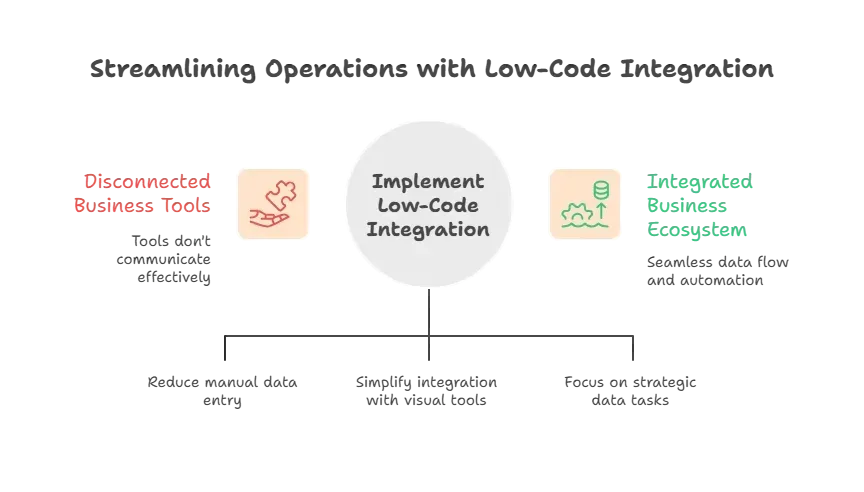
Companies now run on dozens of tools.
CRM, marketing platforms, finance apps, support tools, analytics dashboards. None of them talks nicely by default. That’s where a low-code integration platform steps in.
Key Features That Actually Matter
Not every platform deserves attention. Some look good on sales pages but fall apart later.
These key features separate solid platforms from painful ones.
- Visual tools that make sense: A clear visual interface helps teams see data pipelines without confusion. Drag-and-drop interfaces enable fast workflow creation. Drag-and-drop functionality works best when layouts stay simple and readable.
- Pre-built connectors: Pre-built connectors save real time. Platforms should support common data sources like CRMs, data warehouses, cloud storage, and analytics tools. A few reliable connectors beat dozens that never get used.
- Error handling that doesn’t hide problems: Error handling should surface issues clearly. Silent failures damage trust. Good platforms log errors, allow retries, and protect data quality and enterprise data.
- Data transformation without pain: Data rarely matches between tools. Data transformation rules help clean fields, map formats, and sync complex data types safely.
- Automation support: Workflow automation allows teams to automate workflows across apps. This includes approvals, alerts, and scheduled syncing data.
These features keep integration work practical, predictable, and easy to manage. When even one is missing, small issues turn into long-term headaches.
Low Code vs Code Integration Platforms
The debate still exists. Low code or a full code integration platform?
- Code integration platforms: These give full control. Developers write custom code, handle edge cases, and work directly with complex data types. This approach fits advanced machine learning workflows and uncommon system setups.
- Low-code integration platforms: These trade some control for speed. Teams build data workflows using visual tools. Business users handle simple pipelines, while data engineers step in only when complexity grows.
- The hybrid approach: Most modern teams use both. Low-code handles routine data-sync tool tasks. Code integration covers custom logic and special cases.
This balance keeps workflows flexible without slowing teams down or overloading developers.
Data Integration Without Headaches
Even the best tools can’t fix unclear thinking.
When data integration starts with clear goals and simple flows, platforms work smoothly, and teams avoid unnecessary rework.
- Start with clear data sources: Identify what actually matters. CRM data, finance data, or customer data. Then map how data flows between systems.
- Define data pipelines with intent: Every data pipeline should serve a clear goal. Avoid building pipelines “just in case” since they create clutter later.
- Set data quality rules early: Clean input saves time. Fixing broken outputs wastes it. Early rules protect long-term data quality.
- Watch data volume growth: Some platforms struggle as volumes increase. Choose tools that scale smoothly without constant fixes.
Clear planning keeps data integration simple. Without it, even the best platform becomes extra work rather than a solution.
Common Use Cases
Low-code integration platforms show their real value in day-to-day work. These aren’t flashy scenarios. They’re the small, repeatable tasks that quietly eat up time when done manually.
- Sync customer data between CRM and support tools
- Pull data into a data warehouse for reporting
- Syncing data across existing software
- Automating repetitive tasks like reports and alerts
- Managing backend data between multiple systems
Each use case reduces manual effort, reduces errors, and keeps teams focused on work that actually matters rather than chasing broken data.
A Quick Comparison
This table shows how low-code integration platforms support common business scenarios.
| Use Case | Low Code Benefit |
|---|---|
| CRM to data warehouse | Stable data pipeline |
| Finance reports | Clean data transformation |
| Internal dashboards | Fast data integration |
| Customer notifications | Workflow automation |
| Ops monitoring | Reliable data flows |
These examples highlight how low-code tools simplify routine work and keep systems connected without constant manual fixes.
Community Insight
Here’s a real voice from Reddit:
“Low code works best when teams treat it as structured tooling, not magic automation. Clear data flows make or break results.”
This reflects real experience. Low-code platforms help when used thoughtfully. They fail when teams expect miracles.
Rocket.new: An Excellent Vibe Solutioning Platform
Rocket.new takes a different angle. It focuses on app creation rather than acting as a pure integration platform.
Rocket.new uses AI to generate full-stack apps from natural language prompts. It creates front-end user interfaces, backend data models, authentication, and logic.
Rocket.new pairs well with low code integration platforms. Teams build apps with Rocket.new and connect them to existing tools using integration platforms.
Top Features:
- AI-generated full-stack apps: Build front-end and back-end automatically from simple prompts.
- Backend data models: Sets up data structure without manual work.
- Authentication and role management: Handles logins and user permissions automatically.
- Exportable code: Lets you download the code for customization or hosting.
- Service connections: Connects apps to payments, analytics, and other tools.
- Pre-built workflow templates: Provide ready-made blocks for automating app logic.
Use Cases
- Internal Tools: Teams create admin dashboards and internal tools without writing custom code.
- MVP Products: Startups build test apps fast and validate ideas before scaling.
- Customer Interfaces: Create clean customer-facing apps that connect to backend data via integration platforms.
- Team Collaboration Apps: Build internal collaboration or project management apps that sync data across departments.
- Data Dashboards: Generate interactive dashboards that pull from multiple sources for real-time reporting.
- Onboarding and Training Apps: Create apps to manage employee onboarding, training modules, and automated workflows.
Rocket.new simplifies app creation. Low-code integration platforms handle data workflows behind the scenes.
Managing Data Pipelines the Smart Way
Data pipelines fail when they grow without structure. A good platform helps teams manage data pipelines visually, keeping everything organized and easy to follow.
Each data pipeline should have:
- Clear source and destination – Know exactly where the data comes from and where it’s going to avoid confusion.
- Defined data transformation steps – Map out how data should be cleaned, reshaped, or combined between systems.
- Error handling rules – Set rules for catching mistakes and retrying failed processes so issues don’t go unnoticed.
- Monitoring – Track pipeline performance and catch problems early before they affect other workflows.
Visual management of data pipelines keeps workflows predictable, reduces errors, and helps teams fix issues faster, making large-scale data integration much easier.
Automation That Actually Helps
Automation sounds nice until it breaks things. A good platform ensures automation actually helps rather than causing headaches.
Good automation capabilities focus on:
- Automating data flows once logic is clear – Only automate processes that are well-defined to avoid mistakes.
- Automating repetitive tasks carefully – Use automation for boring, repeated work like reports or alerts, not for every small step.
- Automate workflows with checkpoints – Build in pauses or reviews so errors are caught early instead of propagating.
Smart automation reduces manual effort while keeping workflows safe and predictable. Start simple, then expand as confidence grows.
Picking the Best Low-Code Integration Platform
Choosing the right low code integration platform in 2026 comes down to clarity, planning, and realistic expectations. Pick tools that support clean data integration, manageable data pipelines, and reliable automation. Keep workflows simple, visible, and controlled. That’s how teams stay fast without breaking things.
A good platform grows with your needs. Start with core pipelines and essential automation, then expand gradually. This way, teams stay productive, data stays accurate, and integration complexity never gets out of hand.
Table of contents
- -What a Low-Code Integration Platform Really Does?
- -Why Low-Code Integration is Everywhere?
- -Key Features That Actually Matter
- -Low Code vs Code Integration Platforms
- -Data Integration Without Headaches
- -Common Use Cases
- -A Quick Comparison
- -Community Insight
- -Rocket.new: An Excellent Vibe Solutioning Platform
- -Top Features:
- -Use Cases
- -Managing Data Pipelines the Smart Way
- -Automation That Actually Helps
- -Picking the Best Low-Code Integration Platform

