

A business website is your 24/7 digital storefront. Pick a domain, choose a website builder or AI generator, build key pages, optimize for search, and track performance. Most sites go live in 1 to 3 hours.
A business website is a digital storefront that works 24/7, capturing leads, building trust, and converting visitors even when you're not available. Learning how to create a website for your business is now faster than ever: pick the right website builder, register a domain name, and follow a clear step-by-step plan to go live without coding knowledge or a large budget.
By 2025, around 72% of businesses have a website, underscoring how common and essential an online presence has become. A business website is no longer optional. It's where first impressions form, trust is built, and real business begins.
The 5-stage flow to create a website for your business, from planning to publishing.
Why a Business Website Still Matters
Even in the age of social media platforms and instant apps, a business website remains essential. It's more than just an online presence; it supports visibility, credibility, and long-term control as your business grows.
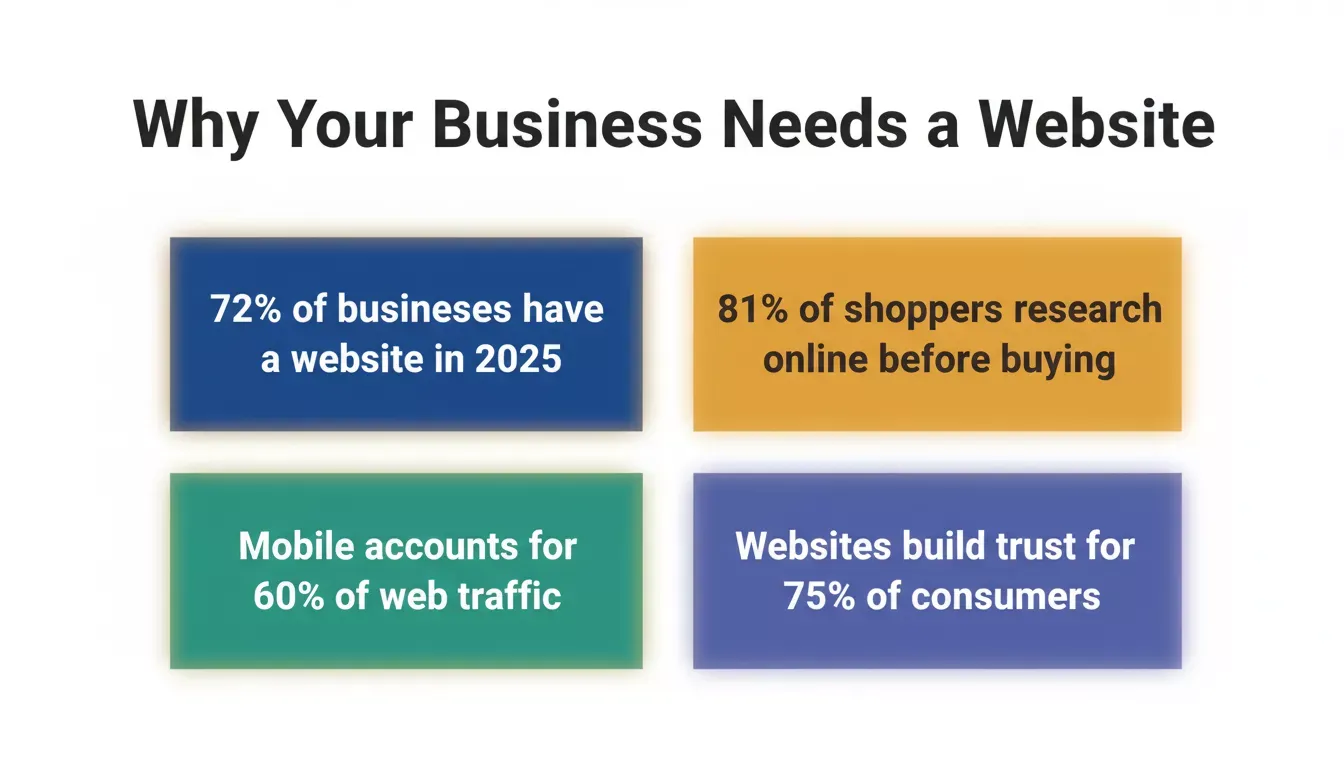
Key statistics showing why every business needs a professional website in 2025.
A business website works like a digital storefront that never closes. It captures interest from people already searching for what you offer and helps you build authority in your industry.
Key reasons a website still matters:
- Acts as a 24/7 digital storefront without breaks or downtime
- Helps people find your business before they call, visit, or buy
- Builds trust through clear messaging, branding, and social proof
- Prevents sending potential customers to competitor websites
- Gives full ownership without depending on social media accounts or algorithms
- Scales easily with new pages, features, or an online store
Social media can support engagement, but it does not replace ownership. A website stays under your control and grows with your goals. That's why a business website continues to matter.
Before Getting Started
Before jumping into domain names, website builders, and templates, it helps to pause for a moment. Building a business website works best when done in small, clear steps. Each step builds on the previous one, and skipping ahead often creates confusion later.
Think about your business name, your target audience, and what you want visitors to do when they land on your site. Having that clarity makes every decision easier, including whether you need a simple website builder or a more capable AI-powered platform. Now, let's move step by step.
Step 1: Pick the Right Domain Name
The domain name is the address people type. Simple, but powerful.
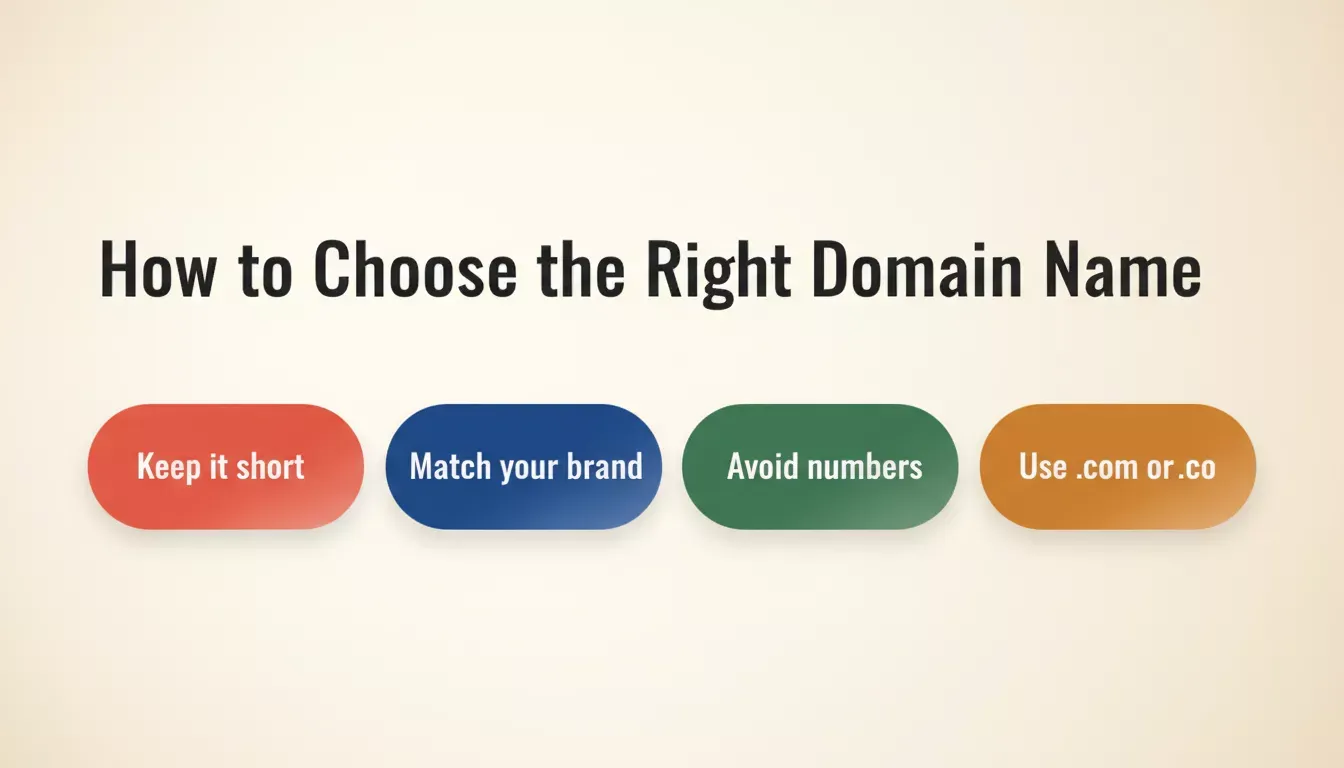
Four rules for choosing a domain name that builds trust and stays memorable.
A perfect domain should be short, clear, and linked to the business name. Avoid odd spellings, numbers, and hyphens. Keep it clean. Using your own domain name across all channels helps people remember it and builds brand recognition.
A custom domain name builds trust. A free website with a long subdomain feels temporary. Many website platforms offer domain name registration, and some include a free domain for the first year, which is a good way to get started without extra cost.
Step 2: Choose the Best Website Builder That Matches the Goal
A website builder makes creating and managing a site simple, so you don't need a developer for every edit. The right choice depends on your goals, technical comfort, and budget.
Not sure if you need a website builder or something more powerful? If your site is primarily a marketing page or small business site, a standard builder works well. If you need a full web app, e-commerce platform, or want AI to generate your site from a plain-language description, consider an AI-powered platform instead. See the Rocket.new section below for how that works, or explore no-code website builder options for more context.
Free website builders work well at the start, letting you shape your ideas without pressure. Most include web hosting, templates, and built-in marketing tools in one place. With many platforms, your website can go live in just a few clicks.
Step 3: Select Website Templates That Fit the Business
Website templates save significant time, allowing you to focus on your content rather than building from scratch. Choose pre-designed templates specifically for business websites, with clear, easy-to-read layouts.
Templates should be fully customizable so brand colors, fonts, and spacing can match your brand perfectly. A good template also ensures a smooth experience on mobile devices, keeping your website user-friendly on phones and tablets. Professionally designed templates give your site a polished look that builds credibility with existing customers and new visitors alike.
Step 4: Set Up Web Hosting and the Website Platform
Web hosting keeps your website live on the internet, so people can visit it anytime. Most website platforms bundle hosting with their tools, making setup much easier.
Speed is important. Google's Core Web Vitals research shows that slow-loading pages directly hurt both search rankings and conversion rates. Flexibility matters too, because as your business grows, you may need to add features, update content, or make design changes. Choosing the right hosting and platform ensures your website stays fast, reliable, and ready to grow.
Step 5: Build Pages Using Drag and Drop
This is where things get fun. Drag and drop tools make page layouts simple. You can move sections, add text, and insert images with ease.
Use the editor to build key pages like Home, About, Services, and Contact. For simple offers, a single-page website can work just as well. Don't forget to add contact forms — these let visitors reach out easily and help capture leads without any pressure. Contact forms are one of the most effective lead generation tools on any business website. You can also explore how to build a high-converting page for more advanced layout tips.
Step 6: Write Website Content That Sounds Human
Your website content should feel friendly, clear, and easy to read. Short sentences work best, and using real, simple words makes a bigger impact.
Include content that answers common questions, explains your services, and shows the value you provide. Add social proof, such as reviews or testimonials, and trust builds quickly when visitors see it. Use high quality photos and own images where possible to make the site feel authentic and personalized. Add icons, logos, and design elements that reflect your brand colors and visual identity.
Step 7: Add Business Features That Actually Help
A business website should do real work.
| Feature | Purpose | Benefit |
|---|---|---|
| Online Store | Sell products and manage inventory | Revenue without third-party platforms |
| Contact Forms | Capture leads and inquiries | Direct customer connection |
| Online Payments | Accept payments securely | Faster conversions |
| Blog Section | Add new content regularly | Improved SEO and search ranking |
| Social Media Links | Connect social media accounts | Unified online presence |
| Analytics Tool | Track website traffic and behavior | Data-driven improvements |
| Mobile-Friendly Design | Automatic optimization for phones | Better user experience |
An online store enables the selling of products online without additional tools. Ecommerce platforms handle payments, products, and orders. Online payments integration lets customers purchase directly from your site, removing friction from the buying process. You can learn more about building an online store that converts visitors into buyers.
Step 8: Help Search Engines Find the Website
Making your website visible to search engines brings organic traffic and helps potential customers find you without paid ads.
Five foundational SEO actions every small business website should implement from day one.
- Start with keyword research and pick search terms that match your services.
- Add meta tags and short, clear meta descriptions for each page.
- Use descriptive URLs so both visitors and search engines can easily understand your page content.
- Keep search engine optimization (SEO) simple; most website builders include tools that guide small fixes.
- Add alt text to images to improve accessibility and search visibility.
- Create a blog or resource section to add fresh, relevant content regularly.
- Connect Google Search Console to monitor search results performance.
A little SEO effort goes a long way. Small, consistent updates help your site get found and bring more visitors over time.
Step 9: Track Website Performance and Visitors
Monitoring your website helps you understand what's working and where improvements are needed.
- Use an analytics tool such as Google Analytics to analyze visitor behavior and site performance.
- Track website traffic, page visits, and how users navigate through your site.
- Check performance on both desktop devices and mobile devices to ensure a smooth experience.
- Make small tweaks based on insights; they often drive more traffic and better engagement.
- Monitor bounce rates and popular pages to inform future updates.
Regularly tracking performance helps you make informed decisions and keeps your website growing effectively over time.
Community Insight
A Reddit thread highlighted how easy it can be to build a simple website without coding:
"Want to build a website but don't know how to code? No problem! There are a number of no-code tools available that can help you create a professional-looking website without any coding knowledge."
When to Hire a Web Designer or Developer
Sometimes help makes sense. Not everything needs to be DIY forever. If you're unsure whether a website builder covers your needs (Step 2), this section will help you decide.
Hire a web designer when:
- Branding needs to look sharp and consistent
- Layout balance, brand colors, and typography matter more
- A specific visual style is required for stronger brand recognition
Hire a web developer when:
- The site needs advanced functionality
- Custom code or complex forms are required
- An online store needs scaling or performance improvements
For most small business owners, a website builder covers early needs. Build the foundation first. Learn what the site truly needs. Then engage a web designer or developer to deliver focused upgrades without overspending. You can also compare your options by reading about website builder vs custom development to make an informed call.
Rocket.new: Build Your Business Website from a Plain-Language Description
Most website builders ask you to pick a template and drag elements around. Rocket.new works differently, and if you've followed the steps above, it covers most of them in one place.
Rocket.new is the world's first Vibe Solutioning platform: you describe what you want in plain language, and Rocket's AI generates a production-ready website or web app, complete with real code (Next.js), proper navigation, and a design that doesn't look AI-made. There's no template library to browse; the output is generated specifically for your prompt, your business type, and your content.
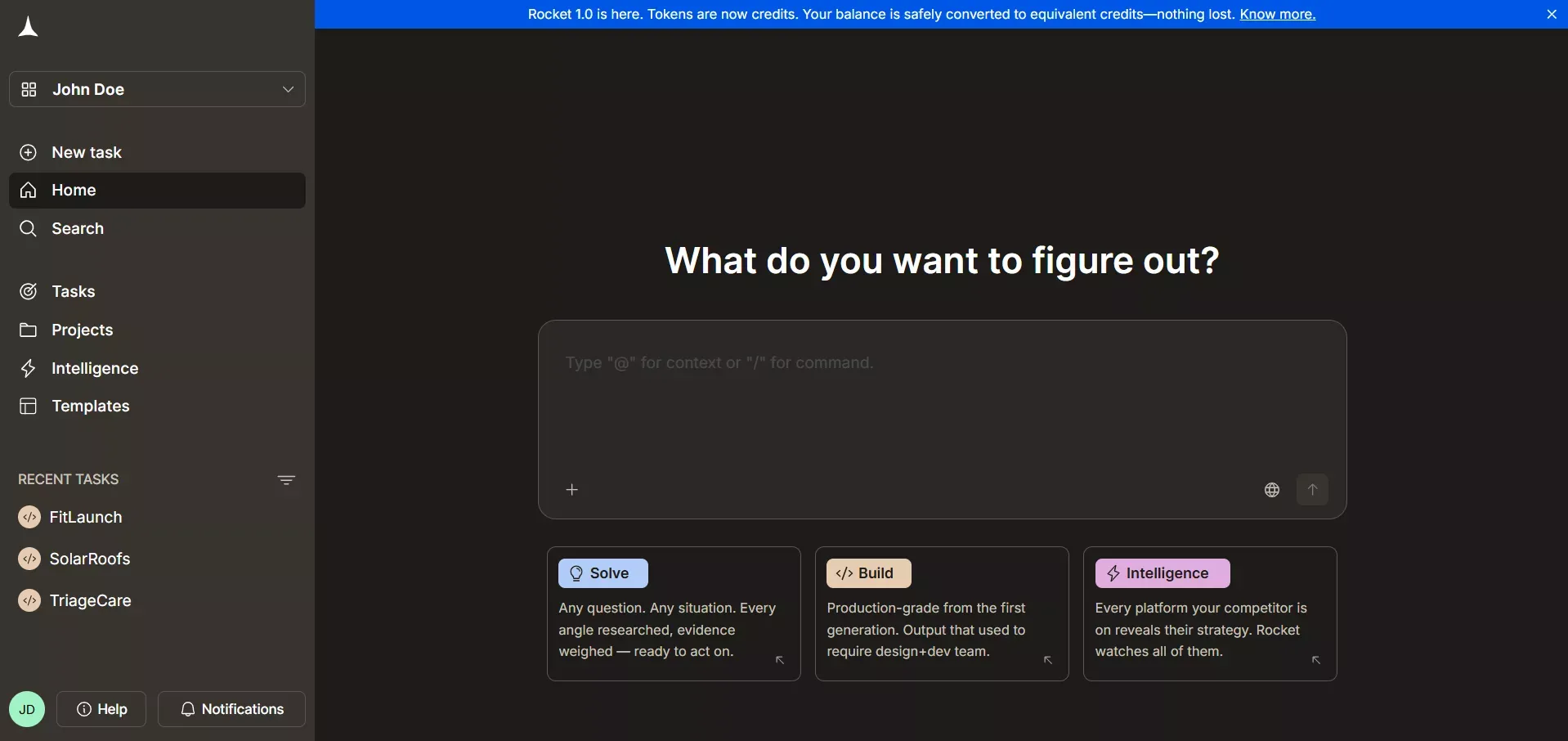
What makes Rocket.new different from a standard website builder:
- **Build from a description:** Type what you want, "a landing page for a fitness coaching business with a booking form and testimonials", and Rocket generates it. Refine through conversation afterward using Visual Edit or the code view.
- Solve before you build: Before writing a single line, use Rocket's Solve feature to research your market, validate your idea, or generate a product brief. That research carries directly into your build, no re-explaining of context.
- Intelligence after you launch: Rocket's Intelligence pillar monitors competitors continuously across their websites, social media, hiring, and product changes, so you're never caught off guard by a competitor's move.
- Custom domain support: Connect your own domain name with automatic HTTPS. Rocket handles DNS configuration automatically for supported providers.
- Built-in analytics: Track visitors, conversions, and Core Web Vitals after launch- zero additional setup required.
- 25+ integrations: Stripe, Supabase, Google Analytics, Mailchimp, Airtable, and more. Authenticate once, and they flow into every build.
Use cases:
| Use Case | What Rocket.new Delivers |
|---|---|
| Startup Pages | Prompt-generated pages built to convert, with context from Solve research |
| Small Business Sites | Multi-page sites with contact forms, service sections, and social proof |
| Online Store | E-commerce with product catalog, Stripe checkout, and order management |
| Internal Tools | Dashboards, customer portals, and admin panels generated from a description |
Rocket.new is a good fit for founders and small business owners who want to go from idea to live site without a developer, and who want the research and competitive intelligence that most builders don't offer. It's not a drag-and-drop template editor, it's an AI that generates your site from what you tell it.
Comparing Website Builder Options
Before committing to any platform, it helps to see how the major options compare. The right choice depends on your technical comfort, budget, and what you actually need the site to do.
| Platform | Best For | AI Generation | E-commerce | Starting Price |
|---|---|---|---|---|
| Rocket.new | Founders, startups, full web apps | Yes, prompt-to-site | Yes (Stripe) | Free tier available |
| Wix | Small businesses, drag-and-drop ease | Limited (AI assistant) | Yes | ~$17/mo |
| Squarespace | Portfolios, design-forward sites | Limited | Yes | ~$16/mo |
| Shopify | E-commerce first | Limited | Full-featured | ~$29/mo |
| WordPress | Content sites, full flexibility | Via plugins | Via WooCommerce | Hosting cost only |
Prices are approximate and subject to change. Check each platform's current pricing page.
Common Mistakes to Avoid
Even with good tools, a few small mistakes can slow things down. Most of these are easy to fix once noticed.
- Ignoring Mobile-Friendly Checks: Many site visitors use mobile devices. If the website looks cramped or broken on a phone, people leave fast. Always preview pages on different screen sizes before going live.
- Weak Website Content: The website's content should be clear and concise. Short, direct messages work better than long blocks of text. Visitors should understand what the business offers within seconds.
- Using Too Many Fonts: More fonts do not mean more style. Stick to one or two fonts across the site to keep the layout clean and readable.
- Missing Contact Info: If people can't find contact info, they won't try hard. Make email, phone, or contact forms easy to spot on important pages.
- Copying Competitor Websites Blindly: Competitor websites can inspire ideas, not copy-paste jobs. Every business has a different target audience. What works for one business may not work for another.
Website Builder vs AI Generator: What's the Difference?
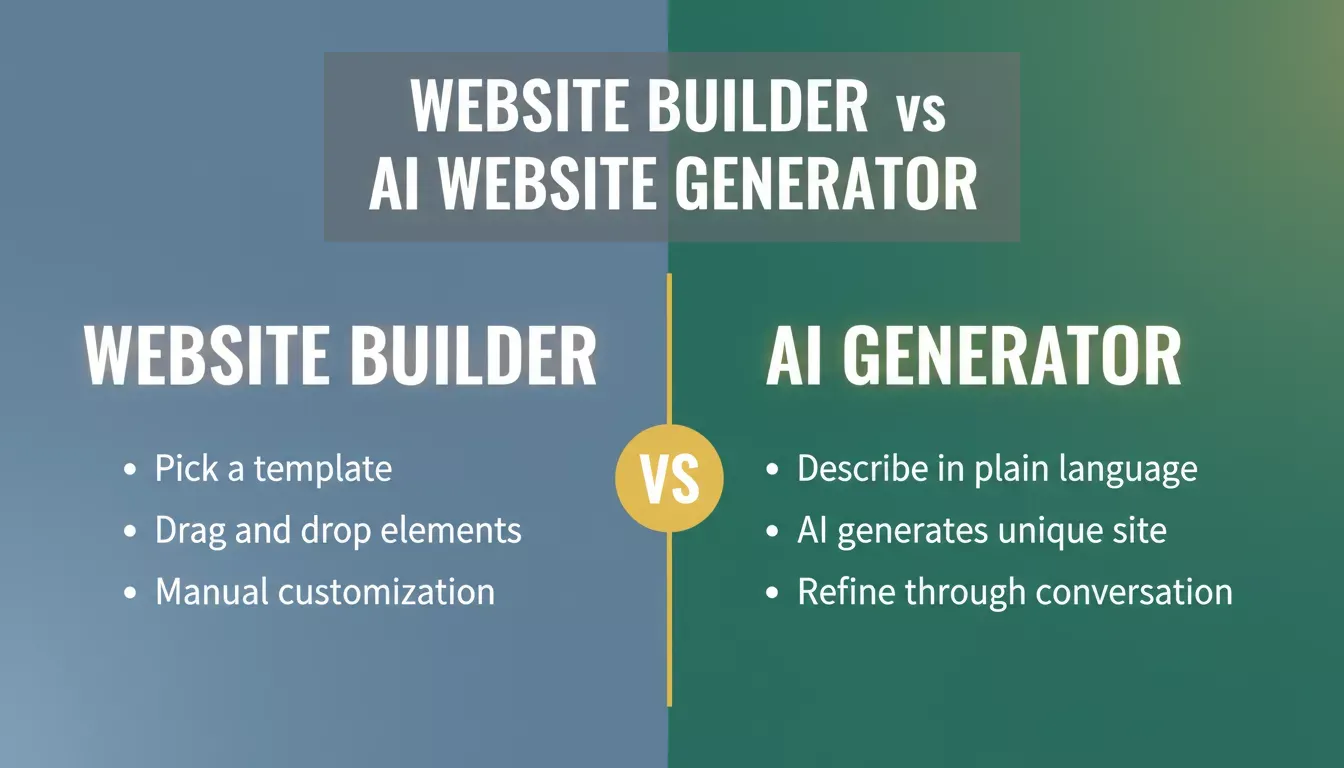
The key difference between a traditional website builder and an AI website generator like Rocket.new.
A website builder gives you a visual editor with pre-made templates to customize manually. You choose a layout, drag elements into place, and fill in your content. Tools like Wix and Squarespace follow this model.
An AI website generator takes a plain-language description and generates a unique site from scratch, no template selection required. You describe what you want, and the AI writes the code and builds the layout. Rocket.new follows this model, using natural language prompting to produce production-ready Next.js output. You can explore what you can build with an AI generator to see the full range of possibilities.
Build a Website for Business Easily
Creating a business website no longer needs stress, tech confusion, or heavy spending. With the right website builder, clean templates, and a clear plan, learning how to create a website for my business becomes a simple process that supports real growth.
Start small. Focus on clarity. Build what the business actually needs today, not everything at once. A website can evolve over time, just like the business itself. What matters most is getting started and letting the site work quietly in the background while real work happens.
Every small business owner deserves a professional online presence without the complexity. Rocket.new makes it easy to build your own website by describing what you want, no templates, no drag-and-drop required.
Whether you're setting up a service page, an online store, or a full web app, Rocket.new generates production-ready code from your plain-language description and gives you everything you need in one place.
Table of contents
- -Why a Business Website Still Matters
- -Before Getting Started
- -Step 1: Pick the Right Domain Name
- -Step 2: Choose the Best Website Builder That Matches the Goal
- -Step 3: Select Website Templates That Fit the Business
- -Step 4: Set Up Web Hosting and the Website Platform
- -Step 5: Build Pages Using Drag and Drop
- -Step 6: Write Website Content That Sounds Human
- -Step 7: Add Business Features That Actually Help
- -Step 8: Help Search Engines Find the Website
- -Step 9: Track Website Performance and Visitors
- -Community Insight
- -When to Hire a Web Designer or Developer
- -Rocket.new: Build Your Business Website from a Plain-Language Description
- -Comparing Website Builder Options
- -Common Mistakes to Avoid
- -Website Builder vs AI Generator: What's the Difference?
- -Build a Website for Business Easily

