Struggling to launch your MVP quickly? Discover how using an app template speeds up development, reduces setup complexity, and helps founders validate ideas faster without rebuilding common features from scratch.
Want to launch an MVP faster without building your app from scratch?
Start with a template. When you use a ready-made template, you can create an app faster, test ideas earlier, and gather real feedback from users sooner.
According to research, 42% of startups fail due to a lack of market need, which is why many founders launch an MVP first to validate their idea before building a full product.
So instead of building everything from scratch, many founders now choose app templates to start faster. In this article, we will walk through how to use an app template step by step and turn an idea into a working mobile product.
Why Templates Make MVP Launches Faster?
Building an app from the ground up takes time. A team must plan the design, create functionality, connect data, and test every feature.
With app templates, much of that work is already done. A template gives you a ready structure that includes:
- A basic layout
- Navigation
- Sample data
- Core functionality
This means your team can start working on the idea rather than on the technical setup.
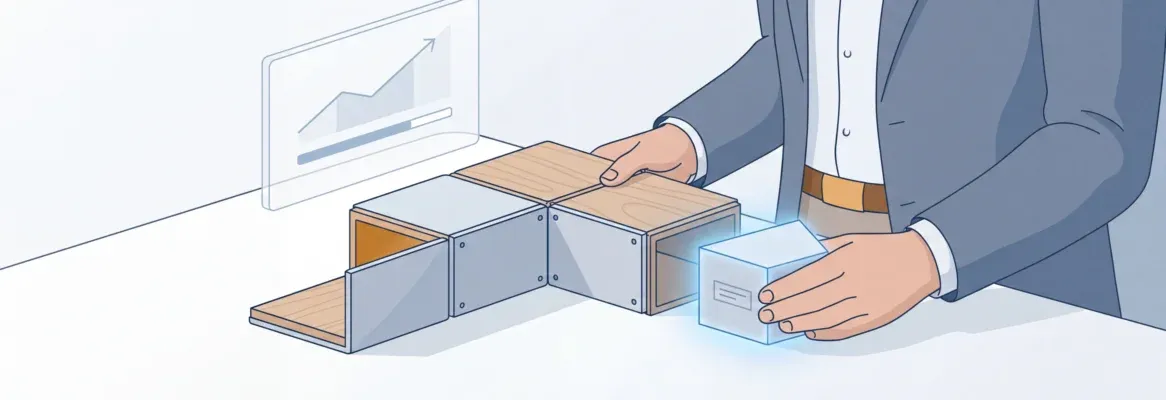
Think of a template like a house blueprint. You still design the interior, but the foundation already exists.
Another advantage is speed. Many modern platforms allow founders to create mobile apps without heavy coding. This helps founders launch faster and gather feedback from users and customers earlier.
What Exactly is an App Template?
A template is a ready-made project structure for creating an app. It already includes the design, structure, and common features used in mobile apps.
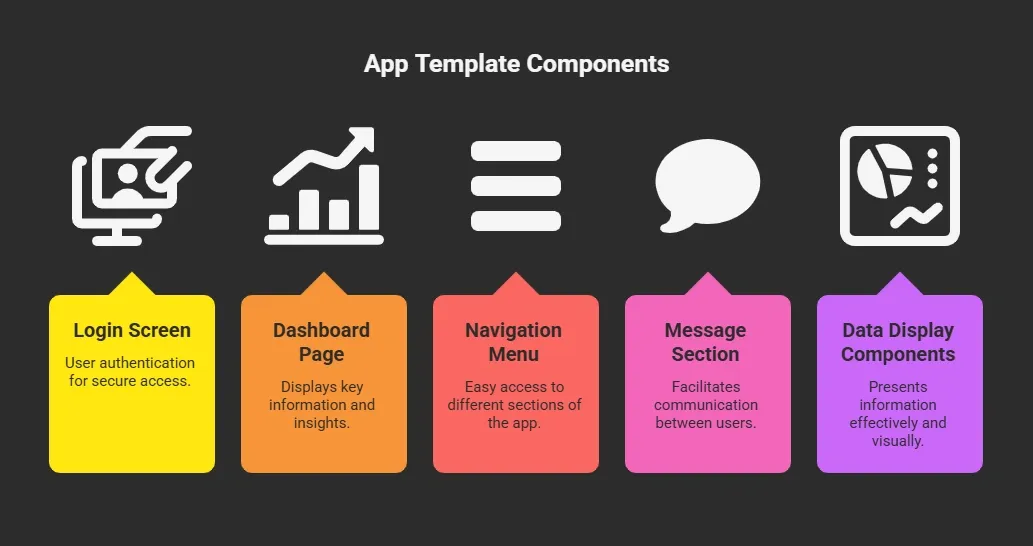
You simply customize the template to match your idea.
Many platforms provide multiple app templates designed for different use cases, such as:
- Marketplace app
- Messaging app
- Booking app
- Content app
Your team can choose the template that matches the product idea.
How to Use a Template for Your MVP?
The goal of this process is to launch quickly and focus solely on your app's core feature. You do not need a perfect product at this stage. A simple working version helps your team test the idea and learn from users early.
Now let’s walk through the simple process.
Step 1: Choose the Right Template
Start by selecting a template that matches your idea. Most platforms offer a search option to browse app templates.
You might see examples like:
- Social mobile app template
- Marketplace template
- Dashboard template
- Messaging template
Select the template that closely matches your MVP idea.
If your product involves user communication, choose a message-based template. If your idea focuses on listings or products, choose a marketplace layout. This helps your team save time later.
Step 2: Preview the Template Before Using It
Before selecting a template, take a moment to preview it. Many platforms allow you to click preview and view the interface.
You may see:
- How the page layout looks
- How data appears
- How navigation works
- How features behave
Sometimes you can even press the play button to interact with the demo app.
This preview helps you decide if the template fits your MVP idea. It is always a good idea to preview the template before starting development.
Step 3: Create Your App Using the Template
Once the template is selected, you can create your app. Most tools offer a simple button to begin.
You click the button, and the platform copies the template into your workspace. Now your team has a working app structure with pages, design, and basic functionality.
At this stage, the goal is not perfection. The goal is to start quickly and test the core feature of your idea.
Step 4: Customize the Template
Now comes the fun part. You can customize the template to match your product vision. Common customization everyone wantes right?
Common steps include:
- Changing images
- Editing message text
- Updating design colors
- Modifying layout
- Connecting real data
You can also add new features if needed.
For example, you may want to add:
- Notification message feature
- Profile page
- User comments
- Product listing
The template already provides the structure. You just customize it.
Step 5: Connect Your Data
Most modern app builders allow you to connect external data sources. This means your app can show real information instead of sample content.
Common data sources include:
- Databases
- Spreadsheets
- APIs
- CMS platforms
Once connected, your app can display real information to users.
For example:
| Feature | Data Source Example |
|---|---|
| Product listing | database table |
| user profile | authentication system |
| message system | messaging API |
| analytics | usage tracking tool |
This connection helps your MVP feel like a real product instead of a demo.
Step 6: Test the App
Testing is an important step. Your team should test the app before launch.
You can test:
- Navigation
- Message delivery
- Data loading
- Feature behavior
Many platforms allow you to preview the app again using a play button. When you press the play button, the mobile experience appears just like it would for users.
You can also test the app on a real phone. Testing helps identify problems before customers start using it.
Step 7: Gather Feedback from Users
After testing, your team can start sharing the MVP with early users. This step helps you learn what works and what needs improvement.
Users might send feedback such as:
- Feature suggestions
- Design feedback
- Message clarity
- Navigation confusion
This feedback helps guide future changes. Remember, an MVP is meant to learn from users.
Community Insight
Startup founders often discuss how AI tools and templates are accelerating product development. A LinkedIn post about Rocket.new highlighted how quickly founders can build and test ideas today.
“Rocket.new lets you go from ‘what if’ to a working app in minutes.”
The post explains that instead of generating small code snippets or rough prototypes, the platform can generate a full working app, including backend, UI, and integrations, from a single prompt.
Common Mistakes When Using Templates
Note: Templates help speed up app development, but small mistakes during setup can slow your progress or affect the final results. Keeping things simple and focused will help your team build a better MVP.
Here are a few common mistakes to watch out for:
- Adding Too Many Features : Your MVP should focus on one main feature. When teams try to add many features at once, the app becomes harder to manage and development takes longer. Start small and expand later.
- Ignoring User Feedback: Users provide valuable insight during the early stages. If users report issues with navigation, message clarity, or usability, take their feedback seriously and update the app accordingly.
- Choosing the Wrong Template: Not every template fits every idea. For example, a marketplace template may not work well for a messaging app. Choose a template that closely matches the core purpose of your product.
Avoiding these common mistakes helps your team keep the development process smooth. With the right template and a focused approach, you can test your idea faster and improve the app using real user feedback.
The Rocket Approach: Building Faster with Rocket.new
Rocket.new is an AI-powered platform that helps founders and teams quickly create working apps using ready-made templates and automation. Instead of starting development from zero, you begin with a prepared structure and customize it to match your idea.
Some platforms focus on helping founders launch MVPs quickly. One interesting example is Rocket.new. Rocket.new focuses on rapid product creation using modern tools and ready templates.
The idea is simple. Instead of spending weeks on setup, you begin with a working structure and build from there.
Top Features
- Prompt to App Creation: Builds apps directly from single prompts
- Figma Import: Converts design files into live, editable layouts
- AI-Powered Backend: Automatically handles logic, data, and workflows
- Custom Domain Support: Publishes projects with a branded domain
- Code Export: Allows developers to extend or customize later
- Live Preview: Shows instant updates while editing
These tools allow a small team to create mobile apps quickly.
Using Rocket.New templates are simple
Rocket.new recently introduced 25K+ ready-to-use templates, making it easier for founders to start building right away. Instead of spending time designing the entire app structure, you can simply select a template that matches your idea.
Here is how simple the process looks:
- Search and select a template: Browse the template library and choose one that matches your product idea.
- Preview the app instantly: You can preview how the app works before using it, so you know exactly what the layout and features look like.
- Customize the template: Change images, text, layout, and design elements so the app matches your concept.
- Connect your data: Add real data sources so the app displays live information.
- Test and launch: Once everything looks right, you can test the functionality and prepare the app for users.
With thousands of templates available, Rocket.new makes it easier for founders and small teams to move from idea to working product quickly. Instead of building every component from scratch, teams can start with a ready foundation and focus on improving the core idea.
Launch Your MVP Faster with App Templates
Many startups spend months building a product before showing it to users. This delay increases development cost and slows learning. Templates help solve this problem by providing founders with a ready-made structure for building an app quickly. Instead of creating every component from scratch, teams can start with a working foundation, customize the design, connect data, and test features with real users.
Learning how to use an app template helps startups move from idea to launch much faster. A simple template allows your team to start quickly, gather feedback early, and improve the product step by step. The goal is not perfection at the beginning. The goal is to learn fast and build something users actually want.
Table of contents
- -Why Templates Make MVP Launches Faster?
- -What Exactly is an App Template?
- -How to Use a Template for Your MVP?
- -Step 1: Choose the Right Template
- -Step 2: Preview the Template Before Using It
- -Step 3: Create Your App Using the Template
- -Step 4: Customize the Template
- -Step 5: Connect Your Data
- -Step 6: Test the App
- -Step 7: Gather Feedback from Users
- -Community Insight
- -Common Mistakes When Using Templates
- -The Rocket Approach: Building Faster with Rocket.new
- -Top Features
- -Using Rocket.New templates are simple
- -Launch Your MVP Faster with App Templates