

How fast can an idea become an app prototype today? Modern prompt-driven builders turn plain language into app structure, interface, and logic, helping teams test concepts, launch web apps, and iterate quickly.
Can you really turn a simple prompt into a working app prototype in minutes?
Yes, you can. A modern prompt to an app builder lets you describe your idea in plain English and watch the system create the structure, interface, and logic of your app. Many founders and creators now build quick prototypes this way without deep technical work.
The trend is growing fast. A Statista report forecasts the global low-code platform market to reach about $65 billion by 2027, reflecting the rapid adoption of tools that enable teams to build apps with minimal coding.
So instead of spending weeks writing code, teams now test app ideas, launch web apps, and experiment with mobile app concepts faster than before.
Let’s walk through how this works and how you can use it for your next prototype.
What Does a Prompt to App Builder Actually Do?
A prompt-to-app builder is a type of app builder that converts simple instructions into a working product. You write a short description in plain English, and the platform creates the app's structure.
The system uses the latest AI models and sometimes AI agents to interpret the prompt. It then generates layouts, navigation, and backend logic.
Instead of manual coding, the system produces generated code automatically. You can still adjust the project later if needed.
Most AI app builders today can create:
- Web apps
- Mobile app prototypes
- Dashboards for internal tools
- Simple ecommerce website projects
- Lightweight Android apps
The process reduces the limiting factor for many creators. Lack of tech knowledge or limited coding experience no longer blocks experimentation.
Many non-technical founder teams now use these platforms to quickly test the wildest ideas.
Why Prompt-Based App Building is Popular
Prompt-based app building is becoming popular for a simple reason: speed. Traditional development often took weeks of setup. Teams needed servers, frameworks, and databases before the app could even start. Many teams also worried about vendor lock-in and infrastructure decisions early in the process.
A modern app builder changes that workflow. Platforms can generate web apps, Android apps, and a mobile app prototype from the same project. Some tools also natively support exporting or editing the generated code, reducing strict vendor lock-in and giving teams more flexibility.
Another reason for the popularity is accessibility. Many creators with limited coding knowledge can still build projects and test their ideas. A non-technical founder can launch a mobile app, experiment with a fitness app launch, or validate app ideas without deep engineering support.
This approach is why many people refer to these platforms as vibe coding platforms. You describe the goal in plain English, and the system handles writing the app's code.
Examples of Builders in Action
Creators across the internet are using modern app-building platforms to quickly prototype ideas. Instead of spending weeks on setup and manual coding, they can describe their concept in plain English and generate a working app in minutes.
These platforms help teams build web apps, experiment with mobile apps, and even prepare projects for iOS and Android. For both non-technical and technical founders, this approach removes a major limiting factor in early development.
Below are a few platforms people often use to test app ideas or build quick prototypes.
Rocket.new
Rocket.new is a modern prompt-to-app builder designed for fast prototyping and real product development. It helps creators build web apps, mobile web tools, and Android apps from a single project.
Key features
- Prompt to App Creation: Builds apps directly from single prompts
- Figma Import: Converts design files into live, editable layouts
- AI-Powered Backend: Automatically handles logic, data, and workflows
- Custom Domain Support: Publishes projects with a branded domain
- Code Export: Allows developers to extend or customize later
- Live Preview: Shows instant updates while editing
Best for
- Founders planning a fitness app launch
- Teams building internal tools that handles real world tasks
- Creators testing app ideas before full development
- Teams that want web apps, Android apps, and mobile app versions from the same backend
Rocket.new is often described as immensely helpful for creators who want to build projects quickly without heavy manual coding.
Replit
Replit started as a browser-based coding platform, but now supports AI-driven development for fast app building. Many developers use it to quickly prototype web apps and small tools.
Key features
- AI assistance for writing code and creating project structure
- Tools that automatically detect dependencies and set up
- Support for editing generated code directly
- Instant project deployment using instant dev environments
- Access to API docs and tools to web find API docs
Best for
- Developers with some coding experience
- Teams building quick prototypes or small mobile web tools
- Creators who want flexibility between AI generation and manual coding
Replit helps creators experiment with app ideas quickly while still keeping control of the project structure.
Bolt
Bolt is another fast growing tool in the space of AI app builders. The platform focuses on generating a working app structure from prompts.
Key features
- Prompt driven creation of web apps and backend logic
- Built in database setup and project structure
- Support for connecting new payment systems
- Ability to connect google maps and other APIs
- Tools that help fixes errors in generated projects
Best for
- Testing a mobile app concept quickly
- Founders validating a fitness app launch
- Creators who want to save weeks during early development
Bolt is popular among both technical founder teams and non technical founder creators who want to test a wildest idea quickly.
Loveable
Loveable is designed for fast experimentation with AI generated products. It helps users create a working AI app with minimal setup.
Key features
- Prompt based app builder for rapid prototyping
- Ability to create web apps and mobile web versions
- Built in tools for custom AI models
- Integration with latest AI models for smarter features
- Easy publishing with free or custom domain
Best for
- Creators with limited tech knowledge
- Teams building small Android apps or mobile app prototypes
- Founders experimenting with their wildest idea
Many founders say platforms like this are nonetheless inspiring because they make it easier to build products that handles real world tasks.
These platforms show how modern app-building tools are changing early-stage product development. With AI tools, creators can build web apps, prototype a mobile app, and test ideas much faster than with traditional development.
For both a technical founder and a non technical founder, the biggest limiting factor is no longer deep engineering resources. The real challenge now is having a clear idea and turning it into a working app that handles real world tasks.
How Rocket.new Prompt to App Builder Works?
Let’s walk through a simple workflow using Rocket.new, a prompt-to-app builder that turns a written idea into a working app.
Instead of traditional manual coding, you describe the idea in plain English, and the platform automatically generates the app's structure.
Step 1: Write a Clear Prompt
Start by opening Rocket.new and writing a simple prompt in plain English.
Example prompt:
“Create a playful habit tracker app that tracks workouts, water intake, and daily goals.”
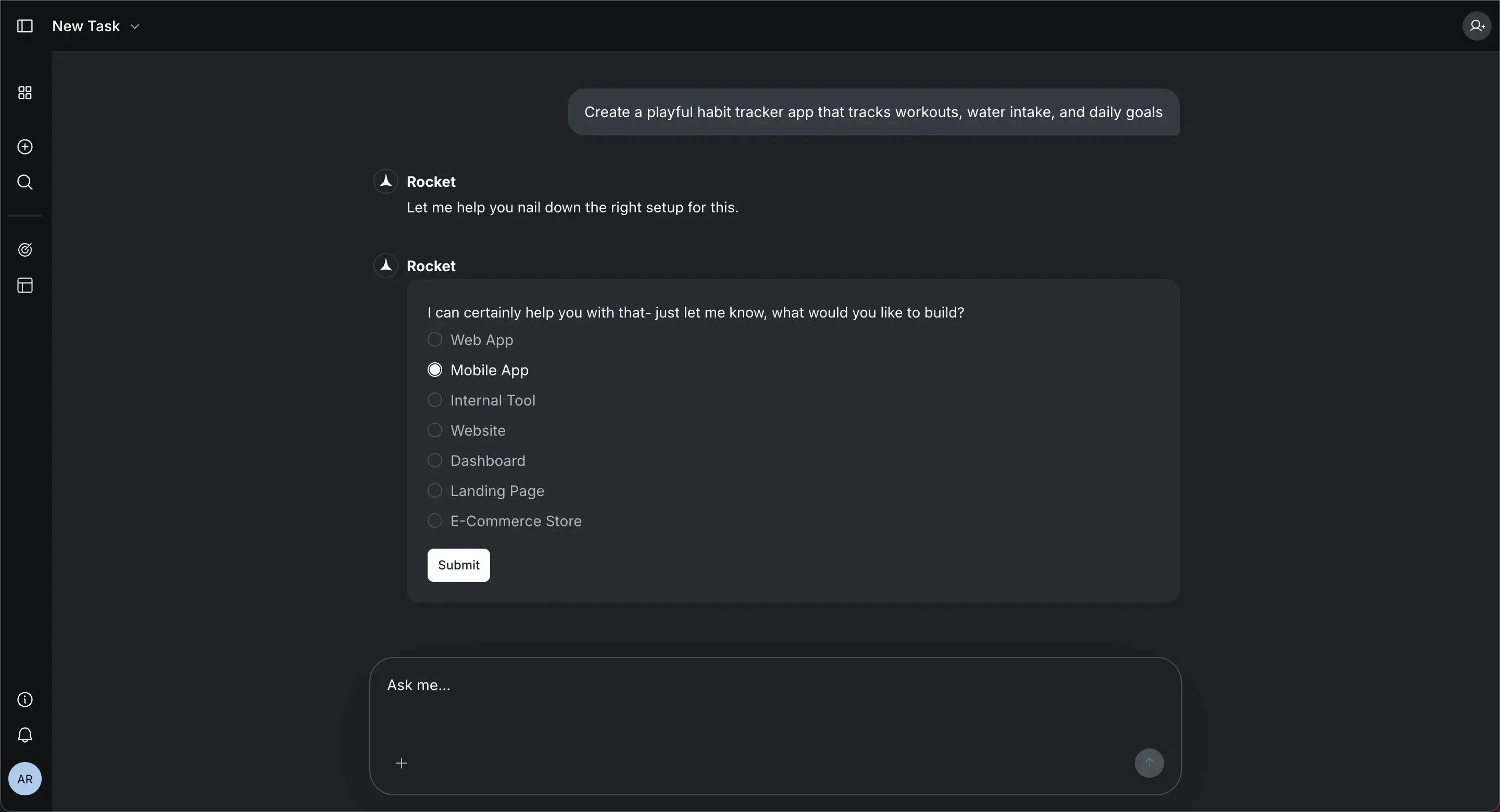
Rocket.new reads the prompt and plans actions for the project. The system analyzes what the app needs and begins preparing the structure.
It typically identifies:
- pages and navigation
- database structure
- authentication system
- features required for the app
For many founders, this removes a big limiting factor, especially if they have limited tech knowledge or coding experience.
Step 2: The Builder Generates the App
Next, Rocket.new generates the first version of the app. The platform automatically creates the interface and backend.
Many projects include built-in elements such as:
- authentication so people securely sign into the app
- dashboards used in internal tools
- a mobile web interface for mobile devices
- API connection helpers that web find API docs
Rocket.new can also automatically detect required services.
For example:
- file storage if people upload images
- backend database using a production PostgreSQL database
- shared infrastructure using the same backend
At this point, you already have a working prototype.
Step 3: Refine the App
After the initial generation, you can use command and features like visual edits inside Rocket.new to modify the app according to your taste. This allows you to adjust the app's structure without writing code.
You can modify:
- layouts
- UI components
- navigation menus
- text and content
Most web apps built with Rocket.new allow quick adjustments. The platform keeps the same backend powering different app versions.
That means the same project can support:
- web apps
- android apps
- a mobile app interface
This approach helps teams build production-ready apps faster.
Step 4: Connect APIs and External Services
Next, you can extend the app by connecting external services. Rocket.new provides tools that help web find API docs and connect APIs quickly.
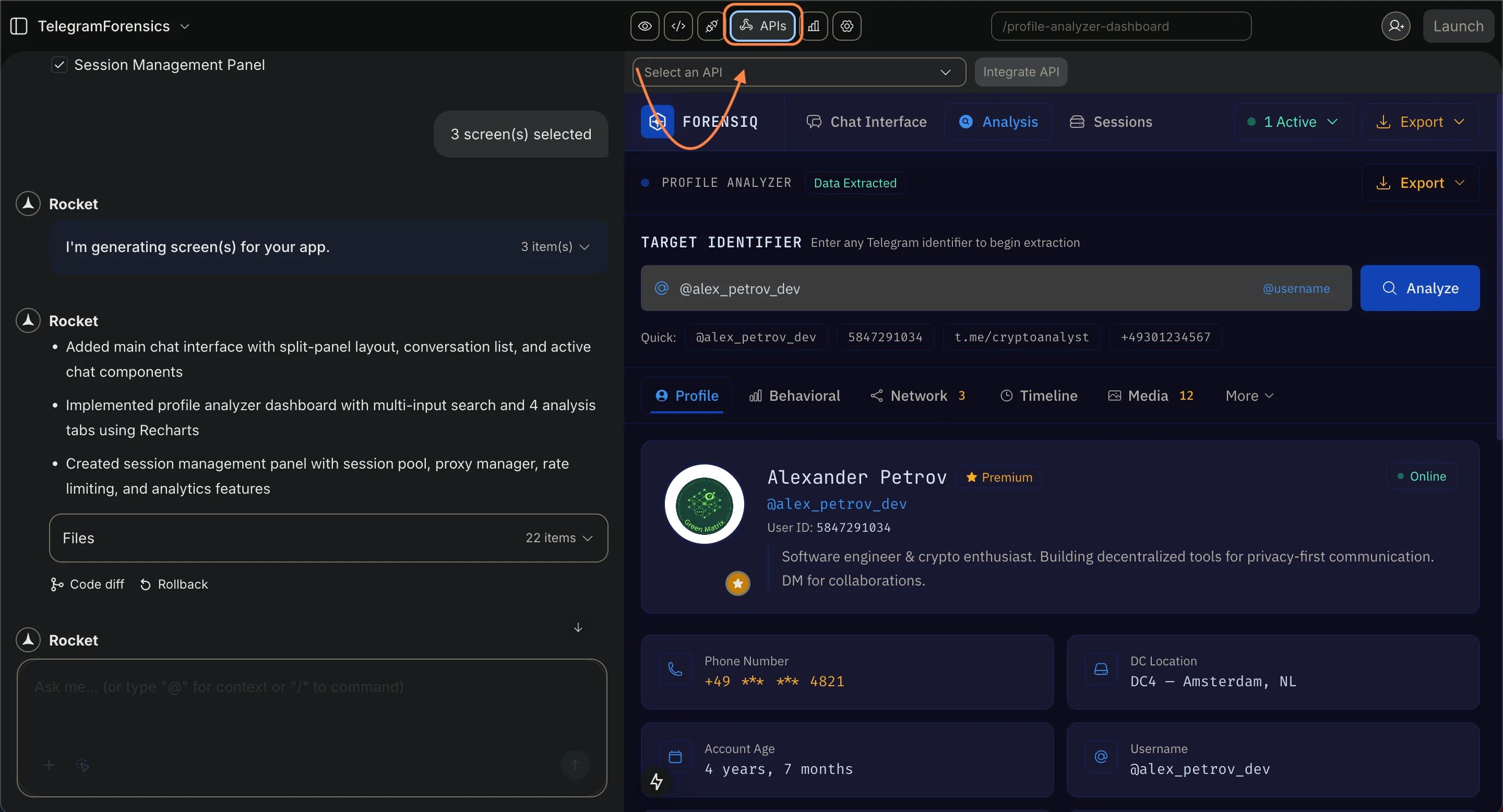
Common integrations include:
- google maps for location features
- new payment systems for transactions
- storage systems where people upload images
Many creators also add custom AI models powered by latest AI models.
These connections help the app start handling real world tasks such as booking, navigation, or payments.
Step 5: Deploy the App
Finally, launch your app. Rocket.new includes tools to deploy the project quickly.
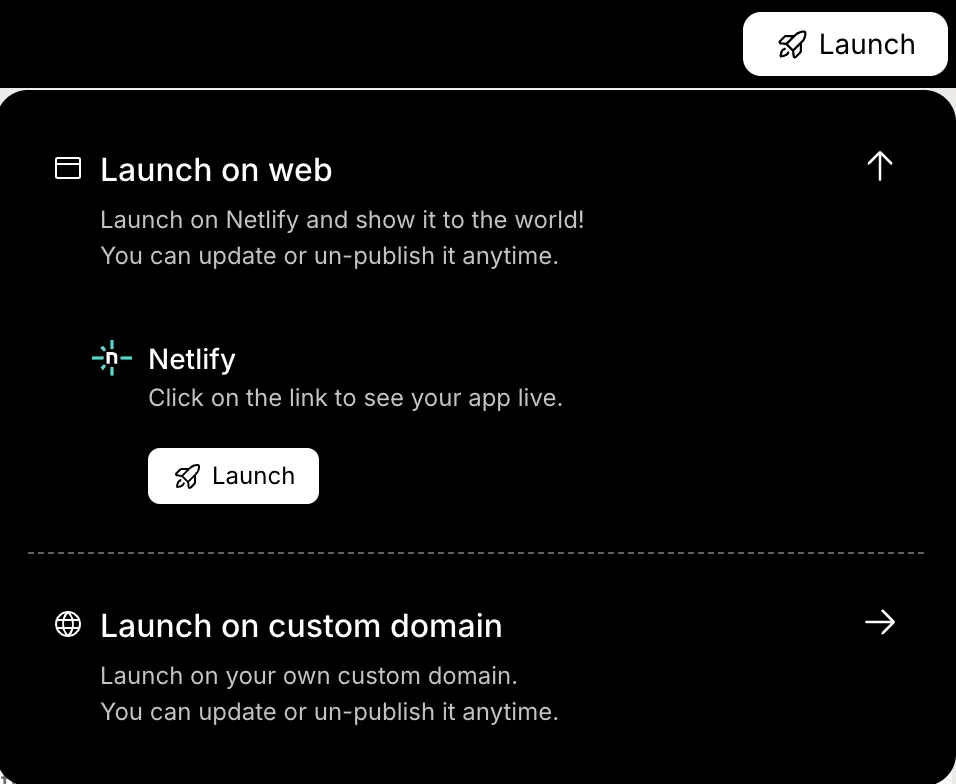
Typical deployment options include:
- free hosting for testing
- a free or custom domain for sharing the app
- support for mobile web experiences
- export options for IOS and Android apps
Once deployed, the app starts running and can be tested by users. From there, you can continue improving the project inside the same project environment.
Types of Apps You Can Prototype
A prompt to an app builder can create many types of prototypes.
Here are some common ones.
| App Type | Example |
|---|---|
| Productivity | playful habit tracker app |
| Health | fitness app launch |
| Business tools | dashboards for internal tools |
| Maps | location apps using Google Maps |
| Commerce | eCommerce website |
| Media | apps where people upload images |
Many creators start with mobile web versions before publishing android apps or ios and android apps. This approach can save weeks during early product testing.
Community Insight
Here is a Reddit comment from a discussion about AI app builders:
“You describe your app in plain English one prompt. An AI agent builds the entire stack: frontend, backend, database, auth, and payments.”
Stories like this are nonetheless inspiring for a non-technical founder. Many teams use these platforms to test the wildest ideas without hiring a full engineering team.
Prompt to App Builder and the Future of Prototyping
Building a prototype traditionally required deep tech knowledge, strong coding experience, and long development cycles. For many founders, the limiting factor was access to engineering resources. Modern platforms change that process. A creator can describe an idea in plain English, and the system generates a working structure for the app, helping teams create web apps, Android apps, and mobile apps much faster.
Prototyping no longer needs weeks of setup or heavy manual coding. Builders can generate layouts, connect APIs, and launch projects with free or custom domain options. For founders testing their wildest ideas, tools like a prompt-to-app builder make experimentation faster and more accessible.
Table of contents
- -What Does a Prompt to App Builder Actually Do?
- -Why Prompt-Based App Building is Popular
- -Examples of Builders in Action
- -Rocket.new
- -Replit
- -Bolt
- -Loveable
- -How Rocket.new Prompt to App Builder Works?
- -Step 1: Write a Clear Prompt
- -Step 2: The Builder Generates the App
- -Step 3: Refine the App
- -Step 4: Connect APIs and External Services
- -Step 5: Deploy the App
- -Types of Apps You Can Prototype
- -Community Insight
- -Prompt to App Builder and the Future of Prototyping

