

Struggling to organize releases efficiently? Learn to build a release-planning and timeline tracker using Rocket.new, align teams, track milestones, visualize progress, and ensure smoother launches with clear, structured workflows.
How can one build a release plan and timeline tracker?
Build a structured system that connects your tasks, timelines, and workflows in one place. A well-built tracker helps teams plan better, track progress, and avoid delays.
According to Gartner, 59% of businesses already use project management software, while many others still rely on scattered or manual methods, which often leads to inefficiencies and missed timelines.
So you ready? Let's dive in and clear up the confusion.
What is a Release Planning and Timeline Tracker?
A release planning and timeline tracker is a system that helps teams plan, manage, and track releases across different project timelines. It connects tasks, milestones, and workflows into a clear structure.
It’s used heavily in release management, especially by agile software development teams. It gives a clean visual representation of what’s happening, what’s next, and what’s delayed.
Think of it like a smart mix of:
- A calendar
- A to-do list
- A project timeline template
All working together.
In simple terms, it acts as a single source of truth for your team, helping everyone stay aligned, track progress easily, and deliver releases without last-minute chaos.
Why Teams Need Better Release Planning
Every release looks simple from the outside, but behind the scenes, it’s a lot of moving parts that need to stay in sync.
Let’s be real. Managing a release without a proper plan gets messy fast.
You’ve got:
- Developers pushing code
- Stakeholders asking for updates
- Business teams waiting on delivery
- Clients expecting results
Without clear project timelines, teams lose track of progress and miss deadlines.
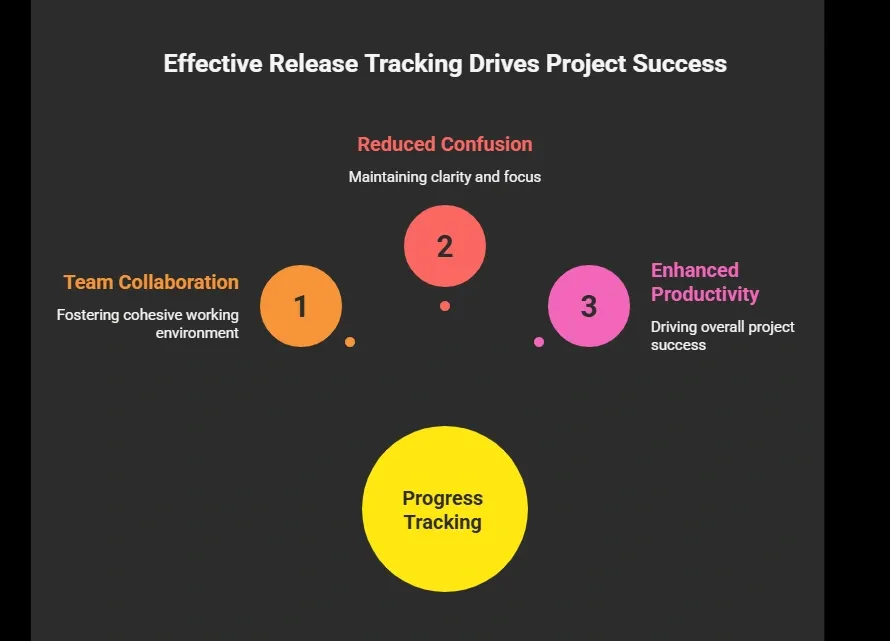
On top of that, it improves project visibility. Everyone knows what’s happening, what’s next, and where things stand.
At the end of the day, better planning doesn’t just help teams work faster, it helps them work smarter and deliver releases with confidence.
Key Elements of a Good Tracker
Before you jump into building anything, it’s better to get the basics right. A good tracker isn’t about adding more tools; it’s about structuring things in a way that actually makes your work easier.
1. Clear Project Timelines
You need defined start dates, end dates, and a proper schedule. This helps teams track tasks and stay on time.
2. Task Management
Break your project into smaller tasks. Each task should have:
- A due date
- Status updates
- Assigned team members
3. Milestones and Dependencies
Define key milestones. Also, track dependencies so one delay doesn’t break everything.
4. Calendar and Views
Use calendar views, Gantt charts, and kanban boards to view tasks in different ways.
5. Automation
Set up automation to:
- Update status
- Send reminders
- Automate workflows
6. Collaboration
Strong collaboration helps teams communicate better. Everyone should be able to view tasks and updates.
Strong collaboration keeps everyone on the same page. Teams should be able to view tasks, share updates, and communicate without friction.
Launch Your Perfect Tracker with Rocket.new
Rocket.new is a vibe solutioning platform that helps you quickly create structured systems for release planning, timelines, and workflows without getting stuck in setup. It lets you focus more on planning and execution, and less on figuring out how to build the system itself.
Rocket.new is designed to help teams create structured systems for release planning, project timelines, and workflows without starting from scratch. Instead of juggling multiple tools, you can bring everything into one place and manage your entire release process smoothly.
It works well for:
- Project managers handling multiple releases
- Engineering teams tracking development progress
- Business teams coordinating launches
- Stakeholders who need clear updates
The platform focuses on simplicity while still providing powerful features for project and release management.
Key Features of Rocket.new
- Prompt to App Creation: Builds apps directly from single prompts
- Figma Import: Converts design files into live, editable layouts
- AI-Powered Backend: Automatically handles logic, data, and workflows
- Custom Domain Support: Publishes projects with a branded domain
- Code Export: Allows developers to extend or customize later
- Live Preview: Shows instant updates while editing
- Command-based actions: Use / and @ to run actions and quickly scope edits.
There’s also a free plan, so you can start building without any upfront cost.
How to Create Your Tracker with Rocket.new?
Now let’s actually build your release planning system using Rocket.new. Follow these steps, and you’ll have a working tracker by the end.
Step 1: Create a New Project in Rocket.new
Start by creating a new project inside Rocket.new. Choose a template if available, or build from scratch.
Set basic details:
- Project name
- Release date
- Team members
This becomes your base for release planning.
Step 2: Set Up Your Project Timelines
Use Rocket.new’s visual tools to build your project timelines.
You can use:
- Gantt charts
- Calendar views
Add:
- Tasks
- Milestones
- Dependencies
This gives you a clear bird's eye view of your timelines.
Step 3: Add Tasks and Define Workflows
Now break your project into smaller tasks.
Assign:
- Owners
- Due dates
- Status
Set up workflows like:
- To do
- In progress
- Completed
You can also automate workflows to reduce repetitive tasks and save time.
Step 4: Configure Your Release Calendar
Use the built-in release calendar to schedule everything.
Track:
- Upcoming releases
- Deadlines
- Cross project releases
This helps project managers and release managers stay organized.
Step 5: Enable Automation and Integrations
Now turn on automation.
You can:
- Automate status updates
- Send reminders
- Connect with other tools
Rocket.new also supports integration with your favorite apps, making your workflow smoother.
Step 6: Track Progress in Real Time
Use dashboards for real time monitoring.
Track:
- Task completion
- Project progress
- Delays
This helps teams catch potential bottlenecks early and stay on schedule.
Once everything is set up inside Rocket.new, your tracker becomes a central system for planning, tracking, and managing releases. No more confusion, just clear timelines and smooth execution.
Tools Comparison
Here’s a quick look at what good tools offer:
| Feature | Basic Tools | Advanced Tools |
|---|---|---|
| Task Tracking | Yes | Yes |
| Project Timelines | Limited | Detailed |
| Gantt Charts | No | Yes |
| Kanban Boards | Yes | Yes |
| Automation | Limited | Full |
| Calendar Views | Basic | Advanced |
| Integration Capabilities | Low | High |
So, while basic tools might work for small projects, advanced tools give you better control, clearer timelines, and smoother workflows.
If your team is handling multiple releases or complex projects, having these features makes a real difference in how efficiently everything runs.
Community Insight
Here’s a real takeaway based on project management discussions:
“The right tools don’t just organize work—they reduce stress and make execution smoother.” Linkedin
This hits because many professionals highlight that project management isn’t just about tracking tasks, it’s about creating clarity, reducing chaos, and helping teams move faster with less friction.
As shared in the post, the right combination of tools can streamline workflows, improve collaboration, and significantly boost efficiency.
Making It Work for Your Team
Building a tracker is one thing, but making it actually useful for your team is where the real value comes in.
Here’s how to make your tracker actually useful:
- Keep your project data clean
- Update task status regularly
- Use calendar and timelines daily
- Involve stakeholders in updates
- Focus on clear workflows
Good project management platforms make this easier.
When teams stay consistent with these small habits, the tracker becomes a reliable system instead of just another tool that gets ignored.
Bringing Clarity to Your Release Process
Teams often struggle with scattered tools, unclear timelines, and missed deadlines. This affects project progress, creates confusion, and slows down releases. A structured approach using tools like Rocket.new helps teams manage release management, track tasks, and build clear timelines that actually work.
A well-built release planning and timeline tracker gives teams clarity, smoother workflows, and better control over every release. Keep it simple, stay consistent, and let your tools handle the heavy lifting while your team stays focused on execution.
Table of contents
- -What is a Release Planning and Timeline Tracker?
- -Why Teams Need Better Release Planning
- -Key Elements of a Good Tracker
- -1. Clear Project Timelines
- -2. Task Management
- -3. Milestones and Dependencies
- -4. Calendar and Views
- -5. Automation
- -6. Collaboration
- -Launch Your Perfect Tracker with Rocket.new
- -Key Features of Rocket.new
- -How to Create Your Tracker with Rocket.new?
- -Step 1: Create a New Project in Rocket.new
- -Step 2: Set Up Your Project Timelines
- -Step 3: Add Tasks and Define Workflows
- -Step 4: Configure Your Release Calendar
- -Step 5: Enable Automation and Integrations
- -Step 6: Track Progress in Real Time
- -Tools Comparison
- -Community Insight
- -Making It Work for Your Team
- -Bringing Clarity to Your Release Process


