
Validated user needs are the foundation of products that retain users. This blog covers why assumption-based development fails, how user research methods produce reliable signal, and how connecting research directly to the build eliminates the context loss that costs teams the most.
Apps built on Rocket reflect validated user needs because research, competitive intelligence, and product development happen inside the same platform.
The thinking that determines what to build connects directly to the build that executes it.
1.5 million people have tried Rocket across 180 countries, from solopreneurs validating their first idea to enterprise teams running strategy and execution in a single workspace.
The Real Cost of Building on Assumptions
Here is a pattern that plays out more often than most teams admit. A product gets built, launched, and met with silence. No sign-ups. No paying customers. Just a product nobody asked for.
According to CB Insights, which analyzed 431 VC-backed companies that shut down since 2023, poor product-market fit is the top cause of startup failure, cited in 43% of cases. That is not a product quality problem. It is a validation problem, and it starts long before the first line of code.
So what actually goes wrong? There are three failure modes that show up repeatedly.
Wrong problem statement. Teams define the problem based on internal intuition rather than observed user behavior. The solution is technically correct but solves a problem users do not actually have.
Wrong feature set. Teams build what they think users want rather than what users have demonstrated they need. The product looks complete but misses the specific friction points that drive retention.
Wrong timing. Teams launch without confirming whether the market is ready. The product is right but arrives before users have the context to understand why they need it.
Each of these failures shares the same root cause. The decision to build was made before the evidence to support it was gathered. The cost is not just the build time. It is the rework, plus the opportunity cost of what could have been built instead.
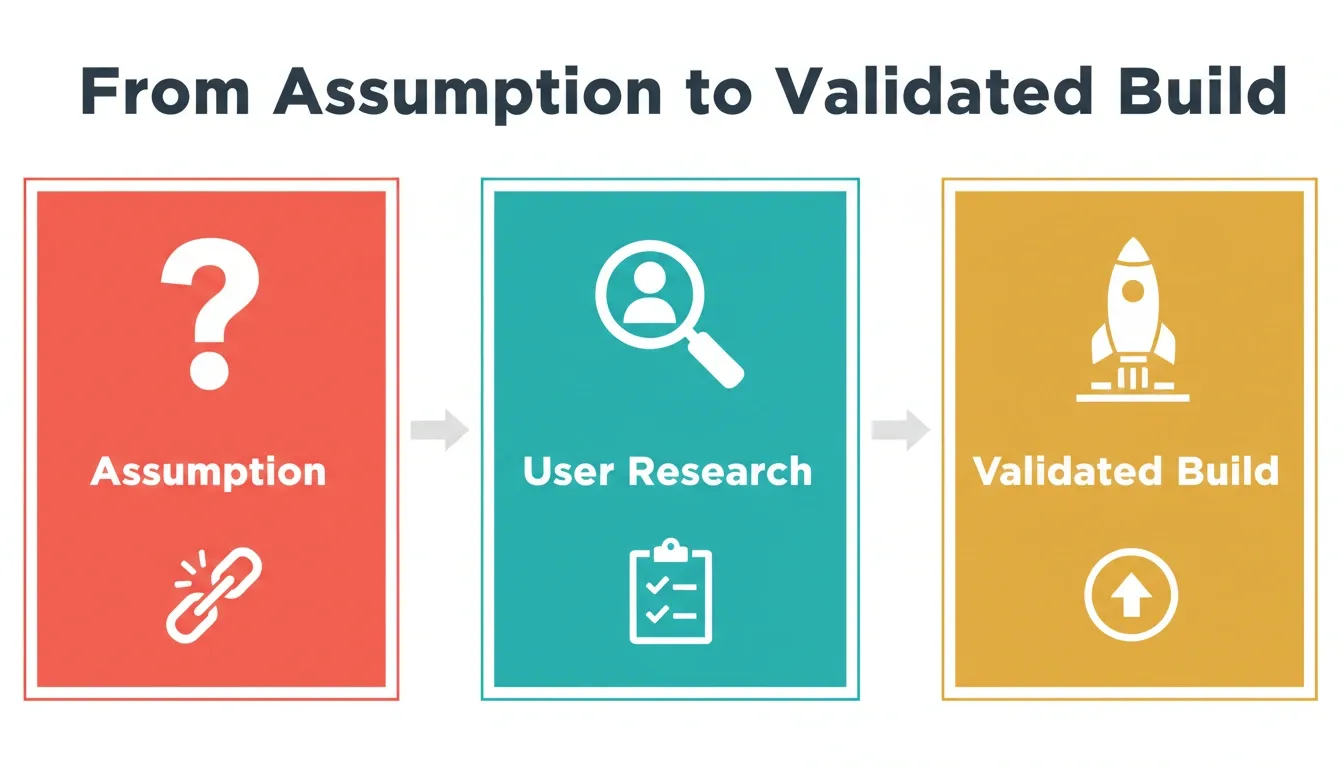
Three stages of product development: assumption, user research, and validated build. Moving right reduces rework cost and improves product-market fit.
What Validating User Needs Actually Means
It is worth clearing up a common mix-up here. Validating user needs is not the same as collecting user feedback, and the distinction matters a lot.
User feedback is reactive. It tells you what users think after they have used the product. It is valuable for iteration, but it arrives too late to prevent building the wrong thing.
Validating user needs is proactive. It happens before significant build investment. It answers three specific questions.
- Is the problem real? Not "do users have this problem in theory," but "do specific users experience it in a way that disrupts their current workflow?"
- Is the problem worth solving? A real problem is not automatically a product opportunity. The question is whether users would change their behavior or pay for a solution.
- Is your solution the right one? Users can confirm a problem exists without confirming your specific solution addresses it. Testing the solution is a separate step from confirming the problem.
Teams that answer all three questions before building produce products that match user expectations from the first version. Teams that skip any of them are building on partial information.
The most common mistake is timing. Teams run user research after the product is built, when changes are expensive. The teams that validate early run lightweight tests — a five-question interview, a clickable prototype, a landing page that describes the feature before it exists — and use those signals to decide what to build next.
For a practical walkthrough of how to validate a business idea before writing a single line of code, see how to do market research and validate your business idea.
User Research Methods That Produce Reliable Signal
Not all user research is equal. The method determines the quality of the signal. Here is what actually works.
Qualitative Research Methods
User interviews are the highest-signal method for understanding why users behave a certain way. A well-structured 30-minute interview with five to eight users in your target segment produces more actionable insight than a survey of 500 people who are not your actual users.
Usability testing on prototypes catches friction before it is built in. Testing early is cheaper than fixing late. Jakob Nielsen's foundational research established that five users in a usability test identify the majority of usability problems. The NNGroup article above confirms this principle across modern research contexts.
User observation (contextual inquiry) reveals behavior that users do not report. Users often describe their workflow differently from how they actually execute it. Watching a user complete a task in their real environment surfaces friction that interviews miss.
Focus groups are useful for understanding language. How users describe their problems, what vocabulary they use, what comparisons they make. That language becomes the foundation of product positioning and feature naming.
Quantitative Research Methods
Behavioral analytics from existing tools show what users actually do rather than what they say they do. Drop-off rates, feature adoption curves, and session recordings reveal where the product is failing users without requiring them to articulate it.
Surveys with validated questions can quantify the scale of a problem once qualitative research has identified it. The sequence matters here: qualitative first to understand the problem, quantitative to measure its prevalence.
A/B testing validates specific solutions rather than the problem itself. It answers: of two approaches to solving a known problem, which one produces better outcomes?
The Validation Stack
The most reliable validation combines methods in sequence.
- User interviews to identify the problem and the language users use to describe it
- Usability testing to validate that your solution addresses the problem
- Behavioral analytics to confirm that users engage with the solution as expected
- A/B testing to optimize specific elements of the validated solution
Each method answers a different question. Skipping any layer leaves a gap in the evidence base.
Assumption-Based vs. Validated Development
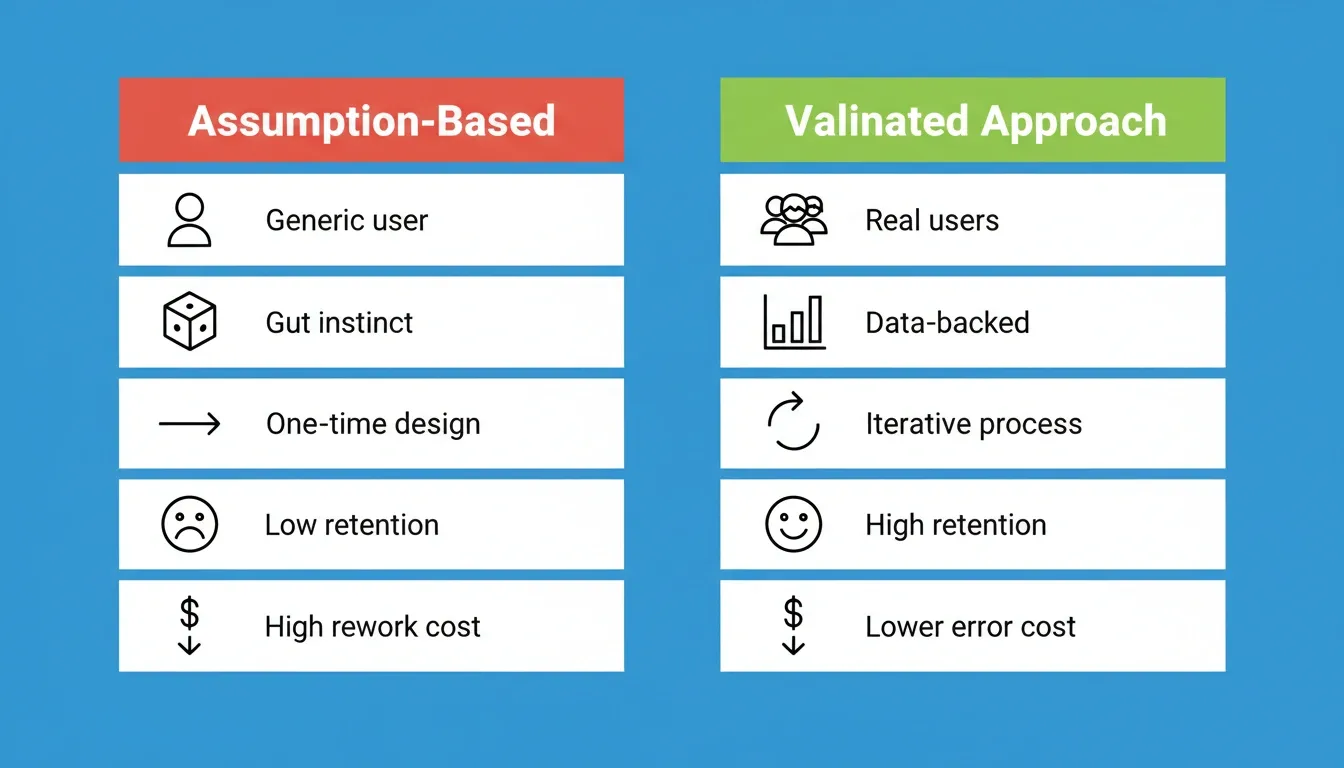
A side-by-side view of how assumption-based and validated approaches differ across five key product dimensions.
The difference between assumption-based and validated development shows up at every stage of the product lifecycle. Here is a direct comparison.
| Dimension | Assumption-Based | Validated Approach |
|---|---|---|
| Problem definition | Defined by founder intuition | Defined by observed user behavior |
| User understanding | Generic persona from demographics | Real users with documented pain points |
| Decision basis | Internal opinion | User feedback and behavioral data |
| Design process | Linear, one-time | Iterative with feedback loops |
| Feature prioritization | What seems important internally | What users have demonstrated they need |
| Time to product-market fit | Longer, multiple pivots required | Shorter, first version closer to target |
| Cost of errors | High, discovered post-launch | Low, caught pre-build |
| Customer satisfaction | Low | High |
| Retention | Low | High |
| Competitive position | Weak | Stronger, built on user understanding |
The bottom rows are the ones that determine whether a product survives. Retention and competitive position are both downstream of the decision made before the first line of code was written.
Design Thinking and User-Centered Design
Design thinking is a structured process for building products that solve real problems. It is not just a philosophy. It is a methodology with specific stages that each produce specific outputs.
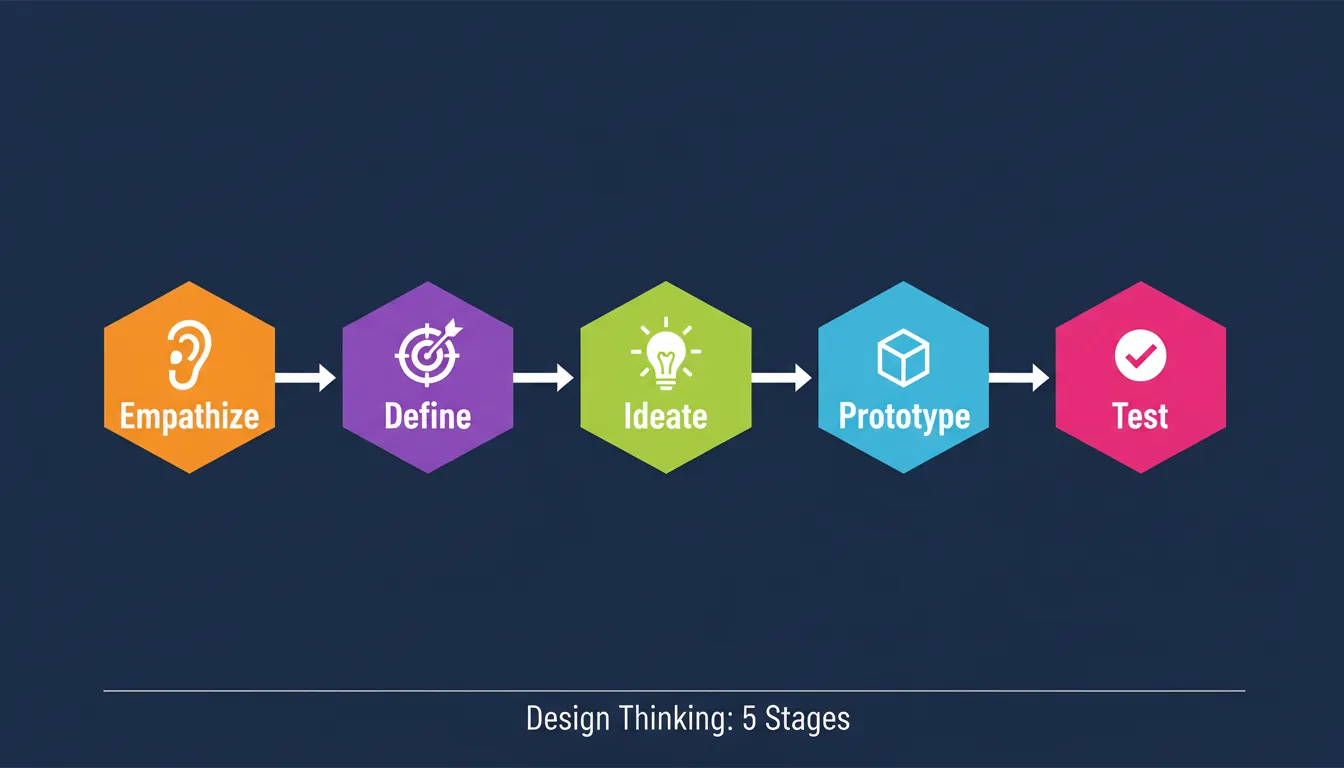
The five stages of design thinking: Empathize, Define, Ideate, Prototype, and Test. Each stage produces a specific output that feeds the next.
The Five Stages of Design Thinking
Empathize. Understand the users you are building for. This is the validation stage. The output is a documented understanding of user needs, not a persona built from assumptions.
Define. Synthesize what you learned into a clear problem statement. A good problem statement is specific enough to generate solutions and broad enough to allow creative approaches.
Ideate. Generate possible solutions to the defined problem. The constraint is that solutions must address the problem as defined, not the problem as originally assumed.
Prototype. Build the minimum representation of your solution that allows you to test the core assumption. This is a test artifact, not the product. It should take days to build, not months.
Test. Put the prototype in front of real users and observe what happens. The output is a set of observations that either validate the solution or identify what needs to change.
User-Centered Design in Practice
User-centered design applies design thinking principles to every stage of product development, not just the initial research phase.
In practice, this means:
- Every feature decision is traced back to a documented user need
- Design changes are tested before they are shipped
- User behavior data informs iteration priorities
- The product roadmap is driven by what users have demonstrated they need
Teams using user-centered design spend less time building features that get ignored. They spend more time building features that drive retention. The practical difference shows up in churn rates, not in design reviews.
Real-World Use Cases: What Changes When Teams Validate First
Use Case 1: The Founder Who Validated Before Building
A founder building a project management tool for freelancers ran 12 user interviews before writing a line of code. The interviews revealed that the core problem was not task management. It was client communication.
Freelancers were losing time switching between project tools and email threads. That validated insight changed the product direction entirely. Instead of another task manager, the team built a client communication hub with task tracking as a secondary feature. The product launched with a waitlist of 400 people who had participated in the research process.
What this required was a structured research process that connected the interview findings directly to the product brief, without losing signal between the two.
Use Case 2: The Product Team That Caught a Pivot Before Launch
A product team was three months into building a new onboarding flow when usability testing revealed that users were not confused by the onboarding. They were confused by the product's core value proposition.
The team used that insight to rewrite the positioning before launch rather than after. The result was a 40% improvement in activation rate compared to the previous product version.
What this required was usability testing on a prototype, not a finished product. The earlier the test, the cheaper the fix.
Use Case 3: The Agency That Compressed the Research Phase
A digital agency was spending 30% of each project on research and discovery before any build work began. The research was valuable but slow.
Compressing the research phase from two weeks to two days gave the agency more time for the build and more capacity to take on additional clients. The structured research output was presentable to clients directly and became the foundation of the build without re-explaining context.
What this required was a research process that produced a structured, presentable output, not a collection of notes that needed to be synthesized separately.
Use Case 4: The Non-Technical Founder Who Validated and Built in the Same Week
A non-technical founder with a validated product idea, confirmed through 10 user interviews and a landing page that collected 200 email signups, needed a working prototype for investor meetings.
The founder described the product in plain language, answered clarifying questions about target users, key interactions, and design direction, and had a production-grade web application within the same week. The application was deployed to a live URL and shipped with WCAG accessibility compliance and SEO-ready structure by default.
What this required was a build process that started from the validated brief, not a blank prompt.
To see how this workflow applies to mobile products specifically, the step-by-step mobile app build guide covers the process from idea to deployed app.
How Rocket Connects Research to Build
The most expensive problem in product development is not slow building. It is the context loss that happens between research and build.
Think about how most workflows actually operate. A strategy team does research in one tool, produces a brief, hands it to product in a document, product reads 60% and writes a PRD from memory, hands it to engineering in a ticket, and the engineer misses two nuances. Three handoffs. Three context compressions. By the time code is being written, the original user insight is unrecognizable.
Rocket eliminates the handoff.
The market research, the strategy brief, the PRD, and the build task are in the same project. Every step inherits the full context of every prior step. The Solve output that validated the direction becomes the foundation of the Build. The competitive signal from last week informs this week's product decision. Nothing is re-explained. Everything compounds.
This is the architectural difference. Competitors can match individual features. They cannot replicate accumulated context. Every task in a Rocket project inherits the shared memory of everything the team has done.
The Three Layers That Keep Every Build Grounded
Solve — Decision Intelligence
Solve takes any business question and delivers a complete, structured solution. Describe your situation in plain language. Rocket identifies every dimension of the problem, covering market dynamics, competitive landscape, risks, opportunities, and financial implications, then queries across 150+ sources simultaneously.
Within 60 to 90 minutes, what would have taken a research team days is complete. The output covers 8-12 sections with each finding tagged by signal strength (HIGH, MEDIUM, or LOW). Conflicting signals are called out explicitly, not smoothed over.
The Solve output does not disappear after export. It becomes the foundation of everything that follows in the project.
Intelligence — Continuous Competitive Monitoring
Intelligence monitors every public platform a competitor operates on, including pricing pages, product updates, social media, customer reviews, hiring signals, and advertising, then interprets what those signals mean for your business.
This is not a monitoring dashboard. It is an interpretation layer. A monitoring tool tells you what changed. Intelligence tells you what it means and what to do about it.
Delivered as daily, weekly, or monthly briefs, each brief includes highlights covering the two to three most significant changes, a signal-by-signal breakdown by competitor, interpretation, and recommended actions.
Build — Production-Grade Generation
Build generates production-grade products from natural language descriptions, Figma files, or existing GitHub repositories. Every build starts from the accumulated intelligence of the project.
Before generating, Rocket surfaces the decisions that matter: target users, key interactions, data model, and design direction. The first generation reflects the research, not a blank prompt.
What comes back is a working, deployable product, built in Next.js for web and Flutter for mobile, with production-quality output that does not read as AI-made.
For a deeper look at what types of products can be built this way, see what you can build on Rocket.
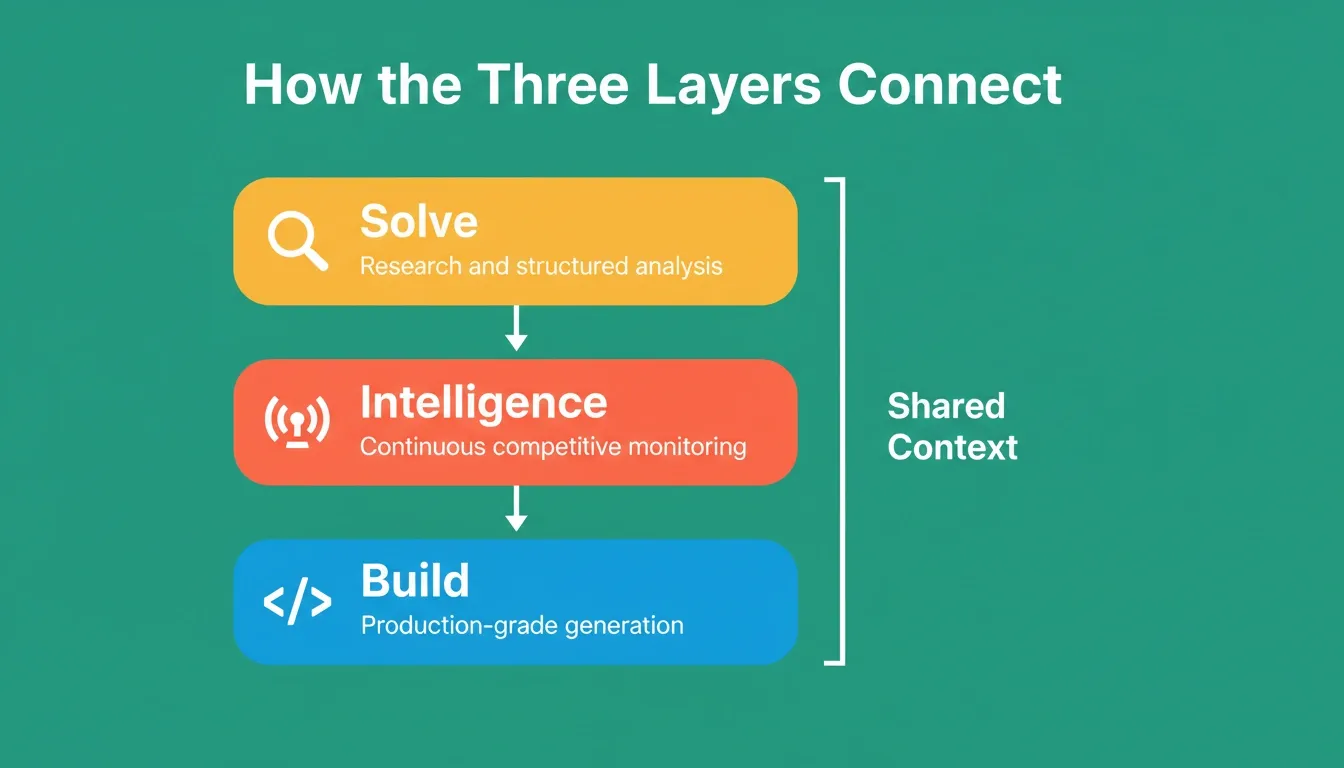
Rocket's three-layer architecture: Solve for research, Intelligence for competitive monitoring, and Build for production-grade generation. Shared context connects all three.
The Solve-Intelligence-Build Workflow
Rocket's Solve-Intelligence-Build loop: research, competitive monitoring, and production-grade building in one system. No handoff. No context loss.
Step-by-Step: From User Need to Deployed Product
Step 1: Define the problem in Solve
Open a project and start a Solve task. Describe the business question in plain language. Rocket identifies the dimensions of the question before research begins.
Step 2: Receive structured research output
Within 60-90 minutes, you get a complete analysis covering market dynamics, competitive landscape, user pain points, risk matrix, and execution path. Each finding is tagged by signal strength. Export as PDF or PPT for stakeholders.
Step 3: Monitor with Intelligence
Set up Intelligence to track competitors in your space. Rocket monitors pricing pages, product updates, social media, customer reviews, and hiring signals continuously. Daily briefs surface what changed and what it means.
Step 4: Build from the validated brief
Open a Build task inside the same project. Rocket already knows everything from the Solve output and Intelligence signals. Describe what you want to build. The first generation reflects the research.
Step 5: Deploy with defaults that matter
Every Rocket build ships with SEO-ready structure, WCAG 2.1 AA accessibility compliance, GDPR coverage, and Core Web Vitals optimization by default. Deploy to a live URL with one action. Full version history. One-click rollback.
Step 6: Measure and iterate
Built-in analytics track visitors, conversions, traffic sources, and Core Web Vitals from the moment the site is live. Zero setup required.
To understand how different platforms approach the build process, the AI app builder comparison guide covers the key differences across categories.
How AI Builders Differ on Pre-Build Intelligence
Most AI builders in the market today are capable at generating products from prompts. The structural difference between them is not build quality. It is what happens before the build begins.
| Capability | Prompt-First Builders | Rocket |
|---|---|---|
| Pre-build intelligence | You bring the research | Solve: structured analysis from 150+ sources |
| Competitive monitoring | Not included | Intelligence: continuous, interpreted signals |
| Shared team memory | Per-session, individual | Persistent across all tasks and team members |
| Context between research and build | You carry it manually | Automatic, Solve output flows into Build |
| Existing site redesign | Generate from scratch | Redesign: 8 slash commands, reads site structurally |
| Who manages the system | You | Rocket, managed platform |
The structural gap is not a feature gap. It is an architectural one. Context that compounds across every task is not something that can be added as a feature to a session-based tool.
Rocket Pricing Plans
Rocket runs on a credit-based system. One credit balance covers Build, Solve, and Intelligence. The Free plan includes a one-time credit grant to get started. Annual billing saves 20%.
| Plan | Price | Credits | What Is Included |
|---|---|---|---|
| Free | USD 0 | 20 (one-time) | Build: websites, landing pages, web apps, mobile apps |
| Pro | USD 25/month | 100/month | Build: all product types |
| Rocket | USD 50/month | 250/month | Build plus Solve (consultant-grade research) plus Intelligence (competitive monitoring) |
| Booster | USD 250/month | 1,500/month | Everything in Rocket plus SSO, data localisation, premium support |
All paid plans include unlimited team members. Credits can be added on top of any subscription as needed. Intelligence tracking costs USD 100/month per competitor tracked (500 credits/month per competitor).
Build the Right Thing, Not Just the Fast Thing
Validated User Needs Are the Foundation of Products That Last
The AI product development industry spent two years solving how to build faster. The result is a generation of tools that are excellent at execution and silent on direction. They build what you tell them to build. The quality of the output depends entirely on the quality of the thinking you brought to the tool.
The teams that win are not the ones who build fastest. They are the ones who build right. They validate before they build, monitor continuously after they ship, and use the intelligence from both to make every subsequent decision better than the last.
So what does validated product development actually look like in practice?
- Before the build: structured research that answers whether the problem is real and whether the solution addresses it
- During the build: competitive intelligence that surfaces what competitors are doing, so the product is built with full market context
- After the build: behavioral analytics that show whether users are engaging as expected
The platform that connects all three in the same system with shared context is not a feature advantage. It is a category difference.
As AI capabilities expand, the teams that compound their knowledge will produce products that are structurally harder to compete with. The moat is not the technology. It is the accumulated understanding of users, markets, and decisions that the technology makes possible.
Apps built on Rocket reflect validated user needs because the research that determines what to build and the platform that builds it are the same system. App Built on Rocket.new Reflect Validated User Needs because decisions are based on real insights, not guesses.
1.5 million people have tried Rocket across 180 countries. The common thread is not that they wanted to build faster. It is that they wanted to make better decisions before the build began.
Table of contents
- -The Real Cost of Building on Assumptions
- -What Validating User Needs Actually Means
- -User Research Methods That Produce Reliable Signal
- -Qualitative Research Methods
- -Quantitative Research Methods
- -The Validation Stack
- -Assumption-Based vs. Validated Development
- -Design Thinking and User-Centered Design
- -The Five Stages of Design Thinking
- -User-Centered Design in Practice
- -Real-World Use Cases: What Changes When Teams Validate First
- -Use Case 1: The Founder Who Validated Before Building
- -Use Case 2: The Product Team That Caught a Pivot Before Launch
- -Use Case 3: The Agency That Compressed the Research Phase
- -Use Case 4: The Non-Technical Founder Who Validated and Built in the Same Week
- -How Rocket Connects Research to Build
- -The Three Layers That Keep Every Build Grounded
- -The Solve-Intelligence-Build Workflow
- -Step-by-Step: From User Need to Deployed Product
- -How AI Builders Differ on Pre-Build Intelligence
- -Rocket Pricing Plans
- -Build the Right Thing, Not Just the Fast Thing
- -Validated User Needs Are the Foundation of Products That Last