
You hit deploy on Rocket. Your site goes live. You run a Lighthouse audit and score 95+ across the board. You didn't configure anything. You didn't install a plugin. You didn't read a doc about meta tags.
That's the surface. Here's the iceberg underneath.
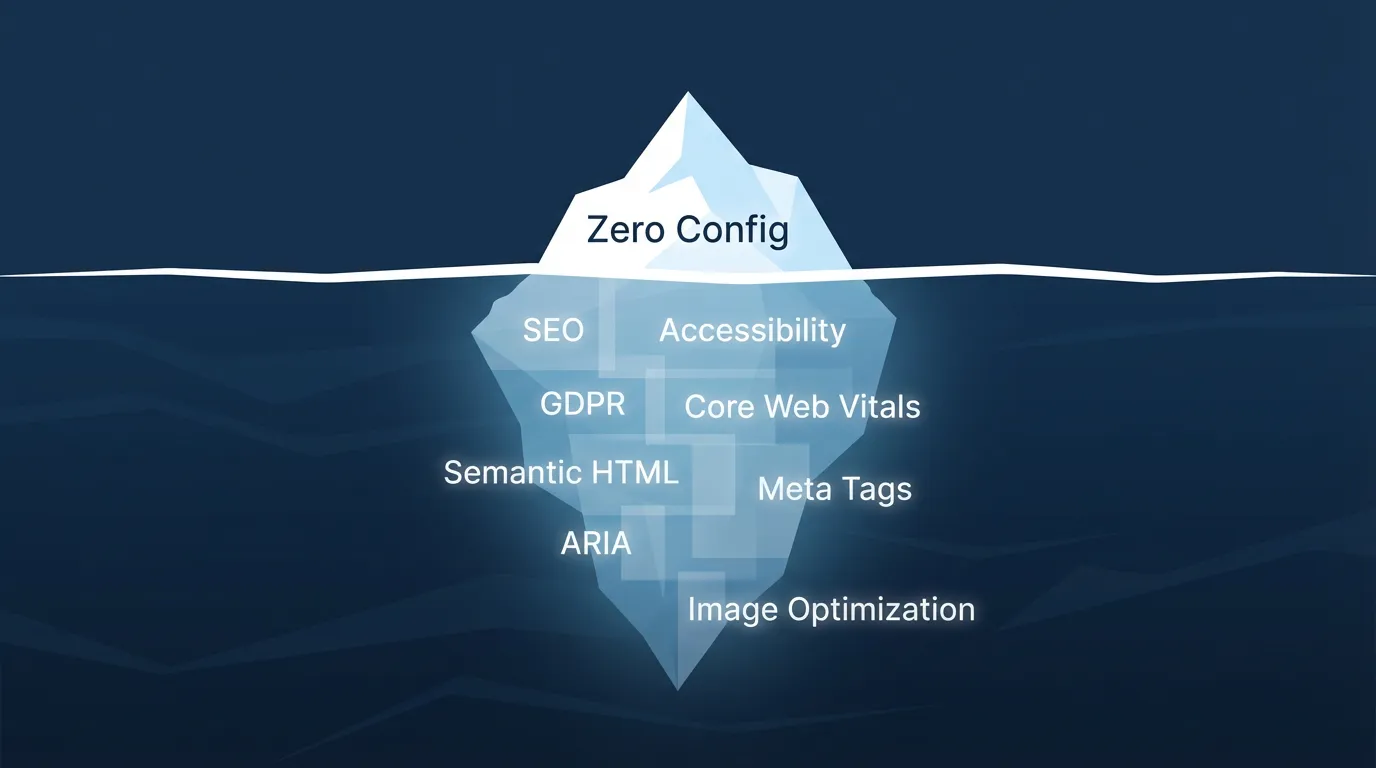
Every build that leaves rocket.new carries over a hundred discrete SEO, accessibility, compliance, and performance decisions, all made automatically, all invisible to you. This post is the full manifest. Every tag. Every attribute. Every optimization. No hand-waving.
It's Live. Here's the Full Toolkit.
Everything described in this post is shipping today. The full SEO and discoverability toolkit is documented at docs.rocket.new/build/polish/seo, where you can see every feature, command, and optimization available in the platform.
Beyond the automatic defaults, you can ask Rocket directly in chat to add optimized meta tags, JSON-LD structured data, sitemaps, robots.txt files, and internal linking. Two slash commands, /Generate SEO Report and /Improve SEO, let you audit and auto-fix SEO issues across your codebase without leaving the editor.
There's also a dedicated GEO (Generative Engine Optimization) layer for AI search engines like Perplexity, ChatGPT, and Claude. /Generate GEO And AEO Report audits your AI search readiness; /Improve GEO And AEO restructures content for higher citation rates in AI-generated answers.
Now, here's what all of that actually does under the hood.
The Full Manifest: What "By Default" Actually Means
The phrase "SEO-ready by default" is doing a lot of work. Here's what it unpacks to, organized by the four compliance layers every build passes through.
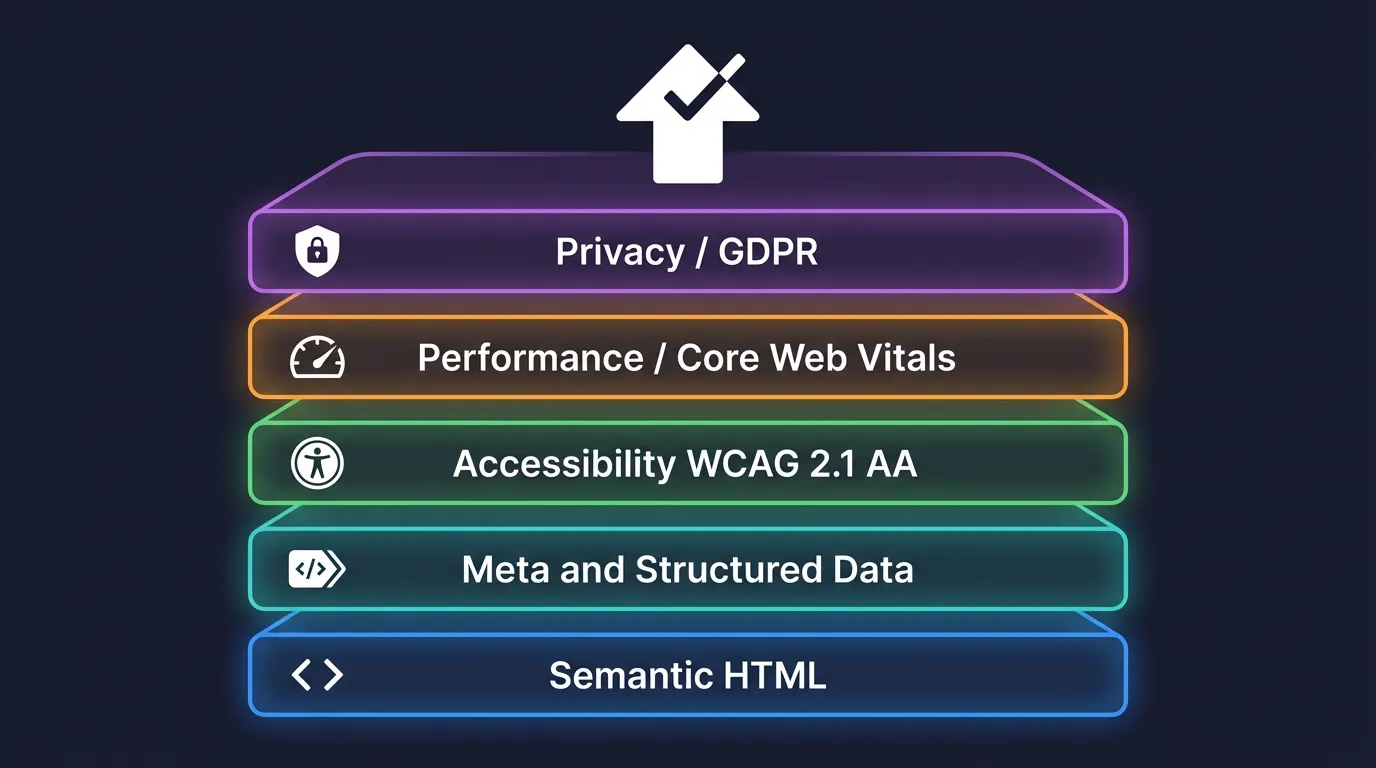
Layer 1: Semantic HTML Structure
The foundation. Search engines parse structure before content. A div soup site and a semantically correct site can have identical text and rank differently. Every rocket.new build enforces:
| Element | What Gets Generated | Why It Matters |
|---|---|---|
<html lang="..."> | Language attribute auto-detected from content | Search engines use this for geo/language targeting |
<main> | Single main landmark wrapping primary content | Screen readers and crawlers identify the core content area |
<header>, <footer> | Page-level landmarks | Defines navigational structure for assistive tech and crawlers |
<nav> | Navigation landmark with aria-label | Crawlers discover site structure; screen readers announce navigation |
<article> | Wraps standalone content blocks | Signals self-contained content to aggregators and search |
<section> | Groups related content with headings | Establishes document outline |
| Heading hierarchy | h1 through h6, strictly sequential, no skips | Broken hierarchy confuses crawlers and fails accessibility audits |
<address> | Contact information blocks | Microformat-compatible, improves local SEO signals |
The heading hierarchy rule is strict. If your content jumps from h2 to h4, the build pipeline inserts the missing level or warns during generation. A broken heading tree is one of the most common SEO mistakes on the web, and we eliminate it at build time.
Layer 2: Meta Tags & Structured Data
Every page gets a complete meta tag set. Not a partial one. Not a "we set the basics and you fill in the rest" one. Complete.
Standard meta tags:
<meta charset="utf-8">for character encoding<meta name="viewport" content="width=device-width, initial-scale=1">for responsive viewport<meta name="robots" content="index, follow">as crawl directive (configurable per page)<link rel="canonical" href="...">for canonical URL, auto-generated from route<meta name="description">for page description, derived from content if not explicitly set<meta name="theme-color">matching the site's primary brand color
Open Graph tags (Facebook, LinkedIn, iMessage previews):
og:title,og:description,og:image,og:url,og:type,og:site_name,og:locale
Twitter Card tags:
twitter:card,twitter:title,twitter:description,twitter:image,twitter:site
JSON-LD Structured Data:
Every page embeds a JSON-LD block appropriate to its content type. A blog post gets Article schema. A product page gets Product schema. A landing page gets WebPage with Organization.
1<script type="application/ld+json">
2 {
3 "@context": "https://schema.org",
4 "@type": "Article",
5 "headline": "When We Say 'SEO-Ready by Default'...",
6 "author": {
7 "@type": "Organization",
8 "name": "rocket.new Engineering"
9 },
10 "datePublished": "2026-04-07",
11 "image": "/blog/seo-ready-by-default/hero.png",
12 "publisher": {
13 "@type": "Organization",
14 "name": "rocket.new"
15 }
16 }
17</script>This isn't a static template pasted into every page. The structured data is generated from each page's actual content (title, dates, images, author) at build time. When search engines parse it, it's accurate.
Additional link tags:
<link rel="sitemap" href="/sitemap.xml">for the auto-generated sitemap<link rel="icon">and<link rel="apple-touch-icon">for the favicon set<link rel="manifest">for PWA manifest when applicable
Layer 3: Accessibility, WCAG 2.1 AA Compliance
Accessibility isn't a checkbox. It's a legal requirement in many jurisdictions, and it directly impacts SEO because search engines increasingly factor accessibility signals into ranking. Here's what ships:
Image accessibility:
- Every
<img>gets analtattribute. If the user provides one, it's used. If not, the build pipeline generates a descriptive fallback and flags it for review. - Decorative images get
alt=""androle="presentation"to be correctly ignored by screen readers.
ARIA attributes:
aria-labelon navigation, search, and interactive elementsaria-current="page"on the active nav linkaria-expandedandaria-controlson collapsible sectionsaria-liveregions for dynamic content updatesrole="banner",role="contentinfo",role="navigation",role="main"on landmark elements
Keyboard navigation:
- Skip-to-content link as the first focusable element
- Logical tab order following visual layout
- Focus indicators on all interactive elements (no
outline: nonewithout a visible replacement) - Escape key closes modals, dropdowns, and overlays
Color and contrast:
- Text meets WCAG AA minimum contrast ratio (4.5:1 for normal text, 3:1 for large text)
- Interactive elements have distinct focus and hover states
- Information is never conveyed by color alone
Form accessibility:
- Every input has an associated
<label>with matchingfor/id - Error messages are linked to inputs via
aria-describedby - Required fields are marked with
aria-required="true"
Layer 4: Privacy and GDPR Patterns
Sites that serve EU users need GDPR compliance. Rather than leaving this as an afterthought or a third-party plugin, rocket.new builds generate the consent infrastructure:
- Cookie consent banner rendered on first visit, blocks non-essential scripts until consent is given
- Granular consent categories covering analytics, marketing, functional, necessary
- Consent persistence stored locally, no tracking before consent
- Privacy policy link auto-included in footer and consent banner
- Data handling patterns where forms include consent checkboxes where required, with clear language about data usage
Performance by Default: Core Web Vitals Without the Effort
Google's Core Web Vitals are the performance metrics that directly affect search ranking. There are three, and every rocket.new build is tuned for all of them.
| Optimization | What Happens | Target Vital | Impact |
|---|---|---|---|
| Next-gen image formats | Images are converted to WebP/AVIF with fallbacks | LCP | Smaller files load faster, reducing largest paint time |
Responsive srcset | Multiple image sizes generated, browser picks the best | LCP | No oversized images on mobile devices |
| Lazy-loading | Images below the fold get loading="lazy" | LCP, CLS | Above-fold images load immediately; below-fold deferred |
| Explicit dimensions | width and height attributes on every image | CLS | Browser reserves space before image loads, preventing layout shift |
| Font loading strategy | font-display: swap + <link rel="preload"> on primary font | LCP, CLS | Text visible immediately, no invisible text flash |
| Font subsetting | Only used character ranges are included | LCP | Smaller font files, faster download |
| Critical CSS inlining | Above-fold styles inlined in <head> | LCP | First paint doesn't wait for external CSS |
| Script deferral | Non-critical JS gets defer or async | INP | Main thread isn't blocked during page load |
| Code splitting | Per-route bundles, shared chunks extracted | INP | Users download only the code they need |
| Prefetching | Visible links prefetched on hover/viewport entry | INP | Subsequent navigations feel instant |
| Compression | Brotli compression on all text assets | LCP | 15-25% smaller payloads than gzip |
| Resource hints | dns-prefetch and preconnect for third-party origins | LCP | Eliminates DNS/TLS latency for external resources |
Image Handling in Detail
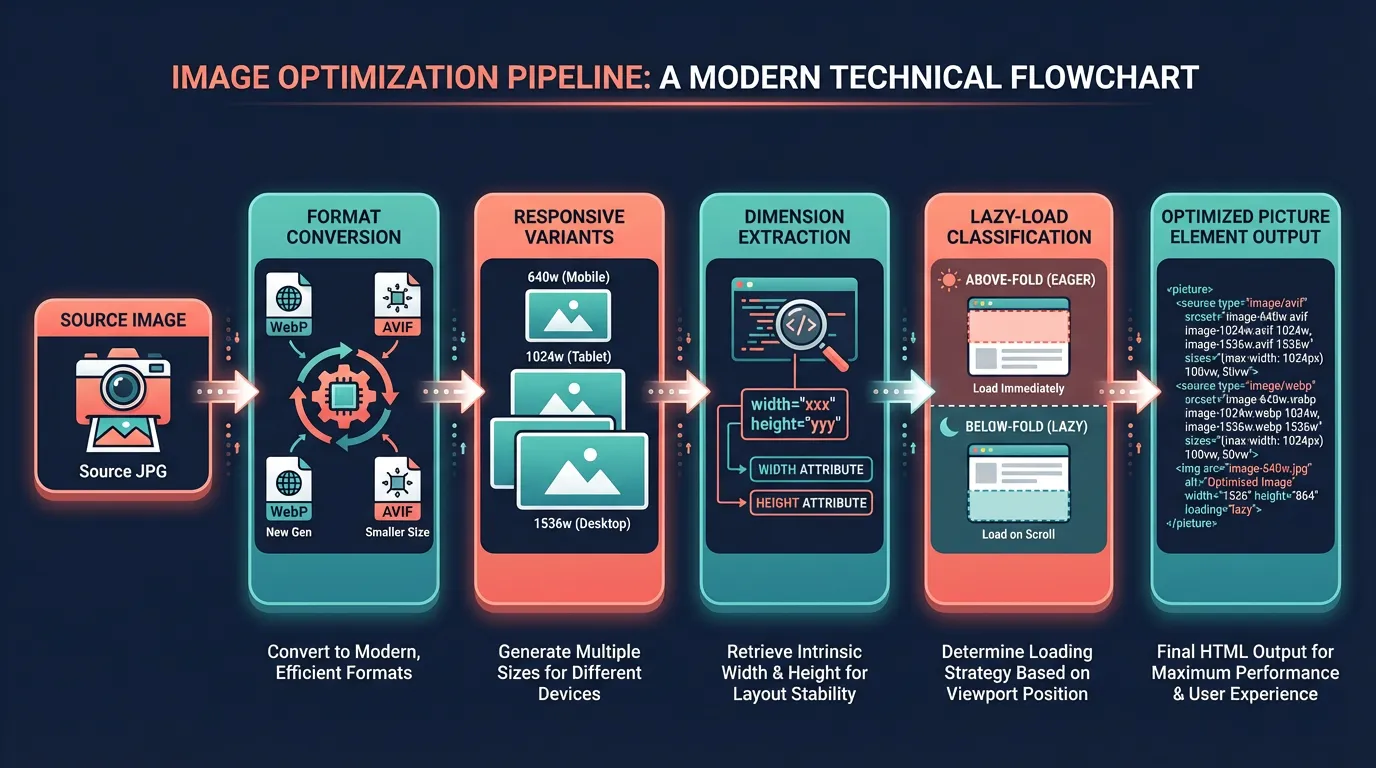
Images are the single largest contributor to slow pages. Here's the pipeline every image passes through at build time:
- Format conversion where source images are converted to WebP (broad support) and AVIF (best compression) with the original format as fallback
- Responsive variants where each image is generated at multiple widths (640, 768, 1024, 1280, 1536px) and served via
srcset - Dimension extraction where width and height are read from the source and written to the HTML, preventing cumulative layout shift
- Lazy-loading classification where the build determines which images are above the fold (based on component position in the layout tree) and only lazy-loads the rest
- Priority hints where the hero/LCP image gets
fetchpriority="high"to tell the browser it's critical
1<picture>
2 <source
3 type="image/avif"
4 srcset="
5 /img/hero-640.avif 640w,
6 /img/hero-1024.avif 1024w,
7 /img/hero-1536.avif 1536w
8 "
9 sizes="(max-width: 768px) 100vw, 50vw"
10 />
11 <source
12 type="image/webp"
13 srcset="
14 /img/hero-640.webp 640w,
15 /img/hero-1024.webp 1024w,
16 /img/hero-1536.webp 1536w
17 "
18 sizes="(max-width: 768px) 100vw, 50vw"
19 />
20 <img
21 src="/img/hero-1024.jpg"
22 alt="Dashboard showing real-time analytics"
23 width="1536"
24 height="864"
25 fetchpriority="high"
26 decoding="async"
27 />
28</picture>You write <img src="hero.jpg" />. The build outputs the full <picture> element above. No configuration.
The Invisible Compliance Layer: How It Works
The key design constraint was invisibility. The user should never have to think about SEO, accessibility, or compliance. They write content; the build handles the rest.
Here's how the pipeline works:
Three design decisions make this work:
1. Build-Time Injection, Not Runtime
Every optimization happens at build time. There's no client-side JavaScript patching meta tags after the page loads. There's no runtime accessibility polyfill. The HTML that arrives at the browser is already correct, complete, and optimized.
This matters because search engine crawlers don't always execute JavaScript. A runtime-injected meta tag might never get indexed. Build-time injection guarantees the crawler sees exactly what the user sees.
2. Validation With Fallbacks
The build pipeline validates content against compliance rules, but it doesn't fail the build on every violation. Instead, it follows a hierarchy:
- Auto-fix what's safe like missing
langattribute, absent viewport meta, image dimensions not specified - Generate and flag so missing alt text gets a generated placeholder with a build warning
- Warn loudly on broken heading hierarchy, contrast violations, missing form labels
- Block on critical such as missing canonical URL on duplicate pages, no robots directive
The philosophy: ship a compliant site, but tell the developer what needs human attention.
3. Content-Aware Defaults
The system doesn't apply a static template. It analyzes the actual content:
- A page with a publication date gets
Articleschema; one without getsWebPage - A page with product information gets
Productschema with price and availability - A page with a contact form gets
ContactPagetype - Navigation depth determines breadcrumb structured data generation
- The primary heading becomes the
og:titleif no explicit one is set
Before and After: What the Audits Show
Here's what a typical Lighthouse audit looks like for a rocket.new build compared to an unconfigured equivalent:
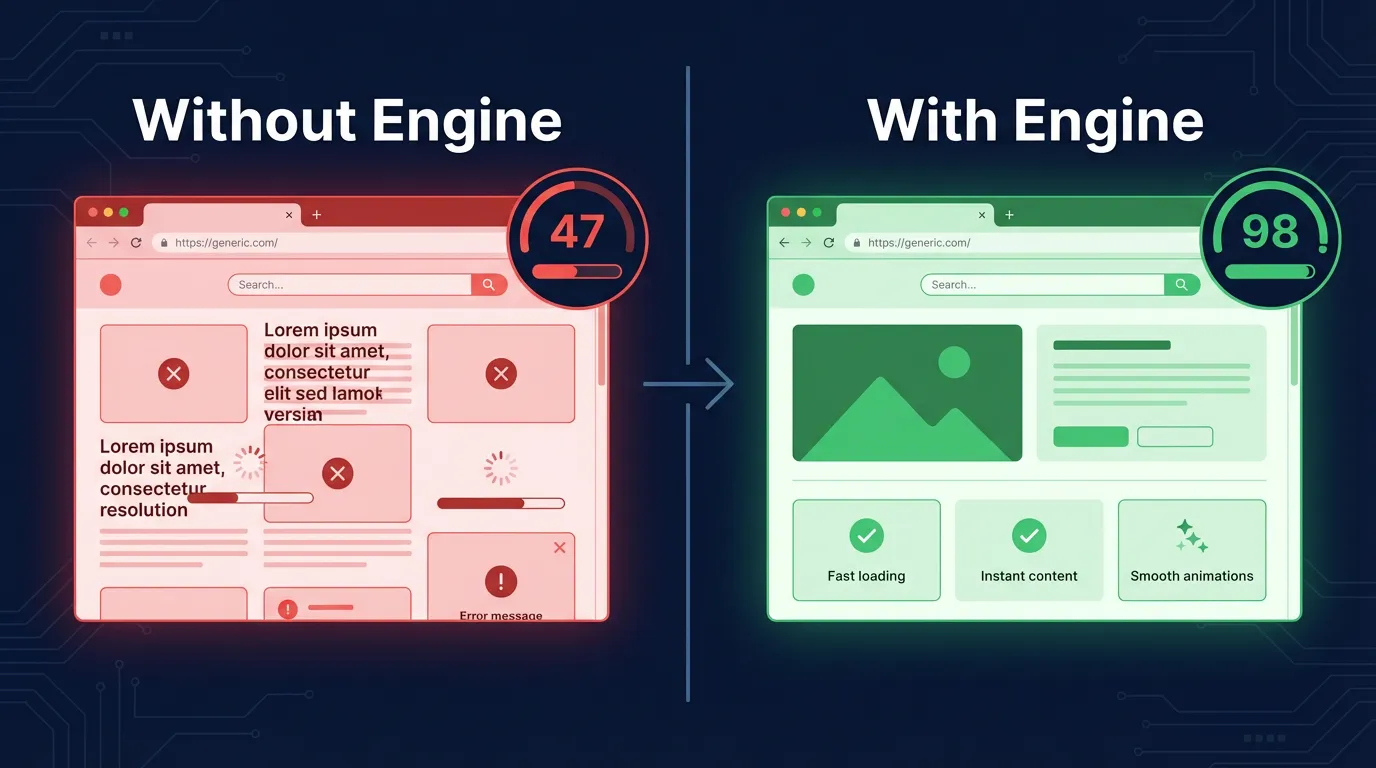
Lighthouse Scores
| Category | Without Engine | With Engine |
|---|---|---|
| Performance | 45–65 | 92–100 |
| Accessibility | 60–75 | 95–100 |
| Best Practices | 70–80 | 95–100 |
| SEO | 55–70 | 97–100 |
Core Web Vitals
| Metric | Without Engine | With Engine | Good Threshold |
|---|---|---|---|
| Largest Contentful Paint (LCP) | 3.2–5.8s | 0.8–1.4s | < 2.5s |
| Interaction to Next Paint (INP) | 180–350ms | 40–90ms | < 200ms |
| Cumulative Layout Shift (CLS) | 0.15–0.45 | 0.01–0.04 | < 0.1 |
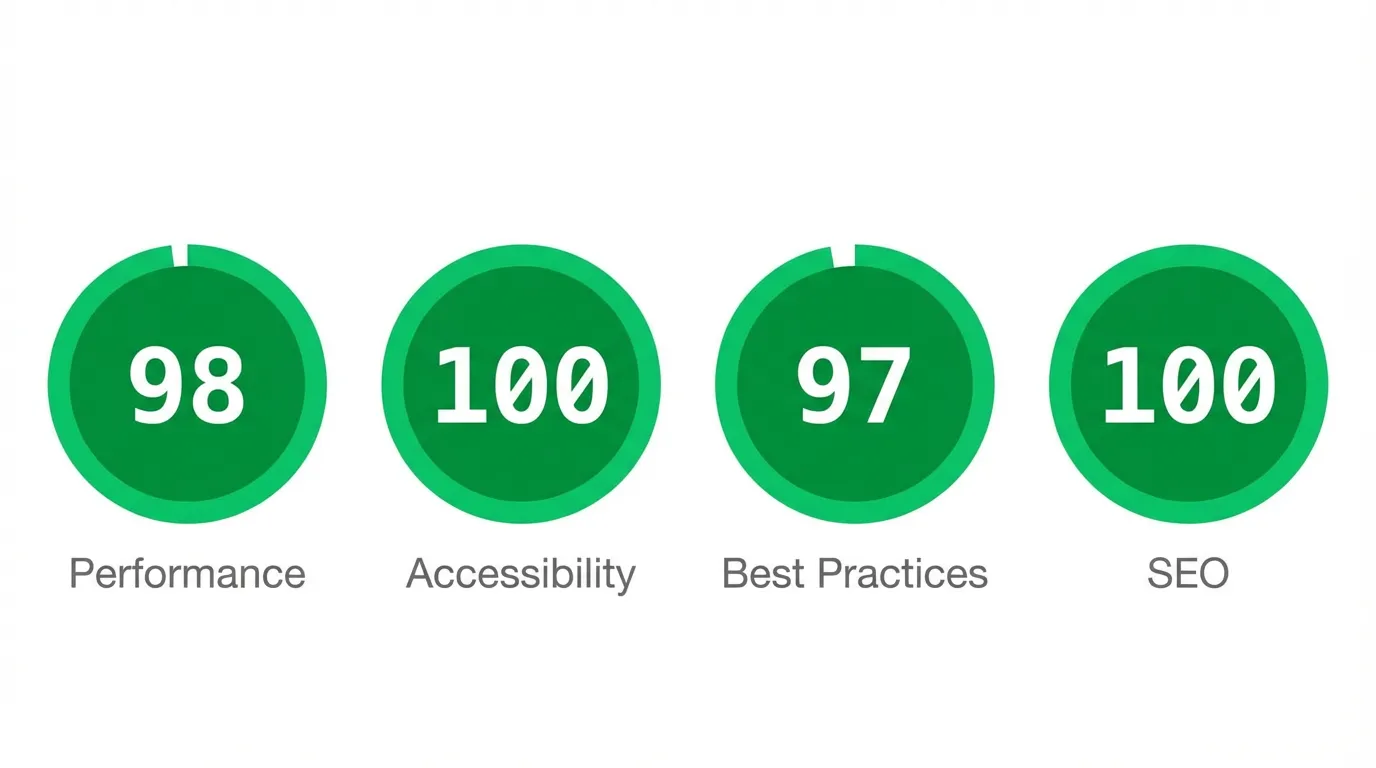
The performance gains come primarily from image optimization (LCP), script deferral (INP), and explicit image dimensions (CLS). The SEO gains come from complete meta coverage and structured data. The accessibility gains come from semantic HTML and ARIA attributes.
The "Boring" Infrastructure That Matters
None of this is glamorous. There's no AI here. No breakthrough algorithm. It's a hundred small, well-known best practices executed consistently on every single build.
That's the point.
The difference between a demo and a product isn't the feature that makes the demo impressive. It's the infrastructure that makes the product reliable. SEO-ready structure, accessibility compliance, privacy patterns, performance optimization: these are the things users never see and never ask for, but they notice immediately when they're missing.
A Lighthouse score of 40 feels like a broken site. A Lighthouse score of 98 feels like a professional one. The user doesn't know why. They just know.
We built rocket.new so that every site that ships from it passes the bar. Not because the developer configured it. Not because they installed the right plugins. Because the platform decided this was the default, and the default should be production-grade.
When we say "SEO-ready by default," we mean all of it. Every tag. Every attribute. Every optimization. Shipped automatically. Invisible by design.
This is live now. Explore the full documentation and try /Generate SEO Report in your next build.
Table of contents
- -It's Live. Here's the Full Toolkit.
- -The Full Manifest: What "By Default" Actually Means
- -Layer 1: Semantic HTML Structure
- -Layer 2: Meta Tags & Structured Data
- -Layer 3: Accessibility, WCAG 2.1 AA Compliance
- -Layer 4: Privacy and GDPR Patterns
- -Performance by Default: Core Web Vitals Without the Effort
- -Image Handling in Detail
- -The Invisible Compliance Layer: How It Works
- -1. Build-Time Injection, Not Runtime
- -2. Validation With Fallbacks
- -3. Content-Aware Defaults
- -Before and After: What the Audits Show
- -Lighthouse Scores
- -Core Web Vitals
- -The "Boring" Infrastructure That Matters