
Netlify hosting gives developers automatic HTTPS, a global CDN, deploy previews, and custom domains on every plan, including the free one. Rocket.new integrates natively for one-click deployment with zero manual build config.
Netlify hosting delivers instant load times, automatic HTTPS, and a global CDN for developers, designers, and business owners who need fast, secure web performance. Connect your Git repository, push code, and your site goes live with no server management required. Rocket integrates directly with Netlify so you can deploy web apps in one click from the Build editor.
What Makes Netlify Hosting So Popular?
Netlify removes the operational overhead of web hosting entirely. Instead of managing servers, configuring SSL certificates, or wiring up a CDN manually, you connect a repository and push code. Netlify handles everything from build to delivery on a global edge network.
Netlify hosts millions of sites across its platform. That scale reflects something real: the platform fits a wide range of projects, from personal portfolios to production SaaS products. It works cleanly for static sites and scales into full-stack web applications through serverless functions and edge compute.
The appeal is not one killer feature. It is that the entire workflow stays out of your way. Builds run automatically, rollbacks take one click, and deploy previews let teams review changes before they merge.
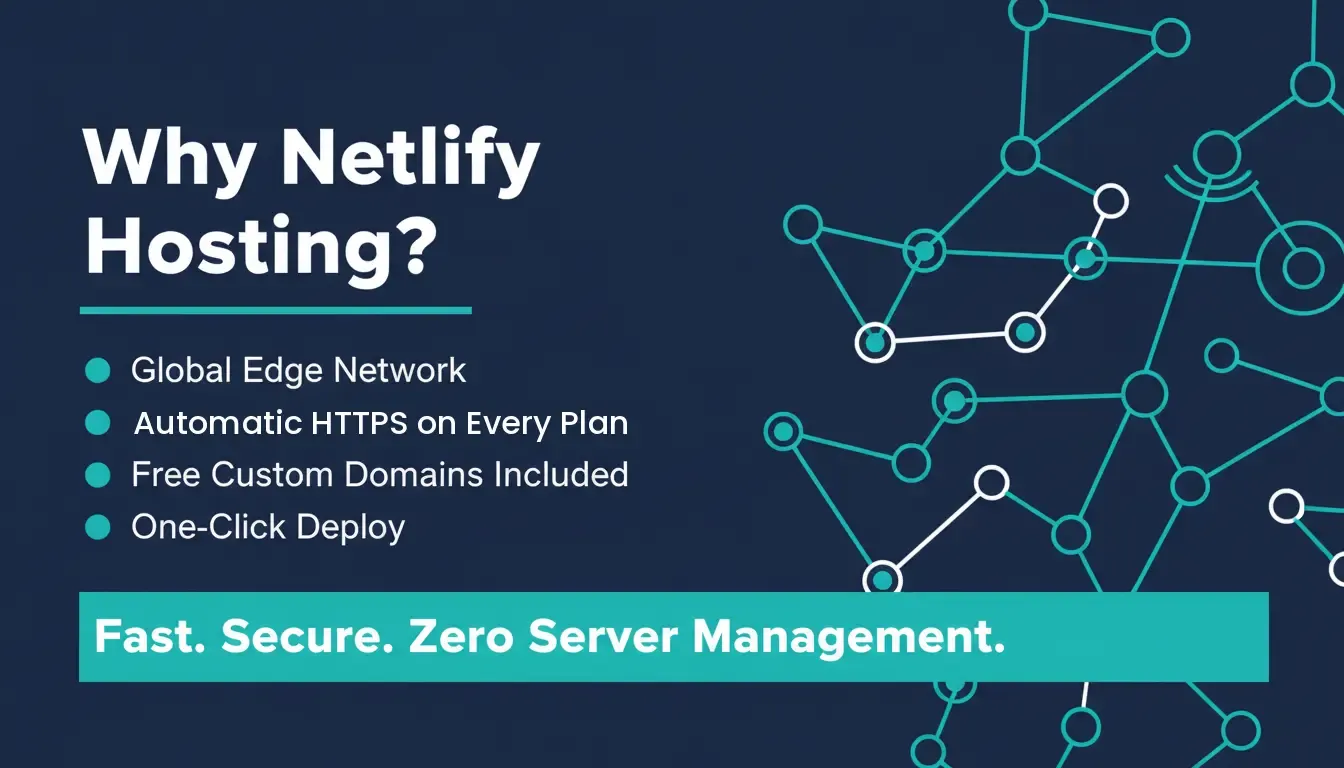
Netlify hosting: fast delivery, automatic security, and zero server management.
Built Around a Modern Web Development Platform
Netlify is a cloud hosting and continuous deployment platform built specifically for modern web projects. It removes server management entirely, replacing it with a workflow where pushing code automatically triggers a build and deploys the result to a global edge network.
The platform covers the full delivery stack:
- Automated builds: Connect a Git repository on GitHub, GitLab, or Bitbucket and every push triggers a build automatically. No manual steps, no SSH sessions.
- Consistent deploy pipeline: Every update follows the same path from commit to live URL. When something goes wrong, rollbacks revert to any previous deployment in one click.
- Built-in analytics: Site activity is visible directly in the Netlify dashboard without adding a separate analytics tool.
- Serverless functions: Netlify Functions let you add backend logic such as email sending, webhook processing, and API calls without provisioning a server.
If you are exploring how AI is reshaping this kind of development workflow, AI in web development: how it transforms modern websites covers the broader shift well.
A Friendly Workflow for Your Deploy Pipeline
The continuous deployment workflow is where Netlify earns its reputation. Connect your repository once, and the rest is automatic.
Every commit triggers a build. Every pull request gets its own deploy preview, which is a live, shareable URL that reflects exactly what that branch would look like in production. Teammates can review UI changes, clients can approve copy edits, and QA can test features before a single line merges to main.
Branch deploys extend this further, providing isolated live URLs for each feature branch so multiple workstreams can run in parallel without stepping on each other. This is what one developer described on Reddit after switching their agency workflow to Netlify:
"Deploy previews changed my life working with non-technical clients. Sending them a live URL for every tiny text change before merging saves so many emails."
Netlify's continuous deployment pipeline: from code push to live production.
Speed That Feels Instant
Page speed is not a nice-to-have. It is a direct revenue driver. Research shows that 53% of users leave a site if it takes more than 3 seconds to load. A one-second delay in page load time can reduce conversions by up to 7%. Fast-loading pages also rank higher in organic search, giving performance a compounding effect on traffic.
Netlify addresses this at the infrastructure level. Content is served from the edge node closest to each visitor, not from a single origin server. A user in Singapore gets the same fast response as a user in New York because both are hitting a nearby edge location.
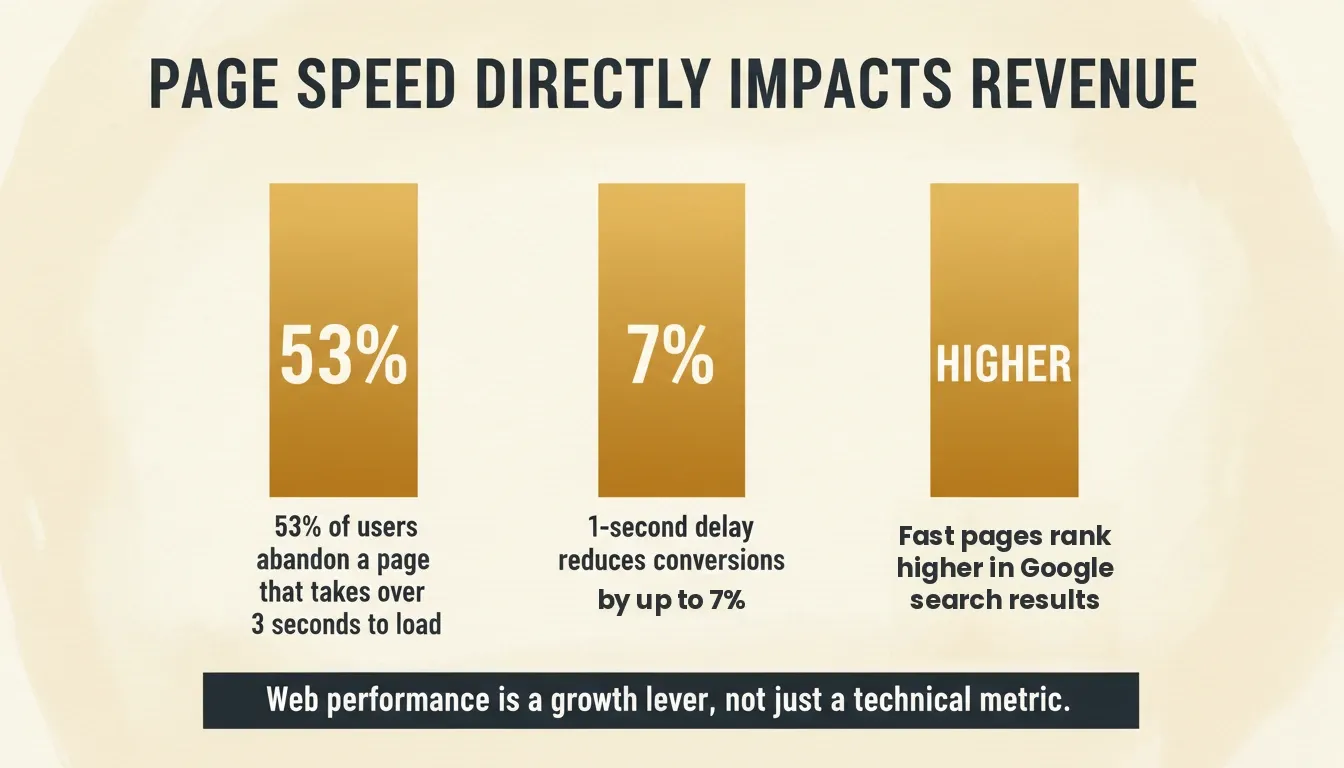
Three reasons web performance is a growth lever, not just a technical metric.
Custom Domains and HTTPS on Every Plan
Custom domains and SSL certificates are included on all Netlify plans, including the free tier. You connect your domain through the Netlify dashboard after deploying, update your DNS records, and Netlify provisions HTTPS automatically. No certificate management, no command-line steps.
The setup process is guided inside the dashboard:
- Connect your custom domain in a few clicks
- DNS configuration is explained step by step
- HTTPS is provisioned automatically and renews without any action
- No separate SSL purchase required on any plan
This is a meaningful difference from traditional hosting, where SSL certificates were historically a paid add-on or a manual configuration task. On Netlify, it is handled for every site on every plan from day one.
Netlify Hosting Pricing: Free Tier and Plans That Scale
Netlify uses a credit-based pricing model. Every action, including production deploys, bandwidth, compute, and web requests, consumes credits from your monthly allowance. The free tier includes 300 credits per month, which covers meaningful usage for personal projects and prototypes.
A single production deploy costs 15 credits. On the free plan, that is roughly 20 production deploys per month before hitting the limit. For teams shipping daily, a paid plan makes more sense.
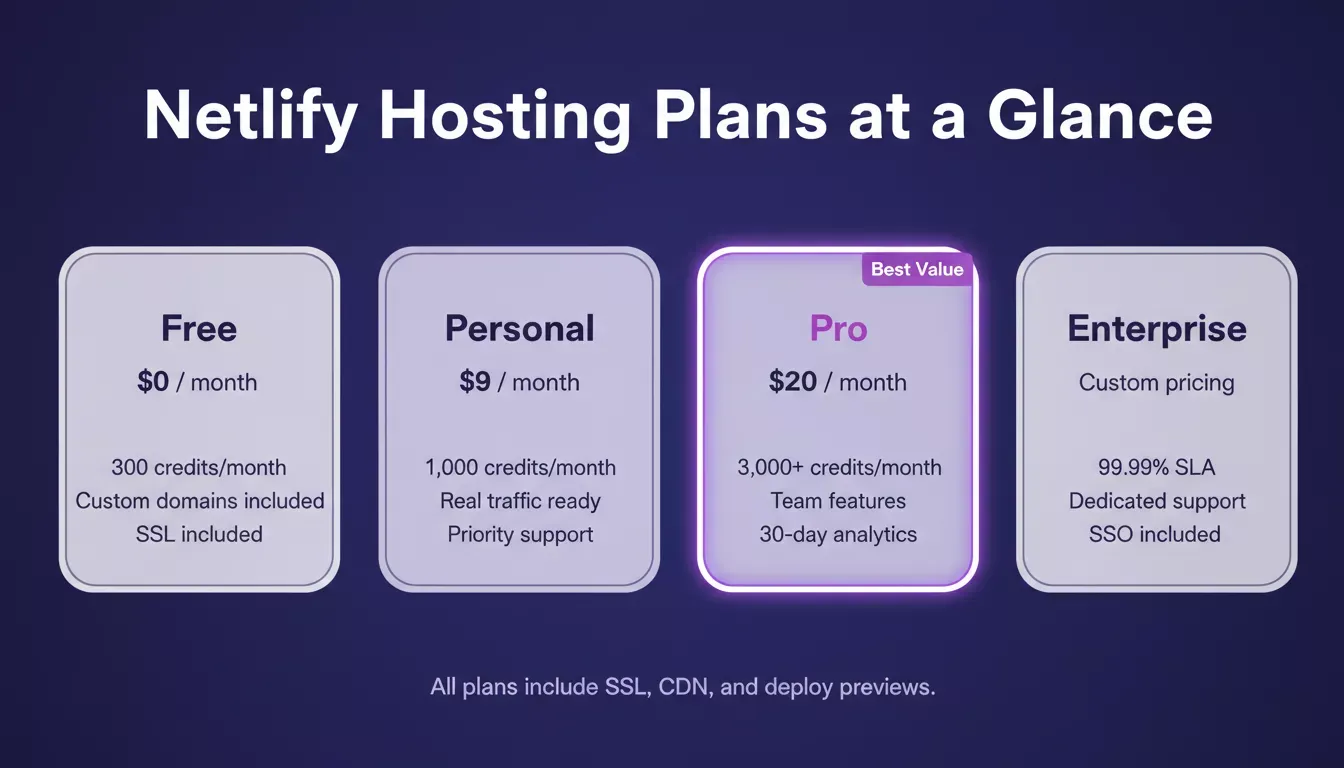
All four Netlify plans include custom domains with SSL, deploy previews, and a global CDN.
Here is how the current Netlify hosting plans compare:
| Plan | Price | Monthly Credits | Best For |
|---|---|---|---|
| Free | $0/month | 300 credits | Personal projects, portfolios, prototypes |
| Personal | $9/month | 1,000 credits | Sites with real traffic, solo developers |
| Pro | $20/month | 3,000 to 20,000 credits (tiered) | Teams, frequent deployments, longer analytics |
| Enterprise | Custom | Custom | Large teams, 99.99% SLA, dedicated support |
All plans include custom domains with SSL, deploy previews, global CDN, Netlify Functions, and form handling. The differences between plans are primarily credit volume, team features, observability windows, and support tiers.
Core Features You'll Actually Use
Not every feature on a pricing page earns its place in a real workflow. These are the Netlify capabilities that show up in production regularly.
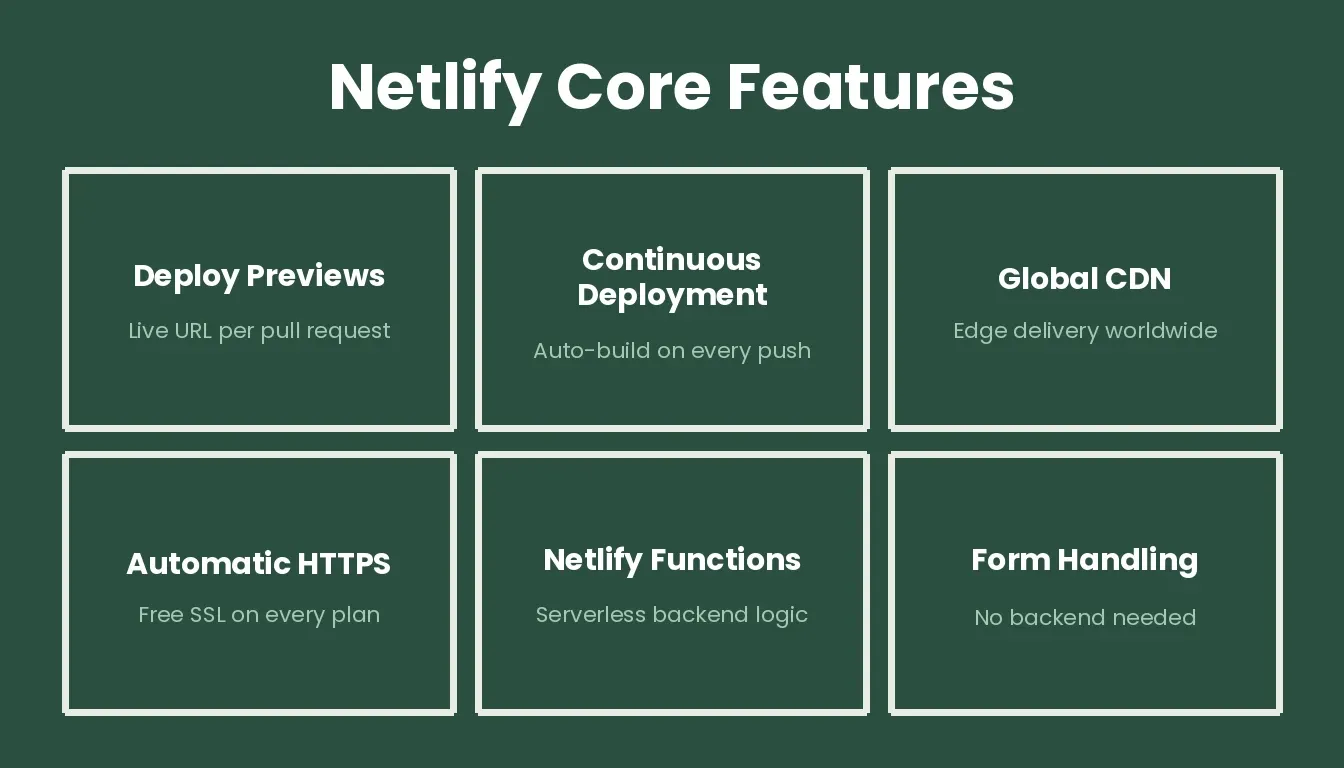
The six Netlify features that matter most in day-to-day development.
Deploy previews generate a live, shareable URL for every pull request. Reviewers see exactly what the branch looks like before it merges, with no local setup required.
Continuous deployment means pushing to your repository is the deployment action. There is no separate deploy step to remember.
Global CDN serves content from the edge node closest to each visitor, reducing latency regardless of where your audience is located.
Automatic HTTPS provisions and renews SSL certificates for every site on every plan, with no manual steps.
Netlify Functions are lightweight serverless JavaScript functions that handle backend logic such as email, webhooks, and API calls without a dedicated server. If you want to go deeper on this pattern, how to build serverless architecture walks through the full approach.
Form handling collects submissions from HTML forms without any backend configuration. Add a netlify attribute to a form tag, and submissions appear in your dashboard.
Branch deploys and rollbacks round out the workflow: isolated URLs per branch for parallel development, and one-click reversion to any previous deployment if something breaks.
For teams building full-stack apps and thinking through deployment strategy, a complete guide to deploying full-stack apps with AI tools covers the broader picture well.
How Rocket Helps You Build Apps Ready for Netlify Hosting
Rocket turns plain-language descriptions or Figma designs into production-ready web projects, then deploys them directly to Netlify hosting with a single click. The integration handles the parts that typically slow teams down: build configuration, environment setup, and deployment wiring.
Rocket is built on three pillars: Solve for research and validation, Build for web and mobile app generation, and Intelligence for competitor monitoring. The Build pillar is what connects directly to Netlify. According to Rocket.new's official documentation, Netlify deployment is triggered via the Launch button inside each task, which is a one-click action that takes a project from editor to live URL in seconds.
Rocket includes a default Netlify account for all deployments, so you can go live immediately without connecting anything. Connecting your own Netlify account gives you full control over deployment history, custom domains, and the Netlify dashboard.
Important: Netlify deployment in Rocket is for web applications only. Mobile apps built in Rocket are hosted separately and cannot be deployed to a personal Netlify account.
What the Integration Covers
- One-sentence app generation: Describe what you want, and Rocket builds a full app structure with frontend, backend logic, and deploy configuration.
- GitHub integration: Projects sync with your GitHub repository, enabling continuous deployment to Netlify on every push.
- Template starting points: Start from templates for websites, dashboards, or internal tools, then customize before deploying. The best AI app builders with template libraries guide shows how template-first workflows speed up launches.
- Live preview and editing: See changes as they are generated and refine layouts before the deployment is triggered.
How to Deploy Your Rocket Project to Netlify
Deployment is triggered from the Rocket UI, not from chat prompts. Rocket automatically configures the correct build command and publish directory, so no manual build settings are needed.
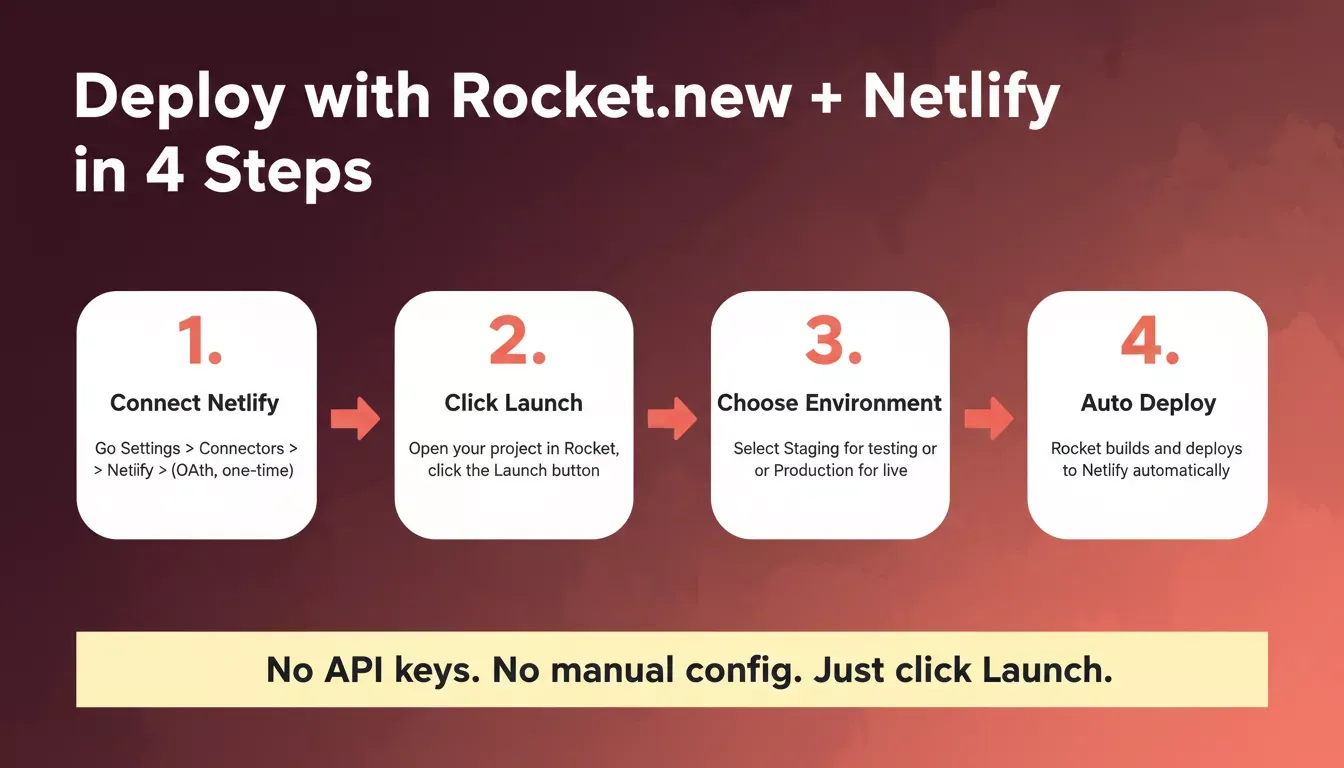
The four-step process from Rocket project to live Netlify deployment.
- Connect Netlify from workspace Settings (one-time setup). Go to your Rocket workspace Settings, open the Connectors section, click the Netlify card, and click Connect. A Netlify OAuth authorization screen opens. Sign in, review permissions, and click Authorize. This is a workspace-level connection: connect once and it applies to all your tasks. No API key is needed.
- Open your project and click Launch. Inside your task, click the Launch button in the Rocket preview toolbar. This is the deployment trigger.
- Select your environment. Staging deploys to a temporary URL for testing and sharing. Production connects to your own domain for a public release.
- Wait for automatic deployment. Rocket builds and deploys your app to a live Netlify URL. Build settings are handled entirely by Rocket, so no manual configuration is needed.
- Connect a custom domain post-deployment (optional). After deploying, go to the Netlify dashboard to connect your own domain and update your DNS records. Custom domains are available on all Netlify plans, including free.
For a full walkthrough of the launch dialog and release management, see how to deploy a website fast with Rocket.new.
Netlify vs. Alternatives: A Quick Comparison
Netlify is not the only modern hosting platform. Here is how it compares to the most common alternatives for web app deployment:
| Feature | Netlify | Vercel | GitHub Pages | Cloudflare Pages |
|---|---|---|---|---|
| Free custom domains + SSL | Yes | Yes | Yes | Yes |
| Deploy previews | Yes | Yes | No | Yes |
| Serverless functions | Yes | Yes | No | Yes |
| Built-in form handling | Yes | No | No | No |
| Free tier credit limit | 300 credits/month | 6,000 build min/month | GitHub Actions minutes | Unlimited |
| Rocket.new native integration | One-click | Manual | Manual | Manual |
Netlify's native Rocket integration is the decisive advantage for teams using Rocket to build and ship. The one-click deploy path from Rocket's Build editor to a live Netlify URL removes the configuration work that manual deployments to other platforms require.
For a broader look at how deployment tools compare, best AI app deployment tools covers the full landscape.
Why Netlify Hosting Makes Sense for Modern Web Projects
Modern web performance matters. Users will not wait for slow pages, and search engines reward sites that load quickly. Netlify's architecture makes speed and security defaults rather than configurations. The CDN, HTTPS, and build pipeline are all handled before you write your first line of application code.
For teams using Rocket to build web apps, the Netlify integration removes the last friction point between building and shipping. You focus on the product; Netlify handles the delivery.
Start building with Rocket.new today and ship your next project in minutes, not weeks.
Table of contents
- -What Makes Netlify Hosting So Popular?
- -Built Around a Modern Web Development Platform
- -A Friendly Workflow for Your Deploy Pipeline
- -Speed That Feels Instant
- -Custom Domains and HTTPS on Every Plan
- -Netlify Hosting Pricing: Free Tier and Plans That Scale
- -Core Features You'll Actually Use
- -How Rocket Helps You Build Apps Ready for Netlify Hosting
- -What the Integration Covers
- -How to Deploy Your Rocket Project to Netlify
- -Netlify vs. Alternatives: A Quick Comparison
- -Why Netlify Hosting Makes Sense for Modern Web Projects