

Rocket.new lets teams build production-ready internal tools from a single prompt with UI, backend, auth, and database setup included. Unlike traditional admin panel builders, Rocket.new gives full code ownership, version control, and exportable Next.js code with no platform lock-in.
What if building an internal tool took a single prompt instead of weeks of back-and-forth with your dev team?
For most teams, that used to be wishful thinking. Now it is table stakes.
-
According to the 2025 State of Internal Developer Portals by Port.io, 75% of developers lose between 6 and 15 hours every week due to tool sprawl, costing companies close to $1 million in lost productivity per year for a team of 50 engineers.
-
The average team already juggles 7.4 different tools just for daily operational tasks.
Rocket.new changes to the calculation.
It lets teams go from description to a live, working internal tool, with backend logic, database setup, authentication, and role-based access all generated in the same step - starting with nothing but a plain language description of what they need.
What AI App Builders Changed About App Building
For a long time, building internal tools came down to two paths: wait for an engineer to write it from scratch, or settle for a drag-and-drop tool that locked you into its platform with no real code to show for it.
AI app builders opened a third path: You describe what you need in natural language, and the platform generates the app, the data layer, the UI, and the backend logic in one go.
No losing context between tools.
No separate database setup.
No waiting weeks to see a working product.
The numbers back this up.
-
According to Hostinger's AI App Builder Statistics 2026, the no-code AI platform market is growing from $6.56 billion in 2025 to a projected $75.14 billion by 2034.
-
Citizen developers now outnumber professional developers four to one. And no-code platforms can cut development time by up to 90% compared to traditional methods.
For internal tools specifically, this shift matters. Teams no longer need to justify weeks of engineering time to build a dashboard or admin panel. They describe it, generate it, refine it, and deploy it, all in one flow.
The Real Problem with Old Admin Panel Builders
Tools like Retool helped define what the internal tools category could look like. But in 2026, teams are hitting real limits with older admin panel builders.
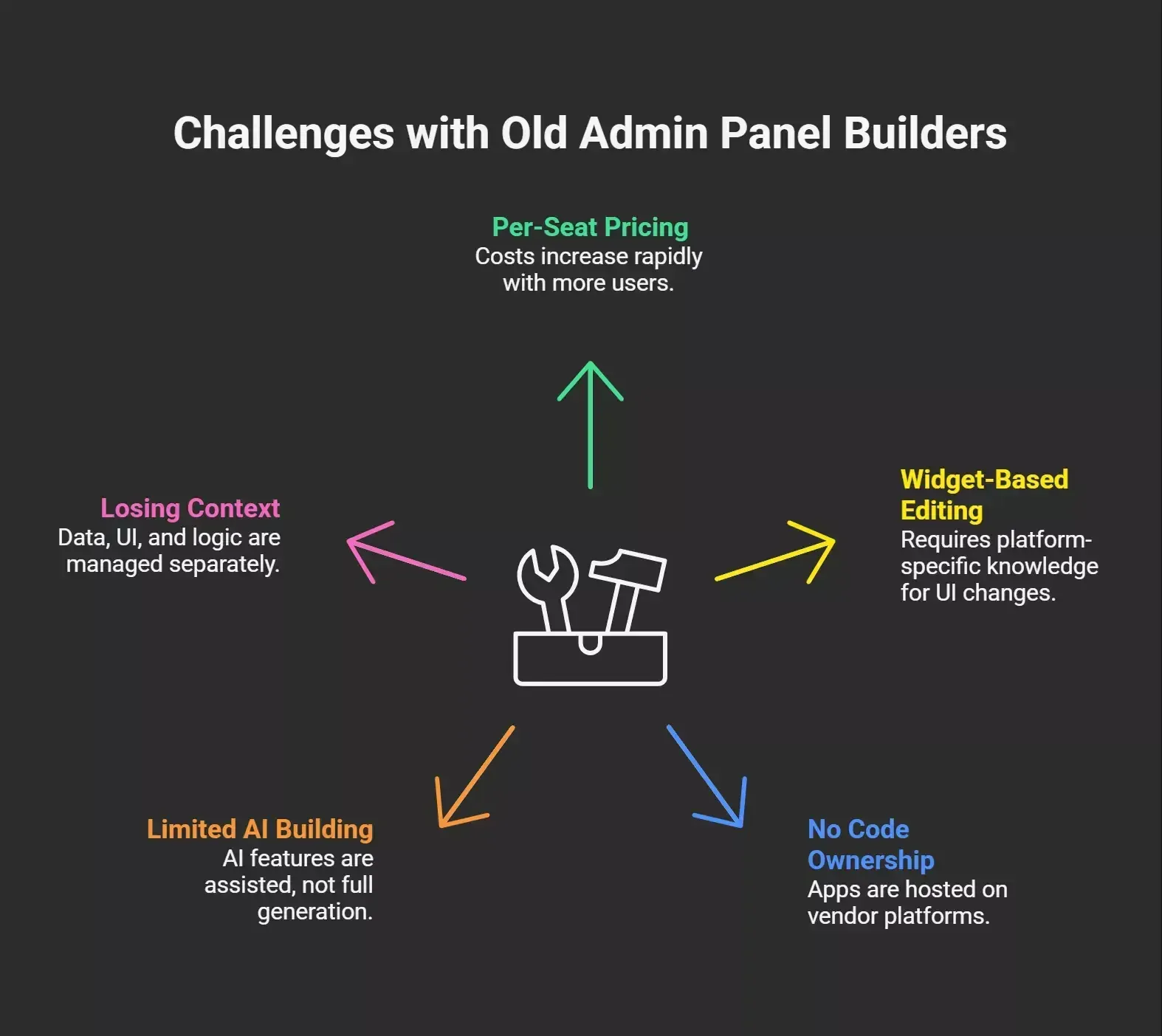 Here is what comes up most often:
-
Per-seat pricing that balloons fast as more internal users need access
-
Widget-based editing where simple UI changes require platform-specific knowledge
-
No code ownership, the app lives on the vendor's platform, not yours
-
Limited AI building, most tools offer AI-assisted features, but not full app generation from a single prompt
-
Losing context between tools when data, UI, and backend logic are managed in separate places
For small teams and solo builders, the answer depends on what they need to ship. But the pattern is consistent across most evaluations: old-school admin panel builders were designed for a world where developers handled everything.
Modern AI app builders are designed for a world where anyone on the team can ship.
How Rocket.new Builds Internal Tools - Step by Step
Rocket.new generates production-ready internal tools from a single prompt. You describe your app in plain language as an order tracking dashboard, a customer health monitor connected to live data, an operations CRM with role-based access, and Rocket plans the architecture, writes the code, and shows you a live preview.
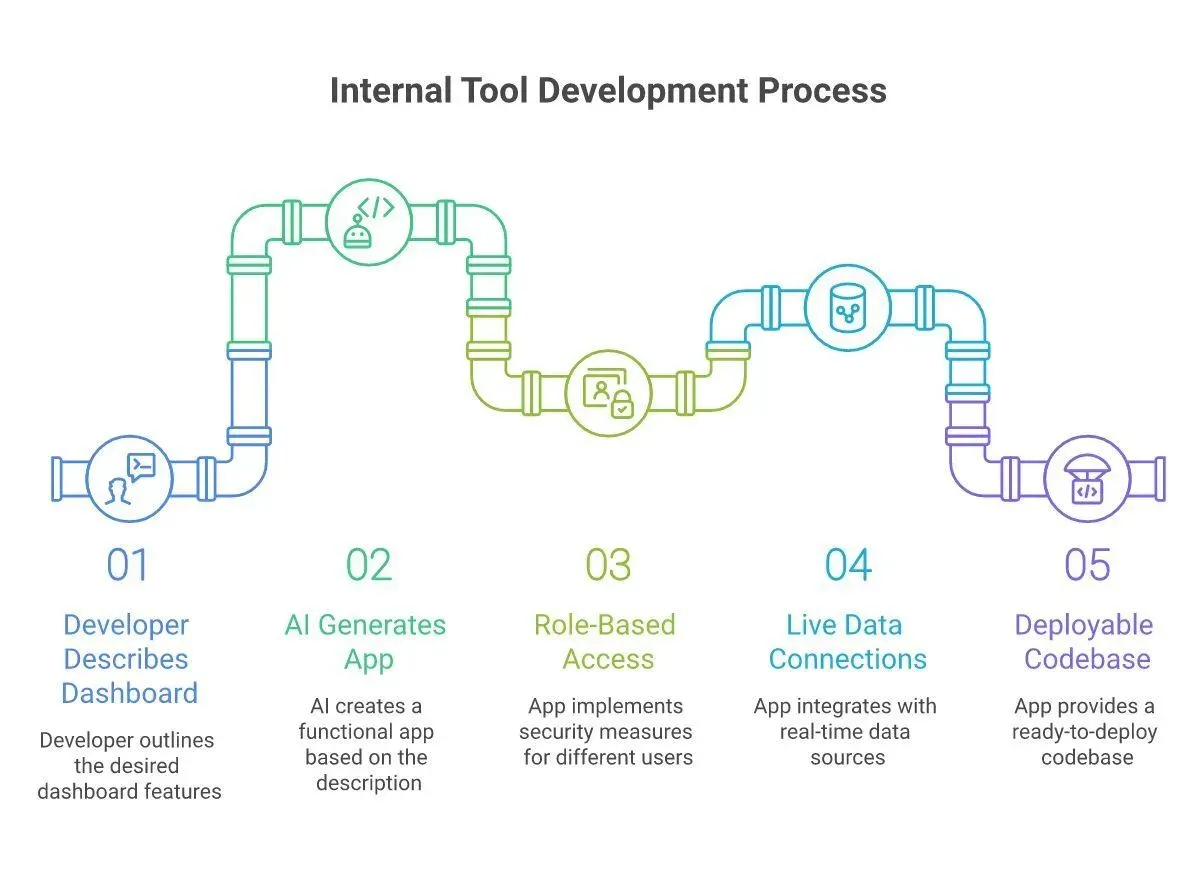 Here is how the process works:
-
Describe your internal tool in plain language
-
Rocket generates the architecture, frontend UI, database schemas, and backend logic
-
Preview the live app in your browser
-
Refine it through chat, visual editing, or direct code edits
-
Deploy with one click and connect a custom domain
Build from a Single Prompt, Not Dozens of Steps
Most internal tools follow a recognizable pattern: a UI layer connected to a data source, with custom logic in between. Rocket generates all three from one prompt. You do not need to configure a database, wire up authentication, or write backend logic by hand. It handles all of it in the same generation step.
This is different from vibe coding tools that require you to manage frontend and backend separately. Rocket keeps it all in one platform, one codebase, one flow.
Full Code Ownership and Version Control
Every app Rocket generates is real Next.js code, clean, readable, and fully yours. You get full code ownership from day one. Rocket stores a complete version history, so you can roll back to any previous state in one click. You can also download the entire codebase or push it to GitHub at any time.
For teams that worry about platform lock-in, this matters a lot. Exportable code means you are not betting your internal operations on a vendor subscription.
Role-Based Access, Authentication, and Database Setup
Rocket builds role-based access control, authentication, and database setup into the generated app by default. No extra configuration needed. You define who sees what, restrict screens by role, and connect a full Supabase PostgreSQL backend, all from within the build.
Connections to External Services
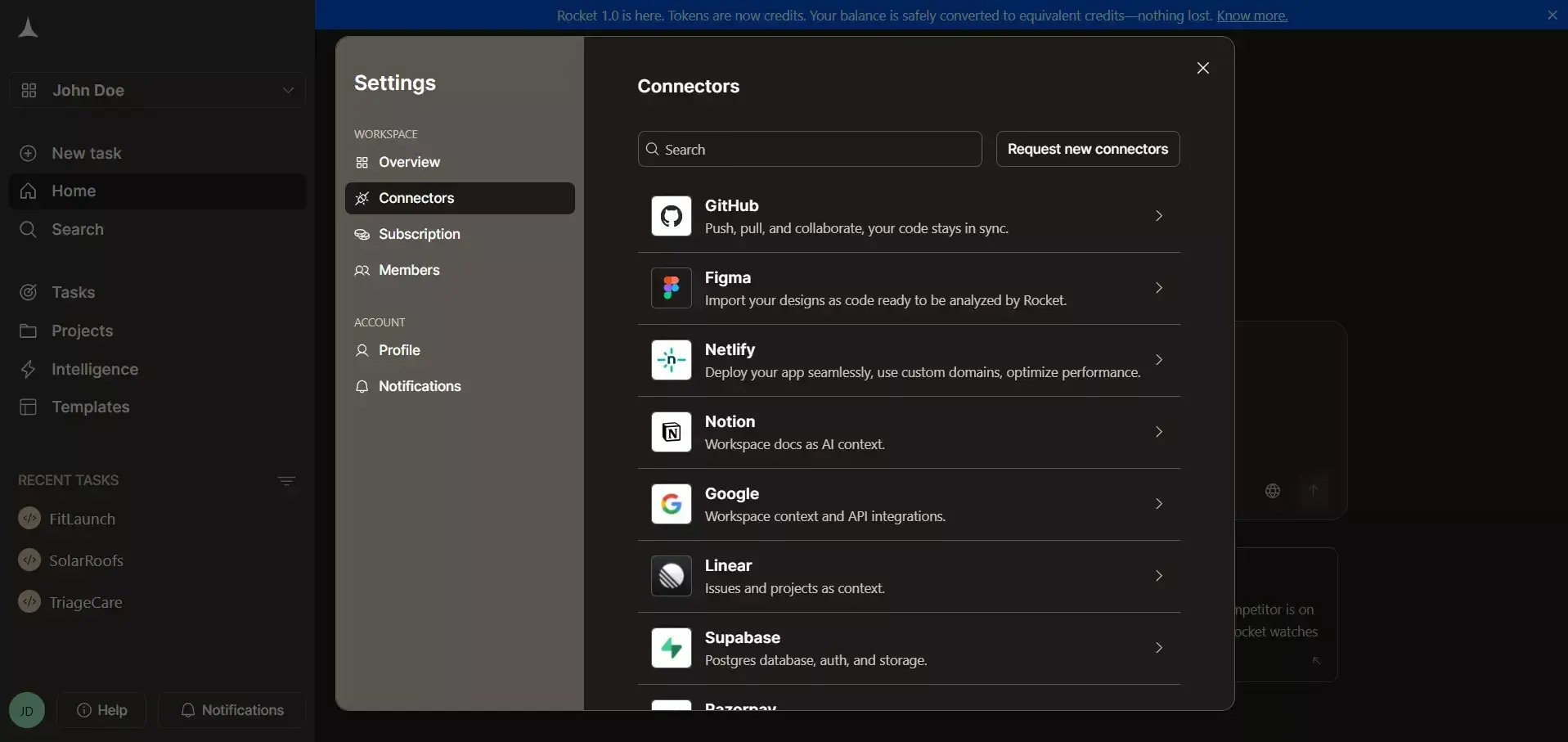
Rocket.new connects to 25+ external services: Supabase, Airtable, Linear, Notion, Mixpanel, Stripe, and more. These connections are generated as part of the app, not added separately afterward.
Free Plan to Start
Rocket.new has a free plan so teams can build and test before committing. No credit card required.
One Platform for Web Apps, Mobile Apps, and Landing Pages
Internal tools are one use case. Rocket.new also generates web apps, mobile apps (iOS and Android from a single Flutter codebase), and landing pages, all from the same platform and workspace.
For ops teams who need both a public-facing customer portal and an internal admin panel, that means one platform handles everything. No switching between separate coding tools for different output types.
| Internal Tool Type | What Rocket Generates |
|---|---|
| Admin panel | UI, auth, role access, backend logic |
| Team dashboard | Live data views, charts, filters |
| Customer portal | Login flow, data views, onboarding screens |
| CRM | Custom fields, pipelines, CSV export |
| Mobile apps | iOS + Android from Flutter codebase |
| Landing pages | SEO-ready, responsive, fast-loading |
What Builders Are Saying About Rocket.new for Internal Tools
The conversation around building internal tools with AI app builders is active in developer communities. A February 2026 thread on r/nocode captured exactly the decision many teams now face:
"I'm about to start building a small internal tracking tool... my main requirement is around auth, a lot of data-related logic, and room to grow if the idea works." - u/kckrish98, r/nocode, February 2026
The requirements in that discussion: auth, data logic, exportable code, room to grow - are precisely what Rocket.new is built around. And unlike widget-based platforms, the generated code stays with you regardless of what happens with the subscription.
It is worth knowing that AI-generated code comes with real challenges. The 2025 Stack Overflow Developer Survey found that 66% of developers say debugging AI-generated code is their biggest frustration.
Rocket.new addresses this by keeping the codebase transparent and editable at every stage, so you can fix issues directly in the code editor, not just through prompts. That gives teams more control than platforms where generated code is hidden behind a visual layer.
Why Rocket.new is the New Home for Internal Tools
The challenge with internal tools has never been knowing what to build. It is getting from idea to live tool without burning weeks of engineering time or getting locked into a platform that charges per seat and owns your code.
Old-school admin panel builders traded one constraint for another. You got speed on day one, but gave up code ownership, flexibility, and portability. Modern AI app builders like Rocket.new flip that tradeoff you get the speed, and you keep the code.
This is why Rocket is the new home for internal tools. One prompt, one platform, a live app with real code, and none of the lock-in that held teams back before.
Table of contents
- -What AI App Builders Changed About App Building
- -The Real Problem with Old Admin Panel Builders
- -How Rocket.new Builds Internal Tools - Step by Step
- -Build from a Single Prompt, Not Dozens of Steps
- -Full Code Ownership and Version Control
- -Role-Based Access, Authentication, and Database Setup
- -Connections to External Services
- -Free Plan to Start
- -One Platform for Web Apps, Mobile Apps, and Landing Pages
- -What Builders Are Saying About Rocket.new for Internal Tools
- -Why Rocket.new is the New Home for Internal Tools

