Marketing Agency Cost Calculator Website Template
The Velocity Founder Growth Strategy Marketing Agency Landing Page Template is a dark-themed, split-screen landing page built for performance-driven agencies targeting Series A founders and SaaS operators. It pairs a sticky interactive ROI calculator with a reactive frequently asked question panel, a scrolling logo bar, and a comparison toggle, giving potential customers a data-first experience before they ever fill out a form.
by Rocket studio
Quick summary
This template delivers a focused, terminal-style landing page for growth-oriented marketing agencies. A sticky ROI calculator anchors the left panel while a reactive frequently asked question panel answers objections on the right. Every scroll compounds the case: visitors see the gap between their current numbers and projected returns before a single form field appears. No hero images, no filler, just focused proof.
Who this template is for
This template is built for agencies and marketers who need landing pages that do real persuasive work, not just look polished. It speaks the same language as the founders and operators it targets, which means the layout, copy structure, and interactive tools are designed around high-pressure decision moments.
- Series A founders comparing agencies on a spreadsheet and needing a clear call to action that earns trust fast
- In-house marketing leads who have outgrown freelancers and need to justify a serious agency investment to their team
- Bootstrapped SaaS operators and growth-focused agencies who need every dollar to compound and every page to deliver measurable results
What problem this template solves
Most landing pages for agencies look the same: a bold headline, a few bullet points, a contact form. Visitors bounce because nothing in the page earns their attention. Conversion rates stay flat because the page never shows the gap between where the visitor is and where they could be. This template fixes that.
- Founders arrive skeptical and leave with projected numbers tied to their own inputs, not generic agency promises
- In-house marketers and potential customers can instantly compare the agency against an internal hire or a competing agency using the built-in toggle
- The page removes friction at every layer: no navigation links to distract visitors, a streamlined form that requests only essential information, and a call to action prominently displayed before the scroll even begins
What you get with this template
You get a complete, production-ready single-page layout built around an interactive calculator experience. The structure is deliberate: each section is designed to move users from skepticism to confidence by showing real projected outputs before asking for commitment.
- A 50/50 split-screen layout with a sticky ROI calculator on the left and a reactive frequently asked question panel on the right that updates as users scroll
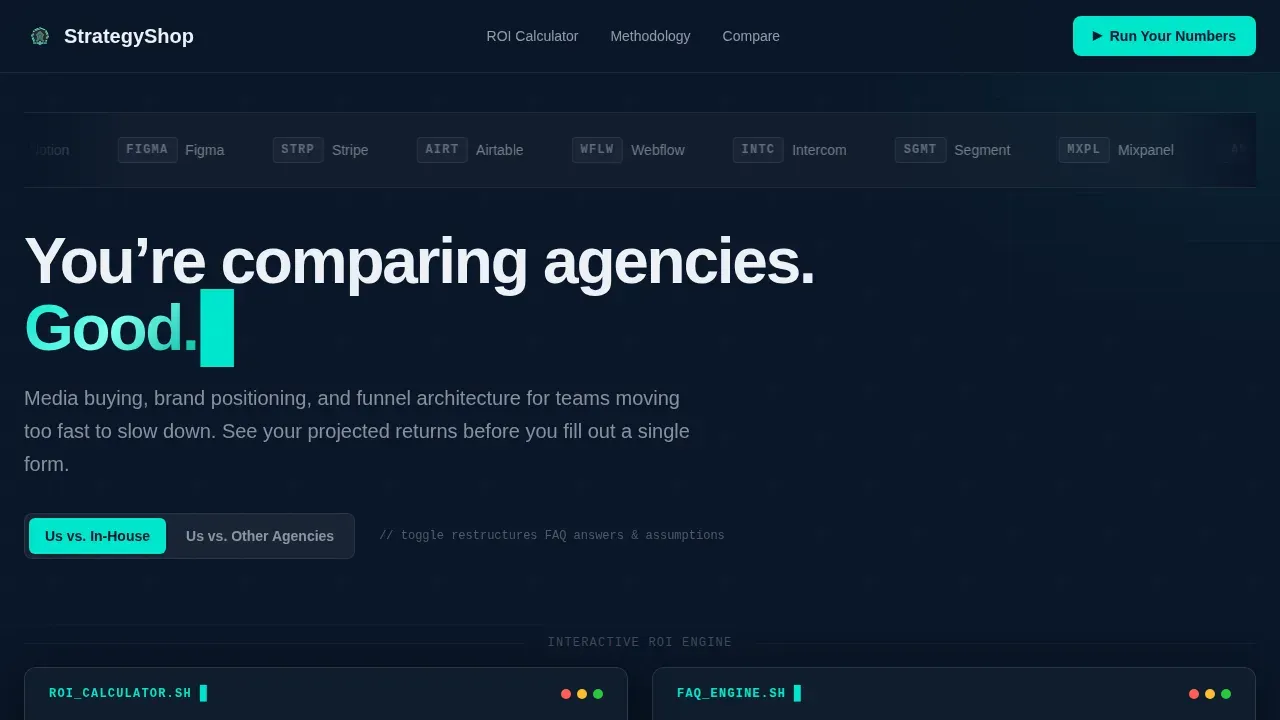
- A scrolling logo bar header, a comparison toggle engine for "Us versus. In-House Hire" and "Us versus. Other Agencies," an asymmetric bento methodology section, a lead gen form, and a linear single-row footer
- Full Midnight Blue color system with deep terminal navy, interface charcoal panels, electric teal interactive accents, and crisp system white typography across every section
Feature list
This template is packed with focused, high-impact features. Each one is designed to reduce bounce rates, increase sign ups, and push visitors toward the desired action without adding visual noise.
Sticky ROI Calculator Panel
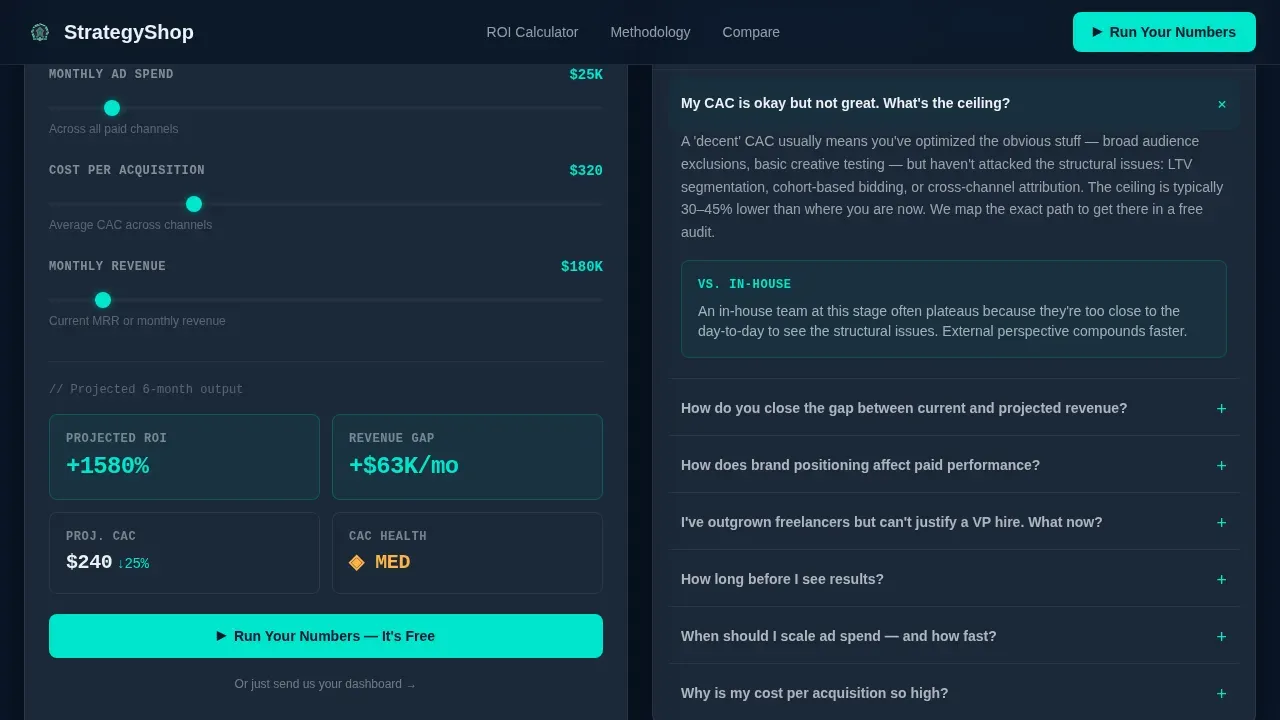
The left panel locks an interactive ROI calculator that follows users as they scroll. Visitors input their current ad spend, cost per acquisition, and monthly revenue. The calculator outputs projected returns in real time using teal-highlighted data fields. This makes the value proposition concrete and personal before any call to action appears.
Reactive frequently asked question Panel
The right panel does not show static answers. It surfaces the frequently asked question that matches what the calculator reveals. Input a high cost per acquisition and the panel responds with the agency's methodology for fixing it. This creates an emotional connection between the visitor's real problem and the agency's specific solution, and it encourages visitors to keep scrolling.
Comparison Toggle Engine
A sticky toggle at the top of the page lets users flip between two comparison modes: "Us versus. In-House Hire" and "Us versus. Other Agencies." Each mode restructures the frequently asked question answers and calculator assumptions in real time. This is a great example of how to address the desired action without adding separate landing pages for each audience segment.
Scrolling Logo Bar Header
The header opens with a horizontal ticker of recognizable brand logos scrolling at a calm, confident pace against deep navy. There are no hero images and no founder portrait. The logos deliver social proof before a word is read, and the single bold headline "You're comparing agencies. Good." sets a tone of confident restraint that aligns with the target audience.
Lead Gen Form and Secondary Upload Path
The primary call to action, "Run Your Numbers," is anchored beside the calculator output. The form asks only for monthly revenue range, biggest growth bottleneck via a dropdown, and a work email. A secondary text link, "Or just send us your dashboard," opens a screen recording upload path. Both options keep friction low and focus on what potential customers are ready to share.
Asymmetric Bento Methodology Section
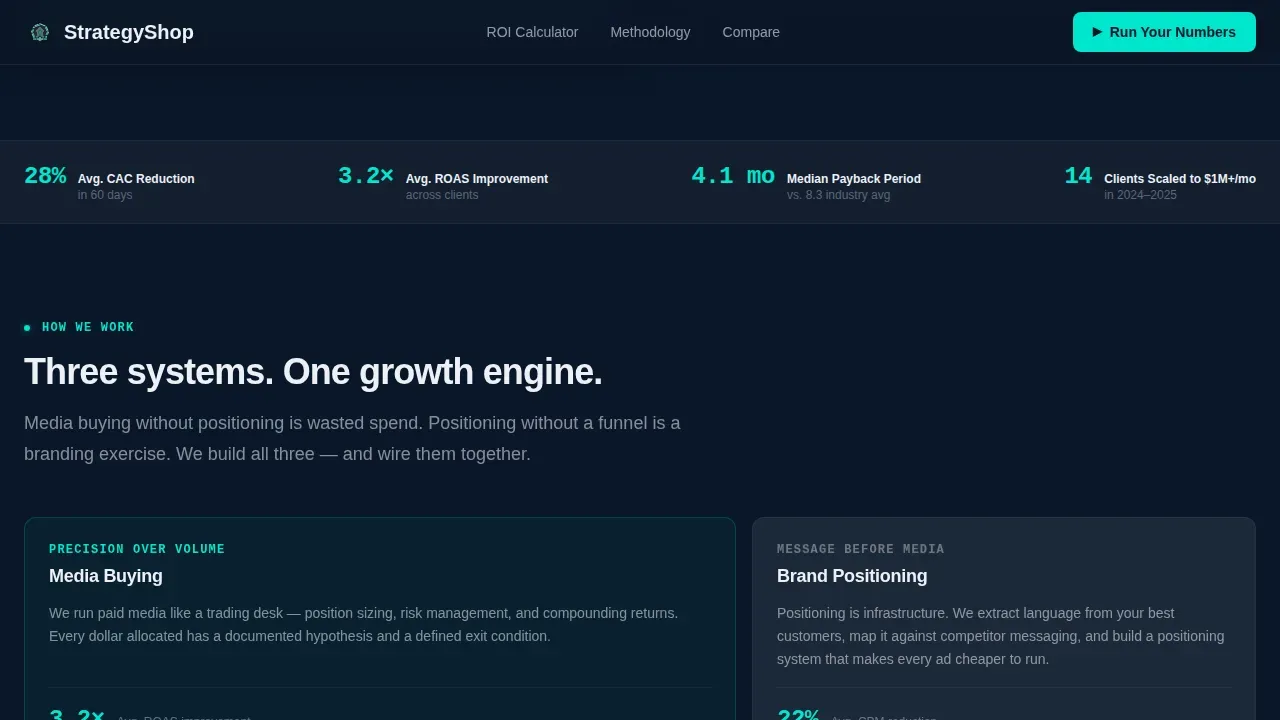
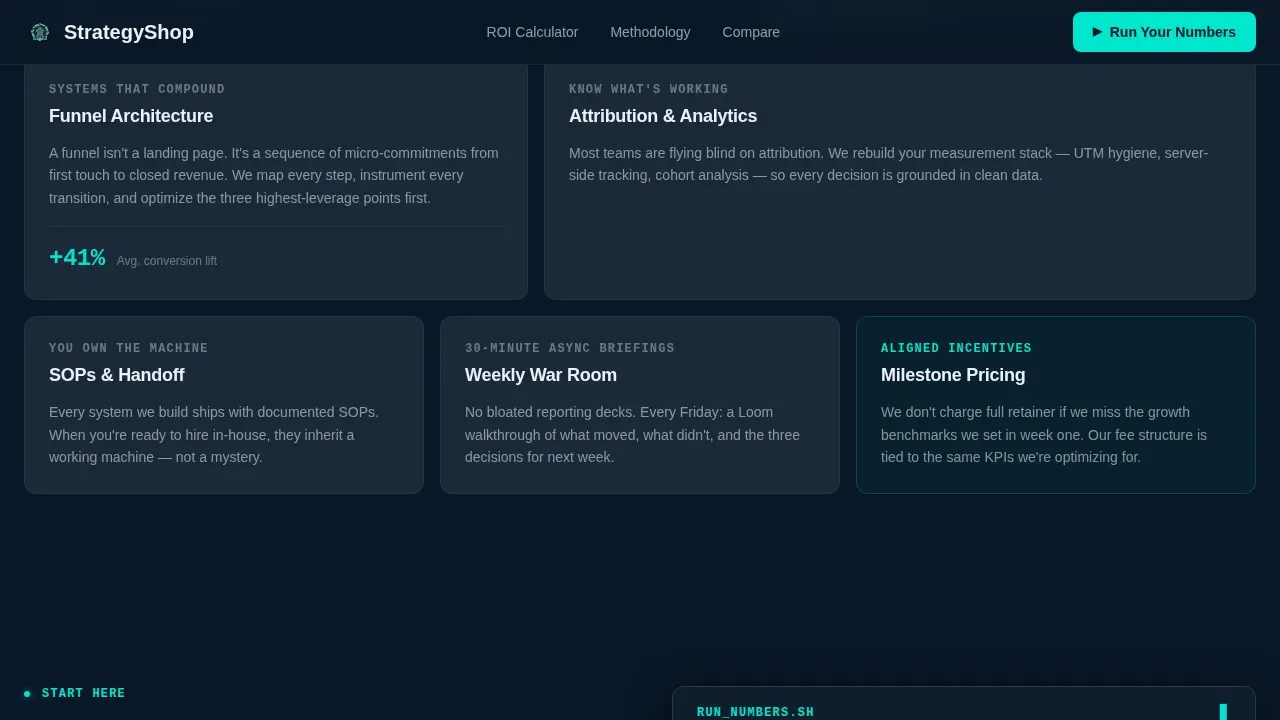
The methodology section uses an asymmetric bento grid layout to explain how the agency's systems work. Media buying, brand positioning, and funnel architecture are each presented as distinct panels. This section is user friendly and scannable, giving visitors key information about services without burying it in long paragraphs.
Page sections overview
| Section | Purpose |
|---|---|
| Logo Ticker Header | Opens with scrolling brand logos and the bold headline to establish instant social proof |
| Split Screen Calculator | Left panel: sticky ROI calculator; right panel: reactive frequently asked question updates as users scroll |
| Comparison Toggle Engine | Sticky toggle restructures frequently asked question and calculator content for two comparison modes |
| Bento Methodology Grid | Asymmetric panel layout presents media buying, positioning, and funnel architecture services |
| Run Your Numbers Form | Primary lead gen form captures revenue range, bottleneck, and work email |
| Send Dashboard Uploader | Secondary path lets visitors share a screen recording instead of filling a form |
| Linear Single-Row Footer | Clean single-row footer closes the page without navigation distractions |
Design & branding system
The visual identity follows a Startup Velocity theme that feels like a SaaS dashboard at 2 AM: dark, focused, and precise. Every bright pixel earns its place. The design avoids decoration and keeps the web design clean enough that users stay locked on the calculator and the frequently asked question content.
- Color system: deep terminal navy (#0A1628) dominates backgrounds, interface charcoal (#1B2838) separates content panels, electric teal (#00E5CC) fires on hover states and calculator outputs, and crisp system white (#EDF0F5) keeps typography sharp and scannable
- Typography: JetBrains Mono handles all data and number outputs for a terminal-code feel; DM Sans handles body copy for readability; together they create a visual hierarchy that helps users quickly analyze what matters
- Interactive states: teal glow activates on hover, staggered frequently asked question reveals animate as users scroll deeper, and the logo ticker scrolls at a calm and consistent pace that signals confidence without distraction
Mobile & speed optimization
The template is desktop-first by design because the split-screen calculator experience requires horizontal space. On smaller screens, the layout stacks vertically: calculator above, frequently asked question panel below. This ensures the page remains user friendly and functional across devices without sacrificing the core interactive experience.
- GPU-accelerated CSS transforms power the sticky scroll, logo ticker, and teal glow animations so the page stays smooth even with medium-high animation load
- Intersection Observer triggers section reveals progressively, meaning the browser only renders what is on screen, which supports fast load performance and keeps bounce rates low
- The mobile-stacked layout ensures visitors on smartphones can still interact with the calculator, read reactive frequently asked question answers, and reach the call to action form without friction
How this template helps you convert
An effective landing page does not just present information: it guides users through a logical progression from skepticism to confidence to action. This template is a strong example of conversion optimization done through interactive proof rather than persuasive copy alone. The structure makes it one of the best landing pages a performance agency can deploy for high-intent visitors.
- The calculator creates a personal stake before any desired action is requested. Visitors enter their own numbers and see projected returns, which means the page delivers value first. A clear call to action follows the output naturally, making the decision to engage feel logical rather than pressured.
- The comparison toggle and reactive frequently asked question eliminate the most common objections that cause visitors to leave. Instead of forcing users to find answers elsewhere, the page surfaces the right key information at the right scroll depth. Social proof from the logo ticker and methodology panels builds credibility in the background as users focus on their own numbers.
Other information about this template
This template fits into a broader category of high converting pages built for service businesses that rely on lead gen rather than direct ecommerce transactions. Many businesses in the marketing agency space struggle to create landing pages that feel distinct from competitors. This template takes a unique approach by replacing static copy with an interactive system that analyzes the visitor's inputs and responds with relevant answers.
For teams thinking about production time, the template is structured to support a repeatable production process. Agencies managing client pages across multiple campaigns can adapt the calculator assumptions, the comparison toggle content, and the frequently asked question panel answers to reflect each client's specific positioning and services. The layout supports message match between paid ads and the landing page, which is a critical factor in keeping conversion rates high and bounce rates low.
Landing page builders used by performance agencies, such as platforms that support A/B testing workflows and ad-message matching, are well-suited to deploying this template. Agencies that need collaboration features and approval tools to manage client feedback will also find the clear modular structure easy to adapt. Tools that support multi-client account structures are a natural fit when scaling this layout across campaigns for different clients.
When thinking about best landing page practices for digital marketing, this template covers the essentials:
- The call to action is prominently displayed and repeated at the calculator output and the form section
- Social proof is built in from the first pixel via the logo ticker, with the methodology section and comparison engine reinforcing it as users scroll
- The form requests only essential details, keeping the sign ups process fast and low-friction for busy founders and in-house marketers
- The page avoids standard navigation links so visitors stay focused on the desired action
- Email marketing and paid ads campaigns can link directly to this page with strong message match, since the calculator and frequently asked question content can be tailored to reflect the same language used in each ad
For SaaS companies and scale profitably-focused operators, this template is a great example of how to create landing pages that earn trust through data before asking for commitment. It also supports a free audit or dashboard upload path as a secondary entry point, giving potential customers two ways to engage based on their readiness level. Marketers who want to analyze performance and iterate quickly will find the modular section structure easy to update with new frequently asked question content, refreshed logo sets, and revised calculator outputs. Many businesses use a step by step guide approach to building agency landing pages, and this template provides that logical flow from hero impression to form submission in a single, distraction-free scroll.
Theme
Startup Velocity
Creative direction
Calculator/Tool First
Color system
Midnight Blue
Style
Split Screen (50/50)
Direction
Comparison/Versus
Page Sections
Sticky ROI Calculator with Live Outputs
Reactive Frequently Asked Question Panel Tied to Calculator State
Comparison Toggle Engine
Scrolling Logo Bar with Social Proof Header
Lead Gen Form and Dashboard Upload Path
Asymmetric Bento Methodology Layout
Related questions
Who is this landing page template designed for?
Can I adapt the calculator and frequently asked question content for different clients?
Does the template work on mobile devices?
What makes this different from standard agency landing pages?
What sections are included in this template?



