Local Robotics & Automation Professional Website Template
Actuator is a dashboard and data grid landing page template built for industrial robot manufacturers. It uses a before-and-after case study structure to show verified throughput gains across three manufacturing verticals. The design pairs a dark canopy green control room aesthetic with monospaced data typography, and every section is built to move production engineers toward a product configurator.
by Rocket studio
Quick summary
Actuator is a single-page, click-through landing page template for industrial robotics and automation companies. It leads with a split-viewport before-and-after header showing real cycle-time data, then stacks three expandable case study cards across automotive, electronics, and packaging verticals. The page is designed to convert production engineers and plant managers into product configurator leads.
Who this template is for
This template is built for industrial B2B teams that need to earn technical trust before asking for a click. It suits manufacturers and automation vendors who sell to skeptical, data-driven buyers in plant environments.
- Production engineers and plant managers at automotive tier-one suppliers and electronics original equipment manufacturers
- Automation directors at food-and-beverage production lines tasked with increasing throughput
- Marketing and sales teams at industrial robot manufacturers who need a data-forward, lead generation page
What problem this template solves
Industrial buyers do not respond to lifestyle imagery or vague capability claims. They need numbers, context, and proof before they commit time to a configurator or a sales call. Generic templates do not give them that evidence in a structured, credible format.
- There is no ready-made layout that front-loads verified cycle-time reductions, defect-rate improvements, and return on investment timelines in a single scroll flow
- Most templates ask for a click before earning it, losing technical buyers who need three to five proof points before engaging
What you get with this template
You get a fully structured, section-led landing page that builds a case study narrative from the first viewport to the final call to action. Every section delivers a specific piece of evidence before requesting any action from the visitor.
- A split-viewport hero with before-and-after cycle-time counters, a metrics strip, three expandable case study data cards, a return on investment dashboard with animated counters, a persistent call to action bar, and a linear single-row footer
- A complete design system using canopy green, lichen gray, birch white, and sap amber with JetBrains Mono for data display and Manrope for headlines and body copy
Feature list
This template includes purpose-built interactive and visual components derived directly from the project brief. Each component serves a specific conversion or credibility function.
Before and After Split Viewport Hero
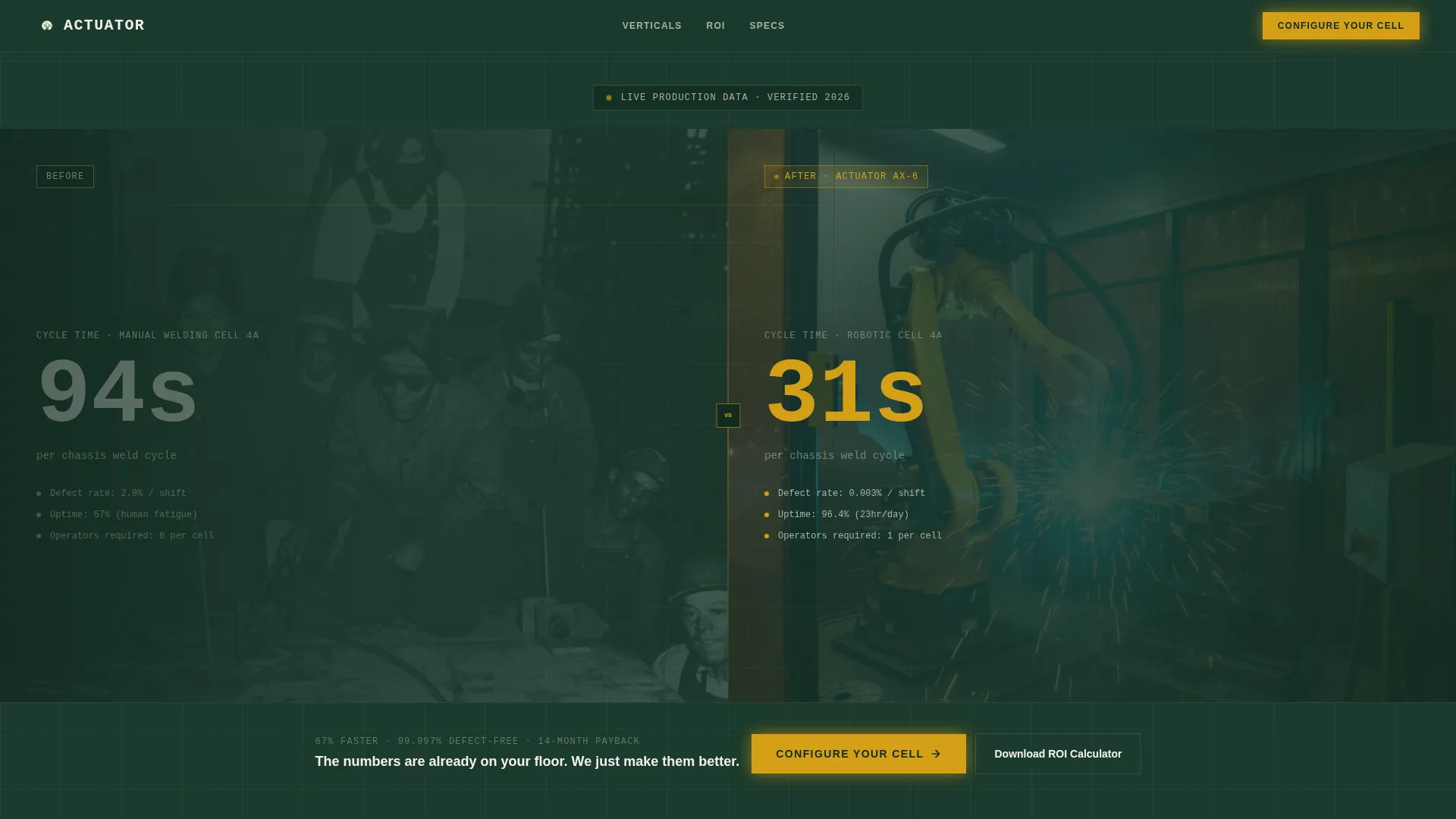
The header divides the screen into two panels. The left shows a grainy facility photo labeled BEFORE with a cycle-time counter frozen at 94 seconds. The right shows the same angle with robotic cells active, labeled AFTER, with the counter reading 31 seconds. Oversized monospaced type on canopy green makes the data the focal point.
Expandable Case Study Data Cards
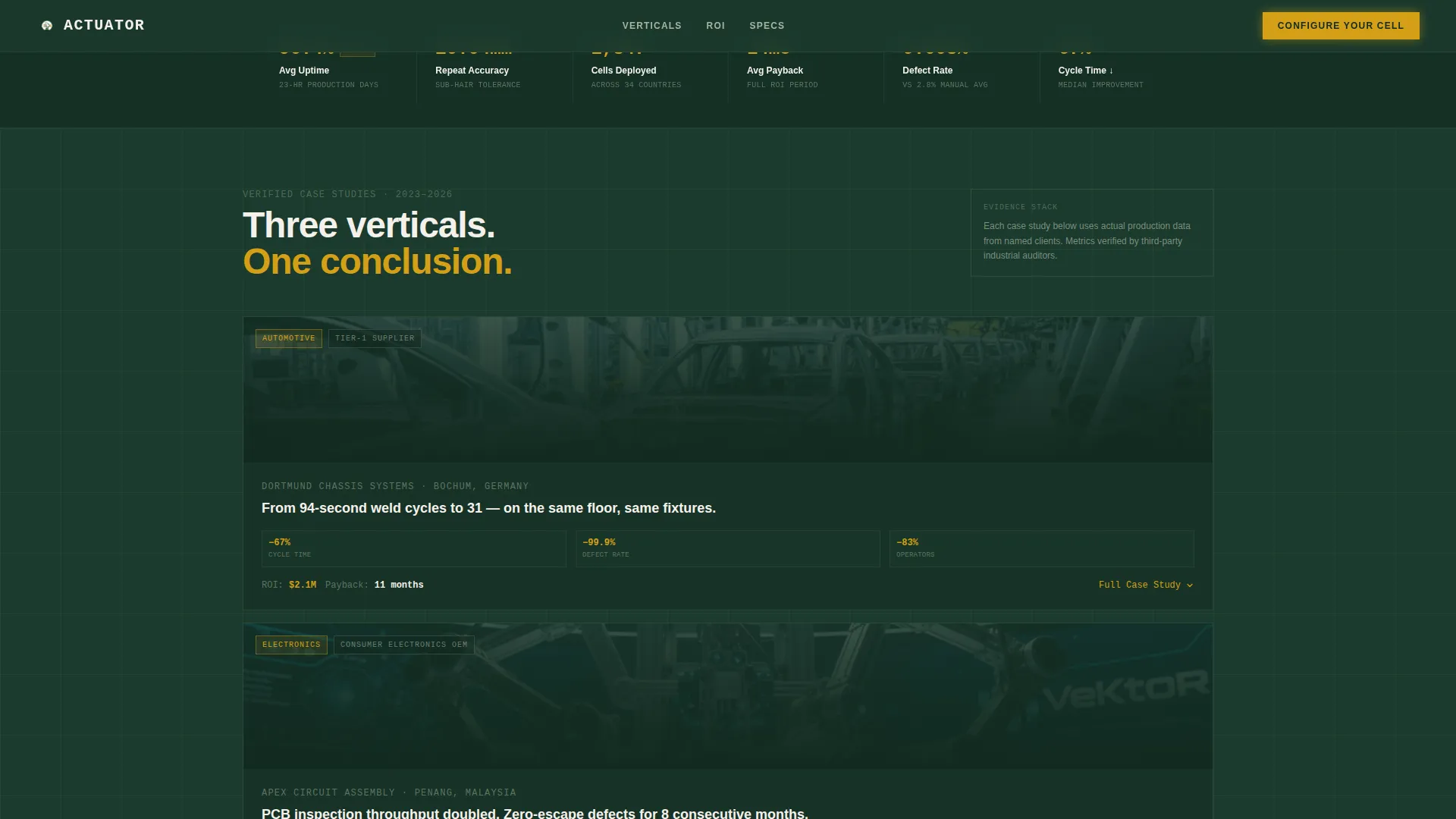
Three vertical data cards cover automotive, electronics, and packaging manufacturing. Each card expands on click or scroll to reveal a full case study layout: problem metrics on the left column, solution configuration in the center, and an outcome dashboard on the right showing return on investment timelines, defect-rate reductions, and payback periods.
Animated Return on Investment Dashboard
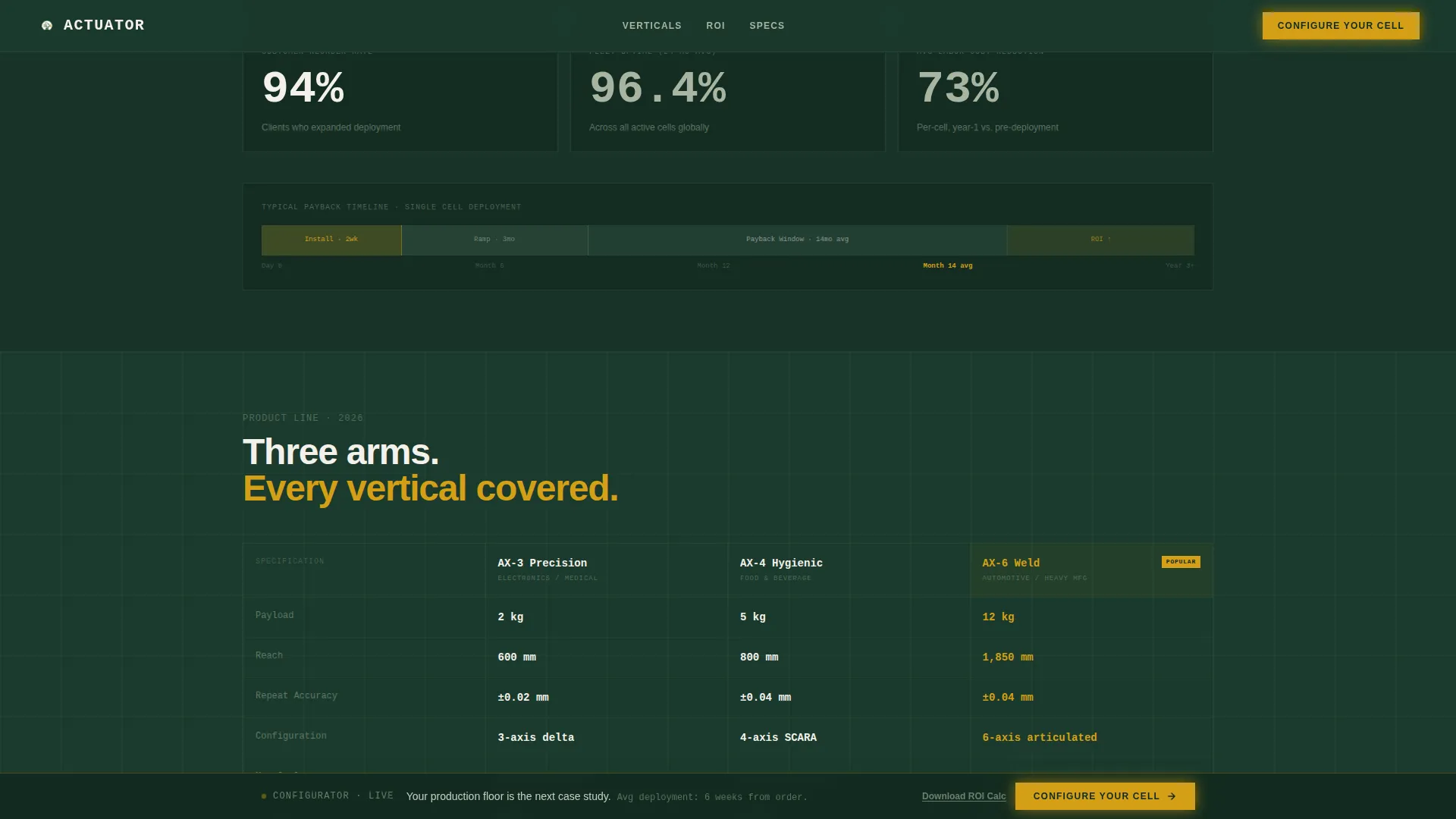
A dedicated section uses scroll-triggered animated counters to display payback periods, defect reduction percentages, and throughput gains. The counters are client-side interactive components that reinforce the cumulative proof the case studies build before this point.
Persistent Call to Action Bar
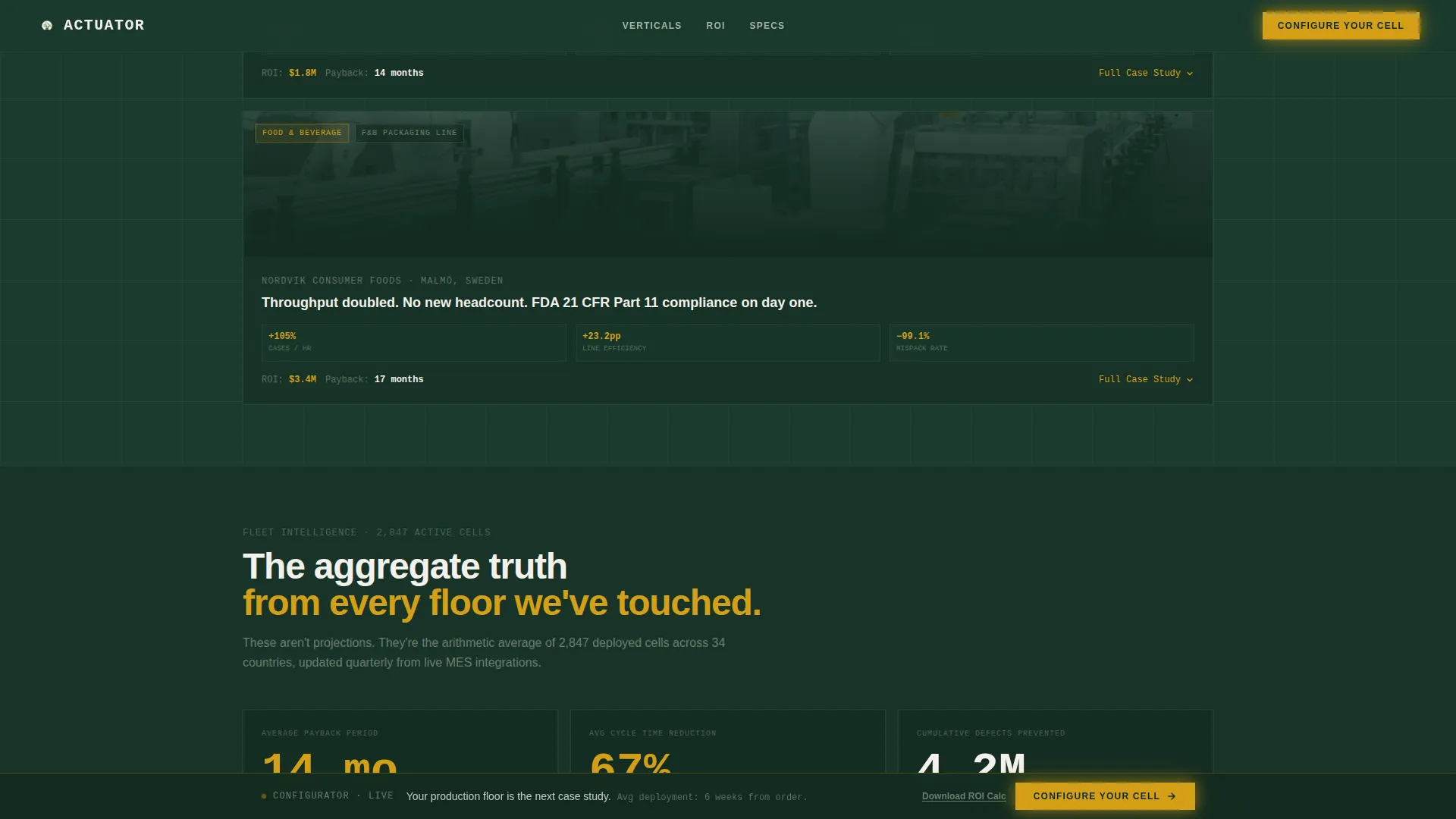
After the second case study, a sap amber bar locks to the bottom of the viewport. It carries the primary call to action, "Configure Your Cell," and remains visible as the visitor continues scrolling. This keeps the next-step action accessible without interrupting the evidence flow.
Email-Gated Return on Investment Calculator
A secondary conversion path offers a downloadable return on investment calculator behind a single-field email gate. The modal keeps friction minimal while capturing a qualified lead who is not yet ready to visit the configurator.
Live Metrics Strip
A horizontal strip below the hero displays live-style production statistics including uptime figures, precision tolerances, and deployment counts. It reinforces the scale and reliability of the robotic systems before the case study grid begins.
Page sections overview
| Section | Purpose |
|---|---|
| Hero Split Viewport | Displays before-and-after cycle-time data to establish the core value proposition immediately |
| Live Metrics Strip | Shows uptime, precision, and deployment stats to establish manufacturing scale |
| Case Studies Grid | Three expandable vertical data cards across automotive, electronics, and packaging |
| Return on Investment Dashboard | Animated counters for payback periods, defect reduction, and throughput gains |
| Persistent call to action Bar | Sap amber bottom bar repeating the configurator call to action after the second case study |
| Email Gate Modal | Single-field form offering the downloadable return on investment calculator |
| Linear Footer | Single-row footer pattern closing the page |
Design & branding system
The visual identity follows a Corporate Precision theme that pairs industrial control room structure with an organic, forest-inspired color palette. Every color serves a functional role and nothing is decorative.
- Deep canopy green (#1B3A2D) as the primary background, lichen gray (#A8B5A0) for data containers and secondary panels, birch white (#F4F1EB) for typography and negative space, and sap amber (#D4A017) reserved exclusively for calls to action, live data highlights, and hover states
- JetBrains Mono is used for all numerical data and counters to reinforce precision; Manrope handles headlines and body copy for readability at desktop scale
Mobile & speed optimization
The template is built desktop-first, reflecting how production engineers and plant managers primarily access industrial B2B content on workstations. The layout prioritizes large-screen data grid legibility and multi-column case study panels.
- Server components handle all static content sections for faster initial render, while client components manage interactive counters and the expandable card behavior
- The persistent call to action bar, email gate modal, and animated counter sections are built as isolated client-side components to keep interactivity contained and predictable
How this template helps you convert
The page is structured as a click-through funnel that earns each action before asking for it. No call to action appears until the visitor has seen verified throughput evidence.
- The before-and-after hero presents a 67 percent cycle-time reduction in the first viewport, giving technical buyers an immediate, quantified reason to keep reading before any ask is made.
- Three stacked case study cards across distinct manufacturing verticals accumulate proof specific to the visitor's industry, making their own production line feel like the natural next candidate for the configurator.
- The persistent amber call to action bar and the low-friction email gate offer two separate conversion paths, capturing both visitors ready to configure and those who need to build an internal business case first.
Other information about this template
This template is part of a broader Manufacturing and Industrial category and is specifically designed for the Robotics and Automation subcategory. It is a strong fit for industrial robot manufacturers targeting automotive tier-one suppliers, consumer electronics original equipment manufacturers, and food-and-beverage automation buyers.
- The template uses English copy, United States dollar pricing references, and a mixed imperial and metric unit convention consistent with industrial manufacturing standards
- Scroll-triggered reveals and grid line SVG animations are included to reinforce the precision and control room aesthetic throughout the scroll experience
- The Case Study Narrative creative direction means each scroll section functions as a discrete, self-contained proof unit that adds to a cumulative evidence stack rather than repeating a single message
Theme
Corporate Precision
Creative direction
Case Study Narrative
Color system
Forest Trust
Style
Dashboard/Data Grid
Direction
Click-Through
Page Sections
Before and After Split Viewport Hero
Expandable Case Study Data Cards
Animated Return on Investment Dashboard
Persistent Configurator Call to Action Bar
Email-gated ROI Calculator Download
Live Production Metrics Strip
Related questions
Who is this landing page template designed for?
What sections are included in this template?
What are the two conversion paths built into this template?
Can this template support multiple manufacturing verticals?
What design system and typography does this template use?



