Industrial Robotics Integrator Landing Page Template
Actuator is a hub-and-spoke landing page template built for industrial robotics integrators. It organizes five application categories, Welding, Palletizing, Machine Tending, Inspection, and Assembly, into anchor-navigated spoke sections. A panoramic workcell header, spec-sheet data grids, and a fixed "Spec Your Cell" call to action guide plant managers and automation engineers toward a guided quote configurator.
by Rocket studio
Quick summary
Actuator is a single-page template designed for industrial robotics integrators who need to communicate hard technical data fast. Five spoke sections cover core robot application categories. Each section leads with a data grid, follows with targeted prose, and closes with a click-through to a quote configurator. The visual identity channels a live production floor, dark, heat-lit, and precision-driven.
Who this template is for
This template is built for businesses that sell or integrate industrial robotic systems into manufacturing environments. If your buyers ask for specifications before they ask for a price, this layout was designed for exactly that conversation.
- Plant managers pursuing measurable gains in Overall Equipment Effectiveness (OEE)
- Automation engineers specifying robotic cells for welding, palletizing, or inspection
- Operations directors building capital expenditure cases that require documented hard numbers
What problem this template solves
Most industrial equipment pages bury specifications under marketing copy. Buyers in this space do not respond well to that approach. They arrive with technical questions and leave when answers are not immediate.
- Visitors cannot self-identify their application category quickly
- Spec data is scattered or absent, forcing buyers to request documents manually
- No clear next step exists between reading and requesting a quote
What you get with this template
You get a fully structured hub-and-spoke landing page with anchor navigation linking five application spoke sections. Every section is built around data first, with downloadable spec documents and a persistent call-to-action button.
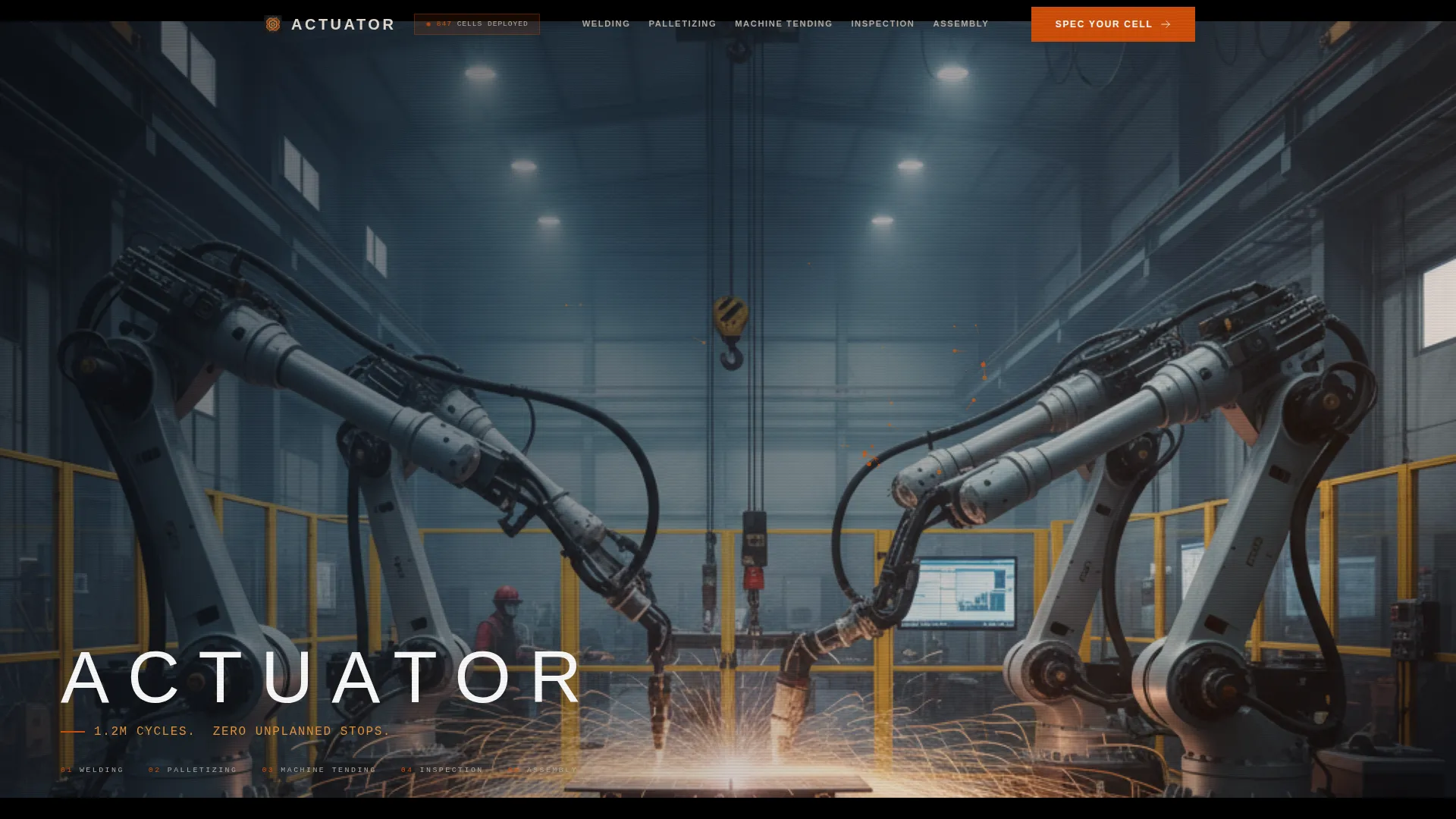
- A panoramic workcell hero with overlaid KPI text and anchor navigation
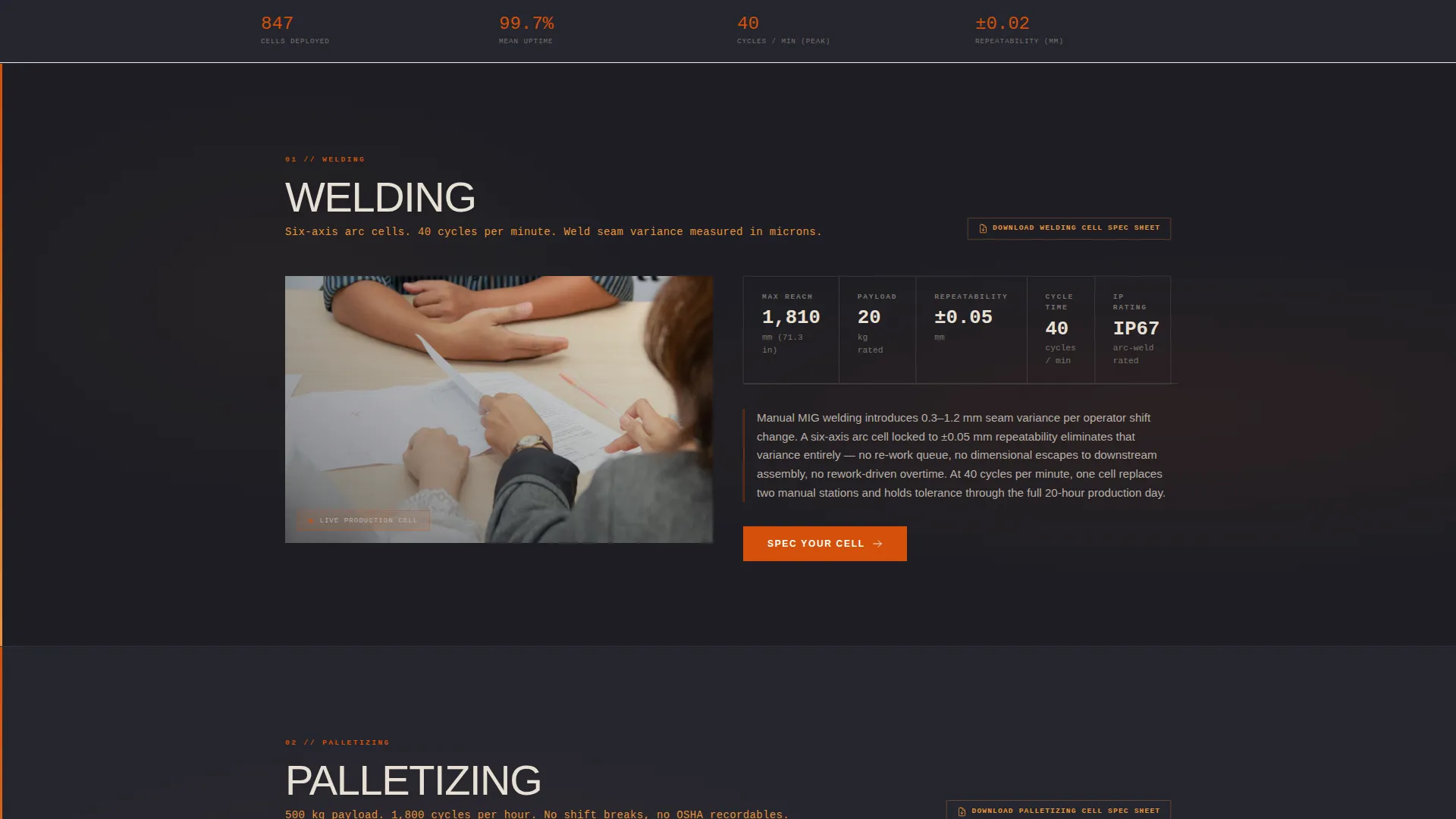
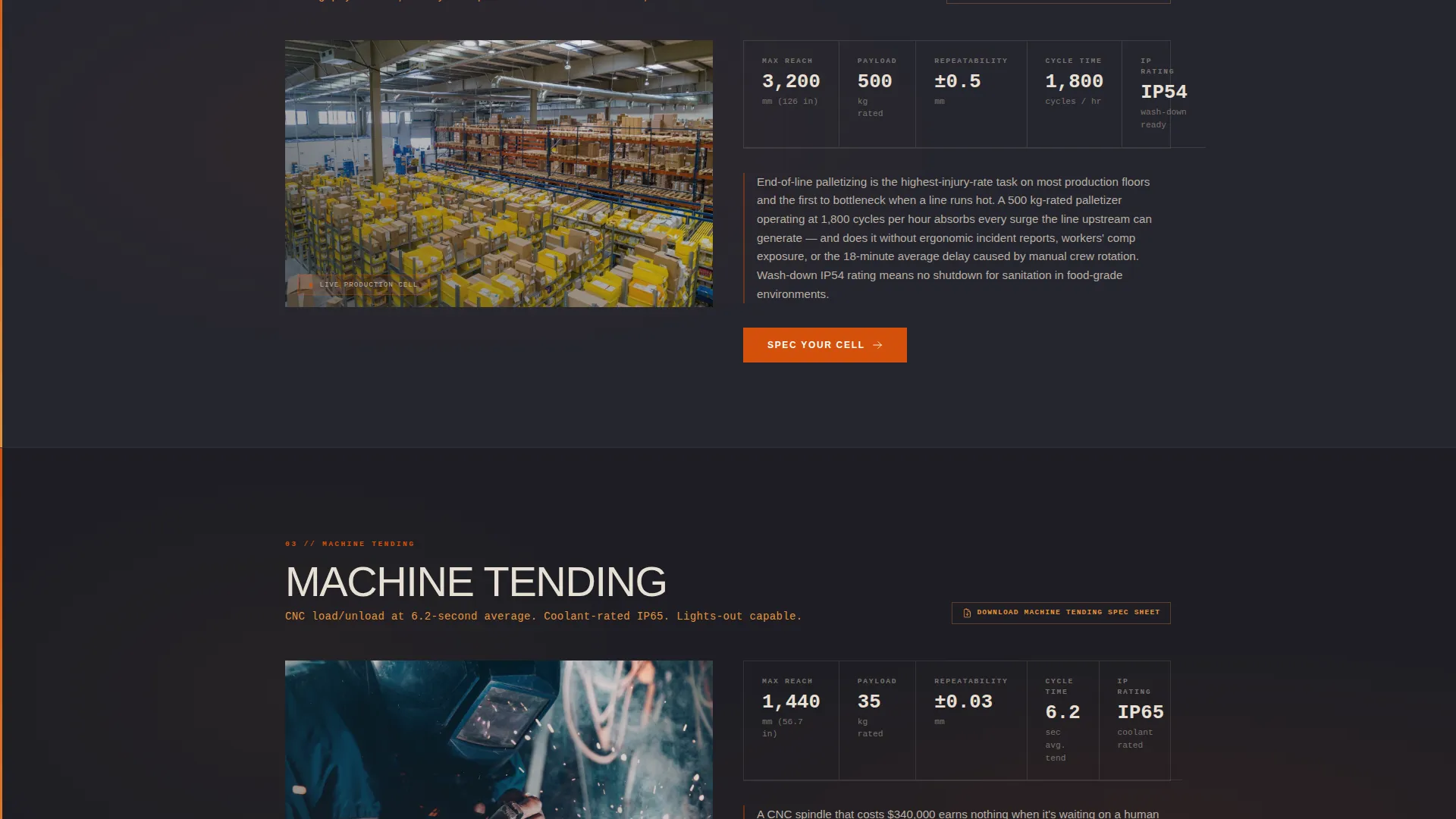
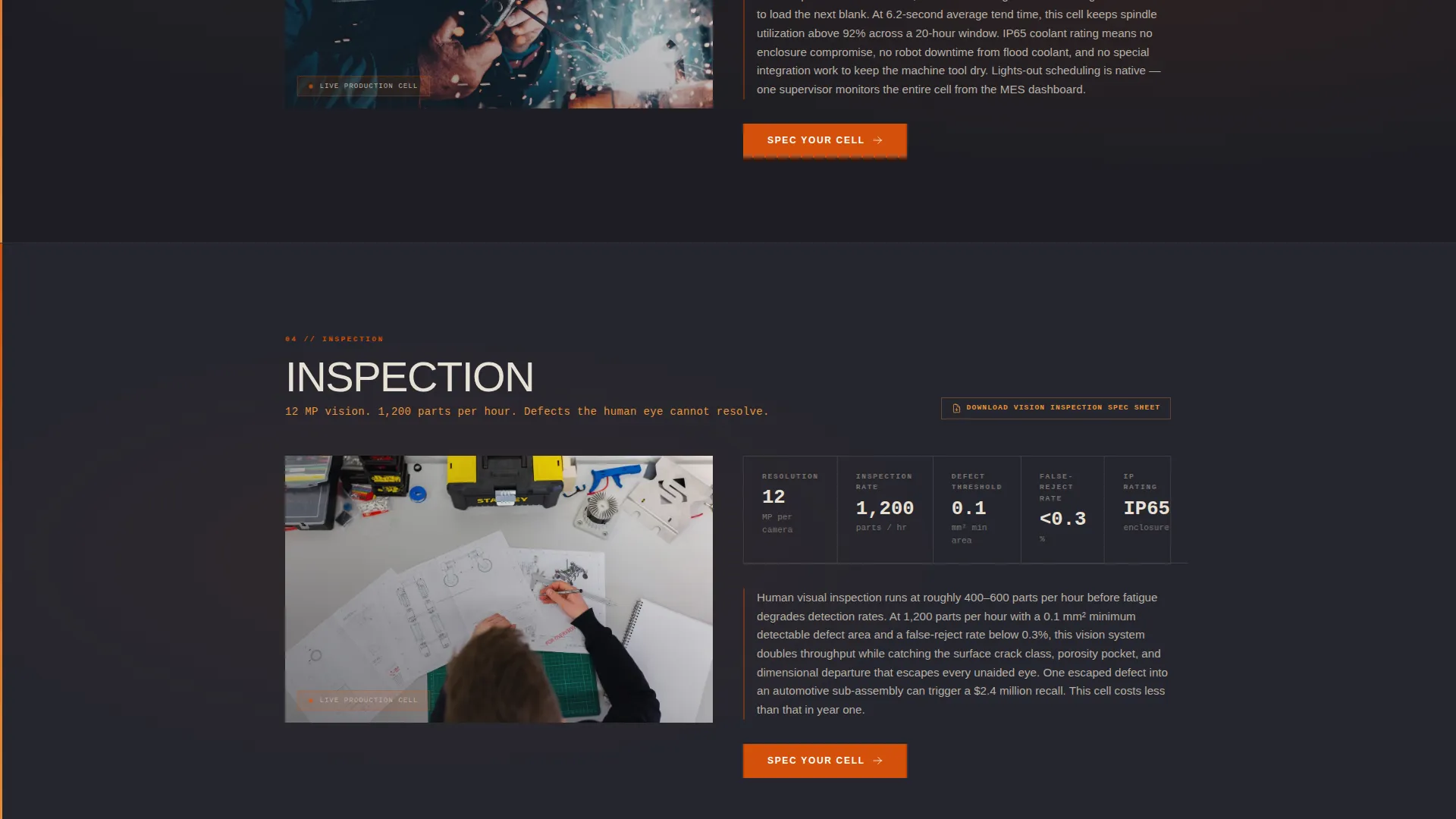
- Five spec-sheet spoke sections, each with a data grid, pain-point prose, and a "Spec Your Cell" call to action
- Client logo rows organized by vertical and a running project counter in the header
Feature list
This section outlines the core built-in components that make Actuator function as a technical sales tool.
Panoramic Hero Header
A full-bleed, sixteen-by-nine letterboxed header shows an elevated three-quarter view of a live robotic workcell. Four articulated arms are captured mid-cycle with long-exposure spark trails. The company name, a headline KPI, and the anchor navigation bar are overlaid in condensed, all-caps industrial sans-serif type.
Anchor Navigation Bar
The nav bar is pinned just below the hero and stays fixed as the visitor scrolls. Each link corresponds to an application spoke: Welding, Palletizing, Machine Tending, Inspection, and Assembly. This lets technical buyers jump directly to the category relevant to their project.
Spec-Sheet Data Grids
Every spoke section opens with a tight data grid listing reach, payload, repeatability, cycle time, and IP rating (Ingress Protection rating). Numbers appear before prose, matching the way automation engineers and procurement teams actually read technical documents.
Downloadable Spec PDFs
Each data grid includes a downloadable specification document beside it. Buyers can pull a PDF without filling out a form, which reduces friction and positions the integrator as confident in its technical credentials.
Fixed "Spec Your Cell" call to action
A furnace orange call-to-action button labeled "Spec Your Cell" appears at the bottom of every spoke section and persists in the fixed navigation bar. Clicking it routes the visitor to a separate guided configurator page, no form exists on this template page itself.
Trust-Building Social Proof Layer
The header area includes a running project counter. A client logo row below identifies automotive, food and beverage, and heavy-industry verticals. Visitors can self-identify their sector before committing to the configurator click.
Page sections overview
| Section | Purpose |
|---|---|
| Panoramic Hero Header | Establishes scale, credibility, and anchor navigation |
| Welding Spoke | Spec grid and pain-point copy for arc welding applications |
| Palletizing Spoke | Spec grid and copy for high-payload palletizing cells |
| Machine Tending Spoke | Spec grid and copy for CNC and press-tending automation |
| Inspection Spoke | Spec grid and copy for vision-based defect rejection |
| Assembly Spoke | Spec grid and copy for precision assembly automation |
| Client Logo Row | Vertical self-identification through industry logo groups |
| Project Counter | Live or static counter reinforcing integration track record |
Design & branding system
The template uses a Fire and Earth color system that evokes a foundry at dusk. Dark background surfaces appear to radiate heat, while every bright element is earned by contrast and weight.
- Furnace orange (#D4500A) for primary calls to action and live data highlights; molten amber (#E8943A) for secondary accents and hover states
- Forged steel charcoal (#1E1E24) across all section backgrounds, keeping data grids legible and focused
- Calciumite bone (#E8E0D5) for body text and data table rows, ensuring strong contrast against dark surfaces
Mobile & speed optimization
The layout is structured to remain functional and readable on smaller screens without sacrificing the density that technical buyers expect. Spec grids reflow cleanly at narrower widths.
- The anchor navigation collapses gracefully on mobile so spoke links remain accessible
- Data grids are designed to scroll horizontally on small screens rather than truncate critical spec columns
- The fixed call to action button maintains its position and tap target size across device widths
How this template helps you convert
Actuator is built around a click-through conversion model. The page builds technical trust progressively, so by the time a visitor reaches the call to action, the decision to click feels like a logical next step rather than a sales pressure point.
- Spec data and downloadable PDFs establish credibility before any request is made, reducing the need for a visitor to contact sales just to get numbers.
- The fixed "Spec Your Cell" call to action and anchor navigation keep the conversion path visible at every scroll position, removing the need to search for next steps.
Other information about this template
Actuator was designed specifically for the industrial robotics integration market, where buying cycles are long and technical scrutiny is high. A few additional details are worth noting for teams evaluating this template.
- The Data Command theme pairs a dense, information-forward layout with a visual identity that communicates industrial authority rather than generic tech polish
- The hub-and-spoke structure means the page scales naturally if additional application categories need to be added as spoke sections later
- The click-through model keeps the landing page lean by routing all configuration complexity to a separate guided configurator, which can be built or linked independently
- Template style is classified as Hub and Spoke with Anchor Navigation, making it suitable for integrators who serve multiple distinct robot application verticals from a single web presence
Theme
Data Command
Creative direction
Spec Sheet
Color system
Fire & Earth
Style
Hub & Spoke (Anchor Nav)
Direction
Click-Through
Page Sections
Panoramic Workcell Hero Header
Anchor Navigation Bar
Spec-sheet Data Grids
Downloadable Spec Pdfs
Fixed Click-through Call to Action
Trust-building Social Proof Layer
Related questions
Does this template include a quote or contact form?
Can I add or remove spoke sections for different robot applications?
What content goes inside each spoke section's data grid?
Who is this landing page template designed to attract?
Is the client logo section customizable for my industry verticals?



