Robotics & Automation Cost Calculator Website Template
Actuator is a dashboard-style landing page template built for industrial robot manufacturers. It pairs a cinematic split Before/After hero with three expandable case study data cards, a persistent call-to-action bar, and an email-gated ROI calculator download. The design runs on a deep canopy green control-room palette with sap amber calls to action, JetBrains Mono data type, and GSAP-powered animated counters throughout.
by Rocket studio
Quick summary
Actuator is a click-through landing page template designed for industrial robot manufacturers selling to production engineers and plant managers. It front-loads verified throughput data across three manufacturing verticals before asking for any action. The template uses a dark corporate precision aesthetic with animated counters, expandable case study cards, and a persistent bottom-bar call to action.
Who this template is for
This template is built for B2B teams in the industrial automation space who need to earn technical trust before asking for a click. It speaks the language of cycle times, defect rates, and payback periods, not marketing headlines.
- Production engineers and automation directors at automotive tier-one suppliers who need hard spec data before engaging
- Plant managers at consumer electronics and food-and-beverage lines evaluating throughput improvements
- Industrial robot manufacturers and automation integrators launching a lead generation campaign for a product configurator
What problem this template solves
Most industrial automation pages lead with brand claims and bury the proof. Engineers tune that out immediately. This template flips the structure: it delivers three layers of verified performance data before the first call to action ever appears.
- Buyers leave pages that ask for a click before showing results, this template stacks proof first, then asks
- Generic layouts cannot handle the density of manufacturing metrics, case study columns, and ROI timelines that technical buyers expect
- A single call to action page with no secondary path wastes the segment of visitors who want to evaluate before committing
What you get with this template
You get a fully structured single-page layout designed around the industrial B2B buying process. Every section serves a specific role in moving a skeptical technical buyer from first impression to configurator click.
- A split Before/After hero section with oversized monospaced cycle-time counters and a glassmorphism stat overlay
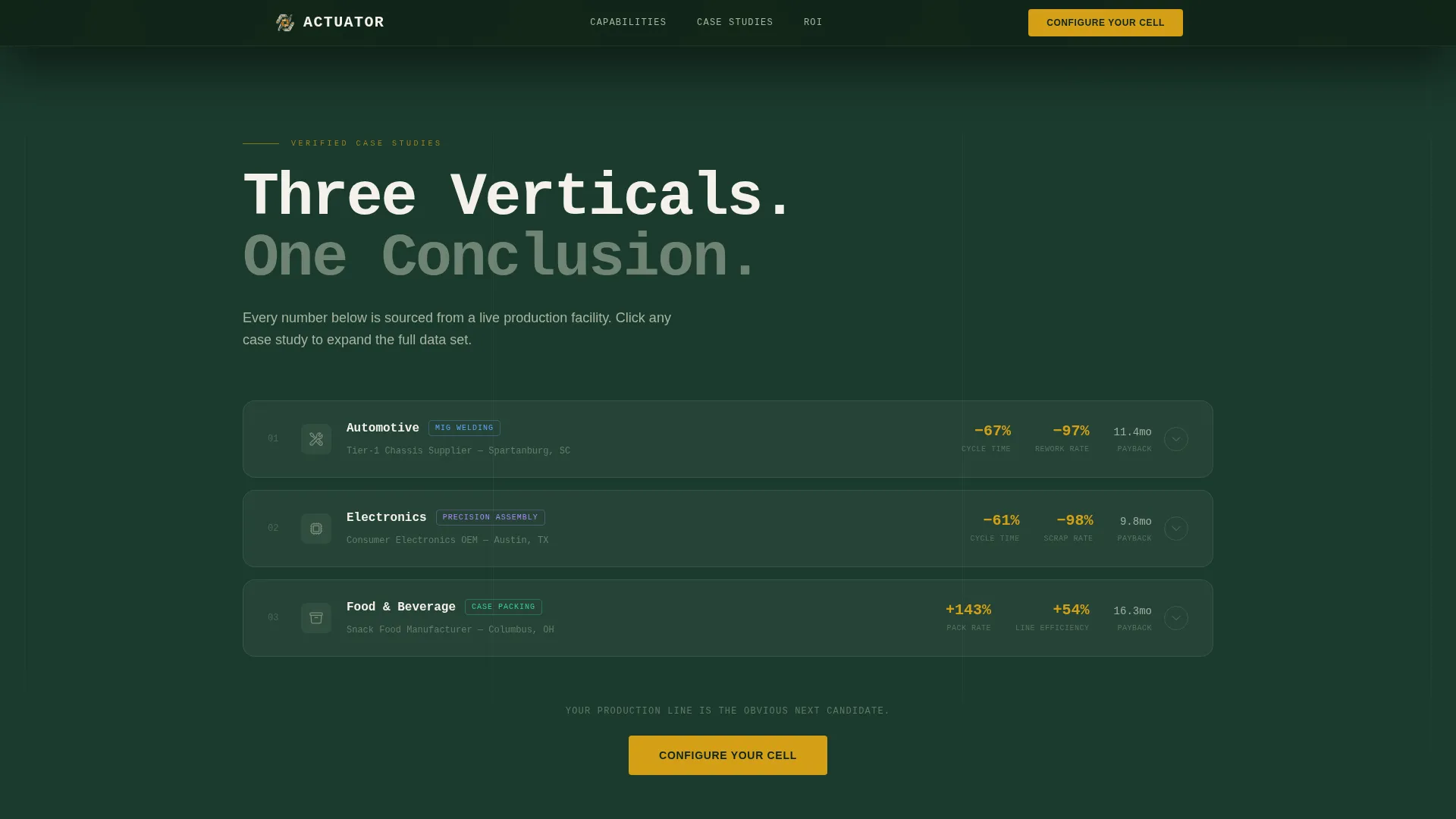
- Three expandable case study data cards covering automotive, electronics, and packaging verticals, each with problem, solution, and outcome columns
- A persistent bottom-bar call to action and a secondary email-gated ROI calculator download path
Feature list
This template is built with a high level of interactivity and animation density. Each feature below is grounded in the template's defined structure and behavior.
Split Before/After Hero Viewport
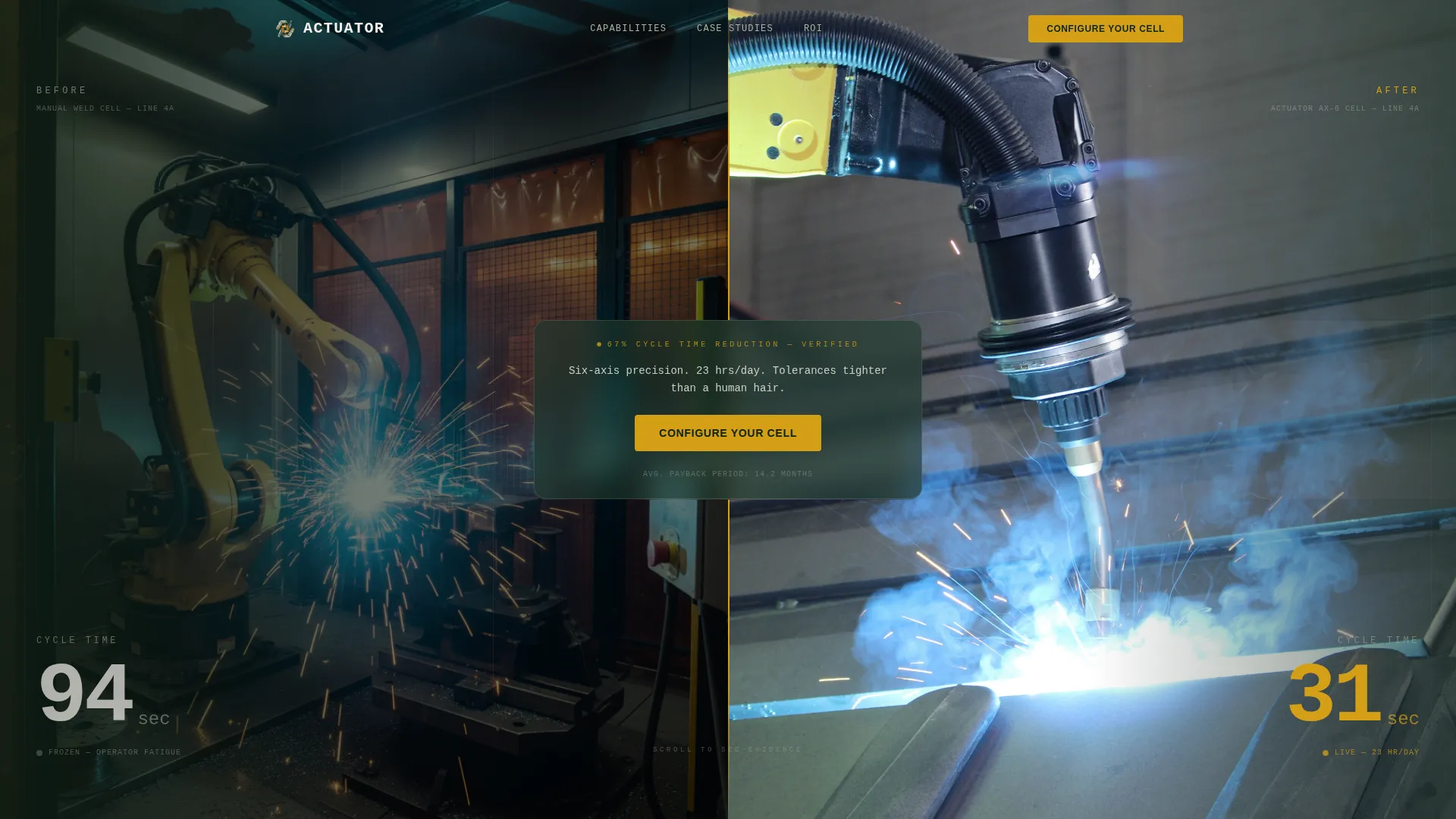
The header shows a single production line from two angles side by side. The left panel is labeled BEFORE with a frozen 94-second cycle-time counter. The right panel is labeled AFTER with the counter reading 31 seconds. The numbers carry the visual weight, rendered in oversized JetBrains Mono against canopy green.
Live Operations Ticker
A scrolling marquee sits below the hero and displays real-time deployment stats including installs, uptime figures, and parts-per-day output. It reinforces scale and credibility before the visitor reaches the first case study.
Expandable Case Study Data Cards
Three data cards represent the automotive, electronics, and packaging verticals. Each card expands on click or scroll to reveal a three-column layout: problem metrics on the left, solution configuration in the center, and an outcome dashboard with animated ROI counters on the right.
Animated Scroll Counters
GSAP-powered counters animate on scroll entry throughout the page. Cycle-time reductions, defect-rate improvements, and payback period timelines all count up as the visitor reaches each section, making the data feel live rather than static.
Email-Gated ROI Calculator Download
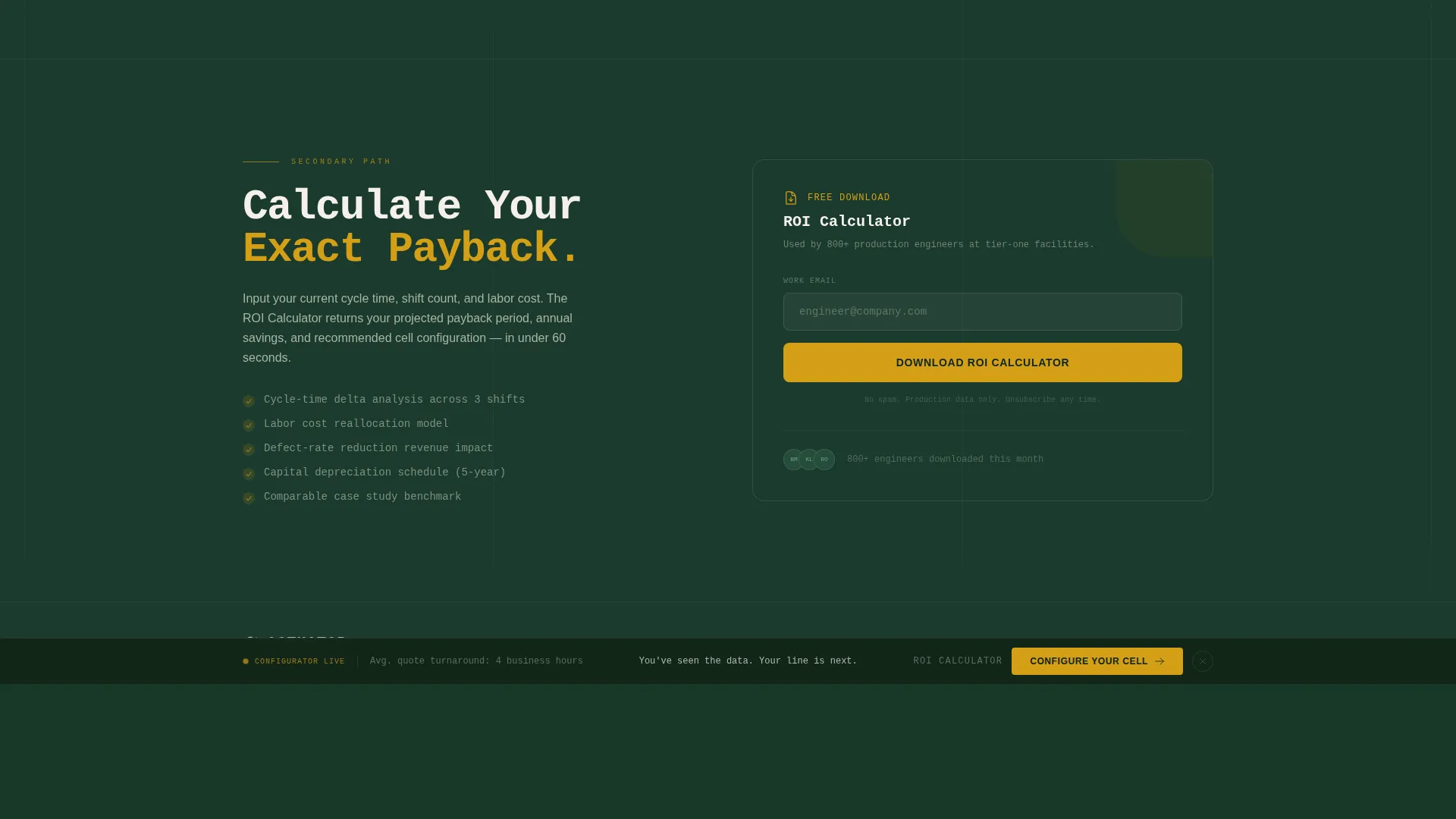
A single-field email gate offers a downloadable ROI calculator as a secondary conversion path. It captures leads who want to evaluate before booking a demo or using the configurator, without disrupting the primary click-through flow.
Persistent Configure call to action Bar
After the visitor scrolls past the second case study, a fixed bottom bar appears with the primary call to action: "Configure Your Cell" in sap amber. It stays in view for the remainder of the scroll, removing friction at the moment of peak persuasion.
Page sections overview
| Section | Purpose |
|---|---|
| Split Before/After Hero | Show cycle-time proof visually before any copy loads |
| Live Operations Ticker | Display real-time deployment scale and uptime credibility |
| Automotive Case Study | Present problem, configuration, and outcome for automotive vertical |
| Electronics Case Study | Present problem, configuration, and outcome for electronics vertical |
| Packaging Case Study | Present problem, configuration, and outcome for packaging vertical |
| ROI Download Gate | Capture secondary leads via single-field email form |
| Persistent call to action Bar | Keep "Configure Your Cell" visible after second case study scroll |
| Linear Footer | Provide minimal single-row footer navigation and legal line |
Design & branding system
The visual identity runs on what the template calls a Forest Trust color system. It combines the institutional weight of a control-room dashboard with the organic calm of an old-growth palette. There is no lifestyle photography and no stock imagery anywhere on the page.
- Canopy green (#1B3A2D) covers the primary background; lichen gray (#A8B5A0) fills data containers and secondary panels; birch white (#F4F1EB) handles all body typography and breathing space
- Sap amber (#D4A017) is reserved exclusively for call-to-action elements, live data highlights, and hover states, it never appears in decorative contexts
- JetBrains Mono handles all numeric and data display; Manrope covers body copy and headings, keeping the page readable while the numbers stay precise
Mobile & speed optimization
The template is built desktop-first, matching how production engineers and plant managers actually work. The dashboard grid and data card layout are designed for wide-screen workstations where column density reads clearly. A responsive mobile fallback is included for access on the go.
- Server Components power the static structural sections, keeping initial load light before the interactive layers initialize
- Client Components handle all GSAP animations, expandable cards, the email gate modal, and the persistent call to action bar, isolating interactivity to where it is needed
- Staggered card reveals and shimmer effects use GSAP entrance sequences that trigger on scroll, so animation cost is deferred until each section enters the viewport
How this template helps you convert
The page is structured as an evidence accumulation funnel. No click is requested until the visitor has absorbed at least three sets of verified throughput numbers. That sequencing is deliberate and built into the scroll order.
- The hero immediately establishes a 67 percent cycle-time reduction with a named before-and-after counter, so the value proposition is clear within the first viewport without requiring any scrolling
- Each case study card adds a new layer of proof from a distinct manufacturing vertical, so the visitor sees that the results are not a single data point but a repeatable pattern across industries
- The persistent call to action bar and the secondary ROI download gate offer two paths forward at different commitment levels, capturing both the ready buyer and the evaluating buyer in the same scroll session
Other information about this template
This template is categorized under Manufacturing and Industrial, in the Robotics and Automation subcategory, targeting the Industrial Robot Manufacturer niche. It is localized for United States English with imperial measurements and USD currency throughout all metric displays.
- The template style is Dashboard and Data Grid, matched to a Corporate Precision theme with Case Study Narrative creative direction
- The header concept is a Case Study Before/After split viewport, and the landing page direction is Click-Through, optimized to push visitors to a product configurator on the next page
- Animation density is high, with GSAP entrance sequences, shimmer effects, and staggered reveals, teams deploying this template should plan for the associated front-end build complexity

Theme
Corporate Precision
Creative direction
Case Study Narrative
Color system
Forest Trust
Style
Dashboard/Data Grid
Direction
Click-Through
Page Sections
Split Before/after Hero with Live Counters
Expandable Three-column Case Study Cards
Gsap-powered Animated Scroll Counters
Persistent Bottom-bar Call to Action
Email-gated ROI Calculator Download
Live Operations Scrolling Ticker
Related questions
Who is the primary audience for this template?
Does the page ask for a click before showing results?
What are the two conversion paths included in this template?
Can the case study cards be updated for different manufacturing verticals?
What animation library does this template use?



