Chiropractic Email Newsletter Landing Page Template
Adjust is a chiropractic email newsletter landing page template built for busy practitioners who need a full year of patient-ready content without writing a word. Drag pre-written emails into your platform, hit send, and move on. Solo chiropractors and multi-location clinic managers both get a consistent, professional voice in under ten minutes a week.
by Rocket studio
Quick summary
Adjust gives chiropractors a complete, ready-to-send email newsletter toolkit. Every week's content is pre-written: patient education, seasonal spinal tips, and reactivation sequences. The landing page is a scroll-reveal build that visually proves depth, ease, and results before asking for a signup. Four free templates per month let visitors experience quality before committing.
Who this template is for
This template is designed for chiropractic professionals who know email marketing matters but simply do not have time to write. It speaks directly to two real audiences: the solo practitioner buried in patient notes, and the clinic manager juggling brand voice across multiple offices.
- Solo chiropractors who have not sent a newsletter since a holiday greeting in 2022
- Multi-location clinic managers who need consistent messaging across four offices and twelve providers
- Any chiropractic practice ready to re-engage a patient list without hiring a copywriter
What problem this template solves
Most chiropractors understand that staying in touch with patients drives rebookings. The problem is the blank page. Writing patient education content, reactivation follow-ups, and seasonal campaigns from scratch takes hours that most practitioners do not have.
- The template eliminates the blank-page problem with 52 weeks of pre-written content
- It removes inconsistency by giving multi-provider clinics a single, branded voice
- It lowers the barrier to sending by letting practitioners drag content into their platform and go
What you get with this template
You get a fully designed, scroll-reveal landing page that sells a chiropractic email newsletter toolkit to prospective users. The page is built to demonstrate value before asking for a card number, using live previews, a content calendar view, and a drag-to-customize panel.
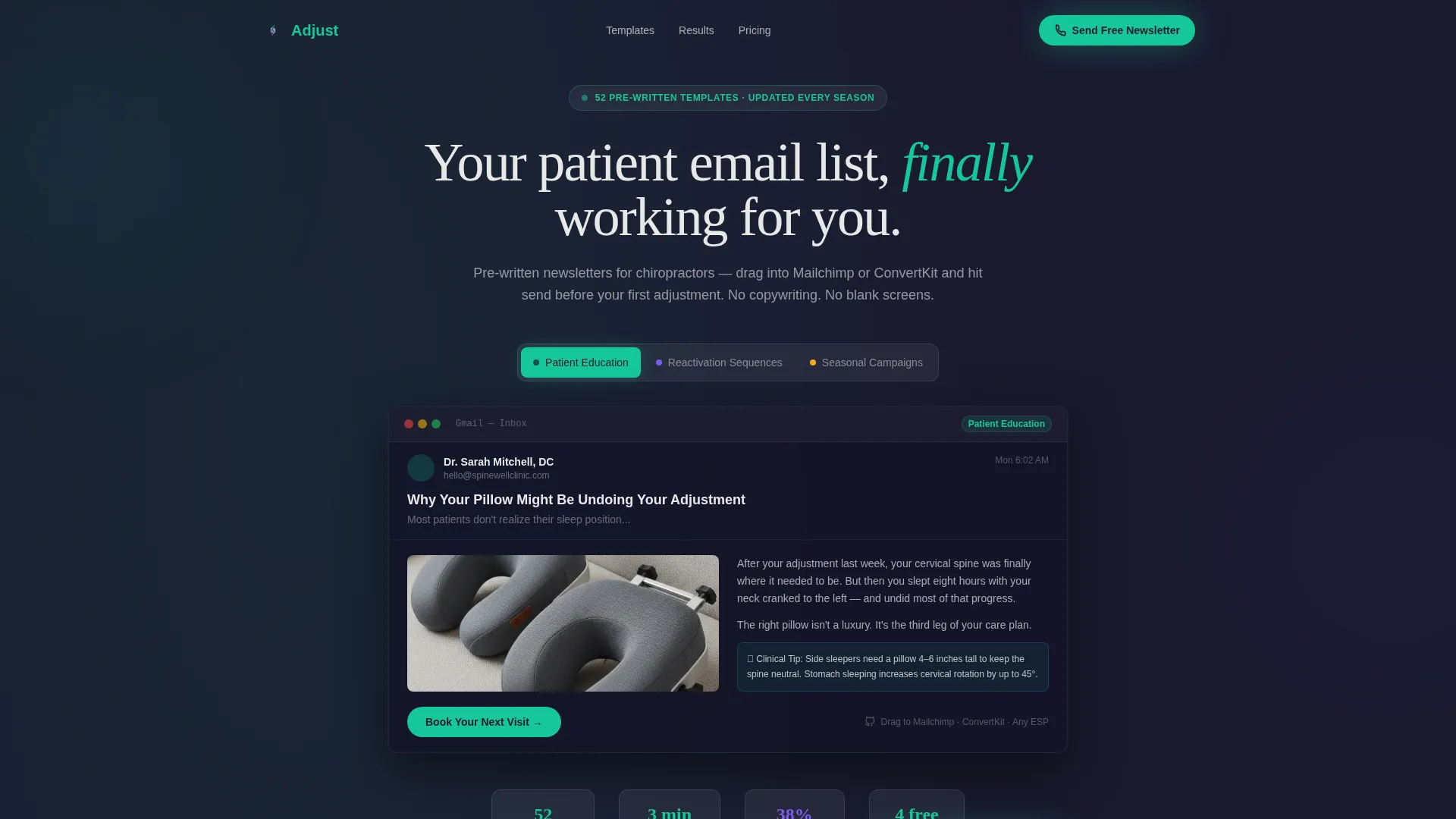
- A Feature Tab Switcher header with three content category tabs and a live email preview
- A progressive scroll experience that surfaces a calendar view, a customization panel, and a metrics dashboard in sequence
- A pinned freemium call-to-action bar and a secondary no-signup preview gallery modal
Feature list
This section describes the built-in components and interactive elements included in the landing page template.
Feature Tab Switcher Header
Three frosted-glass tabs sit above a live email preview. Labels read "Patient Education," "Reactivation Sequences," and "Seasonal Campaigns." Clicking each tab slides a different newsletter preview into view with a lateral transition and a soft parallax shift on the panels behind it.
Live Email Preview Mockup
The visible preview shows a real newsletter format: a subject line, a hero illustration of cervical vertebrae, scannable body copy, and a "Book Your Next Visit" button. The clinic logo placeholder glows in cool clinical teal, giving visitors an immediate sense of the finished product.
Progressive Scroll Reveal Sections
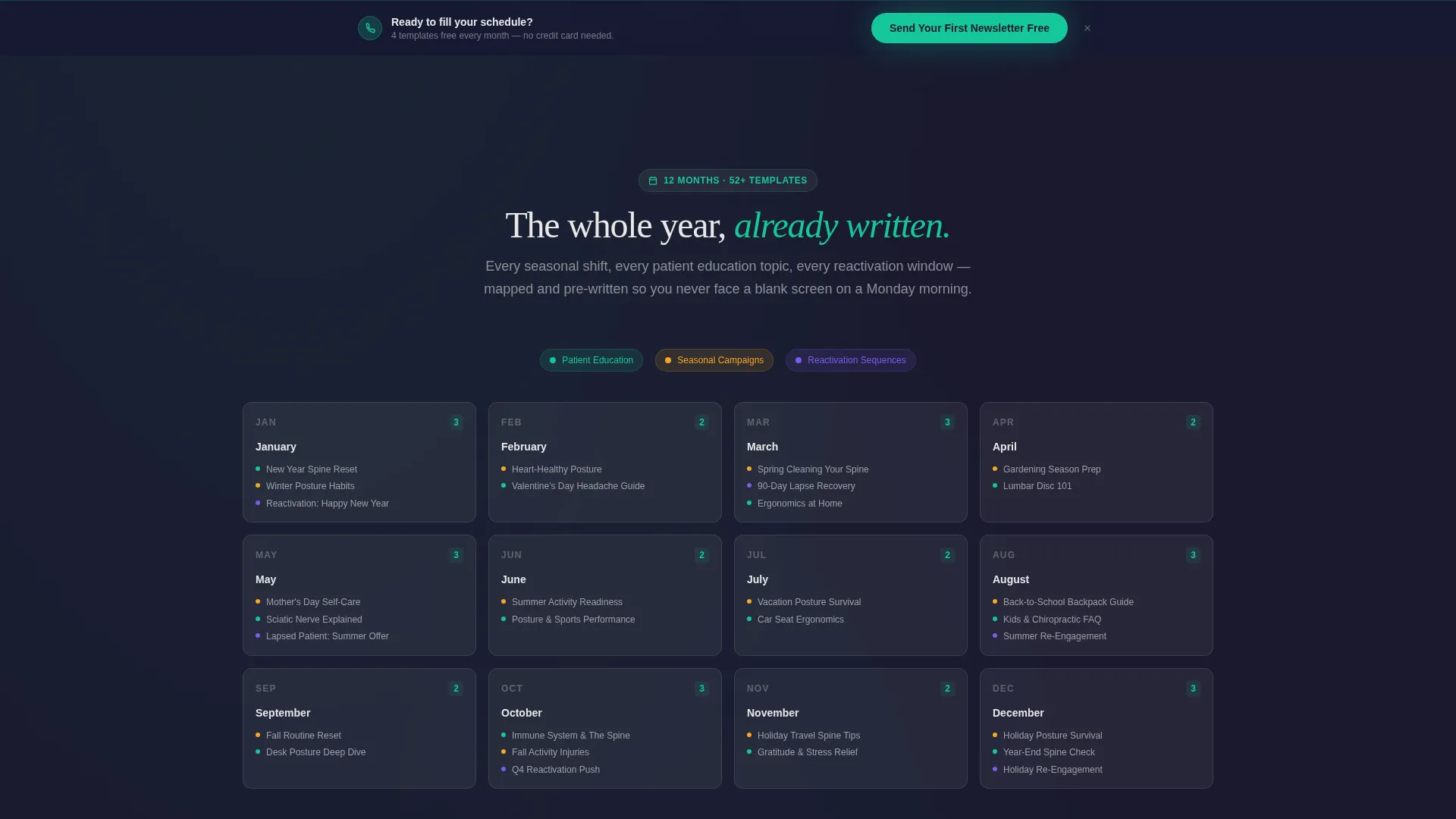
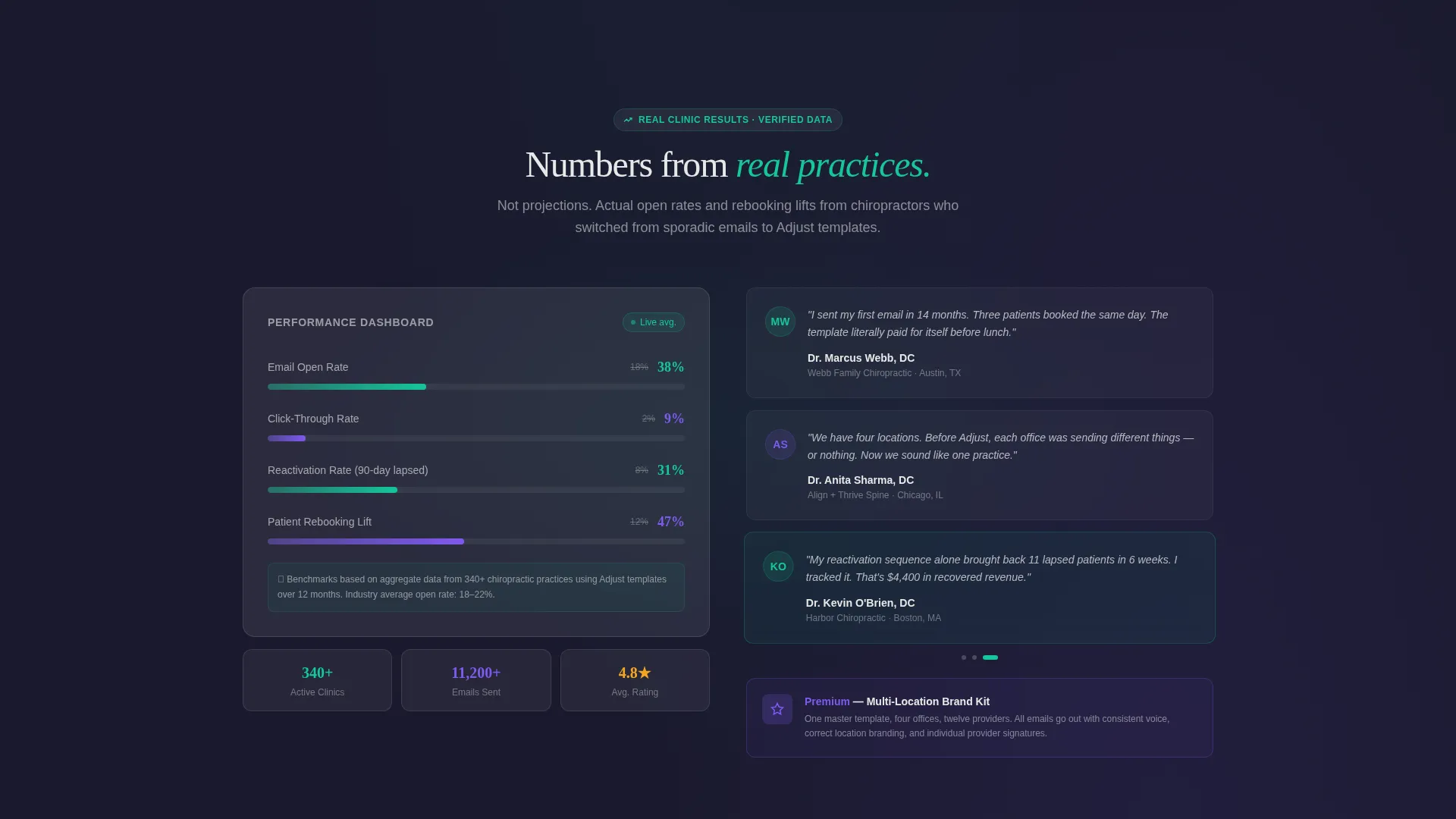
Each content section only renders when the visitor reaches it. The sequence moves from a twelve-month calendar view proving content depth, to a drag-to-customize headline panel proving ease, to a metrics dashboard proving results. The page feels like it is being built in response to the visitor's attention.
Pinned Freemium Conversion Bar
After the first scroll trigger, a teal "Send Your First Newsletter Free" bar pins to the bottom of the viewport. The signup collects email address, clinic name, and preferred email platform in one horizontal row, reducing friction to a minimum.
No-Signup Preview Gallery Modal
A ghost button labeled "Preview All 52 Templates" opens a scrollable gallery modal. No account is required to browse. This secondary path lets skeptical visitors explore the full content library before making any commitment.
Drag-to-Customize Headline Panel
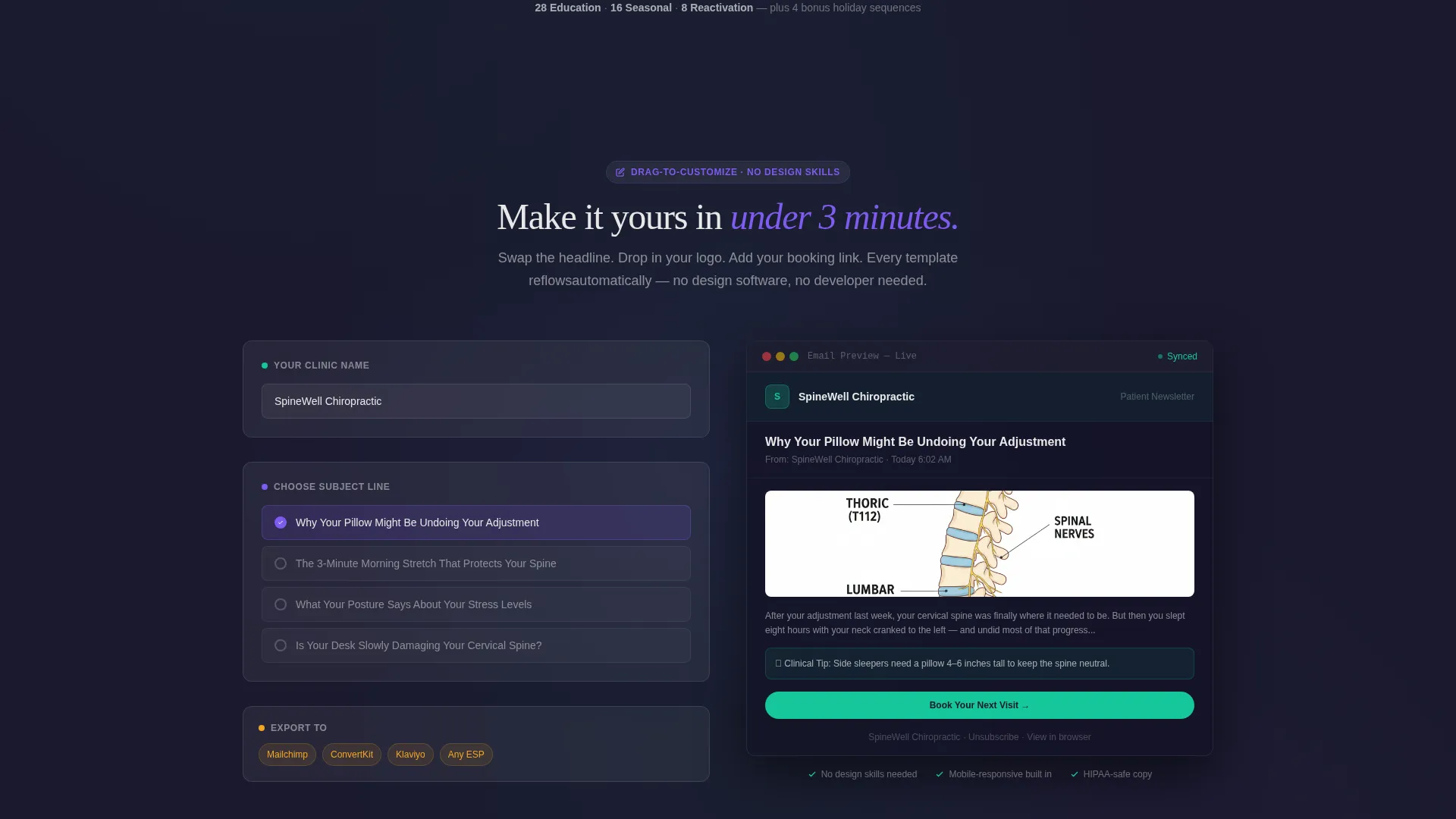
An interactive panel lets visitors swap a newsletter headline and watch the template reflow in real time. This single interaction does more to prove ease of use than any amount of descriptive copy could.
Page sections overview
| Section | Purpose |
|---|---|
| Feature Tab Header | Introduce three content categories with live email preview |
| Email Preview Mockup | Show a realistic finished newsletter with clinic branding |
| Twelve-Month Calendar | Prove depth with a full year of pre-loaded content |
| Drag-to-Customize Panel | Demonstrate ease by letting visitors edit a live headline |
| Metrics Dashboard | Build trust with open rate and rebooking lift data |
| Pinned call to action Bar | Drive freemium signups with a persistent, low-friction prompt |
| Preview Gallery Modal | Let visitors browse all 52 templates without signing up |
Design & branding system
The visual identity follows a Dashboard Pro theme with a Glassmorphic color system. The overall feeling is a medical dashboard reflected in a glass desk at night: luminous, precise, and never cold. Every color choice reinforces clinical credibility while keeping the interface approachable.
- Deep spinal charcoal (#1A1A2E) as the base layer, frosted glass panels at rgba(255,255,255,0.08) with soft backdrop blur, and muted bone white (#E8E8E8) for body text
- Cool clinical teal (#16C79A) for active states, progress indicators, and the primary call-to-action
- Accent violet (#7F5AF0) marking premium-tier features throughout the page
Mobile & speed optimization
The scroll-reveal architecture is built around progressive rendering, meaning sections only load as the visitor reaches them. This keeps the initial page load light and the experience focused.
- Each section materializes on scroll, reducing the amount of content rendered at page open
- The single horizontal signup row on the pinned bar keeps the conversion flow clean on smaller screens
- The gallery modal is scrollable and self-contained, avoiding full-page reloads on preview interactions
How this template helps you convert
The page is structured as a sequential objection-handling funnel. Every section answers the next natural question a hesitant chiropractor would ask before signing up.
- The Feature Tab Switcher header answers "What kind of content do I actually get?" before the visitor scrolls at all
- The calendar view, customization panel, and metrics dashboard answer "Is there enough content, is it easy to use, and does it work?" in that exact order
- The freemium model answers "What do I have to risk?" with a four-template free tier that requires no payment information
Other information about this template
This template is designed to work inside the broader chiropractic digital presence category, where practitioners need professional tools that match the trust level patients expect from a healthcare provider.
- The email platform selector in the signup row (options include Mailchimp, ConvertKit, or Other) signals compatibility awareness without requiring a hard technical commitment at signup
- The free tier of four templates per month is featured prominently to reduce the perceived risk of trying the product
- The accent violet color tier visually separates premium features from free-tier content, helping visitors self-identify as upgrade candidates
- The tone of the page mirrors the feeling of opening a freshly organized inbox at 6 a.m.: everything labeled, everything ready, the whole week already handled
Theme
Dashboard Pro
Creative direction
Interactive Explorer
Color system
Glassmorphic
Style
Scroll Reveal (Progressive)
Direction
Freemium/Trial
Page Sections
Feature Tab Switcher with Live Preview
Twelve-month Content Calendar View
Drag-to-customize Headline Panel
Metrics Dashboard Section
Pinned Freemium Conversion Bar
No-signup Preview Gallery Modal
Related questions
Do I need to write any of the newsletter content myself?
How does the free tier work?
Is this suitable for a clinic with multiple providers and locations?
Can I customize the newsletter content before sending?
Which email platforms does this work with?



