Radio Booking Landing Page Template for Media Buyers
Aircheck is a hub-and-spoke landing page template built for radio station booking systems. It targets media buyers, agency traffic coordinators, and local advertisers who manage spot inventory across AM, FM, and digital simulcast. The template uses an animated code-snippet hero, a fixed anchor navigation, and feature comparison grids to guide qualified leads toward a slide-out media plan form.
by Rocket studio
Quick summary
Aircheck is a single-page booking engine landing page designed for radio station vertical SaaS platforms. It features an animated API code hero, a fixed left-side anchor navigation, and dense feature comparison grids. Every section builds the case for the platform, and a pinned lead-generation form qualifies buyers by market count and budget before passing them to sales.
Who this template is for
This template is built for SaaS platforms that sell radio advertising inventory to professional media buyers. It speaks directly to the people doing the actual buying work, not just the C-suite decision maker.
- Agency traffic coordinators managing multi-market buys against tight flight dates
- Independent label promotion representatives pushing for spins before add day
- Local direct advertisers, such as car dealerships, who renew the same morning show read every year
What problem this template solves
Radio ad buying involves fragmented tools, phone tag, and manual processes that slow down every transaction. This template gives a SaaS booking platform a page that matches the technical sophistication of its actual users.
- Media buyers need to confirm dayparts, cost per thousand impressions (CPM), and affidavit details without waiting on a callback
- Agency coordinators lose time juggling thirty-market buys across disconnected systems
- Platforms lose qualified leads when their landing page cannot communicate at the level their buyers expect
What you get with this template
You get a fully structured, single-page layout designed around the radio booking workflow. The page leads with a developer-grade hero and moves through five anchored spoke sections that each make a specific technical argument.
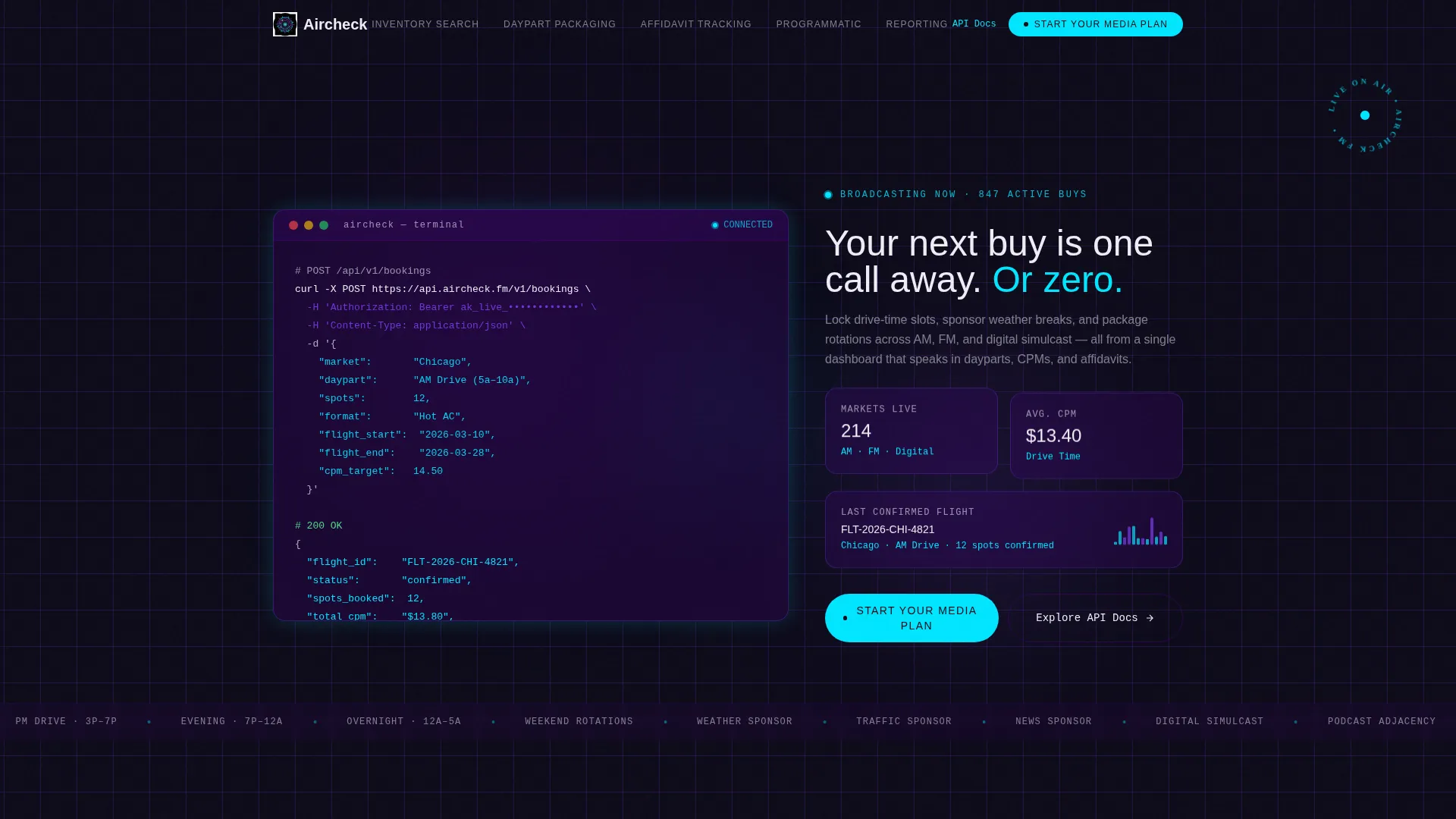
- An animated code-snippet hero showing a live POST /bookings API call with a confirmed 200 OK response
- A fixed left-side anchor navigation linking to Inventory Search, Daypart Packaging, Affidavit Tracking, Programmatic Integration, and Reporting
- A slide-out lead qualification form and a secondary path to API documentation for programmatic buyers
Feature list
This template delivers a focused set of components built around the radio media buying workflow. Each one is drawn directly from the brief and serves a clear purpose on the page.
Animated API Code Hero
The hero section displays a syntax-highlighted POST /bookings request at full scale. Fields shown include market, daypart, spots, and format, with a 200 OK confirmation response. Each line types in real time with a blinking cursor, making the platform's programmatic capability immediately visible.
Fixed Anchor Navigation
A persistent left-side navigation panel links to every spoke section without requiring the user to scroll blindly. The active indicator highlights in live-on-air violet, and the primary "Start Your Media Plan" call to action is pinned inside the nav so it is always one click away.
Feature Comparison Grids
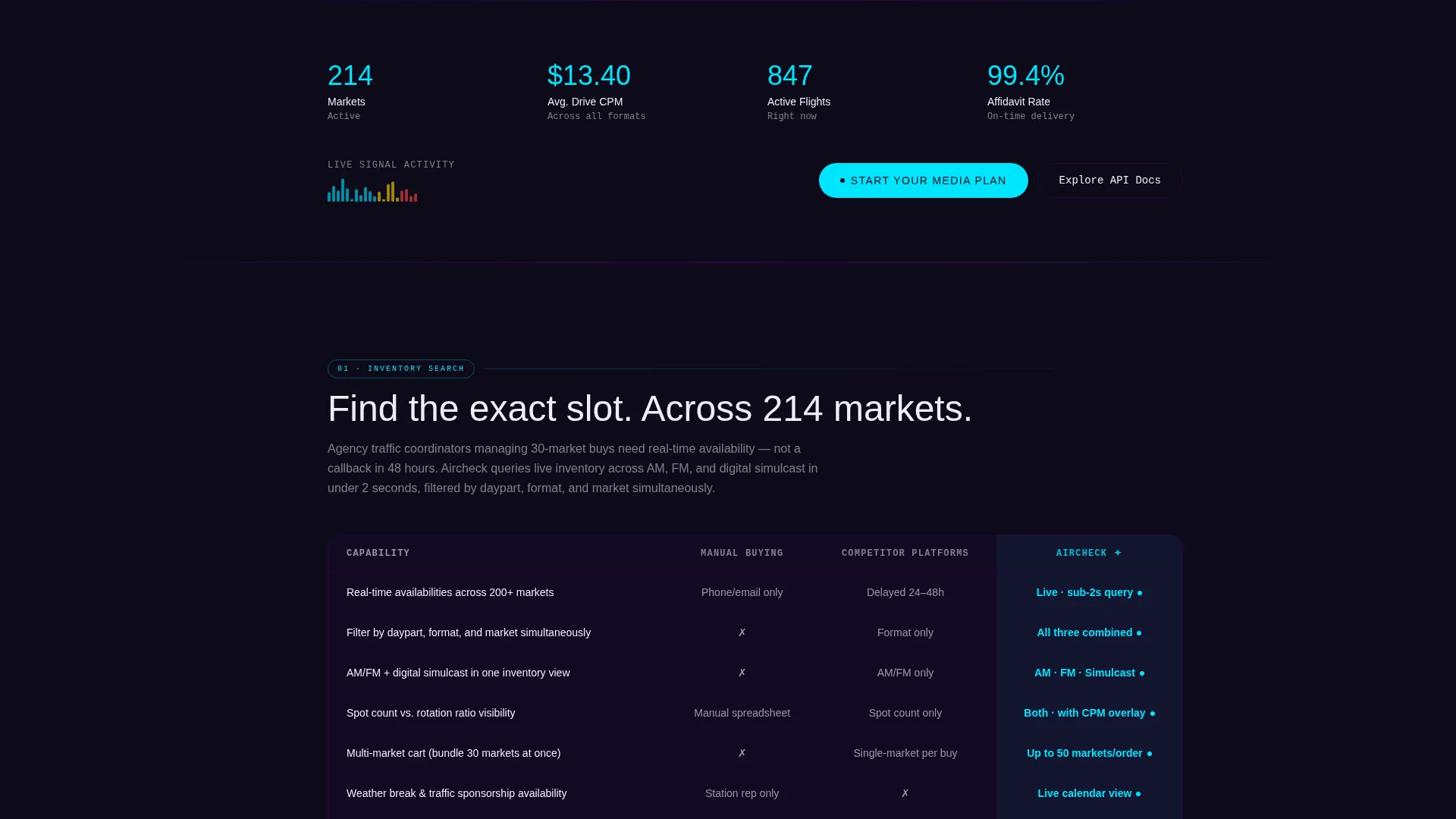
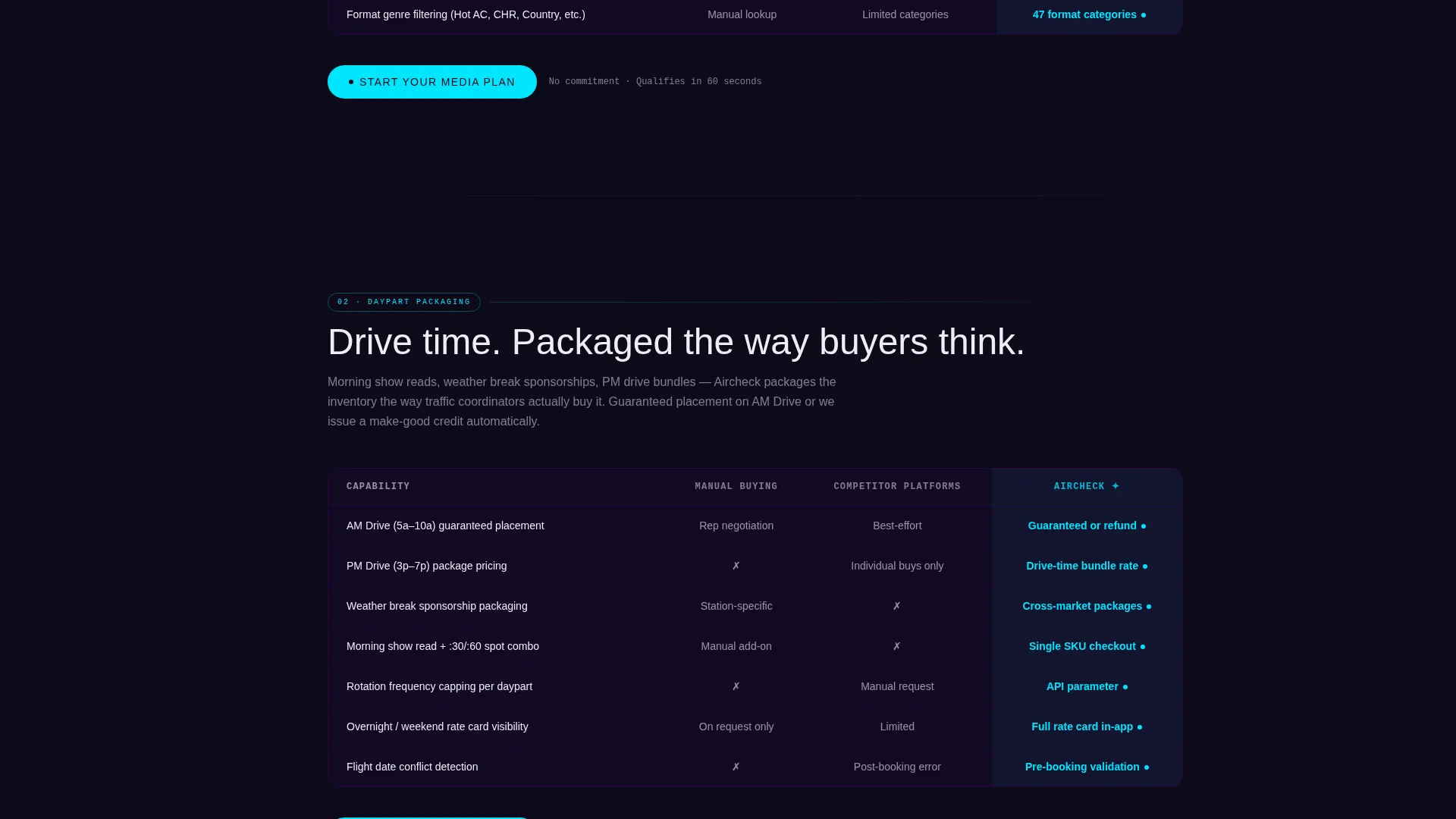
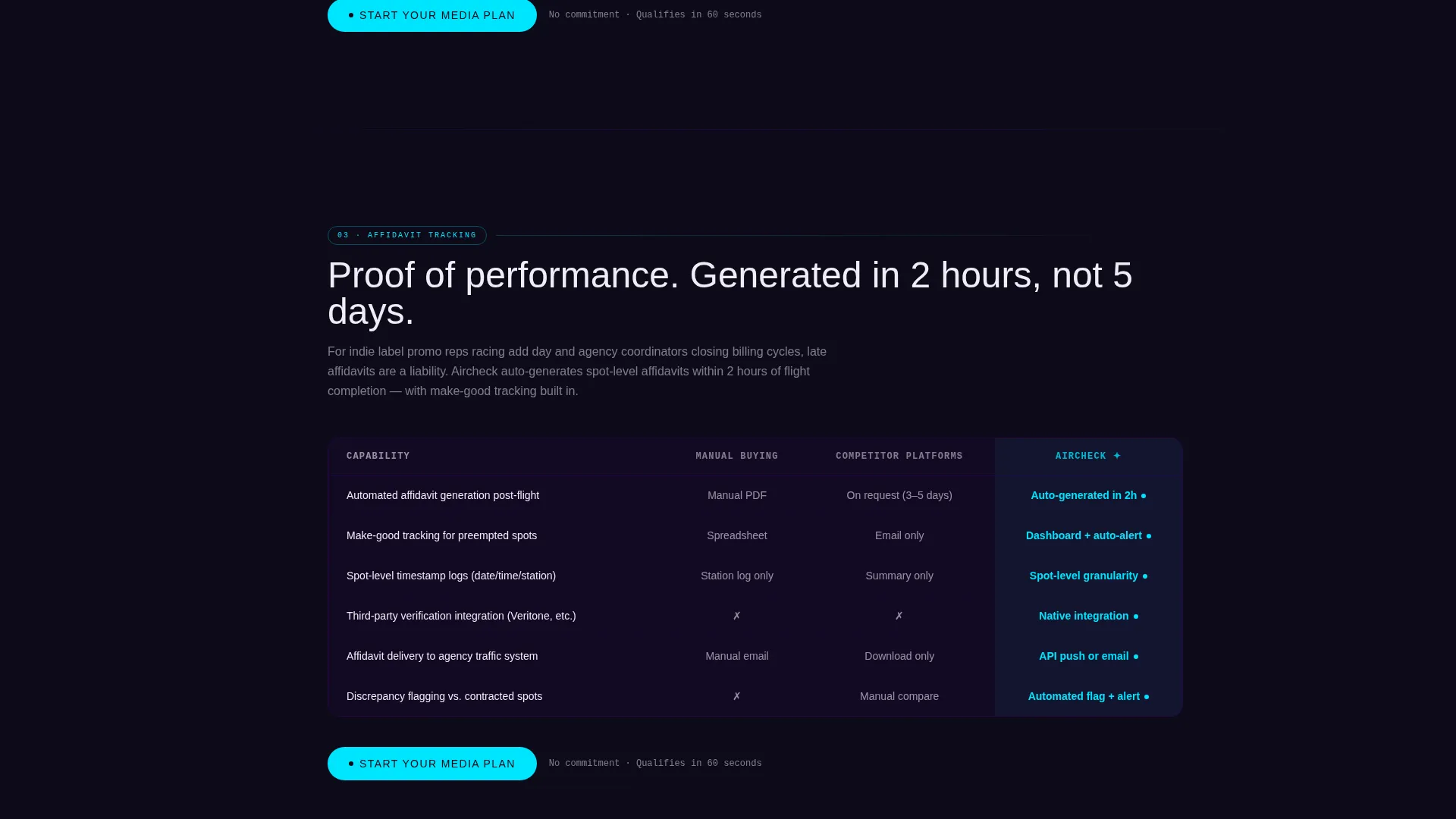
Each spoke section contains a dense but scannable comparison grid. Columns cover manual buying, competitor platforms, and the booking system. Rows where the platform wins are highlighted in frequency-spike cyan, building a cumulative technical argument as the visitor scrolls deeper.
Slide-Out Lead Qualification Form
The primary call-to-action opens a slide-out panel with four fields: number of markets (dropdown with options for 1, 5, 25, and 50 or more), monthly spot budget range, email address, and an optional agency name. The structure qualifies leads by buy size so the sales team can prioritize outreach.
Programmatic Self-Serve Path
A secondary call to action, labeled "Explore the API Docs," gives programmatic buyers a way to evaluate the platform before speaking to anyone. This path runs parallel to the main form without competing with it.
Five-Spoke Section Architecture
The page is organized into five anchored content spokes: Inventory Search, Daypart Packaging, Affidavit Tracking, Programmatic Integration, and Reporting. Each spoke ends with a repeated "Start Your Media Plan" call to action, reinforcing the conversion path at every stage of the page.
Page sections overview
| Section | Purpose |
|---|---|
| Animated Code Hero | Opens with a live API booking call to signal platform sophistication |
| Headline Block | Delivers the core value proposition in transmitter white below the hero |
| Anchor Nav Panel | Provides fixed left-side navigation across all five spoke sections |
| Inventory Search Spoke | Shows capability breakdown for finding available spot inventory |
| Daypart Packaging Spoke | Compares AM Drive, PM Drive, and rotation packaging options |
| Affidavit Tracking Spoke | Demonstrates post-buy verification and affidavit management features |
| Programmatic Integration Spoke | Highlights API and automated buying capabilities |
| Reporting Spoke | Covers flight performance data and CPM reporting outputs |
| Lead Gen Form Panel | Slide-out form that qualifies buyers by market count and budget |
| API Docs call to action | Secondary path for self-serve programmatic buyers |
Design & branding system
The visual system uses an Electric Indigo color palette that evokes the glow of a broadcast control room at the start of a morning drive shift. Every color choice has a specific functional role on the page.
- Deep broadcast-booth black (#0D0B1A) as the base background, signal indigo (#4B0082) as the primary brand surface, and transmitter white (#EEEDF5) for all body text
- Live-on-air violet (#7C3AED) reserved for hover states and active anchor navigation indicators
- Frequency-spike cyan (#00E5FF) used exclusively for calls to action and data highlights inside comparison grids
Mobile & speed optimization
The template is structured to remain usable on smaller screens without losing the density that professional media buyers expect. The fixed anchor navigation and comparison grids are designed to reflow cleanly.
- The slide-out lead form is touch-friendly and accessible on mobile viewports without modal overlap issues
- Comparison grid columns condense predictably so key capability data remains readable on narrower screens
How this template helps you convert
The page is engineered around a single conversion goal: getting qualified media buyers to submit a media plan request. Every structural decision supports that goal.
- The pinned "Start Your Media Plan" call to action appears in the fixed anchor nav and repeats at the close of every spoke section, so the conversion path is always visible regardless of scroll position.
- The four-field slide-out form collects market count and budget range upfront, so the sales team receives pre-qualified leads sorted by buy size rather than generic inquiries.
- The secondary "Explore the API Docs" path captures programmatic buyers who are not ready to talk to sales, keeping them engaged with the platform rather than bouncing.
Other information about this template
This template is built under a Directory and Discovery theme, which means the layout is designed to help visitors find and evaluate specific capabilities quickly. The Feature Matrix creative direction reinforces this by organizing every spoke section around a structured comparison rather than a narrative pitch.
- The template uses a Hub and Spoke (Anchor Nav) structure, meaning one central page connects to multiple deep-dive sections without requiring separate page loads
- The header concept is a Code Snippet displayed at hero scale, a pattern particularly effective for developer-facing or technical SaaS products in the radio station vertical SaaS category
- The Electric Indigo color system is consistent across all spoke sections, comparison grids, and the slide-out form panel, creating a unified broadcast-console aesthetic throughout
Theme
Directory & Discovery
Creative direction
Feature Matrix
Color system
Electric Indigo
Style
Hub & Spoke (Anchor Nav)
Direction
Lead Generation
Page Sections
Animated API Code Snippet Hero
Fixed Anchor Navigation Panel
Feature Comparison Grids
Slide-out Lead Qualification Form
Programmatic Self-serve Call to Action
Five-spoke Section Architecture
Related questions
Who is this template designed for?
What does the lead generation form collect?
Can technical buyers explore without filling out the form?
How many anchored spoke sections does the template include?
What makes the hero section stand out visually?



