Advanced Directory & Marketplace Platforms Pricing & Packages Website Template
Aisle is a bold brutalist landing page template built for wedding vendor directory platforms. It uses a scroll-reveal layout to progressively showcase a vendor comparison dashboard, pricing tiers, review scores, portfolio thumbnails, availability calendars, and style-match data. The design runs on an absolute-black and electric-violet palette that feels sharp, efficient, and impossible to ignore.
by Rocket studio
Quick summary
Aisle is a single-page, scroll-reveal landing page template designed for wedding vendor directory platforms. It opens with a live-feel comparison dashboard and guides visitors through a progressive feature reveal. The Void and Violet color system, heavyweight brutalist typography, and hard-snap scroll animations communicate one thing clearly: this platform turns vendor chaos into confident decisions.
Who this template is for
This template is built for founders and product teams launching or relaunching a wedding vendor directory. It speaks directly to platforms that want to position themselves around smart matching and side-by-side vendor comparison rather than simple search listings.
- Directory platform builders who want a landing page that demonstrates product value before signup
- Wedding technology startups targeting freshly engaged couples, detail-obsessed planners, and experienced brides who want zero consultation waste
- Design-forward teams who need a brutalist visual identity that stands apart from soft, floral-heavy wedding aesthetics
What problem this template solves
Most wedding vendor landing pages look like the same watercolor mood board. They list vendors without helping couples decide between them. Couples arrive overwhelmed, scroll through generic grids, and leave without booking anything. Aisle is built to fix that gap.
- Engaged couples drown in saved posts and scattered spreadsheets with no clear way to compare vendors side by side
- Existing directory pages bury pricing, style tags, and availability behind multiple clicks, slowing decisions and increasing drop-off
- Platforms that look indistinguishable from competitors lose trust before the first search query is typed
What you get with this template
You get a fully structured, scroll-reveal landing page template with a brutalist visual system applied across every section. Every component is built around the comparison use case, from the opening dashboard header to the pinned call-to-action button.
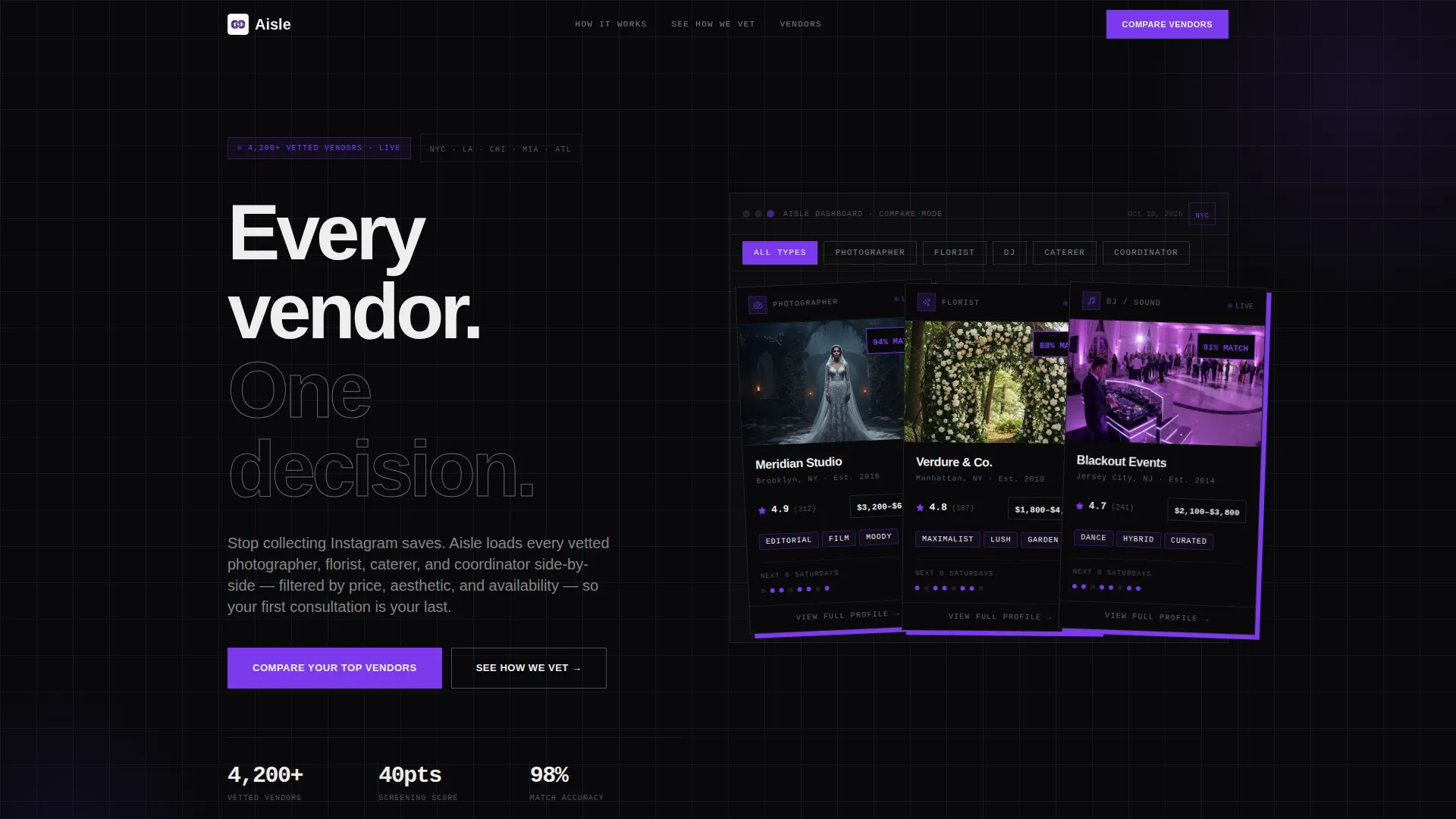
- A functioning-feel vendor comparison dashboard in the header, pre-loaded with three side-by-side vendor cards showing ratings, price ranges, availability, and style tags
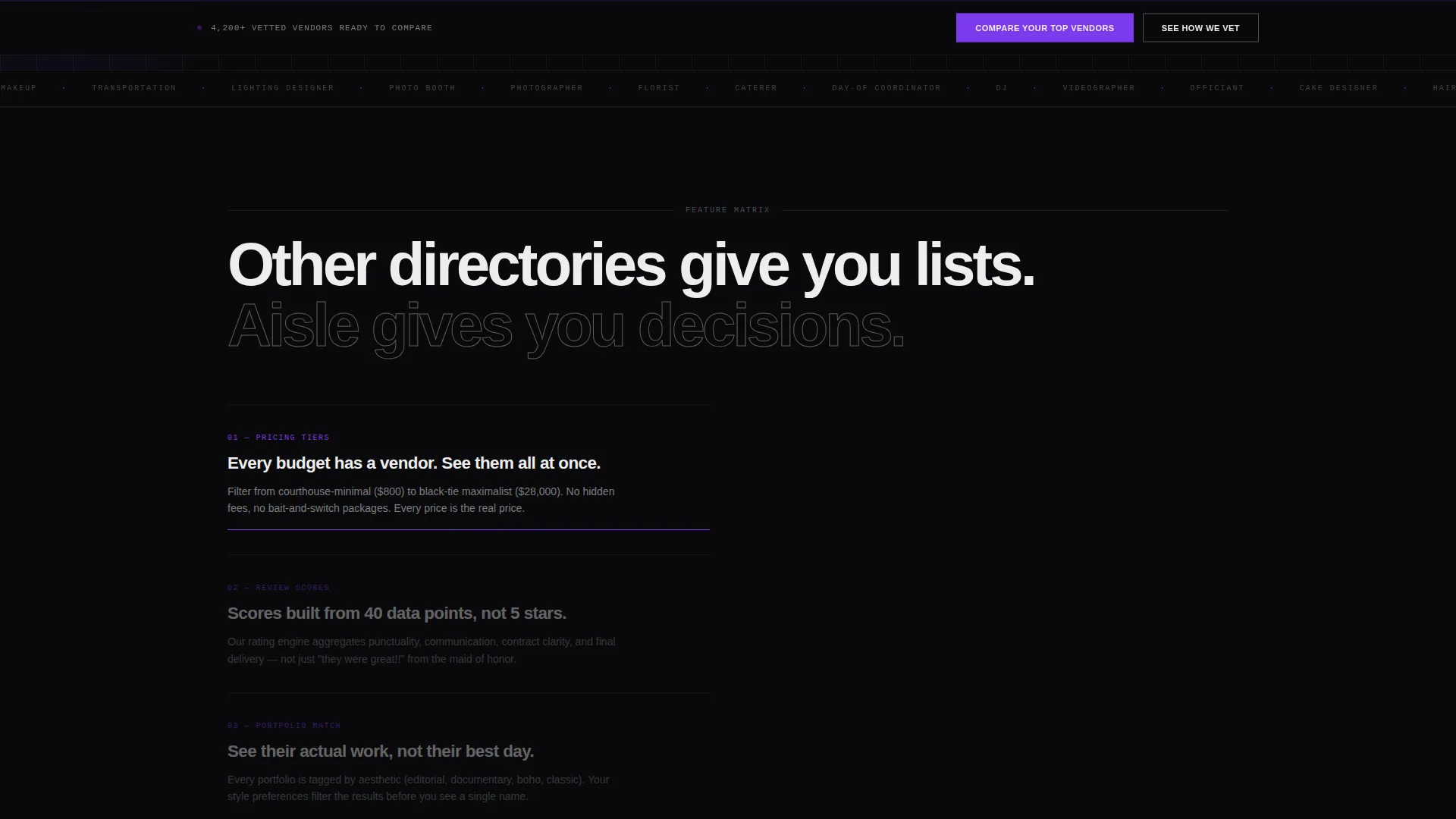
- A progressive feature matrix that reveals pricing tiers, review scores, portfolio thumbnails, availability calendars, and style-match percentages as the visitor scrolls
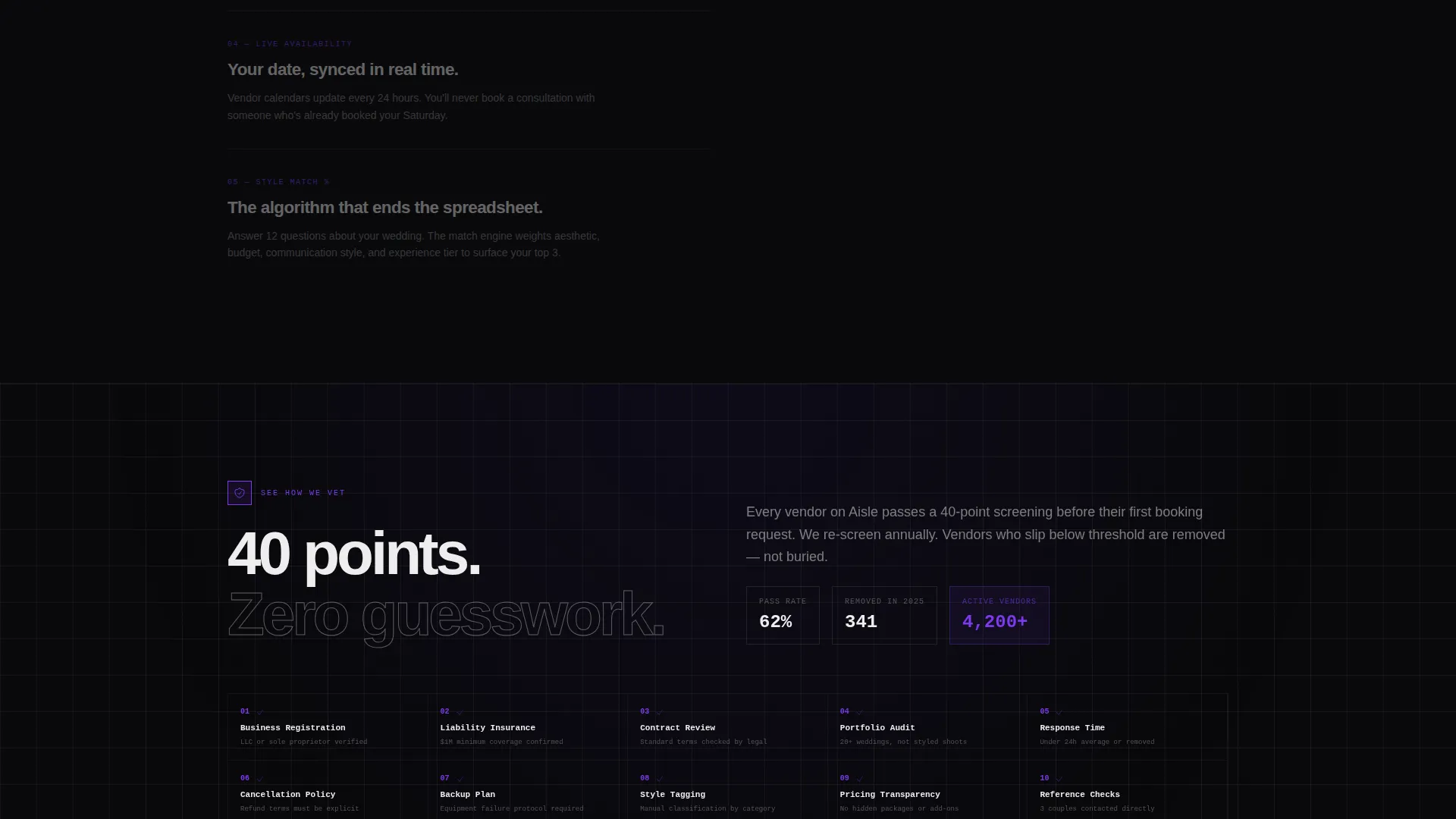
- A primary call-to-action flow ("Compare Your Top Vendors") and a secondary trust path ("See How We Vet") that introduces the 40-point vendor screening process
Feature list
This template is built around a set of deliberate, tightly scoped components. Each one is grounded in the comparison-first brief.
Dashboard Preview Header
The header loads a side-by-side vendor comparison interface with three pre-populated cards. Each card shows a rating score, price range, availability calendar, and style tags. Cards sit on a visible grid at slight rotations, casting hard drop shadows against the void-black background.
Progressive Scroll Reveal
As the visitor scrolls, each section snaps into view with a hard, concrete-panel reveal. No soft fades. Pricing tiers appear first, then review scores animate in, then portfolio thumbnails load, then availability calendars sync, then style-match percentages calculate. The scroll sequence teaches the visitor how the platform works.
Feature Matrix Sections
Each scroll section reveals a new comparison dimension. The layout reinforces the platform's core promise: other directories give lists, Aisle gives decisions. Every section is a visual proof point, not just a description.
Pinned Primary Call to Action
After the third feature reveal, the "Compare Your Top Vendors" button pins to the bottom of the viewport. It stays visible for the remainder of the scroll, reducing friction between intent and action.
Zero-Signup Comparison Flow
Clicking the primary call to action opens a lightweight, no-account-required flow. The visitor selects a wedding date, picks a city, and chooses two vendor categories. The comparison dashboard loads with results immediately.
Trust Anchor Section
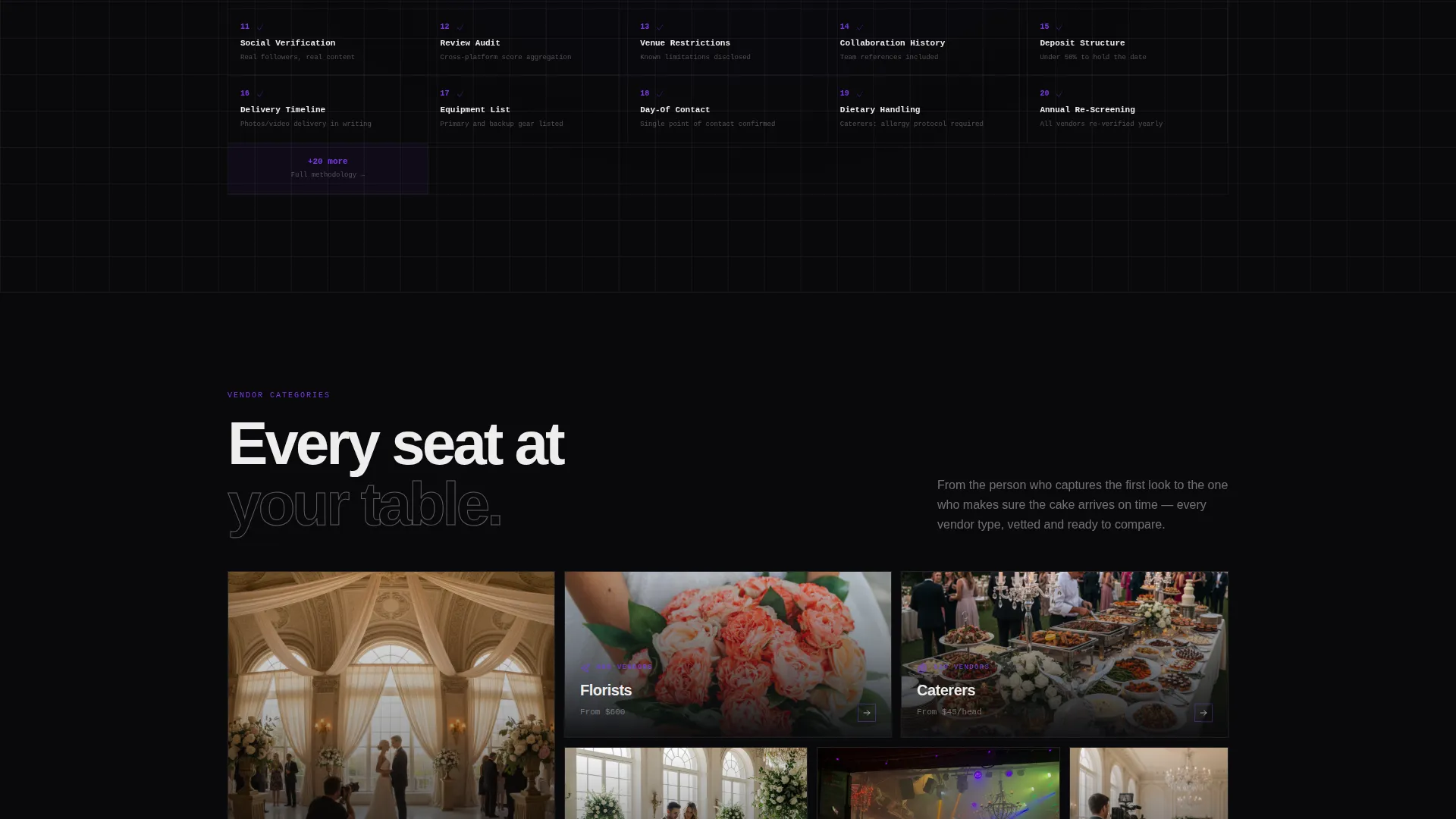
The secondary call to action "See How We Vet" reveals the 40-point vendor screening process. This section converts skeptical visitors by showing rigorous vetting standards before any signup commitment is requested.
Page sections overview
| Section | Purpose |
|---|---|
| Dashboard Header | Showcases vendor comparison cards on load |
| Pricing Tier Reveal | Displays vendor cost ranges across tiers |
| Review Score Animation | Animates rating data into the grid |
| Portfolio Thumbnail Load | Surfaces vendor portfolio samples progressively |
| Availability Calendar Sync | Shows live-feel calendar availability per vendor |
| Style Match Percentage | Calculates and displays aesthetic-fit scores |
| Primary call to action Block | Pins comparison entry point to viewport |
| Zero-Signup Flow | Collects date, city, and category inputs |
| Vendor Vetting Section | Presents the 40-point screening process |
Design & branding system
The template uses the Void and Violet color system, a four-tone palette built for maximum contrast and brutalist clarity. Typography runs large, stamped, and grid-locked throughout.
- Color palette: absolute black (#09090B) dominates all backgrounds; deep ultraviolet (#2D1B69) provides mid-layer depth; electric violet (#7C3AED) activates on hover states, active filters, and progress indicators; bone white (#EDEDED) is used for all headlines, card borders, and data text
- Typography and grid: heavyweight sans-serif typefaces at brutally large scales, visible grid lines throughout, hard drop shadows on card components, and zero soft gradients or decorative floral elements
Mobile & speed optimization
The template layout is designed with a grid-first structure that translates cleanly to smaller screens. The scroll-reveal sequence and pinned call-to-action behavior are built to remain functional and visually coherent on mobile viewports.
- The vendor comparison dashboard cards reflow for narrow screens without losing their rating, price, and tag data hierarchy
- The pinned "Compare Your Top Vendors" button remains fixed to the viewport bottom on mobile, keeping the primary action reachable at all scroll depths
How this template helps you convert
The conversion strategy is built directly into the scroll sequence. Visitors are shown the product working before they are ever asked for a commitment.
- The dashboard header front-loads platform value by showing a real comparison interface on arrival, reducing the need for explanatory copy and building trust through demonstration
- The progressive feature matrix earns attention section by section, each reveal adding a new proof layer that positions the platform above standard directory listings
- The zero-signup comparison flow removes the biggest barrier to first use, letting visitors experience the product before providing any personal information
Other information about this template
This template sits at the intersection of wedding vendor directory design and bold brutalist web aesthetics. It is purpose-built for platforms that serve couples across the full planning spectrum, from courthouse minimalism to black-tie maximalism.
- The template style is classified as Scroll Reveal (Progressive), meaning every section entrance is a hard snap rather than a soft fade
- The header concept is Dashboard Preview, a component type that works especially well for directory and marketplace platforms where showing the product immediately is more persuasive than describing it
- The creative direction is Feature Matrix, where each scroll layer adds a new dimension to the comparison story rather than repeating a single message
- The landing page direction is Comparison and Versus, positioning the platform against generic directory alternatives in every section
Theme
Bold Brutalist
Creative direction
Feature Matrix
Color system
Void & Violet
Style
Scroll Reveal (Progressive)
Direction
Comparison/Versus
Page Sections
Dashboard Preview Header
Progressive Scroll Reveal
Pinned Comparison Call to Action
Zero-signup Comparison Flow
Vendor Vetting Trust Section
Feature Matrix Scroll Sections
Related questions
What type of platform is this template designed for?
Do visitors need to create an account to use the comparison flow?
What makes this landing page different from a standard directory listing page?
What is the 40-point vendor screening process shown in the template?
Can the color system be adapted to a different brand palette?



