Advanced Consulting Firm Software Professional Website Template
Allocate is a precision asset management landing page template built for institutional consulting firms. It uses a hub-and-spoke anchor navigation across five interactive spokes, a dark carbon-fiber visual system, and a click-through structure designed to move senior investment decision-makers toward a diagnostic call or capabilities deck.
by Rocket studio
Quick summary
Allocate is a single-page, anchor-navigated landing page template built for high-conviction asset management consultants. It serves firms advising pension funds, family offices, and sovereign wealth managers. The design system uses a carbon-fiber palette, interactive data modules, and a click-through conversion path that routes qualified prospects to a diagnostic call.
Who this template is for
This template is built for institutional asset management consultancies that advise senior investment decision-makers. If your clients are chief investment officers (CIOs) managing nine-figure mandates, this template communicates at their level.
- Asset allocation consultants serving pension funds, family offices, and sovereign wealth managers
- Portfolio advisory firms that need to demonstrate analytical rigor before a prospect commits
- Consulting practices whose engagement begins with a diagnostic rather than a sales pitch
What problem this template solves
Many asset management consultancies struggle to present complex methodology in a format that earns trust quickly. A generic website undersells the depth of the work. Prospects disengage before they understand what the firm actually does.
- The template replaces static credentials pages with interactive, module-led demonstrations of methodology
- It removes the friction of on-page forms by routing prospects cleanly to a dedicated intake or scheduling page
- It gives intellectually demanding audiences something to explore, not just read
What you get with this template
You get a fully structured, single-page landing page with five self-contained interactive spoke modules and a conversion path built around two distinct prospect actions. Every visual and structural decision reflects the brief of a firm that thinks in systems.
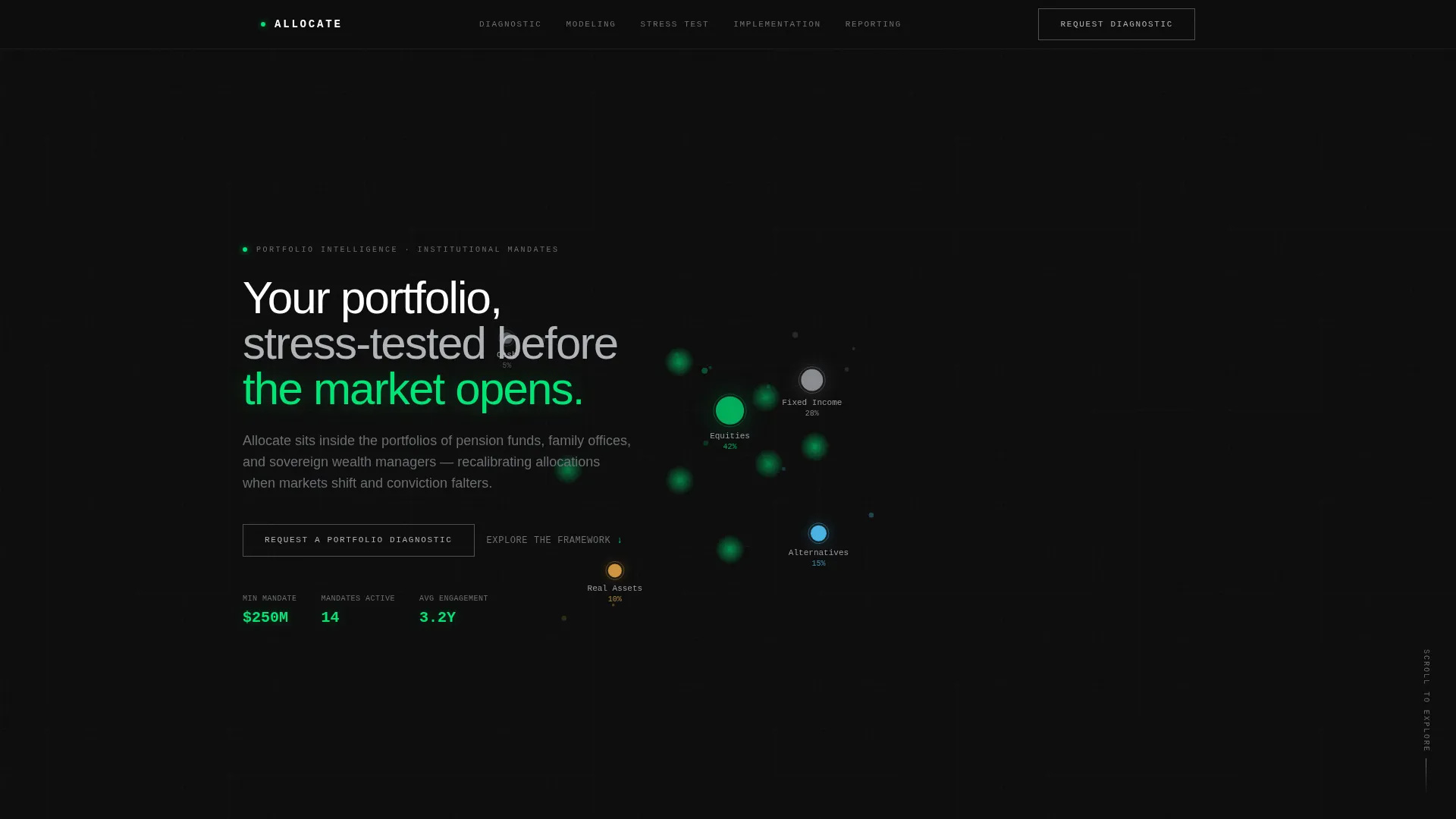
- A dark full-bleed header with an animated asset allocation constellation and a primary call-to-action (call to action) ghost button
- Five anchor-navigated spokes: Diagnostic, Modeling, Stress Test, Implementation, and Reporting
- A dual-path conversion structure with a primary call to action for diagnostic calls and a secondary text-link path for a market regime framework download
Feature list
This section outlines the core built-in capabilities of the Allocate template.
Hub-and-Spoke Anchor Navigation
A sticky anchor navigation bar pins to the top of the page and labels five spokes. Clicking any spoke glides the visitor to its self-contained module using a seamless vertical slide transition. No page reload, no disorientation.
Animated Asset Allocation Header
The header fills the full viewport in absolute black. A constellation of glowing data nodes maps an asset allocation model across equities, fixed income, alternatives, and real assets. Nodes are sized by weighting and connected by luminous filament lines that breathe gently on load.
Interactive Spoke Modules
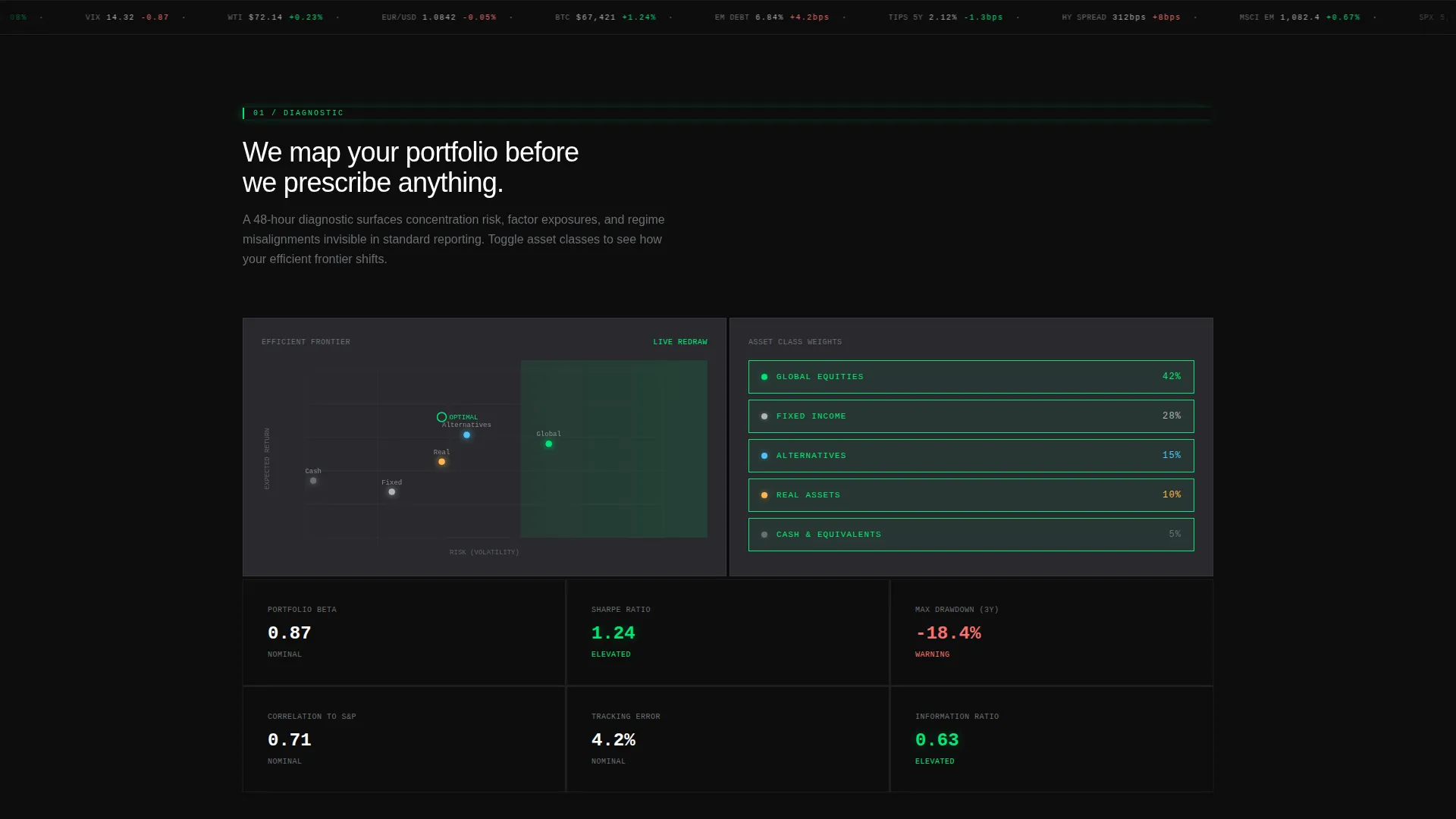
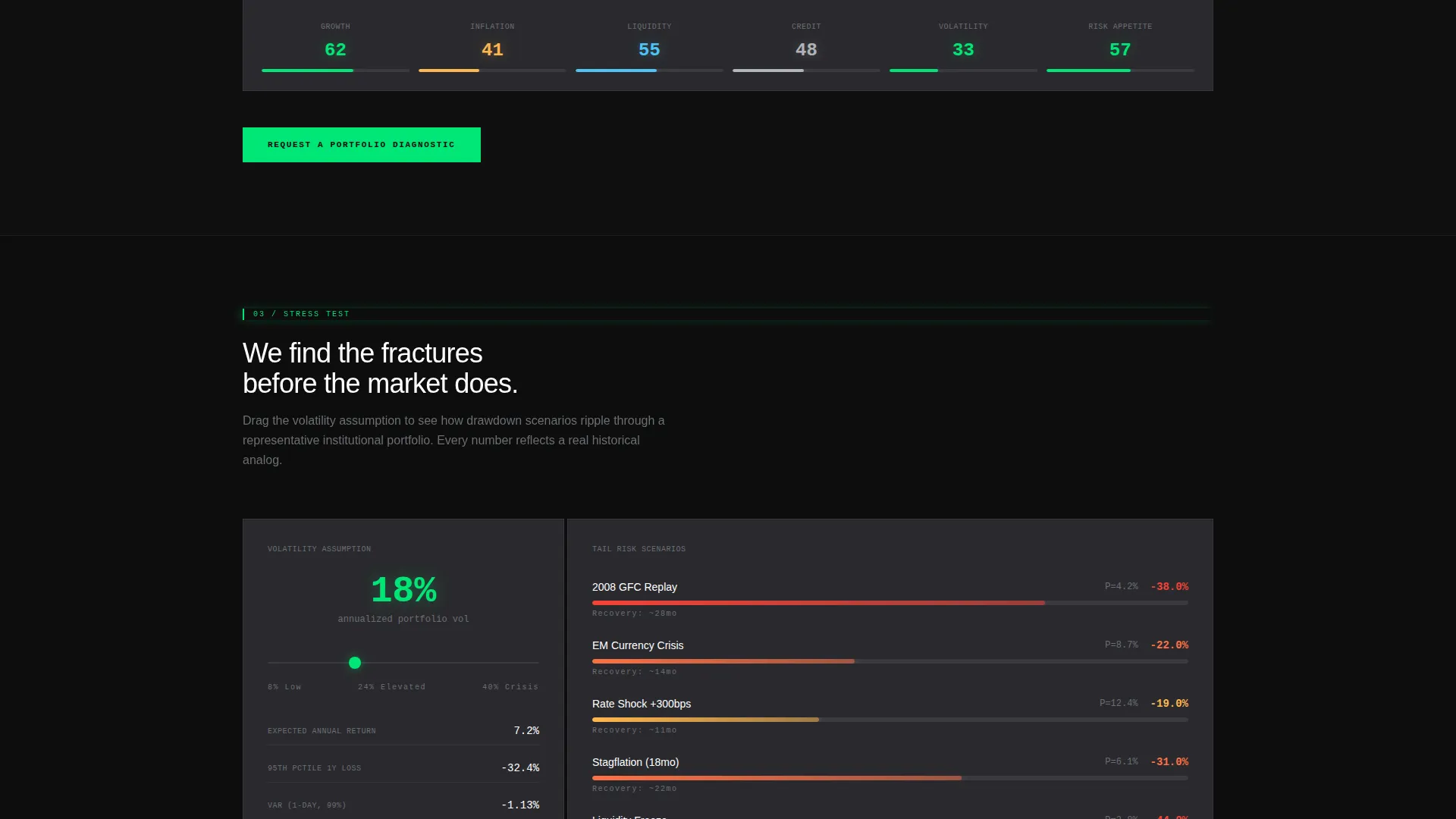
Each spoke is an interactive module, not a static section. Visitors can toggle asset classes to watch efficient frontier curves redraw, drag a volatility slider to see drawdown scenarios shift, and hover over a dark-mode world map to illuminate geographic exposures region by region.
Progressive Complexity Architecture
The five spokes escalate in analytical depth. The sequence moves from observation to stress-testing to construction, mirroring the actual arc of a consulting engagement. Each step earns the next.
Dual-Path Conversion Structure
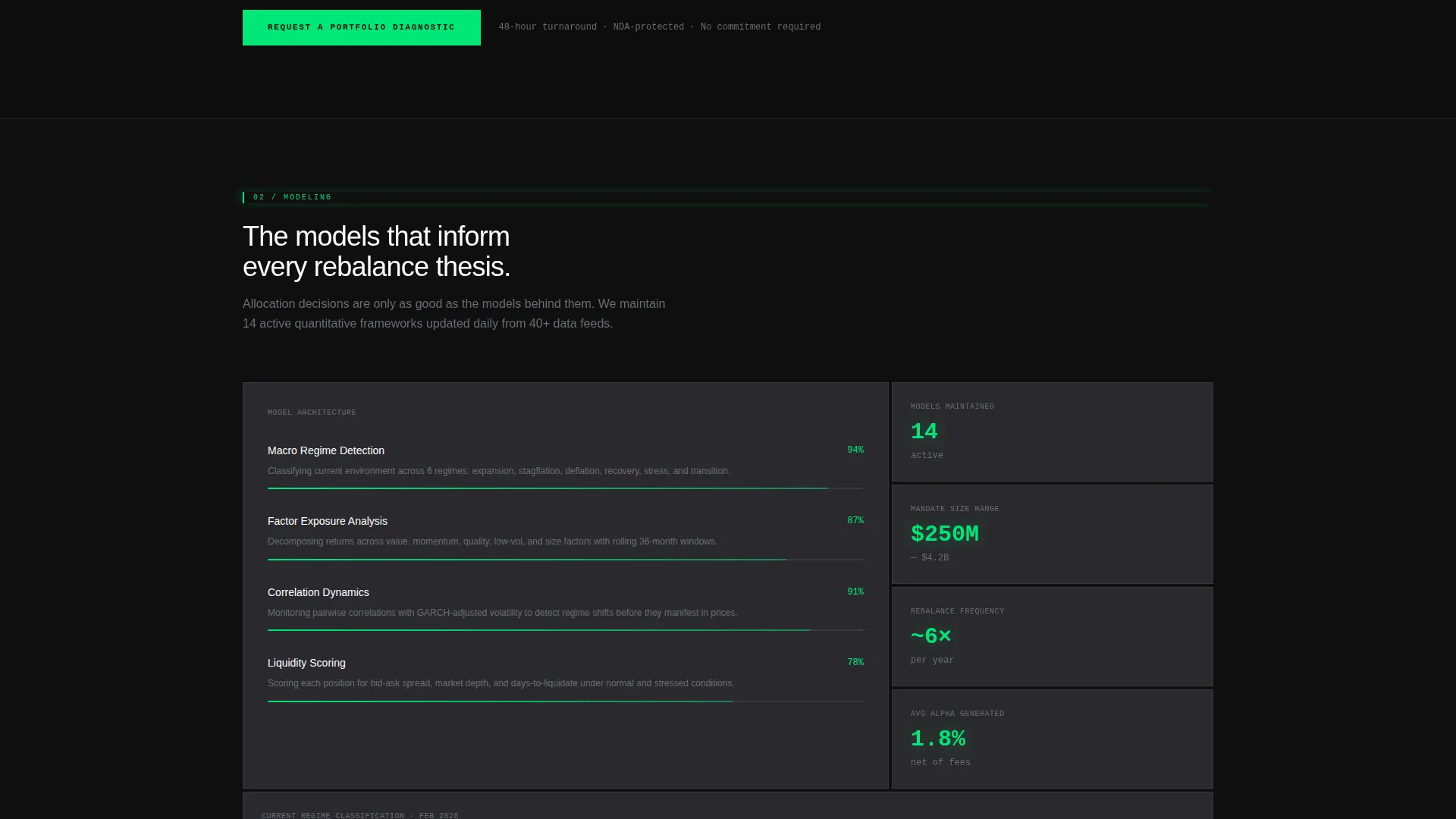
The primary call to action, "Request a Portfolio Diagnostic," appears first as a ghost-outlined button in the header and solidifies into a phosphor-green filled button at the foot of each spoke. A secondary text-link, "Download Our Market Regime Framework," sits beneath the Stress Test spoke for prospects who want proof of rigor before committing.
Parallax Data Layer Transitions
Scroll transitions between spokes use parallax data layers. The visual effect reinforces a sense of descending deeper into the portfolio, making navigation feel analytical rather than decorative.
Page sections overview
| Section | Purpose |
|---|---|
| Full-Bleed Header | Anchors brand tone and surfaces primary call to action |
| Anchor Navigation Bar | Pins to top, links all five spokes |
| Diagnostic Spoke | Introduces the firm's observational methodology |
| Modeling Spoke | Shows efficient frontier and allocation modeling |
| Stress Test Spoke | Demonstrates tail-risk and drawdown scenario tools |
| Implementation Spoke | Explains the rebalance and construction process |
| Reporting Spoke | Covers how findings are presented to committees |
| Closing call to action Block | Delivers final phosphor-green diagnostic call button |
Design & branding system
The visual identity uses the Dashboard Pro theme with a Carbon Fiber color system. Every color decision serves clarity and reduces noise, borrowing the discipline of a cockpit instrument panel.
- Deep carbon black (#0D0D0D) for backgrounds, graphite mid-tone (#2A2A2E) for section surfaces, titanium silver (#B0B3B8) for body text, and phosphor green (#00E676) for hover states, active navigation indicators, and data highlights
- Section dividers are hairline graphite rules; no heavy borders or decorative chrome
- No stock photography and no human faces; all visual content is data-driven, including the animated node constellation and the dark-mode world map
Mobile & speed optimization
The template is structured for responsive display across screen sizes. The interactive modules and anchor navigation are designed to adapt to narrower viewports without breaking the spoke structure.
- The sticky anchor nav collapses gracefully on smaller screens to preserve navigable access to all five spokes
- The carbon-fiber palette and dark backgrounds are well-suited to OLED and high-contrast display environments
- Parallax transitions and interactive elements are contained within the single-page structure, keeping the experience cohesive on mobile
How this template helps you convert
The conversion architecture in this template is deliberate. Every interactive element is a silent demonstration of methodology, lowering the perceived risk of reaching out.
- The escalating call to action design, from ghost button to solid phosphor-green block, grows more prominent as the visitor explores deeper, meeting them at the moment of highest intent
- The secondary download path captures prospects who are intellectually engaged but not yet ready to schedule, keeping them inside the firm's sphere without pressuring them
Other information about this template
This template is part of the Dashboard Pro theme family and uses the Carbon Fiber color system as its design foundation. It is built for the Technology category, specifically within the Consulting Firm Software subcategory and the Consulting Firm Asset Management niche.
- The template style is Hub and Spoke with Anchor Navigation, matched to an Interactive Explorer creative direction and a Click-Through landing-page direction
- The header concept is classified as Dark Full-Bleed with Glow, reflecting the Bloomberg terminal aesthetic described in the brief
- The intersection match score for this template's niche, theme, and style combination is 13, indicating a highly specific and deliberate fit for institutional asset management consulting use cases
Theme
Dashboard Pro
Creative direction
Interactive Explorer
Color system
Carbon Fiber
Style
Hub & Spoke (Anchor Nav)
Direction
Click-Through
Page Sections
Hub-and-spoke Anchor Navigation
Animated Asset Allocation Header
Interactive Spoke Modules
Progressive Complexity Architecture
Dual-path Conversion Structure
Parallax Data Layer Transitions
Related questions
Does this template include a contact form?
Can I relabel the five spoke modules to match my firm's services?
Who is this template designed for?
How does the dual-path conversion structure work?
What interactive elements are included in the template?



