Investment Advisor Dashboard Landing Page Template
Allocate is a dashboard-style landing page template built for registered investment advisors who serve high-net-worth clients. It opens with a live retirement gap calculator, then guides visitors through a structured sequence of market data, model portfolio cards, and tax efficiency analysis. Every section earns trust before asking for anything in return.
by Rocket studio
Quick summary
Allocate is a clinical, data-forward landing page template designed for registered investment advisors. It leads with a live retirement gap calculator, then unfolds like an industry research report, market conditions, model portfolio comparisons, and tax efficiency analysis. Each section gates a downloadable PDF behind a progressive disclosure form, turning qualified curiosity into captured leads.
Who this template is for
This template is built for investment advisors who need to demonstrate analytical rigor before a prospect ever books a call. It is not a brochure. It is a proof-of-competence engine.
- Registered investment advisory firms targeting recently-liquid founders, late-career dual-income couples, and small endowment boards
- Advisory practices that want to replace generic "schedule a call" pages with something that delivers genuine diagnostic value upfront
- Financial planning professionals who want a desktop-first, data-dense presentation that matches the expectations of sophisticated, self-directed investors
What problem this template solves
Most advisory landing pages ask for trust before earning it. They lead with headshots, vague promises, and a contact form. Allocate flips that sequence entirely.
- Prospects arrive skeptical and leave before engaging because the page gives them no reason to stay
- High-net-worth clients expect institutional-grade evidence, not lifestyle photography and bullet-point platitudes
- Advisors lose qualified leads because their digital presence does not reflect the depth of work they actually do
What you get with this template
Allocate gives you a fully structured, single-page layout that functions as both a marketing tool and a first consultation. Every section is pre-built and purpose-matched to a specific stage of the buyer's decision.
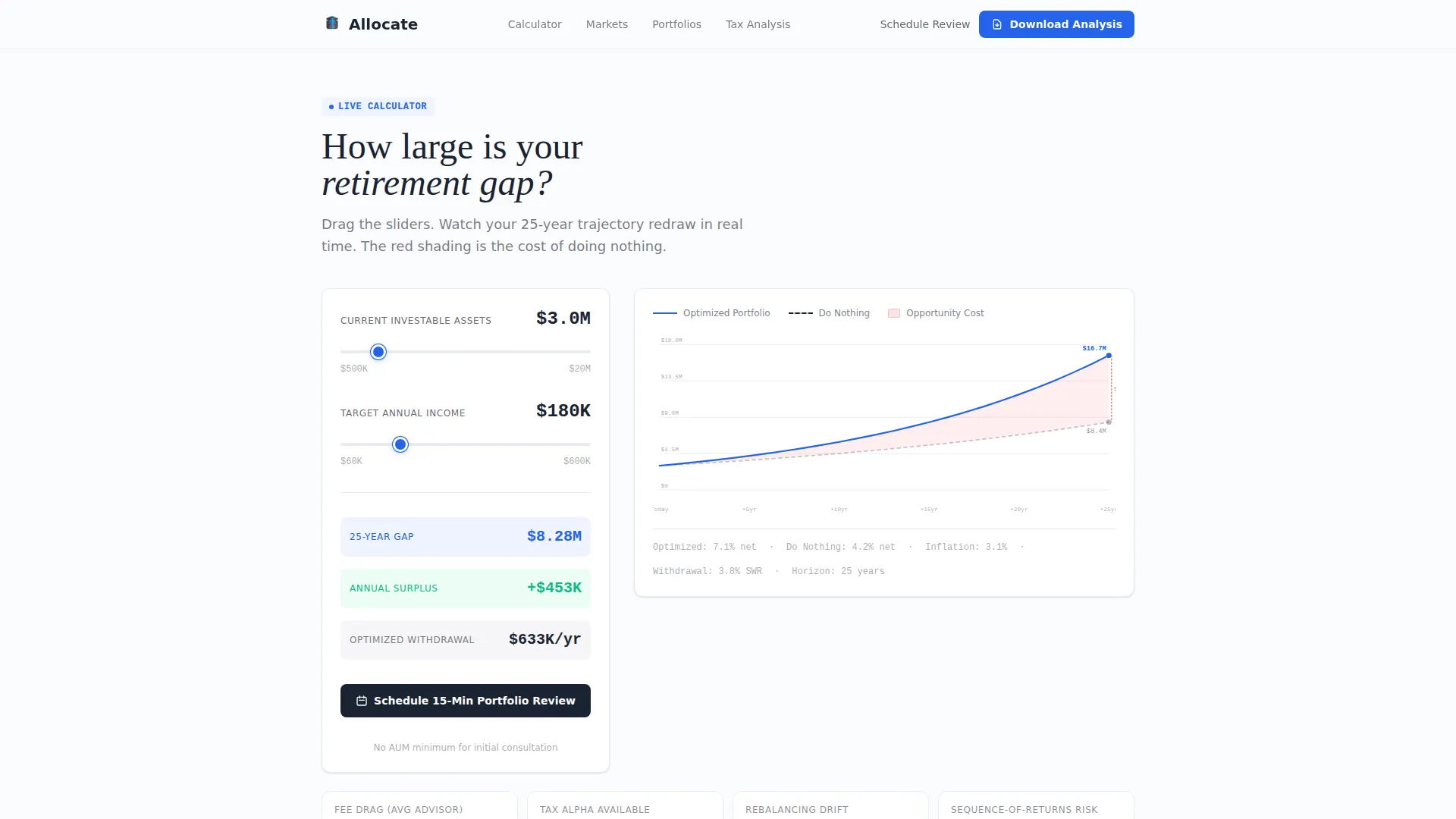
- A live retirement gap calculator in the hero section, with dual input sliders and a real-time SVG projection chart
- Four distinct content sections covering market conditions, model portfolios, tax efficiency analysis, and a gated download call to action
- A two-step progressive disclosure form and a secondary conversion path for visitors who prefer a direct meeting
Feature list
This section describes the specific built-in components and capabilities included in the Allocate template.
Live Retirement Gap Calculator
The hero section centers on a dual-slider calculator. Visitors input their current investable assets and target annual retirement income. A real-time SVG chart draws two trajectories: a gray "do nothing" curve and a blue "optimized" curve. The gap between them is shaded in soft red and labeled in dollars, giving each visitor an immediate, personalized stake in reading further.
Market Conditions Dashboard
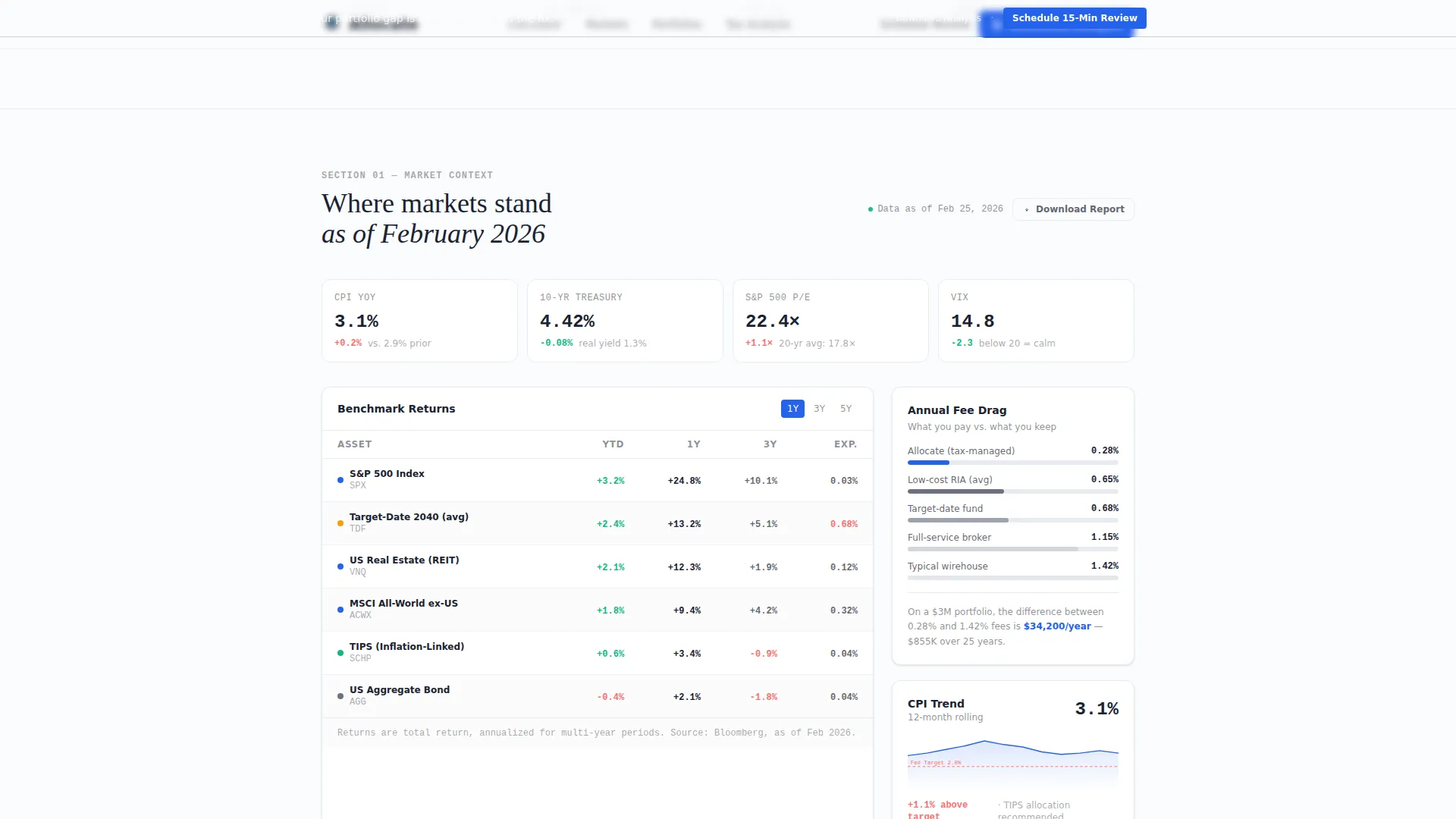
The first content section presents a structured data dashboard. It displays benchmark returns, inflation trend indicators, and fee drag visualizations side by side. The layout uses a clinical grid style that mirrors a financial data terminal, reinforcing credibility without relying on stock photography or advisor portraits.
Model Portfolio Comparison Cards
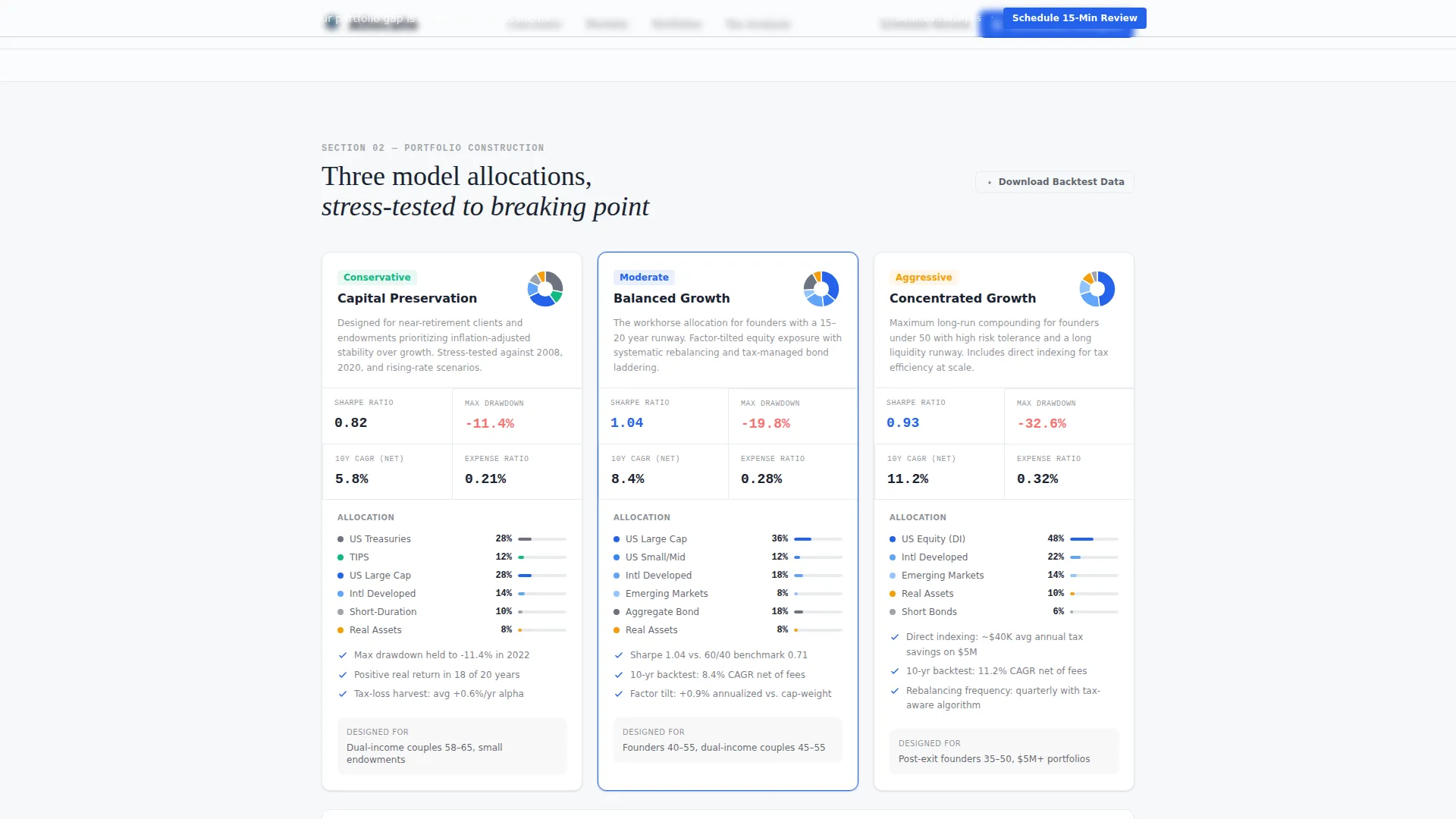
Three side-by-side allocation cards show distinct portfolio strategies. Each card displays its Sharpe ratio, maximum drawdown figure, and ten-year backtest results. The card grid lets visitors compare risk-adjusted outcomes at a glance, making the advisor's methodology concrete and auditable rather than abstract.
Tax Efficiency Analysis Section
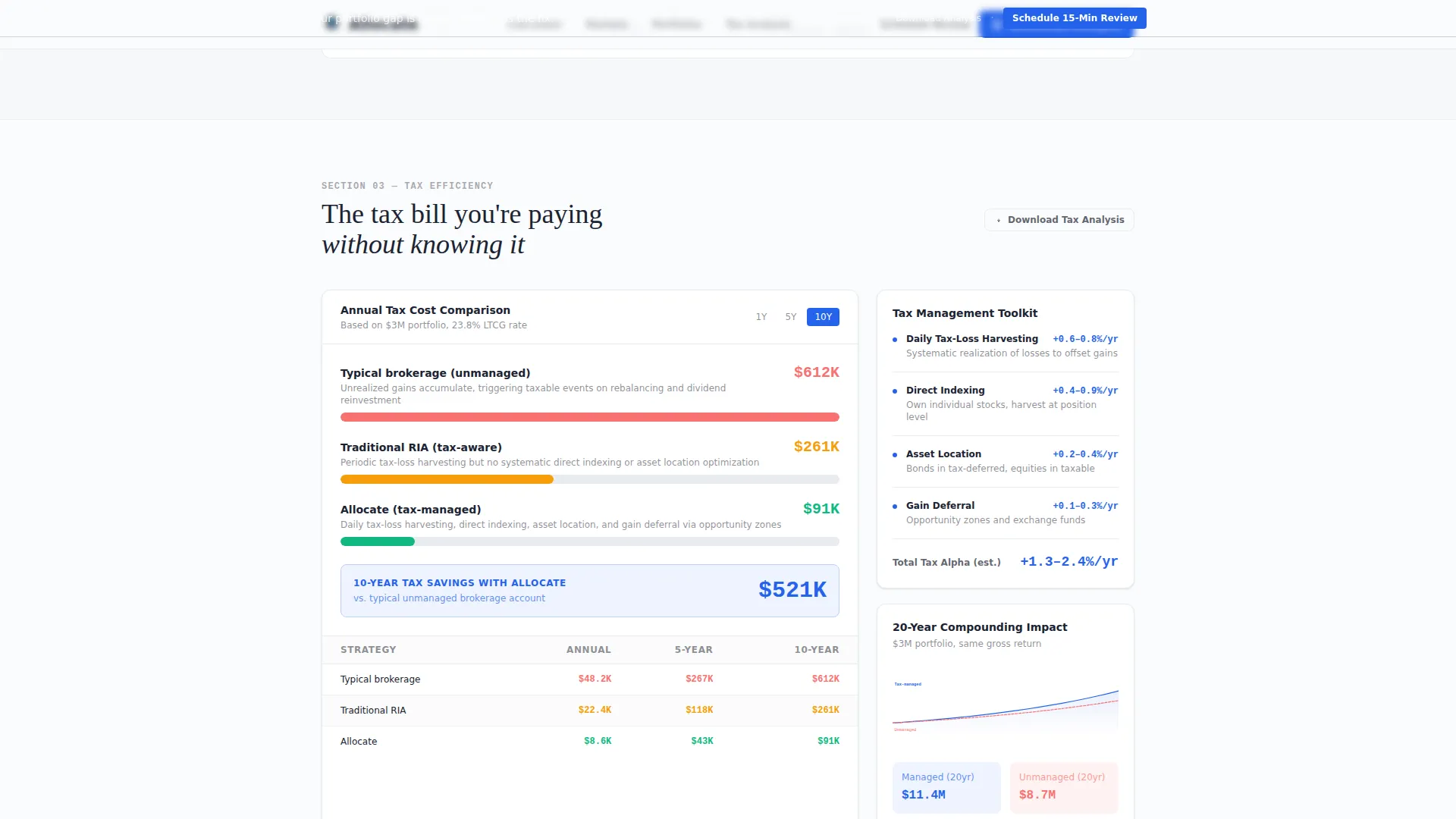
A dedicated section quantifies the annual cost of unrealized gains in a typical brokerage account and contrasts it against a tax-managed strategy. This gives prospects a specific, dollar-denominated reason to reconsider their current approach without requiring a phone call first.
Progressive Disclosure Lead Form
The download call-to-action section uses a two-step form. The first step collects an email address. The second step asks for investable asset range via dropdown and primary goal via selection. This staged approach reduces friction at entry while collecting the qualification data the advisor actually needs.
Pinned Download Call-to-Action Bar
After the first scroll, a subtle top bar pins to the viewport and surfaces the primary call to action persistently. Each content section also repeats the "Download Your Full Portfolio Analysis" prompt at its base, so the conversion opportunity is always within reach without feeling aggressive.
Page sections overview
| Section | Purpose |
|---|---|
| Hero Calculator | Personalize the visitor's retirement gap with live dual-slider inputs and a real-time SVG chart |
| Market Conditions Dashboard | Display benchmark returns, inflation trends, and fee drag in a structured data grid |
| Model Portfolio Cards | Compare three allocations side by side using Sharpe ratio, max drawdown, and backtest data |
| Tax Efficiency Analysis | Show the dollar cost of unrealized gains versus a tax-managed advisory strategy |
| Download Call to Action | Gate a full portfolio analysis PDF behind a two-step progressive disclosure form |
| Footer | Single-row linear footer with essential navigation and regulatory information |
Design & branding system
The visual identity follows a Dashboard Pro theme built on an Arctic White color system. The aesthetic is deliberately clinical: every design choice reinforces the idea that data is in charge, not the designer.
- Color palette: arctic white (#FAFBFC) as the primary surface, pale frost (#E8ECF1) for card borders and alternating data grid rows, deep charcoal (#1B2332) for all typography and axis labels, signal blue (#2563EB) reserved exclusively for interactive elements and the single most important number on screen, and gap red (#F87171) for the retirement shortfall shading in the calculator chart
- Typography: DM Sans for interface labels and body copy, JetBrains Mono for all numerical data and metric displays, and Fraunces for section headers to create a deliberate contrast between editorial authority and analytical precision
- Animation: medium-intensity chart redraws, scroll-triggered reveals, and counter animations bring the data to life without distracting from the content itself
Mobile & speed optimization
The template is designed desktop-first. The calculator and data grid layout are optimized for wide viewports, matching the Bloomberg terminal aesthetic the brief specifies. Responsive behavior ensures the page remains functional on smaller screens.
- Static content sections use server component architecture, keeping load times fast for the market dashboard, portfolio cards, and tax analysis blocks
- Interactive elements including the dual-slider calculator and the live SVG chart are handled as client components, isolating interactivity without degrading overall performance
- Scroll reveals and counter animations are scoped to avoid layout shifts that would disrupt the clinical, precise visual feel of the dashboard
How this template helps you convert
Allocate is built on the principle that a prospect who has already consumed genuine analytical depth is far more ready to act than one who has only seen a features list and a contact form.
- The retirement gap calculator creates an immediate personal stake in the first five seconds. Visitors see their own numbers, not a stock chart. That specificity earns the scroll that follows.
- Each data section ends with a "Download Your Full Portfolio Analysis" prompt, and the pinned top bar keeps that call to action visible throughout. Visitors who skip the download are offered a "Schedule a 15-Minute Portfolio Review" option anchored beside the calculator results, so no qualified visitor reaches the end of the page without a clear next step.
Other information about this template
The Allocate template is categorized under Finance and Insurance, specifically Financial Planning and Advisory, within the Investment Advisor (RIA) niche. It is built for the United States market, using USD formatting, MM/DD/YYYY date conventions, and US benchmark references throughout.
- The template uses a single-page, section-led structure with a linear single-row footer pattern
- Social proof placeholders are included for assets under management (AUM) metrics, client outcome statistics, and benchmark comparison callouts
- The page is designed with high interactivity: dual input sliders, a live SVG chart, and a multi-step progressive form are all core to the experience, not optional add-ons
Theme
Dashboard Pro
Creative direction
Industry Report
Color system
Arctic White
Style
Dashboard/Data Grid
Direction
Content/Resource
Page Sections
Live Retirement Gap Calculator
Market Conditions Data Dashboard
Model Portfolio Comparison Cards
Tax Efficiency Analysis Block
Two-step Progressive Disclosure Form
Pinned Conversion Bar
Related questions
Who is the Allocate template designed for?
Can I update the model portfolio cards with my own strategy data?
How does the two-step lead capture form work?
Is this template optimized for mobile devices?
What conversion paths does the template include?



