Steel Vertical SaaS Booking Website Template
Alloy is a bold brutalist bento grid landing page template built for steel booking systems. It turns raw performance data into a persuasive visual argument, leading with live-style metrics, a head-to-head workflow comparison, and a built-in tonnage calculator. Designed for steel distributors, fabricators, and service centers, it converts skeptical procurement buyers through numbers before it ever asks for contact details.
by Rocket studio
Quick summary
Alloy is a single-page bento grid landing page template for steel vertical SaaS products. It opens with a full-viewport metrics wall, walks buyers through a before-and-after workflow comparison, and closes with a two-field calculator that returns projected time and error savings. The design is bold brutalist: heavy type, hard borders, and a Slate and Sky color system that commands attention without decoration.
Who this template is for
This template is built for teams selling or launching a steel booking system to industrial buyers. It speaks the language of margin, tonnage, and cycle time rather than generic software promises.
- Steel distributors and service centers promoting inventory booking tools
- SaaS founders or product teams targeting procurement managers and ops directors
- Independent fabricators or platform builders who need a high-conviction sales page fast
What problem this template solves
Most metals supply chain software pages look like every other SaaS landing page. Procurement managers and ops directors do not respond to abstract value propositions. They respond to numbers. This template solves the credibility gap by making data the headline, not the footnote.
- Phone calls, faxed purchase orders, and spreadsheet workflows still dominate steel procurement
- Buyers need proof of speed and accuracy before they trust a new system with tonnage orders
- Generic SaaS templates fail to reflect the weight and precision industrial buyers expect
What you get with this template
You get a fully structured, conversion-focused bento grid landing page ready to customize for your steel booking platform. Every section is purposeful, data-forward, and built to earn the click before asking for it.
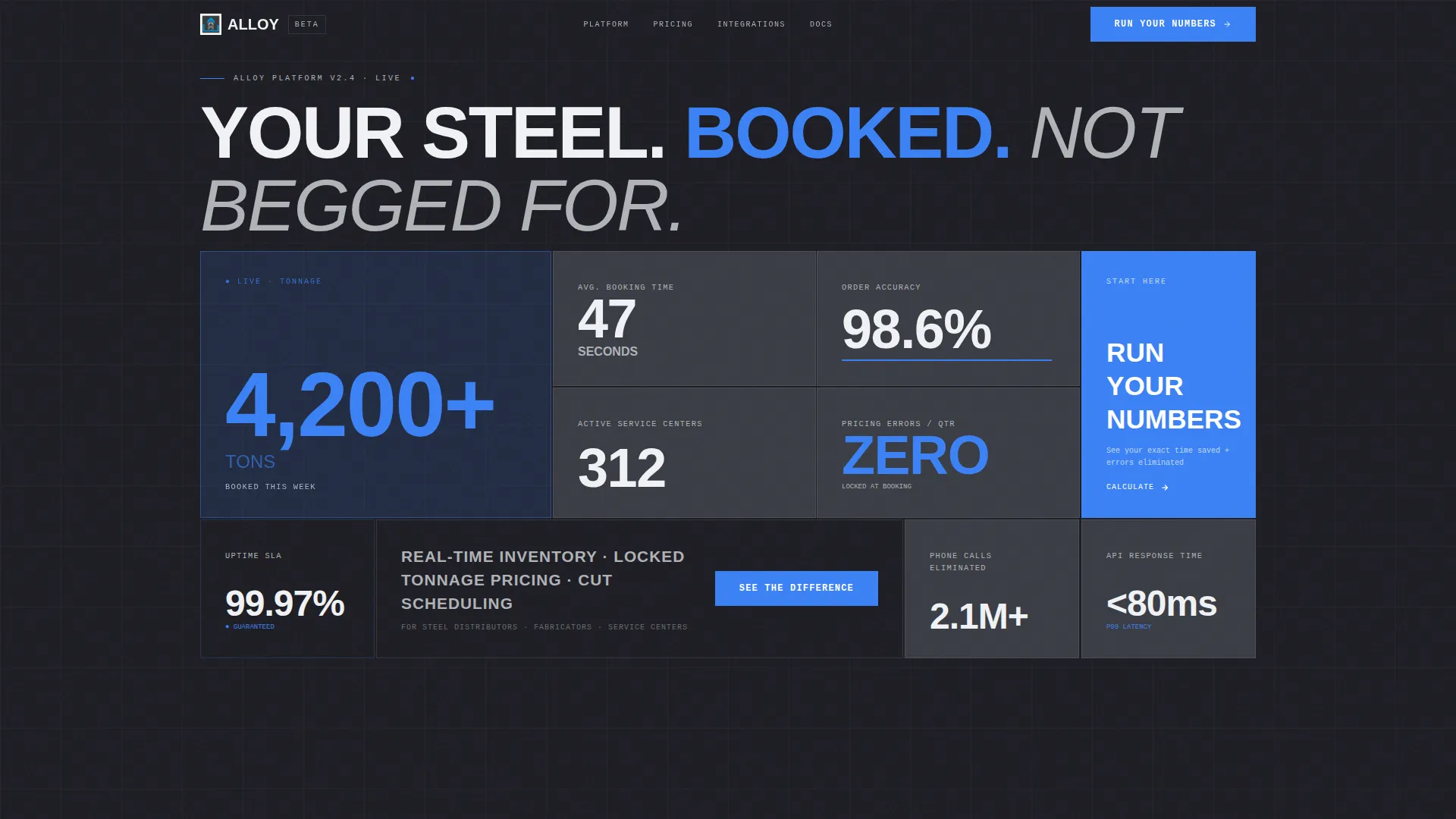
- A live metrics header grid with stat tiles showing booking time, order accuracy, tons booked, and active service centers
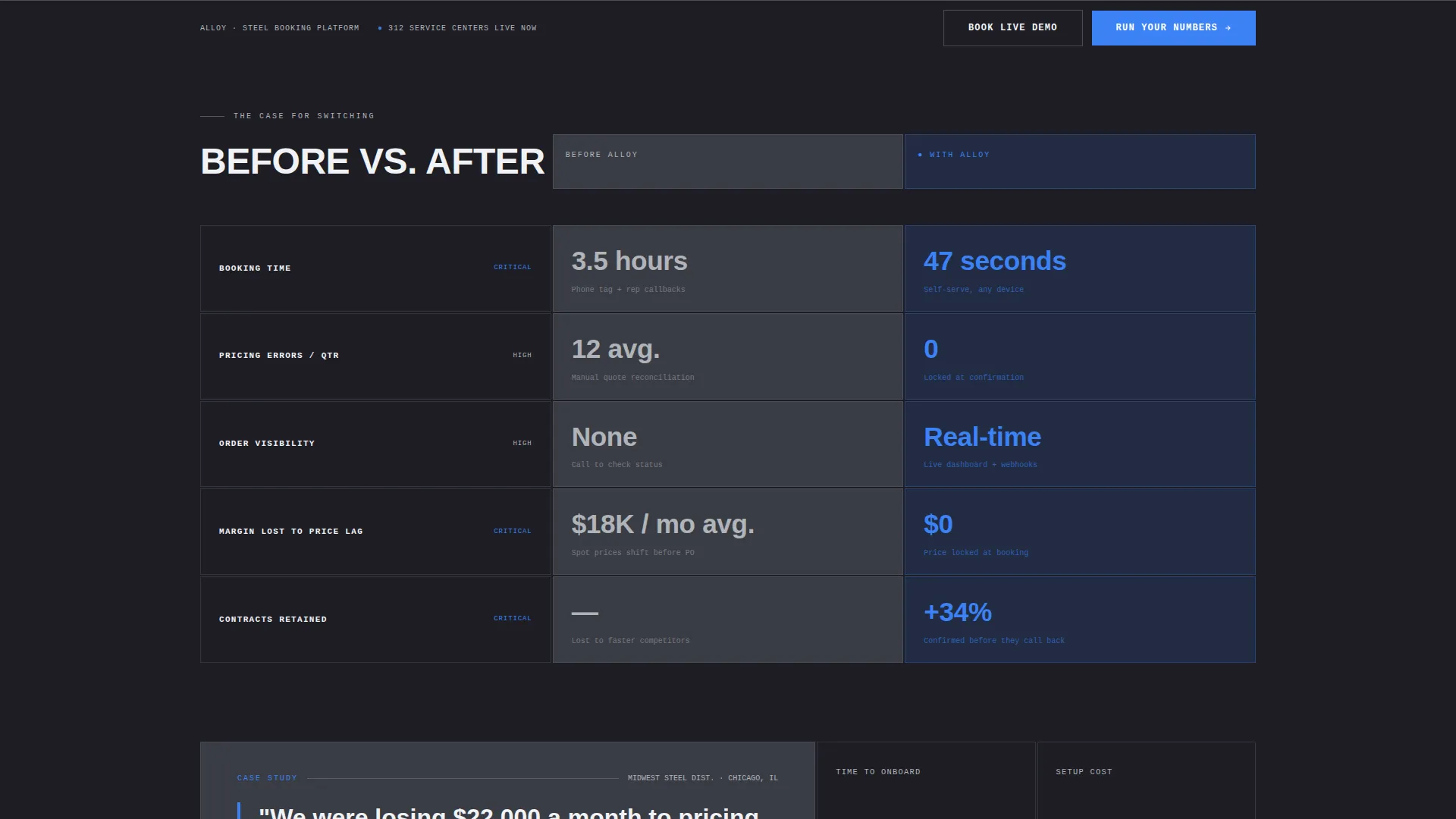
- A side-by-side Before and After comparison section with escalating metric rows and an embedded procurement manager quote
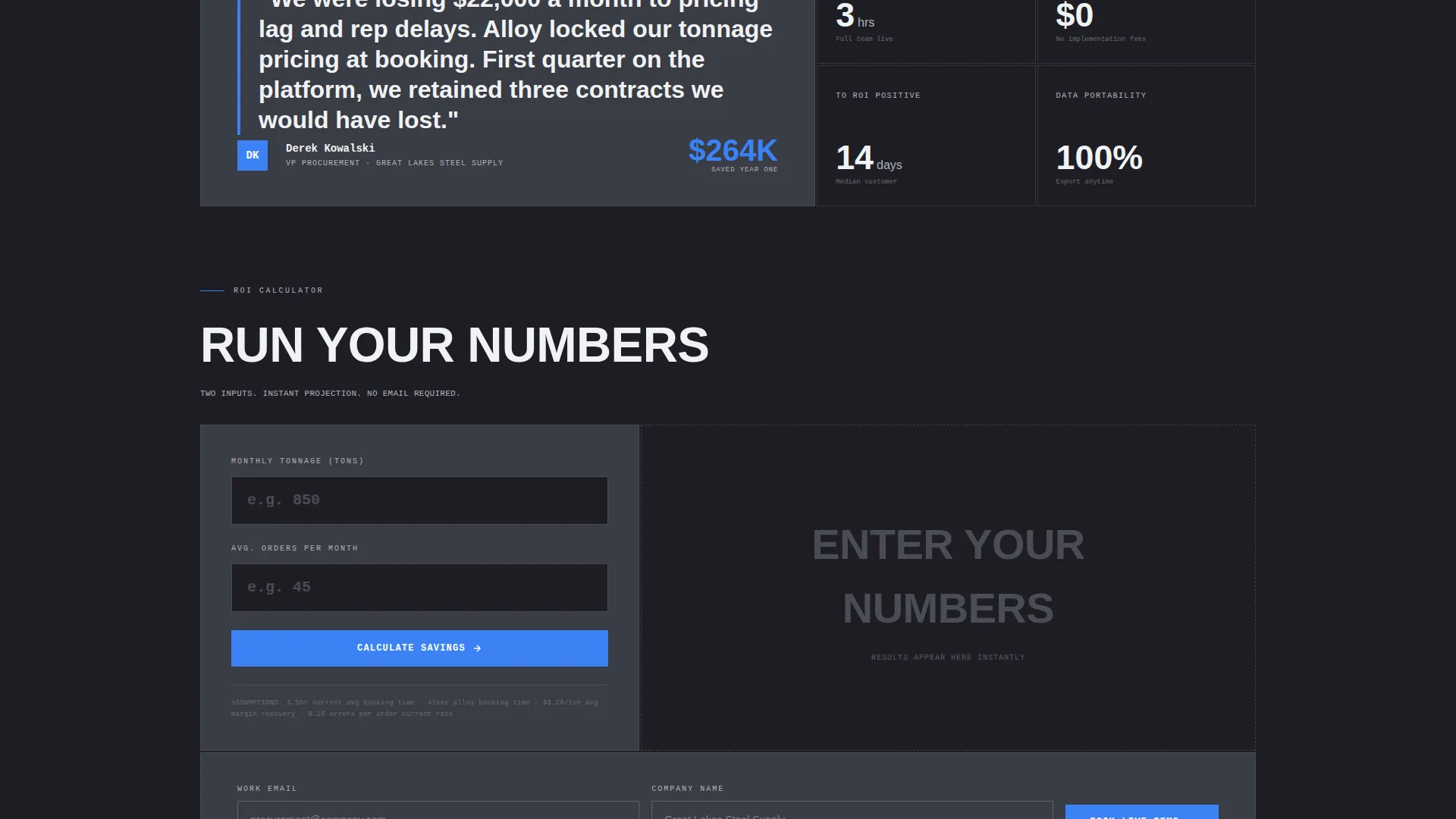
- A two-field ROI calculator tile and a secondary demo booking form with a persistent bottom call-to-action bar
Feature list
This section covers the core capabilities built into the Alloy template as described in the source brief.
Full-Viewport Metrics Header
The header fills the entire viewport with bento grid stat tiles. Each tile displays a real performance number in oversized condensed bold type. The open-sky blue color pulses on the most impressive figure, creating immediate visual hierarchy without any hero image or illustration.
Before and After Comparison Grid
A structured versus layout places "Before Alloy" and "With Alloy" columns side by side. Each row targets a specific metric: booking time, pricing errors, and order visibility. Tiles animate in with weight rather than fading, and the comparison escalates in impact as the user scrolls.
Embedded ROI Calculator
A bento tile in the header grid expands into a two-field calculator. Users enter their current monthly tonnage and average order frequency. The tool instantly returns projected time saved and error reduction compared to their current workflow.
Brutalist Bento Grid Layout
The entire page uses a bento grid structure that reshapes section by section. Tiles are hard-cornered, border-defined, and built on structural white space. The grid communicates precision and load-bearing reliability visually, not just verbally.
Persistent Bottom Call-to-Action Bar
After the first scroll, a fixed bottom bar repeats the primary call to action. This keeps the conversion path visible at every scroll depth without interrupting the content experience.
Mini Case Study Tile
Midway through the comparison grid, one tile expands to display a procurement manager quote in brutalist blockquote style. It bridges the metric argument with a human voice, adding trust without breaking the data-led flow.
Page sections overview
| Section | Purpose |
|---|---|
| Header Metrics Grid | Opens with full-viewport stat tiles and primary call to action tile |
| Before versus. After | Side-by-side workflow comparison with escalating metric rows |
| Case Study Tile | Expanded quote block from a procurement manager mid-grid |
| ROI Calculator | Two-field tool returning time saved and error reduction |
| Demo Booking Form | Secondary call to action with email and company name fields |
| Persistent call to action Bar | Fixed bottom bar repeating primary action after first scroll |
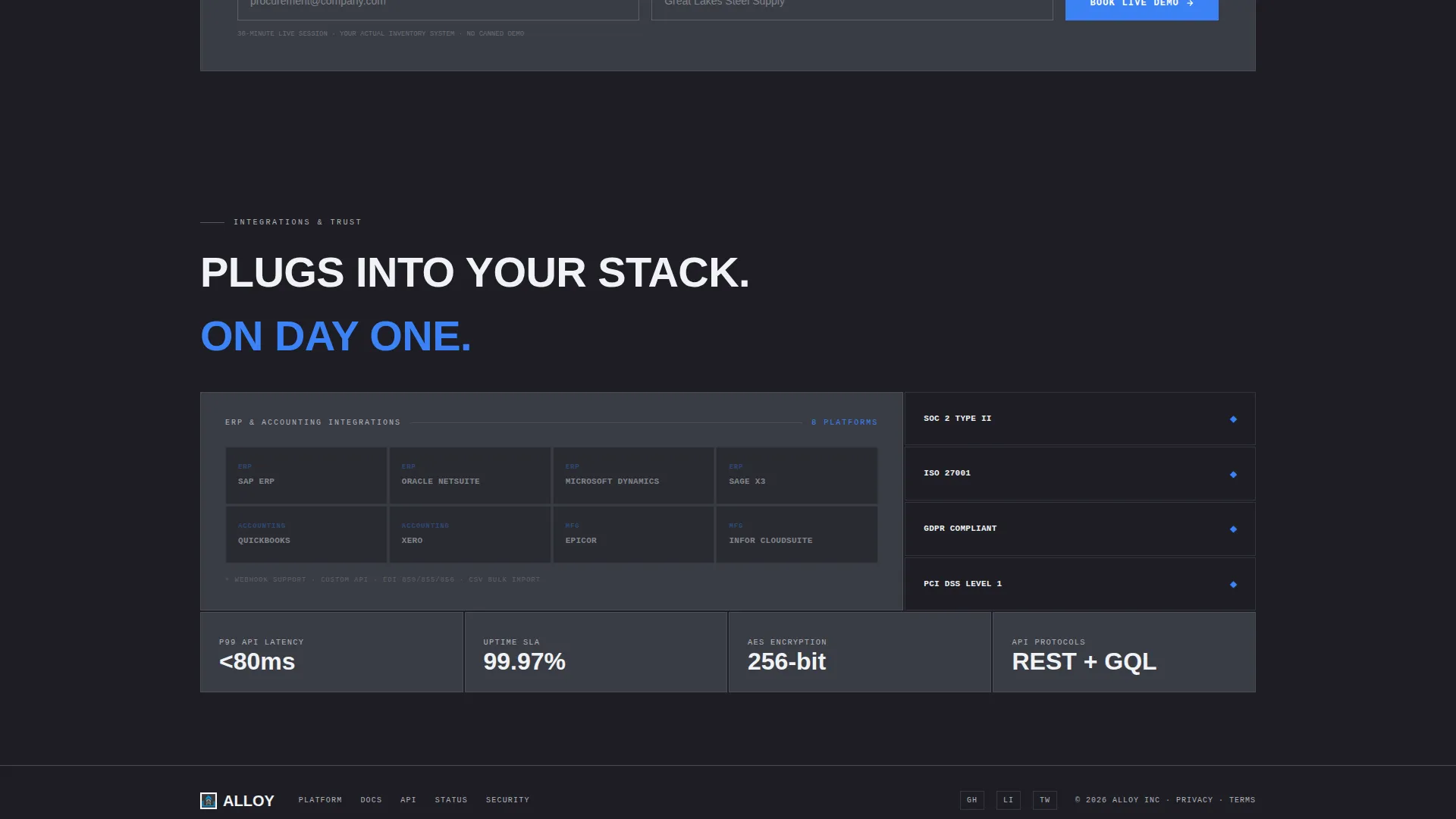
| Integration and Trust Row | Logos, certifications, and API data presented as stat tiles |
Design & branding system
The visual identity follows a Bold Brutalist theme built on the Slate and Sky color system. Every design decision reinforces the industrial precision of the product it promotes.
- Colors: structural charcoal (#1E1E24) as the dominant background, mill-scale gray (#3A3D45) for card surfaces, cold rolled silver (#B0B3B8) for secondary text, and open-sky blue (#3B82F6) for calls to action, active states, and data highlights
- Typography: oversized and unapologetically heavy throughout, with monospaced type used wherever data appears, and all-caps brutalist headings that carry physical weight
- Layout: hard borders, zero rounded corners, and structural white space that frames information rather than decorating it
Mobile & speed optimization
The bento grid structure is designed to reflow cleanly across screen sizes, keeping the data-first hierarchy intact on smaller viewports. Heavy type and high-contrast tiles remain legible without additional scaling adjustments.
- Stat tiles and comparison rows stack vertically on mobile without losing their visual sequence or escalating impact
- The persistent bottom call-to-action bar is particularly effective on mobile, staying visible as users scroll through the full comparison argument
How this template helps you convert
Alloy earns the conversion by proving its case in numbers before asking for any contact information. Every layout decision is built to move an industrial buyer from skepticism to action.
- The metrics header establishes credibility instantly by leading with real performance numbers at full scale, so buyers understand the product's value within the first few seconds of landing on the page.
- The before-and-after comparison section escalates from convenience to margin saved to contracts retained, mirroring the way procurement managers actually weigh a purchasing decision.
- The ROI calculator makes the value personal and quantified, and the secondary demo form appears only after the buyer has already seen projected savings specific to their own tonnage and order frequency.
Other information about this template
This template is designed as a standalone single-page build. It does not require a multi-page site structure to deliver its full conversion argument. The bento grid format is flexible enough to accommodate additional stat tiles or comparison rows as your platform grows.
- The template is categorized under Technology, specifically within the Steel Vertical SaaS subcategory and the steel booking system niche
- The Stats-First Impact creative direction means the page leads with data at every scroll depth, which aligns naturally with how metals industry buyers evaluate vendor claims
- The Comparison and Versus landing page direction is the primary conversion mechanism, making it suitable for competitive positioning against legacy procurement workflows
- The Bold Brutalist theme and Slate and Sky palette are intentional niche signals. They visually differentiate this page from standard SaaS templates in a way that resonates with industrial buyers
Theme
Bold Brutalist
Creative direction
Stats-First Impact
Color system
Slate & Sky
Style
Bento Grid
Direction
Comparison/Versus
Page Sections
Full-viewport Metrics Header Grid
Before and After Comparison Layout
Built-in ROI Calculator Tile
Brutalist Bento Grid Structure
Persistent Bottom Call-to-action Bar
Embedded Mini Case Study Tile
Related questions
Who is this template designed for?
Can I customize the stat numbers and comparison metrics?
Does the ROI calculator require backend development?
What makes this different from a standard SaaS landing page template?
Is this a single page or a multi-page template?



