Photography Digital Presence Blog & Content Website Template
Shutter is a hub-and-spoke photography management landing page template built for app downloads. It features a live dashboard header preview, animated section reveals, and a sticky mobile call-to-action. The void-and-violet color system creates a darkroom-monitor aesthetic. Wedding, portrait, and editorial photographers can see their bookings, galleries, invoices, and analytics all in one place.
by Rocket studio
Quick summary
Shutter is a single-page, anchor-nav landing page template for a photography management app. It opens with a full-viewport dashboard preview showing real session data, then guides visitors through five feature spokes: Bookings, Galleries, Invoices, Editing, and Analytics. The design runs on a dark void-and-violet palette with electric orchid accents that pulse on every interaction.
Who this template is for
This template is built for photographers who run a real business, not just a hobby. If you manage back-to-back shoots and hate chasing payments, this layout speaks your language directly.
- Wedding photographers handling dozens of weekend bookings every year
- Studio portrait shooters coordinating mini-session marathons and client galleries
- Freelance editorial photographers who lose billable hours to invoicing instead of editing
What problem this template solves
Most photographers cobble together five separate tools to run their business. Bookings live in one app, galleries in another, and invoices in a spreadsheet nobody updates. The result is chaos at exactly the wrong moment.
- Scattered client data that is hard to find mid-shoot or at midnight
- No single view of upcoming sessions, pending payments, and gallery delivery status
- A download page that fails to show the app working before asking for commitment
What you get with this template
You get a complete, single-page landing page designed to drive app downloads with confidence. Every section is built to show the product in action before the visitor decides.
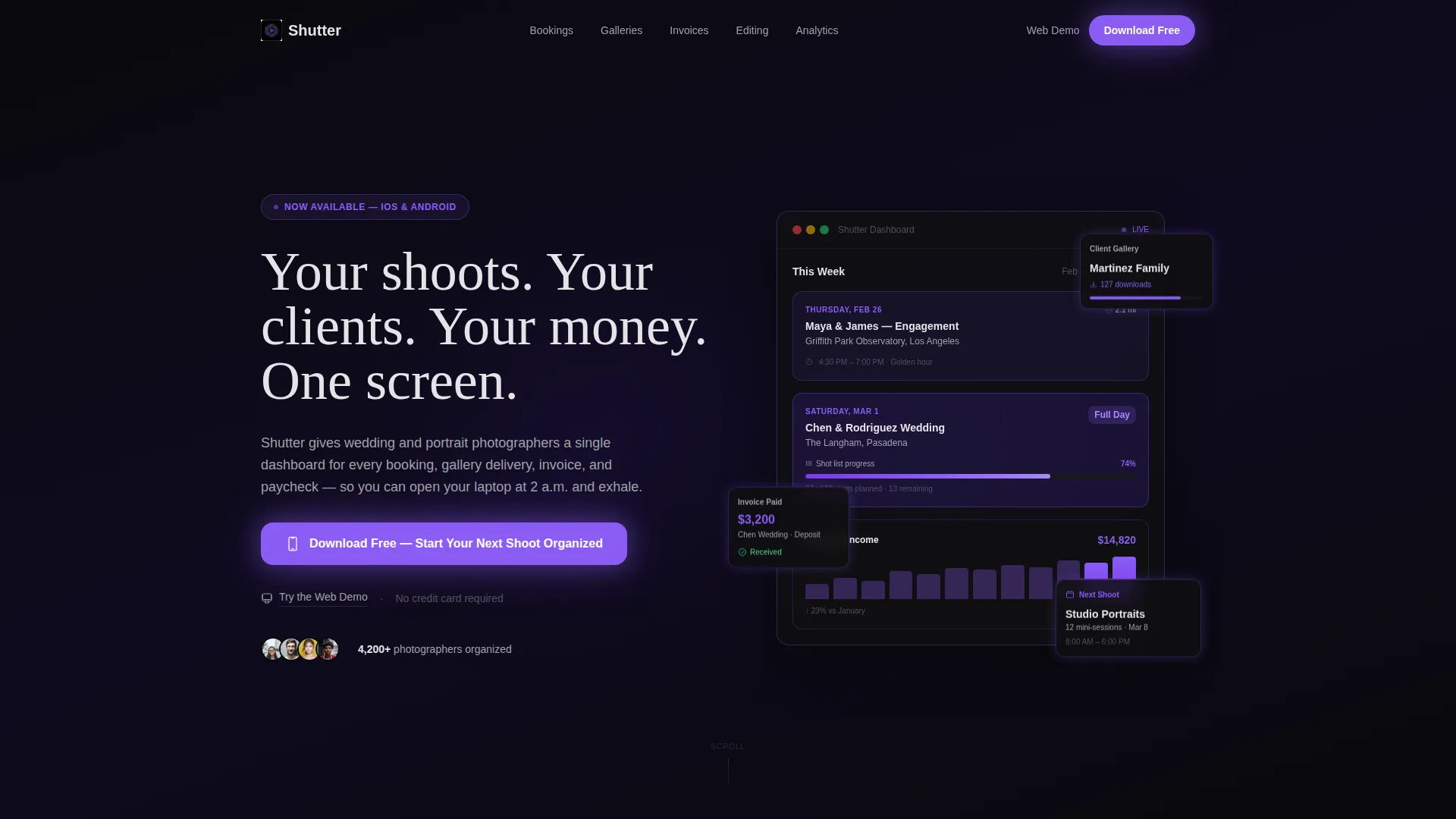
- A full-viewport dashboard header with live-looking session data, a map pin, a shot-list progress bar, and an income graph
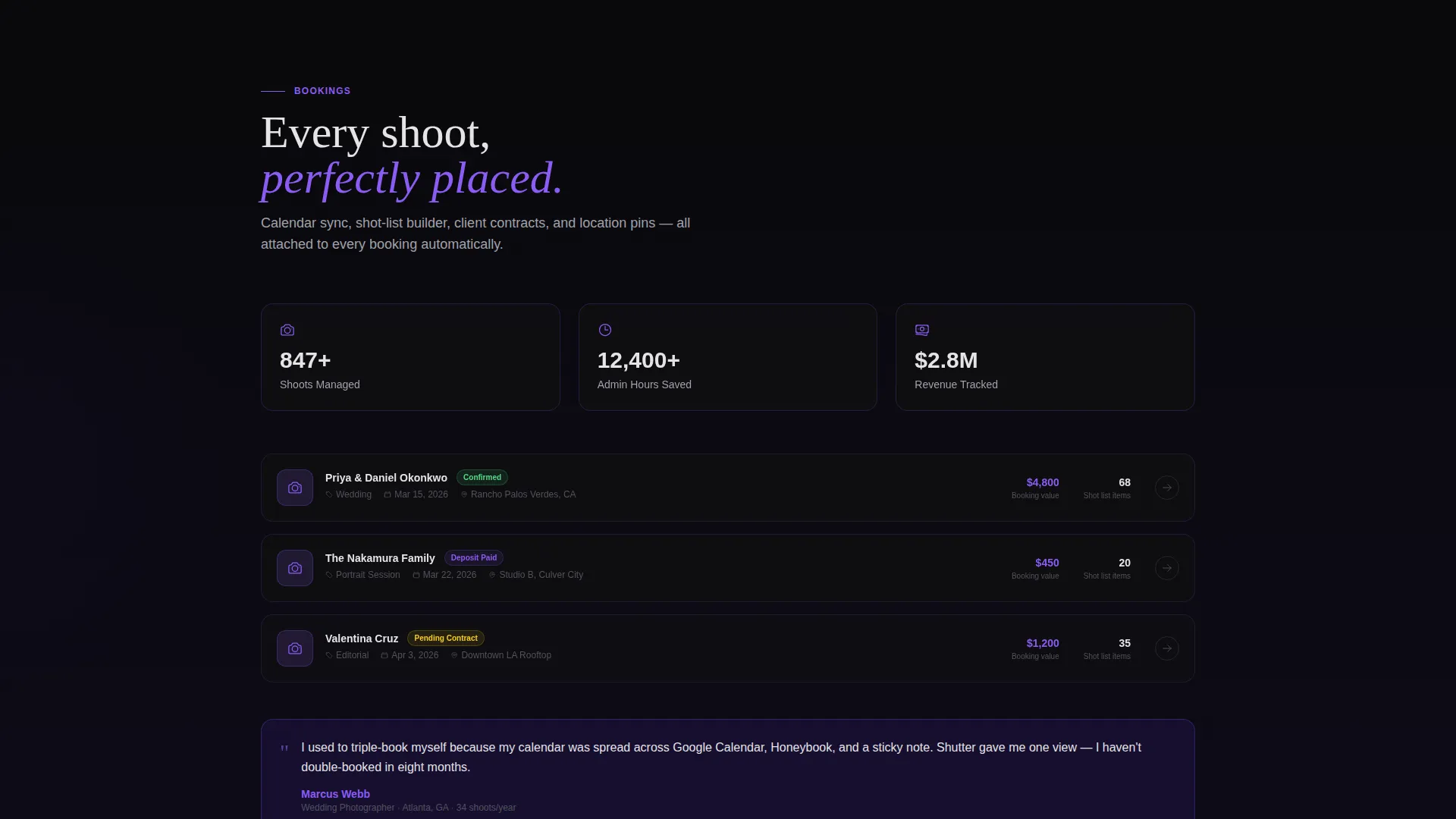
- Five anchor-linked spoke sections, each with animated user interface mockups that assemble on scroll and stat counters that count up from zero
- A primary download call-to-action in the header and a sticky bottom bar on mobile, plus a secondary web demo path for desktop visitors
Feature list
This section covers the core capabilities built into the Shutter template as described in the source brief.
Full-Viewport Dashboard Header
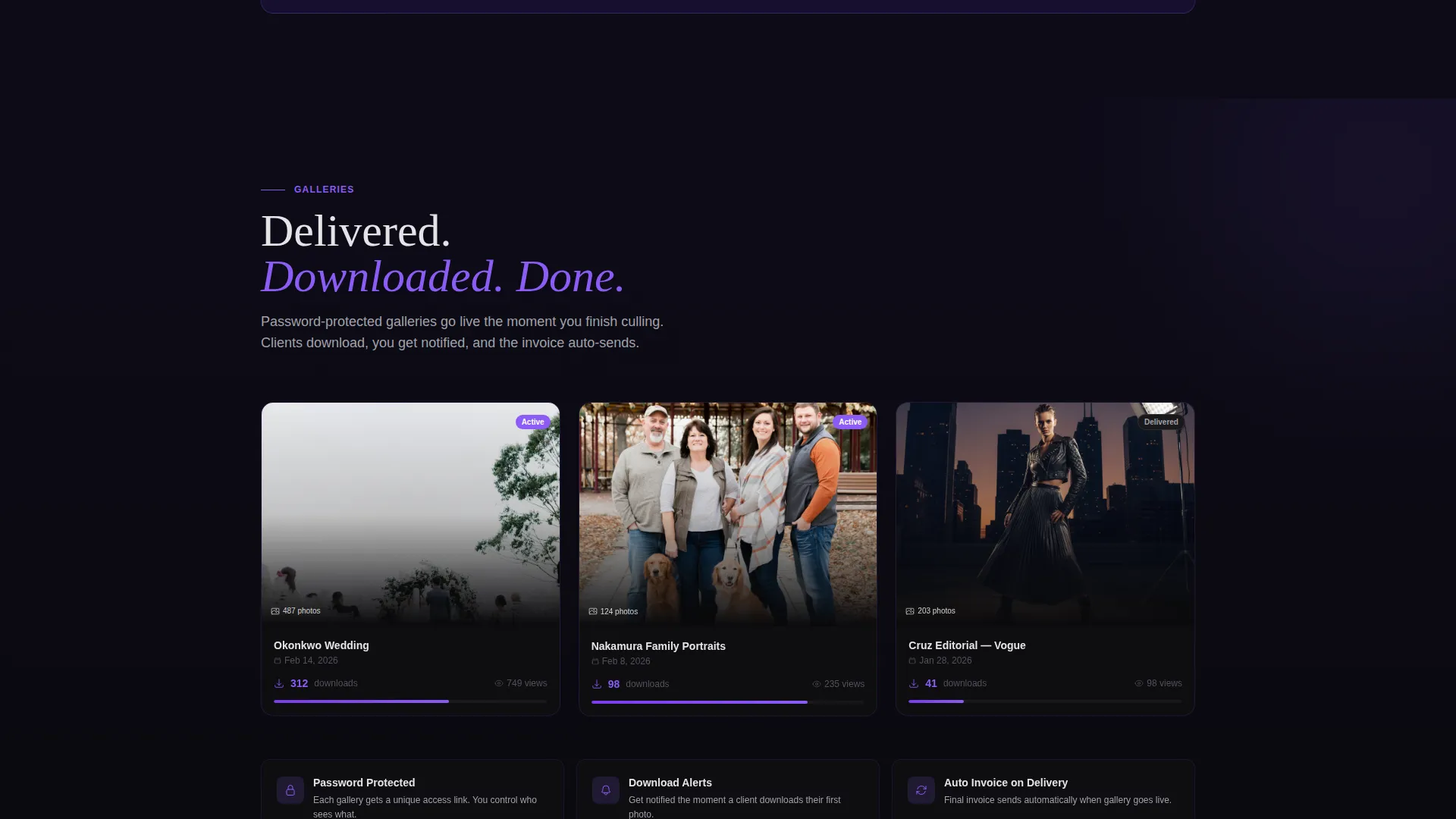
The header fills the entire screen with a pixel-perfect app interface mockup. It shows a real photographer's week: an engagement shoot with a map pin, a wedding with a shot-list progress bar at 74 percent, three client galleries with download counts, and an income graph climbing through the month. A subtle parallax effect makes the dashboard cards shift as the visitor scrolls.
Anchor Navigation with Five Spokes
A sticky anchor nav locks to the top of the page after the header. The five labeled sections are Bookings, Galleries, Invoices, Editing, and Analytics. Visitors can jump directly to the spoke that matters most to them without scrolling past content they do not need.
Animated Section Reveals
Each spoke section activates as the visitor arrives. user interface mockups assemble piece by piece, and numerical stat counters spin up from zero. This reveal pattern builds momentum across the full page, reinforcing the idea that the app is already running and ready.
Dual Conversion Path
The primary call-to-action reads "Download Free, Start Your Next Shoot Organized" and appears in both the header and as a sticky mobile bottom bar. Tapping opens a two-step flow to choose iOS or Android and receive a download link. A secondary "Try the Web Demo" path serves desktop visitors who want to explore the dashboard before committing.
Micro-Testimonial Integration
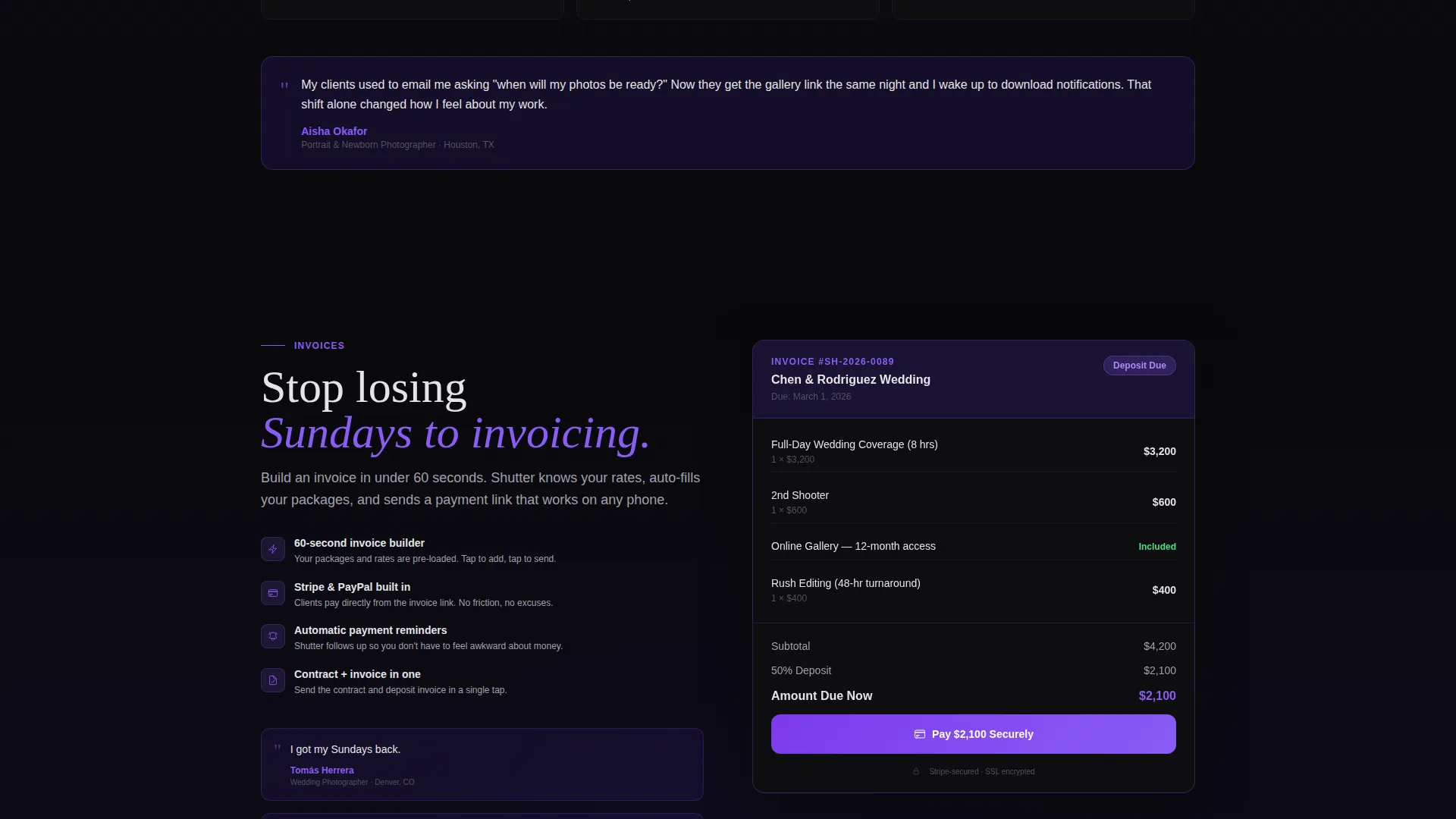
Each spoke section includes short, direct quotes from real photographers. These micro-testimonials appear inline with the feature reveal, grounding the product claims in lived experience and keeping trust signals close to the moment of consideration.
Void and Violet Color System
The entire visual identity is built on absolute void black for backgrounds, deep ultraviolet for structural depth, electric orchid for active states and data highlights, and cool silver-white for typography and card surfaces. Every interactive element pulses orchid on hover, creating a consistent tactile feel throughout the page.
Page sections overview
| Section | Purpose |
|---|---|
| Dashboard Header | Show the app working with real session data and a typing headline |
| Anchor Nav Bar | Lock five spoke links to the top for instant section access |
| Bookings Spoke | Reveal booking management user interface with animated mockup and stat counter |
| Galleries Spoke | Display client gallery delivery view with download count animation |
| Invoices Spoke | Present invoicing flow with payment status indicators |
| Editing Spoke | Highlight editing workflow integration within the dashboard |
| Analytics Spoke | Show income graph and shoot performance data in context |
| Download call to action Bar | Drive app download with iOS and Android two-tap flow |
| Web Demo Path | Offer desktop visitors a clickable dashboard preview before download |
Design & branding system
The Shutter template uses a Dashboard Pro theme with a Void and Violet color system. The palette is designed to feel like a darkroom lit only by a single monitor: everything recedes into the dark so the information glows.
- Backgrounds stay in absolute void black (#09090B), with deep ultraviolet (#2D1B69) providing structural depth behind cards and sections
- Cards float on faint violet borders, and electric orchid (#8B5CF6) activates on hover states, data highlights, and interactive elements
- Typography and card surfaces use cool silver-white (#E4E4E7), keeping text crisp and readable against the dark foundation
Mobile & speed optimization
The template is built with mobile photographers in mind. The sticky download bar ensures the primary call-to-action is always reachable without scrolling back to the top.
- A persistent floating call-to-action pulses brighter as the visitor scrolls deeper, mirroring the energy of the app itself
- The sticky bottom bar on mobile keeps the download prompt visible at all times during the browsing session
- The two-tap download flow reduces friction: pick a platform, receive the link, and start immediately
How this template helps you convert
The Shutter template earns the download by letting the visitor experience the app before they commit. Every design choice is aimed at reducing hesitation and building trust quickly.
- The full-viewport dashboard header puts real data on screen immediately, so the visitor is mentally inside the app within seconds of landing on the page
- Animated mockups and counting stats in each spoke section create forward momentum, making the scroll feel like a natural progression toward signing up
- The dual-path conversion model gives desktop visitors a low-commitment demo option while mobile visitors get a direct, frictionless download prompt
Other information about this template
Shutter is categorized under Technology and Photography Digital Presence, making it a strong fit for photography business tools and app marketing pages. The template style is Hub and Spoke with anchor navigation, and the creative direction follows a Launch Energy approach.
- The header concept is Dashboard Preview, a format that shows real product interface instead of abstract graphics
- The landing page direction is App Download, with both iOS and Android paths built into the primary call-to-action flow
- This template is suitable for any photography management app that wants to demonstrate its dashboard before asking for a download commitment
Theme
Dashboard Pro
Creative direction
Launch Energy
Color system
Void & Violet
Style
Hub & Spoke (Anchor Nav)
Direction
App Download
Page Sections
Full-viewport Dashboard Header
Five-spoke Anchor Navigation
Animated Section Reveals
Dual-path Download Conversion
Micro-testimonial Integration
Void and Violet Visual System
Related questions
Who is this landing page template designed for?
Can I customize the dashboard mockup shown in the header?
What does the two-tap download flow include?
Does the template include a working web demo connection?
Is Shutter suitable as a photography portfolio or client gallery site?



