Photography Digital Presence Cost Estimator Website Template
Aperture is a dashboard-style photography knowledge base landing page template built for working photographers, camera store staff, and serious hobbyists. It opens with a live depth-of-field calculator rendered in monospaced code, then unfolds interactive exposure tables, a bokeh simulator, and advanced reference tools, all before asking for a single commitment.
by Rocket studio
Quick summary
Aperture is a single-page, dashboard-style template designed around one idea: prove your value before asking for anything. The page opens with a terminal-style depth-of-field calculator, then leads visitors through escalating interactive tools, exposure equivalence, crop factor comparisons, a bokeh simulator, and advanced optical references. Every section teaches by letting visitors manipulate real variables.
Who this template is for
This template is built for anyone who needs a photography knowledge base that feels instantly useful. Choosing a website template that aligns with your photography style is crucial for making a lasting impression on the right audience.
- Working photographers who need quick technical answers mid-shoot
- Camera store staff settling lens debates at the counter
- Serious hobbyists deep in a rabbit hole at 2 a.m. chasing f/8 sharpness on micro four-thirds
What problem this template solves
Most photography reference sites front-load registration walls before showing any real value. Visitors leave before they trust the product. This template flips that process entirely.
- It lets visitors use real, working tools before any sign-up form appears
- It escalates complexity naturally, from basic exposure math to MTF curve reading, so depth becomes self-evident
- It earns the click rather than demanding it
What you get with this template
You get a complete, single-page layout structured around five tightly designed sections. Templates like this one include pre-designed pages and sections that can be mixed and matched for a flexible layout, and this template delivers exactly that discipline.
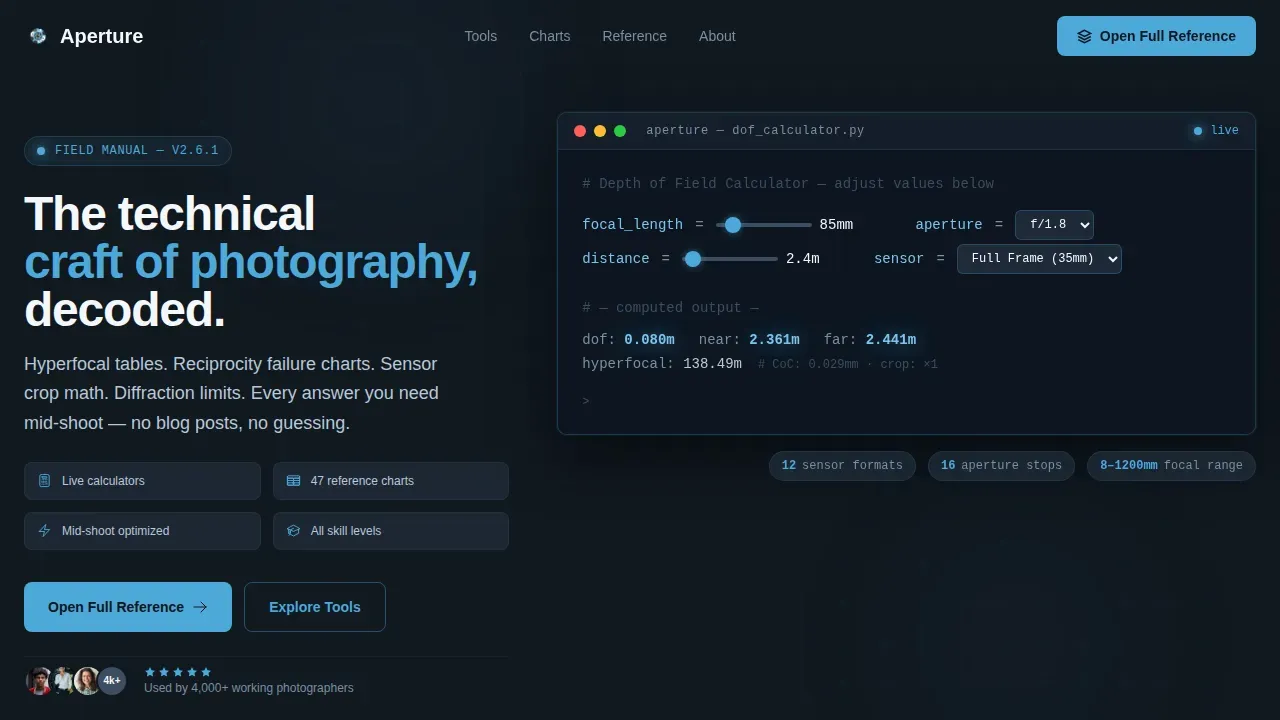
- A hero terminal block with a live depth-of-field calculator using JetBrains Mono typography
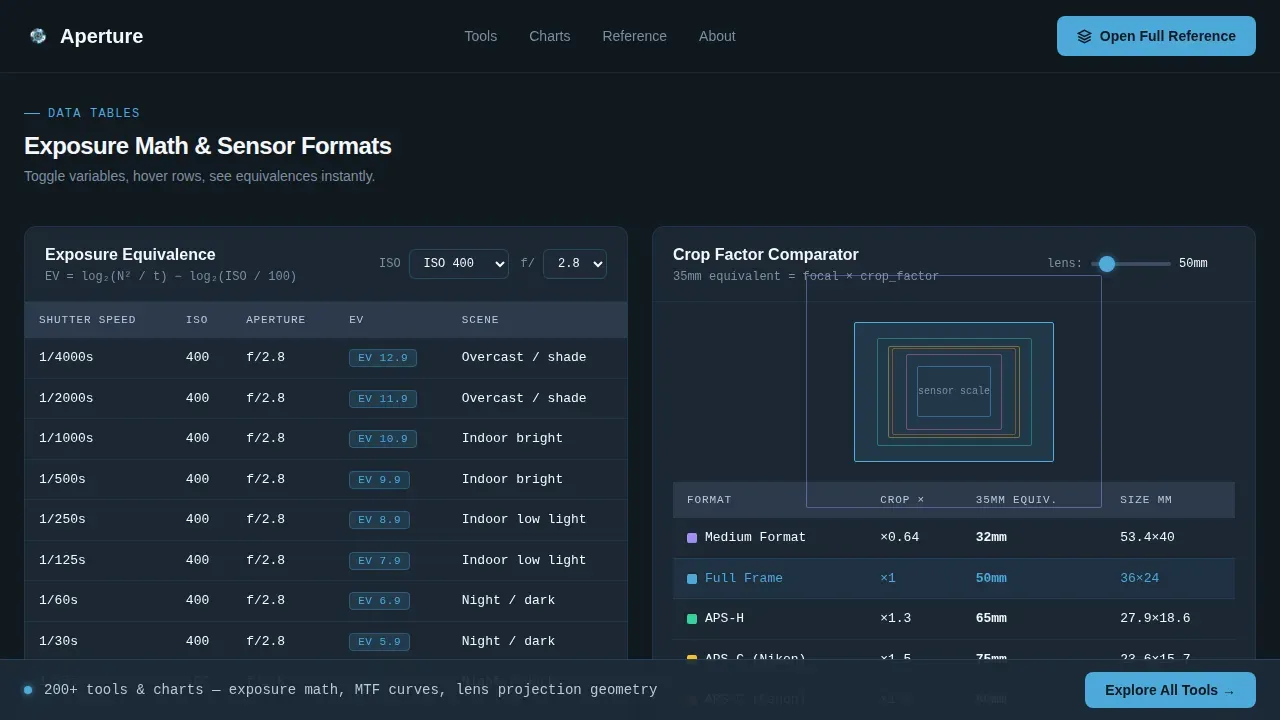
- An interactive data grid with exposure equivalence tables, crop factor comparisons, and a bokeh aperture simulator
- An advanced tools preview section plus a focused call-to-action block and a clean linear footer
Feature list
This template ships with a focused set of features built directly from the brief. Every element is intentional and prompt-grounded.
Live Depth-of-Field Calculator Block
The hero section displays a monospaced code block styled as a terminal window. Pre-filled inputs include focal length, aperture, subject distance, and sensor format. The computed output renders below the inputs, with the accent blue pulsing subtly on live values. It signals immediately: this is a tool, not a blog.
Interactive Exposure and Crop Factor Data Grid
Below the hero, a card-based data grid showcases exposure equivalence tables and crop factor comparisons across sensor sizes. Each card widget includes toggleable inputs so visitors can manipulate variables directly. This visual, hands-on approach helps photographers understand aperture relationships without reading a wall of text.
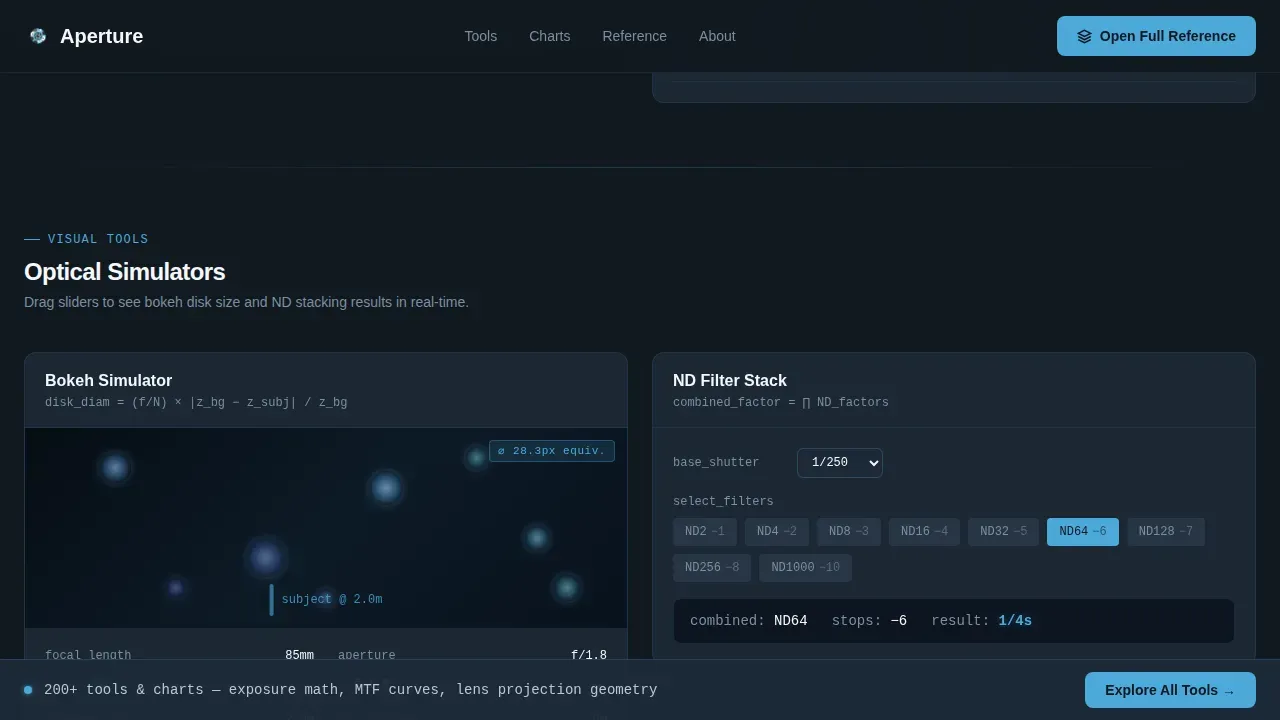
Bokeh Aperture Simulator
A dedicated simulator card lets visitors adjust an aperture slider and see the visual bokeh depth shift in real time. Showing before-and-after examples through interactive controls illustrates the effects of aperture choices far more effectively than static explanations alone.
Escalating Advanced Tools Preview
After the bokeh simulator, the page introduces progressively specialized reference tools: flash guide number charts, color temperature conversion, and lens projection geometry. Each tool proves a deeper layer of the knowledge base sitting behind the call-to-action, building trust through demonstrated depth.
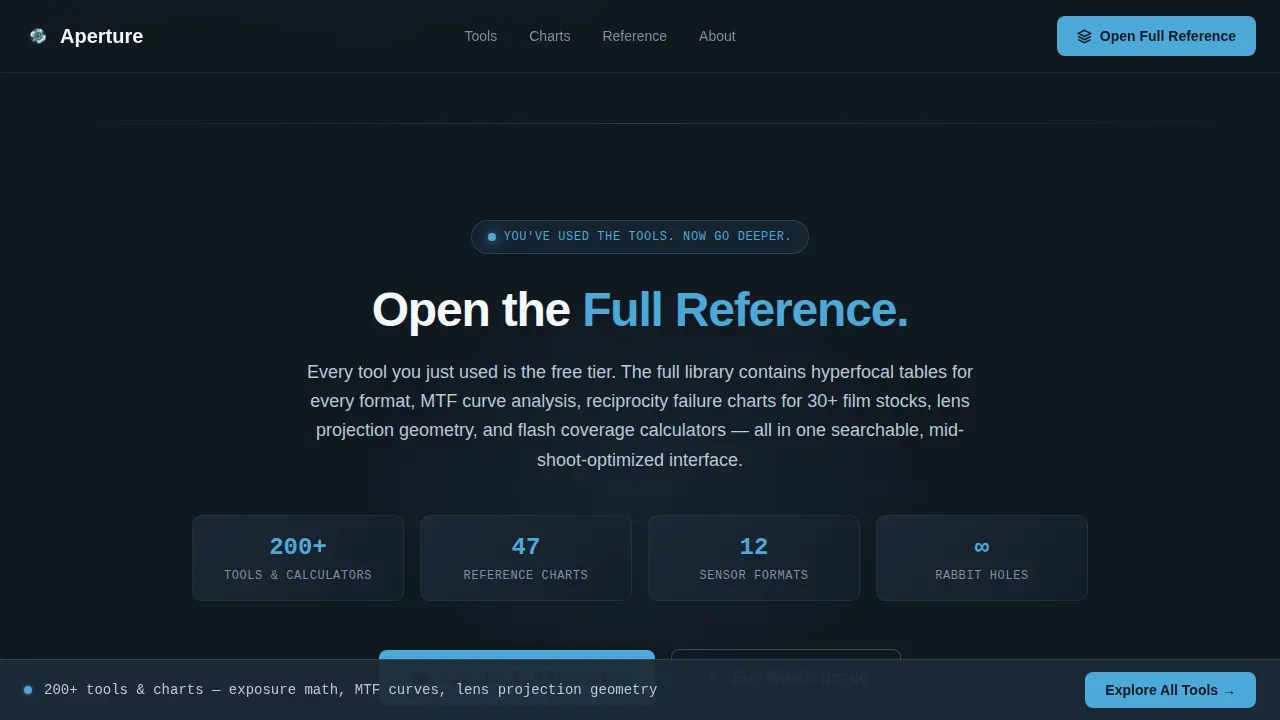
Conversion-First Call-to-Action Structure
The primary call-to-action, "Open the Full Reference," appears only after the visitor has already interacted with three tools. A secondary sticky bar reading "Explore All 200+ Tools and Charts" appears on scroll. No form fields on the page itself, the click routes to a separate registration page.
Minimal Single-Goal Layout
Minimal navigation keeps visitors focused on the knowledge base content and the tool interactions. A single-goal layout removes distractions, keeping users focused on the content's primary purpose throughout the scroll.
Page sections overview
| Section | Purpose |
|---|---|
| Hero Calculator Terminal | Live depth-of-field tool as header |
| Exposure Data Grid | Interactive equivalence and crop tables |
| Bokeh Aperture Simulator | Aperture slider with visual depth preview |
| Advanced Tools Preview | MTF, flash, and color temperature cards |
| Call-to-Action Block | Primary "Open the Full Reference" prompt |
| Linear Single-Row Footer | Clean close with minimal site links |
Design & branding system
The visual identity follows a dark dashboard aesthetic built on the Slate and Sky color scheme. The palette feels like a camera's rear LCD glowing in a dim studio, precise information against controlled darkness, every point of contrast intentional.
- Deep darkroom slate (#1E2A38) as the base, gunmetal (#3B4D61) for card surfaces, clear-sky blue (#4DA8DA) on interactive elements and computed output highlights, and lens-flare white (#F4F7FA) for typography
- JetBrains Mono for all code and data displays, paired with DM Sans for body and interface text, with staggered card reveals and scroll-linked interactions reinforcing the field-manual craft feel
Mobile & speed optimization
The template is desktop-first by design, matching the primary use case of a mid-shoot reference on a tablet or laptop. Responsive design ensures the layout adapts cleanly to every screen size, including mobile browsers for secondary access.
- The layout scales across screen sizes without breaking the data grid or calculator block proportions
- Client-side components handle the interactive calculators while static sections remain lightweight, helping fast loading times that reduce bounce rates significantly
How this template helps you convert
An effective landing page for a knowledge base requires visual storytelling and trust-building elements working together. This template is built around that principle from the first scroll.
- Visitors use real tools before encountering any call-to-action, so the value is demonstrated rather than claimed, a strong first impression that converts on credibility alone
- The escalating complexity structure moves visitors from basic exposure math to advanced optical tools, making the case for the full 200+ tool library without a single marketing sentence
- The sticky secondary bar and placement-timed primary call-to-action create two conversion touchpoints without interrupting the experience or asking for more than a single click
Other information about this template
This template is available on the framer marketplace as a premium framer template built for photography knowledge base products. It is a best selling style of template for photography-focused SaaS and reference tools. Designers and creative freelancers building photography business products will find the layout immediately useful.
- The aperture professional photography knowledge base landing page template is listed among the top picks in the framer marketplace for photographers showcase use cases
- It is a premium framer template that supports a custom domain connection through framer pro, and you can publish your site without any coding skills using the visual editor
- You can customize colors, swap your logo, easily add your own content, and adjust styles across the full template without touching a single line of code
- Framer pro users receive unlimited support, and the template works alongside other templates in your framer library for multi-project workflows
- The template is designed to help photographers attract more clients and generate more bookings by letting the site's functionality speak before the call-to-action does
- It helps your photography website stand out, make a lasting impression on customers, and create a fantastic strong first impression in a world of generic portfolio pages
- SEO-ready structure means Google can index your page content clearly; descriptive page details and section headings support discoverability
- The template cost is a one-time purchase through the framer marketplace; no recurring builder fees apply beyond your chosen framer plan
Theme
Dashboard Pro
Creative direction
Calculator/Tool First
Color system
Slate & Sky
Style
Dashboard/Data Grid
Direction
Click-Through
Page Sections
Live Depth-of-field Calculator Hero
Interactive Exposure and Crop Factor Grid
Visual Bokeh Aperture Simulator
Escalating Advanced Tools Preview
Conversion-timed Call-to-action Placement
Minimal Single-goal Page Layout
Related questions
Do I need coding skills to customize this template?
What sections are included in the Aperture template?
Is this template suitable for mobile visitors?
Can I connect a custom domain to this site?
How does this template help attract more bookings and clients?



