Apex — Graph Database Landing Page Template
Traverse is a bento grid landing page template built for graph database research labs. It leads with a live, interactive graph visualization, a latency calculator, and tool-first bento tiles that let engineers feel the speed before committing. The design runs on a deep terminal aesthetic with electric teal accents and drives toward a direct engine installation.
by Rocket studio
Quick summary
Traverse is a single-page, bento grid landing page template designed for a graph database research lab. It opens with a manipulable, force-directed graph visualization above the fold, then unfolds a set of interactive tool tiles below. The page earns engineer trust through direct experimentation, and closes with a clean install-focused call to action.
Who this template is for
This template is built for technically sophisticated teams who need to communicate speed, depth, and production-readiness to a demanding audience. It speaks directly to engineers and decision-makers, not to general consumers.
- Infrastructure engineers who need to demonstrate real-time relationship query performance to stakeholders
- Data scientists and backend developers evaluating graph database engines for large-scale production use
- Chief technology officers at growth-stage startups who want to drive engine installs from a single, high-conviction page
What problem this template solves
Most database product pages rely on static benchmarks, marketing copy, and PDF white papers. That approach fails with technical buyers who distrust anything they cannot touch themselves. Traverse flips the script by making the page itself a proof of performance.
- Engineers bounce from pages that claim speed without showing it interactively
- Teams evaluating graph engines need side-by-side comparisons, not one-sided testimonials
- Install conversion suffers when the path from curiosity to download involves too many steps
What you get with this template
Traverse delivers a fully structured landing page built around hands-on exploration. Every section is a functional tile, not a static brochure panel.
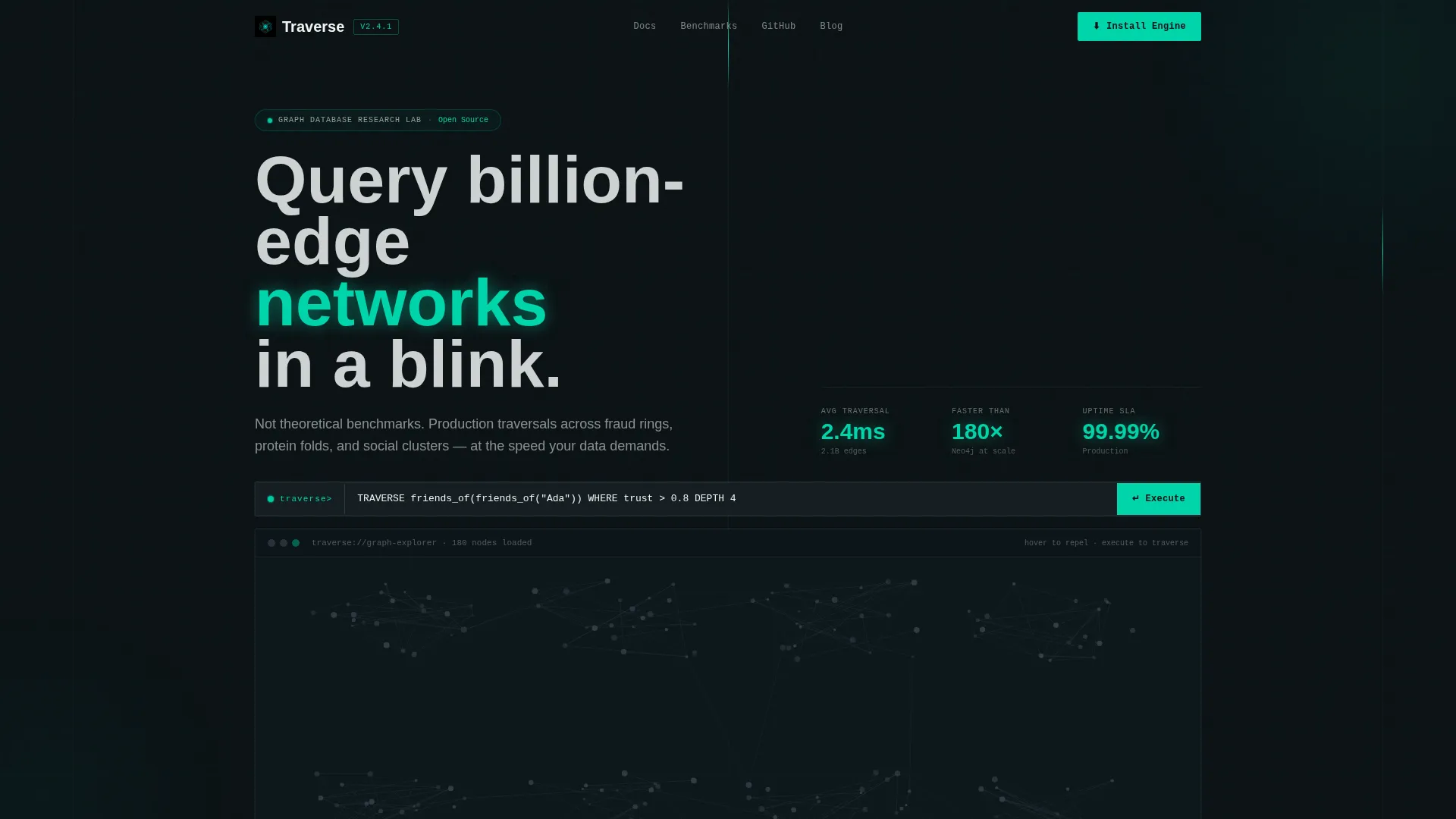
- An above-the-fold interactive graph preview with 200 force-directed nodes, teal-pulsing edges, a live query bar, cascading traversal animation, and a real-time latency badge
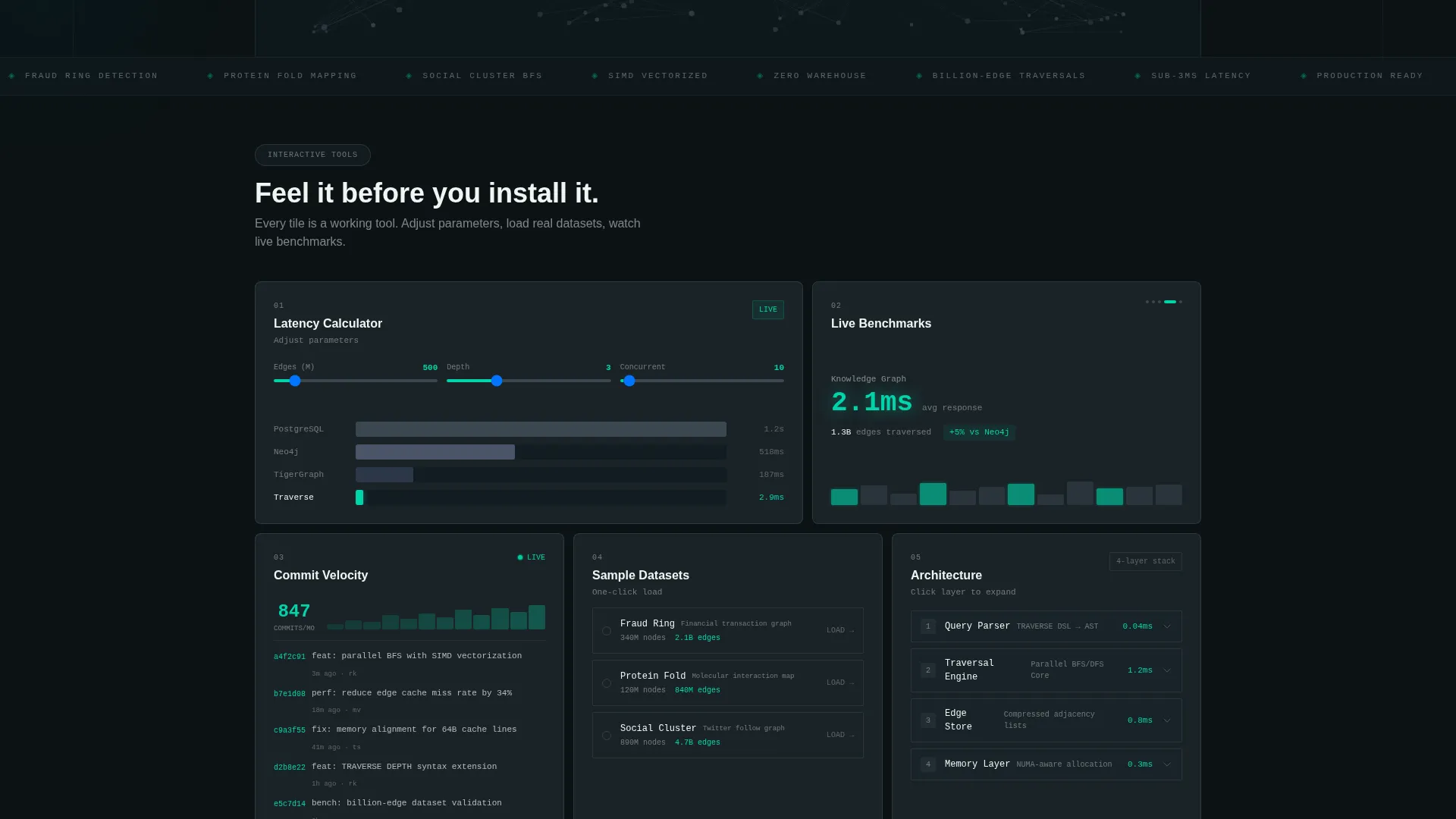
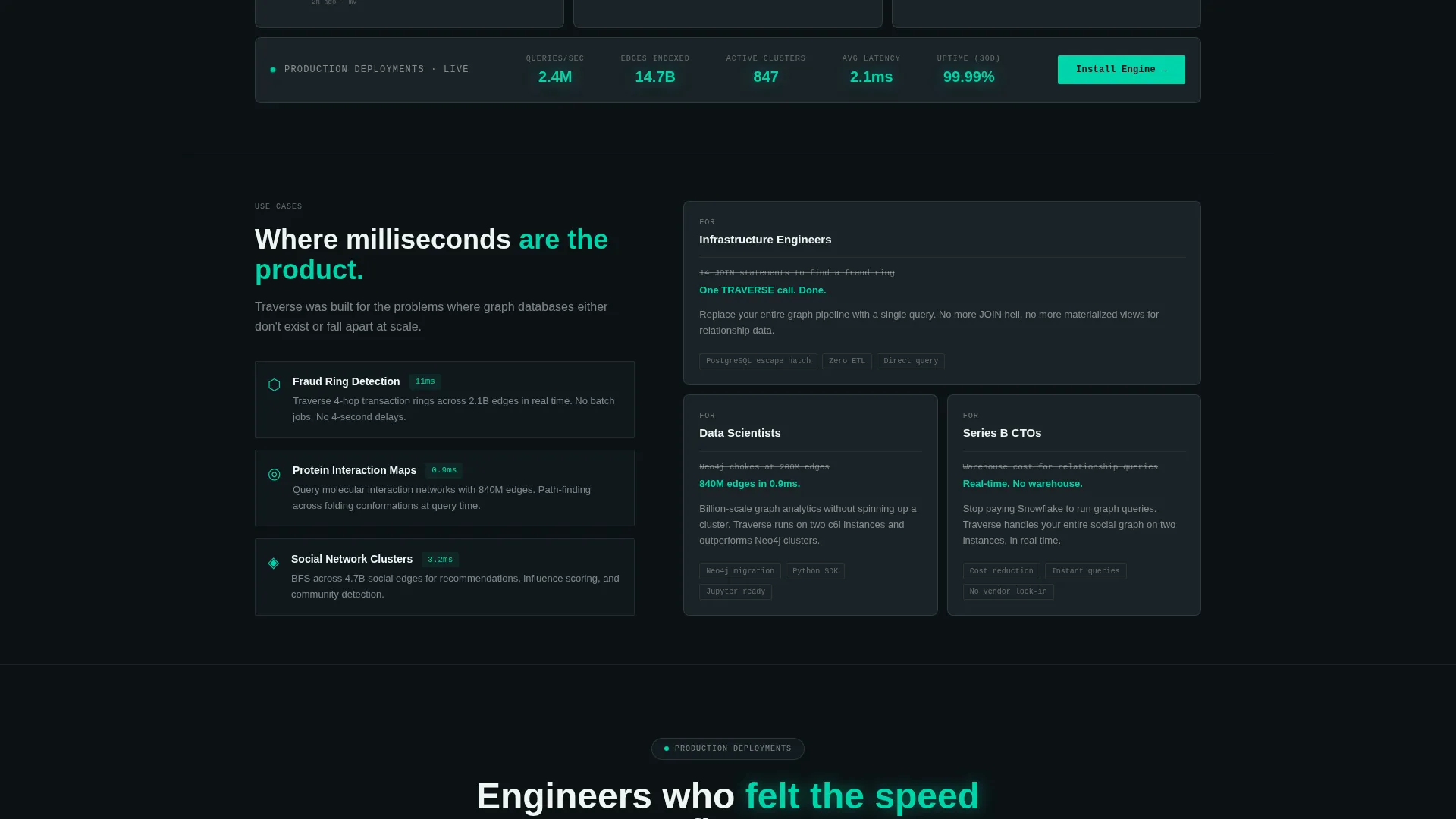
- A bento grid section with a latency calculator, benchmark ticker, GitHub commit velocity tile, sample dataset loader, and expandable architecture diagrams
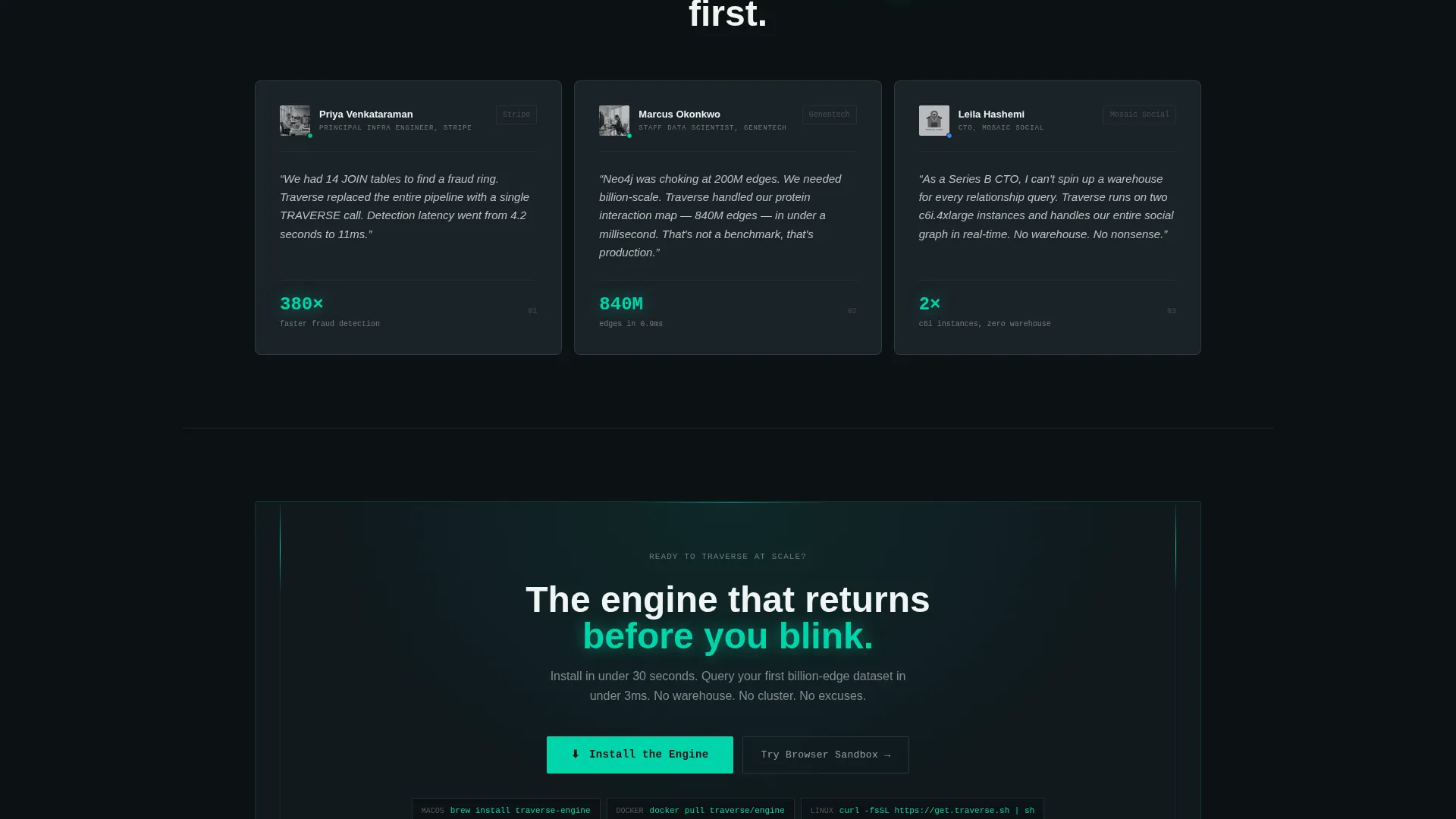
- A conversion-focused install modal with a macOS one-liner, a Docker pull command, a Linux binary selector, and a browser sandbox path that captures an email for a 15-minute live environment
Feature list
This section covers the core built-in capabilities that make Traverse function as a conversion tool for a graph database product.
Live Interactive Graph Visualization
The header embeds a force-directed graph with 200 floating nodes. Edges pulse in electric teal as the visitor hovers. The graph responds to touch, zoom, and drag interactions, giving every visitor an immediate tactile sense of the engine's topology.
Pre-loaded Query Bar with Traversal Animation
A query bar sits at the top of the header preview, pre-loaded with a sample Cypher-like command. Pressing enter triggers a visible node cascade, a real-time result counter, and a latency badge that flashes the response time in milliseconds.
Latency Calculator Tile
Engineers input their edge count, query depth, and concurrent user count. The calculator animates projected response times against competitor bars rendered in dim gray, while the lab's engine result glows teal and registers near the baseline of the scale.
Bento Grid Tool Tiles
Adjacent tiles surface live GitHub commit velocity, a benchmark ticker, a one-click sample dataset loader, and architecture diagrams that expand on hover. Each tile invites a direct interaction rather than passive reading.
Install Modal with Multiple Paths
The primary call to action opens a slim modal offering three install options. Engineers can choose a brew install one-liner, a Docker pull command, or a binary download for Linux distributions. A secondary path offers the browser sandbox environment.
Persistent Bottom-Bar Call to Action
After the visitor interacts with at least one tool tile, a persistent bottom bar appears with the "Install the Engine" prompt. The bar surfaces contextually, tying install intent to demonstrated engagement rather than interrupting the experience upfront.
Page sections overview
| Section | Purpose |
|---|---|
| Header Query Preview | Hosts the interactive graph visualization, pre-loaded query bar, traversal animation, and latency badge |
| Latency Calculator Tile | Lets engineers input parameters and watch projected response times animate against competitor bars |
| Benchmark Ticker Tile | Displays live benchmark numbers in a compact, auto-updating format |
| GitHub Commit Velocity | Shows real development momentum through a live commit activity feed |
| Sample Dataset Loader | Offers a one-click path to load test data directly within the page |
| Architecture Diagram Tile | Presents expandable system architecture diagrams that open on hover |
| Install call to action Modal | Surfaces install options including brew, Docker, and Linux binary paths |
| Browser Sandbox Path | Captures an email in exchange for a 15-minute live engine environment |
| Persistent Bottom Bar | Reappears after tool interaction to keep the install call to action visible |
Design & branding system
The visual identity runs on a Teal Catalyst color system built to feel like a terminal session at peak focus. Every color choice reinforces the sense of live computation and technical precision.
- Deep terminal black (#0B1215) as the primary background, electric teal (#00D4AA) for all interactive states including hover glows, progress bars, and active graph edges, muted graphite (#3A4750) for card surfaces and secondary containers, and hot white (#F0F5F3) for crisp body typography
- The overall theme is Startup Velocity, communicating momentum and production-readiness through sharp contrasts and kinetic motion rather than decorative flourishes
- Teal dominates every active and interactive state, while graphite tiles create quiet visual anchors that feel ready to be activated on engagement
Mobile & speed optimization
The bento grid layout is structured to adapt across viewport sizes without sacrificing the interactive density that makes this template useful. Tool tiles reflow to maintain usability on smaller screens.
- The force-directed graph visualization in the header is touch-enabled and zoomable, supporting mobile exploration without requiring a mouse
- Bento grid tiles are sized and spaced to remain individually tappable and readable when the layout reflows to a single-column or two-column mobile stack
- The persistent bottom bar is designed to remain visible and functional across all screen sizes, keeping the install call to action accessible throughout the scroll
How this template helps you convert
Traverse builds conversion through progressive trust rather than upfront persuasion. Each scroll step increases the visitor's investment before asking for anything.
- The interactive graph preview creates an immediate, tactile first impression that hooks technically skeptical visitors before any marketing copy appears
- The latency calculator and bento tool tiles give engineers a personalized, data-specific reason to believe in the engine's performance relative to tools they already know
- The install modal and browser sandbox path offer two distinct friction levels, capturing both visitors who are ready to install immediately and those who need a low-commitment trial first
Other information about this template
Traverse is categorized under Technology, specifically within the Graph Database Technology subcategory, targeting the Graph Database Research Lab niche. The template style is Bento Grid and the creative direction is Calculator and Tool First, meaning interactive tools carry more persuasive weight than written claims. The header concept is Interactive Preview, and the landing page direction is App Download.
- This template is well suited for positioning a graph database engine against alternatives that require more infrastructure overhead or longer query times on large networks
- The bento grid format makes it straightforward to update individual tiles, such as swapping in new benchmark numbers or adjusting the sample query command, without restructuring the full page layout
- The browser sandbox secondary path is designed to capture engineers who prefer to evaluate before installing, widening the conversion funnel beyond visitors who are already committed to a local install
Theme
Startup Velocity
Creative direction
Calculator/Tool First
Color system
Teal Catalyst
Style
Bento Grid
Direction
App Download
Page Sections
Live Force-directed Graph Preview
Query Bar with Cascade Animation
Interactive Latency Calculator
Bento Grid Tool Tile Set
Multi-path Install Modal
Contextual Persistent Bottom Bar
Related questions
Who is the primary audience for this template?
Can I update the sample query and benchmark numbers shown in the tiles?
What install options does the modal support?
Does the page work for visitors who will not install anything locally?
Is the bento grid layout easy to customize for a different graph database product?



