Mobile-First Asset Storage Landing Page Template
Vault is a split-screen landing page template built for mobile-first digital asset management platforms. It combines a mission-control dark design with interactive phone mockups, zigzag spec sections, and a frictionless freemium signup form. Marketing leads, agency producers, and brand managers will find it a great place to convert curious visitors into active users fast.
by Rocket studio
Quick summary
Vault is a single-page landing page template crafted for mobile-first digital asset management products. It delivers a 50/50 split-screen layout, an interactive hero mockup, a clinical spec-sheet scroll rhythm, and a freemium conversion form. Every design choice is built to move the right audience from first glance to first login with zero friction.
Who this template is for
This template works best for teams and companies that manage large volumes of brand files on the go. It is a great place to start for anyone who needs a polished, high-converting landing page for a mobile-first software product.
- Startup marketing leads juggling thousands of unorganized photos, PNGs, and brand files across shared drives
- Agency producers who need a fast client approval workflow accessible from any mobile device
- Brand managers who must control asset usage and ensure only approved files reach the public
What problem this template solves
Finding, sharing, and approving a brand asset from a phone should take seconds, not a long chain of Slack threads. Most landing page templates do not reflect that urgency. Vault solves this by displaying the product's speed and mobile simplicity as a core part of the page design itself.
- Teams waste a lot of time hunting through disorganized drives for the right image or file version
- Generic templates fail to communicate the security, speed, and control that professional DAM software offers
- Visitors bounce when a landing page does not load fast or provide clear next steps on mobile
What you get with this template
Vault gives you a complete, production-ready landing page that communicates speed, security, and elegance from the first scroll. Every section is purposeful and built to guide your audience toward signup.
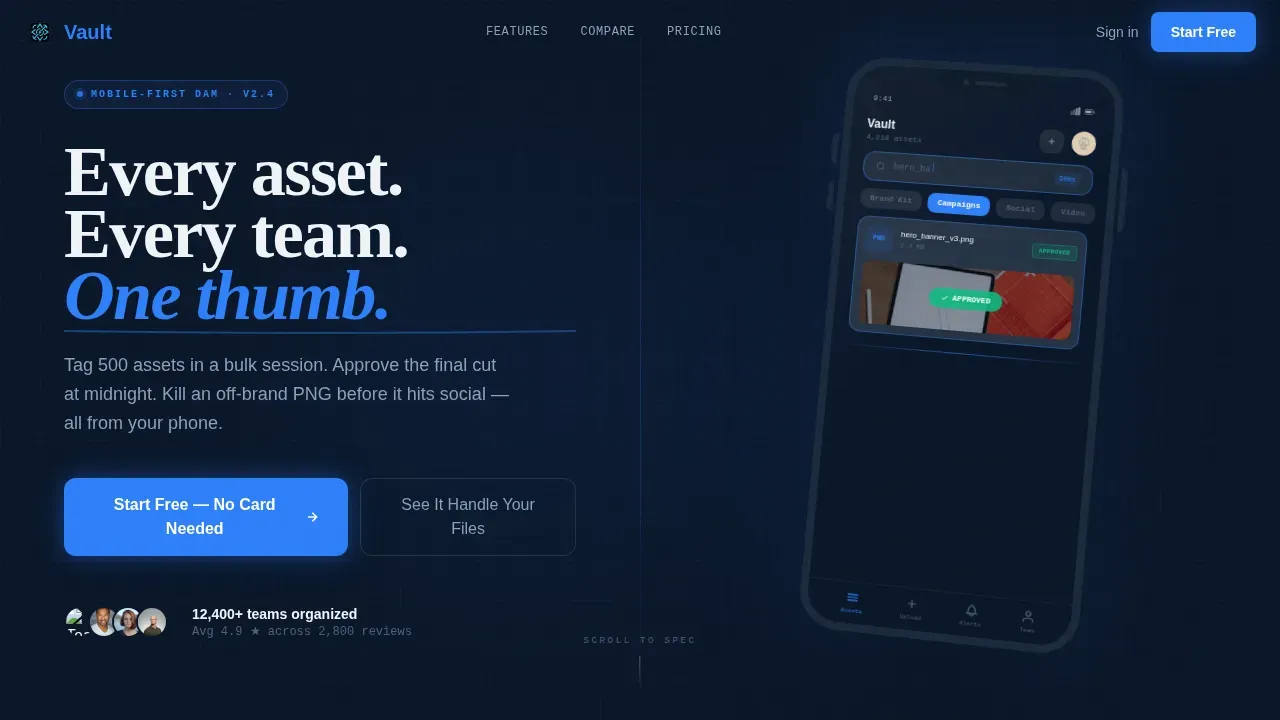
- A 50/50 split-screen hero with an interactive phone mockup that visitors can swipe and tap inside the browser
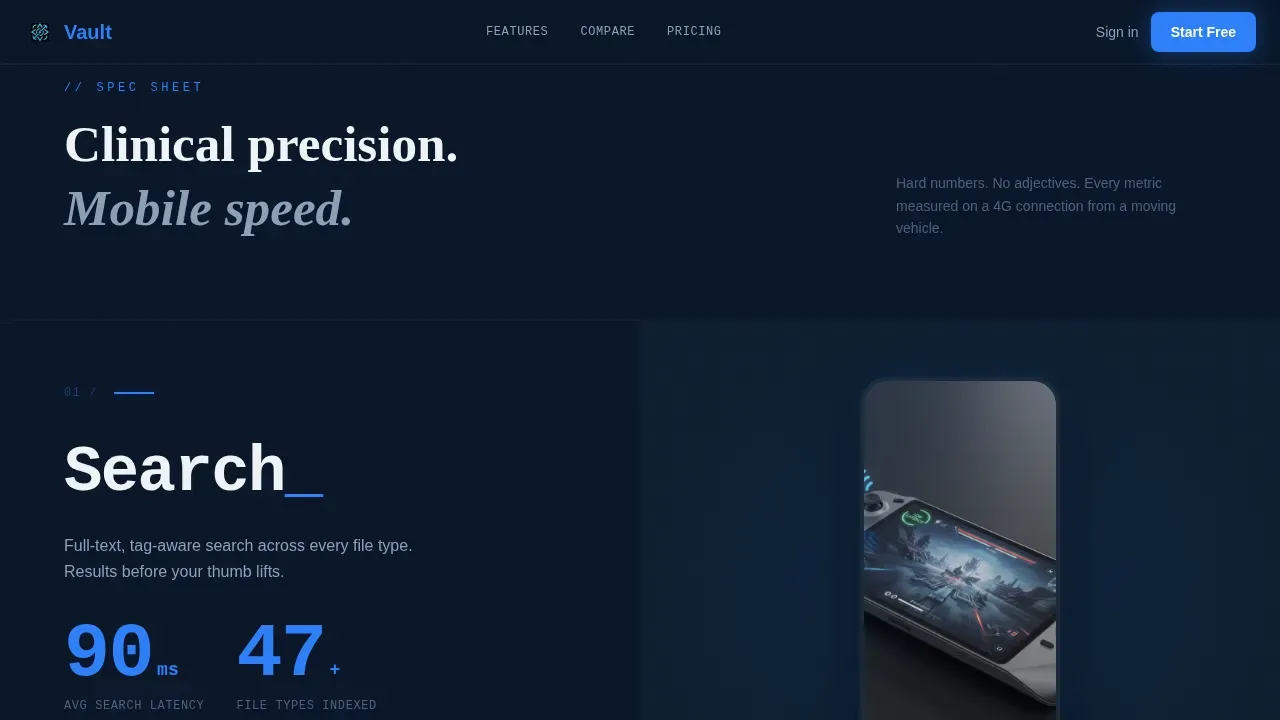
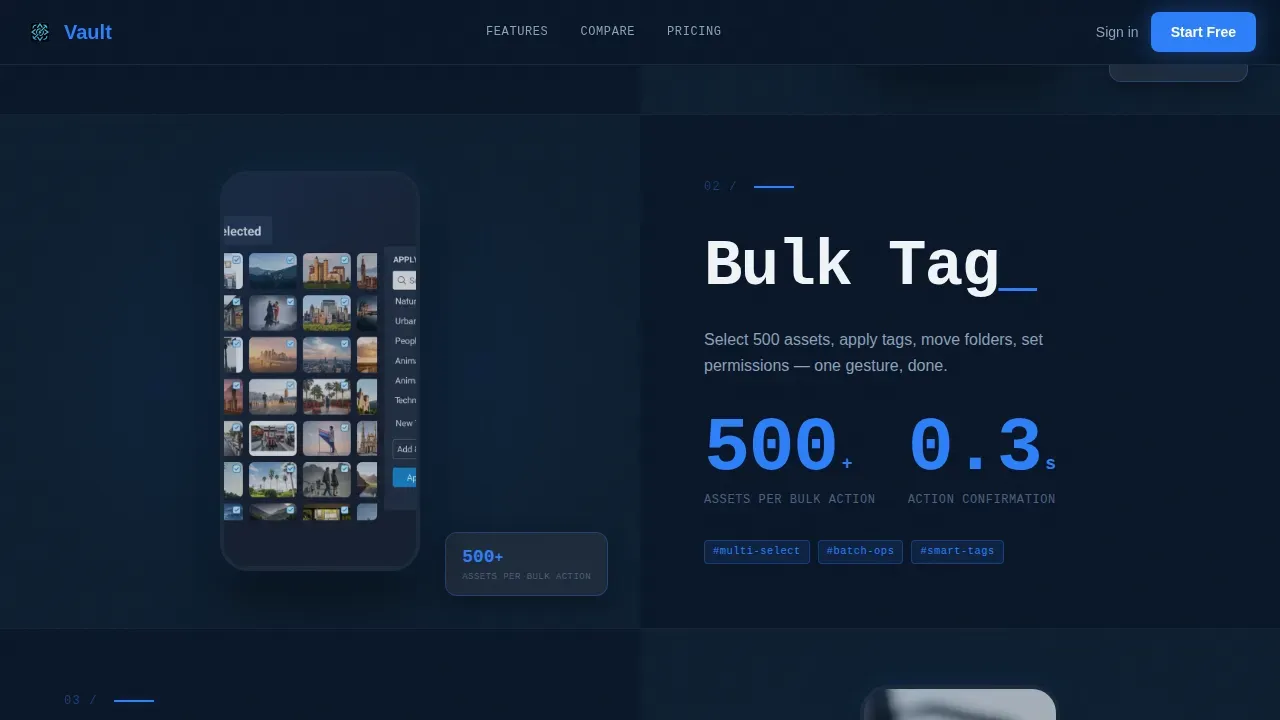
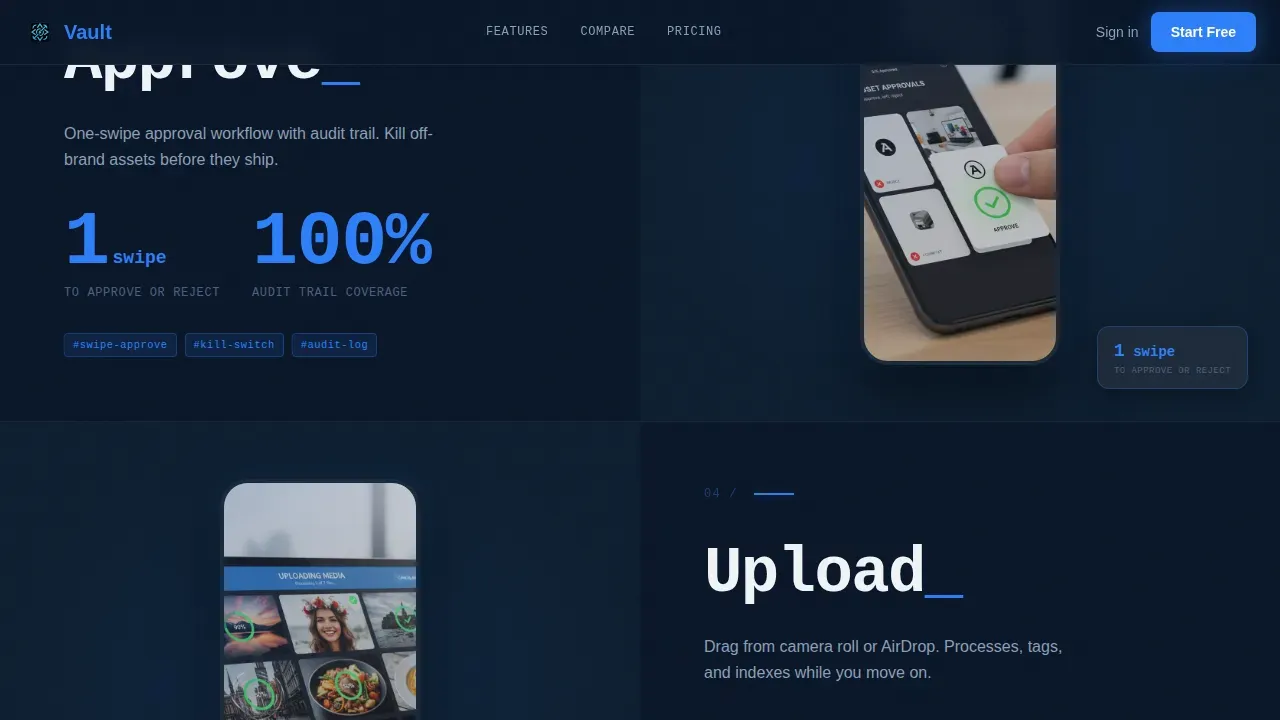
- A zigzag spec-sheet scroll with hard metrics per feature and alternating phone screen visuals
- A freemium conversion form that expands from a single email field into workspace name and team-size selector
Feature list
Vault includes purpose-built sections and design components that work together to create a fast, trustworthy, and visually compelling landing page for your DAM product.
Interactive Hero Phone Mockup
The hero section divides the page into two equal halves. The left side carries the bold headline and a glowing call-to-action button. The right side hosts a live, manipulable phone mockup. Visitors can swipe asset libraries, tap folders, watch thumbnails expand, and see an approval badge animate, all inside the browser.
Zigzag Spec Sheet Sections
Each spec section pairs a single feature name in large monospace type with two hard metrics beneath it. The paired phone screen shows the interface mid-action. Sections alternate which side carries the spec and which carries the screen, creating a scrolling rhythm that keeps attention moving downward through the page.
Comparison Table
A horizontal table near the bottom benchmarks Vault against legacy digital asset management systems. It covers mobile responsiveness, load time, and offline access. The differences are expressed in numbers, letting data do the persuading without relying on adjectives.
Freemium Signup Form
The primary call-to-action reads "Start Free, No Card Needed." Clicking it opens a single email field that expands into a workspace name input and a team-size selector. There is no paid step, no demo booking, and no credit card required to create an account and get started.
Testimonial Scroll Strip
A horizontal scroll-snap section hosts social proof cards from real roles: marketing lead, agency producer, and brand manager. Each card pairs a short quote with a metric. This section gives prospective users the context they need to trust the product before they sign up.
Sticky Bottom call to action Bar
A sticky bar appears after the third spec section and stays anchored to the bottom of the viewport. It reinforces the primary offer with a persistent "Start Free" prompt so the call to action is always one tap away regardless of scroll position.
Page sections overview
| Section | Purpose |
|---|---|
| Hero Split Screen | Introduce headline, call to action, and interactive phone mockup |
| Spec Sheet Zigzag | Display feature metrics paired with phone screens |
| Comparison Table | Benchmark Vault against legacy DAM tools |
| Testimonial Scroll Strip | Provide role-specific social proof with metrics |
| Final call to action Section | Expand freemium signup form to complete registration |
| Sticky Bottom Bar | Keep primary call to action visible throughout the scroll |
| Footer Single Row | Provide links, contact info, and legal resources |
Design & branding system
The Vault template uses a Midnight Blue color system that feels like a mission-control screen. The design strikes a deliberate balance between dark elegance and clinical precision, giving the page a professional and focused atmosphere.
- Deep terminal navy (#0A1628) as the primary background, slate gray (#1E2A3A) for card surfaces, and electric blue (#2D7FF9) on every interactive element and button
- JetBrains Mono for spec metrics to reinforce a data-driven tone, DM Sans for body copy, and Fraunces for the hero headline
- A minimal color palette that keeps the eye moving toward blue call-to-action elements without visual clutter
Mobile & speed optimization
Good mobile design requires more than a responsive grid. This template is optimized for thumb-first interaction, fast visual parsing, and clean layout rendering across smartphones and tablets.
- Touch-friendly tap targets, simplified navigation, and large buttons make every interactive element easy to reach with one hand
- Adaptive layouts ensure the split-screen hero, spec sections, and comparison table all reflow consistently across device sizes
- Static server components handle structural content while client-side scripts manage animations, keeping load performance lean and the experience smooth
How this template helps you convert
Effective landing pages guide each visitor through a clear series of steps toward a single goal. Vault is built to reduce friction at every step in that journey.
- The interactive hero mockup lets visitors explore the product before they read a single word of copy, building instant trust and curiosity
- The zigzag spec sections provide hard metrics in a rhythm that rewards scrolling and gives the audience concrete reasons to choose Vault over older tools
- The expanding freemium form removes every signup barrier, turning interest into a verified account with just an email address and a workspace name
Other information about this template
Vault is a great template to explore if you work with companies that manage sensitive brand resources across distributed teams. It is developed with a Startup Velocity theme in mind, so it provides a level of visual urgency that suits fast-moving organizations. A designer can customize the color tokens and typography to match an existing brand system without restructuring the layout.
- The page is a great place to display a professional portfolio of DAM-related project work alongside the product offer, since the spec-sheet format can host documentation, case studies, or example client results
- Smart Vaults and general vault structures used in enterprise asset platforms share the same goal: centralized control and protection of critical files. Both Smart Vaults and General Vaults rely on multi-party computing technology to prevent unauthorized access. Smart Vaults are designed to suit companies that manage a large number of asset addresses and allow batch operations that create significant efficiency gains
- Teams that research asset security will find the template's design signals, dark user interface, metric-forward layout, and badge animations, communicate protection and reliability before a single sentence is read
- This template can host contact details, backup links, and update logs in the footer row, keeping the page complete and professionally organized long after launch
Theme
Startup Velocity
Creative direction
Spec Sheet
Color system
Midnight Blue
Style
Split Screen (50/50)
Direction
Freemium/Trial
Page Sections
Interactive Split-screen Hero
Zigzag Spec Sheet Scroll
Legacy DAM Comparison Table
Expanding Freemium Signup Form
Sticky Bottom Call to Action Bar
Horizontal Testimonial Scroll
Related questions
Can a designer customize the colors and typography in Vault?
Does the template include a working signup form?
Is Vault suitable for a product portfolio or case study page?
What level of animation is built into the Vault template?
How does the comparison table section work?



