Opera Analytics Dashboard Landing Page Template
Aria is a hub-and-spoke analytics landing page template built for opera companies that need real-time visibility across ticket sales, donor pipelines, and audience sentiment. A Feature Tab Switcher header, animated KPI cards, and a sticky demo call to action give general directors, development officers, and marketing leads the clarity they need before opening night.
by Rocket studio
Quick summary
Aria turns live data into decisions. This single-page template gives opera organizations a command-center landing page that showcases real-time dashboards across box office velocity, donor pipeline, audience insights, and season overview. Every section is built to move a visitor from first impression to demo click, fast.
Who this template is for
Opera companies run on information that arrives in bursts. Aria is built for the people inside those organizations who cannot afford to wait for a weekly report.
- General directors watching single-ticket velocity in the final week before opening night
- Development officers tracking pledge conversions against gala fundraising deadlines
- Marketing leads comparing campaign lift across a five-opera season
What problem this template solves
Most arts organizations present their data in static slides or spreadsheets shared after the fact. By then, a subscriber churn signal has already passed and a box office opportunity has already closed.
- There is no single live view that ties ticket sales, donor activity, and audience sentiment together
- Visitors to a product page have no immediate sense of how fast or useful the dashboard actually is
- Decision-makers need proof of speed and relevance before they will commit to a demo
What you get with this template
Aria is a fully designed, single-page landing page built around a hub-and-spoke anchor navigation system. Each spoke section fires with the energy of a product launch keynote, escalating from features to speed to social proof.
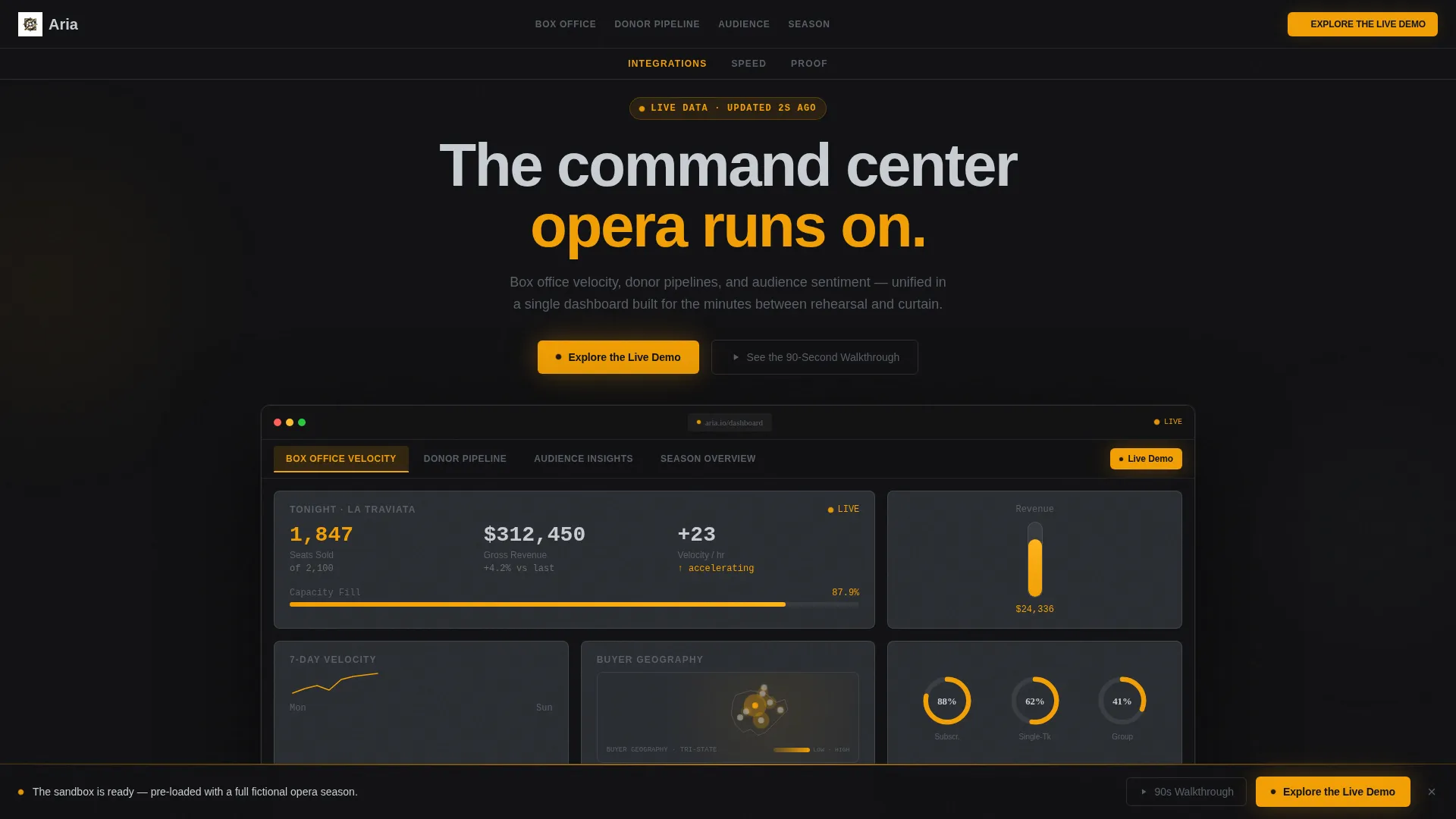
- A Feature Tab Switcher header showing four live-styled dashboard views with animated sparklines, donut charts, and refreshing KPI cards
- Three strategically placed "Explore the Live Demo" calls to action in ignition amber, including a full-width sticky bar that activates after 60 percent scroll depth
- A connector diagram spoke, a speed metric spoke with loading-bar animation, and a mini case study spoke with a persona pull quote
Feature list
This section covers every major capability built into the Aria template from the ground up.
Animated Feature Tab Switcher
The header houses four tabs: Box Office Velocity, Donor Pipeline, Audience Insights, and Season Overview. Each tab snaps in a live-styled interface with animated sparklines, ticking donut charts, and KPI cards that appear to refresh in real time. The default view shows tonight's performance with seats sold versus capacity, a revenue thermometer, and a geographic heat map of ticket buyers.
Hub and Spoke Anchor Navigation
A sticky anchor nav pins to the top as the visitor scrolls. Each spoke section below it detonates a new capability with escalating intensity. The structure keeps visitors oriented while guiding them deeper into the product story.
Integration Connector Diagram
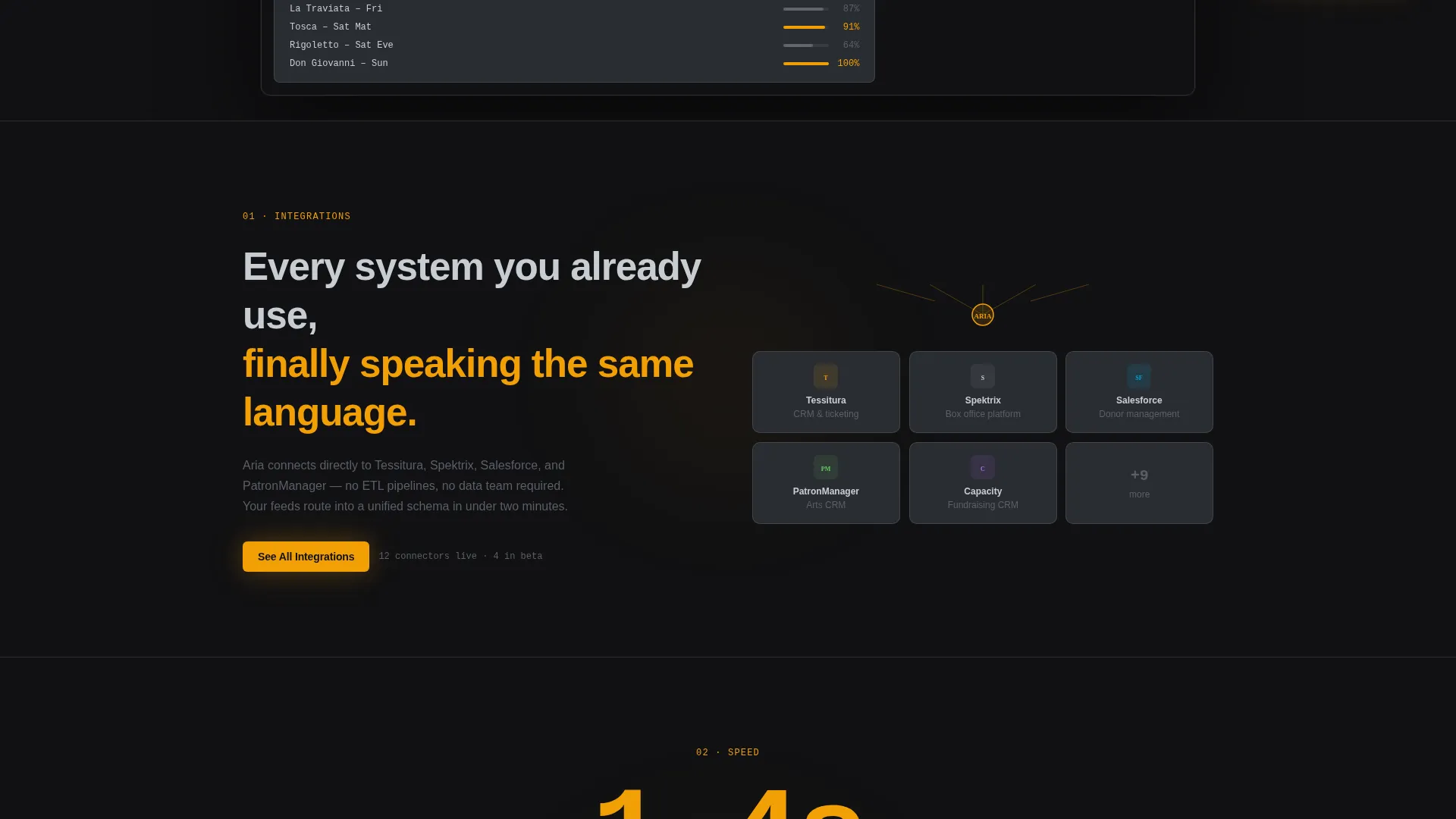
The first spoke section displays platform logos snapping into a visual connector diagram. It communicates compatibility at a glance without requiring the visitor to read a feature list.
Speed Metric Section with Loading Animation
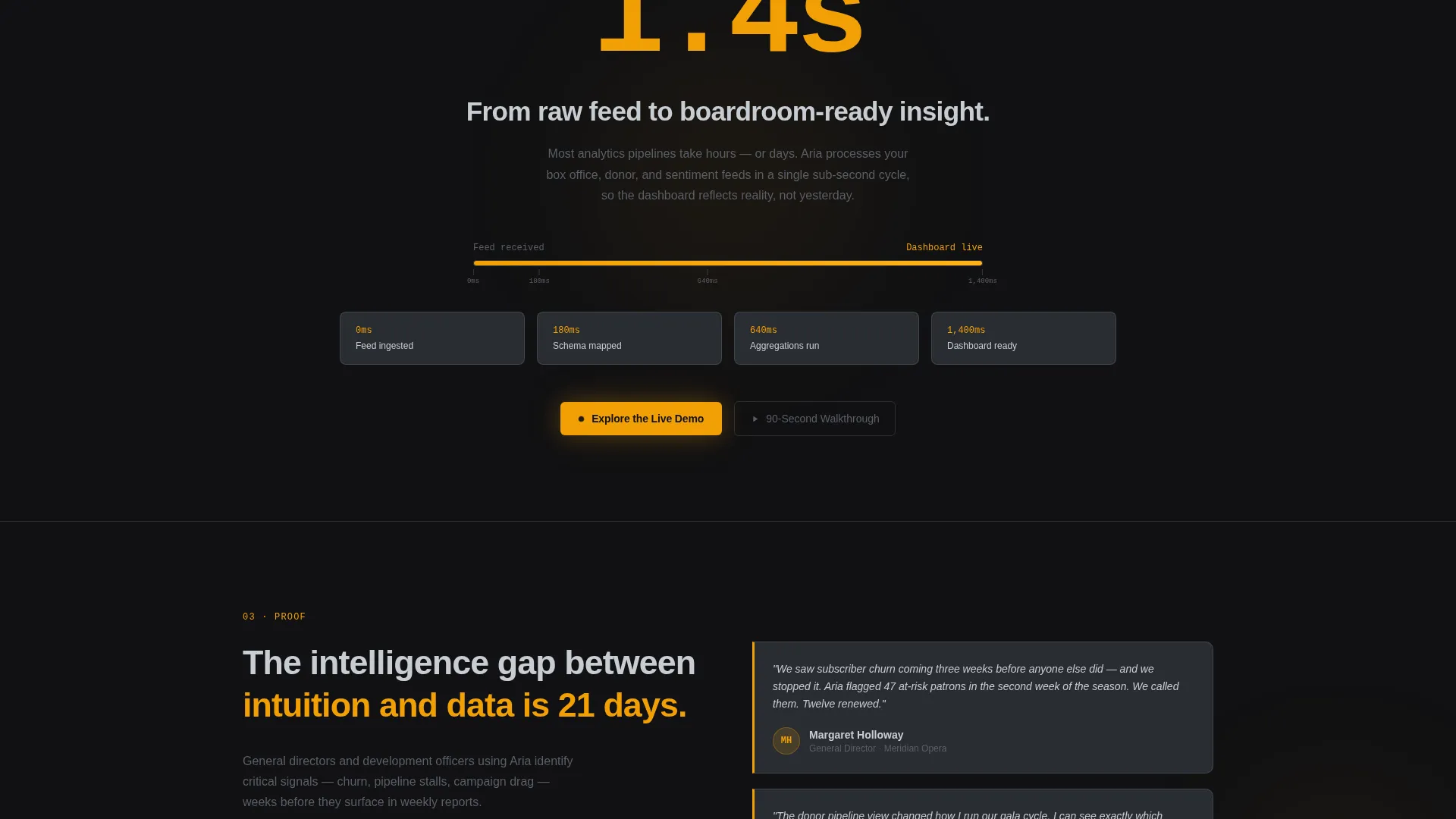
The second spoke leads with a single bold claim: "From raw feed to insight in 1.4 seconds." A loading-bar animation completes before the visitor finishes reading the headline. The effect makes the speed claim feel lived-in rather than stated.
Mini Case Study with Pull Quote
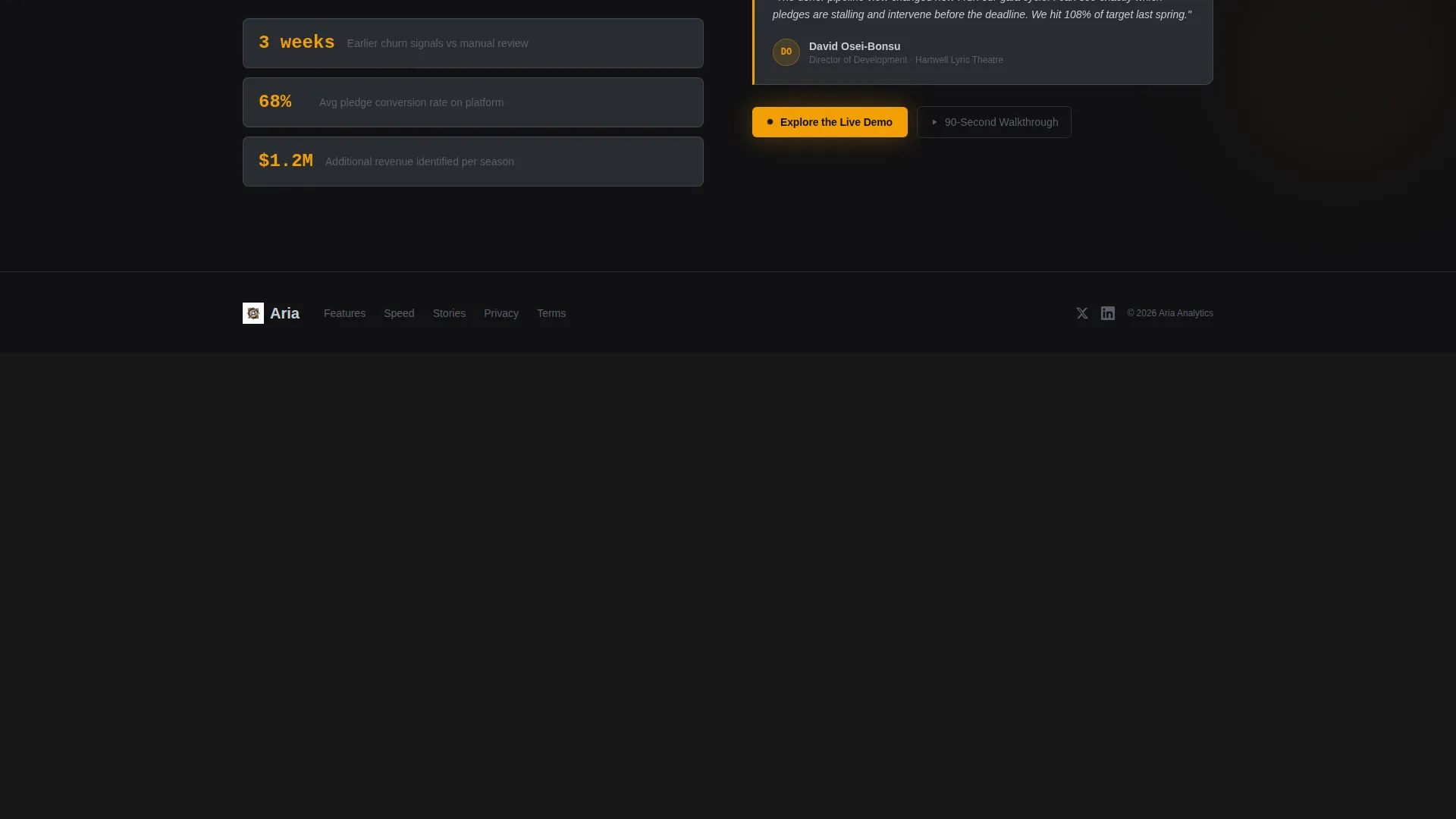
The third spoke presents a real-role persona quote that puts the product benefit in human terms. The quote reads: "We saw subscriber churn coming three weeks before anyone else did and we stopped it." This section shifts the page from feature demonstration to proof of outcome.
Escalating Amber Accent and Sticky call to action Bar
The ignition amber accent appears more frequently as the visitor scrolls toward the bottom. A full-width sticky call to action bar slides up after 60 percent scroll depth, carrying the "Explore the Live Demo" prompt. The secondary link "See the 90-Second Walkthrough" offers a video path for visitors not ready for the sandbox.
Page sections overview
| Section | Purpose |
|---|---|
| Tab Switcher Header | Showcase four live dashboard views with animated data |
| Anchor Nav Bar | Pin navigation and orient visitor across all spokes |
| Integrations Spoke | Display platform connector diagram for compatibility |
| Speed Metric Spoke | Communicate 1.4-second feed-to-insight performance claim |
| Case Study Spoke | Deliver persona pull quote as social proof of outcomes |
| Sticky Demo call to action | Slide-up bar driving click-through to sandbox demo |
Design & branding system
Aria uses a Monochrome Steel color system styled after a matte-black instrument panel in a concept car. There is no decorative warmth in the palette. The only warmth that appears is the glow of something actively running.
- Core palette: forge black (#111113), brushed chromium (#C8CDD3), and mid-steel (#5A5F68) for all structural elements
- Ignition amber (#F29F05) reserved exclusively for live-data pulses, call-to-action buttons, and hover states
- Creative direction follows a Startup Velocity theme with Launch Energy, meaning every visual element signals forward motion and precision
Mobile & speed optimization
The template is designed so that every animated element and spoke section reads clearly on smaller viewports. The visual hierarchy is built around large type, tight spacing, and high-contrast pairing so nothing loses meaning at reduced size.
- Animated KPI cards, sparklines, and donut charts are structured to maintain visual clarity on mobile screens
- The sticky call to action bar and anchor navigation are sized and positioned for comfortable thumb interaction on touch devices
How this template helps you convert
Aria is a click-through landing page. There is no form on this page. The entire design is engineered to push a single action: get the visitor inside the sandbox demo as fast as possible.
- The "Explore the Live Demo" call to action appears three times across the page at natural decision points, first in the header tab switcher, again after the speed metric, and finally in the sticky scroll-triggered bar.
- The secondary "See the 90-Second Walkthrough" link provides a lower-commitment video path, keeping visitors who are not yet ready for the sandbox on the page and engaged.
Other information about this template
Aria sits at the intersection of opera vertical SaaS and data-forward product marketing. The template style is Hub and Spoke with Anchor Navigation, and the creative direction is Launch Energy under a Startup Velocity theme.
- The sandbox demo destination is pre-loaded with a fictional opera season so visitors feel the product before speaking to sales
- The template is categorized under Technology and designed specifically for the opera analytics dashboard niche
- The ignition amber accent intentionally appears with increasing frequency as the visitor scrolls, mimicking a pulse quickening toward the bottom of the page
- This template supports use cases built around platforms like Tessitura, Spektrix, and Salesforce, as shown in the integration connector diagram spoke
Theme
Startup Velocity
Creative direction
Launch Energy
Color system
Monochrome Steel
Style
Hub & Spoke (Anchor Nav)
Direction
Click-Through
Page Sections
Animated Feature Tab Switcher Header
Hub and Spoke Anchor Navigation
Integration Connector Diagram
Speed Metric with Loading Animation
Pull Quote Case Study Spoke
Escalating Amber Call to Action System
Related questions
Does this template include a contact form or lead capture?
Can I customize the tab labels and KPI card content?
How does the sticky call to action bar behave on scroll?
Is the Monochrome Steel color palette easy to update?
Who is this landing page template designed to attract?



