Assess — Dynamic Claims Adjuster Landing Page Template
Adjuster is a bento grid landing page template built for insurance case management platforms. It opens with a live claims savings estimator, then unfolds a stats-first content flow that contrasts industry benchmarks against platform performance. Designed for property and casualty firms, third-party administrators, and independent adjusters, the page converts visitors through a two-step lead capture form and a gated benchmark report download.
by Rocket studio
Quick summary
Adjuster is a single-page bento grid landing page template for insurance case management platforms. It leads with an interactive calculator that runs a visitor's numbers before they scroll. The layout moves from hard industry stats to mini case snapshots to feature reveals, widening the lens from individual adjuster productivity to firm-wide compliance visibility.
Who this template is for
This template is purpose-built for teams in the property and casualty (P&C) insurance space. It speaks directly to the operational pain of managing high claim volumes without a centralized system.
- Mid-size P&C insurance firms managing a large backlog of open claims
- Third-party administrators handling multi-state compliance across multiple carriers
- Independent adjusters who bill by the file and cannot afford missed deadlines
What problem this template solves
Claims files routinely fall through the gaps between adjusters, attorneys, and carriers. Spreadsheet-based tracking creates version confusion, missed deadlines, and lost documents. This template gives a claims management platform a landing page that looks and feels like the solution itself.
- Replacing the visual chaos of spreadsheet workflows with an organized, dashboard-style layout
- Making cycle time and cost data immediately tangible through a live estimator in the header
- Guiding hesitant visitors toward conversion with two clear paths: a demo request and a gated report download
What you get with this template
You get a fully structured bento grid landing page built around a stats-first content strategy. Every section is designed to present a hard number before any explanation follows.
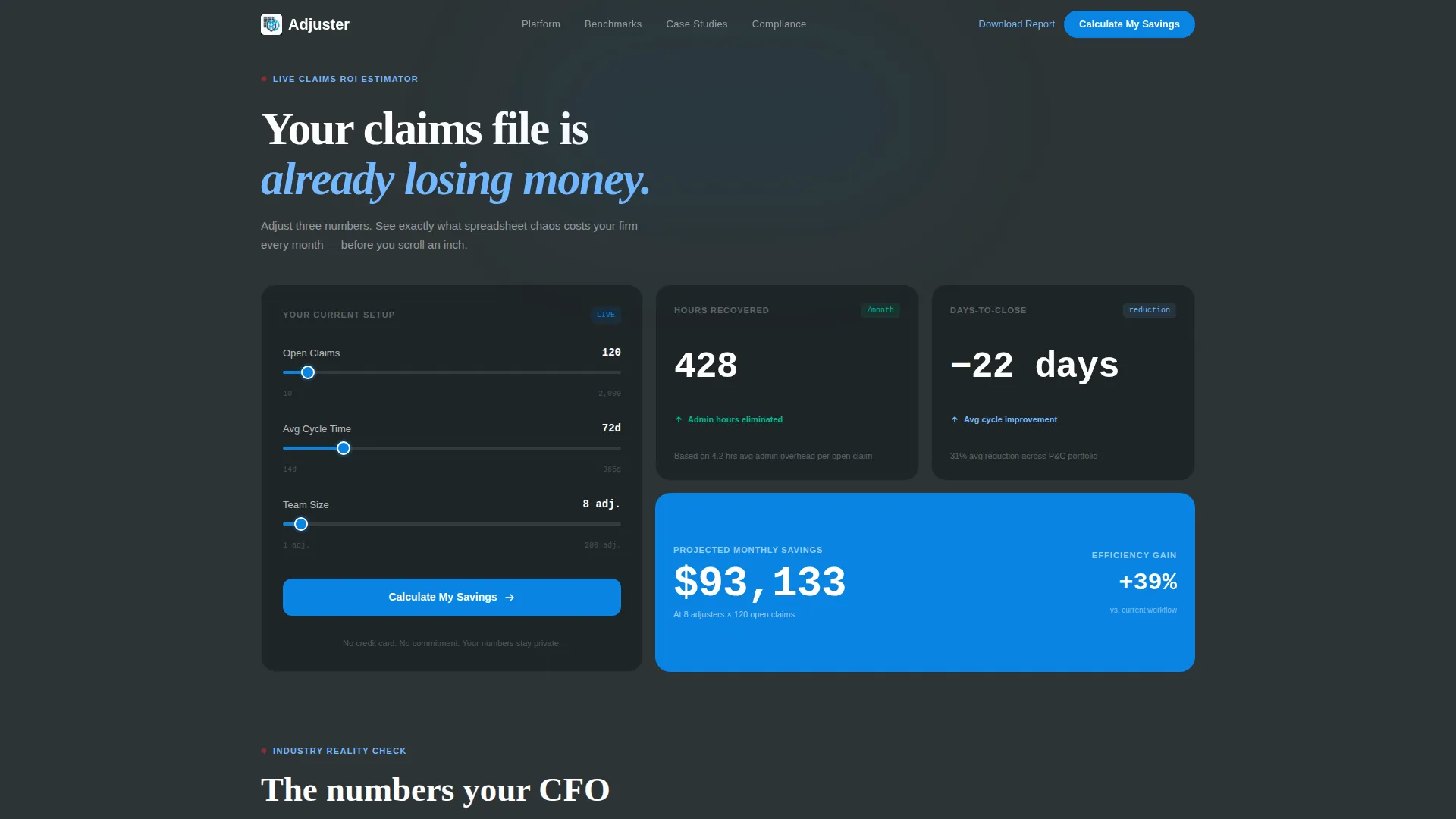
- An interactive header estimator with three slider inputs and a live results card
- A multi-row bento grid with metric cards, mini case-study snapshots, and hover-reveal feature tiles
- A two-step lead generation form and a secondary email-only gated download path
Feature list
This template packs a focused set of conversion-oriented components. Each one earns its place by moving a prospect closer to a demo booking or a form submission.
Live Claims Savings Estimator
The header contains an interactive calculator with three inputs: number of open claims, average cycle time in days, and current team size. As a visitor moves the sliders, a bento card beside it updates in real time to show estimated hours recovered per month, reduction in average days-to-close, and projected cost savings at their scale. The math runs before they scroll a single pixel.
Stats-First Bento Grid Layout
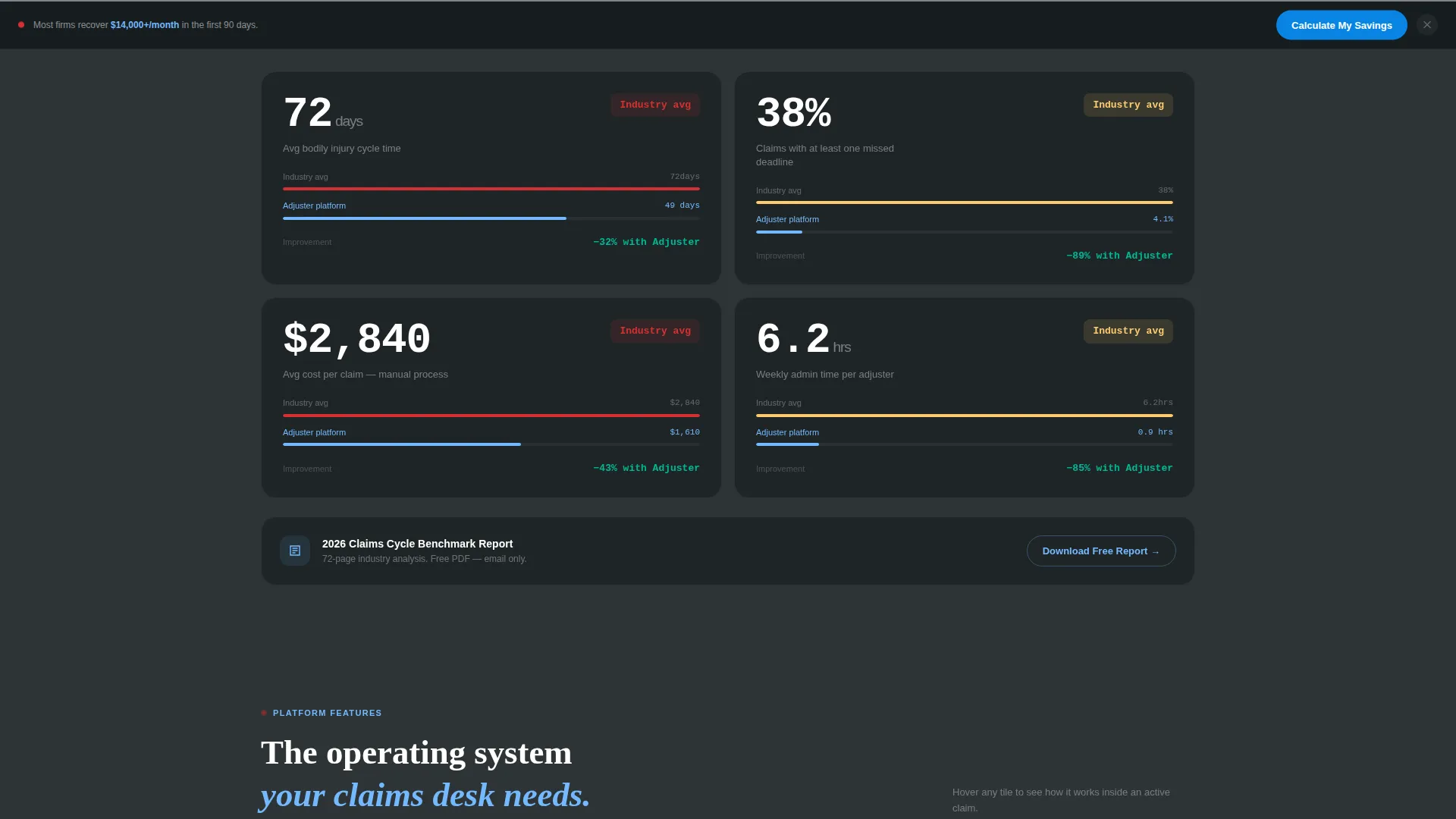
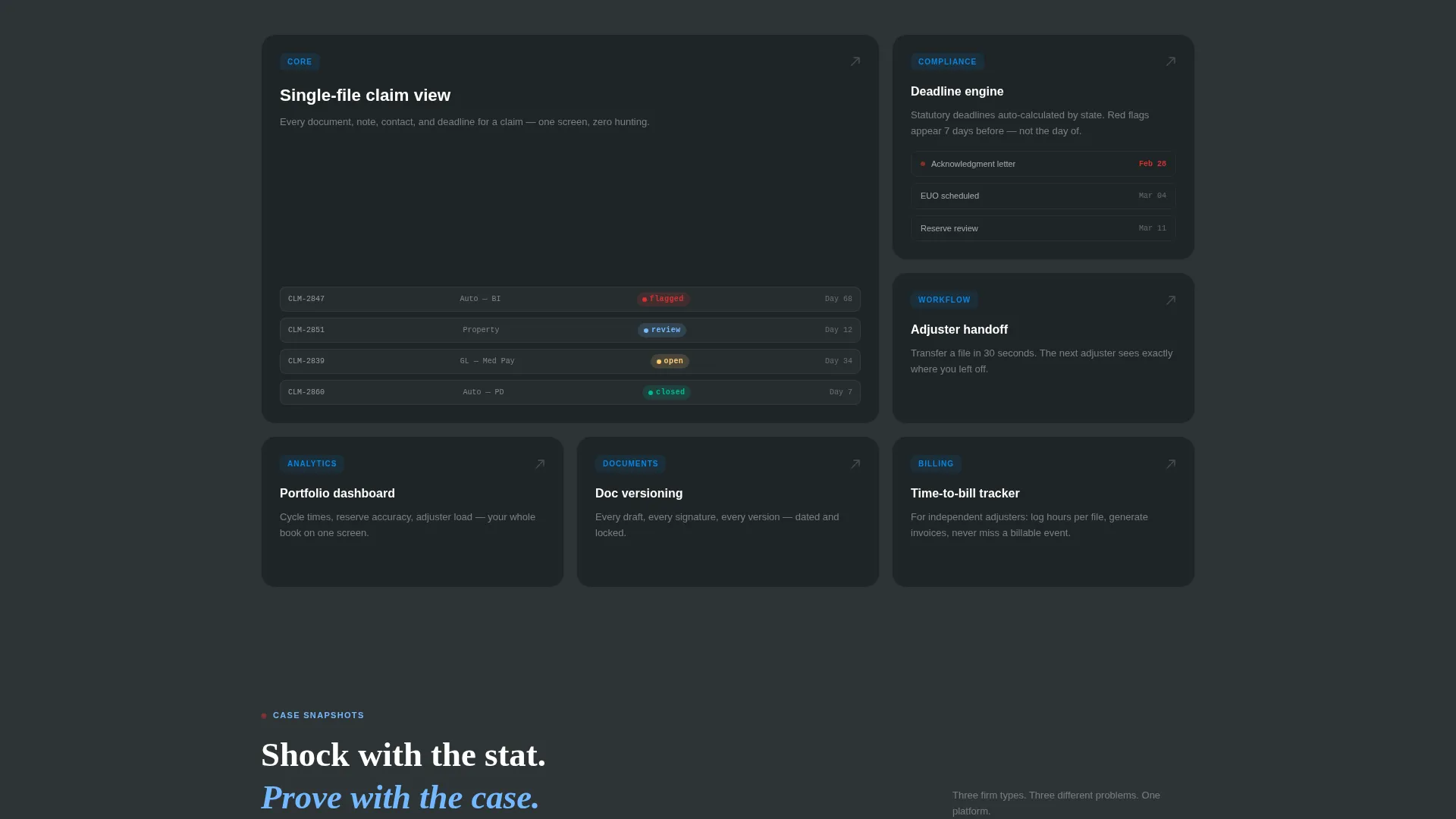
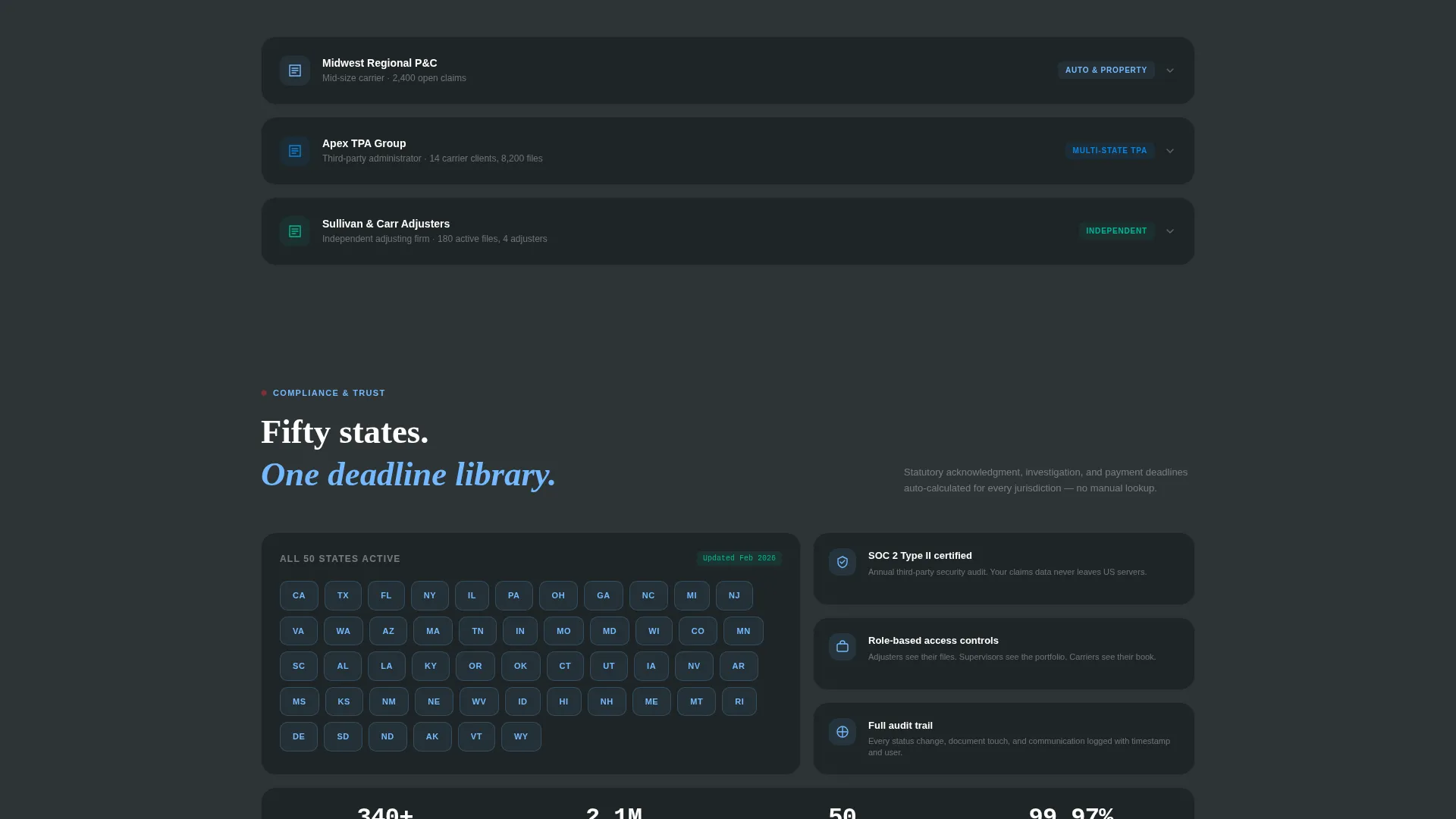
Below the fold, each scroll increment opens with a hard industry benchmark number before any supporting copy appears. The grid alternates between metric cards, mini case-study snapshots showing carrier type, claim volume, and outcome, and feature tiles that expand on hover to reveal workflow screenshots. The rhythm moves from individual adjuster productivity up to firm-wide portfolio visibility.
Two-Step Lead Capture Form
The primary call to action, "Calculate My Savings," is anchored in the header estimator and repeated as a sticky bottom bar after the second scroll. Clicking it opens a two-step form. Step one captures company name, claim volume range, and primary line of business. Step two asks for contact name, email, and preferred demo window. The estimator results carry forward as pre-filled context for the sales team.
Gated Benchmark Report Download
A secondary conversion path offers a downloadable Claims Cycle Benchmark Report. It is gated behind an email-only capture form, giving visitors who are not yet ready for a sales call a lower-commitment way to engage. This path keeps prospects in the funnel without requiring a full demo commitment.
Sticky Bottom Bar Call to Action
After the visitor passes the second scroll, a persistent bottom bar anchors the primary call to action on screen. It stays visible as the visitor continues reading the bento grid, reducing the distance between intent and action at any point on the page.
Hover-Reveal Feature Tiles
Feature tiles inside the bento grid expand on hover to show workflow screenshots. This keeps the page visually clean at a glance while rewarding engaged visitors with a deeper look at platform capabilities. The interaction reinforces the feeling of opening a well-organized case file.
Page sections overview
| Section | Purpose |
|---|---|
| Header Estimator | Run live savings projections with three slider inputs |
| Live Results Card | Display real-time hours, cycle time, and cost outputs |
| Industry Benchmark Row | Surface hard P&C cycle time stats before explanations |
| Performance Contrast Tiles | Compare benchmark data against platform outcomes |
| Mini Case Snapshots | Show carrier type, claim volume, and result per tile |
| Hover Feature Tiles | Reveal workflow screenshots on hover interaction |
| Adjuster Productivity Row | Focus on individual file throughput and deadline tracking |
| Portfolio Visibility Row | Widen scope to firm-level claim portfolio oversight |
| Compliance Automation Row | Highlight multi-state regulatory workflow capabilities |
| Primary call to action Form | Two-step demo request with pre-filled estimator context |
| Sticky Bottom Bar | Persistent call to action after second scroll depth |
| Gated Report Download | Email-only capture for the Claims Cycle Benchmark Report |
Design & branding system
The visual identity follows a Directory and Discovery theme built on a Slate and Sky color system. The palette is designed to feel like a dashboard where the most important numbers have already found you.
- Deep charcoal slate (#2D3436) and storm-cloud gray (#636E72) dominate backgrounds and typography, keeping the layout grounded and readable
- Open-sky blue (#74B9FF) and horizon white (#DFE6E9) provide card backgrounds and breathing room across the bento grid
- Clear-day cerulean (#0984E3) is reserved for accent actions: buttons, active states, metric highlights, and delta arrows on the estimator card
Mobile & speed optimization
The bento grid layout is structured to adapt cleanly across screen sizes. No stock photography or hero illustrations are used, which keeps the page lean and fast to load on any connection.
- All visual weight comes from typography and color, not image assets, reducing page load overhead
- Slider inputs and the live results card are designed as compact, touch-friendly components suitable for mobile use
- The sticky bottom bar keeps the primary call to action reachable on smaller screens without requiring the visitor to scroll back up
How this template helps you convert
The page is designed around two distinct visitor mindsets: the buyer ready for a demo and the researcher not yet ready to commit. Both leave with a next step.
- The live estimator creates a personalized result before the visitor has read a single line of copy, making the value proposition feel calculated for them specifically rather than generic.
- The two-step form captures qualified lead context, including claim volume and line of business, so the sales team receives pre-warmed, data-rich inquiries rather than cold contact requests.
- The gated benchmark report gives early-stage visitors a low-friction reason to share their email, keeping them connected to the platform without requiring a demo commitment.
Other information about this template
This template is built under the Bento Grid template style and follows the Stats-First Impact creative direction. It is categorized under Technology, specifically Insurance Software and Insurance Case Management. The page type is a single-page landing page, not a multi-page website.
- The Calculator/Estimator header concept makes this template well-suited for any insurance software platform that can quantify its value in hours saved or costs reduced
- The Lead Generation landing page direction means every design decision, from the sticky bar to the hover tiles, is oriented toward capturing a contact or booking a demo
- This template can support rebranding to match a custom color system while maintaining the Slate and Sky defaults as a starting point
Theme
Directory & Discovery
Creative direction
Stats-First Impact
Color system
Slate & Sky
Style
Bento Grid
Direction
Lead Generation
Page Sections
Live Claims Savings Estimator
Stats-first Bento Grid
Two-step Lead Capture Form
Gated Benchmark Report Download
Sticky Bottom Bar Call to Action
Hover-reveal Feature Tiles
Related questions
Can I change the slider inputs in the estimator to match my platform's metrics?
Does the two-step form connect to a CRM or email tool?
Is this template suitable for a carrier-facing product rather than an adjuster-facing one?
How does the gated report download work within the template?
Can the Slate and Sky color system be updated to match our brand?



