Self-Hosted Enterprise Software Professional Website Template
Orchestrate is a bento grid landing page template built for self-hosted business process management platforms. It features an animated dashboard header, an interactive card-based product tour, and a click-through conversion layout. The design uses a dark iridescent color system that makes complex process logic feel intentional and inviting. No forms, no friction, just exploration that earns trust.
by Rocket studio
Quick summary
Orchestrate is a single-page bento grid template designed for self-hosted business process management tools. It opens with a live-feeling workflow canvas, guides visitors through an interactive card tour of core platform features, and converts through a sticky "Deploy in 5 Minutes" call-to-action bar. The design renders technical complexity as something visually beautiful and trustworthy.
Who this template is for
This template is built for teams and companies bringing a self-hosted process automation platform to market. It speaks directly to technical buyers who distrust black-box software and want to see the product working before they commit.
- DevOps leads who need real workflow automation beyond patched-together chat and ticket tools
- Compliance officers at financial technology companies who require auditable, on-premise process trails
- CTOs at mid-size software companies who have outgrown lightweight automation tools but reject enterprise pricing
What problem this template solves
Most landing pages for process automation tools bury the product behind marketing copy. Technical buyers stop reading and leave. This template solves that by making the product tour the page itself.
- Visitors interact with bento cards that simulate real platform behavior instead of reading feature lists
- The sticky call-to-action bar appears only after two card interactions, so it arrives after genuine engagement
- The layout removes email capture and friction entirely, letting the product earn trust before asking for anything
What you get with this template
You get a fully structured, visually distinctive landing page layout that positions a self-hosted process automation tool with confidence. Every element is purposeful and mapped directly to a buyer decision stage.
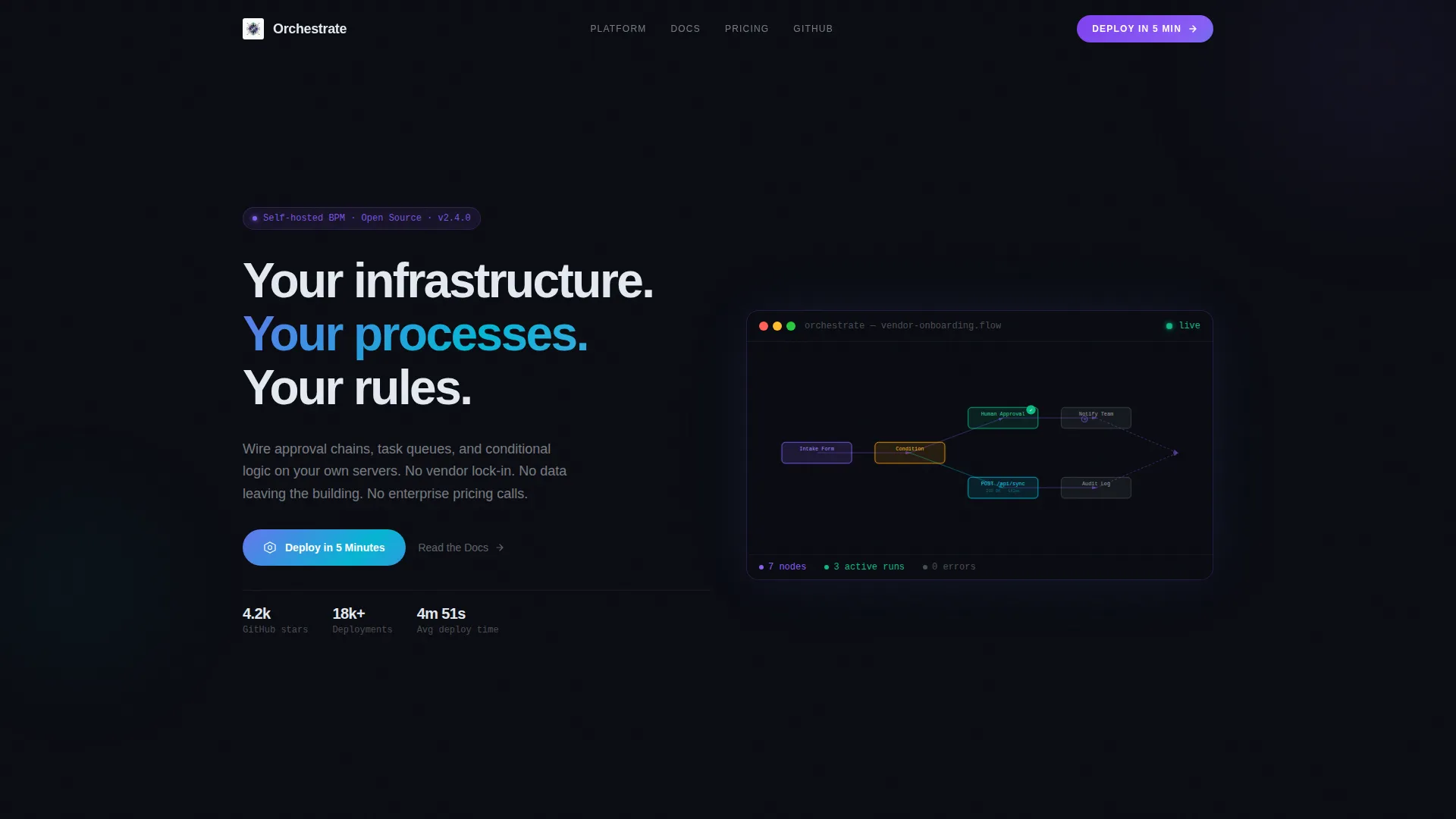
- An animated dashboard header showing a branching workflow canvas with seven connected nodes and a live cursor animation
- A bento grid product tour with expandable cards covering the visual flow builder, audit trail, and deployment options
- A sticky bottom conversion bar with a primary call-to-action button and a secondary documentation link
Feature list
This template delivers a tightly coordinated set of interactive and visual components. Each one is drawn directly from the brief and serves a specific role in moving a technical buyer toward deployment.
Animated Workflow Header
The header recreates a live business process management canvas mid-workflow. Seven connected nodes show an intake form, a conditional split, a human approval step with an avatar badge, and a webhook firing a real POST request. Nodes pulse with iridescent borders. A cursor drags a new notification node into place, and the headline types itself below.
Interactive Bento Grid Tour
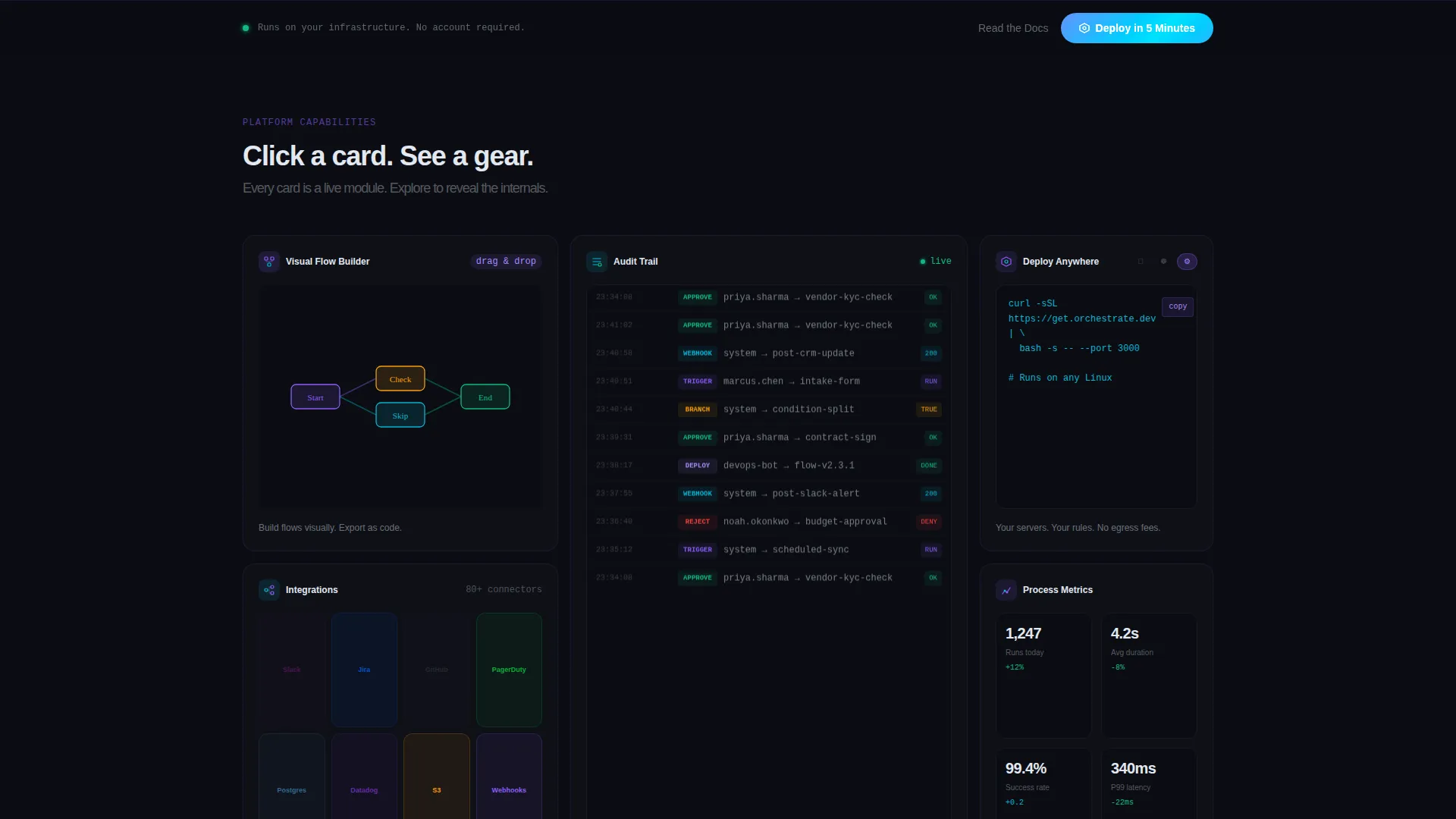
The bento grid functions as the product demo. Each card is a clickable module that expands on interaction. The top-left card shows a mini drag-and-drop flow builder animation. A wide lower card reveals a scrolling audit log with timestamps and user identifiers. A tall right card cycles through Docker, Kubernetes, and bare-metal deployment icons with copyable install commands.
Grid Rearrangement on Exploration
As visitors click cards, the grid layout subtly rearranges itself. This rewards curiosity and reinforces the sense that the platform is alive and responsive. It mirrors the product's own behavior, where every action has a visible consequence inside the workflow canvas.
Sticky Conversion Bar
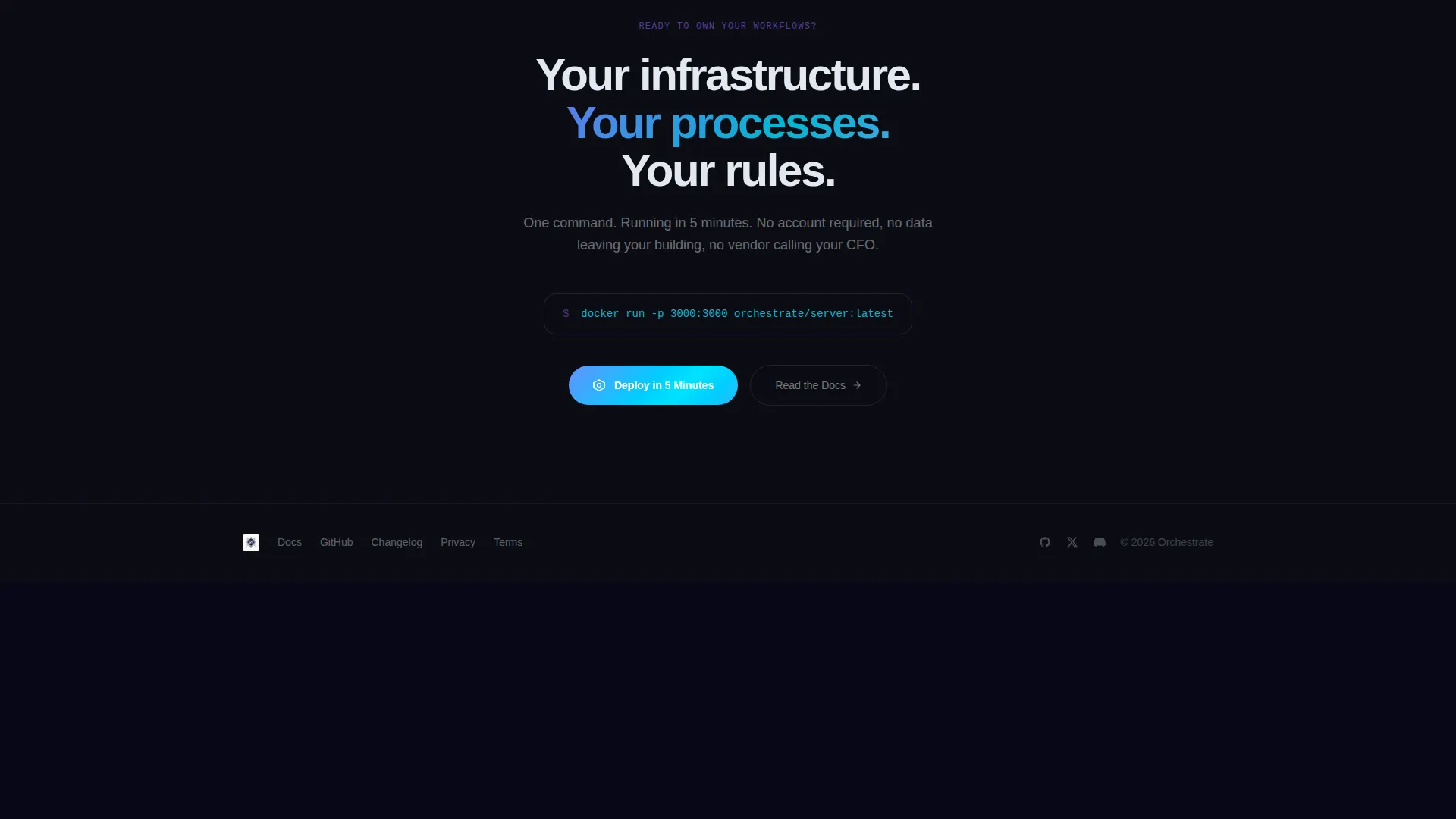
A sticky bottom bar activates after two card interactions. It carries the primary "Deploy in 5 Minutes" call-to-action button alongside a "Read the Docs" text link. The call-to-action button's iridescent shimmer intensifies the longer a visitor stays on the page, creating a quiet visual nudge without interrupting the exploration flow.
Iridescent Visual Identity
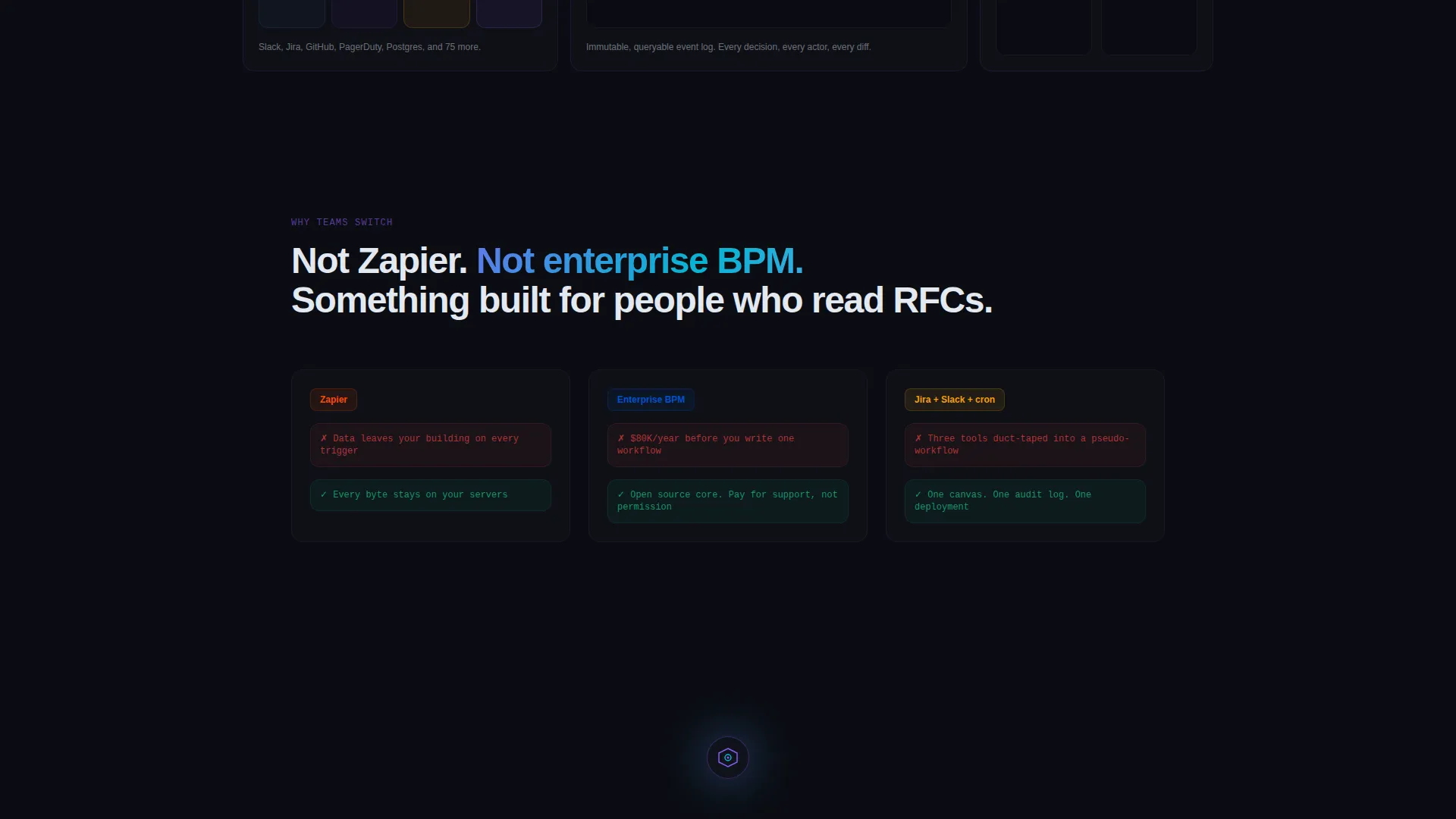
The color system pairs void black as the canvas with holographic violet for active states and shifting cyan for data lines. Card borders and hover states shimmer between violet and cyan. Color appears only when something is active or responding, which makes the interface feel like a living system rather than a static brochure.
Deployment Command Cards
The "Deploy Anywhere" card cycles through Docker, Kubernetes, and bare-metal options. Each state shows a one-click copy command. This communicates infrastructure flexibility directly inside the page, removing a key technical objection before the visitor ever reaches the call-to-action.
Page sections overview
| Section | Purpose |
|---|---|
| Animated Workflow Header | Opens with a live canvas preview and self-typing headline to establish product credibility immediately |
| Visual Flow Builder Card | Shows drag-and-drop interaction to demonstrate the builder experience inside the bento grid |
| Audit Trail Card | Scrolling event log with timestamps and diff snapshots communicates compliance readiness |
| Deploy Anywhere Card | Cycles through Docker, Kubernetes, and bare-metal options with copyable install commands |
| Grid Rearrangement Layer | Rewards card interaction by subtly reshuffling the layout, reinforcing product responsiveness |
| Sticky call to action Bar | Activates after two interactions; holds the primary deploy button and secondary docs link |
Design & branding system
The visual identity follows a Directory and Discovery theme built on an AI Iridescent color system. The palette is engineered to make technical depth feel elegant rather than intimidating, and color is used sparingly so that every active element stands out against the dark canvas.
- Void black (#0B0D13) as the primary background, holographic violet (#8B5CF6) for active states and accents, and shifting cyan (#06B6D4) for secondary highlights and data flow lines
- Soft pearl (#E2E8F0) for body text, ensuring readability against the dark canvas without breaking the atmospheric tone
- Iridescent gradient shimmers between violet and cyan on card borders and hover states, appearing only when elements are active or responding
Mobile & speed optimization
The bento grid layout adapts to smaller viewports while preserving the interactive card behavior. Animations are purposeful rather than decorative, keeping the page feeling responsive across device sizes.
- Bento cards reflow for touch-screen navigation, maintaining the expandable interaction model on mobile
- Cursor and node pulse animations are contained within card boundaries, preventing layout disruption on smaller screens
- The sticky call-to-action bar remains anchored and visible across all viewport widths after the two-interaction trigger
How this template helps you convert
This template is built around a single conversion goal: getting a technical buyer to the self-hosted installation page. Every design and interaction decision supports that one outcome.
- The animated dashboard header front-loads product credibility, so visitors understand the platform's depth before reading a single line of copy
- The interactive bento tour replaces passive reading with hands-on exploration, building confidence in the product through direct engagement
- The sticky call-to-action bar appears at the moment of highest intent, after the visitor has already clicked through multiple cards and experienced the product firsthand
Other information about this template
This template is built on a bento grid layout structure, which is well suited to showcasing modular platform features in a non-linear, explorable format. It is designed for a self-hosted business process management context where buyers are skeptical of vendor dependency and want to evaluate the tool on their own terms.
- The template supports a self-hosted BPM platform narrative, making it relevant for teams evaluating open-architecture workflow automation tools
- The no-form, no-email-capture conversion model is intentional and reflects the trust-first philosophy of the underlying product
- The "Deploy in 5 Minutes" call-to-action links directly to an installation page, making the path from interest to action a single click
Theme
Directory & Discovery
Creative direction
Interactive Explorer
Color system
AI Iridescent
Style
Bento Grid
Direction
Click-Through
Page Sections
Animated Live Workflow Header
Interactive Expandable Bento Cards
Audit Trail Event Log Card
Deploy Anywhere Command Card
Sticky Intent-activated Call to Action Bar
AI Iridescent Color System
Related questions
What type of product is this template designed for?
Does this template include a form or email capture?
How does the interactive bento grid work?
Who is the intended audience for this landing page?
Can the sticky call-to-action bar be customized?



