Accounting Firm Software Specialist Booking Website Template
Ledger is a modular card grid landing page built for accounting firms that run appointment-based services. It leads with an interactive tax savings estimator, then flows into a clean service card grid where visitors can book tax prep, bookkeeping, CFO advisory, or audit defense sessions. The design uses a focused Teal Catalyst palette to keep every interaction purposeful and distraction-free.
by Rocket studio
Quick summary
Ledger is a click-through landing page for accounting firms that book client appointments. It opens with a tax savings estimator, reveals service cards sorted by relevance, and routes every call to action directly to a scheduling platform. The Data Command visual theme keeps the layout clean, certain, and quietly professional from top to bottom.
Who this template is for
This template suits accounting firms and financial service practices that rely on scheduled appointments to deliver their work. It is built for teams who want visitors to self-qualify before booking, reducing back-and-forth intake calls.
- Small business accountants and certified public accounting (CPA) firms offering tax preparation and bookkeeping
- Fractional CFO services and advisory practices targeting mid-market companies
- Independent accountants serving freelancers and sole proprietors with quarterly filing needs
What problem this template solves
Many accounting firm pages ask visitors to fill out a contact form before showing them anything useful. Visitors leave before they ever see a reason to book. This template flips that sequence.
- Visitors see a personalized savings estimate before the page asks for anything
- Service options appear in a logical, relevance-sorted grid rather than a flat list
- Every call to action routes directly to the scheduling platform, removing unnecessary friction
What you get with this template
You get a fully structured single-page layout designed around one goal: earning the appointment click. The page is organized so that proof, pricing context, and booking options arrive in the right order.
- A logo bar header with trust signals, credentials, and a client rating badge
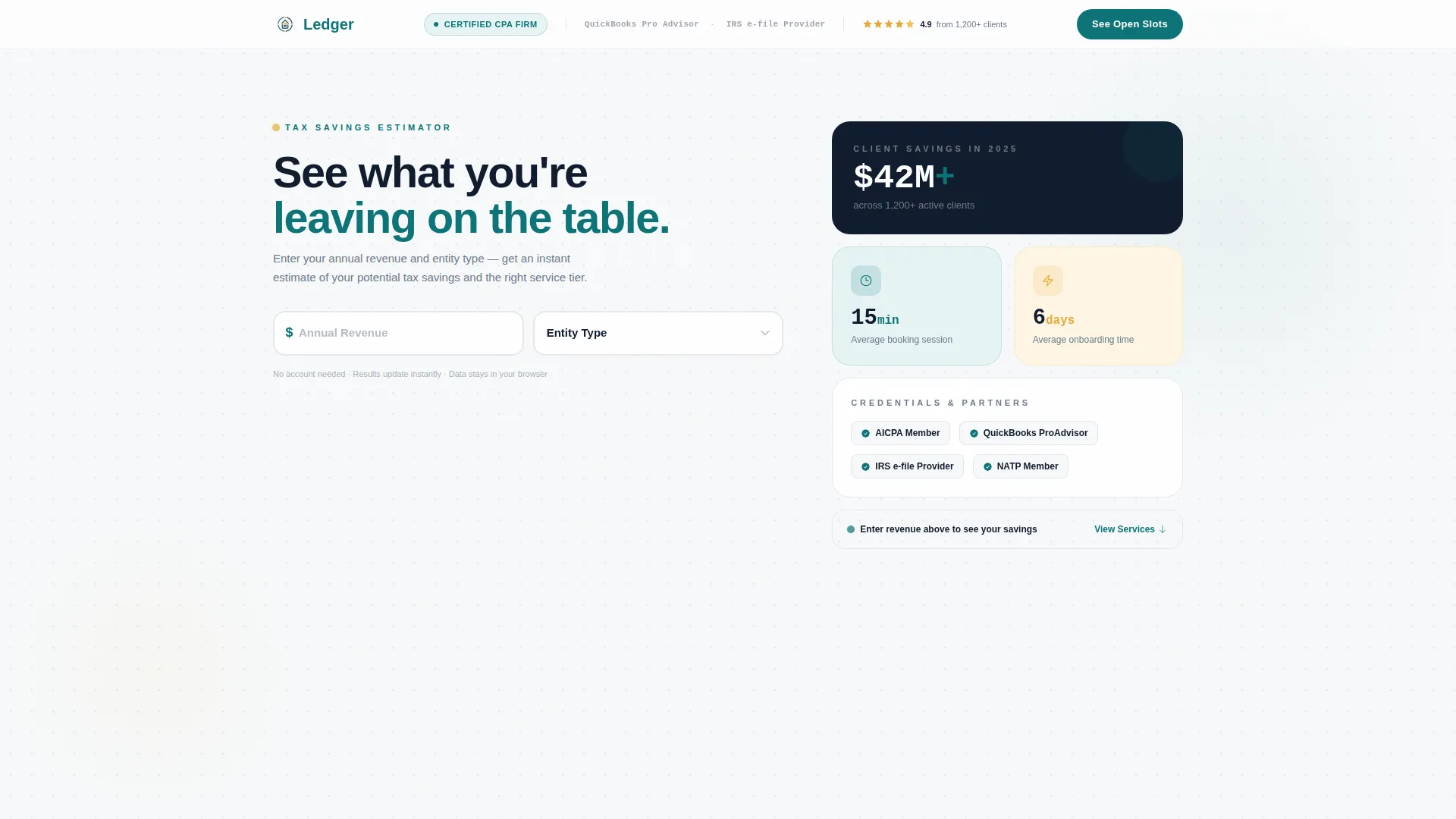
- An interactive tax savings estimator that doubles as the hero section
- A modular service card grid with booking buttons and testimonial-availability card interlocking
Feature list
This template delivers a focused set of purposeful components. Each one plays a specific role in moving the visitor from curiosity to a confirmed booking click.
Interactive Tax Savings Estimator
The estimator sits at the top of the page in place of a traditional hero image. Visitors enter their annual revenue and select their entity type. An output card then displays estimated savings and a recommended service tier in real time, giving the visitor a personalized reason to keep scrolling.
Relevance-Sorted Service Card Grid
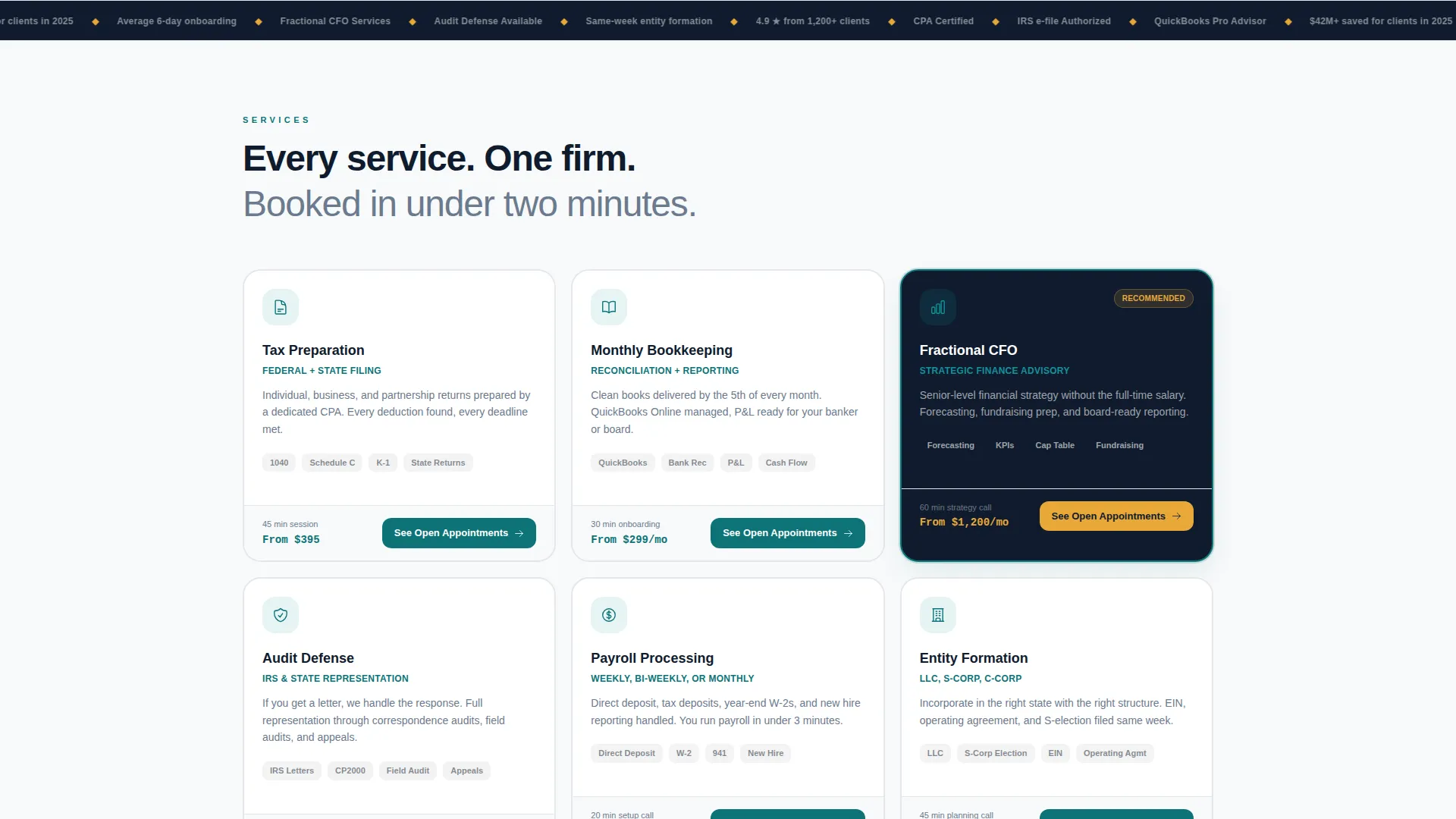
Each card in the grid represents a distinct service: tax preparation, bookkeeping, CFO advisory, or audit defense. Cards include a micro-illustration, average session length, and a "Book This Service" button. The grid rearranges card order based on the estimator input, so the most relevant service always appears first.
Testimonial and Availability Card Interlock
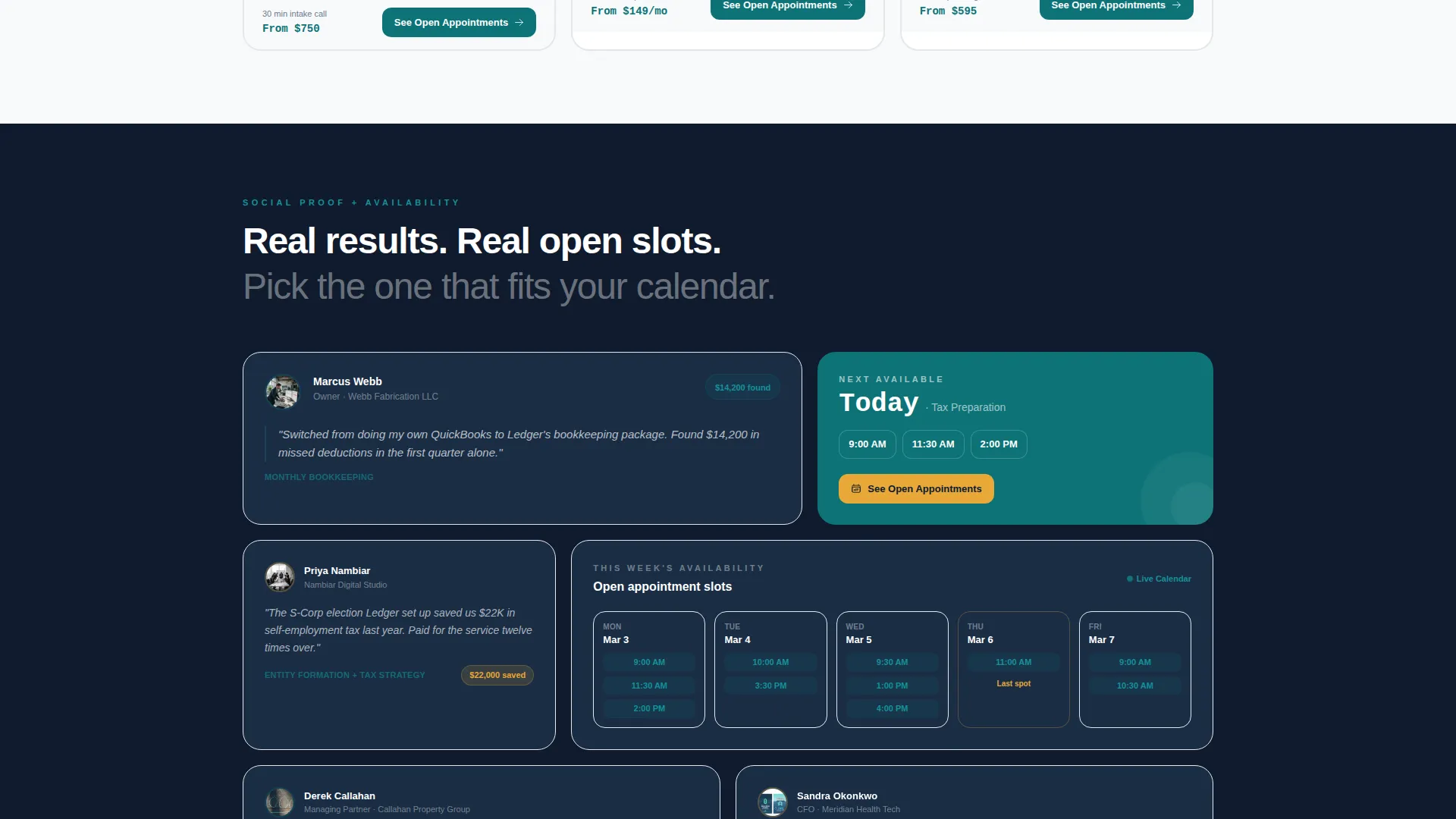
Testimonial cards and live availability cards share the same grid zone lower on the page. The two card types sit side by side, so social proof and open appointment slots appear together. Seeing a five-star review next to a real open time slot makes scheduling feel immediate and credible.
Logo Bar with Trust Signals
The slim header strip displays the firm wordmark alongside CPA credential markers, partner firm logos, and a "4.9 stars from 1,200-plus clients" badge. It frames the estimator without competing with it, letting the tool take the spotlight while the header quietly builds authority.
Click-Through Call-to-Action Architecture
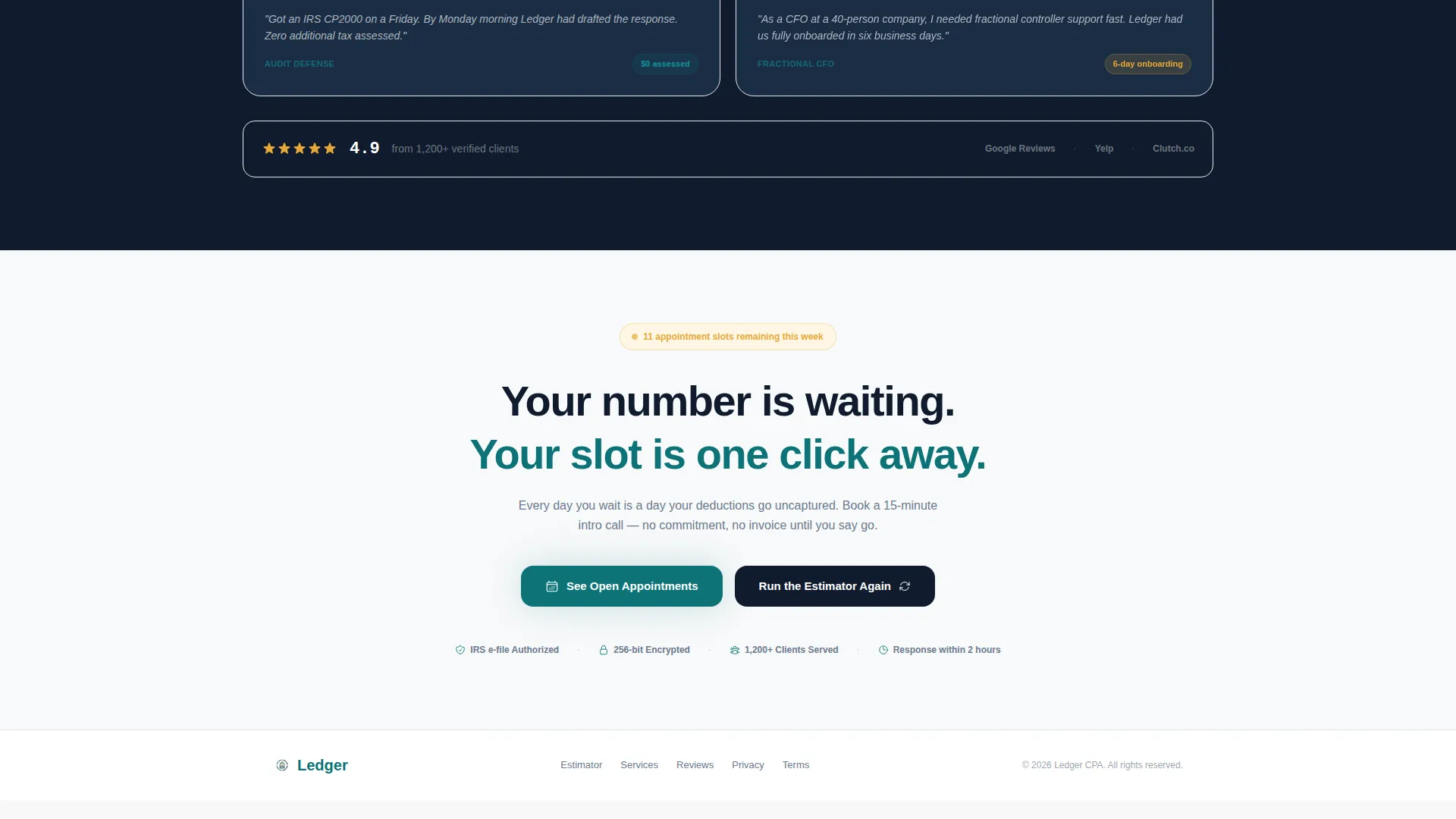
Every service card carries a "See Open Appointments" button. The estimator output card carries a secondary "Book a Free Tax Strategy Call" prompt. No form lives on the page itself. Each button routes to the firm's scheduling platform with the relevant service type pre-selected, reducing the steps between interest and a booked slot.
Modular Card Grid Layout
The card grid is built on a modular structure, meaning individual cards can be reordered, replaced, or expanded without rebuilding the page. This flexibility makes it practical for firms that add new service types or run seasonal offerings like year-end tax reviews.
Page sections overview
| Section | Purpose |
|---|---|
| Logo Bar Header | Displays wordmark, CPA credentials, partner logos, and client rating badge |
| Tax Savings Estimator | Accepts revenue and entity type inputs, outputs estimated savings and service tier |
| Service Card Grid | Presents each service with illustration, session length, and booking button |
| Testimonial Cards | Shows client reviews interlocked with the availability grid |
| Availability Cards | Displays real open appointment slots alongside social proof |
| Estimator Output Card | Delivers personalized result and secondary booking call to action |
Design & branding system
The Teal Catalyst color system gives the page a dual-monitor dashboard feel. Every color plays a defined role, and nothing competes for attention without purpose.
- Deep ledger teal (#0D7377) drives primary action elements including buttons and active links
- Midnight balance (#0F1B2D) fills card backgrounds and section dividers for strong visual contrast
- Clean receipt white (#F7F9FA) covers open space to keep the layout airy and readable
- Catalyst amber (#E8A838) appears only on interactive hotspots and active-state indicators, making clickable moments unmistakable
Mobile & speed optimization
The modular card grid is built to reflow cleanly across screen sizes. Visitors on phones and tablets experience the same logical sequence as desktop users, with the estimator leading and the service cards following.
- Card columns stack vertically on smaller screens so no information is clipped or hidden
- The logo bar compresses into a single-line strip on mobile without losing the trust signal elements
- Estimator input fields and booking buttons remain full-width and easy to tap on touch devices
How this template helps you convert
The page is structured so that each section earns the next scroll. No section asks for a commitment before delivering value first.
- The estimator leads with a personalized output, so the visitor has a concrete savings number in hand before they see any service pricing or booking prompts.
- The relevance-sorted card grid presents the most fitting service first, reducing the decision load and making the right "Book This Service" button obvious.
- The testimonial and availability interlock places social proof directly beside open time slots, so trust and urgency arrive together at the moment the visitor is closest to clicking.
Other information about this template
This template belongs to the accounting firm appointment scheduling niche inside the broader accounting firm software category. It is part of the Technology template collection and is built on a Card Grid (Modular) structure.
- The Data Command theme and Calculator/Tool First creative direction make this layout well-suited for firms that want data to lead the conversation
- The Click-Through landing page direction means the page never asks visitors to complete a form; it routes them to a dedicated scheduling tool instead
- The Logo Bar header concept is designed to establish credibility in the first visible strip without a large image or video hero
- This template works well for firms running seasonal campaigns such as tax season intake drives or end-of-year CFO advisory pushes
Theme
Data Command
Creative direction
Calculator/Tool First
Color system
Teal Catalyst
Style
Card Grid (Modular)
Direction
Click-Through
Page Sections
Interactive Tax Savings Estimator
Relevance-sorted Service Card Grid
Testimonial and Availability Interlock
Logo Bar with Trust Signals
Click-through Call-to-action Architecture
Modular Card Grid Structure
Related questions
Does this template include a real booking calendar?
Can the service cards be reordered or customized?
Who is this landing page best suited for?
Does the estimator output real tax savings data?
Can I use this template if my firm offers only one service type?



