Art College Landing Page Template for Lead Generation
Atelier is a hub-and-spoke landing page for art and design colleges. It guides prospective students through a visual timeline from foundation year to graduation, using a botanical color palette and anchor navigation. A progressive call-to-action captures leads via a portfolio review booking form or a course guide download, earning each click through storytelling.
by Rocket studio
Quick summary
Atelier is a single-page, anchor-navigated landing page built for art and design colleges. It moves visitors through a student journey year by year, from first-mark foundation projects to a graduating alumni wall. The design feels like stepping into a degree show: organic, alive, and quietly confident. Every section earns the next click before asking for one.
Who this template is for
This template is built for creative institutions that need to speak to a wide range of prospective students at once. It works equally well for admissions teams, marketing coordinators, and college web leads who want a page that feels as considered as the courses it promotes.
- Admissions and marketing staff at art and design colleges who need a lead-generating landing page
- Institutions offering multi-pathway programmes such as illustration, fine art, graphic design, and textiles
- Colleges targeting both school-leavers and mature career-changers returning to study
What problem this template solves
Most college landing pages list course details without creating any emotional connection. Prospective students, their parents, and mature learners all arrive with different questions and different fears. A flat brochure page cannot hold all of them. Atelier solves this by structuring the page as a narrative journey rather than a catalogue.
- It speaks to multiple visitor types (teenagers, parents, career-changers) without feeling fragmented
- It removes the gap between inspiration and action by placing lead-capture only after the story has been told
- It gives the college a visual identity that communicates the quality of its creative environment before a single course title appears
What you get with this template
Atelier delivers a fully structured, section-led landing page with five anchor-navigated chapters, two distinct lead capture paths, and a botanical design system ready to apply your college's brand. Every component is intentional and connected to the student journey narrative.
- A five-spoke anchor navigation rail (Foundation, Pathways, Studios, Alumni, Apply) with smooth chapter jumping
- A timeline progression layout that deepens visually as visitors scroll, moving from sketchy hand-drawn accents in early sections to polished portfolio grids and exhibition photography later
- Two lead capture flows: a portfolio review booking form and a downloadable course guide for visitors not yet ready to commit
Feature list
This template contains focused, prompt-grounded features built specifically for art and design college lead generation.
Five-Spoke Anchor Navigation Rail
A fixed left-rail navigation with five labelled spokes (Foundation, Pathways, Studios, Alumni, Apply) lets visitors jump to any chapter instantly. It keeps orientation clear across a long, story-driven scroll without interrupting the visual flow.
Timeline Progression Layout
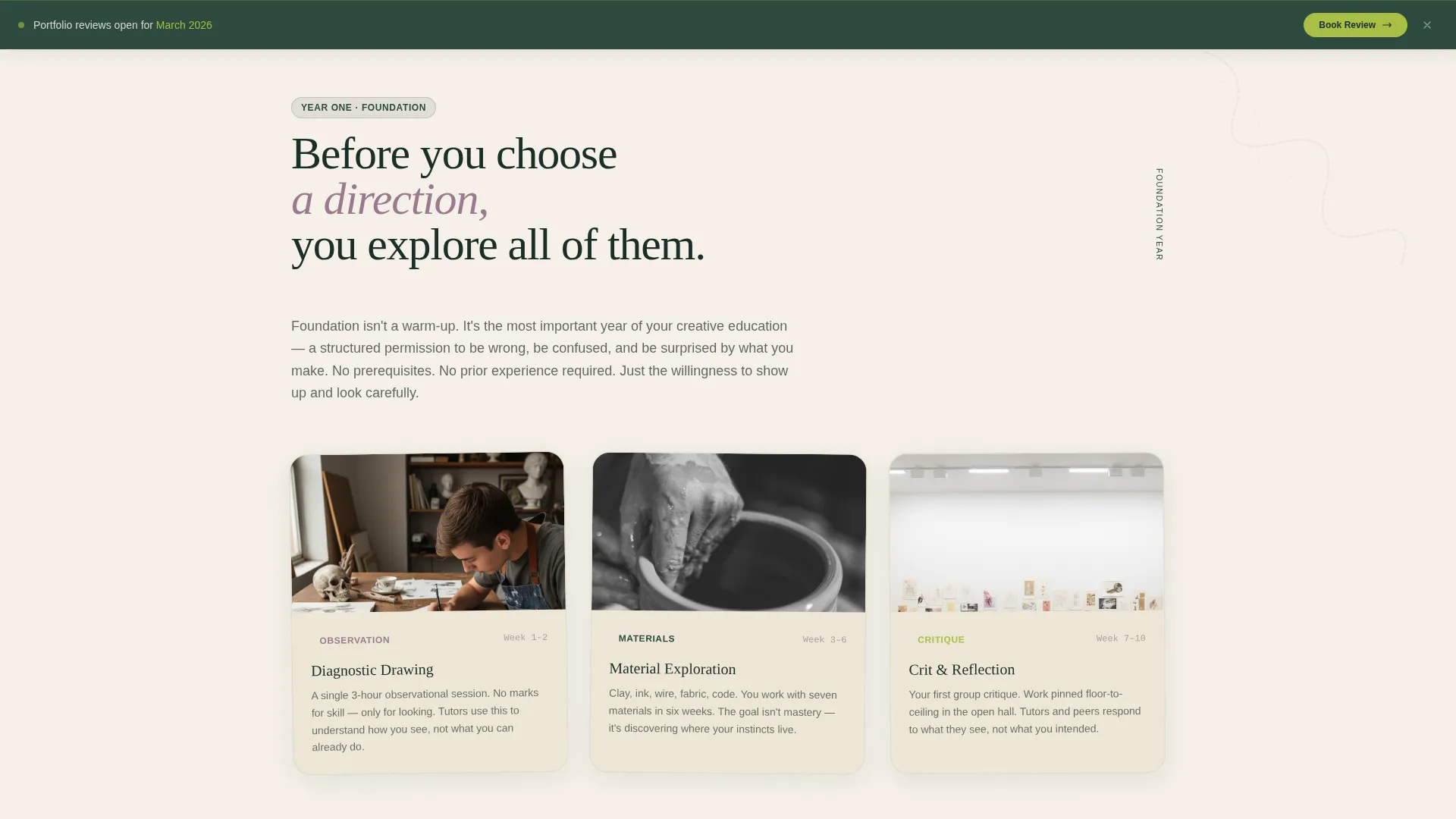
The page moves chronologically through a student's journey. Early sections use hand-drawn user interface accents and loose compositions. Later sections sharpen into professional portfolio grids and exhibition photography. The visual shift signals skill accumulation and builds trust.
Progressive Portfolio Review call to action
"Book Your Portfolio Review" appears first as a subtle sticky bar after the Pathways section. It then expands into a full form at the page's natural climax. The form collects first name, creative discipline of interest, current education level, and preferred review date.
Secondary Course Guide Download Path
Visitors who are not yet ready to book a review can download a Course Guide PDF instead. This path captures email address and interest area, offering a lower-commitment entry point for early-stage researchers and parents.
Editorial Header with Accreditation Logo Bar
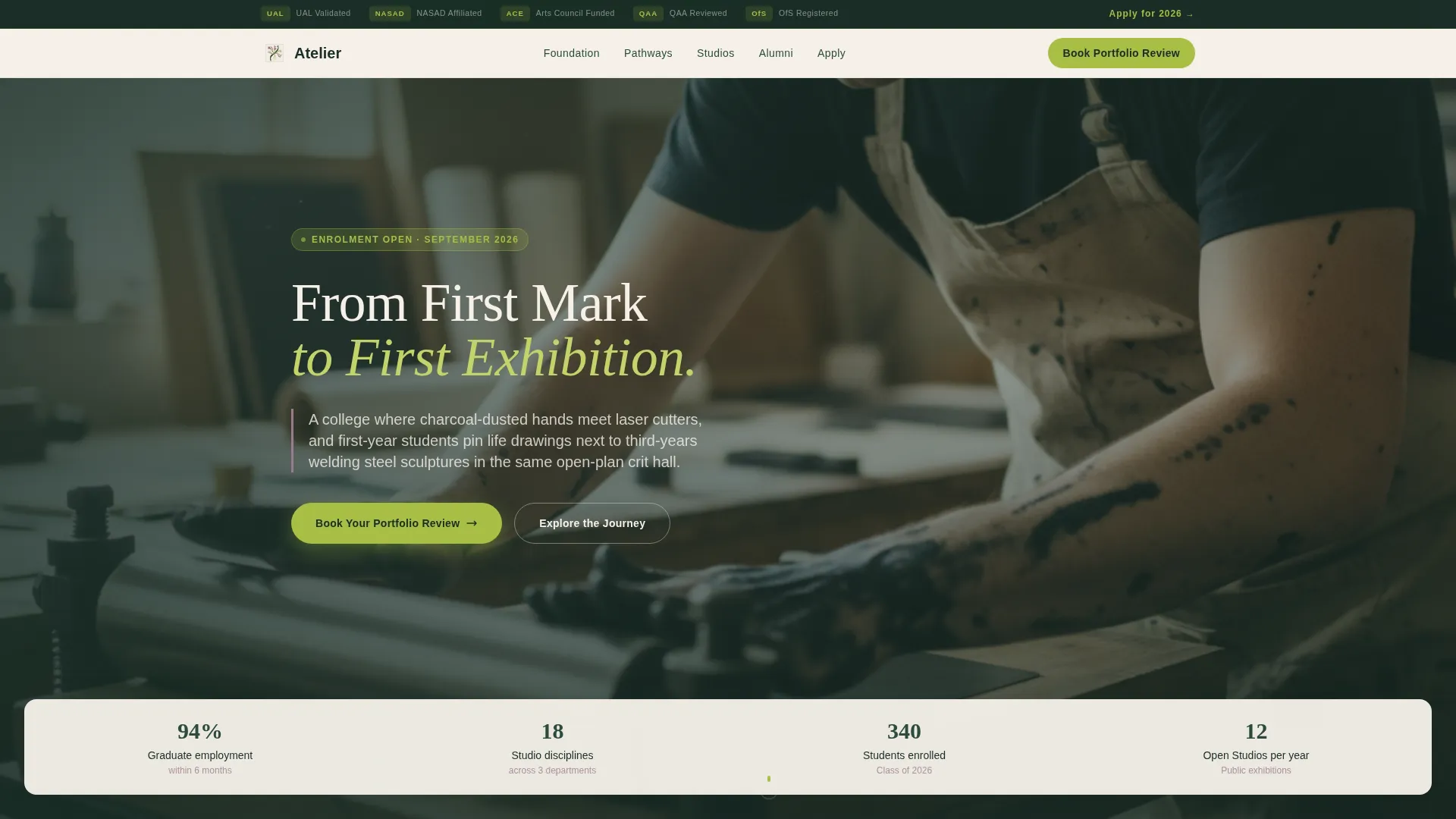
The header opens with a horizontal ribbon of partner and accreditation logos above a single full-width editorial photograph. The headline types itself on screen like a course title being hand-lettered: "From First Mark to First Exhibition."
Specialisation Pathway Forks
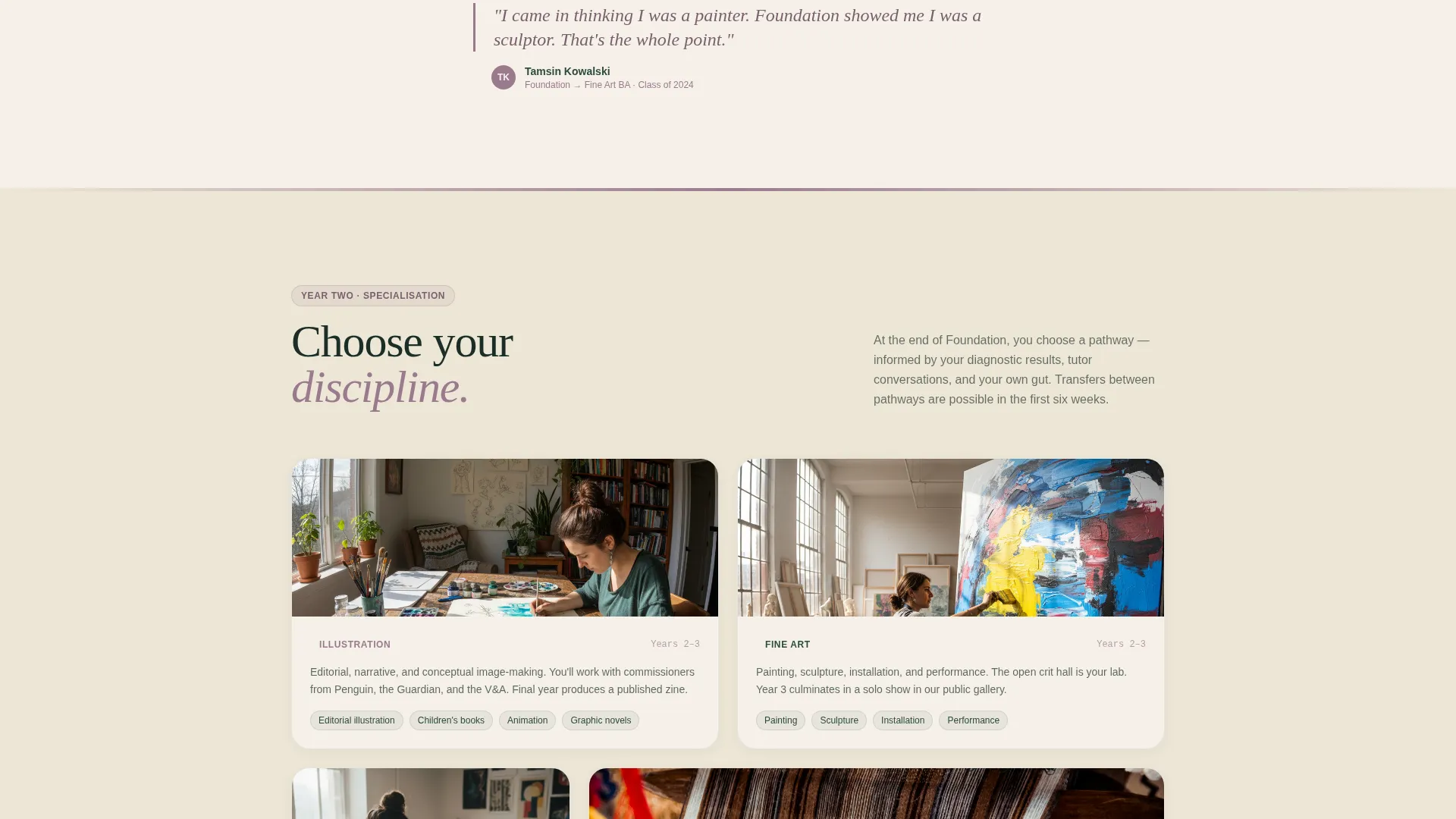
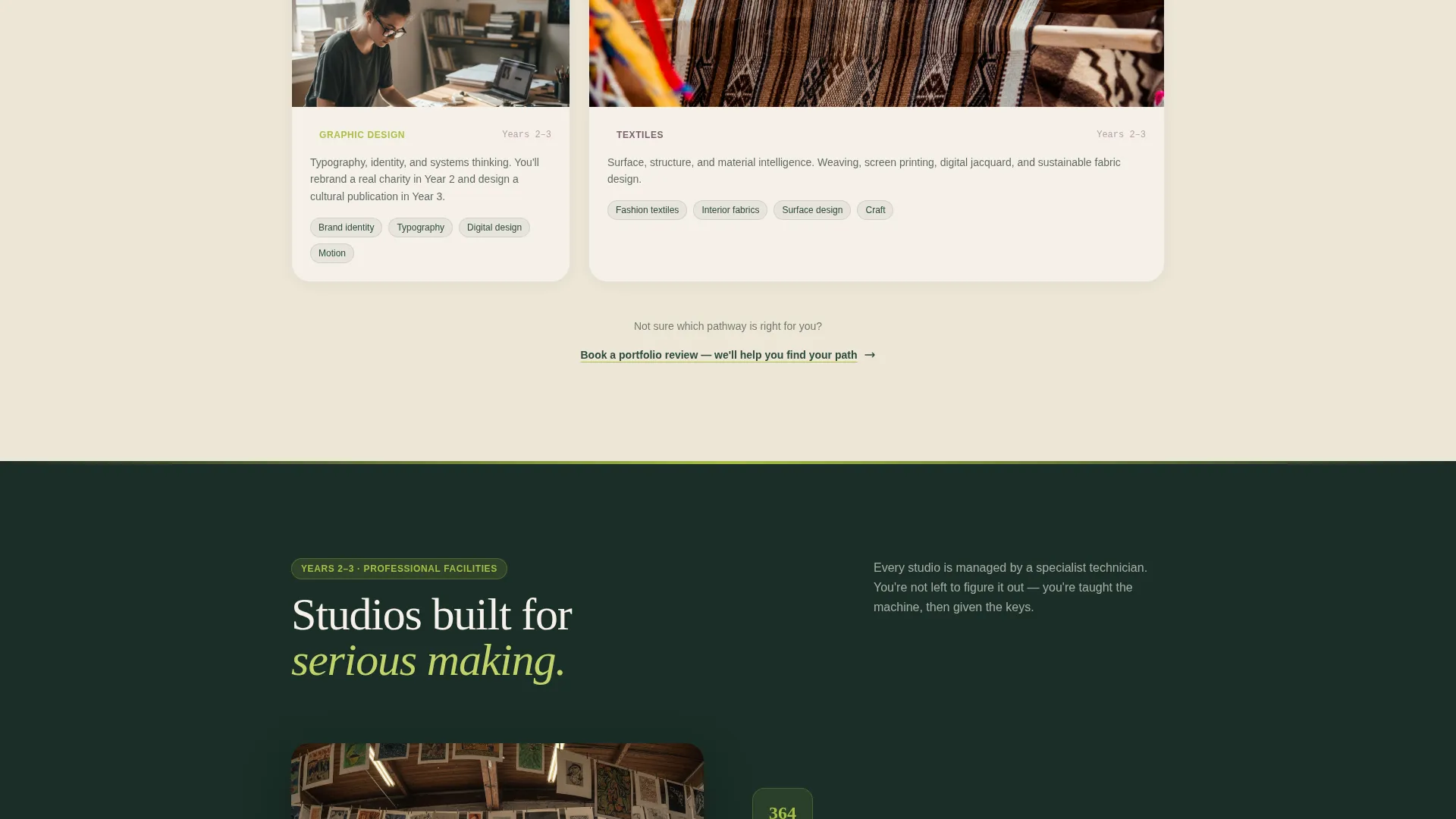
The Pathways chapter presents clear visual forks for each discipline: illustration, fine art, graphic design, and textiles. Each fork leads into professional studio modules and connects to the alumni wall, showing where each path can lead.
Page sections overview
| Section | Purpose |
|---|---|
| Accreditation Logo Bar | Establishes credibility with partner and validation logos above the hero |
| Editorial Hero | Captures attention with a full-width student process photograph and animated headline |
| Anchor Nav Rail | Provides fixed five-spoke navigation for fast chapter jumping |
| Foundation Chapter | Introduces diagnostic projects and first-year studio culture |
| Pathways Chapter | Presents specialisation forks across four creative disciplines |
| Studios Chapter | Showcases professional studio modules and facilities |
| Alumni Wall | Displays real graduate careers and exhibition photography |
| Sticky call to action Bar | Surfaces the portfolio review prompt after the Pathways section |
| Apply Form | Captures booking details via a full four-field lead form |
| Course Guide Download | Offers a PDF download for email capture as a secondary lead path |
Design & branding system
Atelier uses a Botanical color system that feels like a hand-bound sketchbook left open on a studio windowsill. Every color has a structural role, so the palette guides attention without needing decorative elements to do the work.
- Deep greenhouse foliage (#2D4A3E) anchors typography and navigation; sun-bleached linen (#F5F0E8) dominates backgrounds; pressed-flower mauve (#9B7A8F) warms section dividers and pull-quotes
- New-shoot chartreuse (#A8BF45) is reserved strictly for buttons and progress markers, drawing the eye only where action is needed
- The Educational Guide theme uses hand-drawn user interface accents in early sections that progressively sharpen into clean portfolio grids, reflecting the student's growing craft
Mobile & speed optimization
The anchor navigation and timeline layout are structured to translate cleanly across screen sizes. The fixed left-rail nav adapts so mobile visitors retain chapter access without losing scroll momentum.
- The sticky call to action bar and expandable apply form are built to remain functional and visible on smaller screens
- Image-heavy sections such as the alumni wall and editorial hero use layout structures that prevent content overflow on mobile viewports
- The progressive visual shift from sketchy to polished sections remains legible at every breakpoint
How this template helps you convert
Atelier earns conversions by building genuine desire before presenting any form. The page does not lead with an ask. It leads with a story.
- The timeline progression builds emotional investment section by section. By the time visitors reach the Apply chapter, they have watched a student grow from tentative first marks to a gallery opening. The call to action feels like a natural next step, not a sales prompt.
- The dual lead-capture structure removes the binary choice between "book now" and "leave." Visitors who need more time can download the Course Guide PDF, keeping them in the pipeline without pressure.
Other information about this template
Atelier is categorised under Education and Training, specifically designed for the College and University subcategory with an Art and Design College niche focus. It is built as a Hub and Spoke (Anchor Nav) single landing page following a Lead Generation direction. The template theme is Educational Guide and the creative direction is Timeline Progression. The header concept is a Logo Bar.
- The template supports display of accreditation and validation logos, making it suitable for institutions affiliated with recognised arts bodies
- The course guide PDF download component can support multiple interest areas via the discipline dropdown, making it adaptable across departments
- The botanical palette and hand-drawn accent progression make Atelier visually distinctive without requiring custom illustration work from the college's team
Theme
Educational Guide
Creative direction
Timeline Progression
Color system
Botanical
Style
Hub & Spoke (Anchor Nav)
Direction
Lead Generation
Page Sections
Five-spoke Anchor Navigation Rail
Timeline Progression Layout
Progressive Portfolio Review Call to Action
Secondary Course Guide Download
Editorial Hero with Accreditation Logo Bar
Specialisation Pathway Forks
Related questions
Who is this landing page template designed for?
What lead capture options are included in this template?
How does the progressive call-to-action work?
Can the template display multiple creative pathways?
Does this template include space for accreditation and partner logos?



