Fine Art Academy Landing Page Template
Atelier is a modular card grid landing page for a fine art academy. It blends an earthy Botanical color system with an Educational Guide theme to create a studio-warm, trust-building experience. The page guides visitors through instructor profiles, curriculum cards, and micro-lessons before presenting a clear enrollment call to action.
by Rocket studio
Quick summary
Atelier is a single-page, card grid landing page built for a fine art academy rooted in real studio practice. It opens with hand-drawn data storytelling, moves through face-forward instructor and student cards, and closes with a lead generation form. The design feels like a well-used sketchbook: earthy, warm, and full of genuine creative life.
Who this template is for
This template fits any fine art academy or atelier-style studio that teaches through direct, hands-on instruction. It works especially well when the student body is diverse and the teaching staff are practicing artists worth spotlighting.
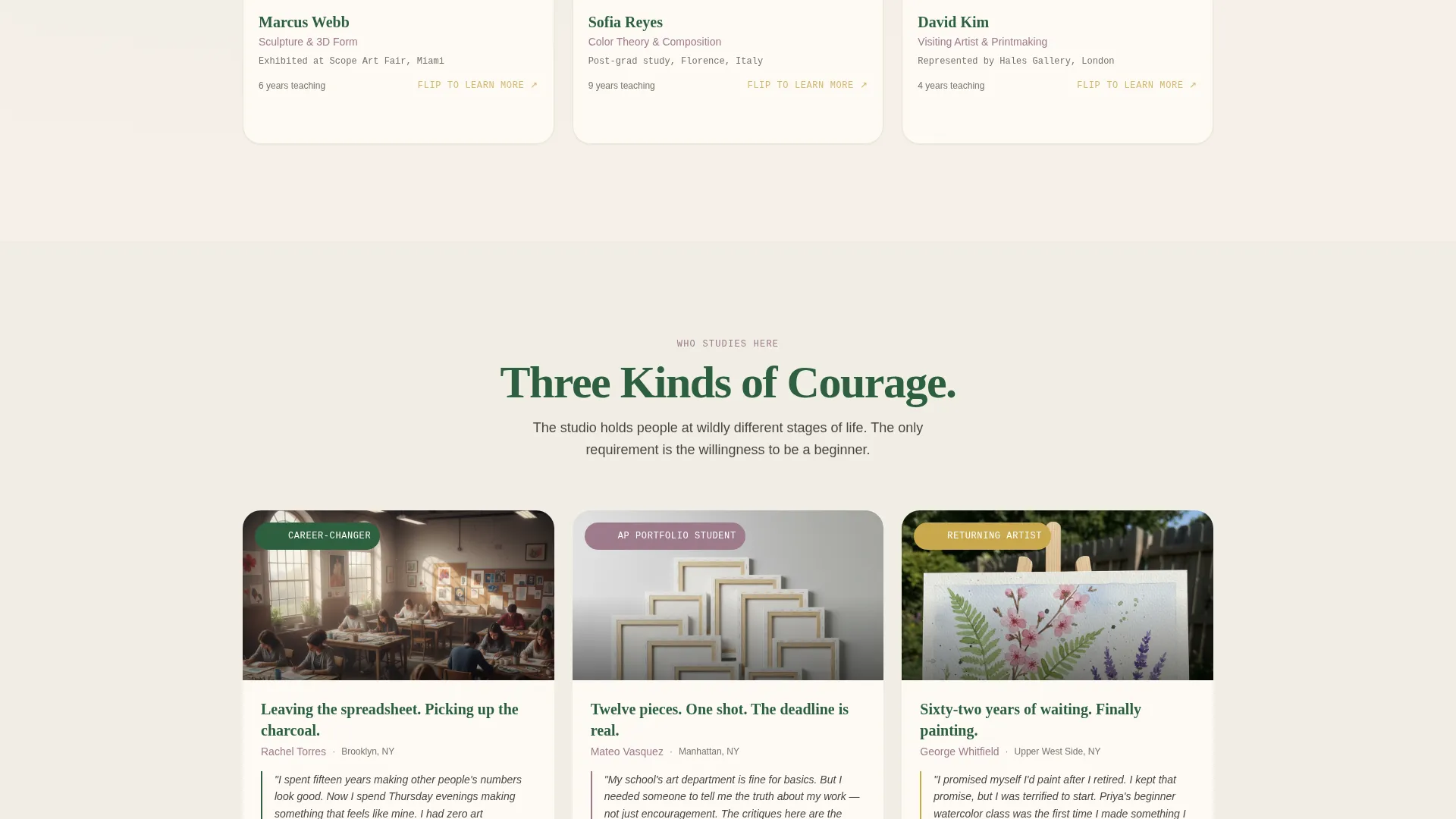
- Career-changers pursuing portraiture or fine art for the first time
- High school students building portfolio work under deadline
- Retired adults returning to creative practice after years away
What problem this template solves
Most art school pages lead with course titles and pricing grids. They feel transactional, not inviting. Prospective students want to feel the studio before they commit to a seat in it.
- Generic school pages fail to communicate teaching philosophy or faculty credibility
- Visitors leave before understanding what makes the learning environment different
- Long enrollment forms with no prior trust-building drive high drop-off rates
What you get with this template
You get a fully structured landing page that teaches visitors something real before asking them to enroll. Every section earns the next scroll.
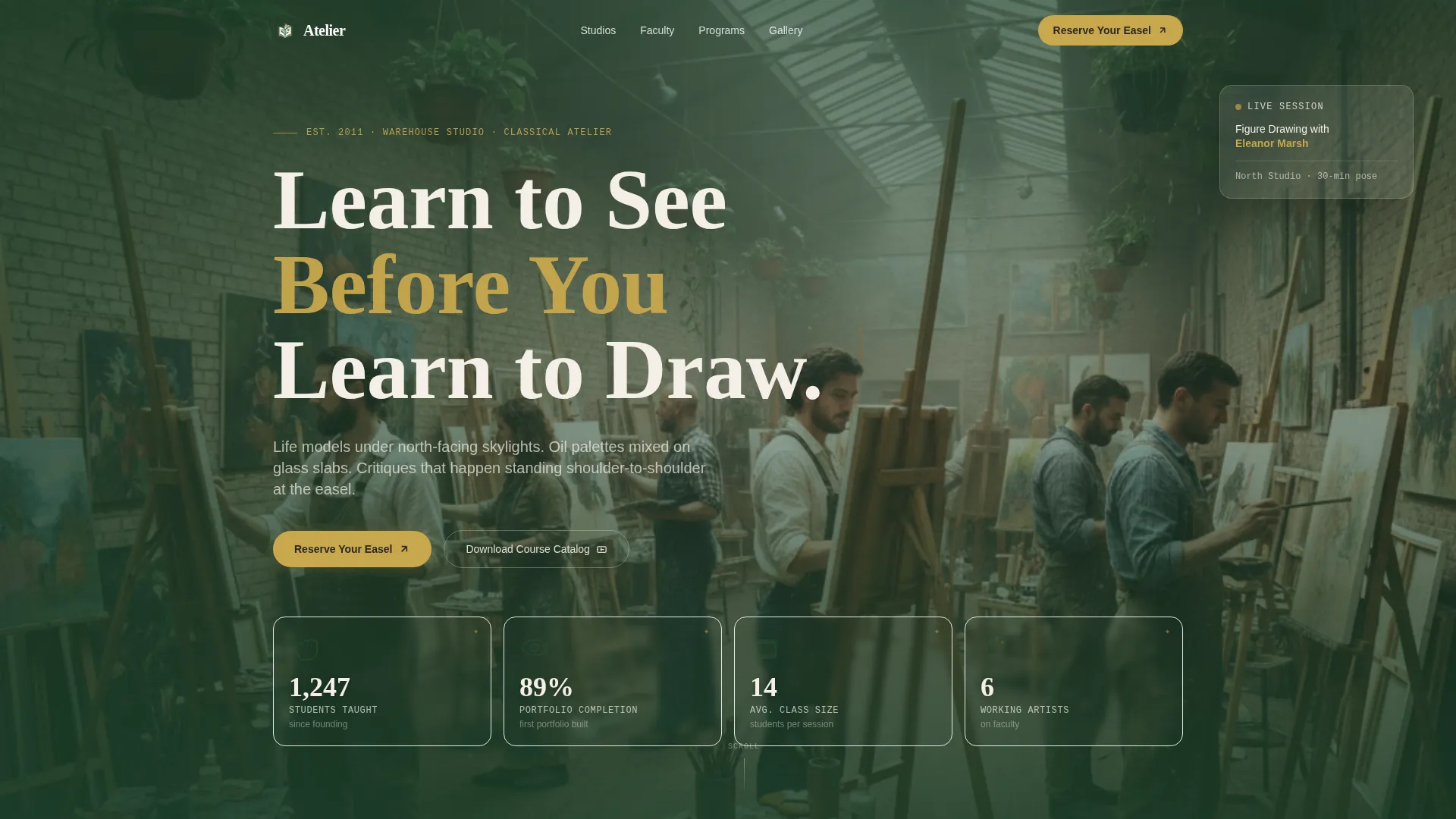
- A graphite-style data header showcasing four key academy outcomes as illustrated stats
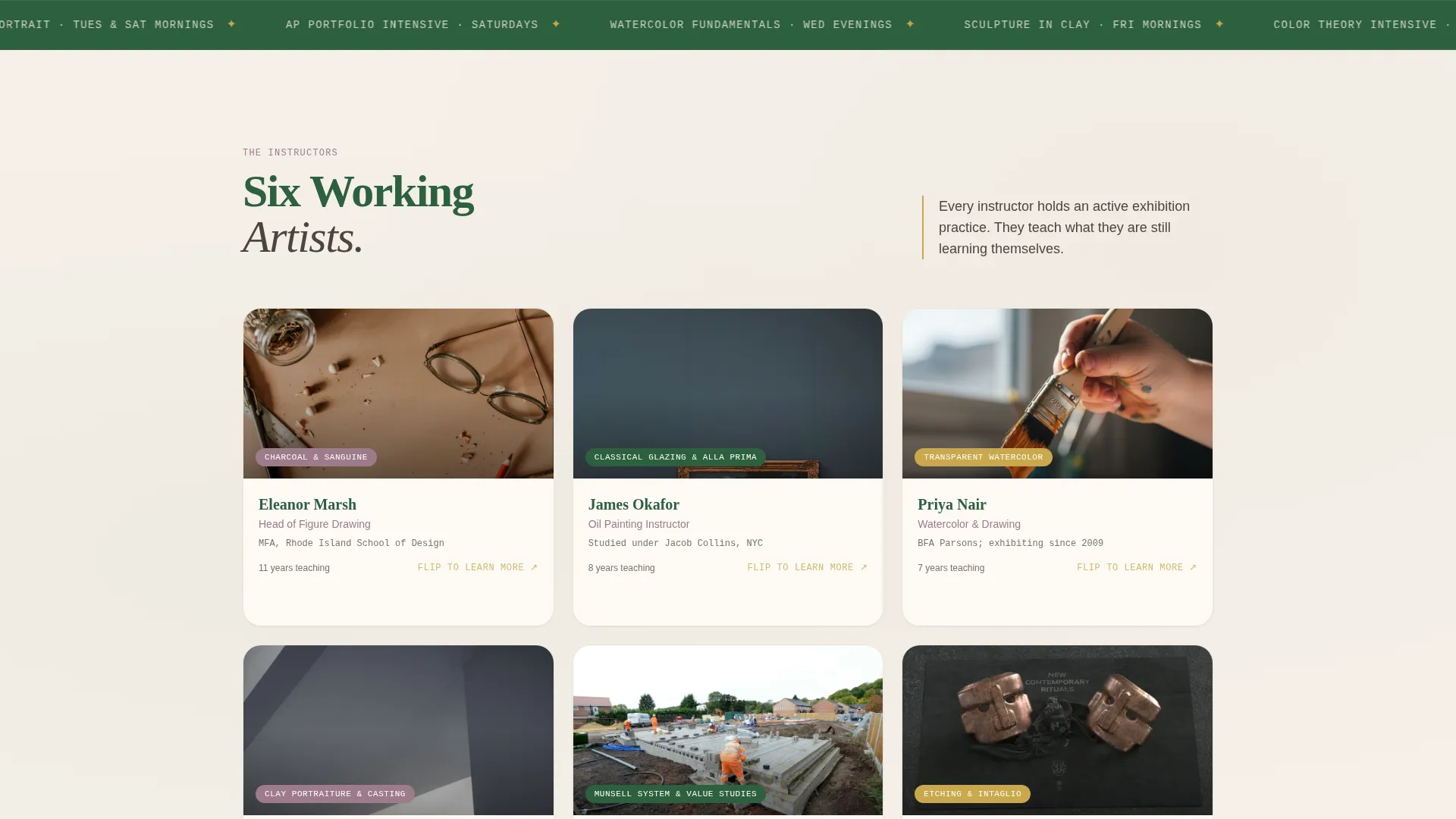
- A modular card grid of instructor and student faces that flip or expand to reveal curriculum detail
- Two conversion paths: a short "Reserve Your Easel" enrollment form and a "Download the Course Catalog" secondary offer
Feature list
This template bundles a focused set of purposeful components. Each one is grounded in the studio narrative and designed to move visitors from curious to committed.
Illustrated Data Storytelling Header
The header opens with hand-drawn infographic illustrations presenting four academy outcomes: 1,247 students taught, 89% completing their first portfolio, an average class size of 14, and 6 working artists on faculty. Each stat is paired with a small gestural figure drawing rendered in a graphite-on-textured-paper style.
Modular Face-Forward Card Grid
Each card in the grid features a real face: an instructor demonstrating a technique, a student at critique, or a visiting artist mid-lecture. Cards flip or expand to reveal teaching philosophy, curriculum details, and student progression galleries, making the grid feel alive rather than static.
Embedded Micro-Lesson Sections
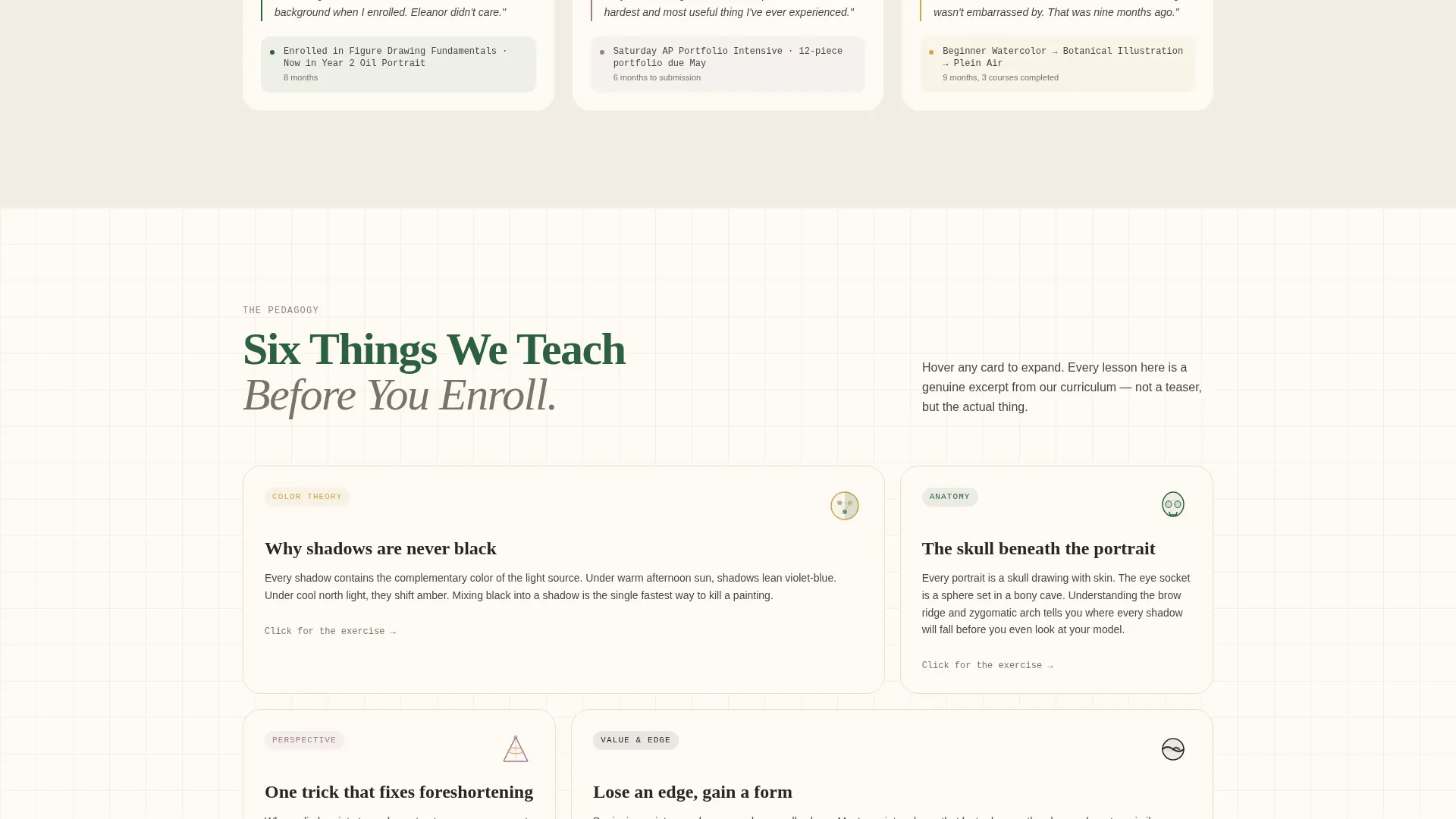
Every scroll section includes a small, genuinely useful teaching moment: a color theory principle, an anatomy tip, or a perspective trick. Visitors experience the academy's pedagogy before they ever reach the enrollment form.
Dual Conversion Path Design
The primary call to action, "Reserve Your Easel," leads to a short form asking for first name, experience level, and preferred medium. A secondary path offers a course catalog download for visitors who need more time before committing.
Botanical Color System Applied Throughout
Deep fern green anchors headlines and navigation. Warm linen dominates backgrounds. Pressed-flower mauve warms card borders and instructor name tags. Sap-gold activates hover states and enrollment buttons, giving interactive elements a distinct, warm glow.
Educational Guide Theme Structure
The layout follows a deliberate teach-first, convert-second structure. Sections are ordered so that each one adds credibility and value before the visitor encounters any enrollment prompt.
Page sections overview
| Section | Purpose |
|---|---|
| Data Storytelling Header | Introduces academy outcomes as illustrated graphite stats |
| Academy Story Block | Establishes studio origin and teaching philosophy |
| Instructor Card Grid | Spotlights faculty with expandable teaching detail |
| Micro-Lesson Strip | Delivers a quick color theory or anatomy tip |
| Student Progression Cards | Shows before-and-after portfolio development |
| Curriculum Overview Cards | Breaks down drawing, oil, watercolor, and sculpture tracks |
| Visiting Artist Spotlight | Features guest lecturers mid-session |
| Reserve Your Easel Form | Captures name, experience level, and preferred medium |
| Course Catalog Download | Offers a secondary, lower-commitment conversion path |
| Footer Navigation | Links to additional studio information and contact details |
Design & branding system
The Botanical color system gives the page a warm, living quality that matches the studio environment described in the brief. Colors behave consistently across every card and section.
- Deep fern green (#2D5F3E) for headlines and navigation; warm linen (#F5F0E8) for all background surfaces
- Pressed-flower mauve (#9E7B8C) on card borders and instructor name tags to add warmth without distraction
- Sap-gold (#C9A84C) reserved for hover states and enrollment button highlights, drawing the eye at exactly the right moment
Mobile & speed optimization
The card grid layout is built to reflow cleanly on smaller screens. Modular components stack vertically without losing their visual identity or disrupting the narrative sequence.
- Cards resize and reorder for single-column reading on phones and tablets
- The dual conversion path remains clearly accessible on mobile without scrolling past heavy media blocks
How this template helps you convert
The page is structured to earn trust through genuine instruction before it ever asks for a commitment. By the time visitors reach the enrollment form, the academy has already demonstrated its ability to teach.
- The illustrated data header immediately signals credibility with real outcome numbers, setting a factual and human tone from the first scroll.
- Micro-lesson strips give away practical knowledge at each section break, so visitors experience the teaching quality firsthand before signing up.
- The two-path conversion design meets visitors wherever they are: ready to reserve a seat or still browsing, both options are presented clearly without pressure.
Other information about this template
This template is built around the card grid (modular) template style, making it straightforward to reorder, add, or remove content blocks as the academy's offerings evolve. The Educational Guide theme and Team and People creative direction work together to keep real humans, faculty, students, and visitors, at the center of every section. The Botanical color palette was chosen to feel organic and tactile, reinforcing the physical, hands-on nature of atelier-style instruction. The header concept follows a Data Storytelling approach, which means the page opens with proof before it opens with a pitch.
- The template suits fine art academies, independent ateliers, and art and design schools looking for a warm, credible first impression
- The lead generation direction is fully integrated: both the primary form and the catalog download are positioned within the natural scroll flow
- The graphite illustration style used in the header can be adapted to reflect any academy's specific founding story or student outcome data
Theme
Educational Guide
Creative direction
Team & People
Color system
Botanical
Style
Card Grid (Modular)
Direction
Lead Generation
Page Sections
Illustrated Data Storytelling Header
Modular Face-forward Card Grid
Embedded Micro-lesson Sections
Dual Conversion Path Design
Botanical Color System
Educational Guide Theme Structure
Related questions
Who is this landing page template designed for?
Can I customize the card grid to fit my own faculty and curriculum?
What does the Reserve Your Easel form collect?
What is the secondary conversion path for?
Does the template include the micro-lesson content or do I supply it?



