Fine Arts Video Lesson Library Landing Page
Atelier is a single-column fine arts landing page template built for video lesson libraries. It pairs a bold playful serif header, FAQ-driven accordion sections, and a live demo registration form to turn curious visitors into committed learners. Designed for painters, sculptors, and printmakers, it guides adult hobbyists, art teachers, and graduate students from first impression to sign-up.
by Rocket studio
Quick summary
Atelier is a fine arts video lesson library landing page. It opens with a giant centered headline, unfolds through curiosity-driven accordion questions, and closes with a live demo registration form. The Playful Geometric visual theme blends deep charcoal, sky blue, and warm white to feel grounded yet optimistic. Every section earns the visitor's trust before asking for the click.
Who this template is for
This template is built for anyone offering filmed fine arts instruction to a serious adult audience. It speaks directly to the learner's hesitation and guides them toward committing to a first lesson.
- Online art schools and independent instructors running video lesson libraries for painters, sculptors, and printmakers
- Art teachers looking to showcase classroom-ready demos they can license or reference
- Graduate-level arts programs or continuing education platforms filling curriculum gaps in technique-focused content
What problem this template solves
Most fine arts course pages dump a catalog on the visitor and expect them to browse their way to confidence. That approach loses hesitant learners before they ever reach a call to action.
- Visitors arrive unsure whether video can genuinely teach hands-on technique like glazing or mold-making
- Prospective students need proof of instructor credibility before they commit any time or money
- The gap between "I'm interested" and "I'll register" stays wide when a page never addresses real objections
What you get with this template
You get a complete, ready-to-customize single-column landing page designed around the full visitor journey from curiosity to registration. Every component is purposeful and tied to a specific moment in that journey.
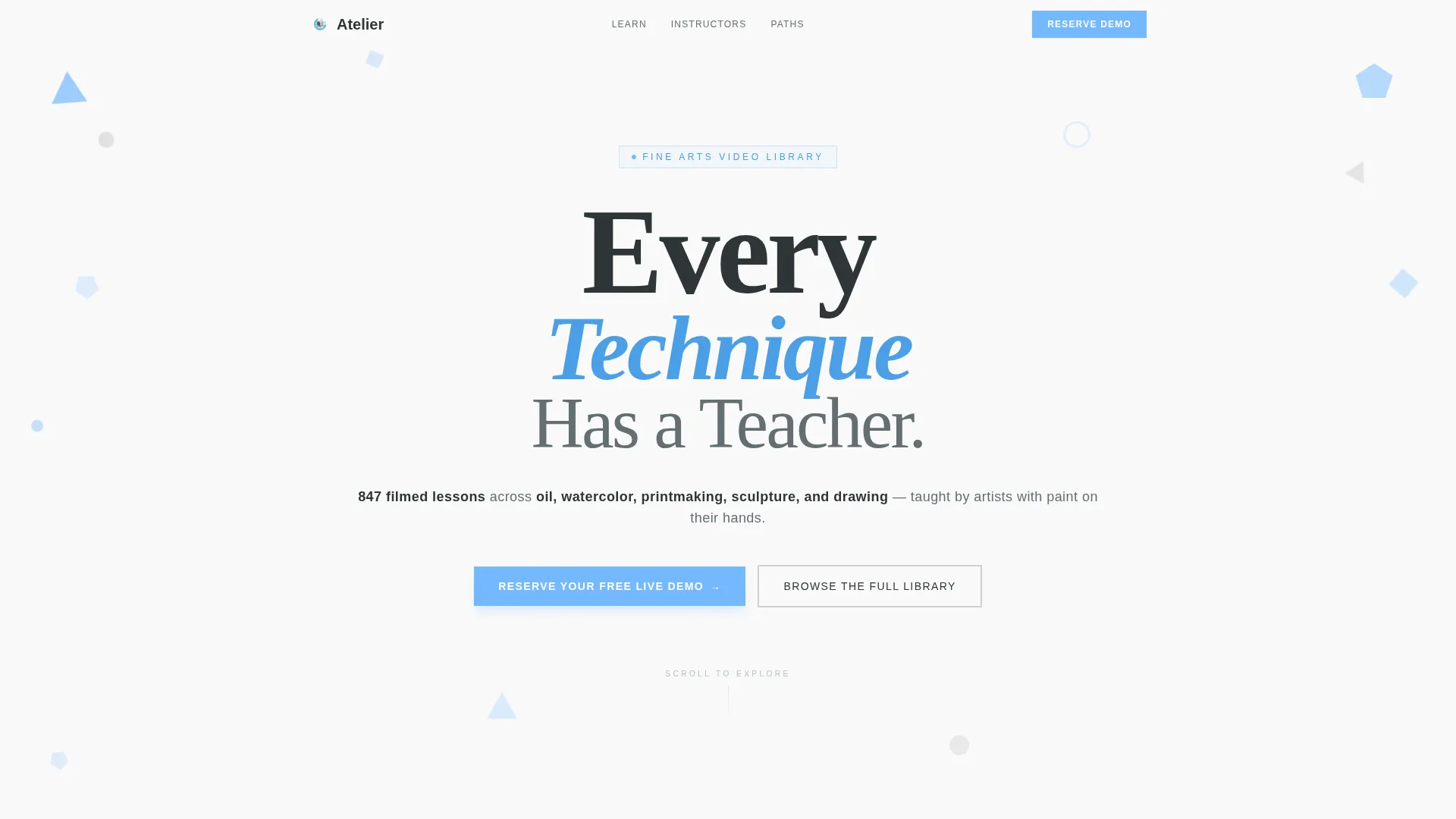
- A giant centered headline section with orbiting geometric shapes and a discipline-count subtext line
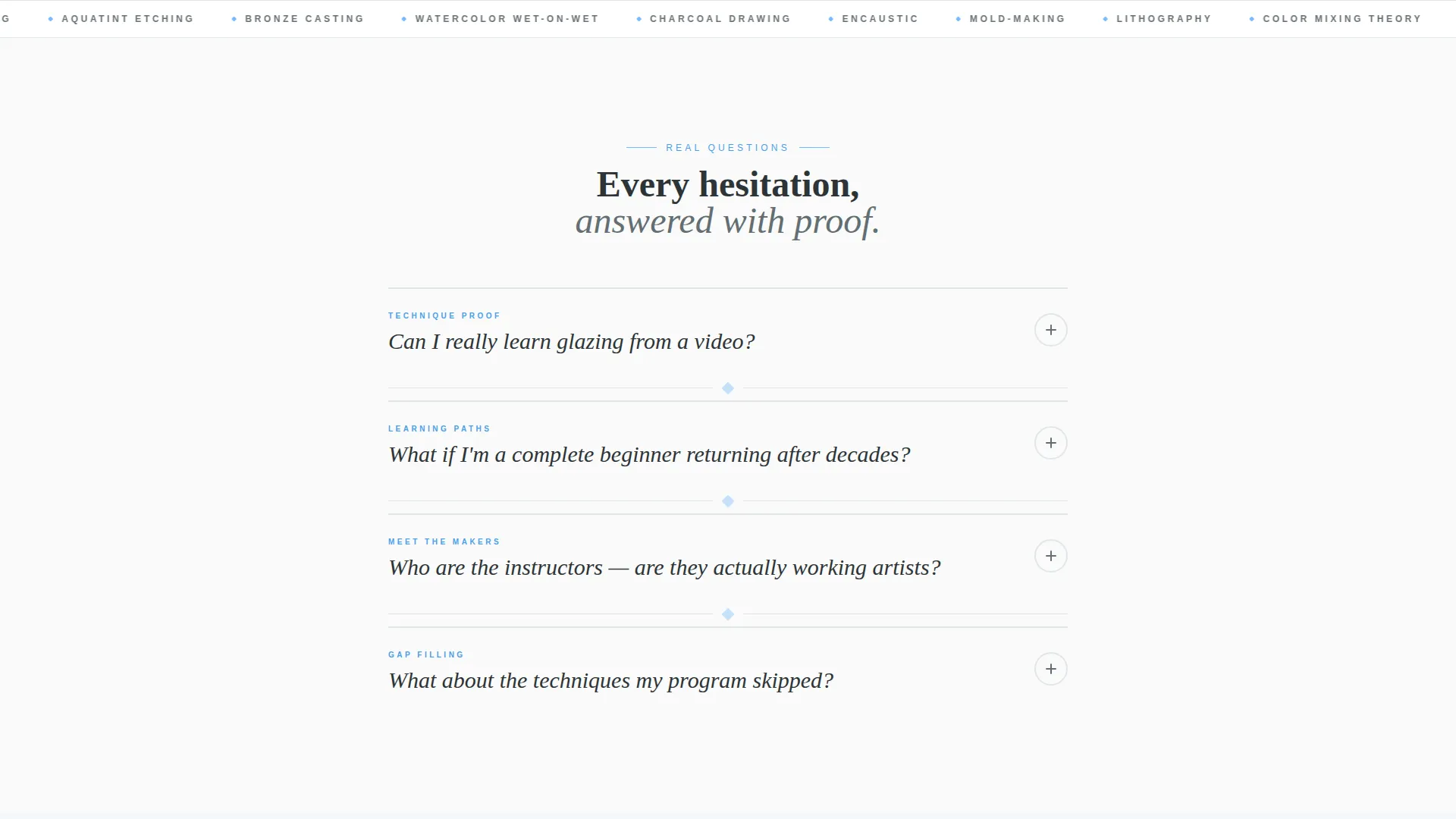
- A FAQ-driven accordion body where each question block expands to reveal video clips, imagery, and concise answers
- A live demo registration form capturing first name, email, and medium preference, plus a secondary library browse path
Feature list
This landing page template is built around six core capabilities, each drawn directly from the Atelier brief.
Giant Headline with Geometric Orbit
The header sets a massive three-line playful serif headline, "Every Technique Has a Teacher," with sky-blue and slate geometric shapes rotating around the text on scroll. No competing image dilutes the impact. Negative space does the heavy lifting.
FAQ-Driven Accordion Sections
Each accordion block presents a real visitor question as a large tappable geometric element. When opened, it reveals a short video clip, supporting imagery, and a concise answer. The rhythm alternates curiosity and proof to build confidence with every expanded block.
Event Registration Form
The primary call to action is a "Reserve Your Free Live Demo" form. It captures three fields: first name, email, and a medium-interest dropdown. The dropdown routes the confirmation email to the right live-streamed session automatically by medium.
Secondary Library Browse Path
A "Browse the Full Library" link sits alongside the registration form. It gives ready-to-commit visitors a direct path into the catalog without requiring event sign-up first. Both paths are visible so neither audience feels forced into the wrong flow.
Playful Geometric Shape System
Triangles, circles, and irregular polygons float between page sections in sky blue and translucent slate. They rotate subtly on scroll, referencing studio mobiles. The shapes break up vertical rhythm without adding visual noise.
Instructor Introduction Blocks
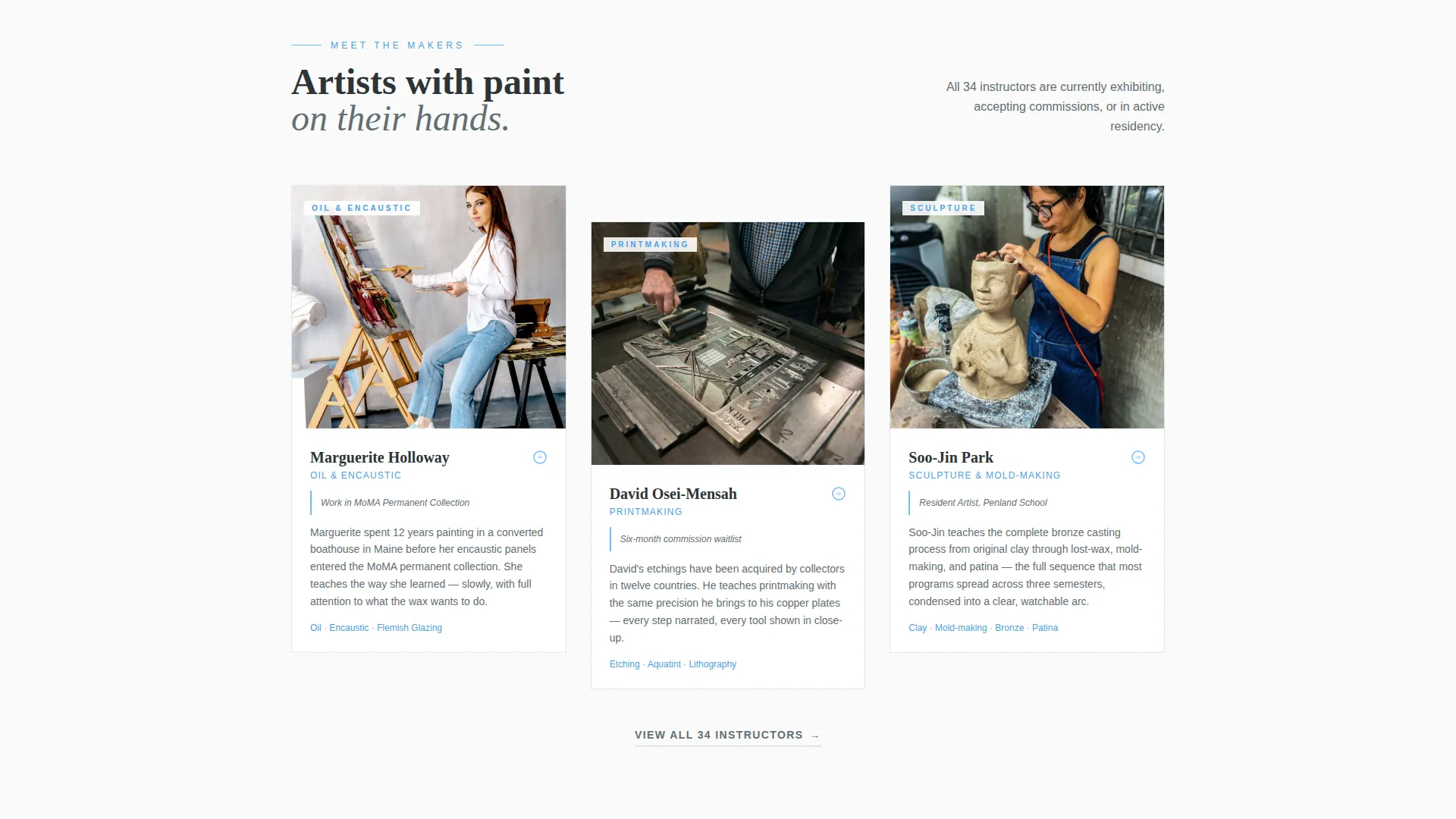
Three working artists are introduced mid-process with paint on their hands. Each instructor profile sits inside the FAQ accordion flow as an answer to "Who are the instructors?" This placement ties credibility proof directly to the moment a visitor needs it most.
Page sections overview
| Section | Purpose |
|---|---|
| Giant Headline Header | Opens with bold centered typography and orbiting geometric shapes |
| Discipline Count Subtext | Communicates current lesson count and medium range at a glance |
| FAQ Accordion Body | Answers real visitor questions with video, imagery, and concise copy |
| Glazing Technique Demo | Proves video can teach hands-on technique with a thirty-second clip |
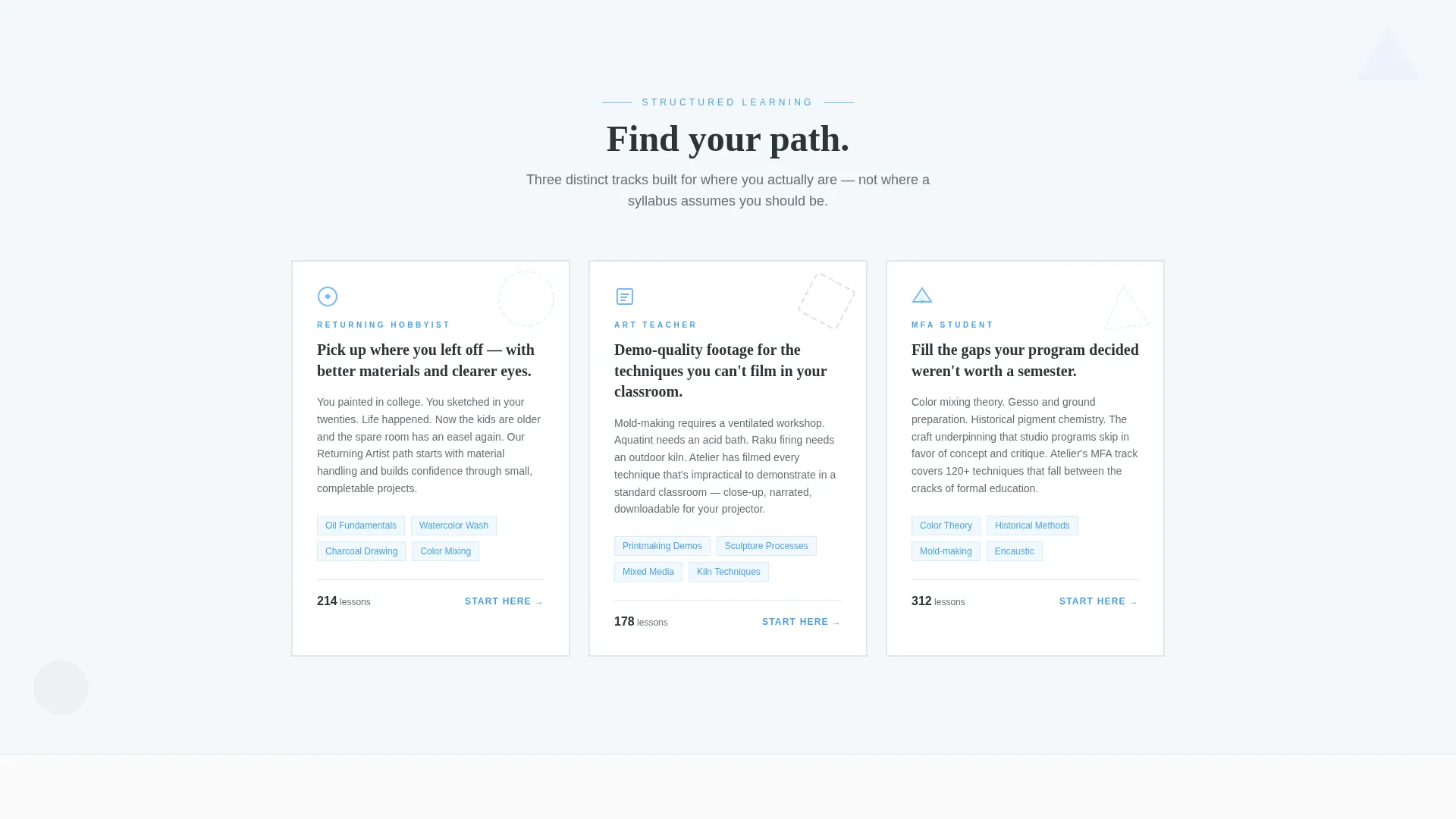
| Beginner Learning Paths | Reveals structured paths for learners returning after a long break |
| Instructor Profiles | Introduces three working artists mid-process to build credibility |
| Registration Form Section | Captures name, email, and medium preference for live demo sign-up |
| Library Browse call to action | Offers a direct catalog entry point for visitors ready to commit now |
Design & branding system
The visual identity follows a Playful Geometric theme built on the Slate and Sky color system. The palette feels like a pencil sketch held against a clear morning sky: grounded in craft, lifted by open air.
- Deep charcoal slate (#2D3436) for primary text and section dividers, soft graphite (#636E72) for secondary copy, and warm cloud white (#FAFAFA) for background breathing room
- Open sky blue (#74B9FF) drives all buttons, geometric accent shapes, and interactive accordion borders
- Typography uses a playful serif for headlines and clean supporting weights for body copy, keeping the studio-sketchbook feeling consistent throughout
Mobile & speed optimization
The single-column flow is inherently mobile-friendly. Stacked sections, large tappable accordion blocks, and a short three-field form work cleanly on any screen width without requiring layout adjustments.
- Geometric shapes scale and reposition gracefully so floating elements never crowd small viewports
- The accordion interaction is designed for thumb-tap use, keeping question blocks large enough to hit comfortably on a phone screen
- The three-field registration form reduces friction on mobile by keeping input demands minimal
How this template helps you convert
The page is structured to resolve every hesitation before the registration form appears. By the time a visitor reaches the call to action, committing feels like the natural next step.
- The FAQ accordion addresses the three most common objections in sequence: whether video can teach real technique, whether beginners are welcome, and who the instructors actually are. Each opened question delivers proof, not promises.
- The "Reserve Your Free Live Demo" form lowers the commitment threshold by offering a free live event rather than a paid subscription, and the medium dropdown makes the confirmation feel personally relevant from the first email.
Other information about this template
This template is part of a fine arts education category designed for platforms serving adult learners and continuing education audiences. A few additional details worth knowing before you build with it.
- The template is built as a single-column flow, making it straightforward to adapt the content blocks for different disciplines or seasonal lesson events
- The accordion FAQ structure can be extended with additional question blocks as your library grows and new learner objections emerge
- The live demo registration form and the library browse path together serve two distinct audience readiness levels, so neither group needs to feel pushed toward the wrong action
Theme
Playful Geometric
Creative direction
FAQ-Driven
Color system
Slate & Sky
Style
Single Column Flow
Direction
Event Registration
Page Sections
Giant Centered Headline with Geometric Orbit
Faq-driven Accordion Body
Live Demo Registration Form
Secondary Library Browse Path
Floating Geometric Shape System
Mid-process Instructor Profiles
Related questions
Can I change the headline and lesson count to match my library?
Is this template suitable for a beginner art instructor just starting out?
Can I add more accordion question blocks as my library grows?
Does the registration form support a dropdown for multiple art mediums?
Can this template support a recurring live event series rather than a single demo?



