Specialist Architecture Firm Cost Estimator Website Template
Atelier is a split-screen landing page template built for architecture firms that want to make an immediate impression. It pairs a live project-scope estimator with bold iridescent visuals, a filterable project directory, and a clear path toward downloading the firm's proprietary project-tracker app. Every section is designed to move visitors from curiosity to commitment.
by Rocket studio
Quick summary
Atelier is a single-page, split-screen landing page template for architecture firms. It opens with a functional cost-and-timeline estimator, then builds momentum through partner origin stories, a filterable project directory, live achievement counters, and a focused call to action driving visitors toward downloading the firm's client-facing project-tracker app.
Who this template is for
This template is built for architecture practices that want their digital presence to feel as considered as their built work. It speaks to firms ready to attract serious clients and top talent from the first scroll.
- Established architecture firms pitching prospective residential and commercial clients
- Studios recruiting junior architects who want to assess the firm's culture and portfolio
- Firms launching a proprietary client app and needing a page that earns the download
What problem this template solves
Most architecture firm pages are static galleries that give visitors no reason to engage beyond browsing images. Atelier solves this by leading with a tool that delivers real value before asking for anything in return.
- Visitors leave other firm sites without a clear next step or a sense of scale
- Generic layouts fail to communicate the precision and energy that differentiate top studios
- There is no mechanism to qualify leads or guide different visitor types toward different actions
What you get with this template
You get a fully structured, single-page layout that handles multiple visitor intents inside one continuous scroll. Every panel is purpose-built to inform, impress, and convert.
- A 50/50 split-screen layout across every major section, giving equal visual weight to story and data
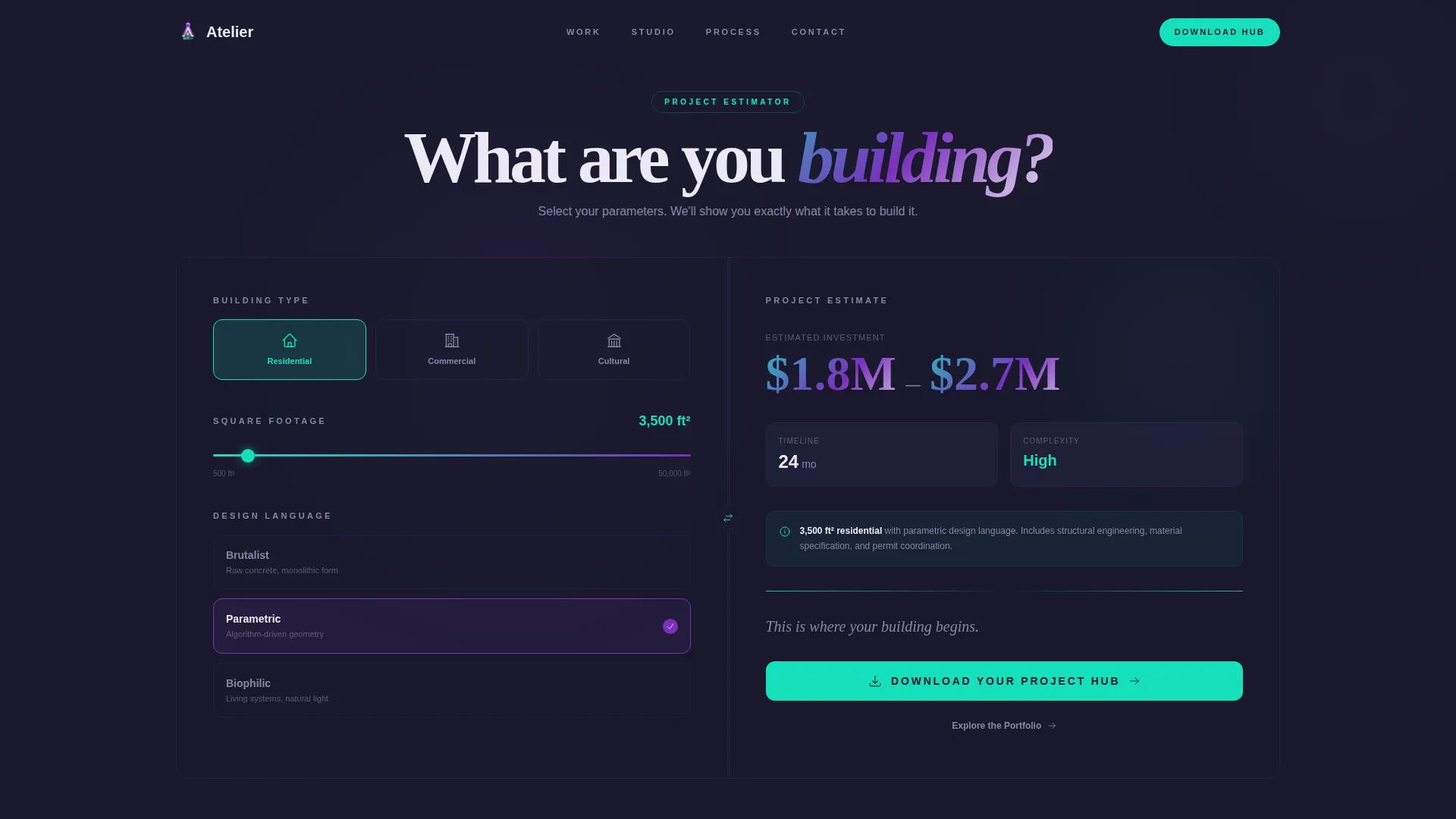
- A header estimator panel with building-type selector, square-footage slider, and style-era picker
- A real-time result panel with shimmering iridescent gradient transitions and a ticking number display
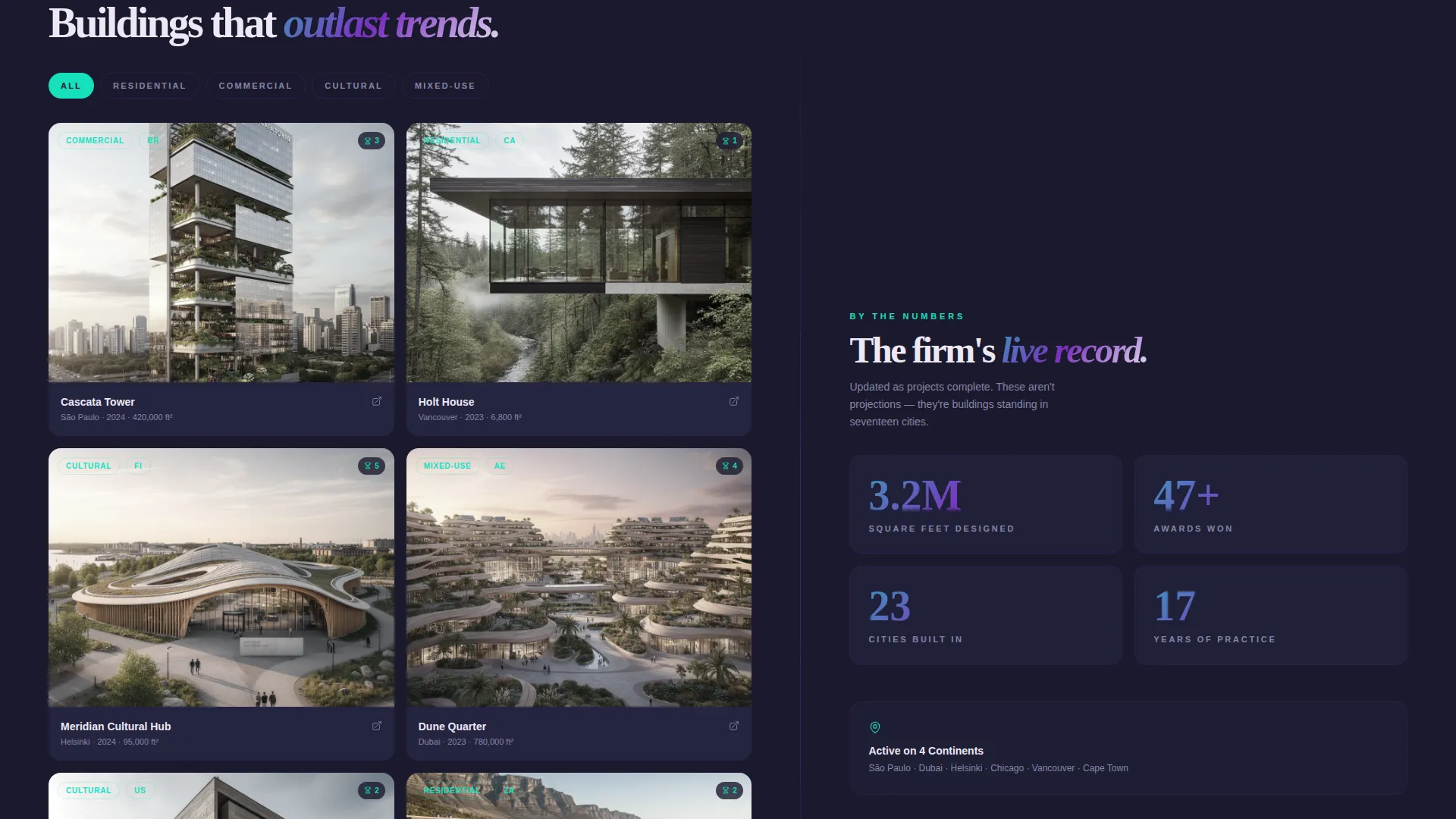
- A filterable project directory with iridescent-bordered hover cards, typology tags, and city labels
- A live counter block tracking square feet designed, awards won, and cities built in
- A persistent floating call-to-action button that appears after the third scroll section
Feature list
This section covers the core built-in capabilities that define what Atelier delivers as a template.
Interactive Project Scope Estimator
The header is a two-panel estimator. Visitors select a building type from residential, commercial, or cultural options. They set approximate square footage using a drag slider and choose a style era from brutalist, parametric, or biophilic. The right panel renders a cost-and-timeline estimate that animates into view with iridescent gradient transitions, numbers ticking upward like a launch countdown.
Filterable Project Directory Cards
The project directory displays work as filterable cards with iridescent borders that tilt on hover. Each card is tagged by typology and city, so visitors can quickly find relevant precedents. The directory layout supports the firm's credibility at a glance.
Live Achievement Counter Block
A dedicated counter panel tracks square feet designed, awards won, and cities built in. The numbers are displayed as live counters, reinforcing the firm's scale and track record without requiring visitors to read long paragraphs.
Persistent Floating Call-to-Action Button
After the third scroll section, a floating button stays visible as visitors continue down the page. It carries the primary call to action, keeping the app download path accessible without interrupting the reading experience.
Split-Screen Scroll Sections with Prismatic Transitions
Each scroll section fires a subtle prismatic flare across the dividing line between the two halves. This visual detail reinforces the iridescent brand system and gives the page a sense of momentum and discovery as visitors scroll.
Dual Conversion Paths
The template supports two visitor intents simultaneously. The primary path drives toward downloading the project-tracker app. The secondary path offers an "Explore the Portfolio" option for visitors not yet ready to commit, so no qualified visitor leaves without a clear direction.
Page sections overview
| Section | Purpose |
|---|---|
| Header Estimator Panel | Lets visitors scope a project and see a personalized cost-and-timeline estimate |
| Estimator Result Panel | Renders real-time output with animated iridescent transitions and a download call to action |
| Construction Timelapse Reel | Communicates the firm's build velocity and craftsmanship through rapid-fire video |
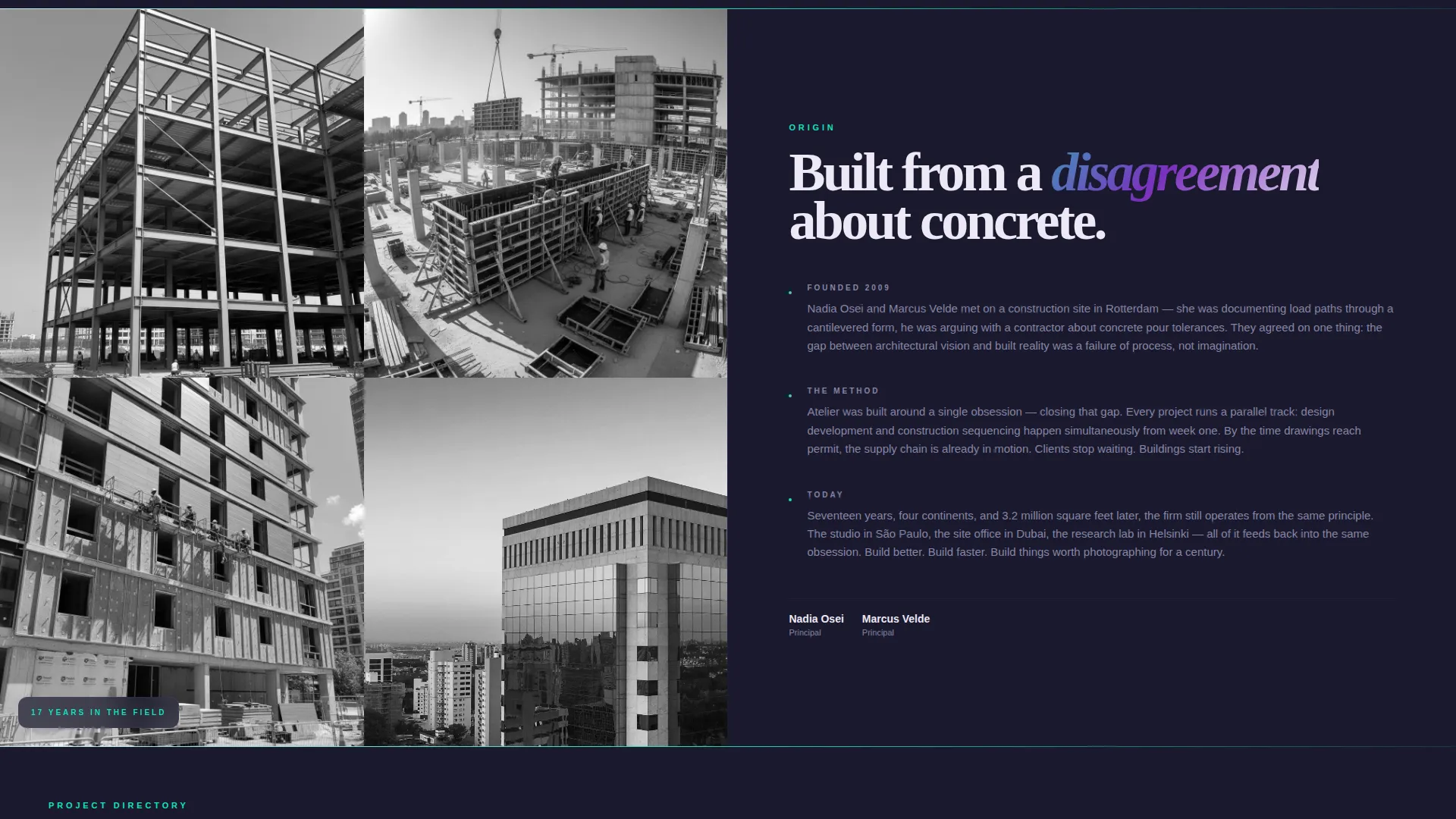
| Partner Origin Story | Tells the founding partners' story in three concise paragraphs on the right panel |
| Project Directory Cards | Displays filterable work samples tagged by typology and city |
| Achievement Counter Block | Shows live totals for square feet designed, awards, and cities |
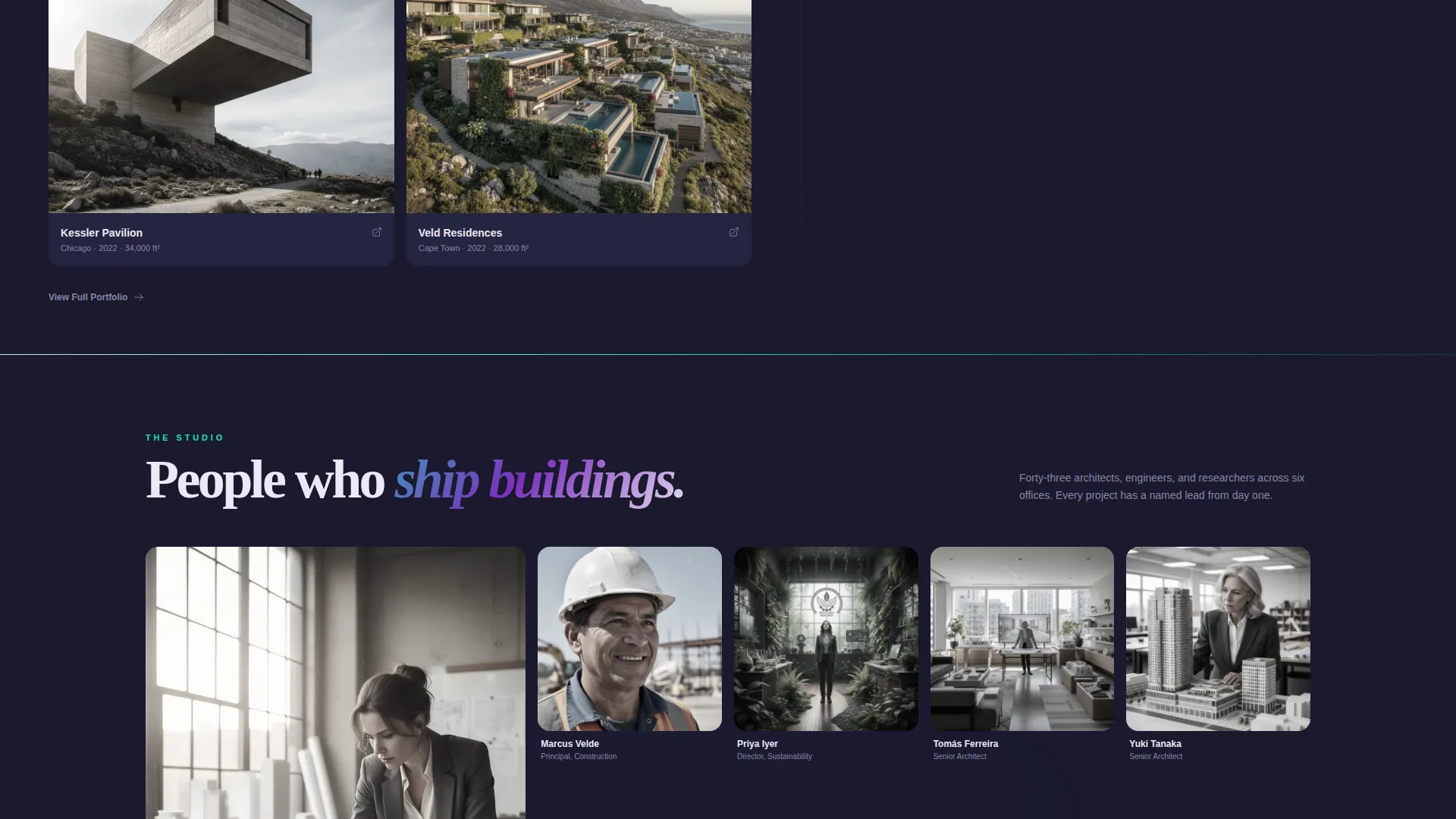
| Team Grid | Introduces the studio's people in a structured visual grid |
| Press Mentions | Surfaces editorial recognition to reinforce credibility |
| Studio Tour Photos | Gives visitors a physical sense of the firm's working environment |
| App Download call to action | Drives the primary conversion with a teal-on-graphite download prompt |
Design & branding system
The visual identity follows an AI Iridescent color system paired with a Directory and Discovery theme. The palette is built to feel like light refracting through a glass curtain wall at golden hour.
- Deep graphite (#1A1A2E) anchors body text and structural grids; pearl white (#EDE8F5) controls negative space and breathing room
- Holographic violet (#7B2FBE) pulses on hover states and active navigation elements throughout the page
- Prismatic teal (#16E0BD) activates all calls to action, progress indicators, and the floating download button
Mobile & speed optimization
The split-screen layout is designed with stacked mobile behavior in mind. Each 50/50 panel reflows cleanly so content reads in a logical vertical sequence on smaller screens.
- The drag slider and building-type selector in the estimator are touch-friendly for mobile visitors
- Iridescent gradient transitions and prismatic flares are applied in a way that keeps visual performance smooth across scroll
How this template helps you convert
The conversion architecture in Atelier is deliberate. Every section earns the next ask, so the final call to action feels natural rather than forced.
- The estimator delivers a personalized result before asking for anything, creating genuine investment in the firm's process and making the app download feel like a logical continuation.
- The persistent floating button and the dual-path structure ensure that both ready-to-commit visitors and early-stage browsers always have a clear, low-friction next step visible on screen.
Other information about this template
This template is categorized under architecture firm website templates and is specifically designed for the architecture firm about us page niche. It is built to serve multiple visitor types inside a single landing page flow.
- The template style is Split Screen (50/50), making it well suited for firms that want to present data and narrative side by side
- The creative direction is Launch Energy, meaning the scroll rhythm accelerates through the page rather than settling into a static presentation
- The header concept is a Calculator and Estimator tool, which is a deliberate lead-generation mechanism rather than a decorative element
- The landing page direction is App Download, positioning the firm's proprietary project-tracker app as the primary conversion goal
- This template fits naturally within technology-forward architecture firm branding, where digital tooling is part of the firm's identity
Theme
Directory & Discovery
Creative direction
Launch Energy
Color system
AI Iridescent
Style
Split Screen (50/50)
Direction
App Download
Page Sections
Interactive Project Scope Estimator
Filterable Iridescent Project Directory
Live Achievement Counter Panel
Persistent Floating Download Button
Split-screen Prismatic Scroll Transitions
Dual Conversion Path Structure
Related questions
Who is this landing page template designed for?
Can I customize the building types and style eras in the estimator?
What is the primary call to action on this landing page?
Does the template include a secondary conversion path?
How does the project directory section work?



