Fashion Design Institute Landing Page Template
Atelier is a single-column fashion design institute landing page built around a three-step personal style quiz. Visitors answer curated questions, then scroll through a page that reshapes itself to their answers, showing personalized curriculum paths, faculty profiles, alumni stories, and placement data. The primary call to action is a downloadable Personal Pathway Guide, earned through the experience itself.
by Rocket studio
Quick summary
Atelier is a prestigious fashion design institute landing page template. It opens with a three-step style diagnostic that adapts the entire page to each visitor's answers. From personalized curriculum maps to faculty profiles and salary data, every section builds a case that this specific path exists here and nowhere else. The primary call to action is a downloadable Personal Pathway Guide.
Who this template is for
This template is designed for fashion design institutes and art school programs that need to speak to multiple prospective student profiles at once. The layout handles nuance gracefully, serving visitors who come from very different starting points.
- Recent art school graduates who have sketchbooks full of ideas but need technical training
- Career-changers leaving corporate roles to pursue a long-held creative ambition
- Ambitious teenagers whose parents need convincing that fashion design is a serious discipline
What problem this template solves
Admissions pages for creative institutes usually treat every visitor the same. A generic page cannot speak to a thirty-two-year-old leaving finance and a seventeen-year-old with a portfolio at the same time. This template solves that problem by reshaping its content around the visitor.
- Visitors who answer differently see different alumni profiles, curriculum sections, and testimonials
- The personalization reduces friction by showing each visitor a version of themselves already enrolled
- The guide download gives every prospect a tangible next step without requiring a complex application
What you get with this template
This template delivers a complete single-column landing page with a quiz-driven personalization engine at its core. Every section below the header is designed to respond to what the visitor told you in step one.
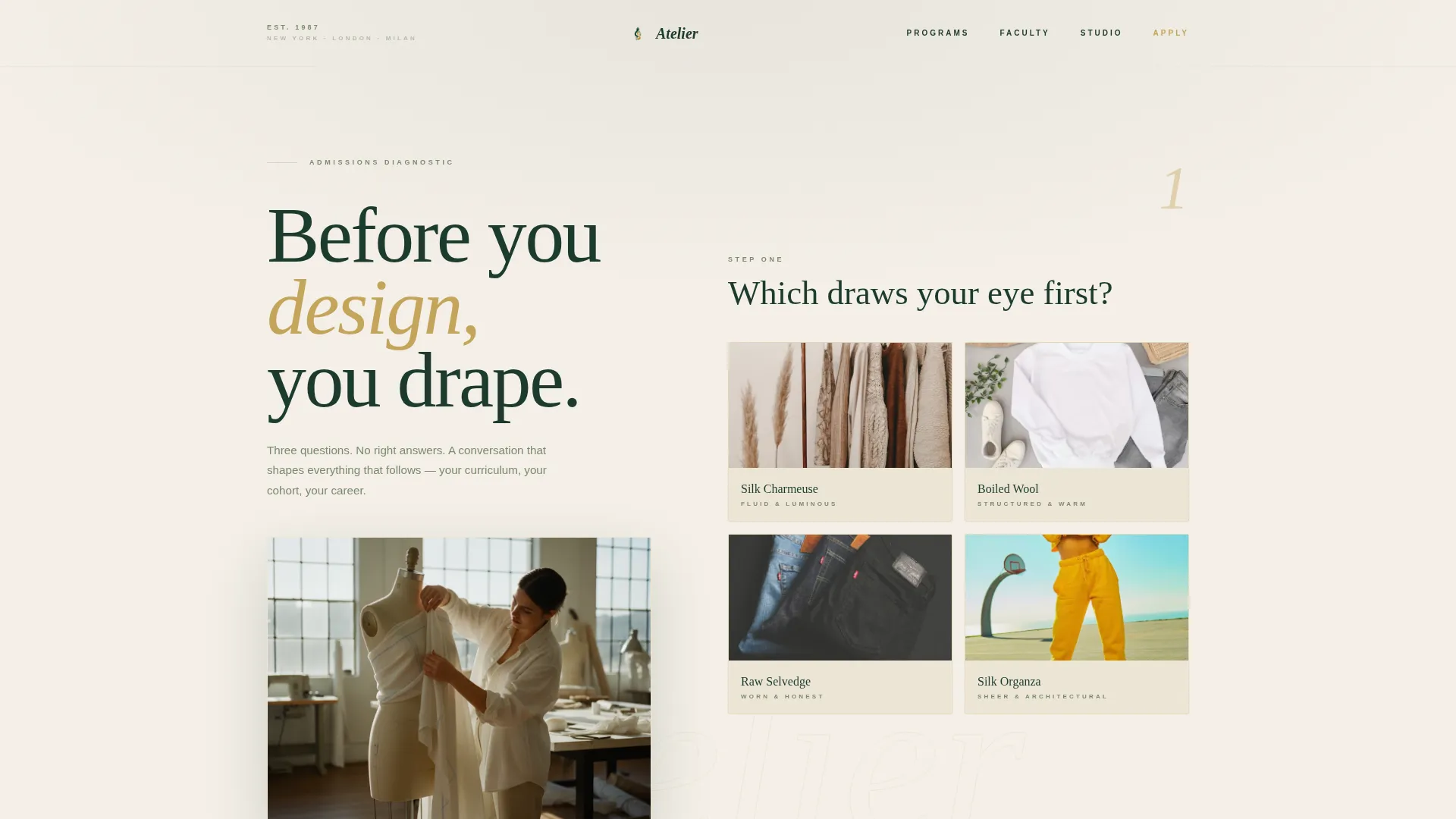
- A three-step Multi-Step Form header styled as a personal style diagnostic, with fabric swatch tiles, career-path selectors, and a minimal slider
- A dynamically shaped scroll experience covering curriculum maps, studio tour video, faculty profiles, and animated placement data
- Two conversion paths: a primary "Download Your Personal Pathway Guide" call to action and a secondary "Book a Studio Visit" text link
Feature list
A short paragraph introducing the features: every component in this template was designed to feel like it belongs in an admissions conversation, not a product funnel.
Three-Step Style Diagnostic Header
The header presents three elegantly typeset questions one at a time, each appearing with a subtle downward fade on parchment cream. Step one offers four curated fabric swatches as selectable tiles. Step two presents career-path options including atelier, editorial, costume, and streetwear. Step three uses a minimal slider for years of creative experience. A quiet gold numeral in the corner marks the current step.
Quiz-Driven Page Personalization
After the diagnostic, the entire page below the header reshapes itself around the visitor's answers. A streetwear-curious career-changer sees relevant alumni profiles, a draping-to-digital curriculum pathway, and a testimonial from someone who left finance at thirty-two. The scroll deepens commitment gradually rather than presenting a single generic pitch.
Personalized Curriculum Map Section
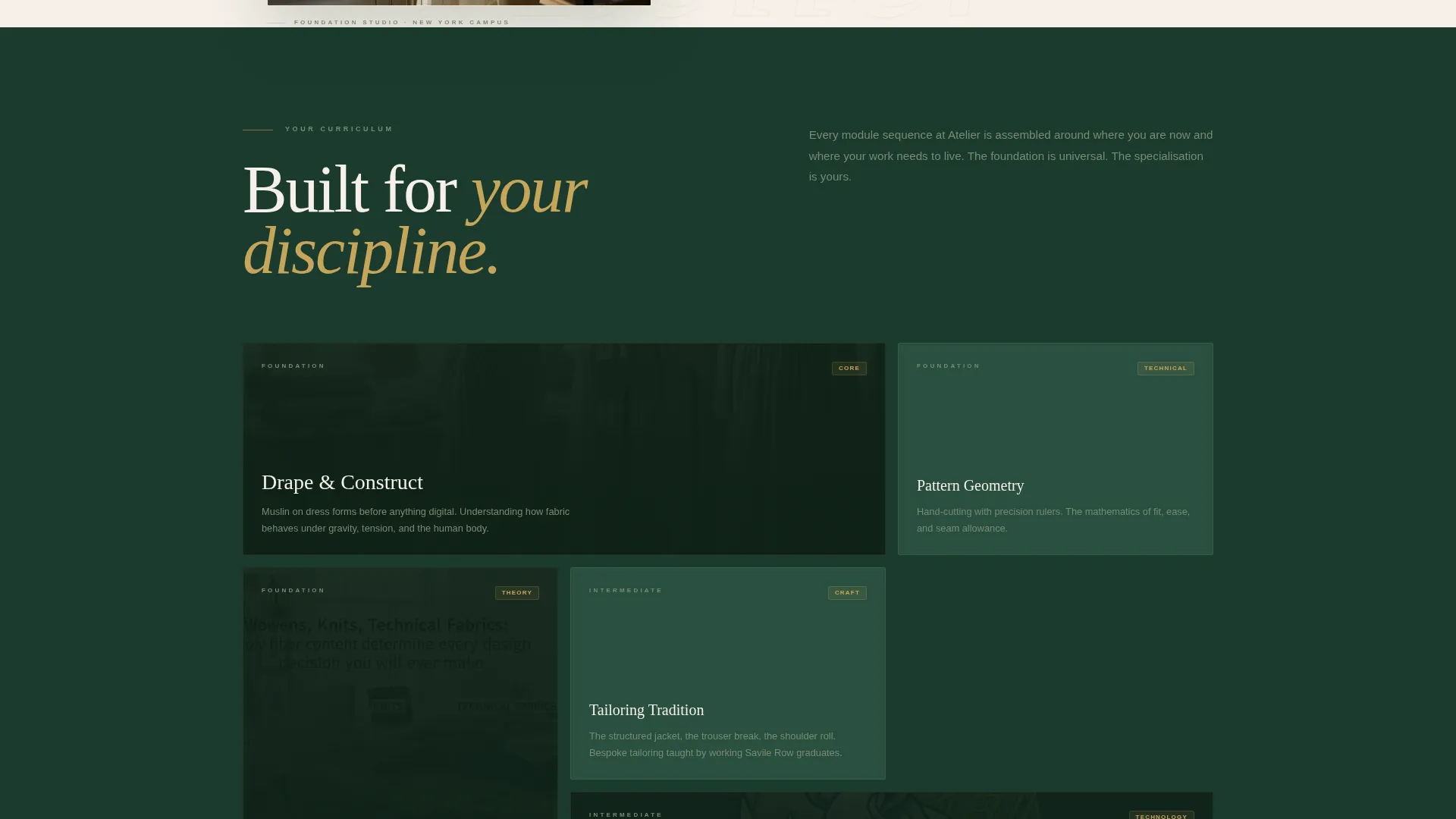
The first major content section after the header is a curriculum map tailored to the visitor's quiz answers. It shows the specific pathway most relevant to their background and goals, making the program feel designed for them rather than for a broad cohort.
Studio Tour Video Section
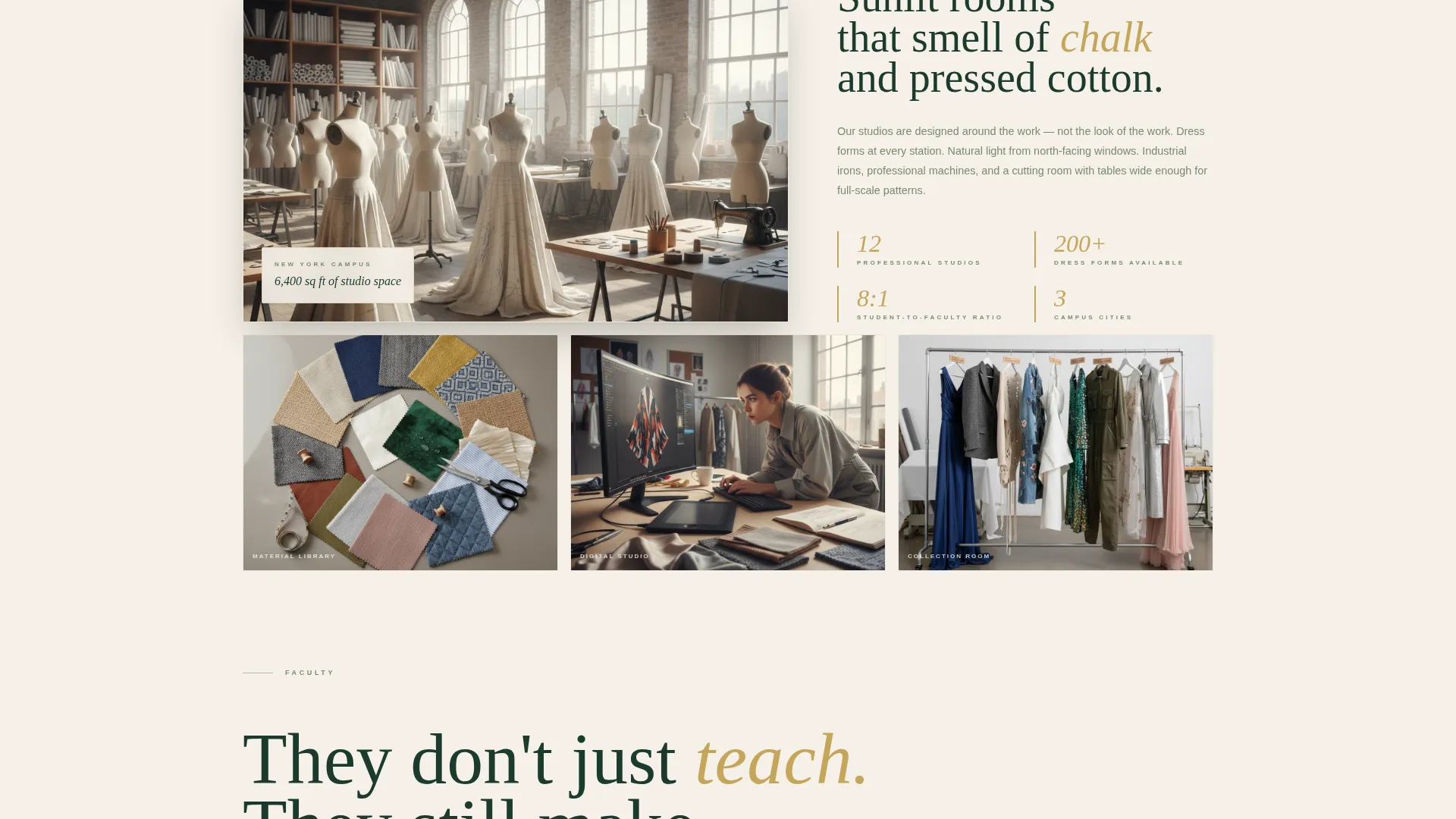
A dedicated video section features a golden-hour studio tour with the sounds of shears and machines. This section is placed after the curriculum map to deepen emotional investment before the visitor reaches the faculty and data sections.
Animated Placement Data Section
Salary and placement figures are presented with gold numerals that animate on scroll. This section is positioned to land after the faculty profiles, arriving at the moment the visitor is most emotionally engaged and ready to weigh practical outcomes.
Low-Friction Guide Download
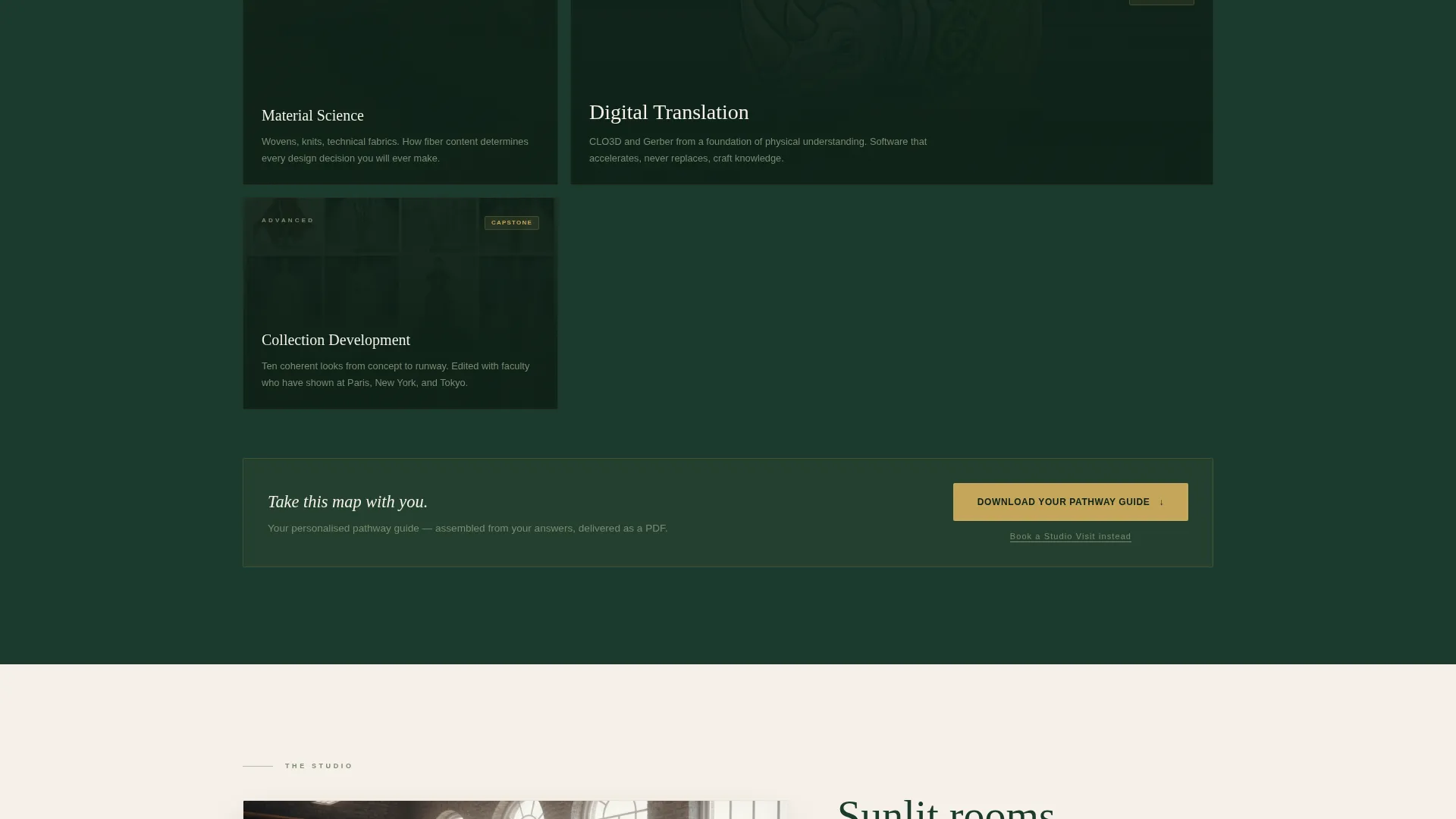
The primary call to action is a downloadable Personal Pathway Guide, a custom document assembled from the visitor's quiz answers. The download form asks only for first name and email, pre-filled with quiz data, reducing friction to a single click. The call to action appears twice: immediately after the curriculum section and again at the page close.
Page sections overview
| Section | Purpose |
|---|---|
| Style Diagnostic Header | Collects three personalized quiz answers to shape the rest of the page |
| Personalized Curriculum Map | Shows the specific program pathway matched to the visitor's quiz profile |
| Studio Tour Video | Builds emotional connection through a golden-hour studio walkthrough |
| Faculty Profile Cards | Presents instructors as working designers with biographical depth |
| Salary and Placement Data | Provides animated gold numerals showing graduate outcomes |
| Primary Guide Download | Delivers the Personal Pathway Guide call to action post-curriculum |
| Studio Visit Link | Offers a secondary path for visitors ready to move beyond research |
| Closing Guide Download | Repeats the primary call to action at the bottom of the page |
Design & branding system
The visual identity follows an Institutional Authority theme built on the Forest Trust color system. Every color choice is deliberate and restrained, creating the feeling of a cloth-bound book in a well-kept library.
- Deep academic evergreen (#1B3A2D) anchors backgrounds and typography throughout the page
- Aged parchment cream (#F5F0E8) opens breathing space between sections, and muted sage (#7A8B6F) softens secondary text and divider lines
- Antique gold (#C5A55A) appears only on interactive elements and key data points, making every clickable moment feel earned
Mobile & speed optimization
The single-column flow layout is inherently well-suited to mobile viewing. Every section is designed to read cleanly at any screen width without requiring a horizontal layout adjustment.
- Fabric swatch tiles and the career-path selector in the header stack naturally for touch interaction
- The minimal slider and pre-filled form fields keep the conversion experience smooth on smaller screens
How this template helps you convert
This template builds conversion through a sequence of deepening commitment rather than a single aggressive pitch. Each section earns the next by giving the visitor something relevant before asking for anything in return.
- The three-step diagnostic creates personal investment before the visitor has scrolled a single section, making the subsequent page feel curated for them specifically
- Personalized alumni profiles, testimonials, and curriculum maps confirm that this school serves people like them, reducing the emotional distance between browsing and applying
- The low-friction guide download, pre-filled with quiz data and available twice on the page, converts that investment into a concrete next step with minimal effort
Other information about this template
This template was built to serve one of the more demanding briefs in education marketing: convincing three very different prospect types with a single page. A few additional details are worth noting.
- The template is categorized under Education and Training, specifically within the Art and Design School subcategory for fashion design institutes
- The Institutional Authority theme and Forest Trust color palette were chosen to communicate seriousness and creative prestige simultaneously
- The Quiz and Personalize creative direction means the page structure is modular by design, making it straightforward to update alumni profiles or curriculum details for each new cohort
- The Content and Resource landing-page direction means the primary value exchange is the guide download, not an immediate application form
Theme
Institutional Authority
Creative direction
Quiz & Personalize
Color system
Forest Trust
Style
Single Column Flow
Direction
Content/Resource
Page Sections
Three-step Style Diagnostic Header
Quiz-driven Page Personalization
Personalized Curriculum Map
Animated Placement Data Section
Low-friction Guide Download
Secondary Studio Visit Path
Related questions
Can I update the quiz options to match my program's actual specializations?
How does the page show different content to different visitors?
What does the Personal Pathway Guide download deliver to the visitor?
Is the 'Book a Studio Visit' option included in this template?
Can this template work for a fashion design program within a larger university?



