Fine Arts Online Course Landing Page Template
Atelier is a hub-and-spoke landing page template built for fine arts online course platforms. It combines a Persona Selector header, case-study-driven spoke sections, and a five-question assessment quiz to guide each visitor toward a personalized course recommendation. The design carries the quiet authority of an academic studio, rendered in parchment, forest green, umber, and cadmium yellow.
by Rocket studio
Quick summary
Atelier is a single-page, anchor-navigated landing page template designed for a fine arts online course platform teaching oil technique, color theory, and compositional structure. It pairs a photographic Persona Selector with escalating case study narratives and a diagnostic quiz that ends with a named course recommendation. The result feels like an academic studio, not a sales funnel.
Who this template is for
This template is built for educators and course creators running serious, studio-quality fine arts instruction online. It speaks directly to adult learners who arrive with real experience and real doubts, and it gives platform owners the visual structure to meet them honestly.
- Mid-career professionals returning to painting after years away from their practice
- Self-taught painters who have reached a skill plateau and want structured, graduate-level guidance
- Retired creatives who are finally pursuing disciplined fine arts study for the first time
What problem this template solves
Most online course landing pages treat every visitor the same. For a fine arts platform with students at very different starting points, that generic approach breaks trust before it builds it. Atelier solves the mismatch between a diverse audience and a single-voice pitch.
- Visitors cannot identify themselves in a headline written for someone else, so they leave
- Generic course pages make no distinction between a beginner and a returning professional, creating friction for both
- Without a clear path to the right course, even interested visitors hesitate to commit
What you get with this template
Atelier delivers a structured, narrative-led landing page that guides each visitor from self-recognition to course enrollment. Every section is purpose-built and laid out in a logical hub-and-spoke flow anchored by a persistent navigation spine.
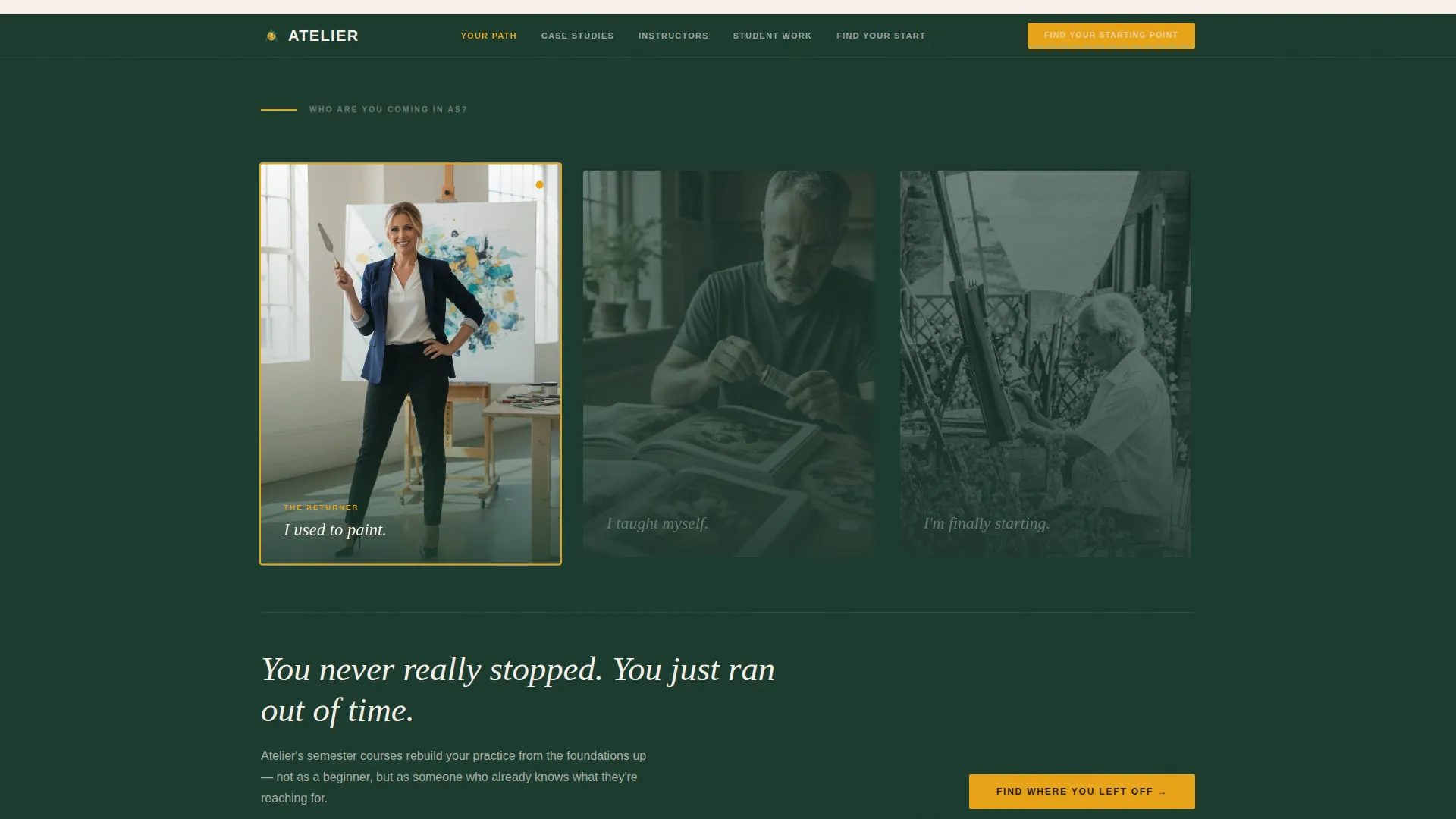
- A Persona Selector header with three photographic portraits and interactive narrative reshaping
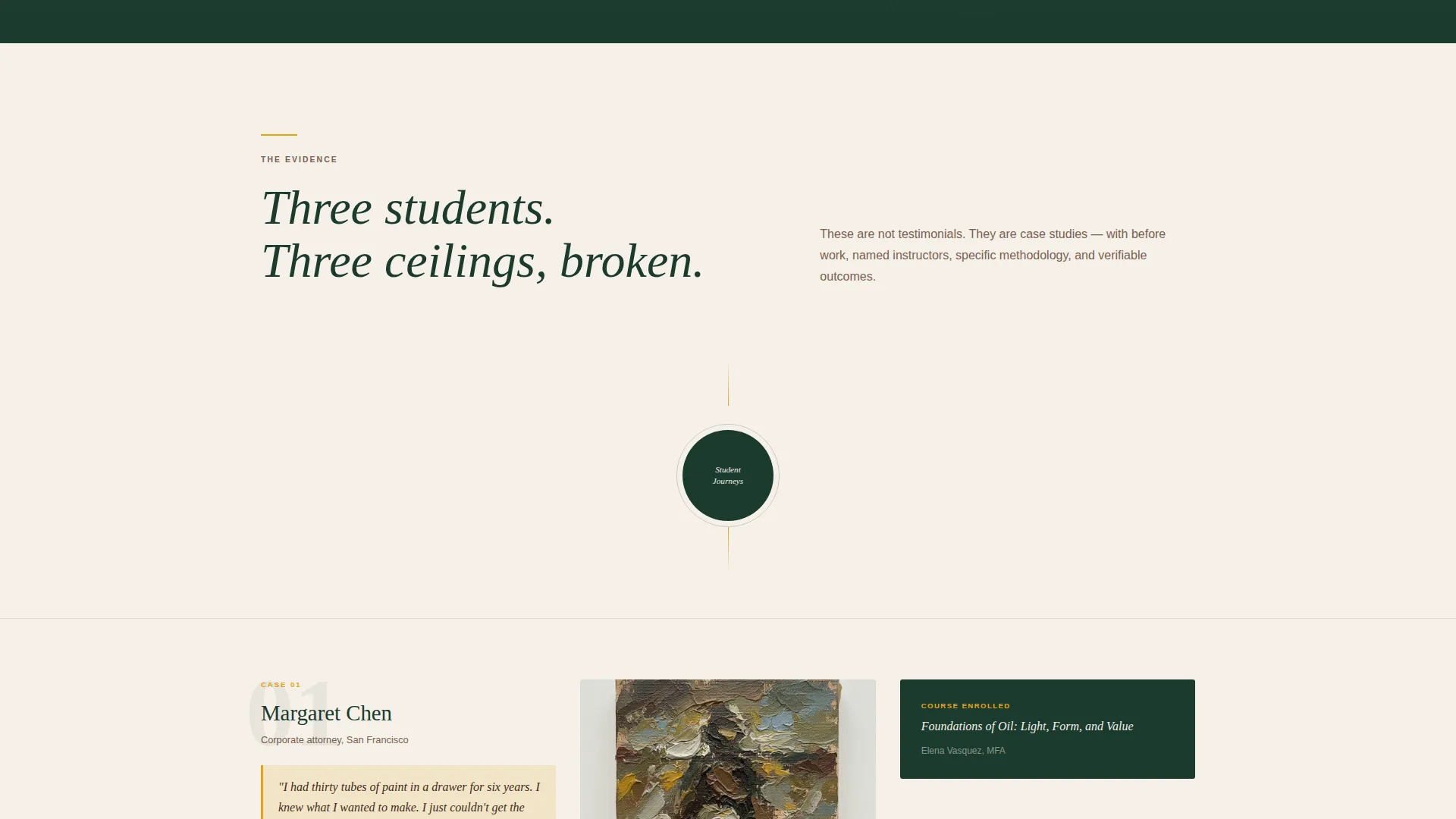
- Three spoke sections, each carrying a full student case study from entry frustration to final body of work
- A five-question assessment quiz that closes with a personalized course recommendation and a spot-hold call to action
Feature list
This template provides a focused set of interactive and visual components drawn directly from the brief. Each feature is designed to serve a specific moment in the visitor's decision journey.
Persona Selector Header
Three photographic portraits sit side by side, each captioned with a single identifying line. Clicking one dims the others and adjusts the opening narrative to reflect that visitor's journey. No competing headline is needed; the composition asks the question for you.
Hub and Spoke Anchor Navigation
A persistent navigation spine anchors every spoke section on the page. Visitors can jump directly to any case study or return to the hub after reading each one. The structure keeps long-form storytelling organized without losing the visitor.
Escalating Case Study Sections
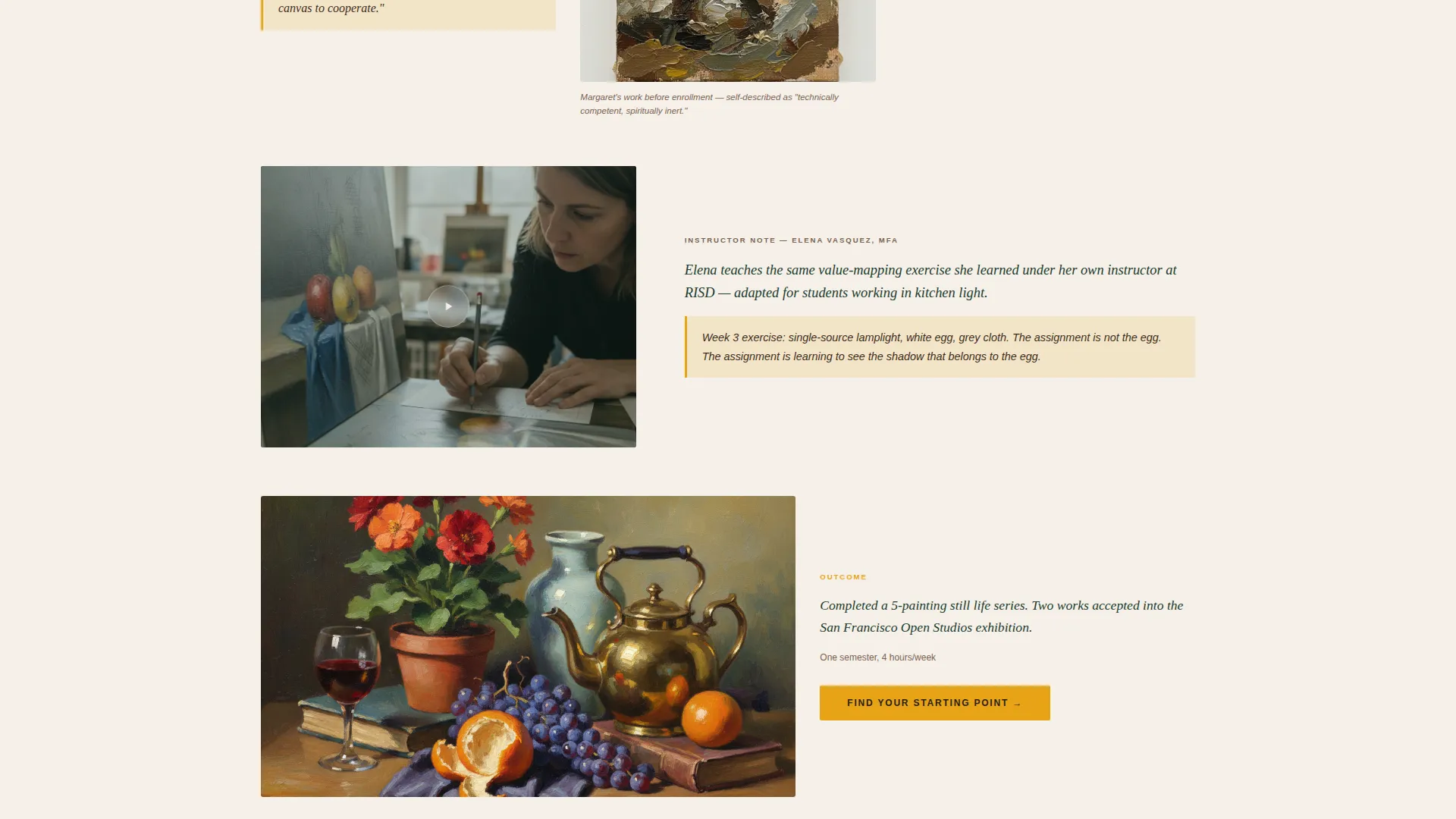
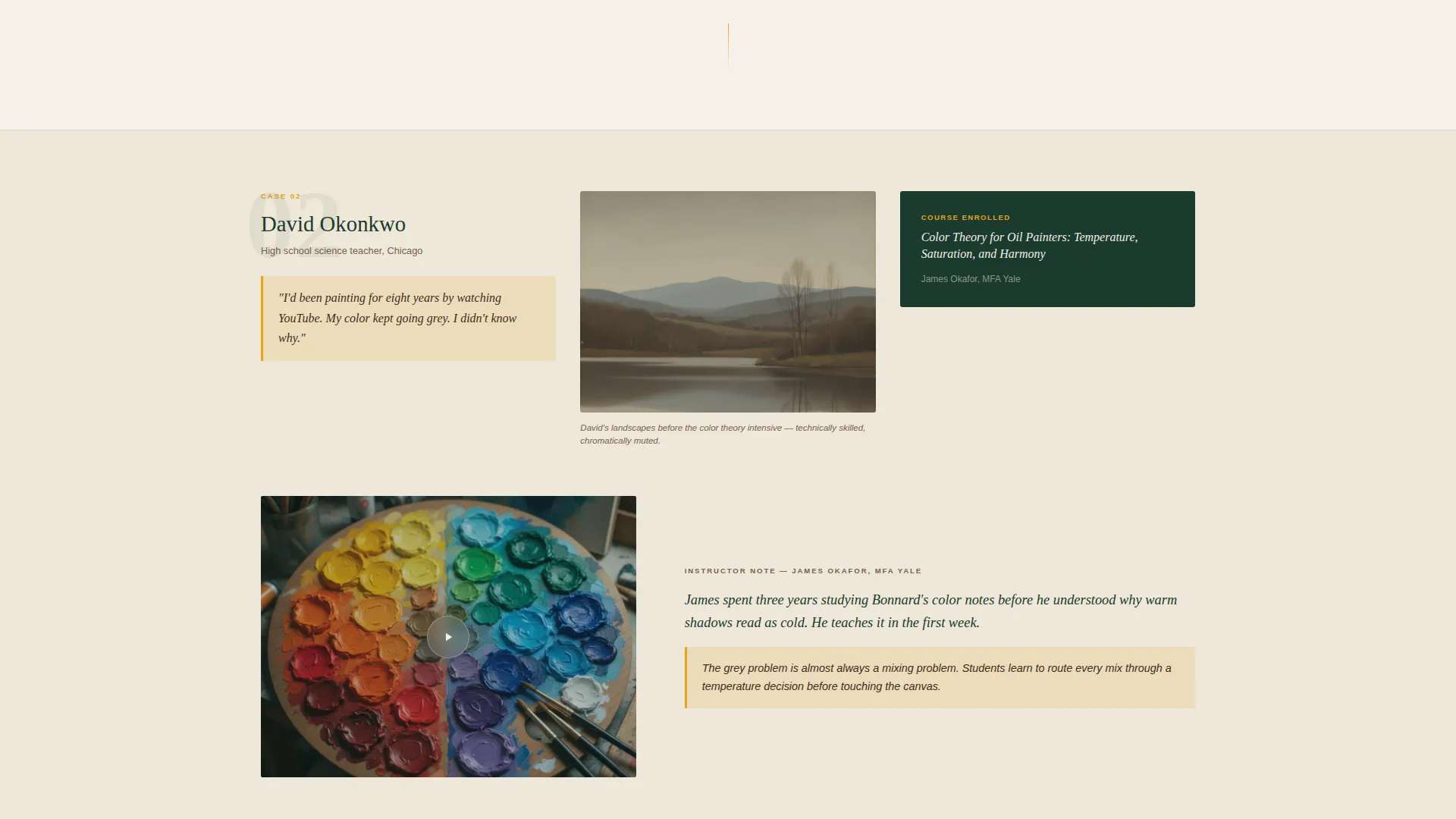
Each spoke follows one real student from their entry frustration through a specific course and into a visible outcome. Stakes rise with each case study, moving from a first still life to a juried exhibition. Proof replaces promise at every stage.
Five-Question Assessment Quiz
The quiz opens with "Find Your Starting Point" and asks one question per screen using large tap targets. Questions cover skill level, preferred medium, available hours, primary goal, and what has held the student back. No back-scrolling is required between questions.
Personalized Result Page
After the quiz, the result page delivers a named instructor, a course recommendation matched to the visitor's answers, and a sample lesson preview. A secondary call to action, "Reserve Your Easel," holds the visitor's spot with just an email address.
Gallery Lightbox for Student Work
The third spoke section presents the student's final body of work inside a gallery lightbox. This gives the platform a clean, gallery-grade way to display painting progressions and finished pieces without leaving the page.
Page sections overview
| Section | Purpose |
|---|---|
| Persona Selector Header | Let visitors self-identify and reshape the opening narrative |
| Hub Anchor Navigation | Provide persistent, jump-link access to all spoke sections |
| Spoke One: Entry Point | Show student frustration and initial work alongside their own words |
| Spoke Two: Methodology | Present instructor approach through video excerpts and annotated progressions |
| Spoke Three: Outcome Gallery | Display final student work in a gallery lightbox |
| Assessment Quiz Flow | Guide visitors through five diagnostic questions, one screen at a time |
| Personalized Result Page | Deliver a named course recommendation and a spot-hold call to action |
Design & branding system
The visual identity follows an Institutional Authority theme. Every color choice is deliberate and restrained, evoking the unhurried seriousness of a graduate studio rather than the urgency of a typical sales page.
- Aged parchment (#F5F0E8) dominates the background; deep academic green (#1B3A2D) holds the navigation spine and section dividers; umber shadow (#3E2C1C) anchors all body text
- Cadmium yellow (#E8A317) appears only on interactive elements and progress indicators, reserving its energy for moments when the visitor is invited to act
- The overall palette reads like a leather-bound sketchbook on a mahogany desk: earned, unhurried, and serious without feeling severe
Mobile & speed optimization
The template is structured to work cleanly on mobile screens from the ground up. The quiz interaction is a key mobile moment, and the design accounts for it directly.
- Each quiz question occupies a single full screen with large tap targets, removing any need to scroll back during the assessment
- Portrait-based sections and the gallery lightbox are laid out to reflow naturally on smaller viewports without breaking the visual hierarchy
- The anchor navigation spine remains accessible on mobile so visitors can move between spoke sections without losing their place
How this template helps you convert
Atelier earns conversions by making each visitor feel understood before asking them to act. The page is structured so trust accumulates through narrative, not through pressure.
- The Persona Selector reshapes the opening copy to match the visitor's self-identified background, so the first words they read feel written for them specifically.
- Each case study spoke builds credibility through real student outcomes, moving from beginner progress to exhibition-level achievement before the quiz is introduced.
- The quiz closes with a result page that names an instructor, previews a lesson, and offers a low-friction spot-hold using only an email address, reducing the commitment barrier at the final step.
Other information about this template
Atelier is suited to any platform positioning itself as a serious, pedagogy-driven alternative to casual hobby instruction. The template's structure and tone are designed for educators who want their platform to carry the same weight as an institutional fine arts program.
- The template is built as a single hub-and-spoke landing page, not a multi-page site, so all content lives within one scrollable, anchor-navigated flow
- The color system, typography hierarchy, and section pacing can all be adapted to match an existing brand while keeping the Institutional Authority tone intact
- The case study framework scales naturally: additional spoke sections can be added for more advanced student journeys or specialized course tracks
Theme
Institutional Authority
Creative direction
Case Study Narrative
Color system
Forest Trust
Style
Hub & Spoke (Anchor Nav)
Direction
Quiz/Assessment
Page Sections
Persona Selector Header
Hub and Spoke Anchor Navigation
Escalating Case Study Spokes
Five-question Assessment Quiz
Personalized Course Result Page
Gallery Lightbox for Final Work
Related questions
Who is this landing page template designed for?
What makes the Persona Selector different from a standard hero section?
How does the assessment quiz work inside this template?
Can the case study sections be adapted for different course levels?
What is the 'Reserve Your Easel' call to action?



