Fine Arts Tutoring Landing Page Template
Atelier is a fine arts tutoring landing page template built for independent art tutors and small studios. It pairs a warm Forest Trust color palette with a zigzag tutor-spotlight layout, a free-lesson booking flow, and a parent lead-capture path. Everything is designed to earn the trust of parents before they ever click "Book."
by Rocket studio
Quick summary
Atelier is a single-page landing page template made for fine arts tutoring services. It uses a Family First theme, a Forest Trust color palette, and a Team and People creative direction to introduce tutors personally and guide parents toward booking a free first lesson. The layout is warm, unhurried, and built entirely around parental trust.
Who this template is for
This template is designed for art educators who work directly with children and need a page that speaks to parents, not institutions. It fits small, personal tutoring practices where the tutor's identity is the brand.
- Independent art tutors offering drawing, painting, or mixed media instruction to children and teenagers
- Small studio owners who want to showcase their teaching team and earn parent confidence before the first booking
- Homeschool families or after-school program coordinators looking to present structured fine arts curriculum in a friendly, approachable way
What problem this template solves
Parents choosing an art tutor for their child are not just buying lessons. They are deciding whether to trust a stranger with their child's time, creative confidence, and early identity as an artist. A generic service page does not answer that question. Atelier solves the trust gap by leading with people, not just programs.
- Parents cannot see who will teach their child or whether that person genuinely understands young learners
- Visitors leave without booking because no clear, low-commitment first step is offered
- Leads who are not ready to book are lost entirely, with no secondary path to stay connected
What you get with this template
The template delivers a complete single-page layout with every section mapped to a specific conversion goal. Nothing is filler. Each block moves a parent one step closer to confidence.
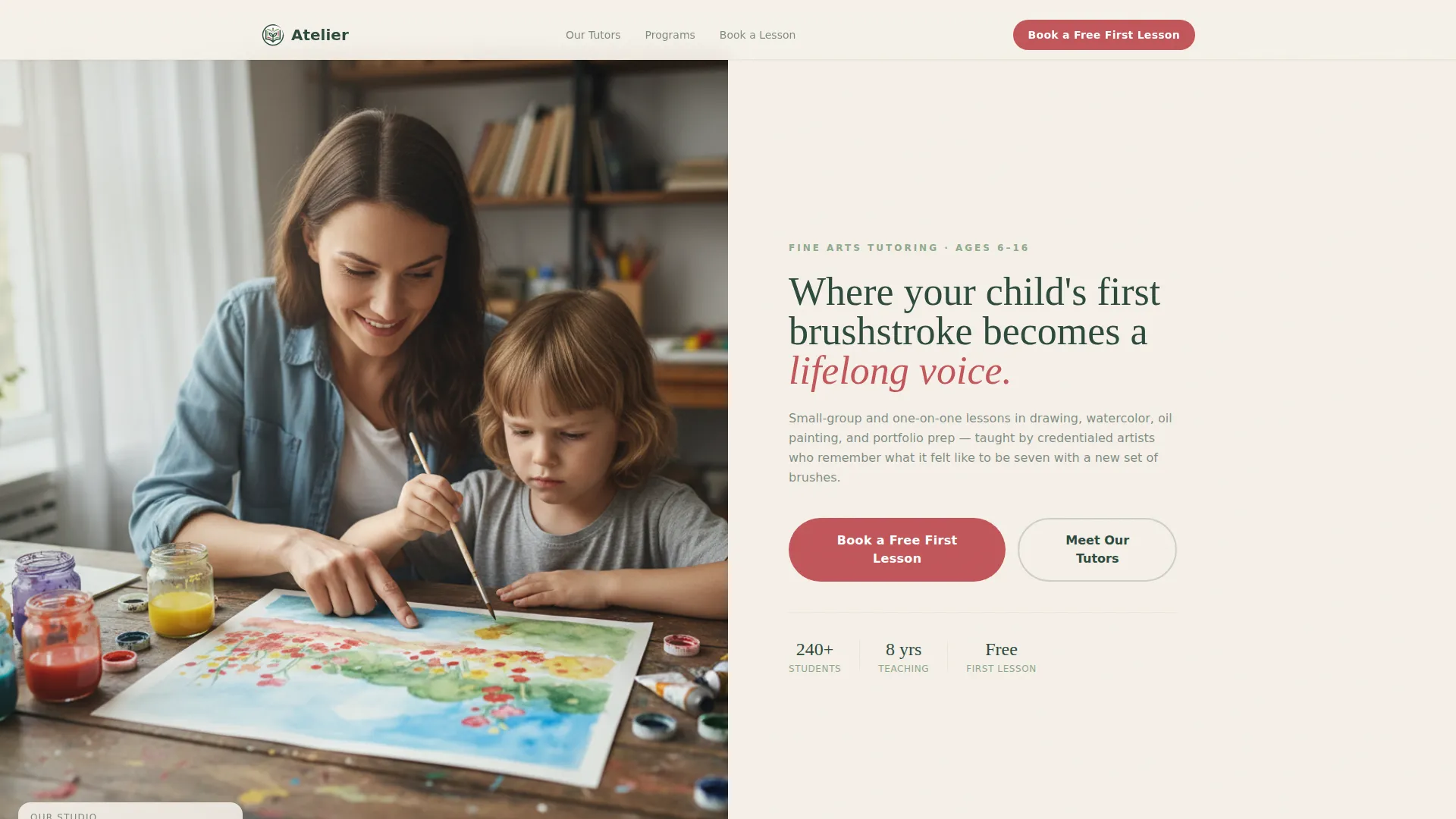
- A half-page photo and text header with a warm tutor-and-child photograph, a serif headline, subtext, and a berry-colored call-to-action button
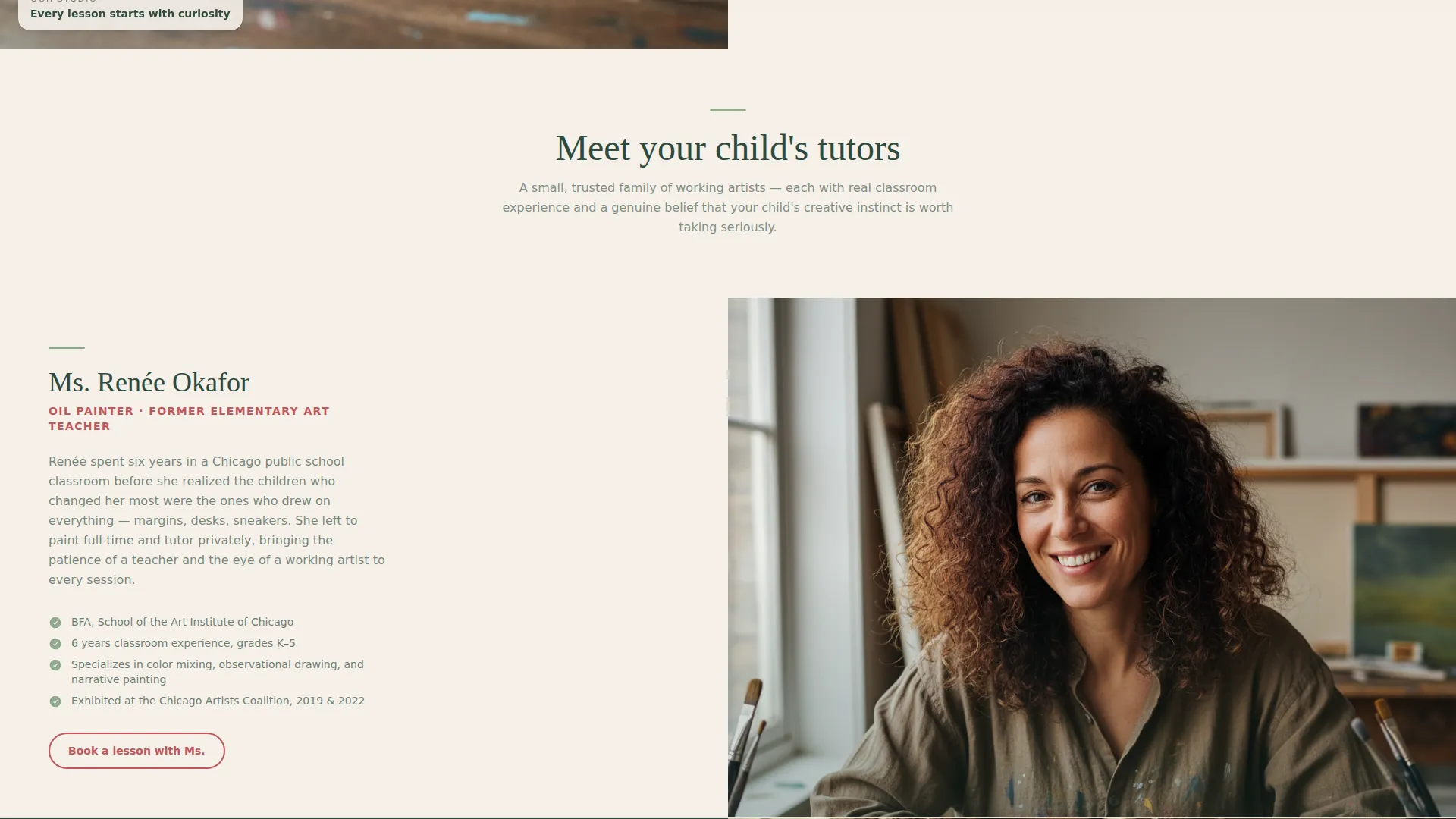
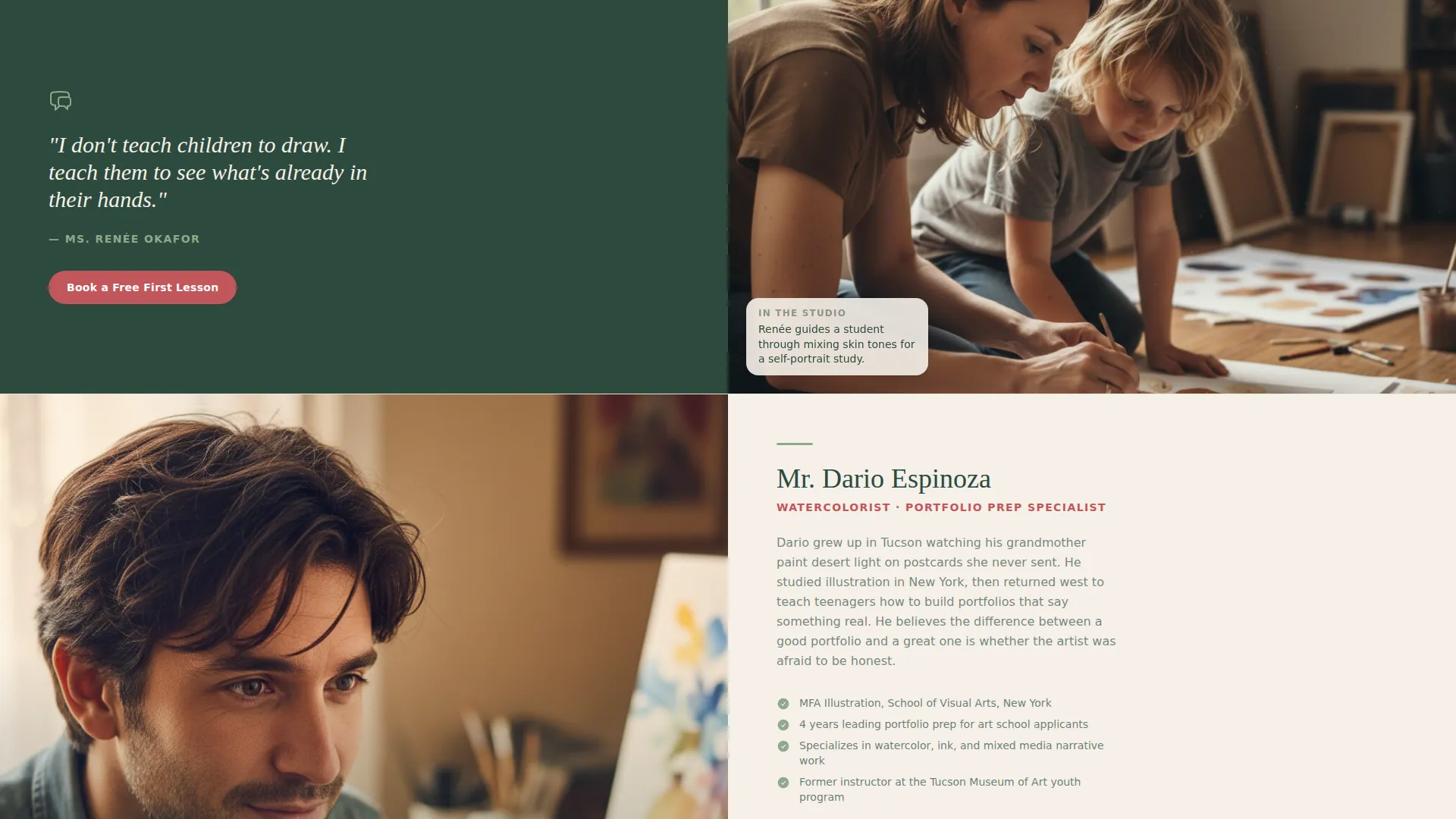
- A zigzag tutor-spotlight section that alternates between tutor portraits with short personal stories and photos of those tutors working with students
- A three-step booking form for the free first lesson, a secondary PDF lead-capture path for parents not ready to book, and a sticky mobile call-to-action bar
Feature list
This section describes the core functional and design components built into the Atelier landing page template.
Half-Page Header with Split Layout
The header divides the screen into two equal halves. The left side holds a warm, naturally lit photograph of a tutor and child at a wooden table. The right side carries a soft serif headline, a single line of subtext, and the primary call-to-action button in berry on birch cream.
Zigzag Tutor Spotlight Sections
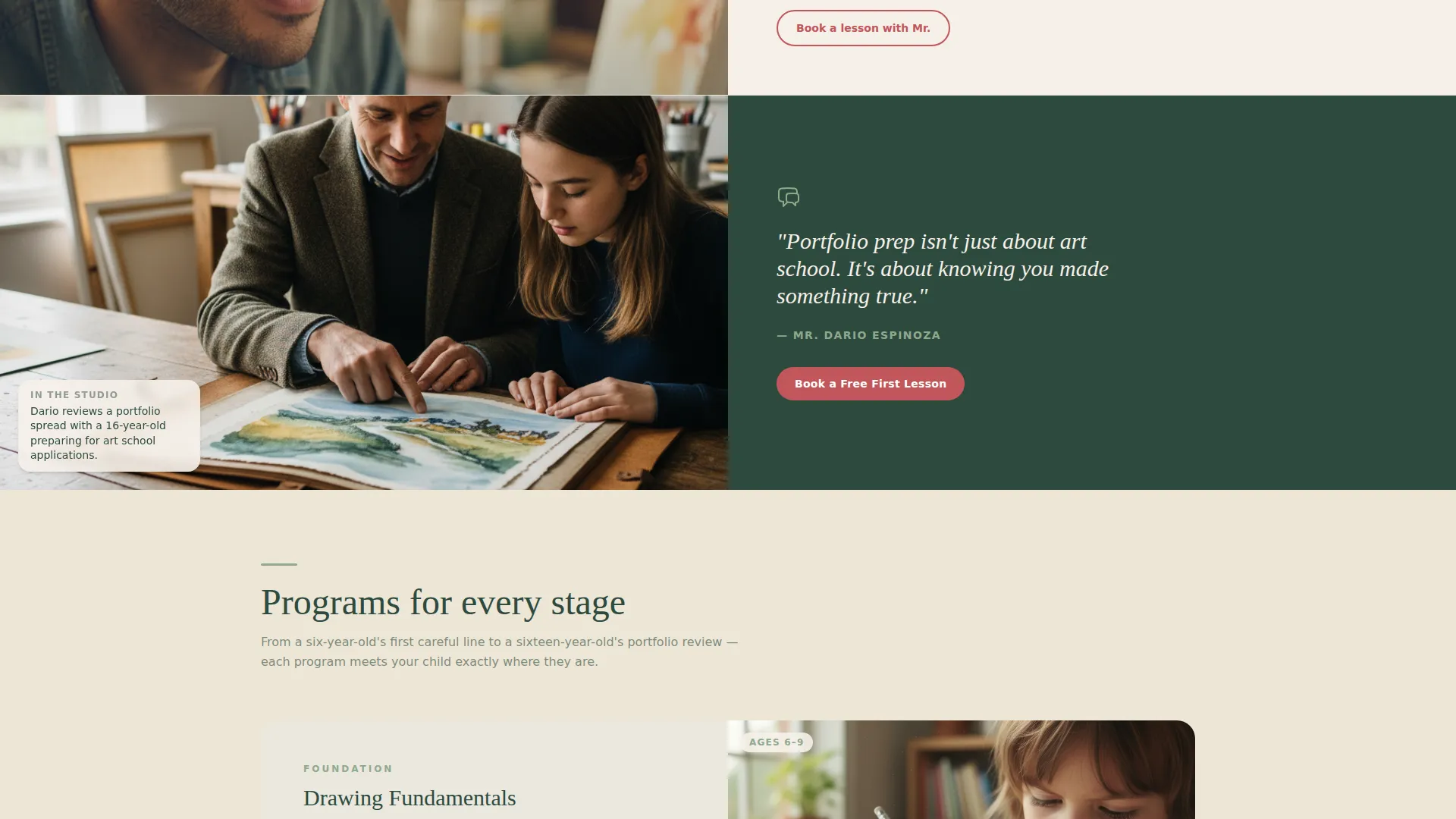
Each tutor is introduced across two alternating sections. The first shows a portrait alongside a short personal story and credentials. The second shows the same tutor working with a student. The alternating layout creates a scroll rhythm that feels personal rather than promotional.
Three-Step Free Lesson Booking Form
The booking form collects the child's first name and age, their preferred medium from a short list, and then shows a calendar picker with available thirty-minute trial slots. The three steps keep the process simple and approachable for busy parents.
Parent Guide PDF Lead Capture
Below the booking form, a secondary offer invites visitors to download a parent guide to nurturing young artists in exchange for their email address. This keeps warm leads connected even when they are not ready to schedule a lesson.
Sticky Mobile Call-to-Action Bar
On mobile devices, a fixed bar at the bottom of the screen keeps the "Book a Free First Lesson" button visible throughout the entire scroll. Parents can act on the offer at any moment without scrolling back to the top.
Repeating Berry Call-to-Action Placement
The primary call-to-action button appears in the header, again after the second tutor pair, and in the sticky mobile bar. This deliberate repetition ensures the booking path is always within reach as trust builds through the page.
Page sections overview
| Section | Purpose |
|---|---|
| Header Split Block | Introduces the service with a warm photograph and primary call to action |
| Tutor Portrait Block | Presents tutor credentials and personal story alongside a portrait |
| Tutor in Session | Shows the tutor working with a student to demonstrate warmth in practice |
| Second Tutor Pair | Repeats the portrait and session pattern to deepen range and trust |
| Booking Form Block | Guides parents through the three-step free lesson scheduling flow |
| Parent Guide Capture | Offers a PDF resource as a secondary path for leads not ready to book |
| Sticky Mobile Bar | Keeps the primary call-to-action button visible throughout mobile scroll |
Design & branding system
The Forest Trust color system drives every visual decision in this template. The palette was chosen to feel natural and unhurried, like a wooden art box open on a picnic blanket rather than a corporate service page.
- Deep evergreen (#2D4A3E) anchors all headers, the footer, and primary text to create a grounded, reliable feeling
- Warm birch cream (#F5F0E8) washes the page backgrounds to evoke cartridge paper, keeping the reading experience soft and easy
- Soft moss (#8FA98C) softens section dividers and secondary text, while hand-picked berry (#C2565A) draws the eye to every call-to-action button and highlight
Mobile & speed optimization
The template is structured so that parents browsing on a phone during pickup or a lunch break can navigate it comfortably. Every section stacks cleanly on smaller screens.
- The zigzag layout reflows into a single vertical column on mobile, keeping tutor portraits and session photos readable without horizontal scrolling
- The sticky bottom bar keeps the booking call to action accessible throughout the full mobile scroll without requiring the visitor to return to the header
- The three-step form is sized and spaced for thumb-friendly interaction on touch screens
How this template helps you convert
Conversion in a tutoring context depends on parental trust. This template builds that trust in a deliberate sequence before asking parents to commit.
- The header photograph and serif headline immediately signal warmth and professionalism, giving parents a reason to keep reading rather than bounce
- The zigzag tutor spotlight sections progressively deepen trust with each scroll, moving from credentials to genuine human warmth before the booking form appears
- The dual conversion path, an active booking form and a passive PDF capture, ensures that both ready buyers and cautious researchers leave with a meaningful connection to the service
Other information about this template
This template is built specifically for the fine arts tutoring niche and is ready to customize with your own tutor photographs, lesson descriptions, and available time slots.
- The template supports instruction types from drawing fundamentals through to advanced portfolio preparation, reflecting the full range shown in the brief
- Color values, typeface choices, and button styles are all editable to match a specific studio's existing branding if needed
- The layout is designed to present a small team of tutors, making it equally suitable for a solo practitioner or a studio with two to four instructors
Theme
Family First
Creative direction
Team & People
Color system
Forest Trust
Style
Zigzag/Alternating
Direction
Freemium/Trial
Page Sections
Half-page Header with Split Layout
Zigzag Tutor Spotlight Sections
Three-step Free Lesson Booking Form
Parent Guide PDF Lead Capture
Sticky Mobile Call-to-action Bar
Related questions
Can I use this template if I teach solo, not as a team?
What age groups does this template work best for?
Can I change the call-to-action from a free lesson to a paid trial?
Does the template include the PDF guide content, or do I create it?
Can this template show more than two tutors?



