Art School Landing Page Template | Comparison Table
Atelier is a vibrant, single-page landing page template built for art design schools. It uses a Persona Selector header, a Hero's Journey scroll narrative, and an honest program comparison table to guide every visitor type toward the right path. The Dopamine Pop color system keeps the page energetic and studio-warm, while two focused calls to action earn the click without pressure.
by Rocket studio
Quick summary
Atelier is a comparison table landing page template for art design schools. It opens with three illustrated persona characters, unfolds as a three-act narrative scroll, and closes with two low-friction calls to action. The palette is warm, electric, and studio-grounded. Every section earns the next click by giving real information before asking for anything in return.
Who this template is for
This template is built for art design schools that serve a mixed audience of career-changers, portfolio-building students, and working professionals. If your program needs to speak to three very different visitors without losing any of them, this structure solves that directly.
- Art schools and design programs comparing themselves to self-taught paths, university degrees, and bootcamps
- Admissions or marketing teams who need one page to serve multiple visitor profiles without separate builds
- Programs that want to lead with honest information rather than a hard sell
What problem this template solves
Most school landing pages either talk to everyone generically or force a visitor to dig through a dense site to find what matters to them. The result is drop-off before the visitor ever reaches the call to action.
- Visitors arrive with different goals and leave when the page does not reflect their situation
- Comparison tables are often buried or absent, leaving prospective students to research elsewhere
- A single call to action rarely fits the full range of visitor readiness
What you get with this template
This template gives you a complete, structured landing page ready to be customized for your school's programs. Every section has a defined job in the visitor journey, from first impression to program guide download.
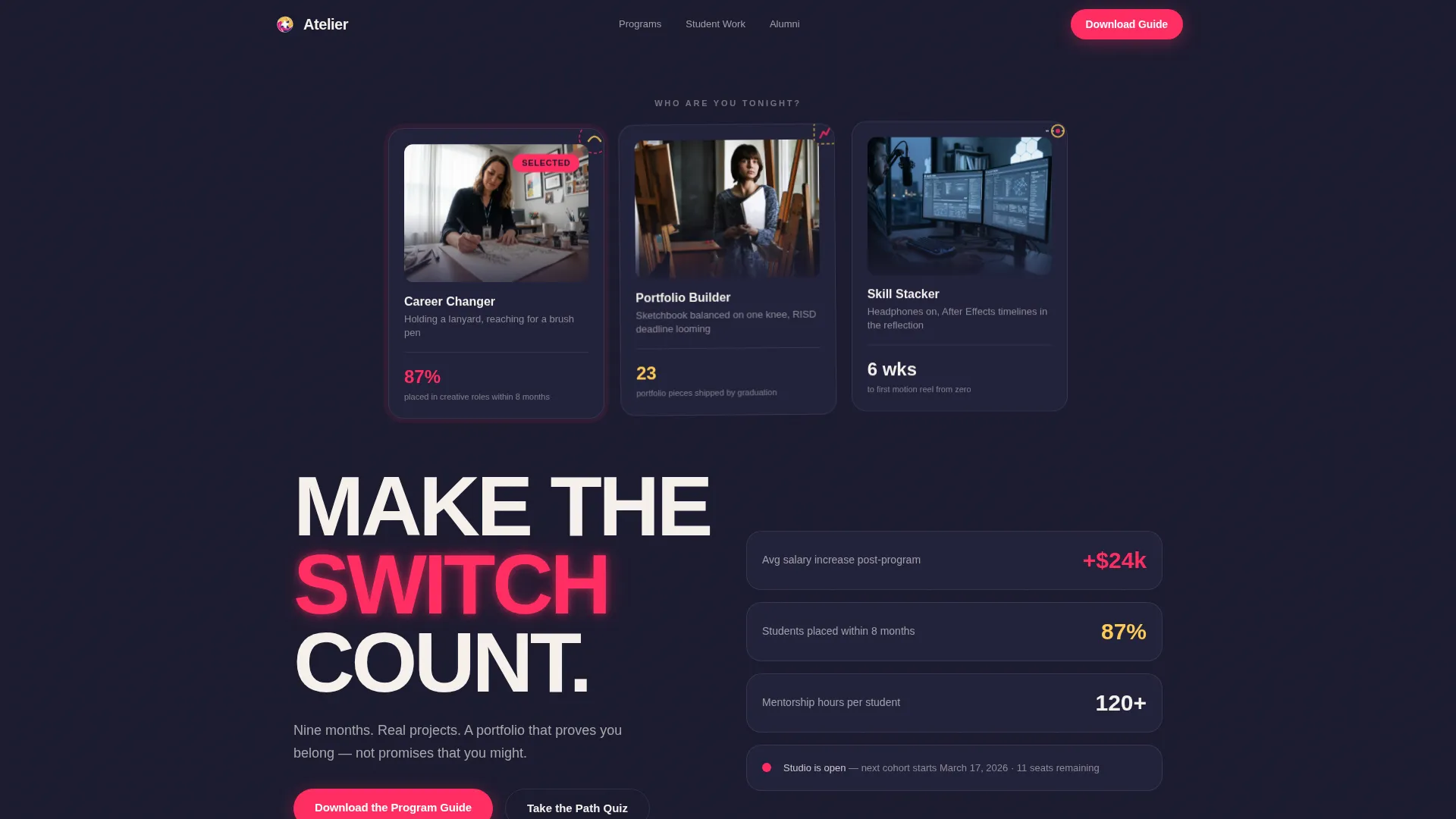
- A Persona Selector header with three illustrated characters that reframe the page around each visitor type
- A three-act scroll narrative covering program comparison, student progression, and alumni outcomes
- Two calls to action: a program guide download form and an interactive Creative Path Quiz with a personalized result
Feature list
This template packages several purpose-built components into one cohesive landing page flow. Each feature below reflects a specific capability described in the brief.
Persona Selector Header
Three illustrated characters occupy the opening viewport in a loose, gestural style. Each one represents a distinct visitor type: the Career Changer, the Portfolio Builder, and the Skill Stacker. Clicking a character reframes the page, surfacing testimonials, program comparisons, and outcome metrics relevant to that persona.
Program Comparison Table
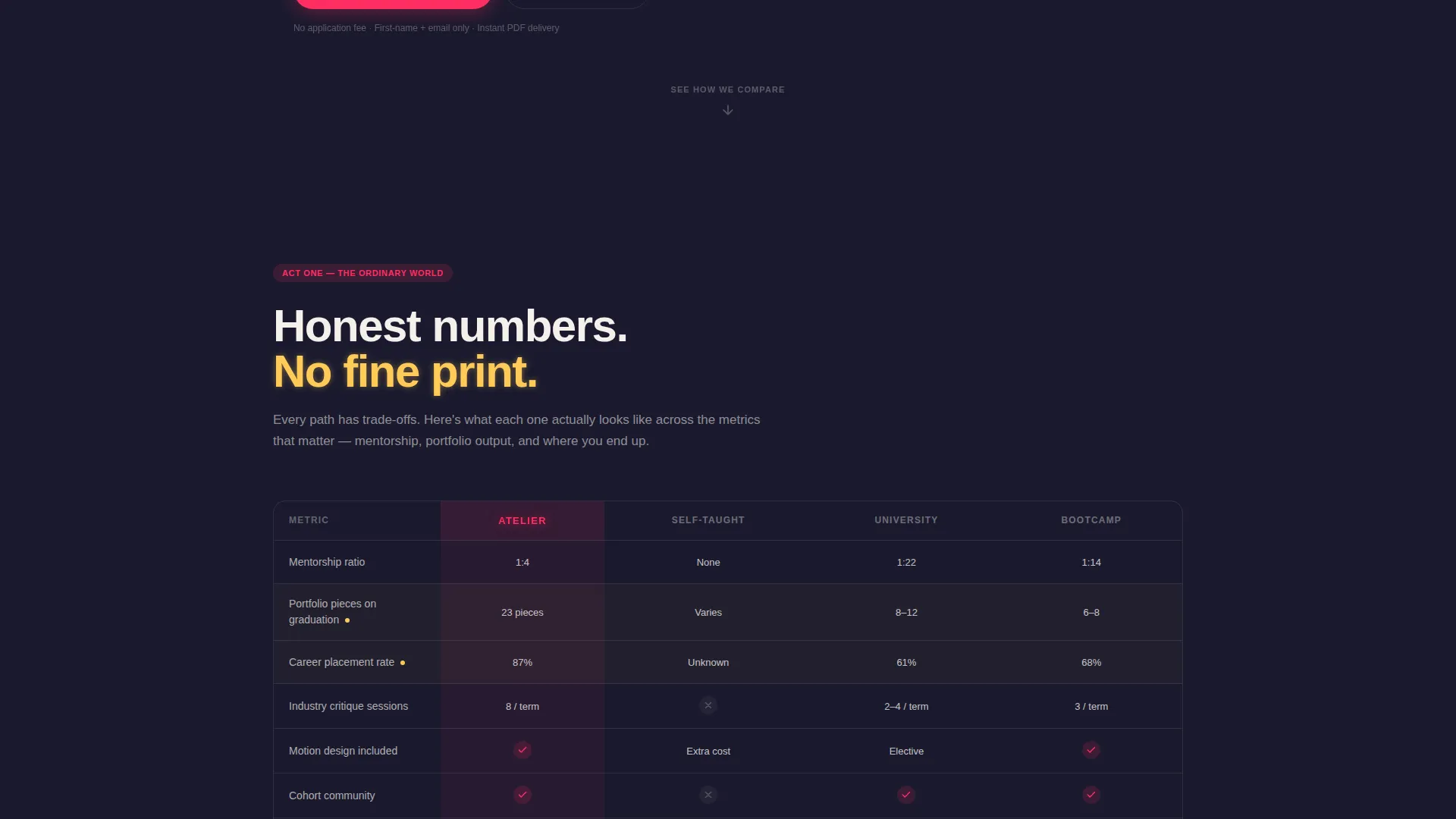
The comparison table stacks this school's programs against self-taught paths, university degrees, and bootcamps. Columns cover mentorship ratio, portfolio projects shipped, and career placement rate. This gives prospective students the honest side-by-side view they would otherwise search for elsewhere.
Student Work Progression Carousel
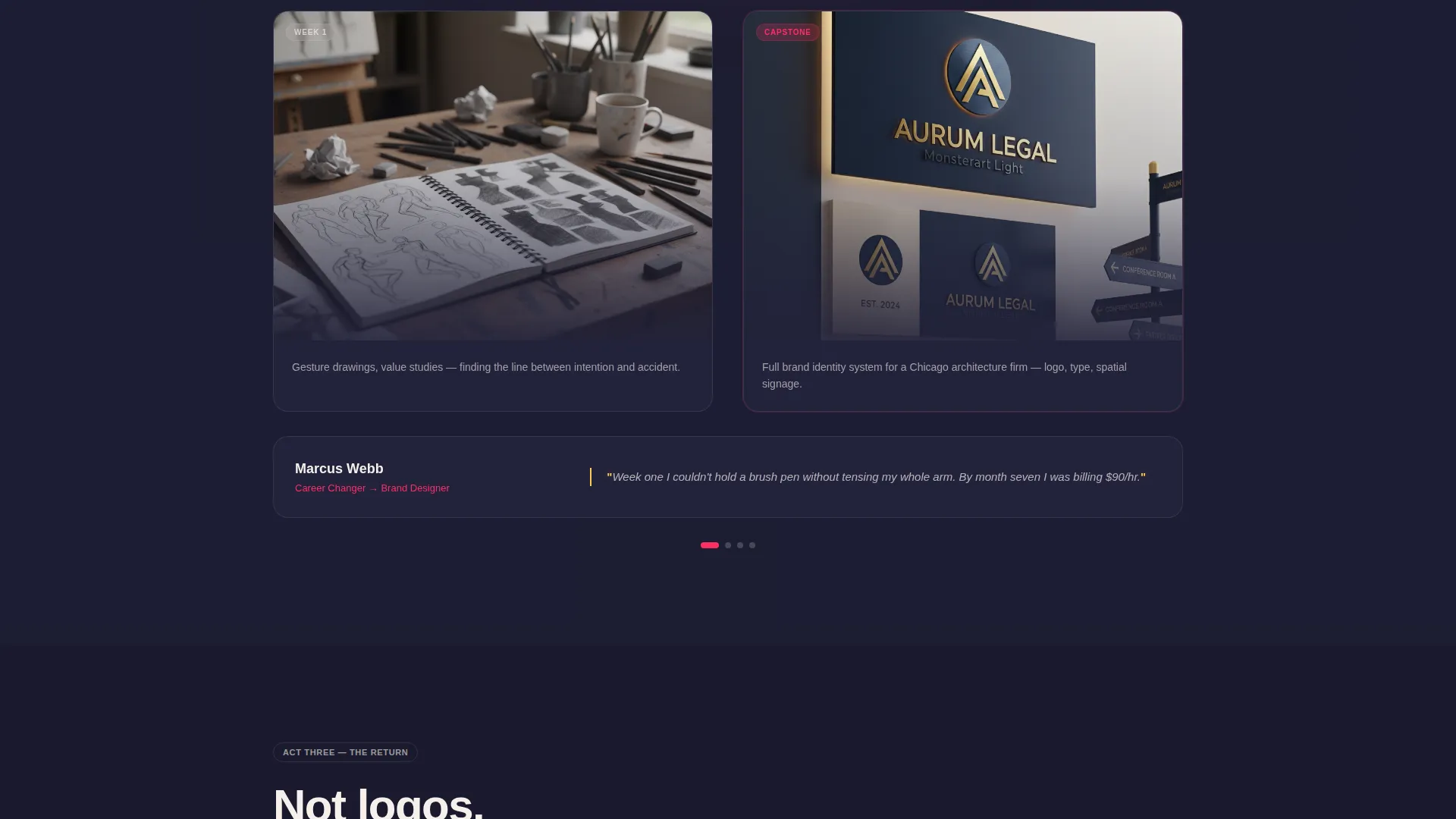
Each carousel row shows student work advancing from week-one gesture drawings to final capstone pieces. The before-and-after format makes capability growth visible and concrete. It converts abstract program promises into something a visitor can actually see and judge for themselves.
Alumni Outcome Section
Alumni are presented through short, specific quotes rather than logo walls. Each quote names the moment their practice changed. This approach keeps the social proof human and believable rather than institutional.
Creative Path Quiz
A three-question interactive quiz recommends a program track based on the visitor's answers. After completing it, the visitor receives a personalized PDF syllabus. This secondary path captures visitors who are not yet ready to commit to the main download.
Dual Call-to-Action Flow
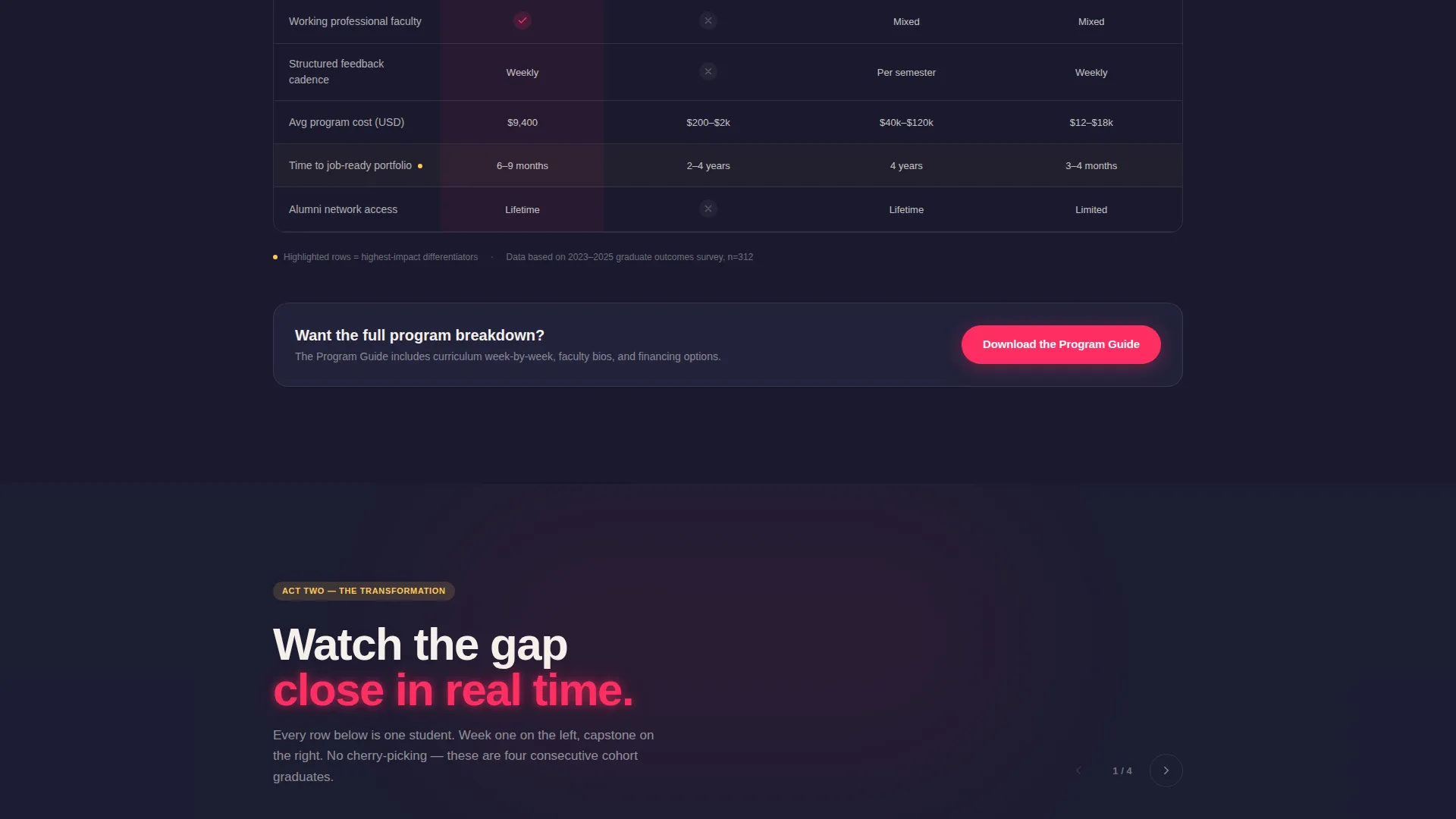
The primary call to action, "Download the Program Guide," appears after the comparison table and again after the alumni section. It asks only for a first name and email. The secondary call to action, "Take the Creative Path Quiz," sits alongside it as a lower-commitment entry point.
Page sections overview
| Section | Purpose |
|---|---|
| Persona Selector Header | Identifies visitor type and personalizes page content |
| Hero Introduction | Sets the tone and invites persona selection |
| Program Comparison Table | Compares school programs to alternative learning paths |
| Primary call to action Block | Prompts program guide download after comparison |
| Student Work Carousel | Shows visible before-and-after creative progression |
| Alumni Outcomes Section | Presents named graduate quotes and career results |
| Secondary call to action Block | Offers program guide download again after alumni proof |
| Creative Path Quiz | Recommends a program track via three interactive questions |
Design & branding system
The template uses a Dopamine Pop color system built around four intentional values. The palette reads like a neon open sign glowing against exposed brick: inviting, buzzing, and a little defiant.
- Warm studio black (#1A1A2E) grounds the layout; electric magenta (#FF2E63) drives every clickable surface and hover state; sun-yellow (#FECA57) highlights student quotes and milestone markers; chalk white (#F5F0EB) opens generous margins throughout
- Illustrated characters use a loose, gestural style that reflects the hand-made energy of a working studio
- The overall visual tone follows the Community Hearth theme: dense with creative activity, but never cold or corporate
Mobile & speed optimization
The layout is structured to translate naturally across screen sizes. Section-led flow and clear visual hierarchy keep the experience readable on smaller screens without requiring a separate mobile design.
- The persona selector and comparison table are designed with clear visual separation so they remain usable on compact viewports
- Carousel and quiz components are contained within defined blocks, keeping scroll behavior predictable on touch devices
How this template helps you convert
The page is built around the principle that earned trust converts better than early pressure. Every section adds a layer of credibility before asking the visitor to act.
- The comparison table gives prospective students real data upfront, so they arrive at the call to action already informed rather than skeptical
- The student progression carousel and alumni quotes build emotional confidence, showing what growth looks like and where it leads
- The dual call-to-action structure meets visitors at two different levels of readiness, capturing both the decided and the still-exploring visitor in the same scroll
Other information about this template
This template is part of a broader category of education landing pages designed to serve complex, multi-audience enrollment funnels. A few additional details worth knowing before you build:
- The template is categorized under Education and Training, specifically for College and University programs in the Art Design School niche
- The Hero's Journey creative direction means the page is intentionally structured as a narrative arc, not a flat list of features
- The Content and Resource landing page direction means the primary conversion mechanic is a value-first download, not a direct enrollment form
- The Comparison Table template style makes this a strong fit for schools that want to compete transparently on measurable outcomes
- The page can support persona-specific content variations using the Persona Selector header as the entry point to each tailored journey
Theme
Community Hearth
Creative direction
Hero's Journey
Color system
Dopamine Pop
Style
Comparison Table
Direction
Content/Resource
Page Sections
Persona Selector Header
Program Comparison Table
Student Work Progression Carousel
Alumni Outcomes Section
Creative Path Quiz
Dual Call-to-action Structure
Related questions
Can this template serve visitors with different goals on the same page?
What calls to action are built into this template?
Is this template suitable for a school comparing itself to bootcamps or university programs?
How does the student progression section work?
Can I use this template if my school only offers one or two program tracks?



