Retail Software & SaaS Privacy Policy & Terms Website Template
Comply is a retail compliance landing page template built for software platforms that monitor store-level violations across large retail networks. It pairs a live-style dashboard header with structured comparison tables, a sticky navigation system, and two conversion paths, a consultation request form and a downloadable checklist, to turn high-stakes compliance buyers into qualified leads.
by Rocket studio
Quick summary
Comply is a single-page compliance software landing page template designed around a Data Command visual theme. It opens with an interactive browser-rendered dashboard, moves through four tabbed comparison table sections, and closes with two distinct lead capture flows. The layout is built for compliance directors, operations leaders, and regional managers at large multi-location retailers.
Who this template is for
This template is purpose-built for software companies selling compliance monitoring tools to enterprise retail buyers. It speaks directly to the people who carry regulatory risk every day.
- Compliance directors at grocery chains managing 400 or more store locations
- Vice presidents of operations at pharmacy retailers navigating Food and Drug Administration and state board audit cycles
- Regional managers at big-box retailers who need instant visibility when a product recall hits
What problem this template solves
Large retail operators are running compliance checks on spreadsheets, manual store walks, and delayed alert emails. When something goes wrong, they find out after the regulator does. This template gives a compliance software platform a landing page that viscerally demonstrates the gap between that old reality and a smarter, always-on alternative.
- Manual compliance processes leave violation windows open for hours or days before anyone sees them
- Audit preparation is fragmented across teams, regions, and document types with no unified view
- Recall response coordination is slow when store-level status data lives in disconnected systems
What you get with this template
The template delivers a complete single-page layout built specifically for retail compliance software. Every section is designed to move a skeptical enterprise buyer from awareness to action.
- An interactive header section rendering a live-style map of store locations with pulsing status indicators and hover-triggered mock violation cards
- Four tabbed comparison table sections covering Audit Automation, Label Monitoring, Recall Response, and Reporting and Analytics
- A sticky horizontal navigation bar with a floating primary call-to-action button that persists across scroll
- A three-field progressive lead capture form and a secondary email-gated checklist download path
Feature list
This template's features are drawn directly from its brief and designed to reflect how compliance software is actually evaluated and purchased.
Interactive Compliance Dashboard Header
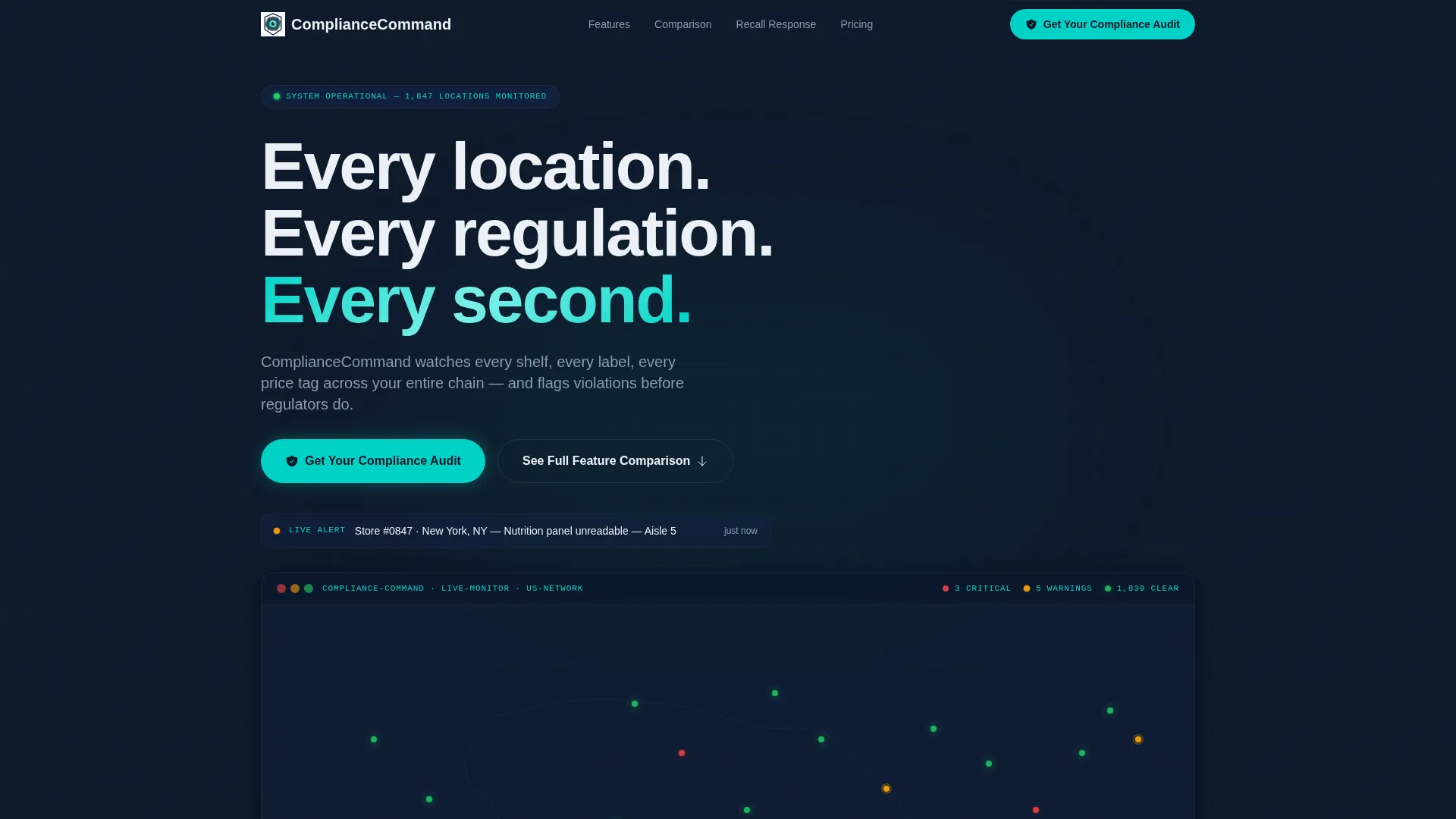
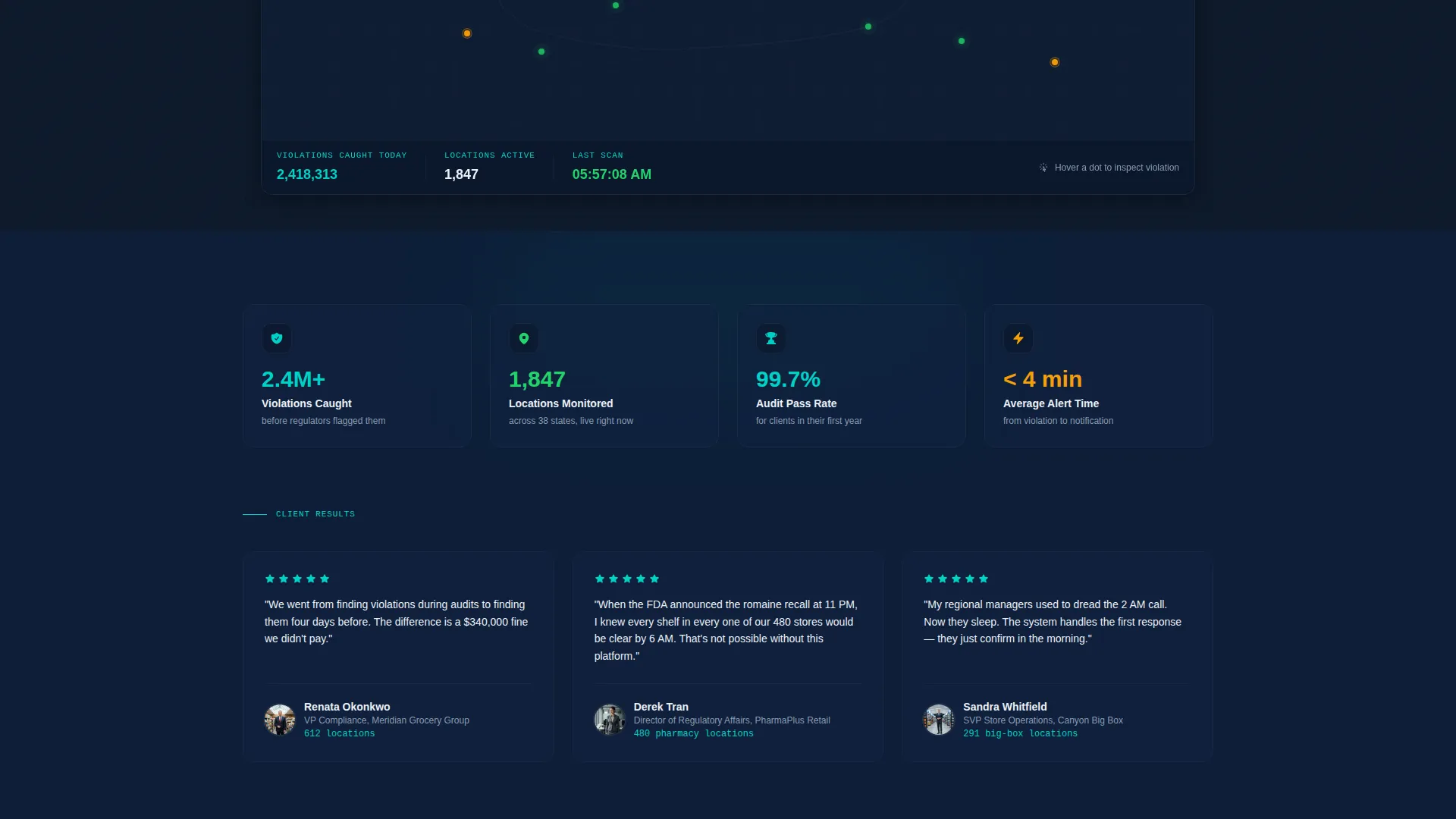
The header renders a functioning compliance dashboard directly in the browser. A live-style map shows store location dots pulsing in green, amber, and red. Hovering a dot reveals a mock violation card with store number, violation type, aisle location, and time flagged. The headline fades in over the dashboard: "Every location. Every regulation. Every second."
Sticky Tabbed Navigation
A horizontal navigation bar locks to the top of the viewport as the visitor scrolls. It contains four category tabs: Audit Automation, Label Monitoring, Recall Response, and Reporting and Analytics. Each tab anchors to its corresponding comparison table section below, making it easy to jump to the feature category most relevant to a buyer's current pain.
Four-Section Comparison Table Layout
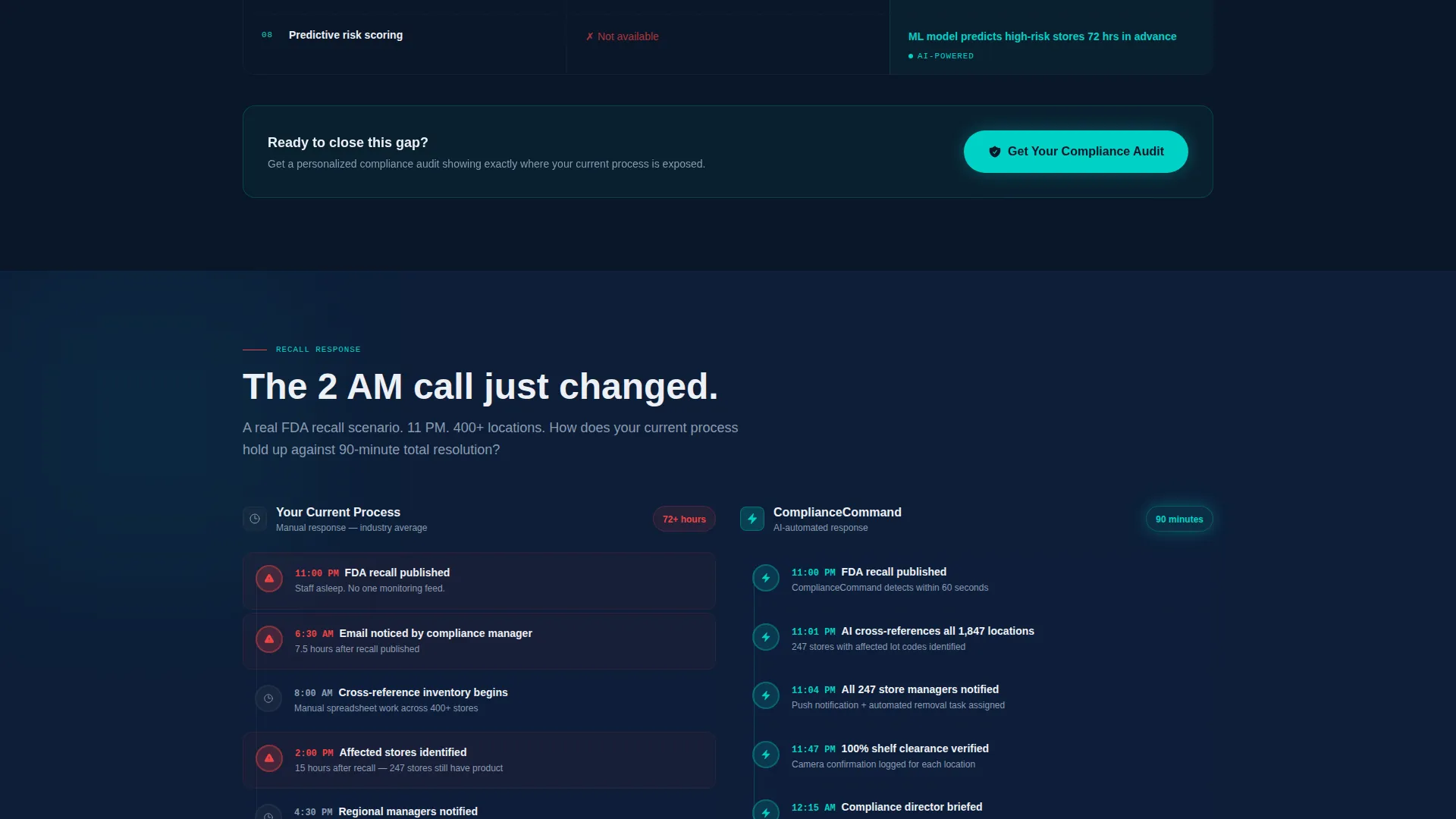
Each tabbed section contains a structured comparison table. The left column shows the current manual reality in muted styling. The right column shows the platform's capability in an illuminated treatment. Complexity increases row by row, moving from basic checklist items up to AI-powered anomaly detection and predictive risk scoring, so the gap between old and new widens visibly with each row.
Floating Primary Call-to-Action
A teal "Get Your Compliance Audit" button stays visible in the sticky nav throughout the page. The same call-to-action repeats after each comparison table section, creating multiple natural conversion moments without interrupting the reading flow.
Progressive Lead Capture Form
The primary conversion form uses a three-field sequence: company name, number of retail locations via a dropdown with four range options, and work email. The progressive structure keeps the form approachable while qualifying each submission by company size.
Secondary Checklist Download Path
A secondary conversion path offers a downloadable Retail Compliance Readiness Checklist gated behind email only. This captures earlier-stage buyers who are not yet ready for a consultation but are engaged enough to want a reference document.
Page sections overview
| Section | Purpose |
|---|---|
| Dashboard Header | Renders live-style store map with pulsing status dots and hover violation cards |
| Sticky Navigation Bar | Locks category tabs and floating call to action to the top of the viewport |
| Audit Automation Table | Compares manual audit processes against platform automation row by row |
| Label Monitoring Table | Shows shelf and label compliance detection versus manual inspection |
| Recall Response Table | Contrasts delayed recall coordination with real-time store-level response |
| Reporting and Analytics Table | Positions spreadsheet reporting against AI anomaly detection and risk scoring |
| Primary Lead Form | Captures company name, location count, and work email for consultation requests |
| Checklist Download | Gates the Retail Compliance Readiness Checklist behind email for earlier-stage leads |
Design & branding system
The template uses a Midnight Blue color system built to evoke the glow of an operations monitoring room. Every color decision reinforces authority and clarity without visual noise.
- Deep terminal navy (#0A1628) dominates backgrounds and section dividers, steel interface gray (#3A4553) structures card borders and secondary text, and clean-read white (#EDF0F5) grounds comparison table cells so data is easy to scan
- Active-signal teal (#00D2C6) fires on status indicators, hover states, and every primary call-to-action element
- No stock photography and no illustrations appear anywhere on the page; the rendered dashboard is the sole hero visual, making the product itself the first thing a visitor experiences
Mobile & speed optimization
The template is structured with a mobile-first layout approach so compliance buyers reviewing the page on a phone or tablet get the same clear information hierarchy as desktop visitors.
- The sticky navigation and floating call-to-action button are sized and spaced for touch interaction on smaller screens
- Comparison tables are structured to reflow clearly on narrow viewports so no data cell is hidden or truncated on mobile
How this template helps you convert
The page is engineered around two facts: enterprise compliance buyers need proof before they trust a vendor, and they arrive with different levels of urgency.
- The comparison table format delivers side-by-side proof at the exact moment a buyer is evaluating their current process, making the case for change without a single sales claim
- The dual conversion architecture captures both high-intent buyers ready to request an audit and lower-intent buyers willing to trade an email for a useful checklist, so no qualified visitor leaves empty-handed
Other information about this template
This template is part of a broader set of retail software and SaaS landing page templates designed for technology companies selling into enterprise retail operations teams.
- The Data Command theme and Midnight Blue palette translate well across retail compliance software, store operations platforms, and inventory monitoring tools
- The comparison table structure is a proven format for communicating feature depth to buyers who evaluate software through formal procurement or vendor review processes
- The template style can support adaptation for adjacent retail software categories such as price monitoring, planogram compliance, or food safety audit tools, provided the section content is updated to reflect accurate platform capabilities

Theme
Data Command
Creative direction
Feature Matrix
Color system
Midnight Blue
Style
Comparison Table
Direction
Lead Generation
Page Sections
Interactive Compliance Dashboard Header
Sticky Tabbed Navigation Bar
Escalating Comparison Table Sections
Floating Primary Call-to-action
Progressive Three-field Lead Form
Email-gated Checklist Download
Related questions
Who is this landing page template designed for?
What conversion paths does this template include?
Can I customize the comparison table categories?
Does the interactive dashboard header need a live data connection?
What makes this template different from a standard software landing page?



