Auto - Modern Dealer Landing Page Template
Pulse is a split-screen landing page template built for auto dealer feedback request email platforms. It pairs a live API code view with a customer-facing email preview, then walks visitors through a feature matrix before converting them toward a dealer dashboard app download. The design uses deep graphite, holographic violet, and electric teal for a dynamic, showroom-ready aesthetic.
by Rocket studio
Quick summary
Pulse is a single-page, split-screen template designed for auto dealer feedback and review platforms. It opens with a code-to-customer header, progresses through a capability-versus-outcome feature matrix, and closes with a focused app download call to action. The palette draws on deep graphite, holographic violet, and electric teal to deliver a bold, technology-forward feel.
Who this template is for
This template is built for teams who bridge automotive dealership operations with customer experience technology. It speaks directly to the people building and selling dealer feedback platforms.
- Product and marketing teams at auto dealer email and review platforms
- Software vendors pitching feedback automation tools to dealership groups
- Dealer group managers evaluating a feedback and sentiment scoring solution
What problem this template solves
Dealership feedback platforms often struggle to explain their technical depth without losing a non-technical audience. A general-purpose landing page cannot carry that dual message on its own.
- Visitors leave before understanding how the automated trigger-to-email pipeline actually works
- The gap between "feature list" and "real dealership outcome" is never bridged visually
- Conversion paths bury the app download or sandbox link instead of earning the tap first
What you get with this template
You get a fully structured, single-page layout that moves a visitor from technical credibility to emotional resonance and then into a clear conversion action. Every section is designed to carry a specific part of that story.
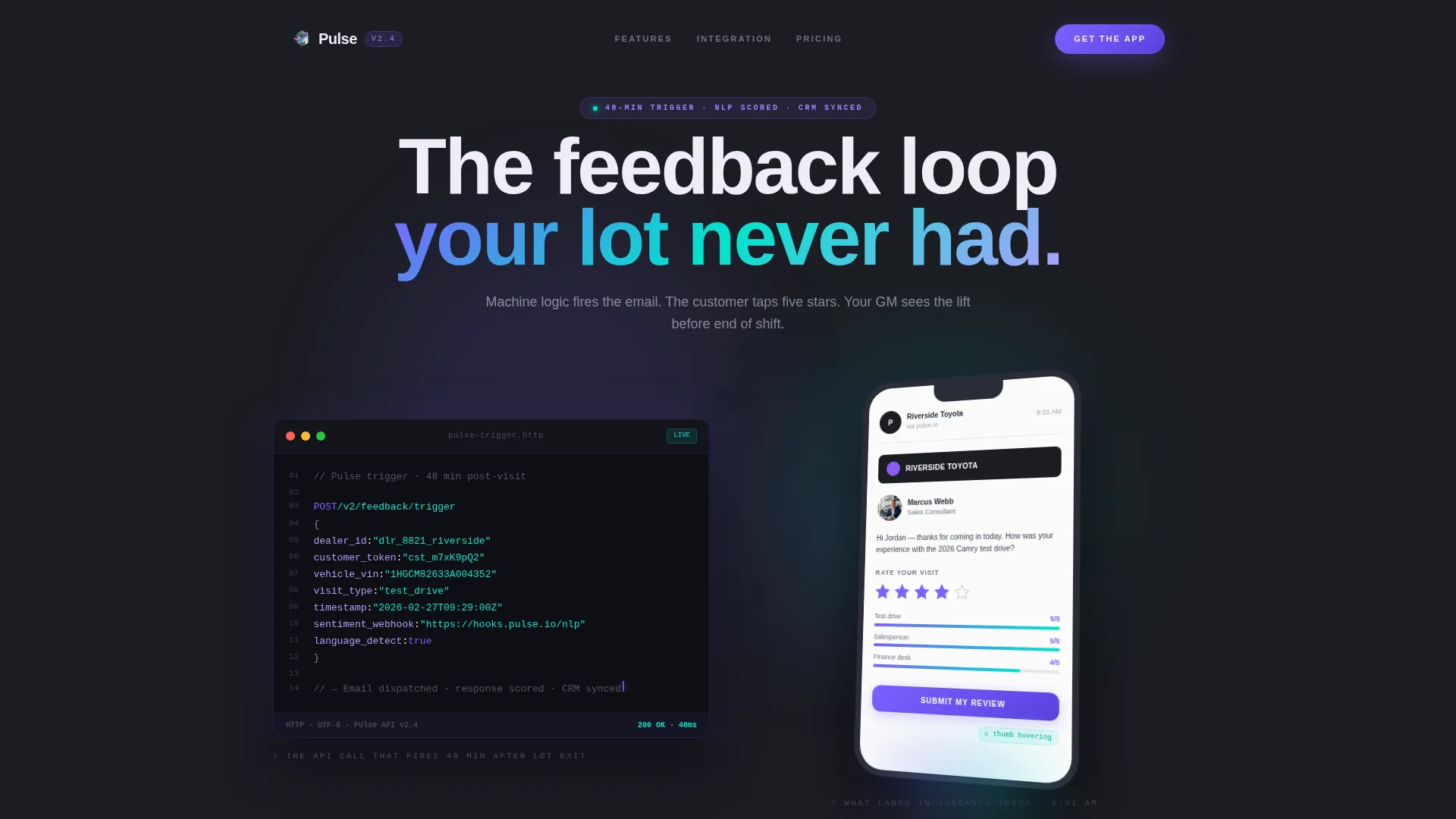
- A split-screen header showing the API trigger code alongside the customer email preview on a tilted phone
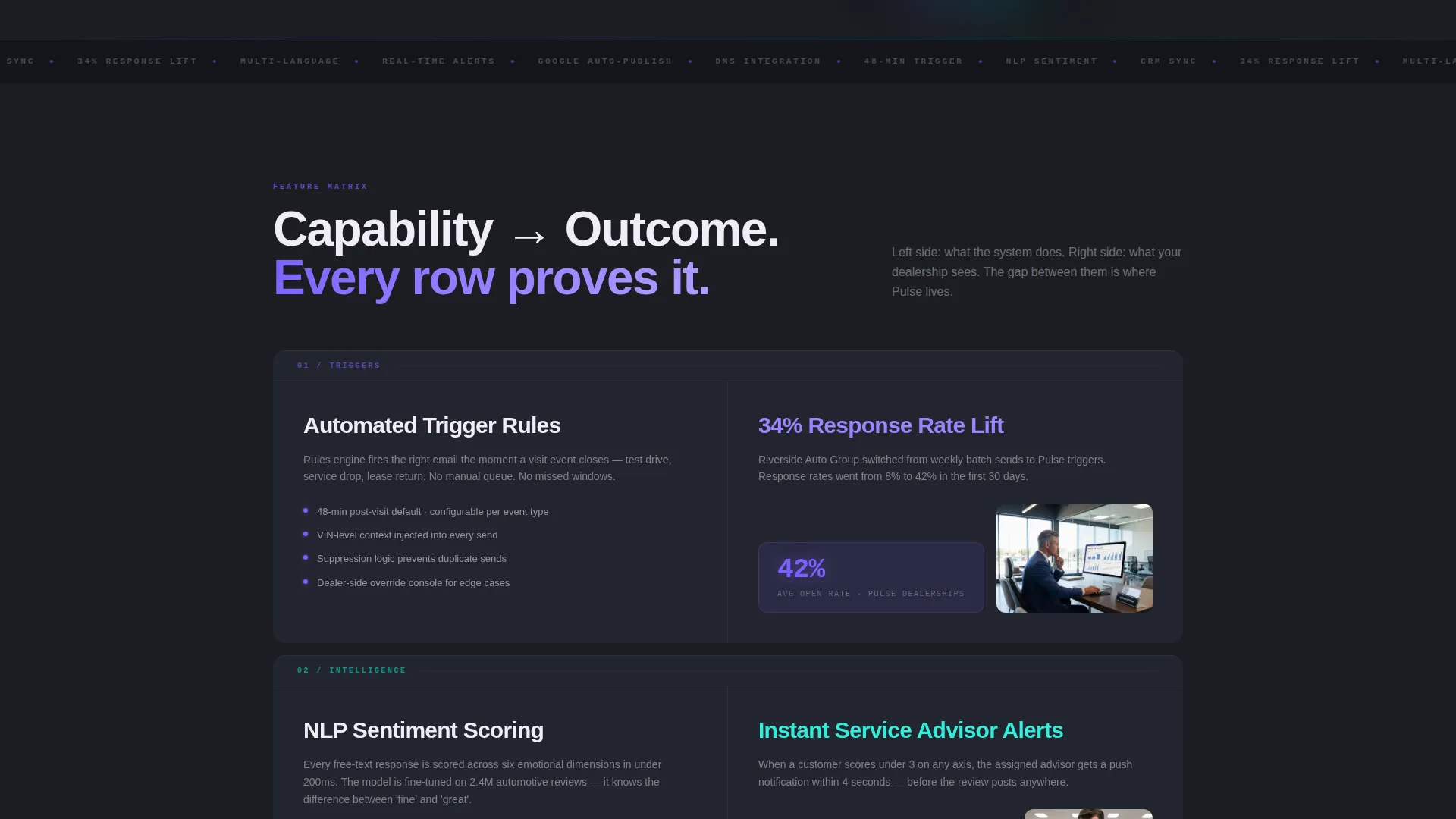
- A scrollable feature matrix pairing capability columns with real-world dealer outcome columns
- A focused app download section with email input, app store badges, and a secondary sandbox link
Feature list
This template covers the full persuasion arc from first impression through final tap. Each built-in section serves a deliberate role in that sequence.
Split-Screen Header with Code and Email Preview
The header divides the viewport equally. The left panel displays a dark-mode code editor showing the actual API call, complete with dealer ID, customer token, timestamp, and sentiment-analysis webhook. A blinking cursor sits at the end of the last line. The right panel shows the customer email rendered on a phone screen tilted fifteen degrees, with a dealership logo, salesperson name and photo, and a five-star rating row with a thumb hovering above it.
Scrollable Feature Matrix
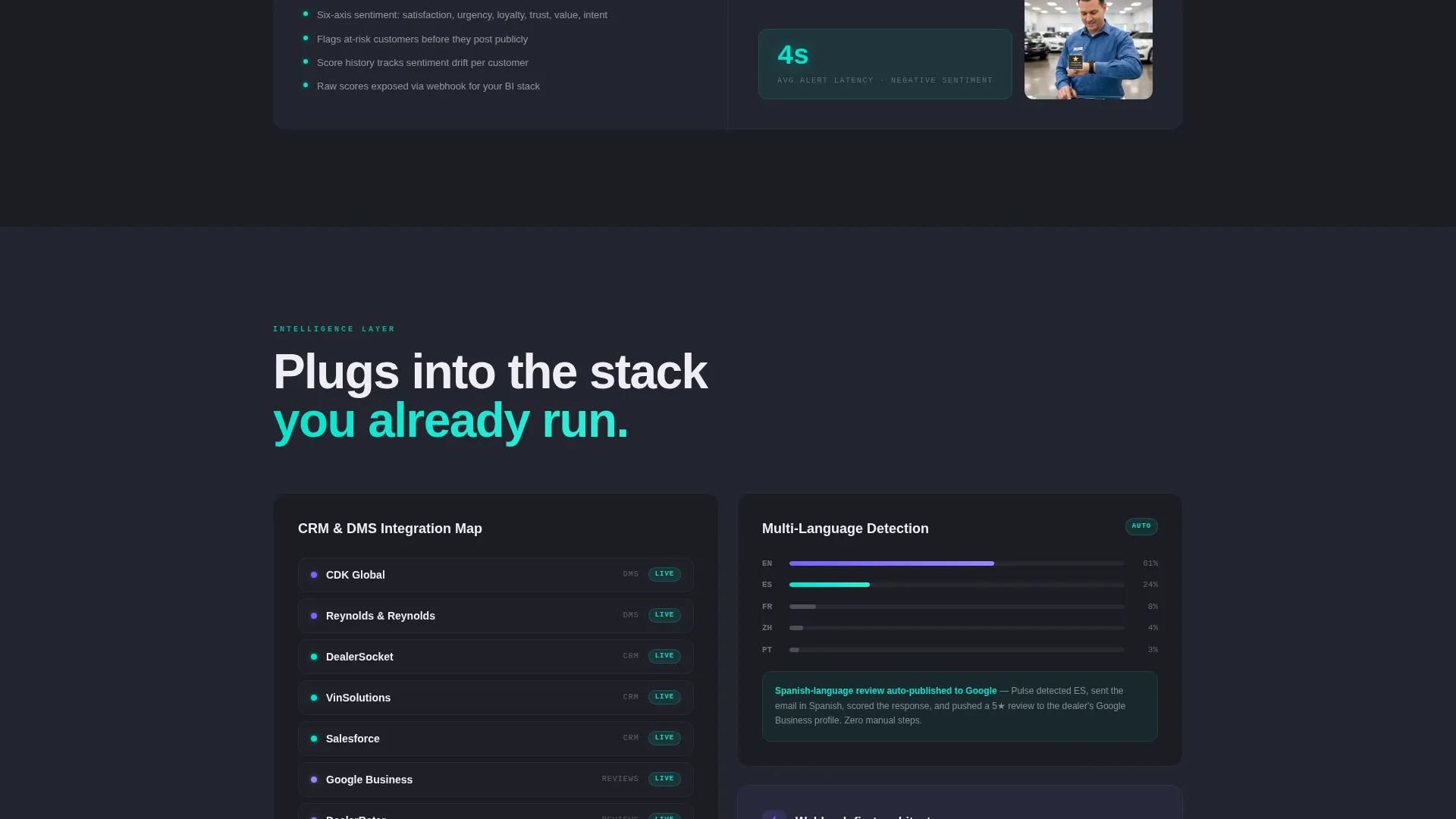
Each row of the matrix splits the screen between a capability on the left and a measurable dealer outcome on the right. Examples built into the layout include automated trigger rules paired with a 34% response-rate lift visualization, natural language processing sentiment scoring paired with a service advisor receiving a five-star ping on her watch, and multi-language detection paired with a Spanish-language review auto-published to a review platform.
Dynamic Motion Visual System
Hover states and data visualization accents animate between holographic violet and electric teal gradients. The motion design communicates system intelligence without adding visual noise. Graphite panels stay grounded while color blooms on interaction.
App Download Conversion Section
The primary call to action reads "Download the Dealer Dashboard" and is supported by paired app store download badges. A single-field email input above the button lets managers send the download link directly to their phone. A secondary link reading "See It With Your DMS" connects to a live sandbox environment. DMS stands for Dealer Management System.
Audience-Tuned Messaging Layers
The copy and visual framing address three distinct visitor types: fresh-off-the-lot shoppers, service-lane regulars, and lease returners calculating their next move. The template stages its message so each group sees a relevant moment before the conversion ask arrives.
Page sections overview
| Section | Purpose |
|---|---|
| Split-Screen Header | Show code-to-customer pipeline side by side |
| Feature Matrix | Pair platform capabilities with dealer outcomes |
| Capability Detail Rows | Escalate from simple triggers to compound intelligence |
| App Download call to action | Convert visitors toward dashboard app install |
| Email Input Field | Let managers send the download link to their phone |
| Sandbox Secondary Link | Offer a low-commitment live demo path |
Design & branding system
The visual identity follows a Dynamic Motion theme built on the AI Iridescent color system. Every color decision is grounded in the metaphor of light refracting off a freshly waxed hood under showroom halogens.
- Deep graphite (#1B1D23) anchors every background panel for contrast and depth
- Holographic violet (#7B61FF) and electric teal (#00E5CC) trade off as accent gradients on hover states and data visualizations
- Pearl white (#F0EDF6) keeps all body typography crisp and readable against dark backgrounds
Mobile & speed optimization
The split-screen layout is structured to reflow cleanly for smaller viewports. The phone mockup in the header already establishes a mobile-native visual context for the product being sold.
- The tilted phone screen in the header signals mobile-first product design to visitors immediately
- Each matrix row is built to stack vertically on narrow screens without losing the capability-versus-outcome pairing
- The single-field email input and app store badges are sized and spaced for thumb-friendly interaction
How this template helps you convert
The page earns every conversion action before asking for it. Visitors move through a deliberate sequence that builds confidence in the platform before the download button appears.
- The split-screen header establishes technical credibility and human relatability in the same glance, removing the most common early objection before it forms.
- The feature matrix escalates from straightforward automation to compound intelligence, showing that the platform scales with a dealership's complexity rather than plateauing at basic triggers.
- The app download section presents a low-friction primary action alongside a sandbox secondary path, so both ready buyers and cautious evaluators have a clear next step.
Other information about this template
This template is categorized under Technology with a subcategory focus on auto dealer email templates. It is purpose-built for the auto dealer feedback request email niche and carries an intersection match score of 13, indicating strong alignment between the template style and the niche use case.
- The header concept is Code Snippet, and the creative direction is Feature Matrix, both defined in the matched intersection row
- The template style is Split Screen (50/50) and the landing page direction targets App Download as the primary conversion goal
- The monospaced, violet-glowing font in the code editor panel reinforces the platform's developer-grade credibility while remaining visually accessible to non-technical dealership decision-makers
Theme
Dynamic Motion
Creative direction
Feature Matrix
Color system
AI Iridescent
Style
Split Screen (50/50)
Direction
App Download
Page Sections
Split-screen Header Layout
Capability-outcome Feature Matrix
Dynamic Motion Hover States
App Download Conversion Section
Audience-specific Visual Storytelling
Related questions
Who is this landing page template designed for?
What is the primary conversion goal of this template?
What does the split-screen header show?
Can the feature matrix rows be customized?
Does this template include working email or app functionality?



