Church Workflow Automation Landing Page Template
Automate is a single-page landing page template built for church workflow automation platforms. It uses a comparison table layout, a metrics-driven header, and an Industry Report creative direction to show exactly how much time disconnected church software wastes, and how one connected pipeline fixes it. The design follows a Slate and Sky color system with a Startup Velocity theme.
by Rocket studio
Quick summary
Automate is a click-through landing page template for church and religious workflow automation platforms. It opens with three animated stat blocks, moves through an evidence-led Industry Report scroll, and anchors on a comparison table that makes the case without a single soft sell. The primary call to action drives visitors to a live interactive demo.
Who this template is for
This template is built for SaaS founders and product teams serving church operations leaders. If your platform connects giving, attendance, volunteer scheduling, and follow-up automation into one pipeline, this page presents that case with data.
- Executive pastors at multi-campus churches managing exports from disconnected systems
- Operations directors at large congregations patching together separate tools manually
- Solo pastors at smaller churches losing double-digit hours each week to administrative work
What problem this template solves
Church operations teams waste enormous time toggling between software that was never meant to talk to each other. Volunteer confirmations go unsent. Guest follow-ups miss their window. Giving data sits unsynced until someone pulls a manual report. This template gives your platform a page that names that problem with real numbers before offering the solution.
- Staff losing over twelve hours per week to tasks that automation should handle
- Donor attrition caused by missed or delayed follow-up communications
- Volunteer no-shows driven by manual reminder workflows that fail silently
What you get with this template
You get a fully structured single-page layout designed to move a skeptical church operations leader from "I've heard this before" to "I need to see this demo." Every section is built around proof, not promises.
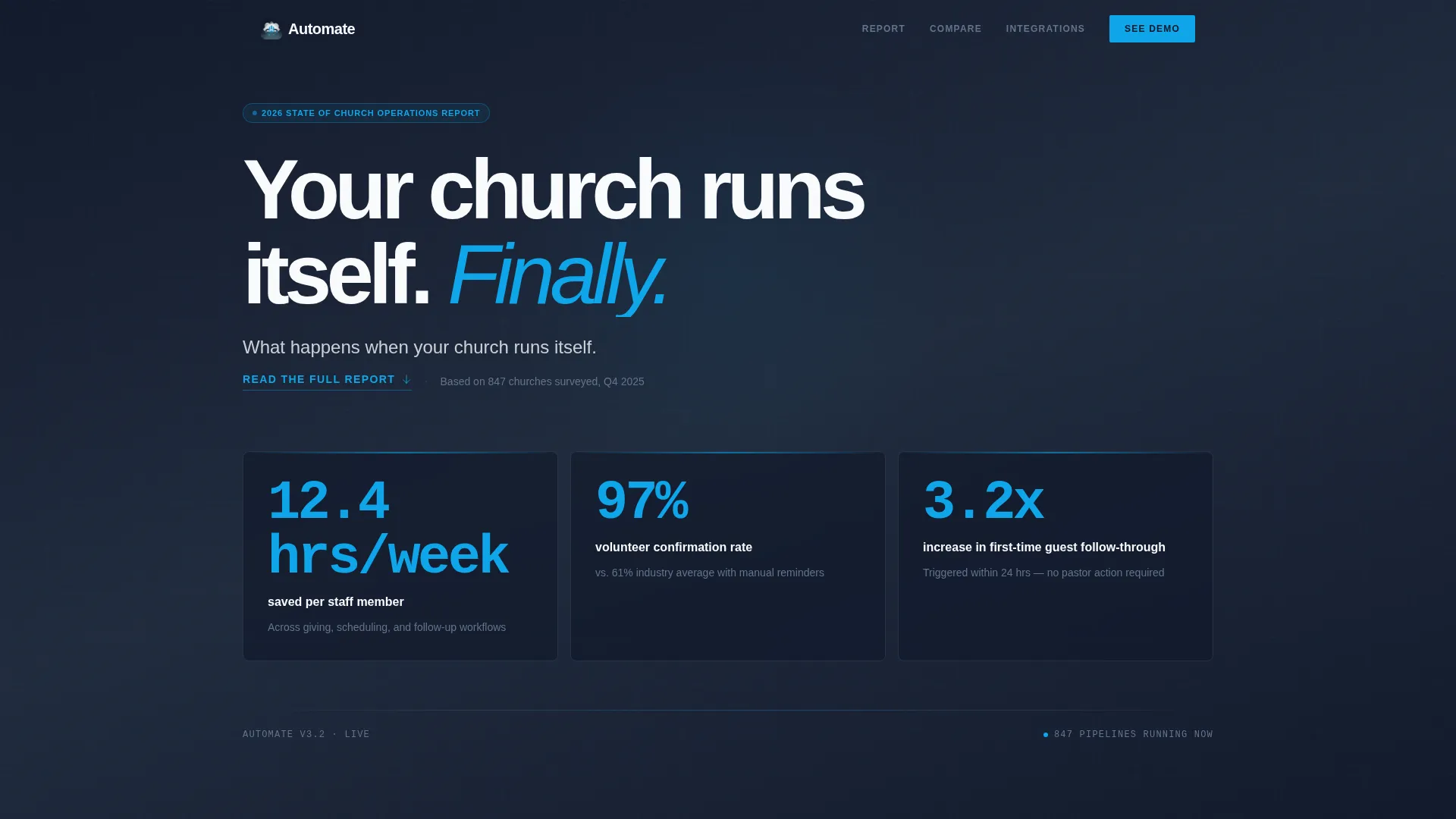
- A metrics wall header with three animated stat blocks and a secondary call to action
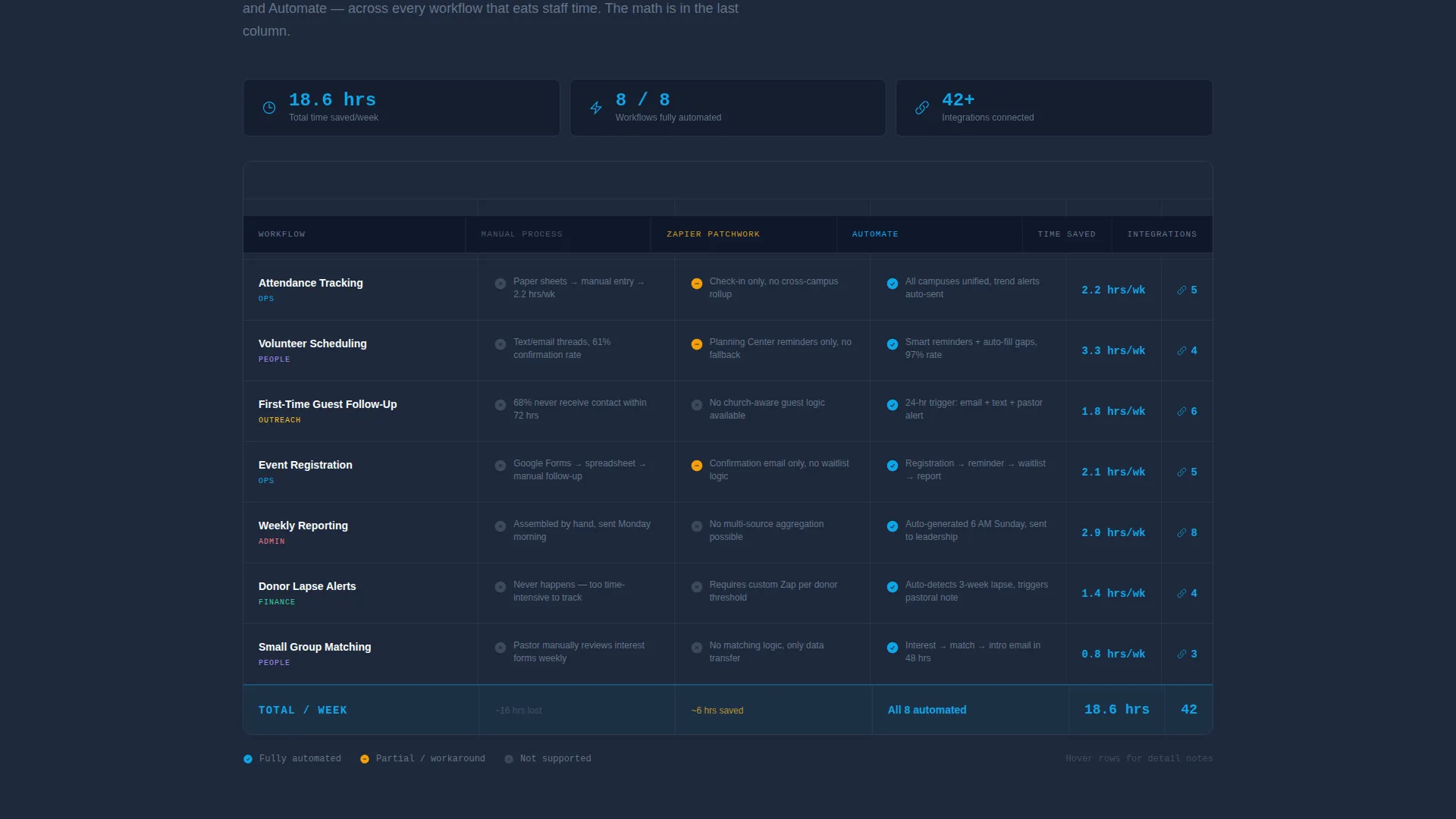
- A three-column comparison table covering six core church workflows across manual, patchwork, and platform tiers
- A connected stack section showing key integrations wired together in a live-looking flow diagram
Feature list
This section describes the functional and visual components included in the Automate template.
Animated Metrics Header
Three oversized stat blocks sit against a deep charcoal slate background. Each number animates upward on page load in open-sky blue. The figures shown are "12.4 hrs/week saved per staff member," "97% volunteer confirmation rate," and "3.2x increase in first-time guest follow-through." A single cloud-white subheading anchors the section below the numbers.
Three-Column Comparison Table
The core of the page is a structured workflow comparison table. Rows cover giving sync, attendance tracking, volunteer reminders, guest follow-up, event registration, and reporting. Columns compare manual processes, Zapier-style patchwork setups, and the platform being sold. Each cell uses checkmarks, time-saved metrics, and integration counts to make the outcome clear.
Industry Report Scroll Structure
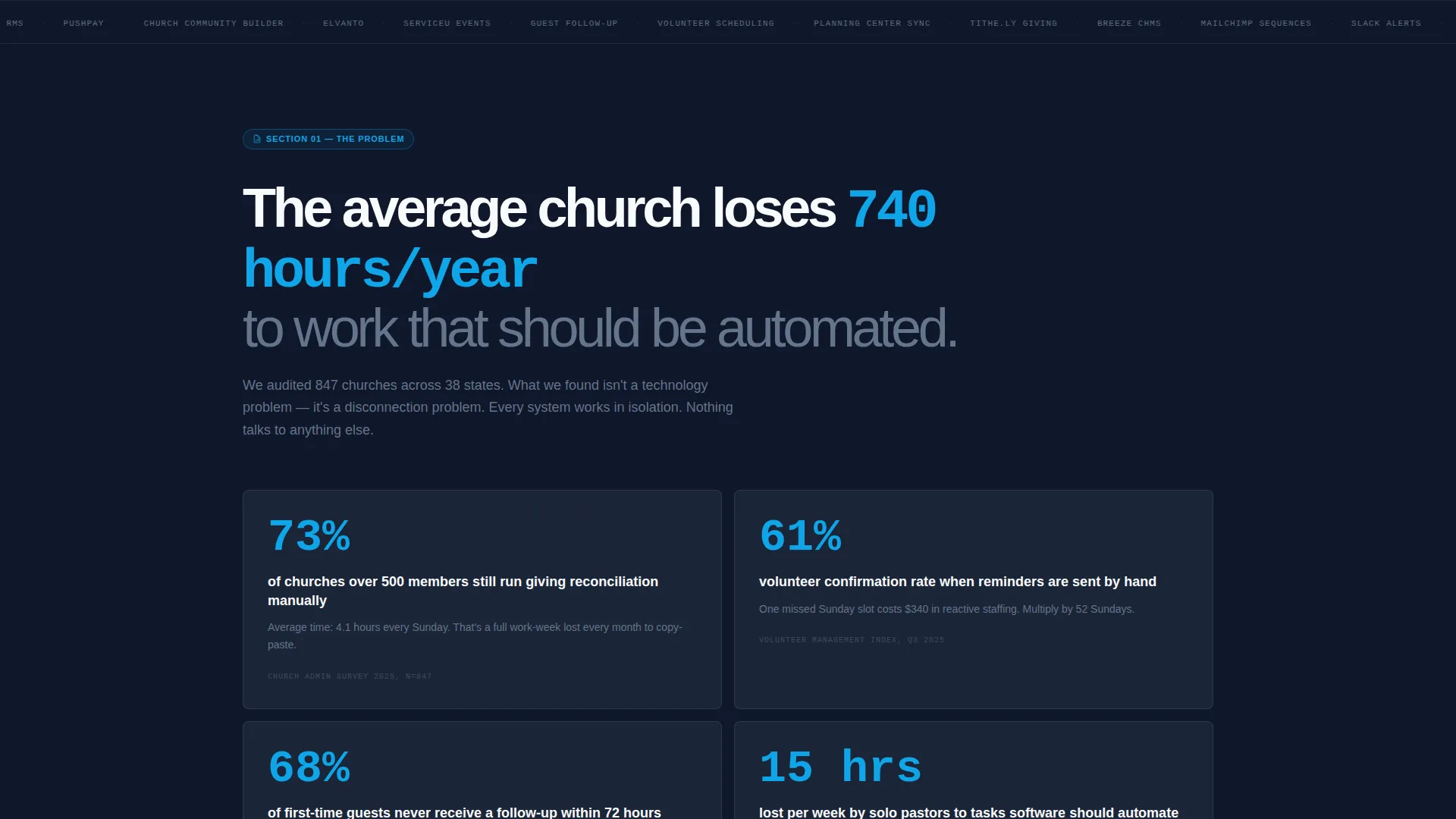
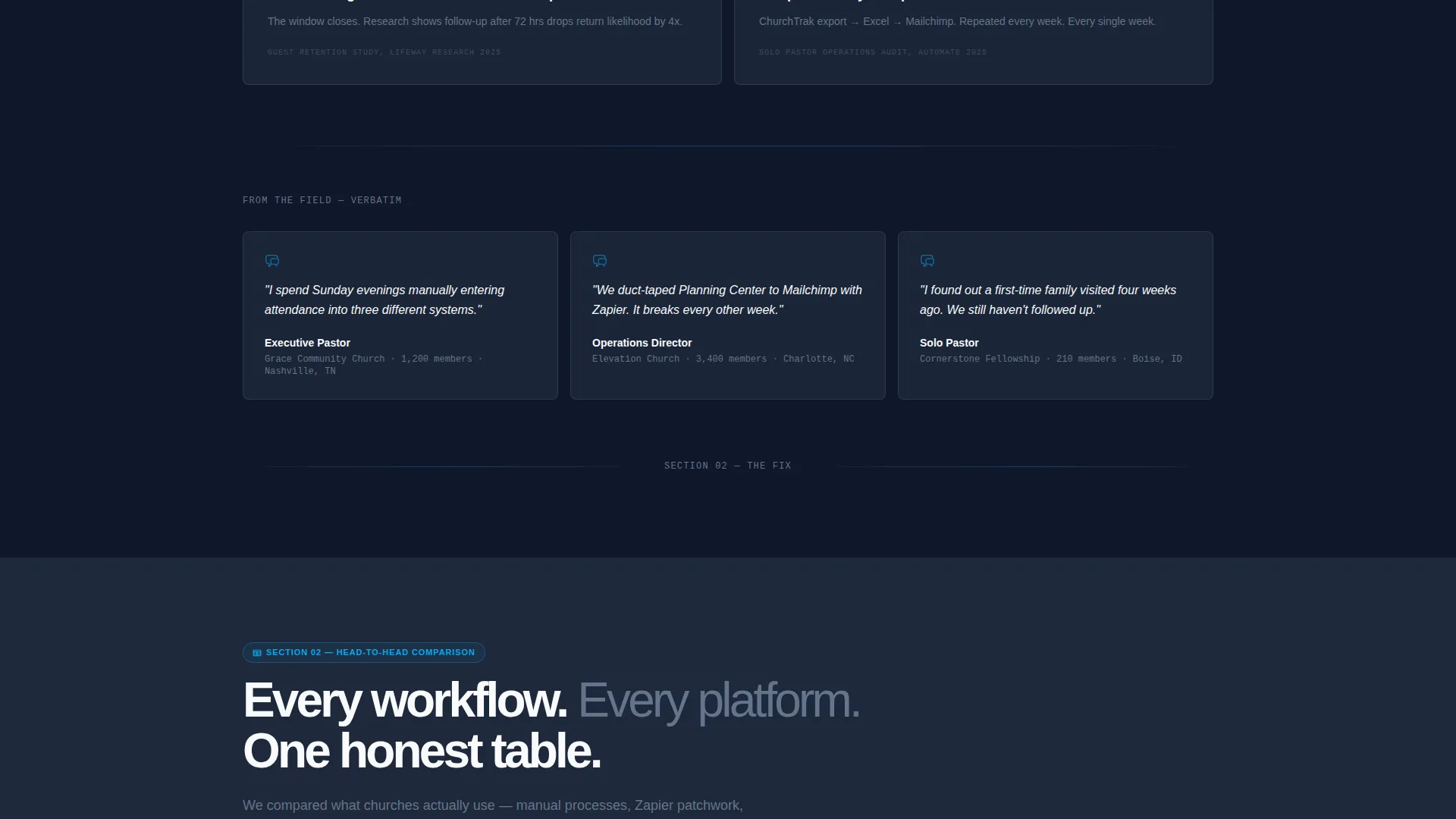
The page is laid out as a state-of-church-operations study. Section one presents the problem with real data on manual process usage, hours lost, and donor attrition. Section two delivers the comparison table. Section three shows the connected integration stack. The creative direction trades emotional cues for compounding proof as the visitor scrolls.
Click-Through Call to Action Placement
The primary call to action, "See Your Church Automated," appears after the comparison table. It is positioned deliberately, after the evidence has been presented. A secondary call to action beneath the header stats reads "Read the Full Report" and anchors visitors further down the page to maintain scroll momentum.
Connected Integration Stack Visual
A visual flow diagram in section three shows key church software tools wired together. The layout communicates at a glance that the platform connects the tools operations teams already use, without requiring a written explanation of each integration.
Slate and Sky Color System
Sky blue appears only on active, live, or interactive elements: animated numbers, active table rows, connected integration nodes, and call-to-action buttons. Charcoal slate handles primary backgrounds. Cloud white surfaces cards and breathing room. Administrative gray handles secondary text and table borders. The result reads as serious infrastructure with visible momentum.
Page sections overview
| Section | Purpose |
|---|---|
| Metrics Wall Header | Opens with three animated performance stats and a secondary scroll call to action |
| Problem Data Section | Presents real data on manual church process costs and hours lost |
| Comparison Table Section | Compares manual, patchwork, and platform workflows across six categories |
| Connected Stack Visual | Shows key integrations linked in a flow diagram |
| Primary Demo call to action | Drives visitors to a live interactive demo environment after evidence is built |
Design & branding system
The Automate template uses a Startup Velocity theme with a Slate and Sky color palette. The visual language is SaaS dashboard at dawn: dark enough to read as serious infrastructure, precise enough to communicate momentum.
- Deep charcoal slate (#1E293B) on primary backgrounds, cloud white (#F8FAFC) on card surfaces
- Open-sky blue (#0EA5E9) reserved exclusively for live, active, or interactive elements
- Administrative gray (#64748B) for secondary text and table borders, keeping structure legible without competing with key highlights
Mobile & speed optimization
The template is structured for clarity at any viewport width. The comparison table and metrics header are the most layout-intensive components, so the design keeps them lean and scannable across screen sizes.
- Comparison table rows are designed to remain readable on smaller screens without horizontal scrolling
- Stat block layout stacks cleanly for mobile visitors without losing the visual weight of the animated numbers
How this template helps you convert
This landing page is engineered to build conviction before it asks for anything. The click-through structure keeps visitors moving toward the demo without friction.
- The animated metrics header creates immediate credibility, giving visitors a concrete reason to keep reading before any product claim is made.
- The comparison table converts abstract platform benefits into a side-by-side proof structure, making the platform's advantage visible in seconds.
- The demo call to action arrives only after the evidence is stacked, so the click feels like a natural next step rather than an interruption.
Other information about this template
This template sits at the intersection of church technology and SaaS conversion design. It is built for platforms serving religious organizations that have outgrown spreadsheet-based operations.
- The no-form page structure means visitors land on a guided demo environment after clicking, where they select their church size and explore a pre-built workflow
- The Industry Report creative direction suits platforms that want to be positioned as category leaders, not just tools
- This template is well suited for platforms that connect with tools commonly used in church operations, such as Planning Center, Tithe.ly, Breeze, and Mailchimp
- The Startup Velocity theme gives the page a product-led growth aesthetic that resonates with operations-minded church leaders evaluating software seriously
Theme
Startup Velocity
Creative direction
Industry Report
Color system
Slate & Sky
Style
Comparison Table
Direction
Click-Through
Page Sections
Animated Metrics Wall Header
Three-column Workflow Comparison Table
Industry Report Scroll Structure
Click-through Demo Call to Action
Connected Integration Stack Visual
Related questions
Does this template include a lead capture form?
Can I update the animated stat numbers in the header?
Is the comparison table customizable?
Who is this landing page template designed for?
What is the purpose of the connected stack visual section?



