Automate - Seamless Edtech Landing Page Template
Automate is a bento grid landing page template built for education workflow automation platforms. It uses a dark Void & Violet color system and an Interactive Explorer creative direction to show district technology coordinators, curriculum directors, and building principals exactly how disconnected school tools can be wired together into one seamless, automated system.
by Rocket studio
Quick summary
Automate is a single-page bento grid template designed for education workflow automation platforms. It targets district-level staff who manage tool fragmentation daily. The layout uses interactive comparisons, animated connection paths, and a live ROI calculator to turn passive page visitors into engaged prospects ready to book a demo or download a resource.
Who this template is for
This template is built for teams selling or showcasing education workflow automation software. It speaks directly to the people inside school districts who feel the pain of disconnected systems every single day.
- District technology coordinators who are buried in manual CSV exports and cross-platform data wrangling
- Curriculum directors who copy assessment data by hand between multiple platforms each week
- Building principals who spend their personal time reconciling spreadsheets that should already communicate with each other
What problem this template solves
School districts use a collection of tools that were never designed to talk to each other. Grade books, parent portals, IEP (Individualized Education Program) document systems, and attendance trackers all hold critical data in separate silos. The result is hours of manual work, delayed interventions, and frustrated staff.
- No single page layout communicates workflow complexity clearly enough to build buyer trust with district-level decision makers
- Generic SaaS templates fail to show the manual-versus-automated contrast that makes automation platforms compelling to skeptical administrators
- Standard lead capture forms do not visually connect a prospect's existing tool stack to the solution being offered
What you get with this template
You get a fully designed bento grid landing page that guides visitors through a structured, interactive narrative. Every section is built to reflect the specific workflow challenges and decision-making patterns of education technology buyers.
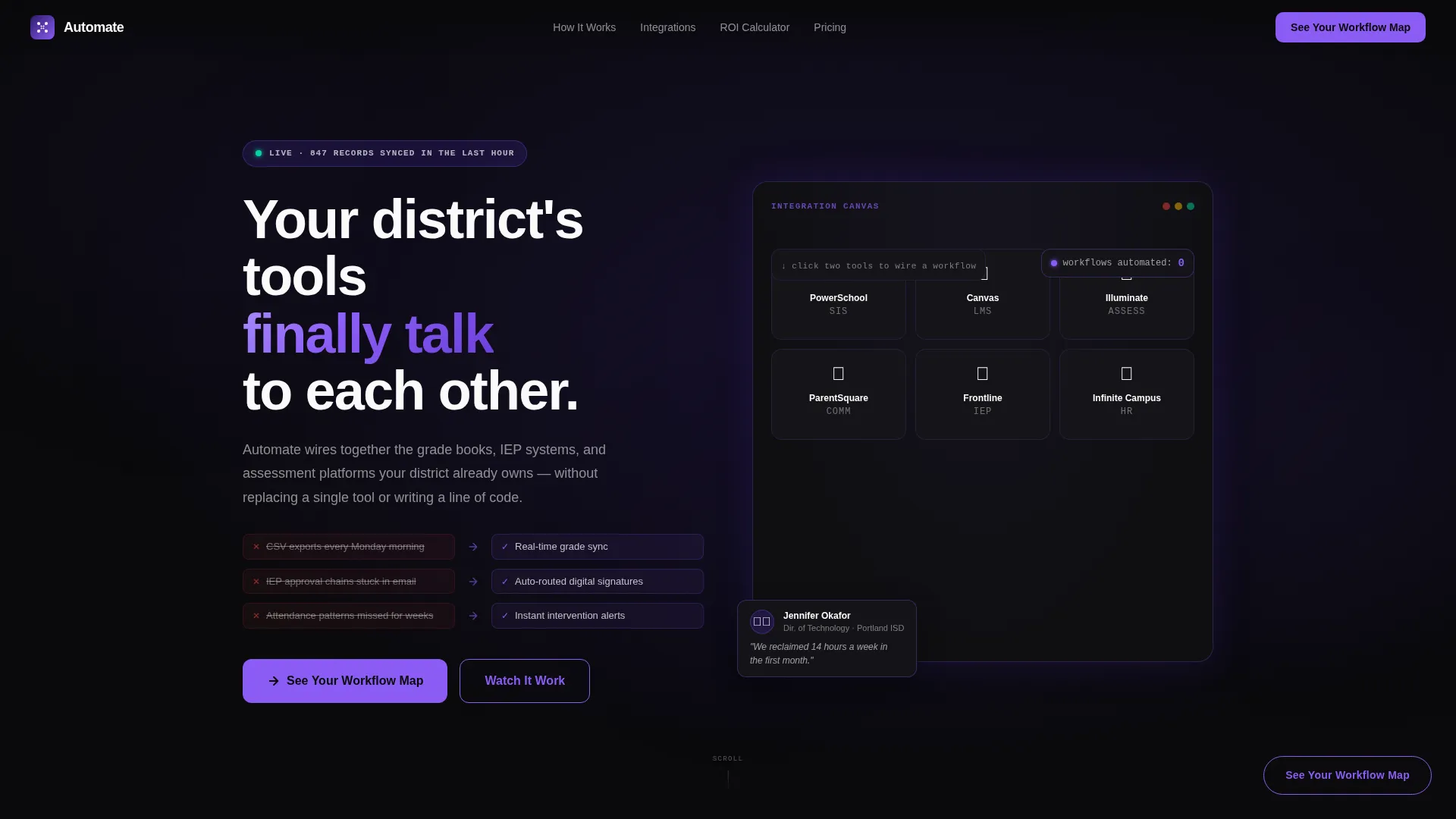
- An interactive header with draggable tool tiles, animated integration arcs, a live workflow counter, and a sample notification toast
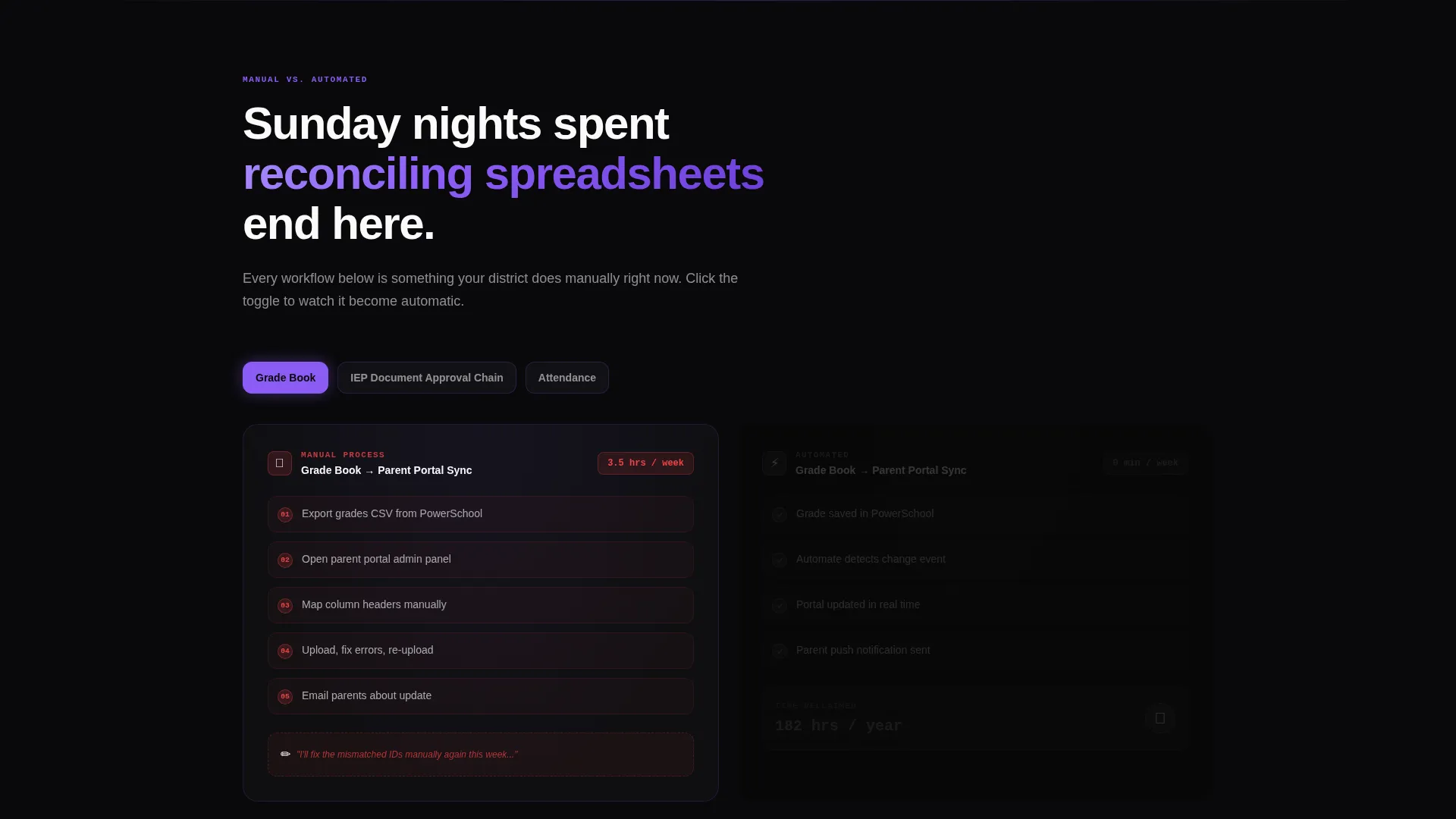
- A manual-versus-automated comparison layout with toggle switches, grayscale dimming effects, and orchid-pulse animations for the automated side
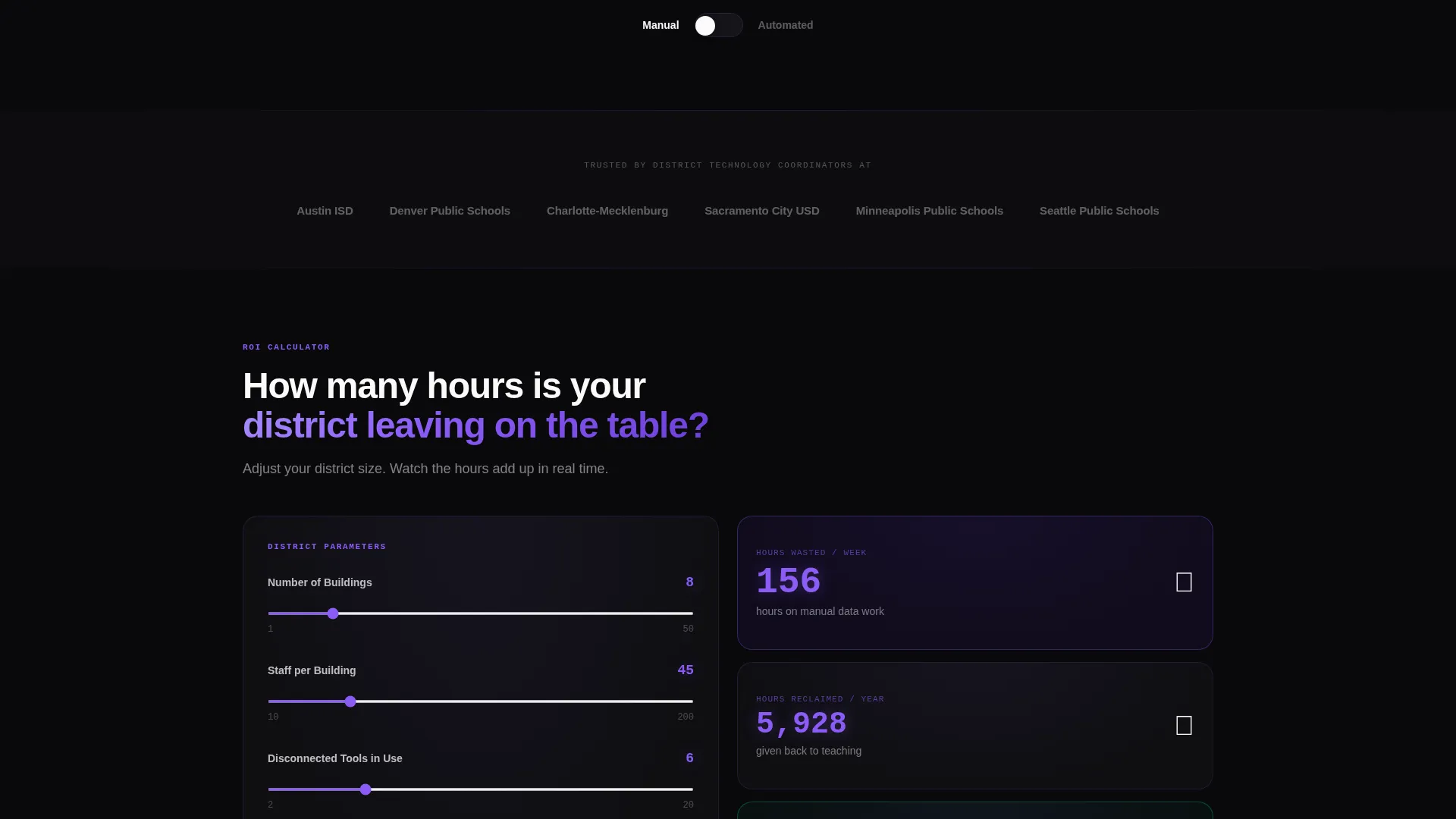
- A live district ROI calculator tile, a multi-step lead capture form with real-time visualization, and a gated PDF secondary conversion path
Feature list
This template ships with purpose-built interactive sections and a visual identity system designed specifically for education workflow automation use cases.
Draggable Bento Header with Live Integration Preview
The header renders each education tool as a recognizable icon on a dark glass card inside a live bento grid. Visitors drag tiles toward each other to trigger animated violet arc connections. A data-packet micro-animation travels each connection line, a workflow counter increments in the corner, and a toast notification confirms a completed sync. This makes the product's core value immediately tangible before any scroll.
Manual-versus-Automated Comparison Sections
Each scroll section pairs a left column showing the manual process (email chains, tabbed spreadsheets, paper forms with corrections) against a right column showing the automated equivalent. A toggle switch dims the manual side into grayscale while the automated side pulses violet. The narrative escalates from simple two-tool syncs to complex multi-platform workflow chains involving up to six connected systems.
Live District ROI Calculator Tile
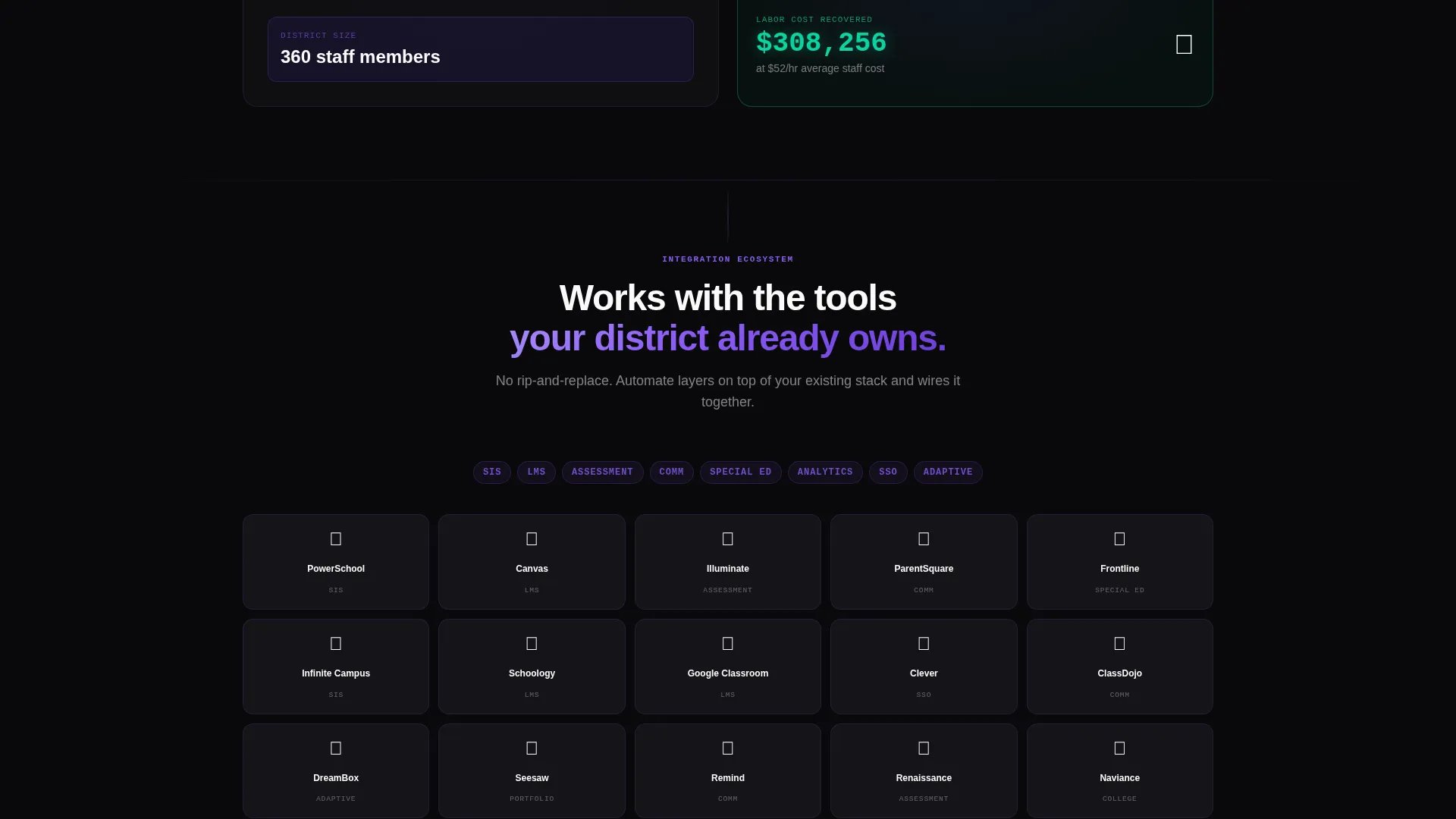
A dedicated bento tile lets visitors enter their district size and instantly see hours reclaimed per week. The output figure animates upward in orchid digits, making the efficiency case personal and specific rather than abstract.
Smart Lead Capture Form with Real-Time Visualization
The primary conversion form asks for district name first, with auto-suggest from a national database, then number of buildings, then a checkbox grid of tools already in use. Each checked tool immediately renders a new connection line on a summary visualization panel beside the form, turning the intake process into a product demonstration.
Persistent Floating Call-to-Action Button
A floating button reading "See Your District's Workflow Map" follows the visitor through the entire page. It starts as a ghost outline and transitions to solid orchid after the visitor interacts with their first comparison toggle, rewarding engagement with a clear next step.
Gated PDF Secondary Conversion Path
A secondary call to action offers "Download the Integration Matrix" as a downloadable PDF resource. This path is designed for coordinators who are still building an internal board presentation and need supporting materials before committing to a demo.
Page sections overview
| Section | Purpose |
|---|---|
| Interactive Bento Header | Lets visitors drag tool tiles and watch integration arcs fire in real time |
| Workflow Comparison Rows | Shows manual versus automated side-by-side with toggle-activated animations |
| Multi-Platform Chain Section | Escalates complexity to five and six-tool workflow orchestration examples |
| ROI Calculator Tile | Lets visitors input district size and see time savings animate in real time |
| Lead Capture Form | Collects district details while rendering a live connection visualization |
| Secondary Resource call to action | Offers a gated PDF download for buyers still in the research phase |
Design & branding system
The visual identity follows a Directory & Discovery theme built on the Void & Violet color system. The overall mood is a mission control room in the early hours: dark, focused, and alive with moving data.
- Core palette uses absolute void black (#09090B) for backgrounds, deep interstellar violet (#2D1B69) for depth layers, electric orchid (#8B5CF6) for active states and animated connection lines, and phosphor white (#FAFAFA) for text and card surfaces
- Bento cards sit on the void background with subtle violet border glows that intensify on hover, while orchid traces animated paths between grid tiles to represent integrations firing in real time
- The grayscale-versus-orchid toggle contrast reinforces the manual-versus-automated narrative visually, so the design itself communicates the product's value without extra copy
Mobile & speed optimization
The bento grid layout is structured to adapt across screen sizes while preserving the interactive experience on smaller viewports. The Interactive Explorer direction prioritizes meaningful engagement over decorative complexity.
- Bento tiles reflow into a single-column stack on mobile, keeping the comparison toggle and calculator tile accessible without horizontal scrolling
- Animated connection paths and micro-interactions are scoped to the interactive header and comparison sections, so the rest of the page loads and scrolls cleanly
- The floating call-to-action button remains anchored and visible across all scroll depths and screen widths
How this template helps you convert
Every design and layout decision in this template is oriented toward moving a skeptical district buyer from curiosity to commitment. The interactive elements do not just entertain; they simulate the product experience before any signup.
- The draggable header and comparison toggles give visitors a hands-on preview of the automation concept, building product understanding and trust before the form appears
- The ROI calculator makes the efficiency argument personal by anchoring it to the visitor's own district size, turning an abstract claim into a specific and believable number
- The dual conversion paths (demo request and gated PDF download) capture buyers at two different readiness levels, so no qualified visitor leaves without taking a meaningful next step
Other information about this template
This template is designed as a standalone single-page layout and does not require additional page files. It is built to support education technology sales teams, edtech startup marketing teams, and district software vendors who present at board meetings or procurement reviews.
- The template style is Bento Grid, and the creative direction is Interactive Explorer, making it well-suited for product demos and conference booth displays as well as web deployment
- The header concept is an Interactive Preview, which positions the platform's core functionality as the first thing a visitor experiences rather than a headline claim
- The conversion direction is Comparison/Versus, meaning every section is architected to reinforce the contrast between the old way and the automated way
- This template fits naturally within the education software and education workflow automation category, and can be adapted for platforms that serve K-12 districts, charter networks, or regional education agencies
Theme
Directory & Discovery
Creative direction
Interactive Explorer
Color system
Void & Violet
Style
Bento Grid
Direction
Comparison/Versus
Page Sections
Draggable Bento Header with Integration Preview
Manual-versus-automated Comparison Layout
Live District ROI Calculator Tile
Smart Lead Capture with Real-time Visualization
Persistent Floating Call-to-action Button
Gated PDF Secondary Conversion Path
Related questions
Who is this landing page template designed for?
Can I customize the tool icons and workflow examples in the bento header?
What are the two conversion paths included in this template?
Does the comparison toggle animation require custom development?
Is this template suitable for board presentations or procurement reviews?



