Blockchain-Based Enterprise Software Professional Website Template
Automate is a hub-and-spoke landing page template built for a blockchain-based robotic process automation (RPA) platform. It combines a live dashboard header, anchor navigation, and a Comparison/Versus engine to show enterprise buyers exactly what they are overpaying today. The Teal Catalyst color system and Launch Energy creative direction make every section feel like a mission-critical control room.
by Rocket studio
Quick summary
Automate is a single-page, anchor-nav template designed for an enterprise RPA platform that binds workflow automation to smart contracts. It opens with an orchestration dashboard, guides visitors through five spoke sections, and converts them through an inline savings calculator and a two-step stack qualifier. Every section escalates proof before asking for contact details.
Who this template is for
This template is built for technology companies selling blockchain-based enterprise automation to serious operational buyers. It speaks directly to the people responsible for justifying new infrastructure.
- Operations directors at mid-market fintech firms managing reconciliation workflows
- Compliance officers at insurance carriers who must produce provable process logs for regulators
- Chief Technology Officers at logistics companies bridging legacy enterprise resource planning systems with modern application programming interfaces
What problem this template solves
Enterprise automation teams often struggle to prove that a bot actually executed a step correctly. Regulators ask for audit trails. Finance teams want reconciliation receipts. Legacy RPA tools produce logs stored in databases that can be edited. This template frames the on-chain audit trail as the answer to that credibility gap.
- No reliable, tamper-proof record that a specific bot touched a specific record at a specific time
- High licensing costs from incumbent RPA vendors with no transparent fee comparison available to buyers
- Difficulty connecting internal stakeholders around a single technical pitch before a sales conversation begins
What you get with this template
You get a complete, conversion-ready landing page built around five anchor navigation spokes. The template is structured so visitors move from awareness to cost awareness to qualified action in one scroll.
- A fixed left-side anchor navigation bar labeled with spoke names: Speed, Trust, Cost, Proof, and Stack
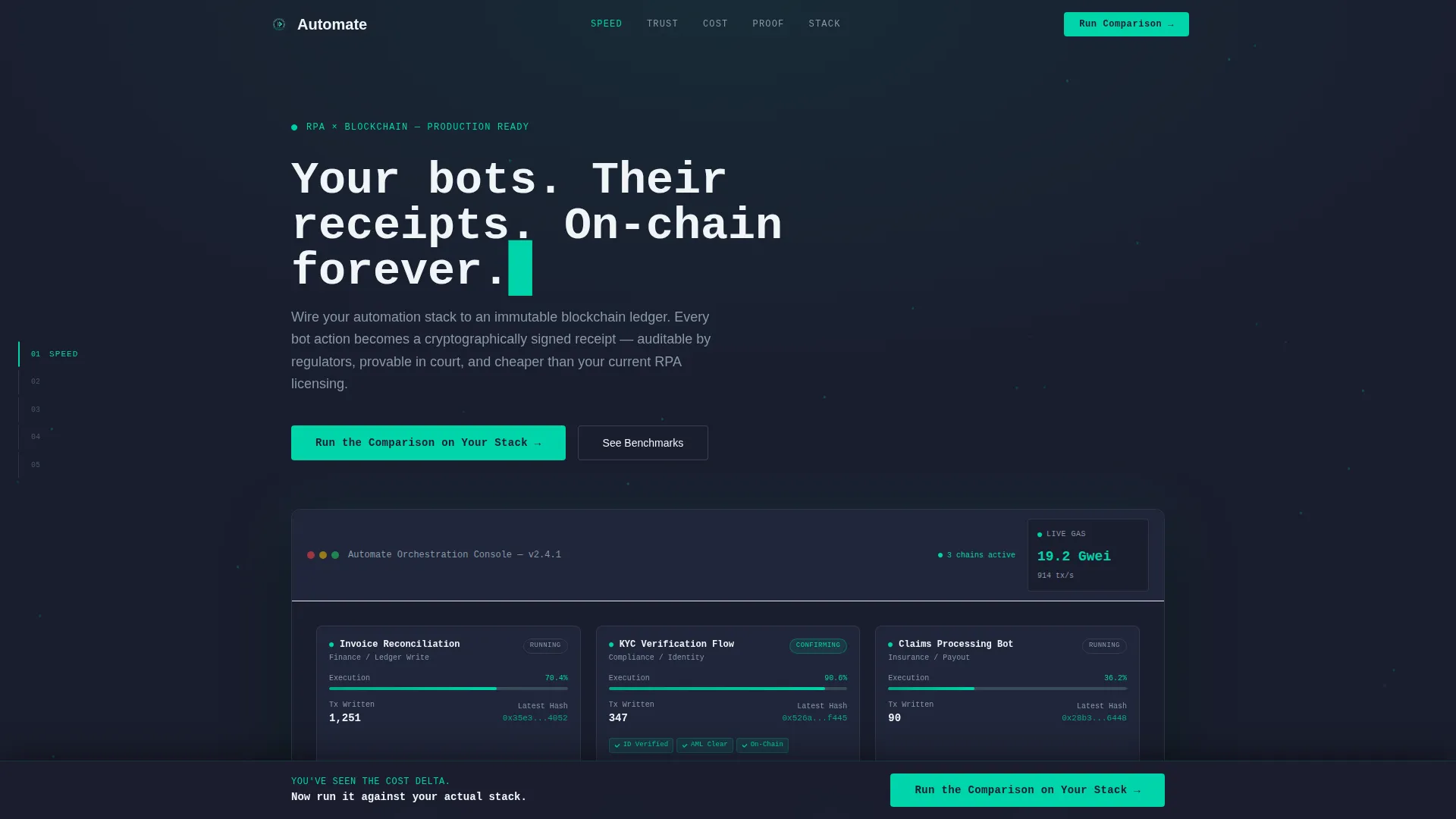
- An orchestration dashboard header with three active automation chains shown mid-execution
- A two-path conversion system: an inline savings calculator inside the Cost spoke and a sticky bottom-bar qualifier that activates after the visitor passes that section
Feature list
This template includes purpose-built components that reflect how enterprise buyers evaluate a new automation platform. Each feature is wired to a specific moment of conviction.
Animated Dashboard Header
The header drops visitors into a near-interactive mockup of the platform's orchestration console. Three automation chains run simultaneously: an invoice reconciliation bot writing hashes to a blockchain ledger, a KYC (Know Your Customer) verification flow with cascading node confirmations, and a real-time gas-cost ticker. Progress bars move, transaction counts increment, and a particle trail connects each bot to its on-chain record.
Fixed Anchor Navigation Bar
A vertical mission checklist sits fixed on the left side of the page throughout the scroll. The five spokes, Speed, Trust, Cost, Proof, and Stack, let visitors jump directly to the section most relevant to their role. Each label behaves like a live stage indicator, reinforcing the launch-energy creative direction.
Comparison Engine Per Spoke
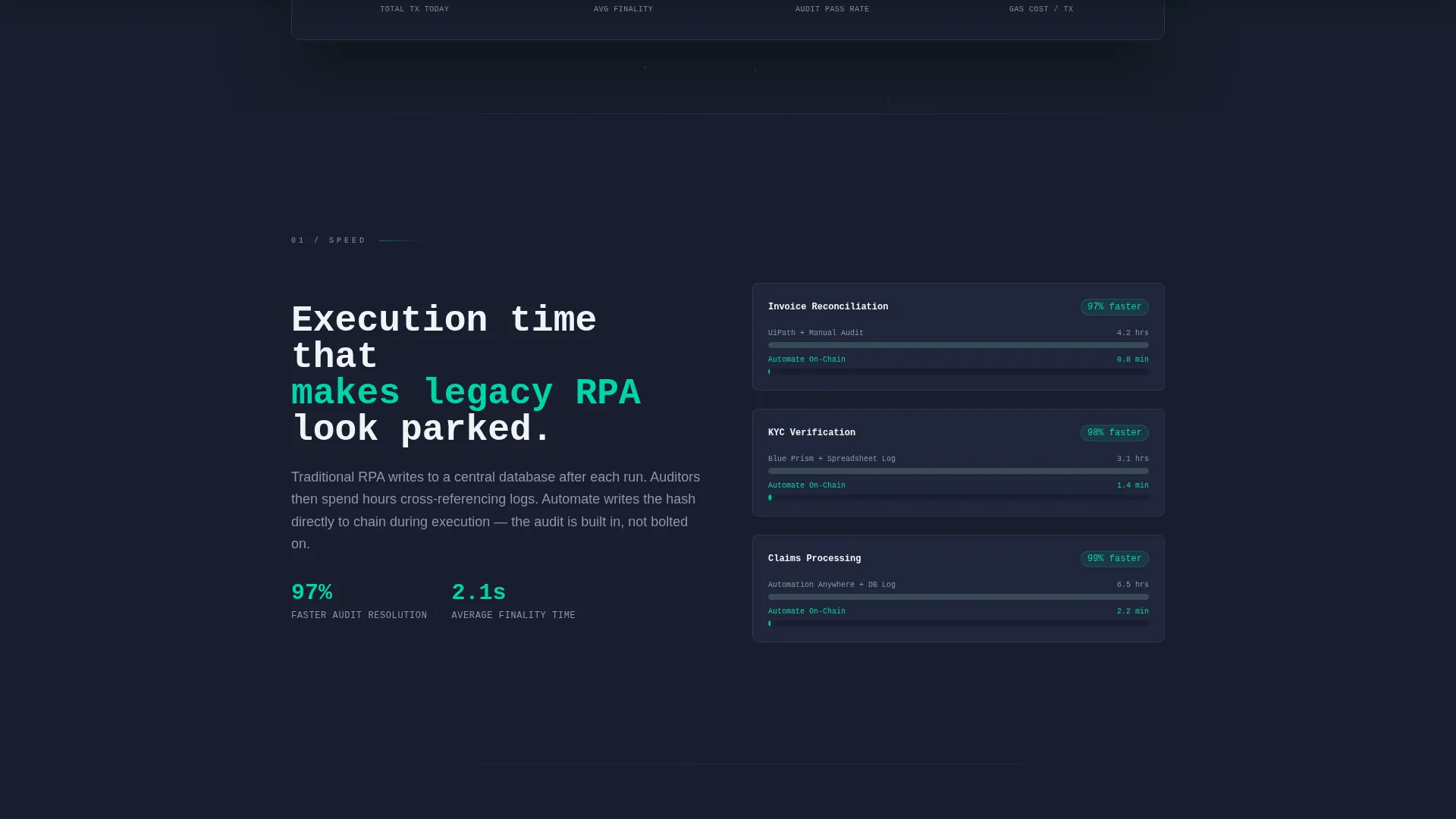
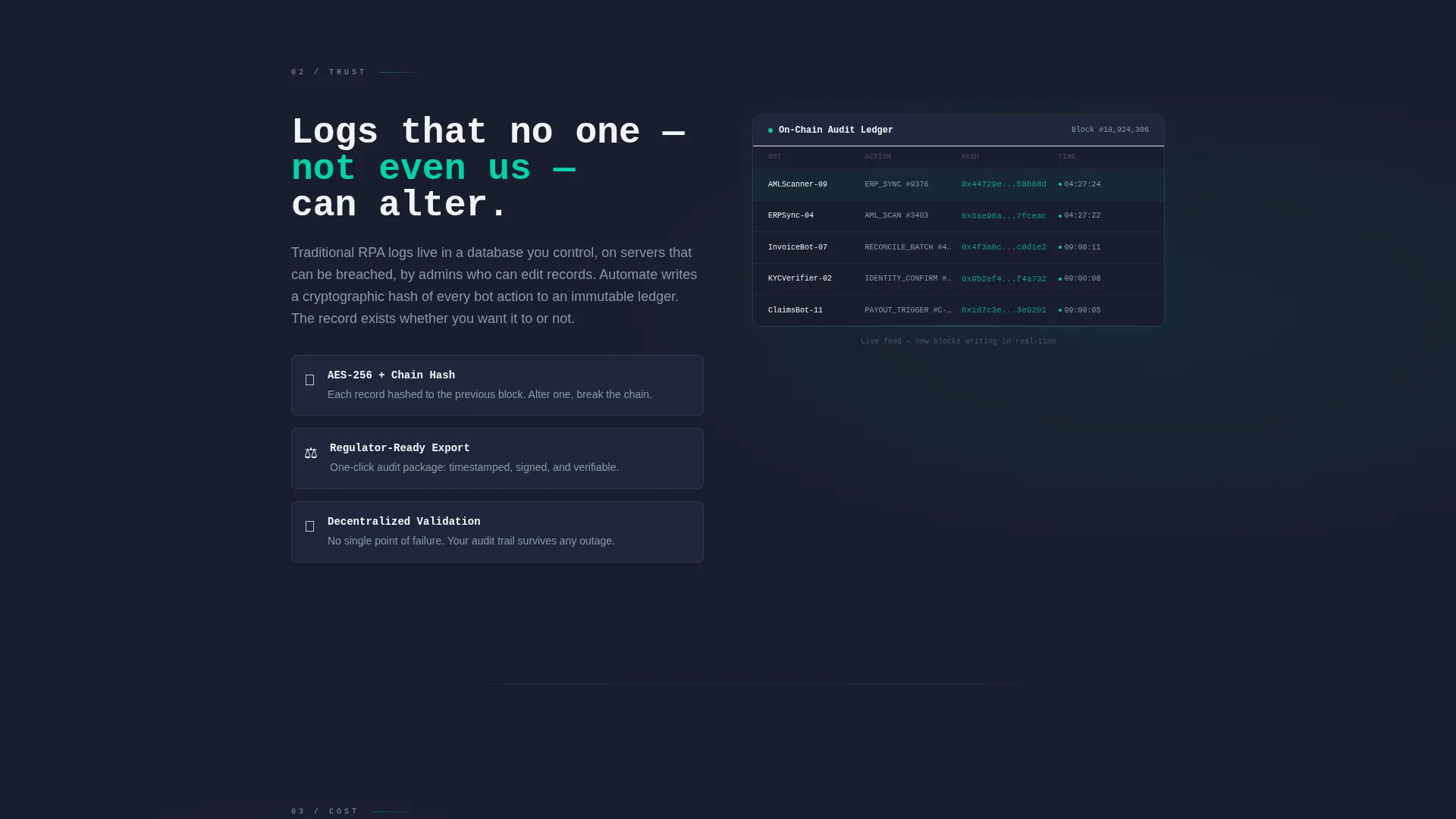
Each spoke section is built around a side-by-side contrast between the old way and the on-chain way. The Speed spoke shows a benchmark animation. The Trust spoke reveals an expanding blockchain ledger. The Cost spoke runs a live calculator comparing legacy RPA licensing fees against on-chain execution costs. Hard numbers replace adjectives throughout.
Inline Savings Calculator
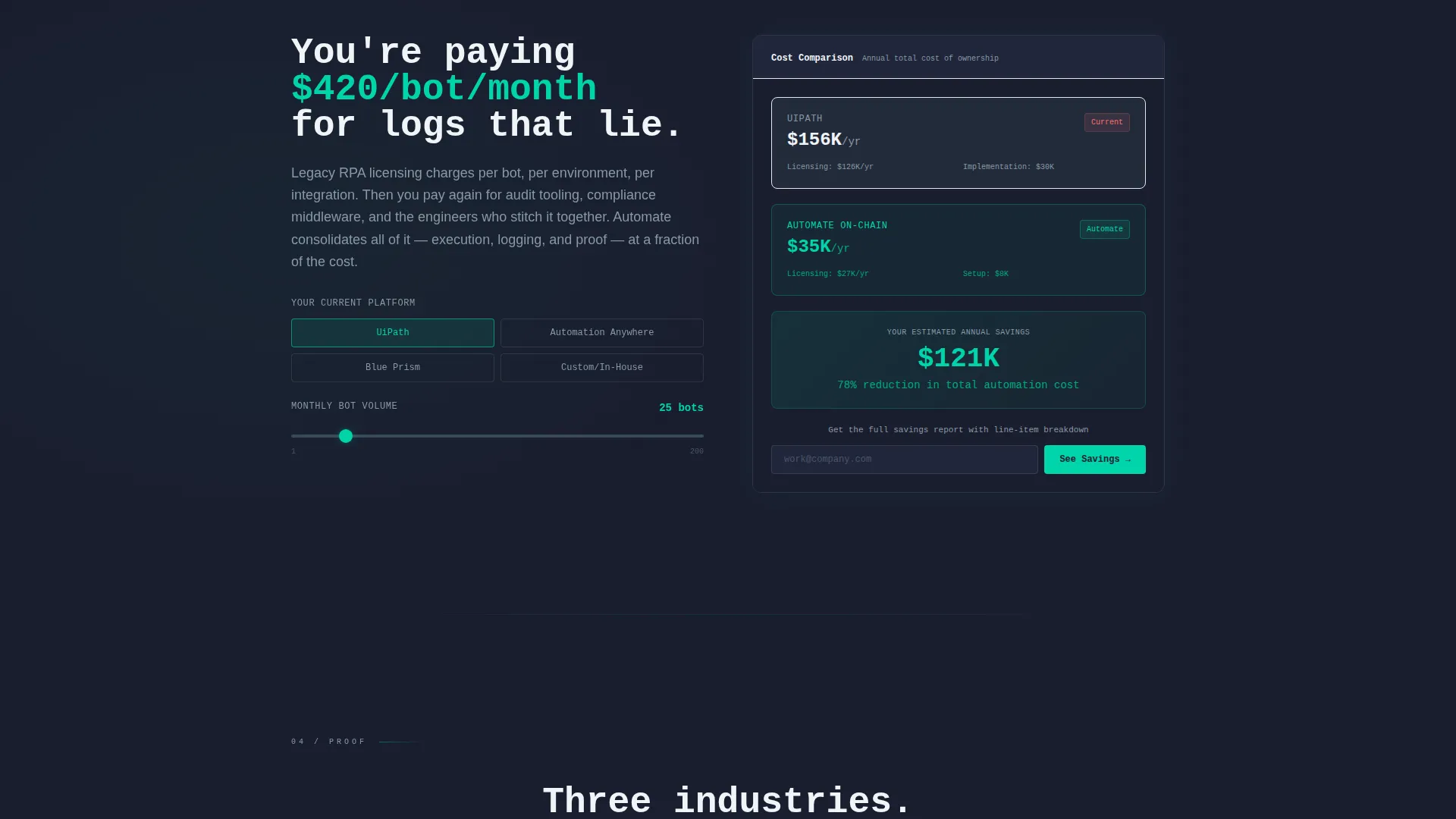
Inside the Cost spoke, a lightweight calculator lets visitors input their current stack and monthly bot-run volume to see an estimated annual cost delta. The full detailed report is gated behind an email field, making the first value exchange feel useful rather than extractive.
Sticky Bottom-Bar Qualifier
After the visitor scrolls past the Cost spoke, a sticky bottom bar activates with the primary call to action: "Run the Comparison on Your Stack." Clicking opens a two-step qualifier. Step one is a stack selector covering major RPA platforms and a volume slider. Step two collects a work email and offers an optional calendar embed to book a live benchmark session.
Monospace Headline Animation
The hero headline types itself in monospace font over the dashboard mockup. The line "Your bots. Their receipts. On-chain forever." arrives character by character, reinforcing the technical credibility of the platform before the visitor reads a single feature bullet.
Page sections overview
| Section | Purpose |
|---|---|
| Dashboard Header | Immerse visitors in a live orchestration console to establish platform credibility immediately |
| Anchor Nav Bar | Give visitors fixed, role-relevant jump points across all five spoke sections |
| Speed Spoke | Show benchmark animation comparing on-chain execution speed against legacy RPA workflows |
| Trust Spoke | Reveal an expanding blockchain ledger to demonstrate immutable audit trail behavior |
| Cost Spoke | Run the live savings calculator and surface the visitor's own cost inefficiency in real numbers |
| Proof Spoke | Present the on-chain audit trail as verifiable, regulator-ready process documentation |
| Stack Spoke | Address integration with the visitor's existing enterprise technology environment |
| Sticky call to action Bar | Activate the two-step stack qualifier after the visitor passes the Cost spoke |
| Savings Calculator | Gate the full cost report behind an email to create a lightweight lead capture moment |
Design & branding system
The Teal Catalyst color system channels the visual language of a mission-control room running at full readiness. Every color carries a functional signal rather than just a decorative role.
- Deep mission-control charcoal (#1A1E2E) fills all background surfaces to keep focus on live data elements
- Electric teal (#00D4AA) highlights buttons, active bot-pulse indicators, and every element that signals something is running
- Cool slate (#394B59) defines secondary panels and section dividers, while sharp signal white (#F0F4F8) handles all typography and card surfaces
Mobile & speed optimization
The template's fixed anchor navigation and animated components are designed to translate cleanly across screen sizes. Scroll-triggered animations are scoped to section entry points so they do not compete with each other on smaller viewports.
- The vertical anchor nav collapses to a compact form on mobile so it does not consume horizontal space
- Inline calculator inputs and the sticky call to action bar are touch-friendly and remain accessible at all common mobile screen widths
How this template helps you convert
This template earns the click by making the visitor's own cost and compliance exposure visible before asking for anything. Every conversion moment is sequenced so the ask matches the level of trust already established.
- The inline savings calculator inside the Cost spoke returns a personalized cost delta first, then gates the full breakdown behind an email, making the exchange feel fair and data-driven rather than interruptive.
- The sticky bottom-bar qualifier only activates after the visitor has passed the Cost spoke, meaning the primary call to action appears at the moment of highest intent, not at the top of the page.
Other information about this template
This template sits inside the Blockchain-Based Enterprise Software subcategory and is purpose-built for the Blockchain-Based RPA niche. It carries a Startup Velocity theme expressed through the Launch Energy creative direction, which means every scroll event is treated as a momentum-building stage separation rather than a passive content reveal.
- The template style is Hub and Spoke with Anchor Navigation, a format suited to technical buyers who arrive with a specific question and want to navigate directly to the answer
- The header concept is Dashboard Preview, which is a proven pattern for enterprise software pages where showing the product in motion reduces friction more effectively than describing it
- The Comparison/Versus landing page direction is the structural spine of this template, making it well suited to competitive displacement conversations where a prospect is already using an incumbent RPA tool
Theme
Startup Velocity
Creative direction
Launch Energy
Color system
Teal Catalyst
Style
Hub & Spoke (Anchor Nav)
Direction
Comparison/Versus
Page Sections
Animated Orchestration Dashboard Header
Fixed Vertical Anchor Navigation
Per-spoke Comparison Engine
Inline Savings Calculator
Sticky Bottom-bar Call to Action Qualifier
Monospace Self-typing Headline
Related questions
Who is the primary audience for this template?
What is the main conversion mechanism in this template?
Does the template include a lead capture form?
Can this template work for a platform that uses a different RPA stack?
What makes this template different from a standard software landing page?



