Open Source Landing Page Template for ML Projects
The AutoML landing page template is a hub-and-spoke, anchor-navigated single page built for open-source machine learning projects. It leads with a live product screenshot, walks visitors through six feature spokes comparing automated versus manual workflows, and drives every section toward a single install command. Built for ML engineers and data scientists who want proof before commitment.
by Rocket studio
Quick summary
This is a single-page, anchor-navigated landing page template for an open-source automated machine learning (AutoML) engine. It pairs a product screenshot header with a six-spoke feature matrix, stacking proof section by section. Every scroll segment ends with an install call to action. The design runs on a void black and deep violet palette that feels native to a late-night development session.
Who this template is for
This template is built for technical founders, ML engineers, and data scientists who need a landing page that earns trust through demonstration rather than marketing language. If your project runs in a terminal and your audience reads documentation before they read sales copy, this structure fits.
- Machine learning engineers at early-stage startups who are shipping models under deadline pressure
- Solo data scientists building minimum viable products and need a credible public-facing project page
- Platform teams at mid-stage companies promoting internal or open-source automated pipeline tooling
What problem this template solves
Most open-source project pages bury the value proposition under generic feature lists and README-style text. Visitors leave before they understand what the tool actually does. This template replaces that pattern with a page that shows the product running, compares it directly to manual workflows, and makes downloading feel like the obvious next step.
- Developers cannot quickly grasp what separates an automated ML tool from writing pipelines by hand
- Project pages often lack a clear, repeatable call to action that matches how technical users prefer to install software
- Feature descriptions without context fail to communicate time and effort savings in a way that motivates action
What you get with this template
You get a fully structured, single-page layout with a sticky anchor navigation bar, six pre-built feature spoke sections, and a conversion-focused header. Every major component described in the design brief is included as a ready-to-customize layout block.
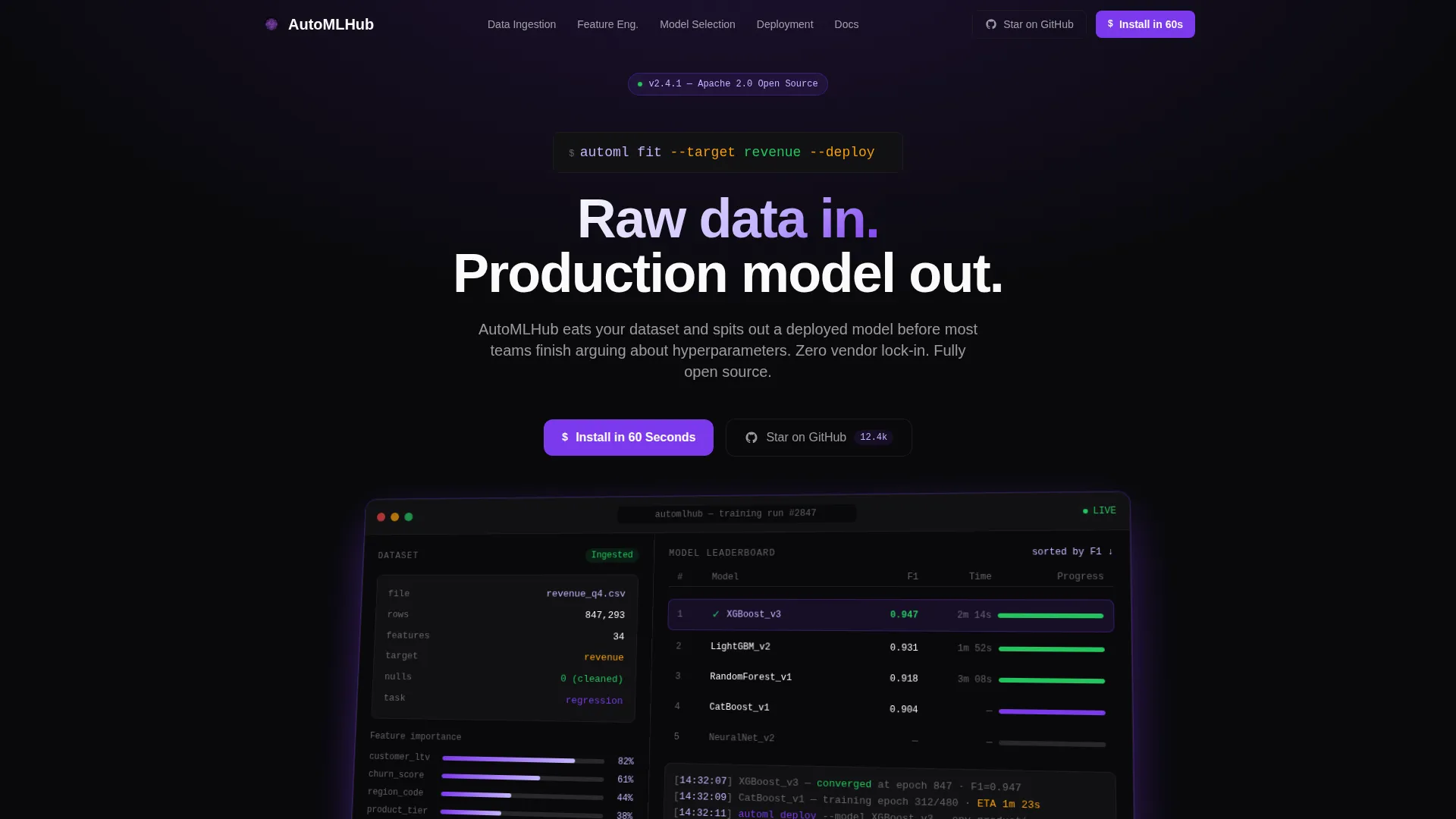
- A product screenshot header section with monospaced headline, isometric tilt styling, and a violet drop-shadow treatment
- Six anchor-linked spoke sections covering Data Ingestion, Feature Engineering, Model Selection, Hyperparameter Tuning, Deployment, and Monitoring
- An install call-to-action block with a copy-to-clipboard pip install command and OS-specific binary download buttons for macOS, Linux, and Windows
Feature list
This template delivers a focused set of layout and interaction components drawn directly from the project brief. Each one serves a specific conversion or communication purpose.
Anchor Navigation Bar
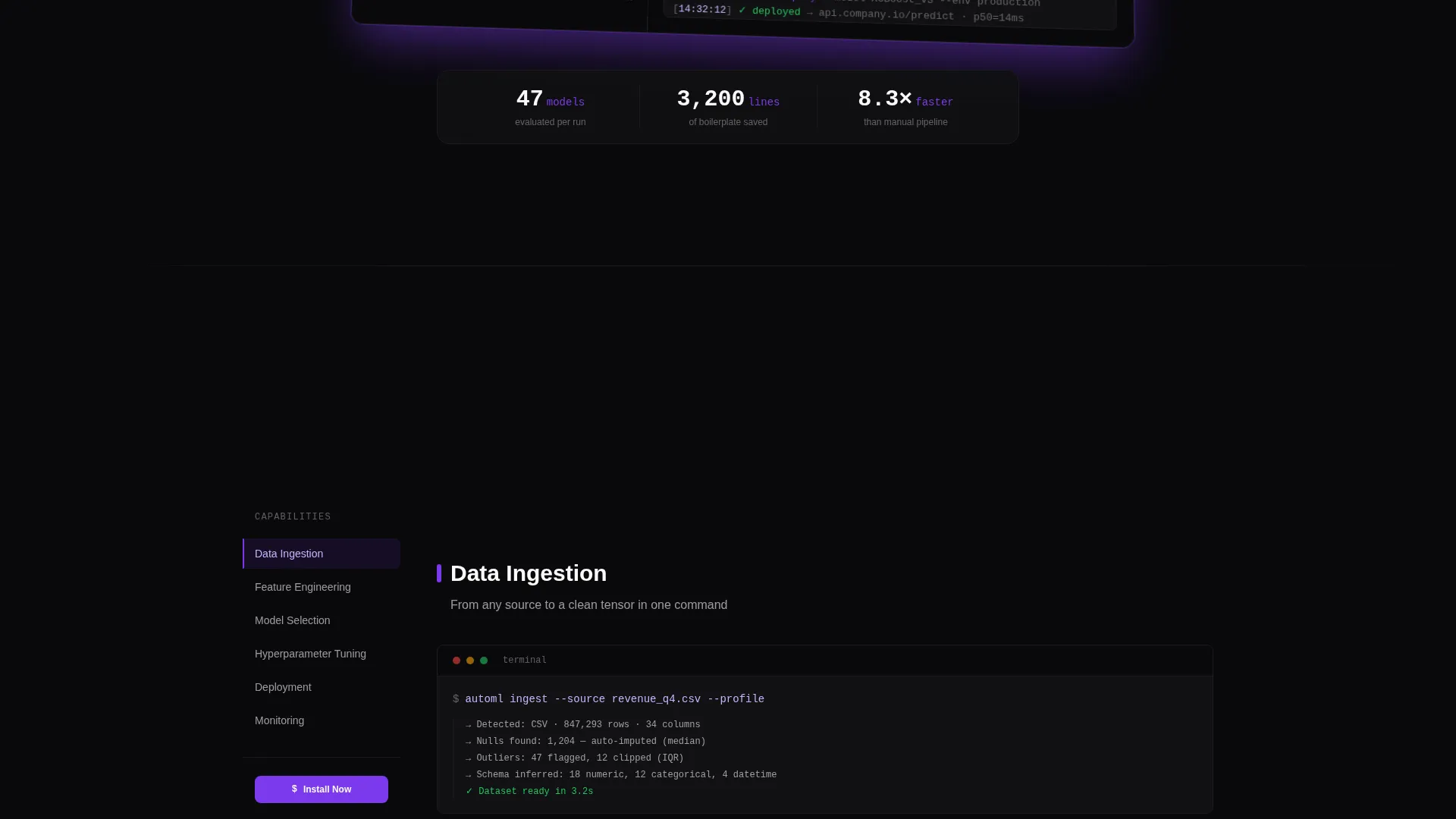
A sticky left-edge navigation lists all six feature spokes. Clicking any spoke smooth-scrolls directly to that section. Visitors always know where they are on the page and can jump to the capability they care about most.
Product Screenshot Hero
The header renders a pixel-perfect product dashboard capture: dataset panel on the left, a candidate model leaderboard ranked by F1 score on the right, live training progress bars, and a green checkmark on the winning model. The screenshot sits on a subtle isometric tilt with a violet drop-shadow against the void black background.
Feature Comparison Matrix
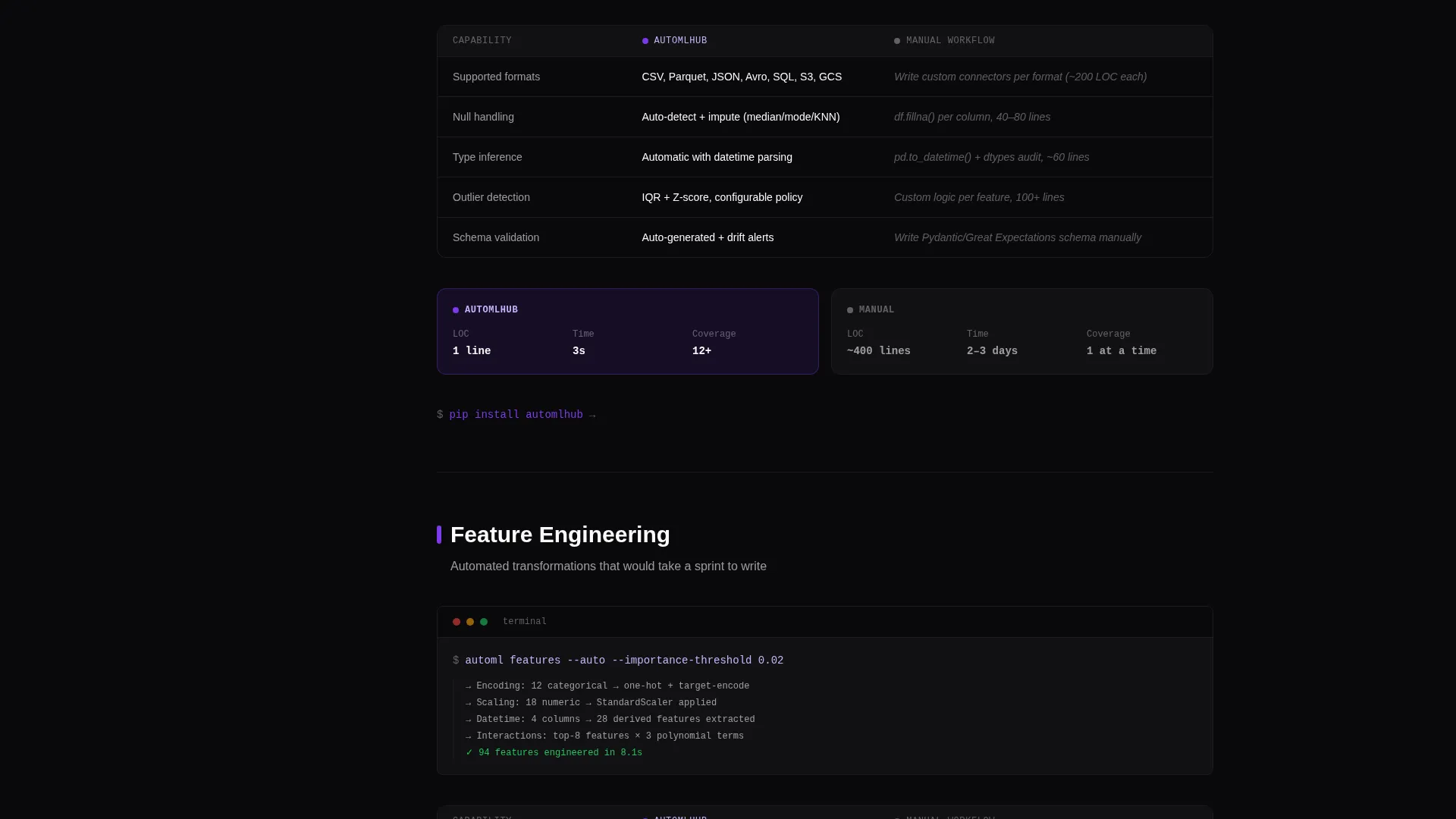
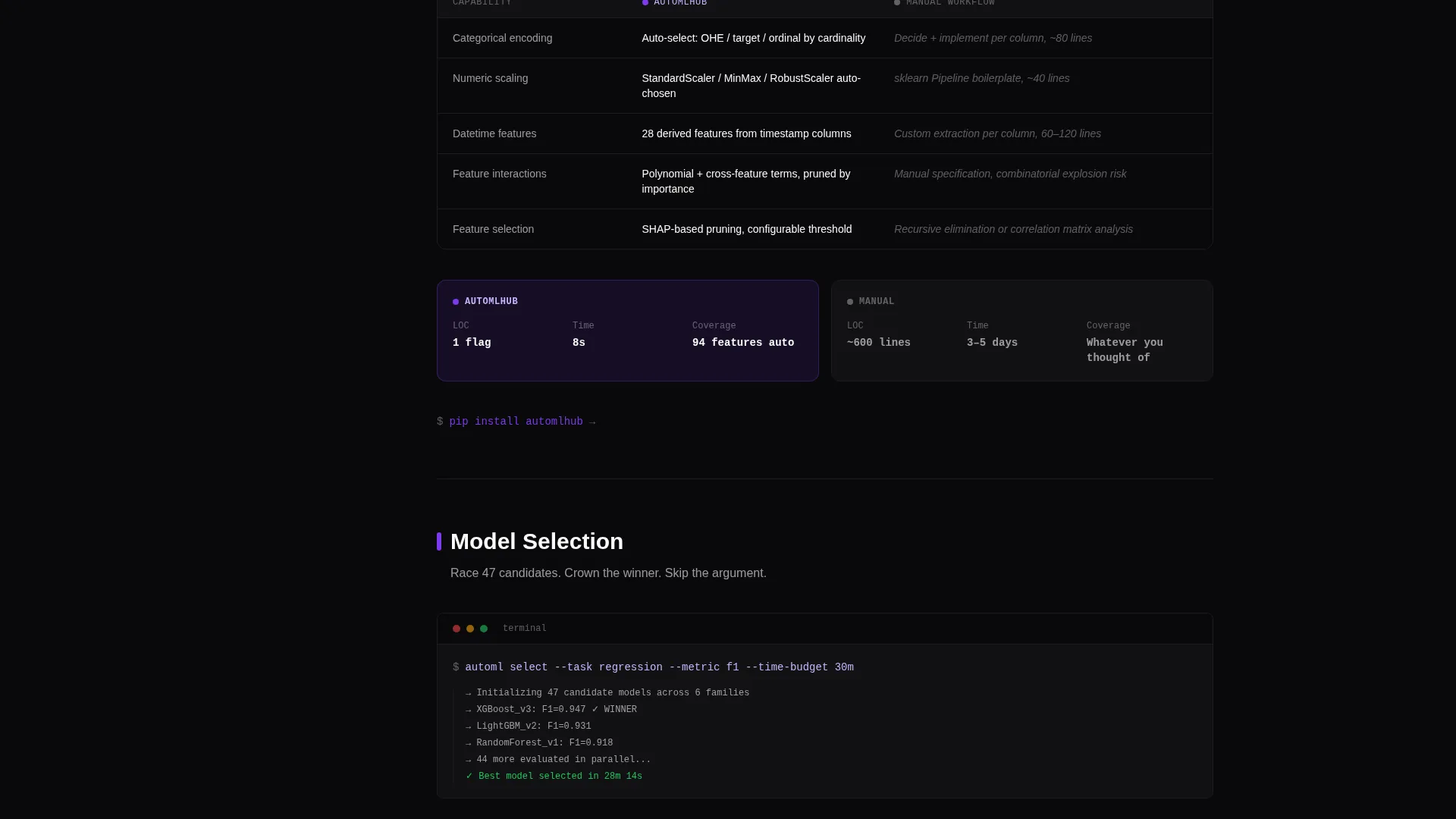
Each spoke section opens with a single terminal command, then expands into a side-by-side comparison grid. Columns show lines of code, time to deploy, and supported formats for the automated approach versus the manual workflow equivalent.
Copy-to-Clipboard Install Block
The primary call to action reveals a pip install command on click. The same block includes OS-specific binary download buttons for macOS, Linux, and Windows, reducing install friction for any technical visitor regardless of their environment.
Repeated Section-Level calls to action
The "Install in 60 Seconds" primary call to action appears in the header and re-anchors at the bottom of every spoke section. A secondary "Star on GitHub" option sits alongside it for visitors who are not ready to install but want to bookmark their intent.
Monospaced Terminal Typography
Headline and code elements use monospaced type throughout. This reinforces the tool's developer identity and makes inline terminal commands feel native rather than decorative.
Page sections overview
| Section | Purpose |
|---|---|
| Header Hero | Showcases the product dashboard screenshot with the primary install call to action |
| Anchor Nav Bar | Lets visitors jump directly to any feature spoke from any scroll position |
| Data Ingestion Spoke | Compares automated dataset ingestion against manual pipeline setup |
| Feature Engineering Spoke | Demonstrates automated feature handling versus hand-coded transformations |
| Model Selection Spoke | Shows the candidate model leaderboard and automated selection logic |
| Hyperparameter Tuning Spoke | Contrasts automated tuning with manual search across configurations |
| Deployment Spoke | Highlights the path from trained model to production-ready output |
| Monitoring Spoke | Covers ongoing model monitoring versus manual tracking approaches |
| Footer Install Block | Closes the page with the final install command and GitHub star option |
Design & branding system
The visual identity is built around a "Startup Velocity" theme expressed through a Void and Violet color system. The palette evokes a late-night integrated development environment (IDE) session: one monitor, no overhead lights, violet syntax highlighting cutting through the dark.
- Absolute void black (#09090B) dominates all backgrounds edge to edge, with deep ultraviolet (#7C3AED) marking interactive anchors, hover states, and section accents
- Phosphor lilac (#C4B5FD) traces secondary labels, graph lines, and supporting user interface elements throughout the feature matrix sections
- Terminal white (#FAFAFA) keeps body text and code block content fully legible without introducing brightness that breaks the dark environment
Mobile & speed optimization
The template layout is designed to remain navigable and readable at smaller viewport sizes. The anchor navigation and section structure adapt to keep the core conversion flow intact whether a visitor arrives on a desktop or a mobile device.
- The sticky anchor nav collapses cleanly for narrower screens so spoke navigation stays accessible without crowding the main content area
- Each spoke section is self-contained, meaning visitors on mobile can scroll linearly through the feature matrix without losing context between sections
- The install call-to-action block and copy-to-clipboard command are sized and spaced for reliable tap interaction on touch devices
How this template helps you convert
The conversion logic compounds across the page. Each element is placed to reduce friction and make the install decision feel like a natural conclusion rather than a sales moment.
- The header screenshot shows the product already running before a visitor reads a single line of copy, establishing immediate credibility and demonstrating real output
- Each feature spoke dismantles the manual workflow alternative column by column, so by the sixth section the case for downloading has built cumulatively without ever feeling like a hard sell
- The repeated "Install in 60 Seconds" call to action with a ready-to-run pip install command removes the last remaining barrier: the visitor does not need to navigate anywhere else to act
Other information about this template
This template is purpose-built for open-source automated machine learning projects and is designed to speak directly to technical audiences who evaluate tools by seeing them in action. The hub-and-spoke structure keeps the page focused while giving each capability its own dedicated, proof-backed space.
- The template style is Hub and Spoke with Anchor Navigation, making it easy to extend with additional spoke sections as the project grows
- The "Star on GitHub" secondary call to action is included as a lower-commitment conversion path for visitors in the early research phase
- The overall page direction is App Download, meaning every layout decision prioritizes getting a qualified visitor to run the install command with as little friction as possible
Theme
Startup Velocity
Creative direction
Feature Matrix
Color system
Void & Violet
Style
Hub & Spoke (Anchor Nav)
Direction
App Download
Page Sections
Sticky Anchor Navigation Bar
Product Dashboard Hero Section
Six-spoke Feature Comparison Matrix
Copy-to-clipboard Install Block
Dual Conversion Paths
Monospaced Terminal Type System
Related questions
Who is this landing page template designed for?
What are the six feature spokes included in the template?
How does the install call to action work?
Can I customize the color system and typography?
Do I need to replace the product screenshot in the header?



