Precision Bookkeeping Services Landing Page Template
Ledger is a zigzag accounting video lesson landing page built for educators and course creators who teach debits, credits, and financial statements. It pairs bold FAQ-driven sections with a Dopamine Pop color system, a free-trial header, and a freemium signup flow to turn skeptical visitors into active learners, fast.
by Rocket studio
Quick summary
Ledger is a single-page template for accounting video lesson libraries. It uses an alternating zigzag layout where each section poses a real learner question and pairs it with a video thumbnail answer. The deep charcoal, electric violet, and hot coral color system rewards every scroll. A freemium signup flow lets visitors start learning with no credit card required.
Who this template is for
This template is designed for creators and educators who teach accounting through short-form video. It works especially well for anyone building a lesson library aimed at practical, time-pressed learners.
- Accounting instructors launching a self-paced video course for students and career-switchers
- Small-business finance educators targeting owners who want to understand their own books
- Course marketers who need a freemium landing page that converts browsers into free-trial signups
What problem this template solves
Most accounting course pages feel as dry as the subject itself. They list curriculum bullets and call it a day. Ledger solves the deeper problem: visitors arrive anxious and unconvinced, and the page never earns their trust before asking for a signup.
- Learners abandon course pages because they cannot tell if the content matches their exact confusion
- Generic layouts fail to show the personality and energy behind a video lesson library
- A weak call-to-action flow loses visitors who would have signed up if the barrier felt lower
What you get with this template
You get a fully structured, single-page layout ready to represent an accounting video lesson library. Every section is purposefully sequenced to move a hesitant visitor toward a free-trial signup.
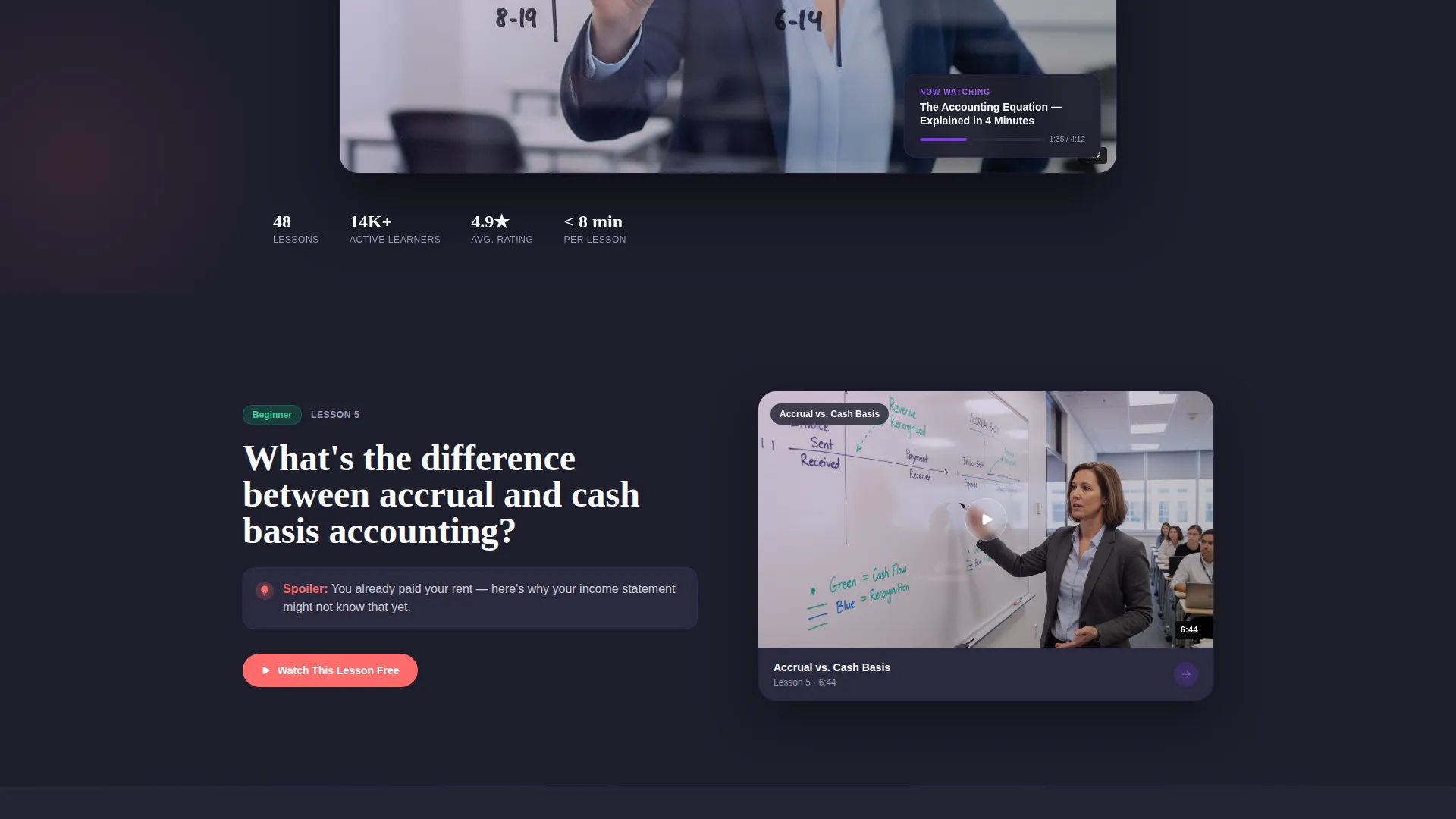
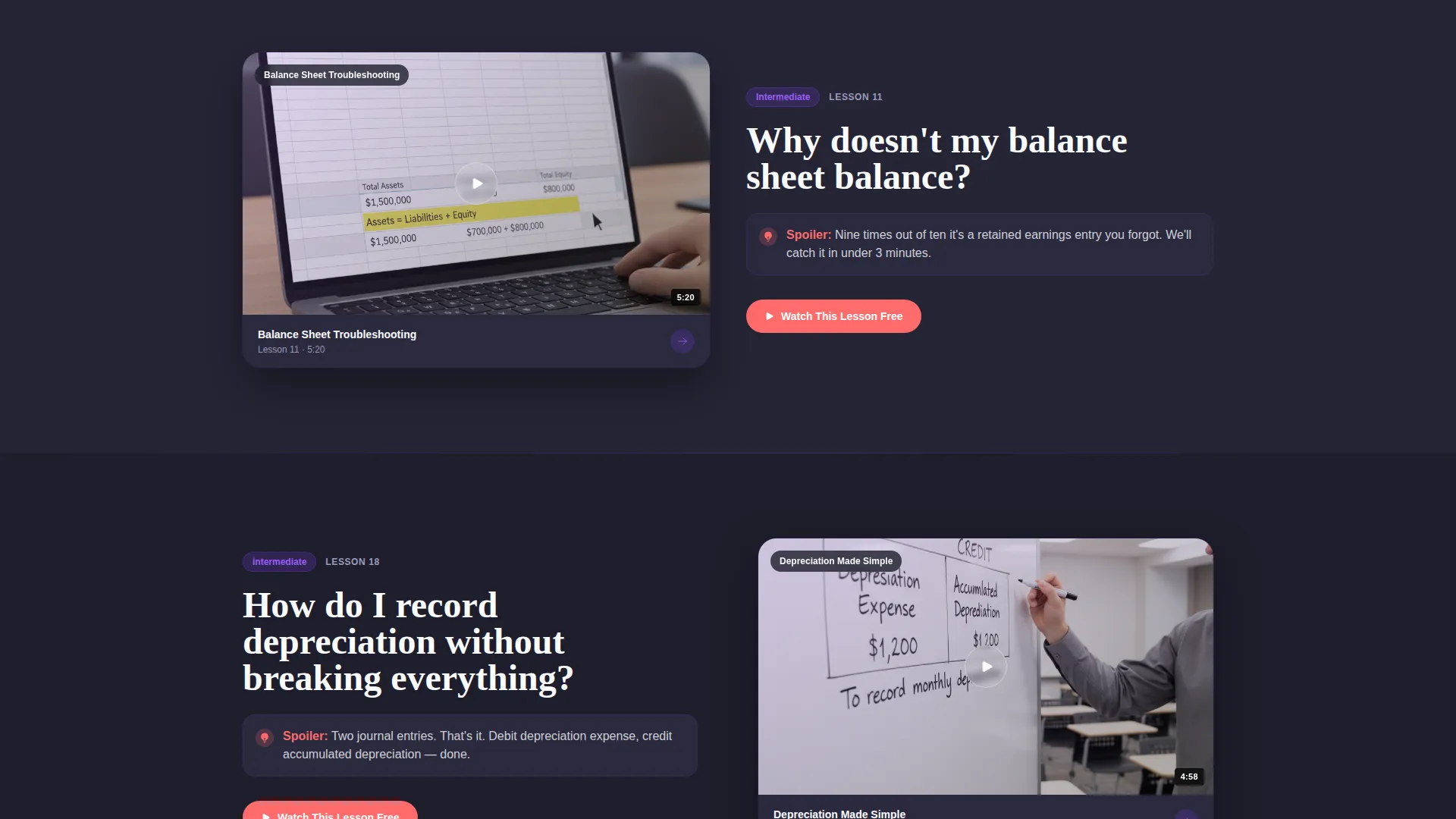
- A zigzag FAQ section layout where learner questions anchor each alternating block alongside matching video thumbnails
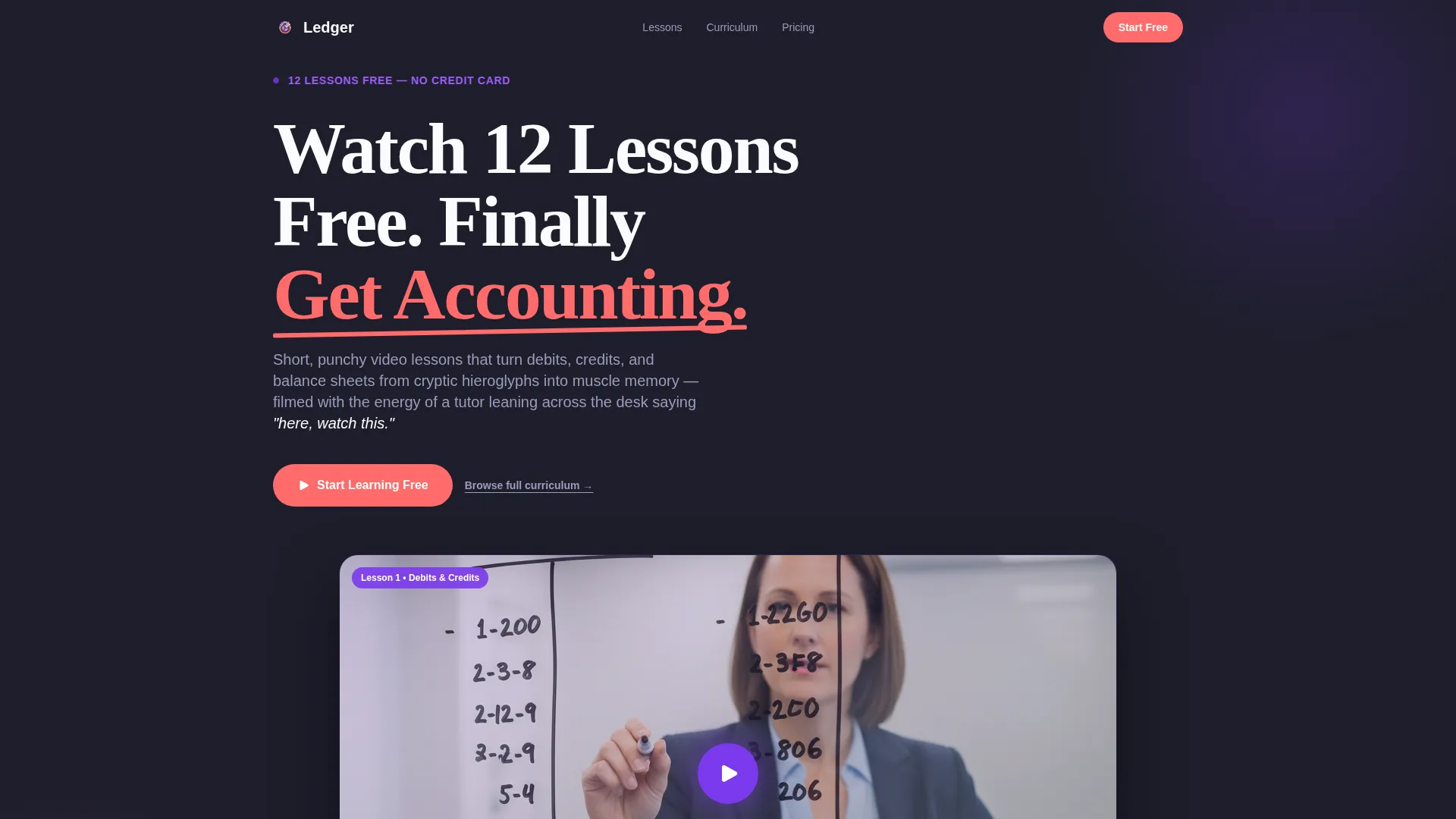
- A freemium header with a video play moment, headline copy, and a primary "Start Learning Free" call-to-action button
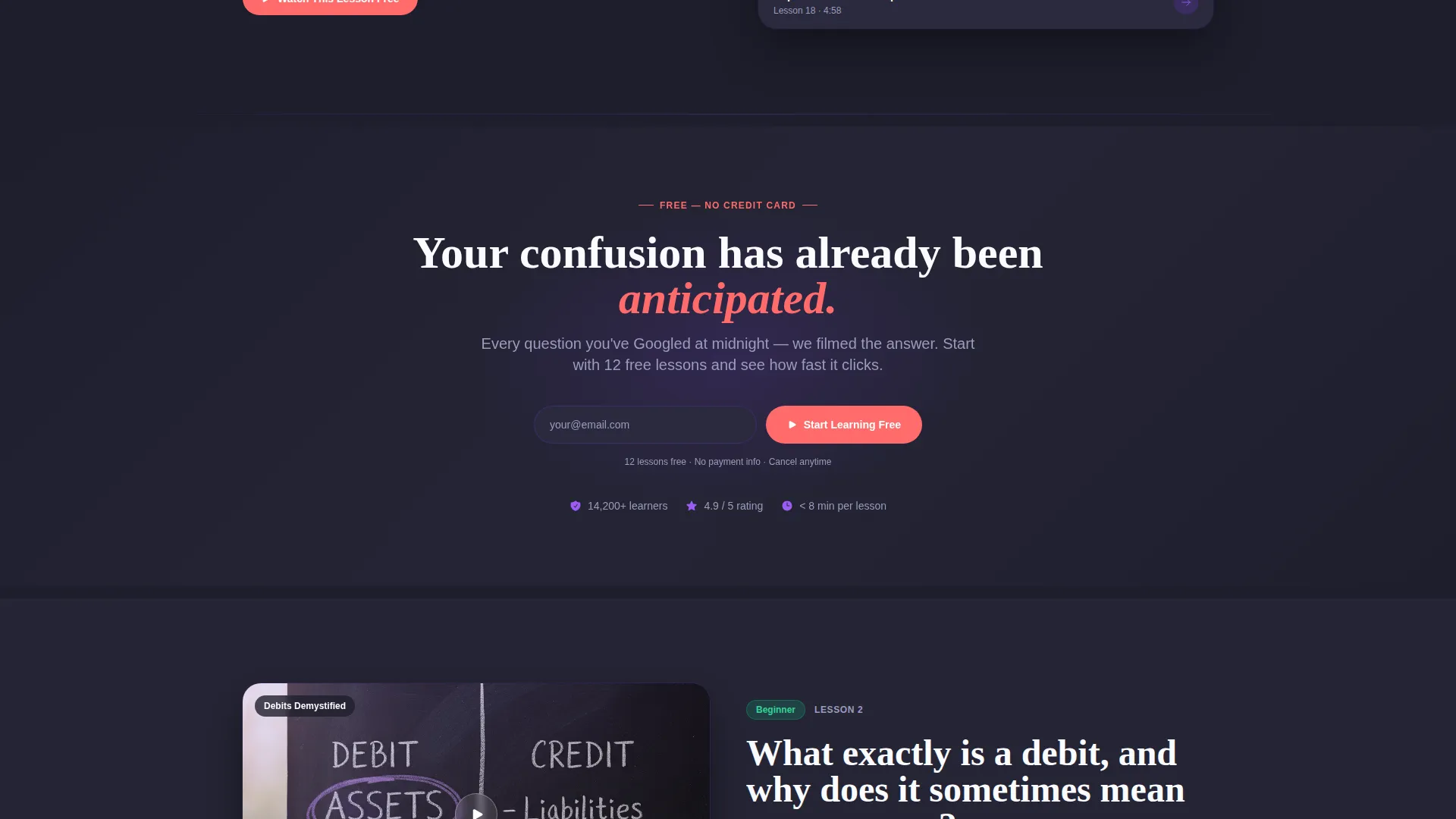
- A lightweight single-step signup form collecting only an email, a role dropdown, and a go button, with no credit card required
Feature list
This template ships with layout components grounded directly in the brief. Each feature below is visible in the page structure and design system.
FAQ-Driven Zigzag Section Layout
Each alternating section pairs a large, anxious learner question on one side with a video thumbnail, a runtime badge, and a one-sentence answer spoiler on the other. Scrolling feels like watching your own confusion get resolved, block by block.
Freemium Header with Video Play Moment
The header presents a frozen video thumbnail of an instructor mid-lesson, a translucent pulsing play button, and a direct headline. The primary "Start Learning Free" call-to-action appears here first, in hot coral, against the deep charcoal background.
Repeating Call-to-Action Placement
The hot coral "Start Learning Free" button reappears after every third FAQ zigzag section. This rhythm keeps the conversion opportunity visible without interrupting the lesson-preview experience.
Single-Step Freemium Signup Form
Clicking the primary call-to-action opens a minimal form: one email field, one role dropdown ("student," "professional," or "business owner"), and a submit button. No credit card is required, lowering the barrier to entry.
Secondary Curriculum Preview Path
A secondary link offers a full curriculum preview for visitors who are not yet ready to commit. This gives browsers a lower-stakes next step and keeps them engaged with the content.
Dopamine Pop Color System
The palette uses deep chalkboard charcoal for section backgrounds, electric violet for active elements and progress indicators, hot coral for callouts and answer reveals, and clean whiteboard white for text panels. Every color choice is intentional and energizing.
Page sections overview
| Section | Purpose |
|---|---|
| Header hero | Introduces free trial with video play moment and primary call-to-action |
| FAQ zigzag block 1 | Pairs first learner question with video thumbnail and answer spoiler |
| FAQ zigzag block 2 | Continues alternating layout with second real learner question |
| FAQ zigzag block 3 | Third question-answer pairing before first mid-page call-to-action repeat |
| Mid-page call-to-action | Repeats "Start Learning Free" button after third FAQ block |
| FAQ zigzag block 4 | Resumes alternating question-answer layout |
| FAQ zigzag block 5 | Fifth learner question paired with video thumbnail |
| FAQ zigzag block 6 | Sixth question builds conviction before final call-to-action |
| Curriculum preview link | Secondary path for browsers wanting a full lesson overview |
| Signup form panel | Single-step freemium form with email, role dropdown, and go button |
Design & branding system
The visual identity follows an Educational Guide theme executed through a Dopamine Pop color system. Every color decision is tied to a learner emotion: encouragement, clarity, and the small reward of a concept clicking into place.
- Deep chalkboard charcoal (#1E1E2C) as the dominant section background for focus and contrast
- Electric violet (#7C3AED) on active elements and progress indicators to signal momentum
- Hot coral (#FF6B6B) reserved for callouts, answer reveals, and all primary call-to-action buttons
- Clean whiteboard white (#FAFBFF) for text panels to maintain readability against dark backgrounds
Mobile & speed optimization
The zigzag layout is designed to reflow cleanly on smaller screens, keeping the question-and-answer pairing legible without horizontal scrolling or layout collapse.
- Alternating two-column zigzag blocks are structured to stack vertically on mobile, preserving reading order
- Video thumbnails with runtime badges remain proportional and tappable at smaller viewport sizes
- The single-step signup form is minimal by design, reducing load and interaction friction on any device
How this template helps you convert
The page is built around the principle that answered questions are the best sales argument. By the time a visitor has scrolled past six of their own questions resolved, the free trial feels obvious.
- The FAQ-driven layout builds trust progressively, each block removing one more reason to hesitate before signing up
- The no-credit-card freemium model and single-step form reduce friction to its lowest practical point, making "Start Learning Free" easy to click
- Repeating the primary call-to-action after every third section catches visitors at the exact moment their confidence peaks
Other information about this template
Ledger fits naturally within the broader accounting education space, where learners often search for video-based explanations of specific topics rather than full course catalogs. The FAQ-first layout directly mirrors the search behavior of accounting students, career-switchers preparing for professional exams, and small-business owners trying to interpret their own financial statements. This template is part of a category of education landing pages that prioritize learner psychology over feature lists.
- The template style is classified as Zigzag/Alternating, making it well-suited for any video lesson library where content variety and scroll engagement matter
- The freemium call-to-action model is a proven structure for education products where trial access removes the biggest objection: "I don't know if this will work for me"
- The header concept is staged as a live classroom moment, which differentiates this page from flat, text-heavy course description pages common in the accounting education space
Theme
Educational Guide
Creative direction
FAQ-Driven
Color system
Dopamine Pop
Style
Zigzag/Alternating
Direction
Freemium/Trial
Page Sections
Faq-driven Zigzag Layout
Freemium Header with Video Play Moment
Repeating Call-to-action Rhythm
Single-step Freemium Signup Form
Secondary Curriculum Preview Link
Dopamine Pop Color System
Related questions
Who is the Ledger template built for?
Does the signup flow require a credit card?
How does the FAQ zigzag layout support conversions?
What is the secondary curriculum preview path?
Can this template support a different video lesson topic?



