Consumer App & Platform Cost Calculator Website Template
Calibrate is a split-screen landing page template built for a calorie and macro tracker app. It opens with a live macro calculator, then guides visitors through an interactive food log, full-day timeline, and weekly trend graph. The dark Tech Glass aesthetic and persistent download call-to-action turn browsers into app users before they scroll past the fold.
by Rocket studio
Quick Summary
The Calibrate precision macro tracking app landing page template is a single-page, split-screen experience that lets visitors track macros before they ever download anything. Built on a Tech Glass visual system with electric indigo and highlight cyan, it pairs a live calculator with an interactive food log to deliver the app's core value loop directly in the browser.
Who This Template Is For
This template is designed for developers, indie makers, and product teams who are building or marketing a health and fitness app centered on calorie and macro tracking. It fits products that want to show, not just tell, by giving visitors a hands-on taste of the app inside the landing page itself.
- Founders launching a macro tracker app who need a high-impact first impression on day one
- Designers and developers creating a client site for a nutrition or fitness app in the consumer health space
- Teams building a meal planner or food log product who want visitors to experience the app's core loop before downloading
What Problem This Template Solves
Most app landing pages describe features. Users read bullet points, shrug, and leave. The deeper problem is that a macro tracker is a tactile, personal tool, and static screenshots can not convey how satisfying it feels to watch calories and macros update in real time. Potential users need to feel the product before they commit to the download process.
- Visitors arrive skeptical and leave without downloading because the page never demonstrated genuine value
- The macro tracking process feels intimidating to beginners who do not know where to start or what numbers mean
- A generic template with no interactive food or nutrition input fails to differentiate a precision app from dozens of other apps
What You Get With This Template
This template delivers a complete, section-led landing page that doubles as a product demo. Every scroll reveals more app functionality, building confidence and desire at the same time.
- A hero section with a live split-screen macro calculator that animates protein, carbs, and fat rings in real time
- An interactive food log where visitors tap ingredients and watch calories and macros recalculate instantly
- A full-day timeline, weekly trend graph, social proof section, persistent floating download pill, and a single-row footer
Feature List
This template ships with a tightly integrated set of interactive sections. Each one is grounded in the product brief and built to move a visitor from curious to committed.
Live Split-Screen Macro Calculator
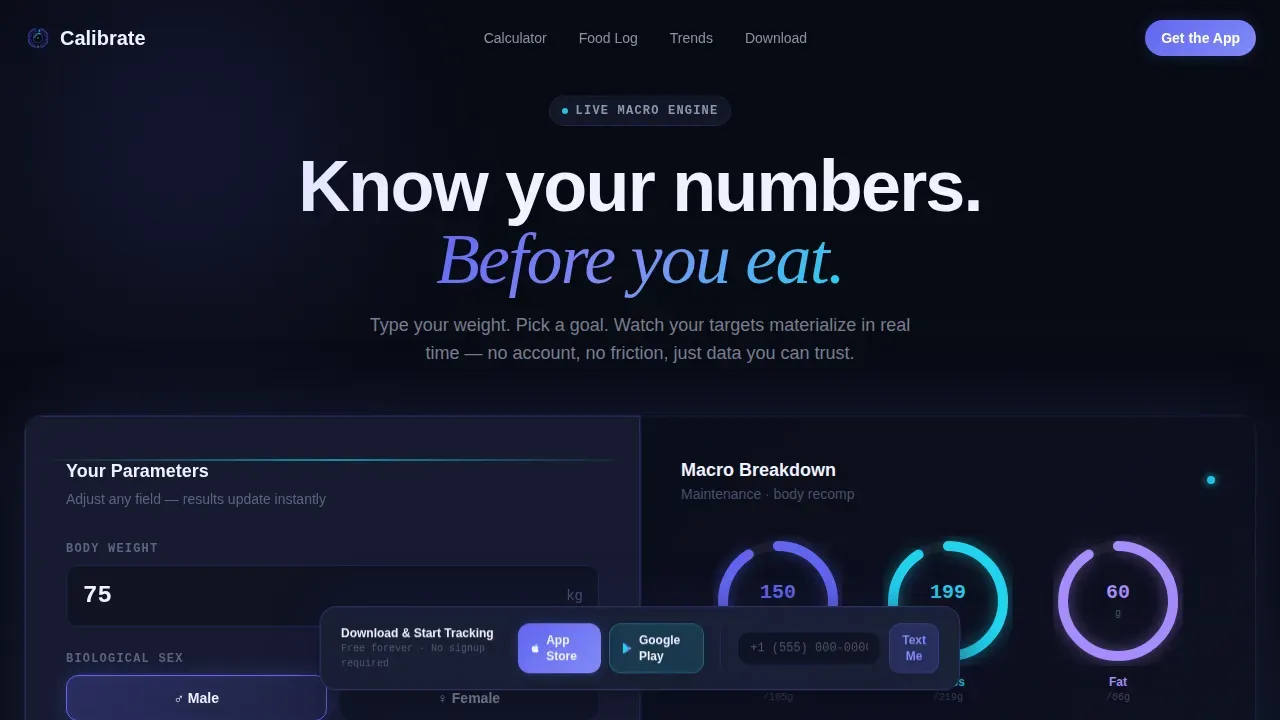
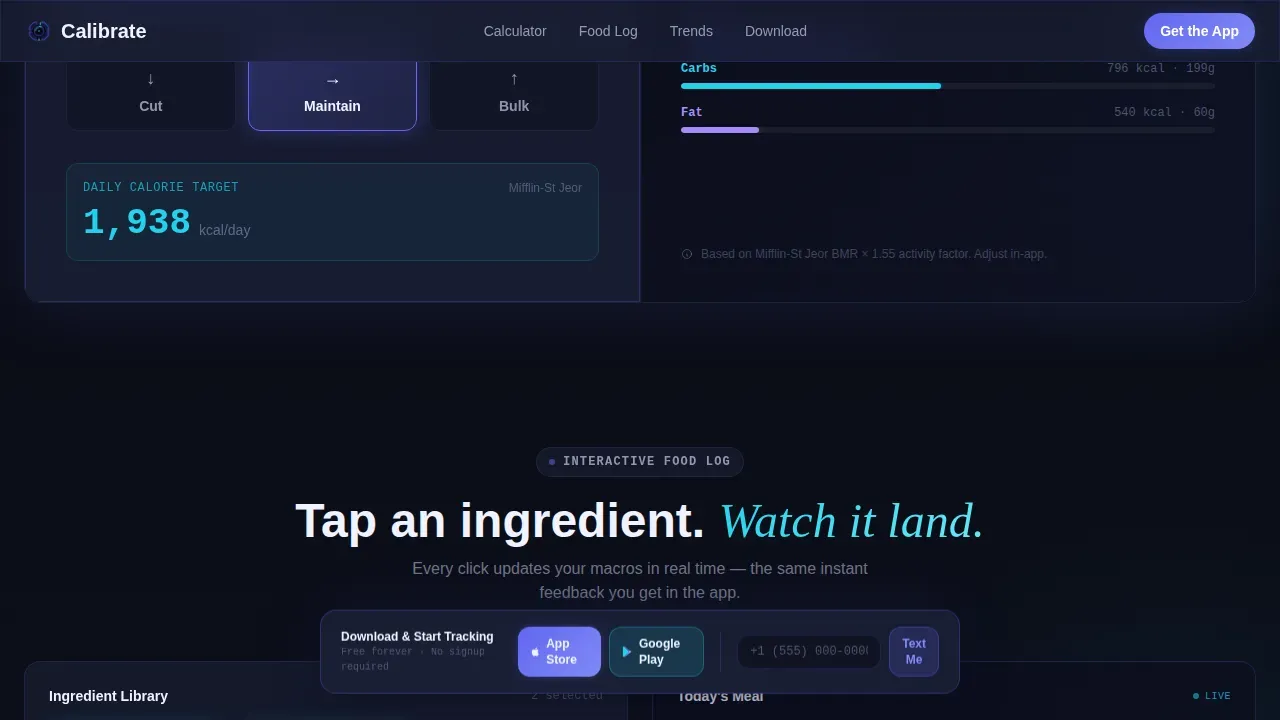
The hero opens as a 50/50 split. On the left, a frosted glass card accepts weight and goal input (cut, maintain, or bulk). On the right, three luminous rings animate open for protein, carbs, and fat, with numbers ticking upward like a launch sequence. No sign-up is required. Visitors get accurate, personalized macro targets in roughly eight seconds, making the value of the app immediately tangible.
Interactive Tappable Food Log
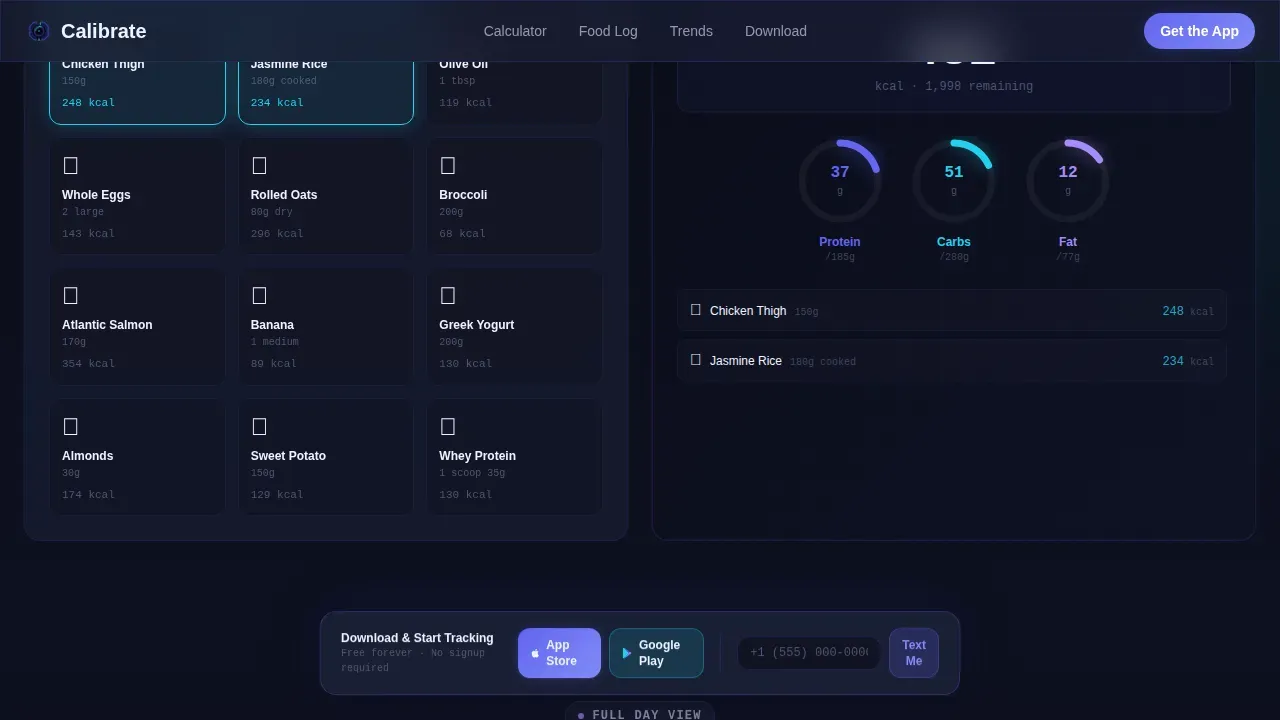
Below the fold, the left panel presents a simulated food log with tappable ingredients. Each selection, a chicken thigh, a scoop of rice, a drizzle of olive oil, ripples through the macro rings on the right side in real time. This section teaches visitors how to track food naturally, without a manual or tutorial, while reinforcing how the app handles portion sizes and per-meal data.
Full-Day Timeline with Animated Progress
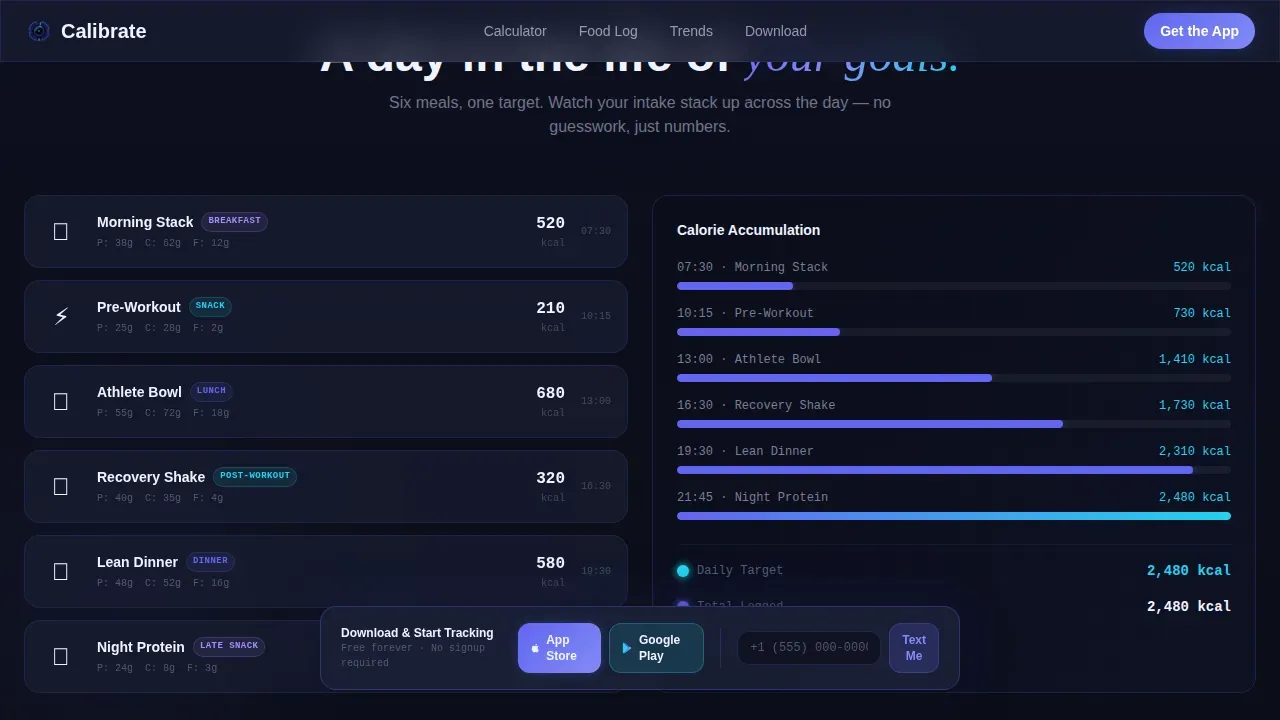
The timeline section shows a meal-by-meal breakdown with animated progress bars and a running calorie count. Users can see how breakfast, lunch, dinner, and snacks accumulate across the day. This section is super helpful for showing the rhythm of daily macro tracking and illustrating how the app supports consistent progress toward fitness goals.
Weekly Trend Graph Section
A recharts-powered visualization renders a week of adherence data as a scrollable graph. Visitors can see how calories and macros trend across seven days, which communicates the app's ability to help users monitor long term trends without a macro tracker spreadsheet. The graph also signals the depth of data the app provides over time.
Persistent Floating Download Call-to-Action
A frosted glass pill floats at the bottom of the viewport throughout the entire scroll. It carries the primary call-to-action "Download and Start Tracking" alongside paired App Store and Google Play icons. A secondary input field lets visitors enter a phone number to receive a download link via text, reducing friction for users who prefer to act immediately from their current device.
Persona-Based Social Proof Section
Three targeted testimonials from a gym-goer, an endurance athlete, and a new parent frame the app's value in real-life language. Each testimonial reflects a specific outcome: hitting a macro target during a late-night cut, dialing in race-week carbohydrate loads, and reclaiming nutrition between feedings. This social proof helps new visitors trust the app before they download it.
Page Sections Overview
| Section | Purpose |
|---|---|
| Hero Calculator | Input weight and goal; animate macro rings live |
| Interactive Food Log | Tap ingredients; recalculate macros in real time |
| Full-Day Timeline | Show meal-by-meal calorie and macro accumulation |
| Weekly Trend Graph | Visualize seven-day adherence and nutrition trends |
| Social Proof | Build trust with persona-based testimonials |
| Download Call-to-Action | Drive app store downloads with persistent floating pill |
| Text Link Field | Capture phone numbers for direct download delivery |
| Footer | Single-row linear footer with essential site links |
Design & Branding System
The visual identity follows a Tech Glass theme that feels like a cockpit instrument cluster at altitude. Every color carries a function. The palette is dark by default, with glowing accents that guide the eye without overwhelming it.
- Deep void black (#0B0E17) for backgrounds, frosted glass panels (#1A1F35 at 60% opacity) for cards, electric indigo (#6366F1) for progress rings and interactive states, and highlight cyan (#22D3EE) for completed goals and confirmation flashes
- DM Sans for all interface numbers and data readouts, paired with Fraunces for editorial headings, creating a contrast between precision and warmth
- Spring-based ring animations, scroll-triggered section reveals, number tick-up effects, and cursor-reactive glass panels develop the cockpit feeling across every interaction
Mobile & Speed Optimization
This template is built mobile-first because its primary conversion goal is an app download. Visitors are likely already on the device they intend to use. The interactive sections are designed to perform well on touch screens, and the layout adapts cleanly from a 50/50 desktop split to a stacked single-column flow on smaller screens.
- Static sections use Server Components to keep initial load fast, while the interactive calculator and food log use Client Components to enable smooth real-time updates without full page reloads
- The floating download pill remains anchored at the bottom of the viewport on all screen sizes, so the primary call-to-action is always one tap away regardless of where a visitor pauses in their scroll
- Touch targets for the tappable food log ingredients are sized for comfortable mobile interaction, keeping the demo experience accurate and frictionless on any device
How This Template Helps You Convert
A good app landing page earns the download. This template does that by letting visitors experience the product's core loop before asking them to commit. Every section is a step deeper into the experience.
- The hero calculator delivers immediate, personal value with zero friction: visitors input their own data, see their own macros, and realize the app understands their specific fitness goals before a single download button is pressed.
- The interactive food log and full-day timeline transform scrolling into doing, so by the time a visitor reaches the social proof section, they have already used the app in a meaningful way and are far more likely to tap the download pill.
- The "Text Me the Link" field captures intent from visitors who are not ready to switch to the app store immediately, creating a second conversion path that keeps the effort low and the follow-through high.
Other Information About This Template
This section covers additional context that is useful for anyone evaluating this template or building the broader product around it.
- Macro tracking apps like fitness pal alternatives, Macros First, and Cronometer each take different approaches: fitness pal (MyFitnessPal) has one of the largest food databases with over 11 million entries and strong community support via forums and a social feed, though its free version contains ads and user-generated content can introduce inaccuracies; Macros First is designed specifically for macro tracking and allows users to track macros per meal and per day, which is great for meal planning, though it has a smaller food database and may require more manual input for uncommon foods; Cronometer tracks over 60 nutrients and offers advanced features including reports on long term trends even in its free version, though it can be less approachable for beginners
- Spreadsheet-based tracking tools, including a macro tracker spreadsheet, remain popular because spreadsheets offer a bird's-eye view of trends and enable users to customize input fields freely; effective macro tracking spreadsheets let users track macros daily, weekly, and monthly to see progress over time, and visual representation of data in spreadsheets helps users grasp patterns quickly
- Wearable integration is a key differentiator for macro tracking apps: fitness trackers such as apple watch, Fitbit, and Garmin estimate calorie burn and sync with apps to enable automatic updates to activity levels; apple health on iOS can serve as a central hub that connects wearable data with nutrition data for a more comprehensive understanding of daily calorie balance
- Using gram-based measurements rather than volume measurements ensures maximum precision when logging portion sizes; digital food scales provide the most accurate way to track macros compared to cups and measuring spoons
- Adaptive algorithms in precision macro tracking apps calculate True Daily Energy Expenditure (TDEE) based on user data collected over 14 to 20 days; calibrating the app to a user's actual metabolism typically takes 2 to 3 weeks of consistent logging, after which the app can provide adaptive feedback based on daily weight and food entries
- Macro tracking fosters a comprehensive understanding of dietary decisions and can reduce decision fatigue by removing the guesswork from meal planning; the "If It Fits Your Macros" (IIFYM) approach allows dietary flexibility while still hitting macro goals, which is super helpful for users who want food freedom without sacrificing their fitness goals
- This landing page template can serve as inspiration for teams building across different types of health and fitness app categories, from weight loss tools to muscle-building trackers to meal planner products; the ideas behind the interactive demo format translate well to other consumer app niches where showing beats telling
- Users who prefer to share their progress on social media platforms can be served by adding share functionality to the weekly trend graph, turning adherence data into shareable content that builds community around the app
Theme
Tech Glass
Creative direction
Interactive Explorer
Color system
Electric Indigo
Direction
App Download
Page Sections
Live Split-screen Macro Calculator
Tappable Interactive Food Log
Full-day Timeline with Progress Bars
Weekly Trend Graph Visualization
Persistent Floating Download Pill
Persona-based Social Proof Section
Related questions
What is the most accurate macro tracker?
Is a macro tracking app worth it?
Is MyFitnessPal still the best macro tracker?
Is a macro tracker spreadsheet still useful?



