Elegant Dance Conservatory Landing Page Template
Barre is an elegant dance conservatory landing page template built around a warm, story-driven layout. It guides visitors through five journey stages, from discovering the right class to feeling part of a studio family. A persistent sidebar companion, a botanical color system, and two clear conversion paths make this template ideal for dance schools ready to turn curious visitors into enrolled students.
by Rocket studio
Quick summary
Barre is a sidebar companion landing page template designed for dance conservatories. It combines a rich botanical color system with a step-by-step narrative structure, walking prospective students and families through every stage of joining a studio. Two conversion paths, a contextual sidebar, and a warm visual identity work together to build trust and encourage enrollment.
Who this template is for
This template is built for dance schools and performing arts conservatories that teach multiple disciplines under one roof. It suits studios with a wide student range, from young beginners to pre-professional dancers preparing for intensives and auditions.
- Dance conservatory directors and studio owners looking to improve online enrollment
- Performing arts schools offering ballet, contemporary, jazz, and musical theatre programs
- Studio administrators who want a warm, story-led page that speaks to families and adult returners alike
What problem this template solves
Many dance studios rely on generic school website templates that feel cold and transactional. Prospective families and adult returners often leave without a clear sense of what the studio culture actually feels like, or which class is right for them.
- Visitors can not tell which program matches their age group or experience level
- There is no emotional narrative that builds trust before asking someone to enroll
- Studios lack a secondary conversion path to capture leads who are not yet ready to commit
What you get with this template
This template delivers a complete, single-page layout with a persistent sidebar and a five-stage scroll journey. Every component is designed to match the warmth and craft of a real studio environment.
- A half-page photo and text header, five narrative content stages, and a full-width closing call-to-action section
- A persistent sidebar showing the current stage name, a contextual pull-quote, and a floating primary call-to-action button
- Two lead generation forms: a three-question enrollment inquiry and an email-gated studio guide download
Feature list
A single paragraph introduces the features before the detailed breakdown below.
This template is packed with purpose-built components that serve both the visual story and the practical goal of converting visitors into students or leads.
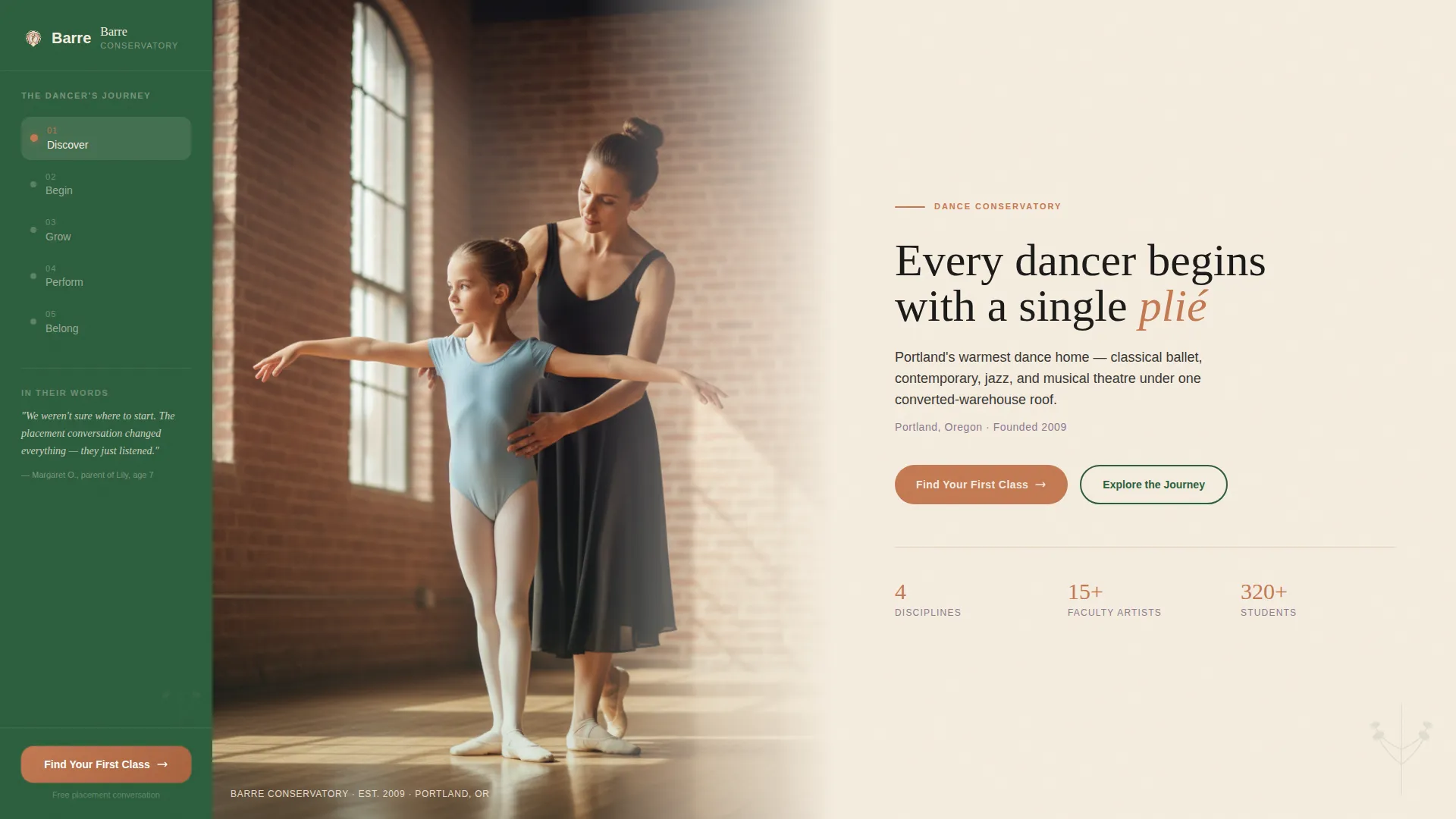
Half-Page Photo and Text Header
The header splits the viewport in two. The left side holds a candid in-studio photograph, while the right side carries a generous serif headline and a two-line subhead naming the city and founding year. This grounding combination immediately establishes authenticity and place.
Five-Stage Scroll Journey
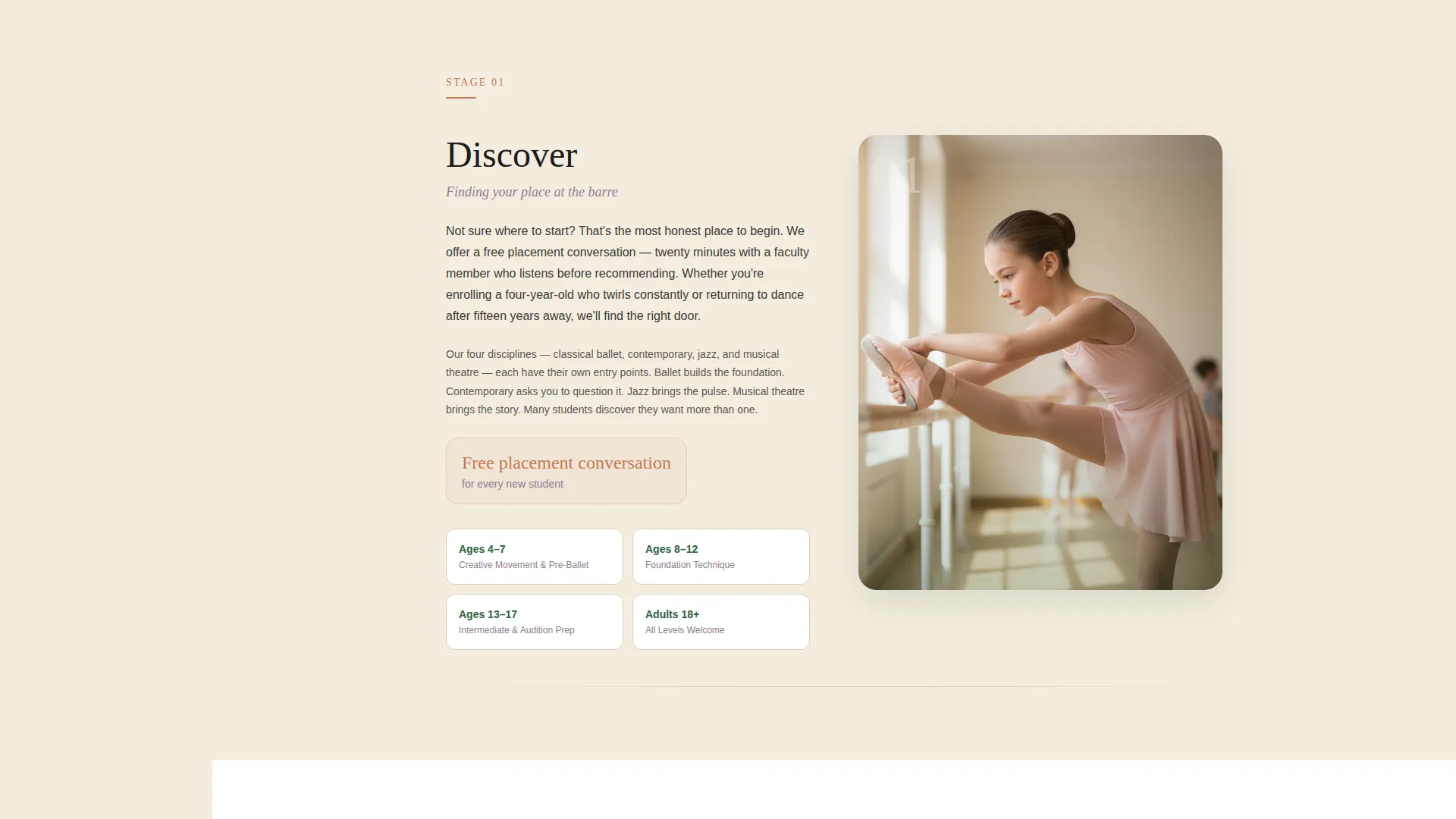
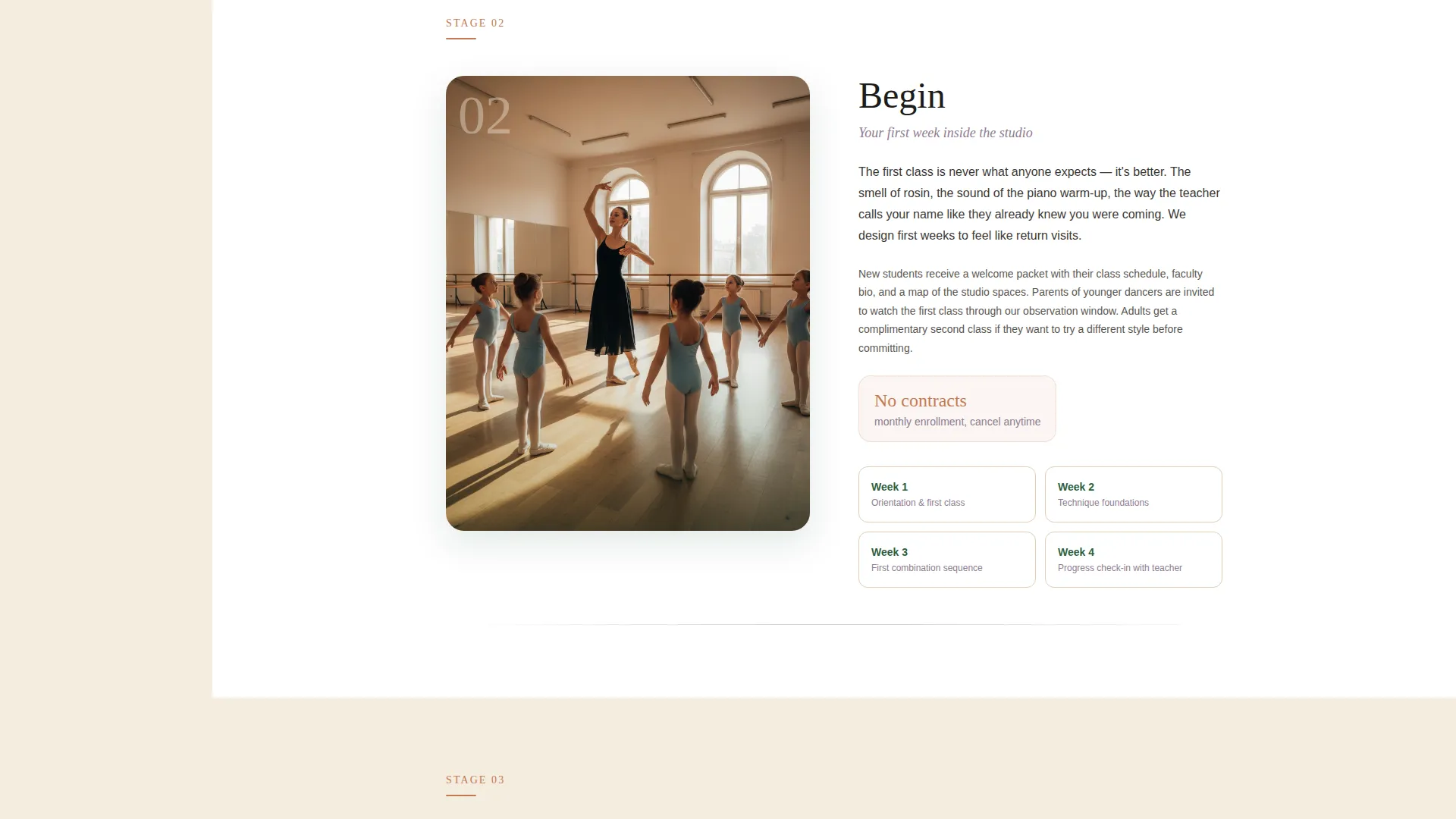
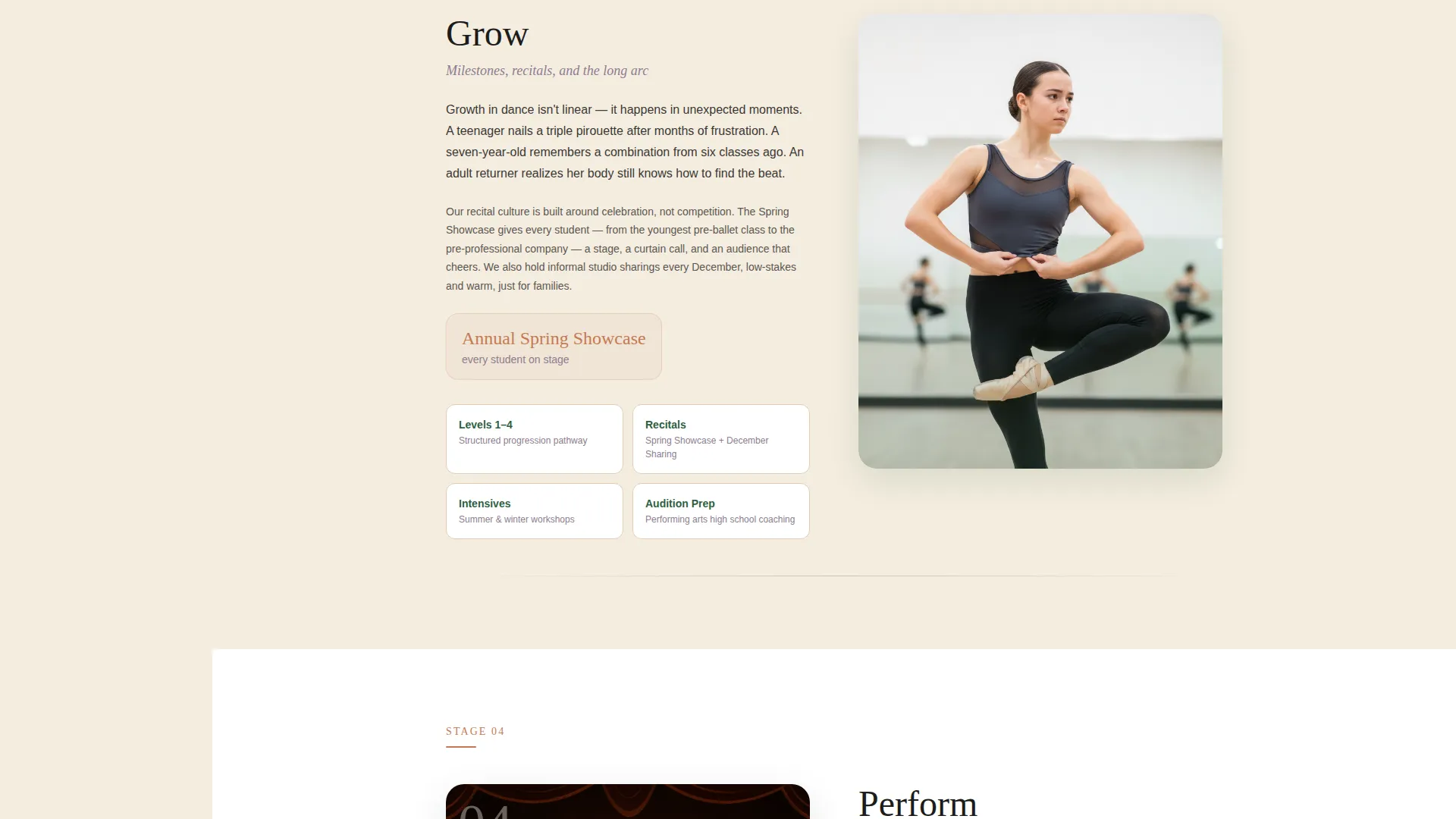
The main content area is structured as five named stages: Discover, Begin, Grow, Perform, and Belong. Each stage occupies its own full section. The rhythm moves from informational and gentle in early stages to emotional and aspirational in later ones, building toward a sense of homecoming rather than simple enrollment.
Persistent Sidebar Companion
The sidebar sits in deep fern green with cream type. It tracks scroll progress through a numbered stage marker, updates its pull-quote and stage label dynamically, and always shows the floating primary call-to-action button. It is a quiet presence that supports the main content without competing with it.
Three-Question Enrollment Form
The primary lead generation form asks three sequential questions: the dancer's age range, their experience level, and their preferred style. This focused sequence reduces friction and helps the studio match each inquiry to the right class before a reply is ever sent.
Email-Gated Studio Guide Download
The secondary conversion path asks only for an email address in exchange for a downloadable studio guide containing schedules, faculty bios, and tuition details. This option captures warm leads who want more information before committing to the enrollment form.
Botanical Color System
The color palette uses deep fern green, warm terracotta, soft parchment cream, and dried lavender across every component. Button highlights, hover states, section dividers, and background tones all follow the same system, keeping the visual experience cohesive from header to footer.
Page sections overview
| Section | Purpose |
|---|---|
| Half-Page Header | Introduce the studio with a candid photo and grounding headline |
| Stage 1: Discover | Help visitors identify the right class level for their dancer |
| Stage 2: Begin | Describe the first-week experience and what to expect |
| Stage 3: Grow | Highlight progression milestones and recital culture |
| Stage 4: Perform | Showcase annual performances and community events |
| Stage 5: Belong | Convey the studio family culture beyond class time |
| Enrollment Form Section | Capture inquiries through a three-question guided form |
| Studio Guide Download | Offer a secondary email-gated lead magnet |
| Persistent Sidebar | Track journey stage and surface a floating call-to-action |
Design & branding system
The botanical color system gives this template a personality that feels cultivated rather than corporate. Every color serves a specific role, and the overall effect is warm, grounded, and inviting.
- Deep fern green (#2D5F3E) anchors the sidebar and section dividers; warm terracotta (#C47A53) activates buttons and highlighted text; soft parchment cream (#F5EDE0) fills the primary background
- Dried lavender (#8E7B91) handles secondary accents and hover states, adding softness without distraction
- Typography uses a generous serif for headlines to evoke the craft and tradition of classical training, keeping body text clean and readable
Mobile & speed optimization
The sidebar companion layout is designed to adapt gracefully across screen sizes. On smaller screens, the sidebar content collapses into a compact sticky header so the stage tracker and call-to-action remain accessible throughout the scroll.
- The half-page header reflows to a stacked format on mobile, keeping the photograph prominent and the headline readable
- The sequential enrollment form is touch-friendly, with dropdown selectors sized for easy tap interaction on phone screens
How this template helps you convert
The page is structured to move visitors from curiosity to commitment in a single scroll. Every design and content decision supports one of two conversion outcomes.
- The primary path guides visitors through the five-stage journey and delivers them to the "Find Your First Class" enrollment form at the end, pre-warmed by the story they have just read.
- The secondary path offers the email-gated studio guide at every stage through the sidebar, so visitors who are still exploring have a low-commitment way to stay connected with the studio.
Other information about this template
This template is part of a broader collection designed around the Community Hearth theme, pairing warm visual identities with step-by-step creative structures suited to service and education businesses.
- The template style is classified as a Sidebar Companion, a layout format that pairs a persistent contextual panel with a long-scroll main content area
- The header concept is a Half-Page Photo and Text composition, a format well suited to businesses where atmosphere and human connection drive enrollment decisions
- The Botanical color system is purpose-built for brands that want to feel rooted, warm, and craft-oriented rather than clinical or tech-forward
- This template falls within the Education and Training category, with a specific focus on the Music and Performing Arts School subcategory and the Dance Conservatory niche
Theme
Community Hearth
Creative direction
Step-by-Step Guide
Color system
Botanical
Style
Sidebar Companion
Direction
Lead Generation
Page Sections
Half-page Photo and Text Header
Five-stage Scroll Journey
Persistent Sidebar Companion
Three-question Enrollment Form
Email-gated Studio Guide Download
Related questions
Can I use this template for a studio that only teaches one dance style?
What is the studio guide download feature?
Is this template suitable for adult dance students, not just children?
How does the sidebar companion behave on smaller screens?
Can I replace the default headline and subhead in the header with my studio's own details?



