No-Code Platform Documentation Advanced Professional Website Template
Basecamp is a single-page, comparison-table landing page template built for Airtable video tutorial series. It follows a Problem-to-Solution arc, opens with a live-styled code snippet header, and guides visitors from painful "before" states to confident "after" builds. The freemium conversion flow gates the full 42-lesson series behind a simple email opt-in, with no credit card required to start.
by Rocket studio
Quick summary
Basecamp is a glassmorphic, single-scroll landing page template designed for an Airtable video tutorial series. It opens with a real formula code block, walks visitors through a before-and-after comparison table, and closes with a freemium conversion path. The goal is simple: help overwhelmed ops managers, freelancers, and founders finally trust that the course is worth their time.
Who this template is for
This template is built for creators and educators who sell structured learning around database and workflow tools. It speaks directly to an audience that has already tried and struggled, so the tone earns trust quickly.
- Operations managers who lose hours each week switching between disconnected tools
- Freelance consultants building client portals with patched-together workflows
- Startup founders whose bases are one broken lookup field away from collapse
What problem this template solves
Most course landing pages make big promises but show no proof. Visitors arrive skeptical, scan for credibility signals, and leave before committing. This template flips that pattern by showing the pain first, then resolving it section by section.
- Visitors cannot judge whether a course is worth it without seeing real content
- Generic course pages fail to speak to the specific frustration of intermediate tool users
- Conversion stalls when the ask feels too large too early in the page
What you get with this template
The template delivers a fully structured, single-page layout purpose-built for freemium course conversion. Every section is designed to reduce friction and build confidence before the visitor makes any commitment.
- A frosted-glass code snippet header with a live-styled formula block and animated pulse effect
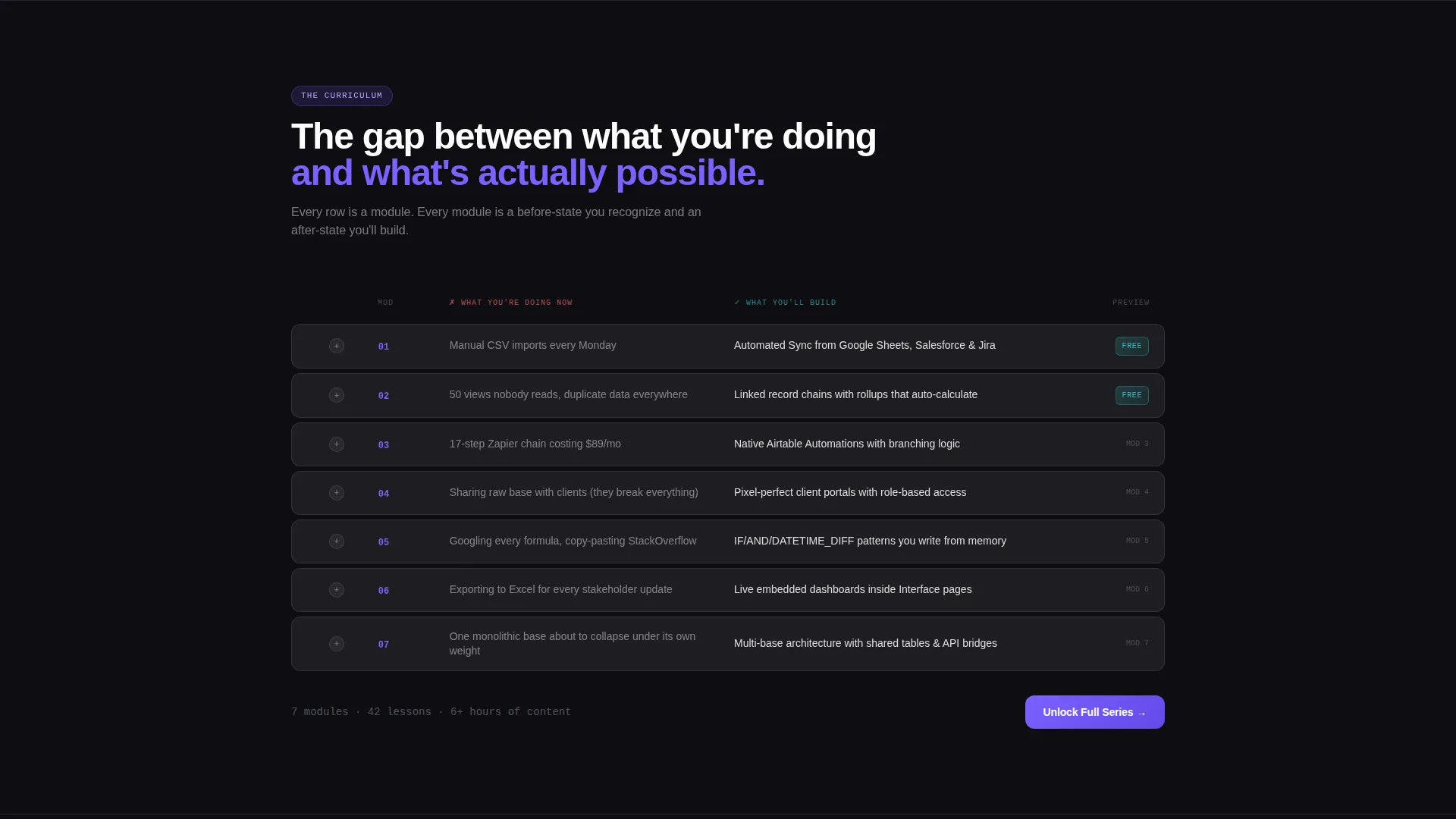
- A structured comparison table contrasting current painful workflows against post-course outcomes
- A dual-path conversion system with a free "Watch Module One Free" entry point and a full-series unlock toggle
Feature list
This template is built around six distinct design and functional capabilities drawn directly from the source brief.
Live-Styled Formula Header
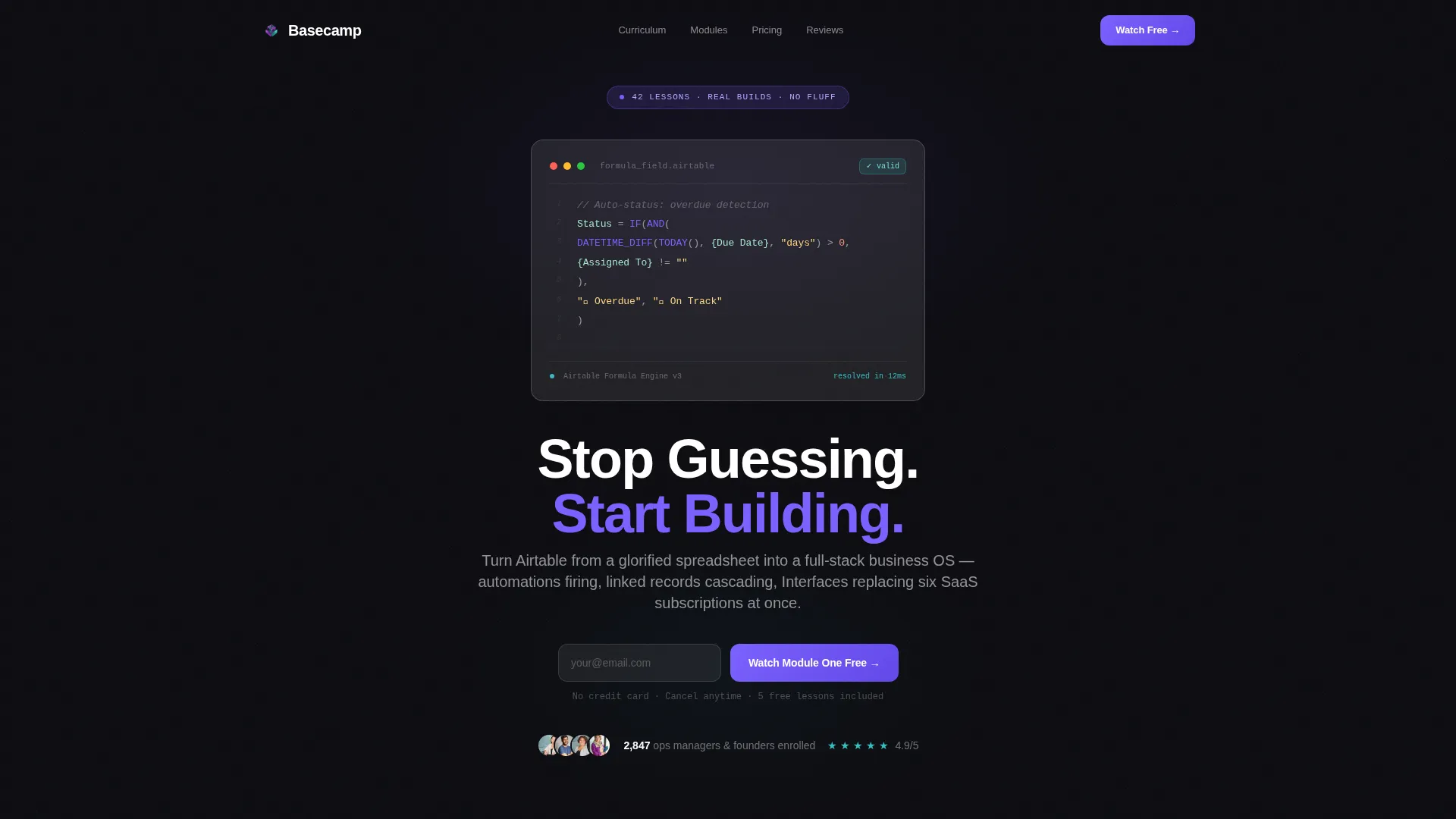
The header opens with a real, syntax-highlighted Airtable formula rendered inside a frosted glass card. The IF(AND(DATETIME_DIFF( expression is recognizable to any intermediate user. A faint pulse animation mimics a blinking cursor, creating an immediate moment of connection with the target audience.
Problem-to-Solution Scroll Arc
Each scroll section pairs a "before" state with an "after" state. The before state shows a tangled base, a wall of error fields, or a multi-step manual workflow rendered inside a frosted card. A morph animation transitions it into the resolved version, making the skill gap feel closeable with every scroll.
Comparison Table Spine
The structural core of the page is a column-based comparison table. It contrasts current habits against module outcomes row by row, covering manual imports versus automated syncs, cluttered views versus Interface Designer dashboards, and Zapier chains versus native automations. Each row links to its corresponding free preview lesson.
90-Second Embedded Preview Clips
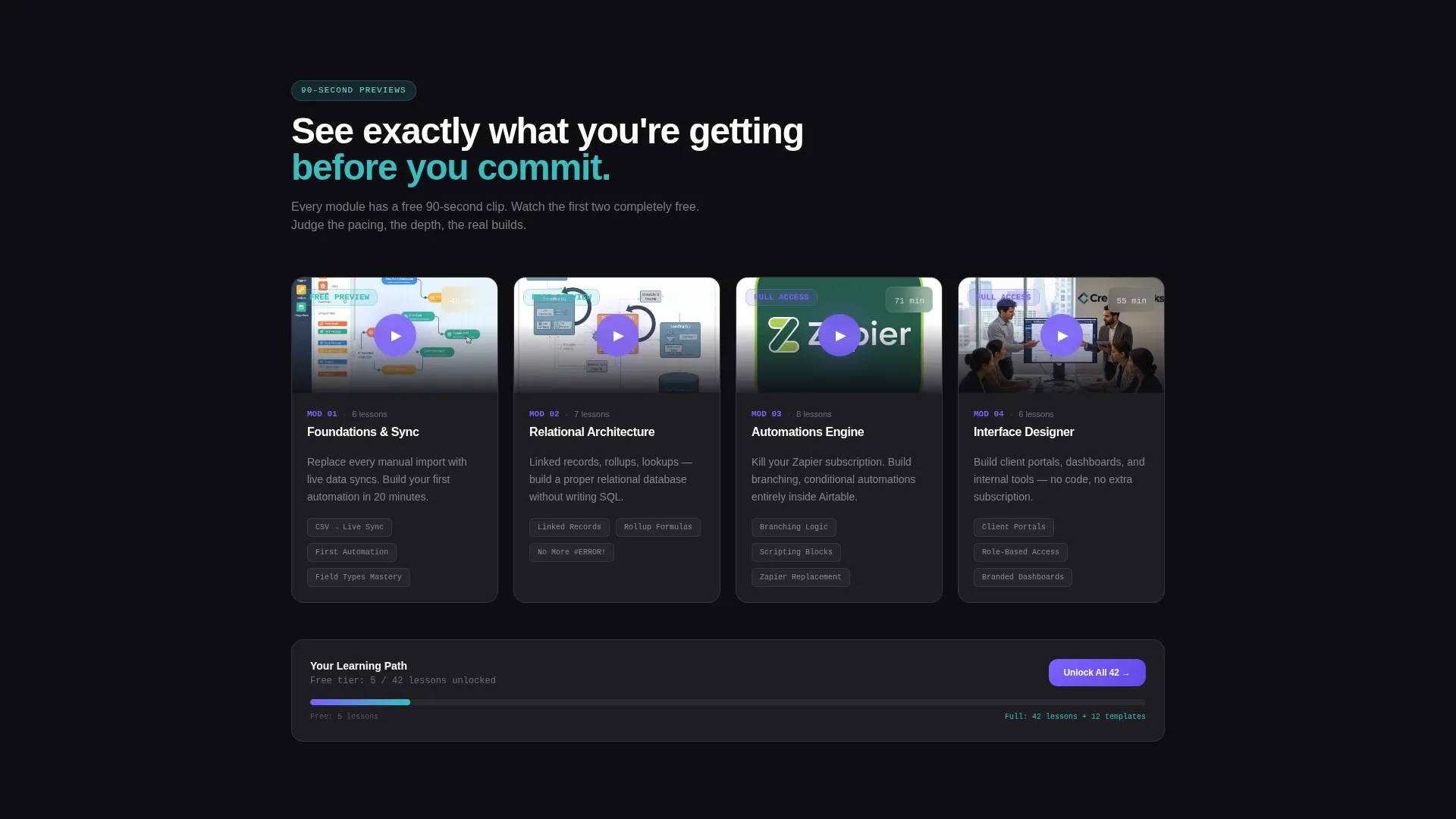
Each module section includes an embedded 90-second video clip. Visitors can sample the teaching style, pacing, and real build quality before committing to anything. This removes the biggest objection for skeptical buyers.
Freemium Conversion Toggle
After the comparison table, a toggle lets visitors compare the free tier (five lessons) against full access (42 lessons plus templates). The primary call to action reads "Watch Module One Free" and requires only an email address. The secondary path, "Unlock Full Series," appears alongside the toggle without requiring a credit card.
Glassmorphic Visual System
Cards and containers use backdrop blur with thin one-pixel borders in semi-transparent white. Backgrounds are near-black with subtle radial gradients. Electric iris purple drives interactive highlights and calls to action. Soft signal teal marks success states and completed lesson indicators, giving the page a layered, floating-panel feel.
Page sections overview
| Section | Purpose |
|---|---|
| Formula Code Header | Opens with a real syntax-highlighted formula block inside a frosted glass card to create immediate audience recognition |
| Headline Fade-In | Delivers the single headline "Stop Guessing. Start Building." below the code block |
| Problem Arc Cards | Shows painful before-states using frosted card screenshots of tangled bases and error-filled views |
| Comparison Table | Contrasts current workflows against module outcomes row by row with links to free preview lessons |
| Module Preview Clips | Embeds 90-second clips from each module so visitors can verify teaching quality before opting in |
| Freemium call to action Block | Presents the "Watch Module One Free" email opt-in and the free-versus-full-access toggle |
| Full Series Unlock | Displays the "Unlock Full Series" secondary path alongside the lesson-count toggle |
Design & branding system
The visual identity uses a Tech Glass theme built on a glassmorphic color system. The palette feels like a floating user interface panel suspended in dark space, with translucent layers stacking over each other and luminous edges on every component.
- Deep void black (#0D0D12) for backgrounds, paired with subtle radial gradients to create depth
- Frosted panel white at 12% opacity (#FFFFFF1F) for cards and containers, with backdrop blur and thin one-pixel rgba borders
- Electric iris purple (#7B61FF) for calls to action, hover states, and interactive highlights; soft signal teal (#36BFBF) for progress indicators and completed lesson states
Mobile & speed optimization
The glassmorphic layout is structured to render cleanly across screen sizes. Frosted cards, blur layers, and the comparison table are each designed to restack and reflow naturally on smaller viewports.
- Cards and containers scale responsively so the comparison table remains readable on mobile screens
- The embedded 90-second preview clips are positioned to load within the page flow without breaking the scroll arc
- The email opt-in form pre-fills detected addresses, reducing friction on both desktop and mobile entry points
How this template helps you convert
The page earns the click before it asks for anything. Every design and content decision is oriented toward lowering the commitment threshold at each stage of the scroll.
- The formula header creates instant recognition for the target audience, establishing credibility before a single word of sales copy appears.
- The before-and-after scroll arc and comparison table build a felt sense of progress, so visitors arrive at the call to action already convinced the course is for them.
- The freemium toggle and no-credit-card opt-in remove the two biggest reasons a qualified visitor would leave without converting.
Other information about this template
This template is specifically designed for the Airtable documentation and video tutorial series niche. It fits naturally within a broader documentation and support category, serving creators who teach tool-based workflows to professional audiences.
- The template is built for a freemium or trial conversion model, making it well-suited for course platforms and self-hosted tutorial series
- The comparison table format works especially well for audiences who are already using a tool but have not yet unlocked its full capability
- The 42-lesson full series and 5-lesson free tier structure is built into the toggle component as a conversion proof point
- Airtable-specific language throughout the template, including formula syntax, Interface Designer references, and automation terminology, reinforces niche credibility for instructors in this space
Theme
Tech Glass
Creative direction
Problem→Solution Arc
Color system
Glassmorphic
Style
Comparison Table
Direction
Freemium/Trial
Page Sections
Live-styled Formula Code Header
Problem-to-solution Scroll Arc
Structural Comparison Table
Embedded 90-second Module Previews
Freemium Conversion Toggle
Glassmorphic Card System
Related questions
What kind of course or product is this template designed for?
Do visitors need a credit card to access the free lesson?
Can I customize the comparison table rows for my own course modules?
How many lessons are included in the free tier versus full access?
Is the formula code header specific to database tool courses?



