No-Code Platform Documentation Professional Website Template
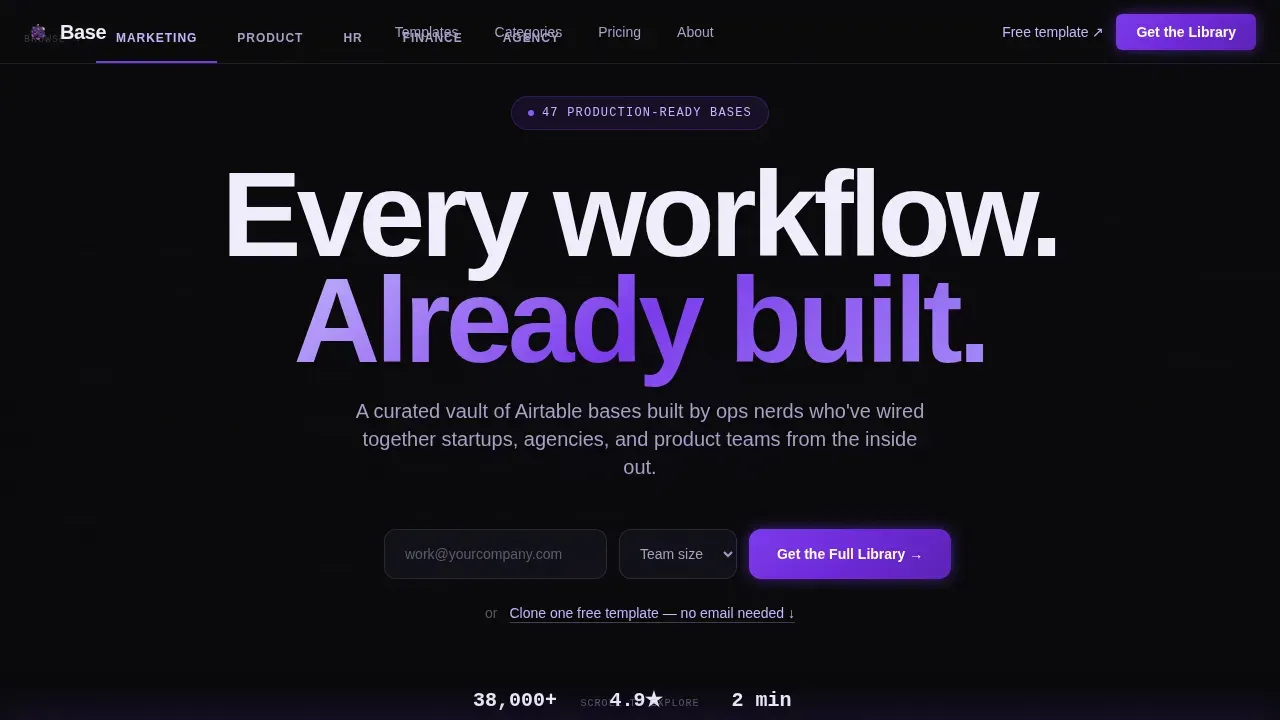
A hub-and-spoke landing page built for a curated vault of production-ready Airtable templates. Five spoke categories cover Marketing, Product, HR, Finance, and Agency Ops. The Data Command visual system pairs void black with violet phosphor accents. An email-gated lead form and a sticky bottom bar work together to convert founders, ops managers, and freelance project managers who are ready to stop rebuilding the same base from scratch.
by Rocket studio
Quick summary
This is a hub-and-spoke landing page designed to present and sell a curated library of production-ready Airtable templates. The page uses a Data Command visual identity, an anchor nav with five spoke categories, and a dual-path lead generation flow. Visitors can grab one free template ungated or sign up to access the full collection.
Who this template is for
This template was built for operators who live inside Airtable and need to move fast. It suits anyone selling, sharing, or showcasing a library of structured databases to a professional audience.
- Founders and ops managers who need to organize their team's data without writing a line of code
- Freelance project managers who track tasks, manage clients, and bill by the hour across multiple projects
- Template creators and digital product sellers who want a high-converting page to publish and present their Airtable base collection
What problem this template solves
Most teams spend more time creating the same database structures than actually doing the work. A generic one-page layout cannot support the depth of a multi-category template library. Visitors need to navigate by use case, understand what each base includes, and trust the source before they subscribe or sign up.
- Visitors bounce when they cannot quickly search by category and view details for a specific template
- Ops teams lose hours keeping track of which base does what across a fragmented workspace
- Sellers lack a structured page that can present social proof, lead capture, and template previews without overwhelming the visitor
What you get with this template
You get a fully structured, single-page hub-and-spoke layout configured to showcase an Airtable template library across five spoke categories. Every section is pre-built and ready to customize with your own content, records, and branding.
- A hero section with a lead-gate form that collects work email and team size to manage your prospect list
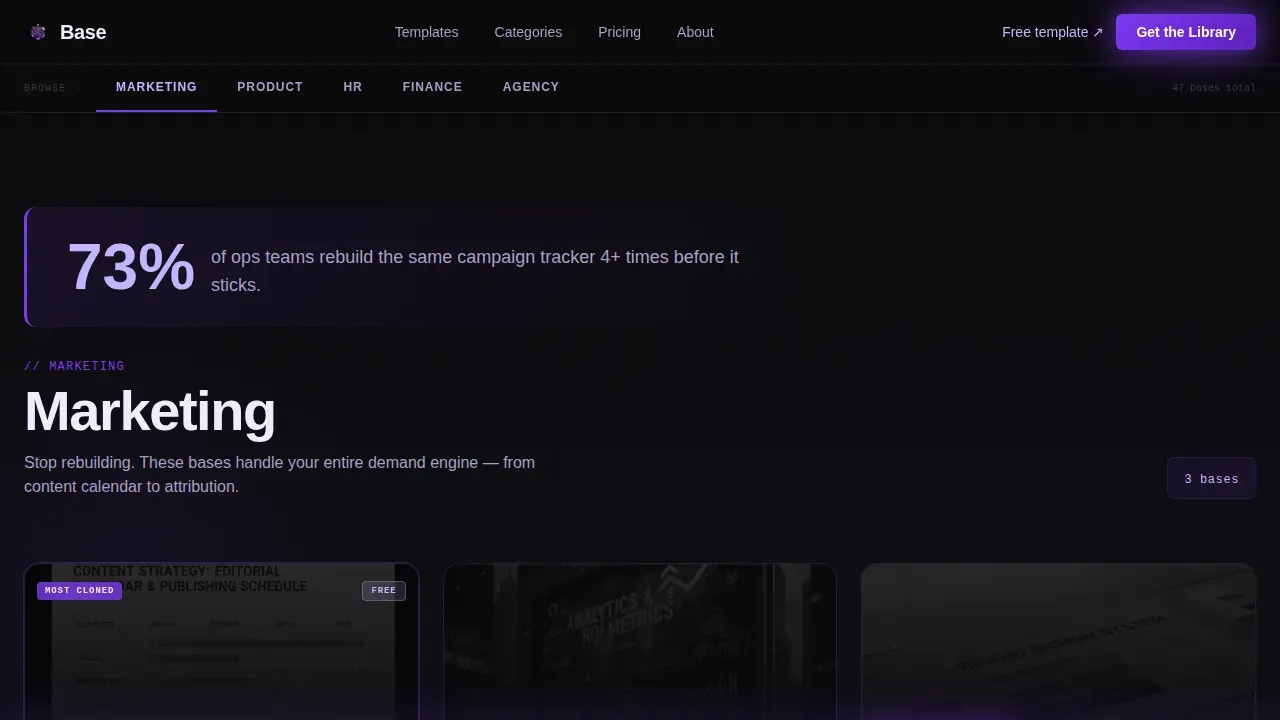
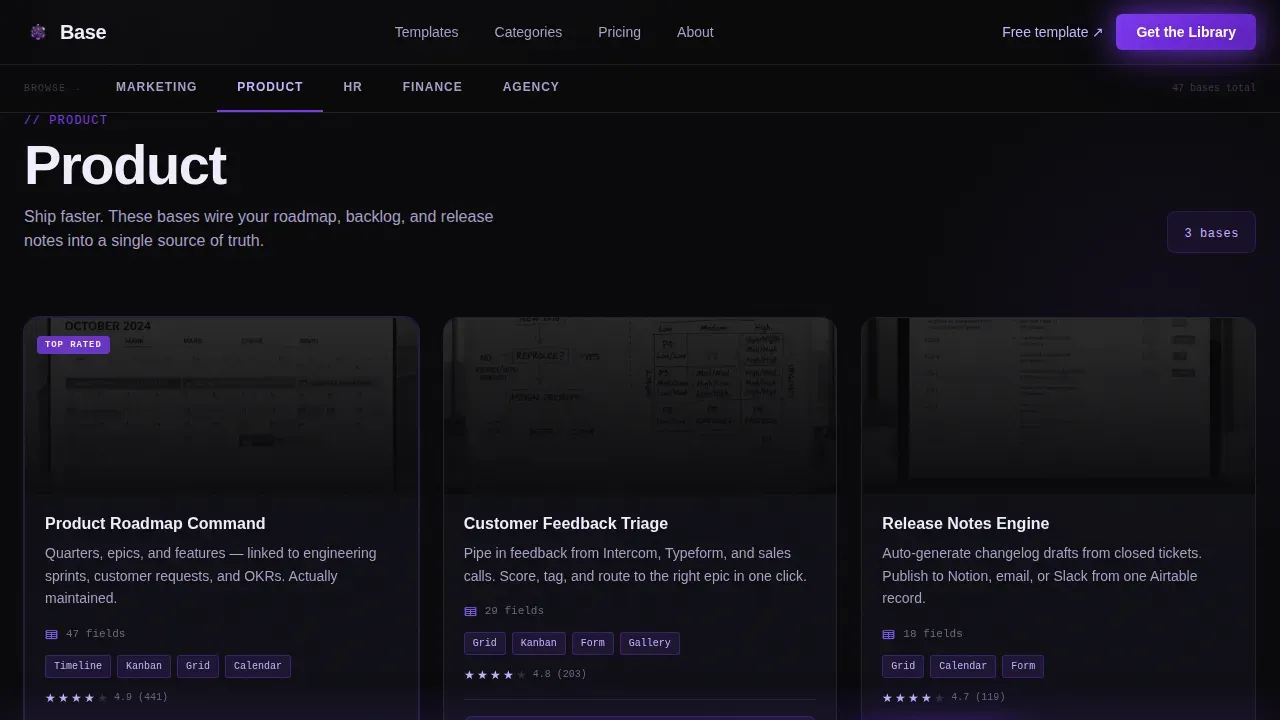
- Five anchor-nav spoke sections covering Marketing, Product, HR, Finance, and Agency Ops, each with stat callouts and template card slots
- A sticky bottom bar that reappears after the third spoke to capture visitors who scroll deep before they decide to sign up
Feature list
This landing page template is built around components that support lead generation, content depth, and visual authority. Each feature below reflects what the page structure actually delivers.
Anchor Navigation Bar
The sticky anchor nav lets visitors navigate directly to their relevant spoke category. It locks to the top of the viewport on scroll, keeping all five categories accessible at any point in the page. Teams managing multiple audiences can plan the order of spokes to match their highest-intent visitors first.
Hero Lead-Gate Form
The hero section includes a pre-built email-first form that asks for a work email address and team size. Team size options are pre-configured as solo, 2 to 10, 11 to 50, and 50 plus. This form is the primary lead capture mechanism and lets you manage prospect data from the moment a visitor lands.
Spoke Category Sections
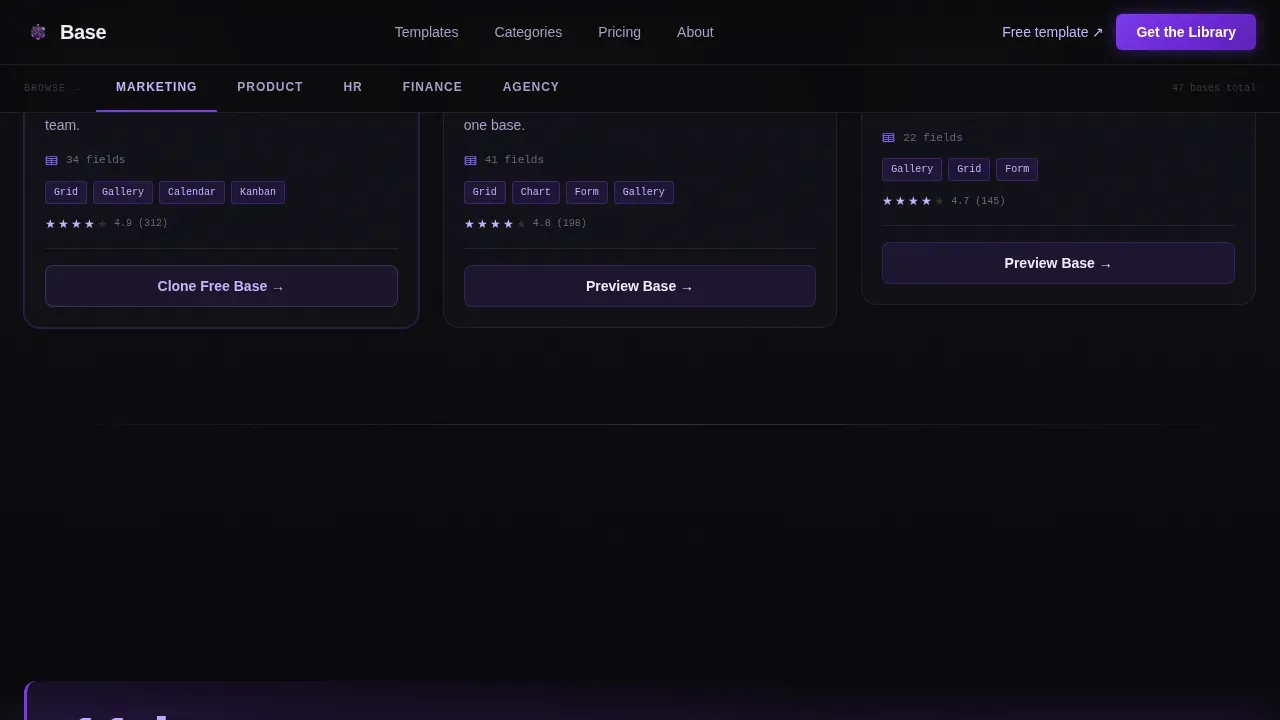
Five full spoke sections organize the template library by business function. Each spoke opens with a bold data-backed stat to frame the problem, then presents template cards that can display field count, view types, and a preview. This structure helps users find the right Airtable base for their specific use case without scrolling the entire page.
Free Template Clone Path
A secondary conversion path lets visitors duplicate one template without filling out the form. This ungated path captures intent and reduces friction for visitors who are not yet ready to subscribe. It creates a low-commitment entry point that keeps prospects in the funnel.
Social Proof Data Section
A dedicated social proof section displays download counts, aggregate ratings, and a team-size breakdown. Data visualizations styled as glowing violet charts break up the template grid and present the library's traction in a format that feels like an industry report rather than a marketing slide.
Sticky Bottom Conversion Bar
After the third spoke section, a sticky bar locks to the bottom of the viewport and repeats the primary call to action. It gives late-stage scrollers a persistent prompt to get the full library without requiring them to scroll back to the top.
Page sections overview
| Section | Purpose |
|---|---|
| Hero + Form | Capture lead data with email-first gate |
| Sticky Anchor Nav | Let visitors navigate spoke categories |
| Marketing Spoke | Present marketing workflow templates |
| Product Spoke | Show product planning and tracking bases |
| HR Spoke | Organize people ops and hiring templates |
| Finance Spoke | Display budgeting and reporting bases |
| Agency Ops Spoke | Cover client and project management templates |
| Social Proof Block | Build trust with download counts and ratings |
| Call to Action Reinforcement | Reinforce the primary library access offer |
| Sticky Bottom Bar | Persistent conversion prompt after scroll |
| Footer | Navigation links and secondary information |
Design & branding system
The visual identity follows a Data Command theme that makes every element feel like mission-critical information on a dark monitor. The color system is called Void and Violet, and it uses absolute void black as the canvas so all content floats in deliberate negative space.
- Core palette: void black (#09090B) for the canvas, deep violet (#7C3AED) for calls to action and card glows, phosphor lilac (#C4B5FD) for secondary text and dividers, and electric white (#F0EDFB) for headlines
- Typography: DM Sans for body and user interface text, JetBrains Mono for field counts, view metadata, and code-style labels throughout the template cards
- The hero header features an abstracted Airtable base grid rendered in violet wireframe lines against a full-bleed void black background, giving the impression of holographic data panels rather than a product screenshot
Mobile & speed optimization
The page is built desktop-first to match the behavior of ops managers and founders who review tools on a laptop. Full mobile support is included so the layout adapts across every device without losing structural clarity.
- The anchor nav collapses into a scrollable tab strip on smaller screen sizes, keeping category access fast on any device
- Template cards reflow to single-column grids on mobile so users can still view details and scan field counts without horizontal scrolling
- Animations are powered by GSAP ScrollTrigger, with staggered card reveals and SVG grid pulse effects that add motion without blocking content load on any device
How this template helps you convert
The page is structured to build conviction before it asks for anything. Visitors move through a narrative arc that escalates from problem framing to proof to resolution, earning the click rather than demanding it.
- The hero presents the value proposition immediately with a clear headline and a low-friction form, so high-intent visitors can sign up without scrolling further, while curious visitors are drawn deeper by the anchor nav
- The spoke sections present enough template previews, field data, and stat callouts that visitors reach an "I need all of these" moment before the sticky bottom bar appears at the third spoke, timing the persistent call to action precisely when intent peaks
- The free clone path gives undecided visitors a way to experience one Airtable base directly, converting passive browsers into active users who already have a template in their workspace before they subscribe to the full library
Other information about this template
This template is part of the broader landscape of no-code application development, where users can build structured systems without traditional programming skills. Airtable makes this possible by combining a flexible database with a visual interface that supports collaboration across teams of any size.
- Airtable templates are pre-built tables with ready-to-go views that help users manage their data more efficiently. The basevault production ready airtable template library landing page template is designed to showcase exactly this kind of structured, production-ready collection.
- Managed apps in Airtable are pre-configured schemas that consist of a base, interface, and automations meant to be implemented as a holistic, ready-to-use app. Managed components are pre-configured building blocks that represent a subset of an app and can be installed into an existing app.
- Managed apps and components enable global standardization with local flexibility, letting teams lock down critical elements of multi-base workflows while still allowing local customizations in child bases. Users with workspace or base creator permissions can install managed apps, while editors can manage data without changing the underlying structure.
- The development base is a special type of base used to publish a managed app or component, and each managed app or component has its own development base. Updates can be published from the development base, allowing creators to push changes across all child installations.
- Airtable makes it possible to connect your data to external tools and streamline workflows without writing code. Templates can be linked to external applications, and users can customize the source of synced tables in managed apps to receive only relevant data.
- Airtable supports calendar, kanban, and grid views so teams can track progress, manage tasks, and visualize records in the format that fits their workflow. A kanban view, for example, can track landing page status across stages like Idea, Drafting, In Review, Approved, and Live.
- Production-ready schemas feature advanced field types and automated record templates for data consistency, making it easier to plan campaigns, organize posts, and manage marketing content at scale.
- The library approach allows creators to present numerous targeted templates using a single data structure, opening up possibilities for account-based marketing and audience-specific messaging.
- No-code platforms enable rapid application development, letting users go from ideas to a live app quickly. AI can enhance these workflows by automating tasks and providing intelligent insights, further reducing the time teams spend on manual setup.
- Pre-configured tables in these templates organize headline copy, body text, image attachments, call-to-action URLs, and search-engine metadata, giving teams a ready-made content management structure they can customize and adjust without touching code.
Theme
Data Command
Creative direction
Industry Report
Color system
Void & Violet
Style
Hub & Spoke (Anchor Nav)
Direction
Lead Generation
Page Sections
Anchor Navigation with Five Spokes
Email-gated Hero Lead Form
Spoke Sections with Template Cards
Social Proof and Data Visualizations
Free Clone Ungated Path
Sticky Bottom Conversion Bar
Related questions
Do I need to know how to code to use this template?
Can I add or remove spoke categories from the anchor nav?
How does the lead capture form work?
What information does each template card display?
Is this landing page suitable for a solo creator or only for larger teams?



