Batchguard - Precision Confectionery Landing Page Template
Batchguard is a hub-and-spoke landing page template built for sugar and confectionery management software. It guides production managers, candy plant directors, and quality leads through five capability clusters with a persistent anchor nav, frosted-glass feature cards, and a catalyst-amber trial call to action. The layout turns complex batch-tracking features into a clear, trustworthy product story.
by Rocket studio
Quick summary
Batchguard is a single-page template designed for vertical SaaS platforms serving confectionery manufacturers. It uses a dark Tech Glass aesthetic, a hub-and-spoke anchor navigation structure, and a Feature Matrix scroll layout. Every section builds toward one goal: convincing production-floor professionals to start a free plant trial.
Who this template is for
This template is built for SaaS founders and product teams selling software to confectionery and sugar manufacturing operations. It speaks directly to the buyers on the factory floor who evaluate and approve these tools.
- Production managers at mid-size confectioneries tracking batch compliance and crystallization data
- Candy plant directors scheduling tempering lines around seasonal demand surges
- Quality leads at sugar mills who need granulation consistency reports before shipment
What problem this template solves
Confectionery operations software is complex to explain. A generic SaaS template cannot communicate the depth of batch tracking, regulatory compliance logging, and real-time monitoring that plant buyers require. Batchguard solves the credibility gap.
- Buyers struggle to understand feature depth from a flat feature list alone
- Hazard Analysis and Critical Control Points (HACCP) compliance and shelf-life tools need visual proof, not just bullet points
- Decision-makers need to see the full production scope before committing to a trial
What you get with this template
You get a fully structured single-page layout that walks visitors through every major capability cluster of a confectionery production platform. The design, copy structure, and conversion flow are all pre-built.
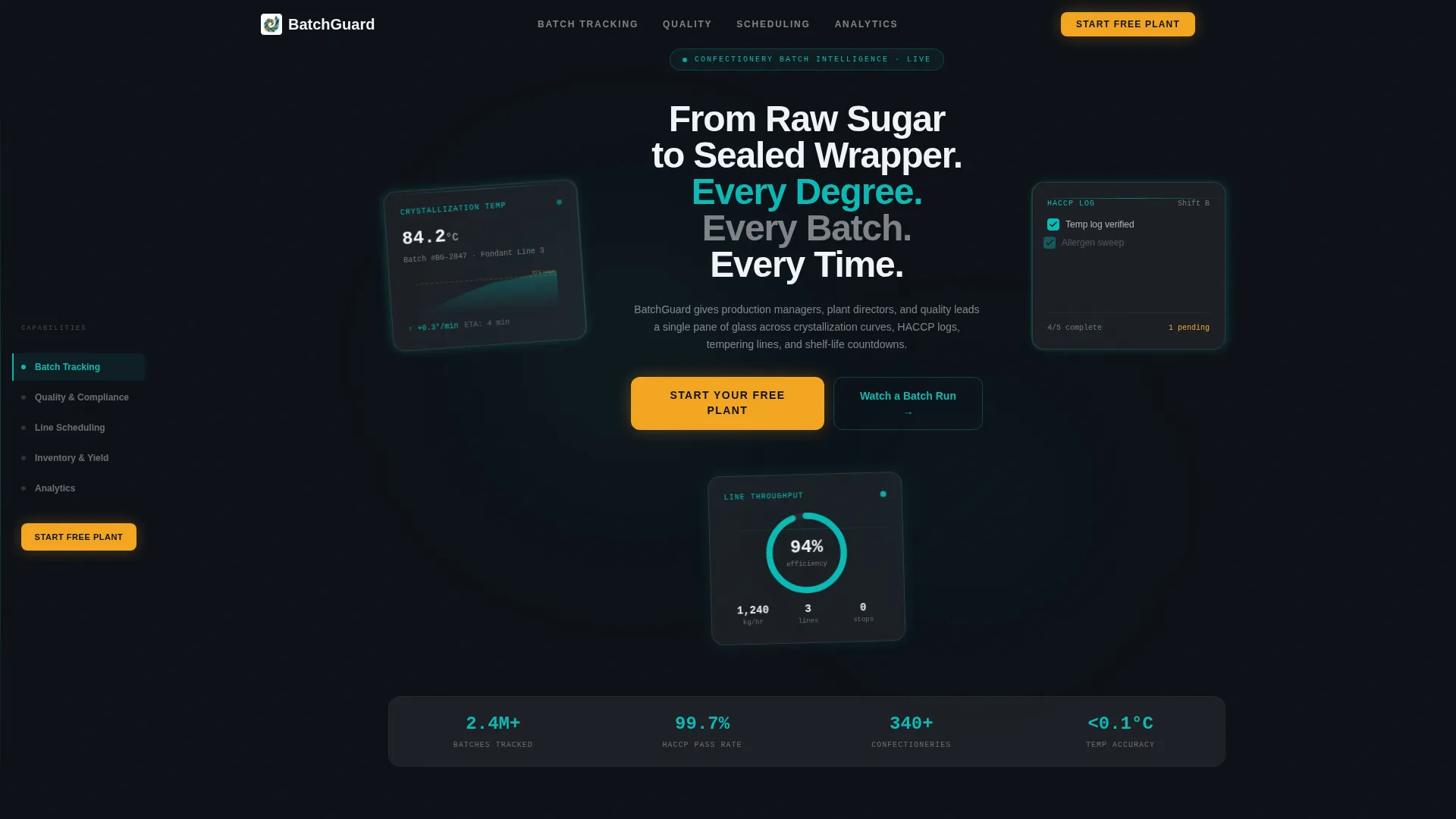
- A Dark Glass Panels header with three floating user interface cards showing live-data views: a crystallization curve, a compliance checklist, and a throughput gauge
- Five anchor-nav spokes covering Batch Tracking, Quality and Compliance, Line Scheduling, Inventory and Yield, and Analytics
- A three-field trial signup form and a secondary "Watch a Batch Run" video path for leads who need proof before committing
Feature list
This template is built around a specific set of structural and visual components drawn directly from the production brief.
Persistent Hub-and-Spoke Anchor Navigation
A fixed left-rail nav traces each capability cluster in operational teal. Clicking any spoke smooth-scrolls to its dedicated section. The nav also pins the primary call-to-action button so it is always visible during scroll.
Feature Matrix with Frosted Glass Cards
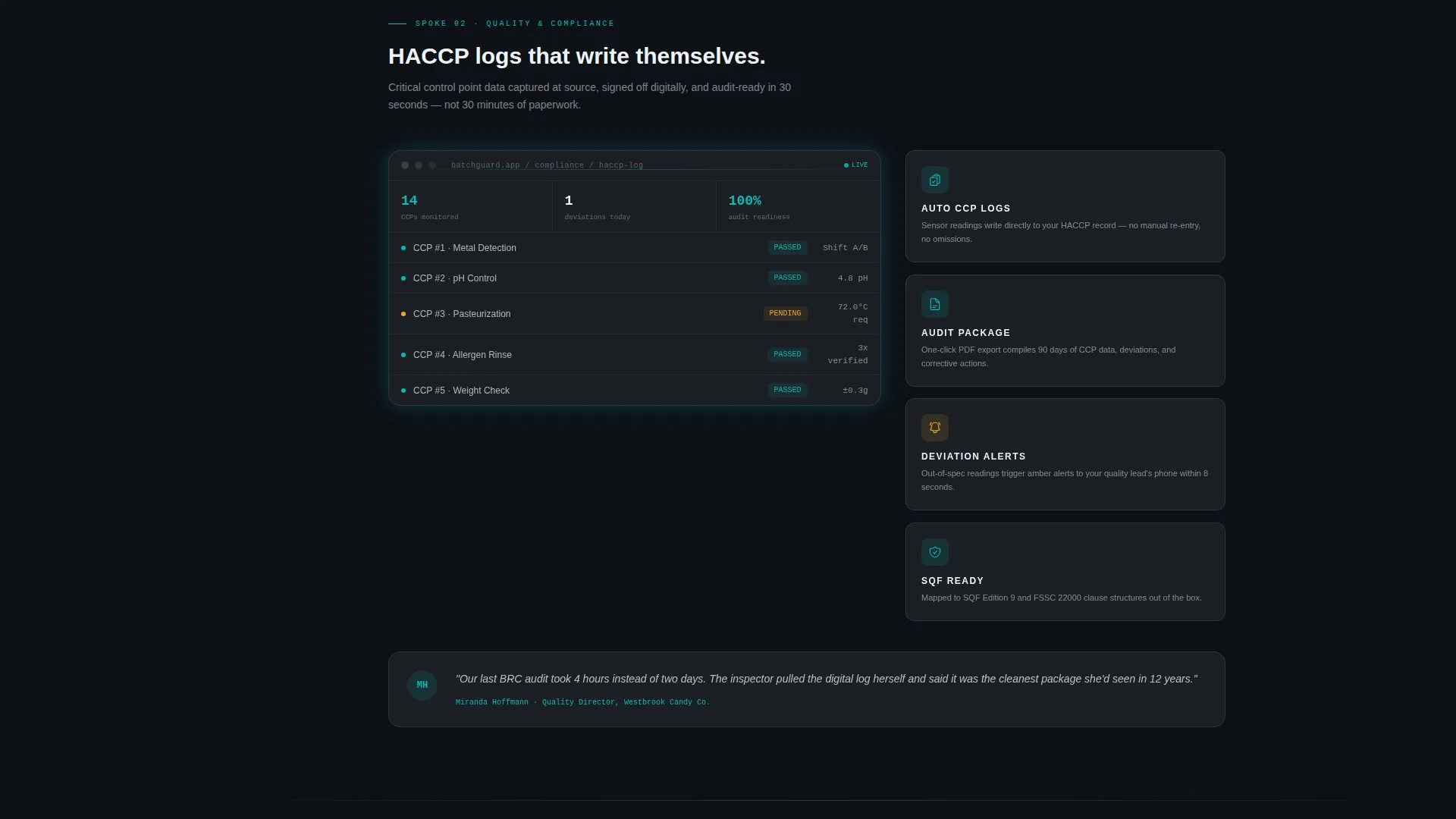
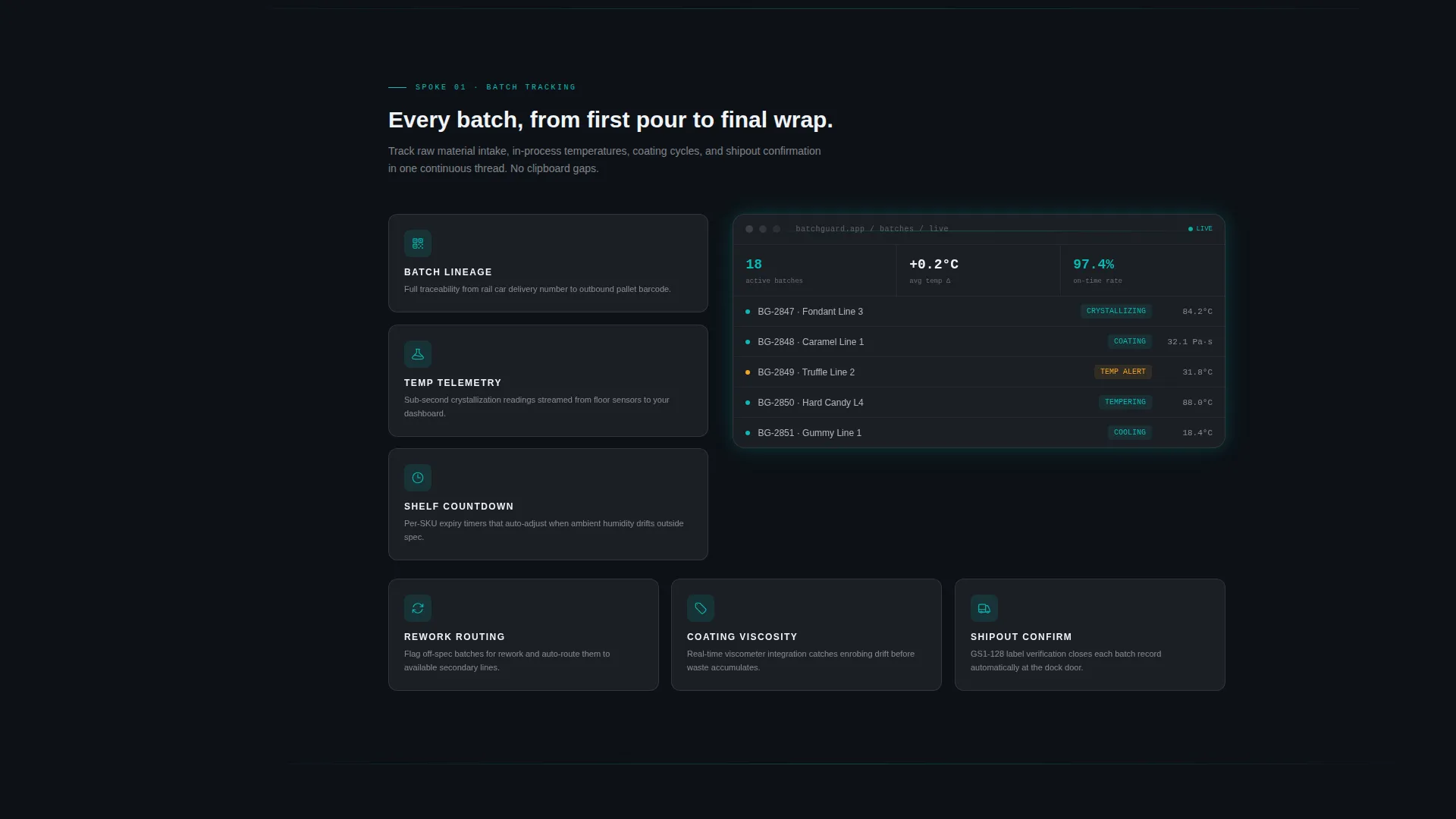
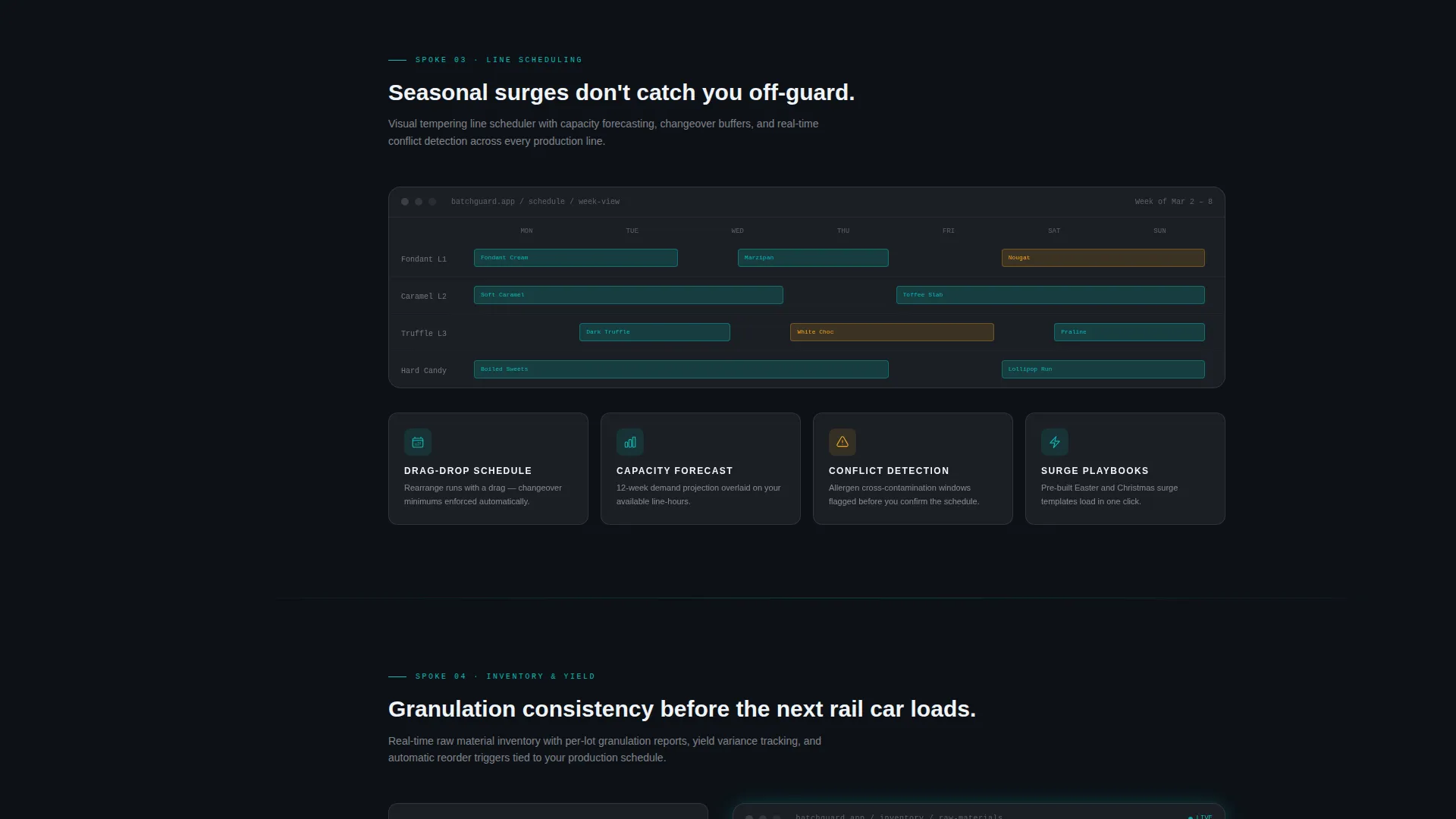
Each spoke section fans a mini-grid of feature cards out from a central product screenshot. Every card shows an icon, a three-word label, and one descriptive sentence. The grid builds cumulative product weight as the visitor scrolls deeper.
Dark Glass Panels Header
Three translucent, slightly tilted user interface cards float against the deep panel-black background. Each card shows a different live-data view. Teal light refracts along the glass edges, making the product itself the visual centerpiece.
Competitor Comparison Table
The Analytics spoke includes a side-by-side comparison table. Teal check marks fill the Batchguard column while competitor columns show gray dashes. The table lets evidence close the argument without extra copy.
Multi-placement Catalyst Amber call to action
The "Start Your Free Plant" call-to-action appears three times: in the header, pinned to the anchor nav, and anchoring the closing section. Each placement uses catalyst amber to signal the single most important action on the page.
Secondary Video Proof Path
A "Watch a Batch Run" link offers a 90-second screen recording of a live production cycle. This secondary path captures leads who need to see the software in motion before they sign up.
Page sections overview
| Section | Purpose |
|---|---|
| Dark Glass Header | Introduce the product with three live-data user interface cards and the primary headline |
| Batch Tracking Spoke | Showcase real-time batch monitoring from raw cane intake to final shipout |
| Quality and Compliance Spoke | Present HACCP log management and crystallization temperature controls |
| Line Scheduling Spoke | Demonstrate tempering line scheduling and seasonal surge planning |
| Inventory and Yield Spoke | Cover coating viscosity tracking and raw material yield reporting |
| Analytics Spoke | Display performance dashboards and competitor comparison table |
| Trial Signup Close | Drive freemium conversion with plant name, batch volume, and work email fields |
Design & branding system
The visual identity follows a Tech Glass theme built on the Teal Catalyst color system. The palette evokes a factory control room at 2 a.m., where dark dashboards glow teal and a single amber light pulses only when it matters.
- Deep panel black (#0D1117) backgrounds layer with frosted-glass card surfaces at 12% white opacity, keeping content readable without breaking the dark-room atmosphere
- Operational teal (#0ABAB5) traces the anchor nav rail, active states, and all data visualizations
- Catalyst amber (#F5A623) is reserved exclusively for alerts and conversion moments, including every instance of the primary call to action button
Mobile & speed optimization
The template is designed with responsive layout principles appropriate for a single-page hub-and-spoke structure. The anchor nav and card grids adapt to narrower viewports without losing the dark-glass visual identity.
- Frosted-glass card surfaces and panel-black backgrounds are CSS-native, reducing reliance on large image assets
- The three-field trial form is intentionally minimal, removing friction for mobile users completing signup on a phone
- The secondary "Watch a Batch Run" path offloads heavy media to an external video link, keeping the page itself lightweight
How this template helps you convert
The conversion architecture is layered deliberately. Every scroll depth has a path forward, and the amber call to action never disappears.
- The header places "Start Your Free Plant" in catalyst amber immediately, so high-intent visitors can convert without scrolling at all
- The pinned anchor nav keeps the call to action visible at every spoke, so visitors who pause mid-scroll are never more than one click from signup
- The closing section pairs the trial form with the "Watch a Batch Run" video link, giving both ready-to-sign and still-evaluating visitors a clear next step
Other information about this template
Batchguard is designed specifically for the sugar and confectionery vertical SaaS market. It is not a general-purpose SaaS template. Several details are worth noting for teams evaluating it.
- The template style is Hub and Spoke with Anchor Navigation, making it suited to platforms with five or more distinct capability clusters
- The freemium and trial conversion direction means the form is intentionally short: plant name, average batches per week, and work email only, with no credit card required
- The header deliberately avoids stock photography; the product user interface cards are the visual hero, reinforcing credibility with factory-floor buyers who distrust marketing imagery
- The catalyst amber color is a controlled signal in this system; using it outside call to action and alert contexts would dilute its conversion impact
Theme
Tech Glass
Creative direction
Feature Matrix
Color system
Teal Catalyst
Style
Hub & Spoke (Anchor Nav)
Direction
Freemium/Trial
Page Sections
Hub-and-spoke Anchor Navigation
Feature Matrix Card Grid
Dark Glass Panels Header
Competitor Comparison Table
Multi-placement Catalyst Amber Call to Action
Secondary Video Proof Path
Related questions
Who is this landing page template built for?
What conversion paths does the template include?
Can I adapt the spoke sections to different capability clusters?
Does this template include real data or live integrations?



