AI for Nonprofit Professional Website Template
Beacon is a scroll-reveal landing page template built for nonprofit AI chatbot products. It follows a Problem-to-Solution arc with animated stat counters, dissolving problem panels, and a browser-framed product screenshot as the hero. The freemium conversion flow guides visitors from a painful sector stat to a free deployment form in two steps, no credit card required.
by Rocket studio
Quick summary
Beacon is a single-page, scroll-reveal landing page template designed for a conversational AI chatbot serving nonprofits. It opens with a product screenshot hero, builds tension through animated problem reveals, and converts visitors on a free-tier deployment offer. The design uses a void-black and electric-lime palette that feels like a live terminal.
Who this template is for
This template is built for teams marketing a nonprofit-focused AI product to specific, high-intent buyers. It speaks the language of people who manage donor pipelines, field eligibility questions, and coordinate volunteers, often all at once.
- Development directors at mid-size nonprofits managing multiple donor tools
- Community health organizations handling repetitive program eligibility inquiries
- Advocacy groups trying to convert short-term supporter energy into lasting action
What problem this template solves
Most nonprofit websites are passive. Visitors arrive with real urgency, needing a rent assistance form, a volunteer sign-up link, or a benefits eligibility answer, and leave when no one responds. This template frames that gap visually and emotionally, then positions the AI chatbot as the fix.
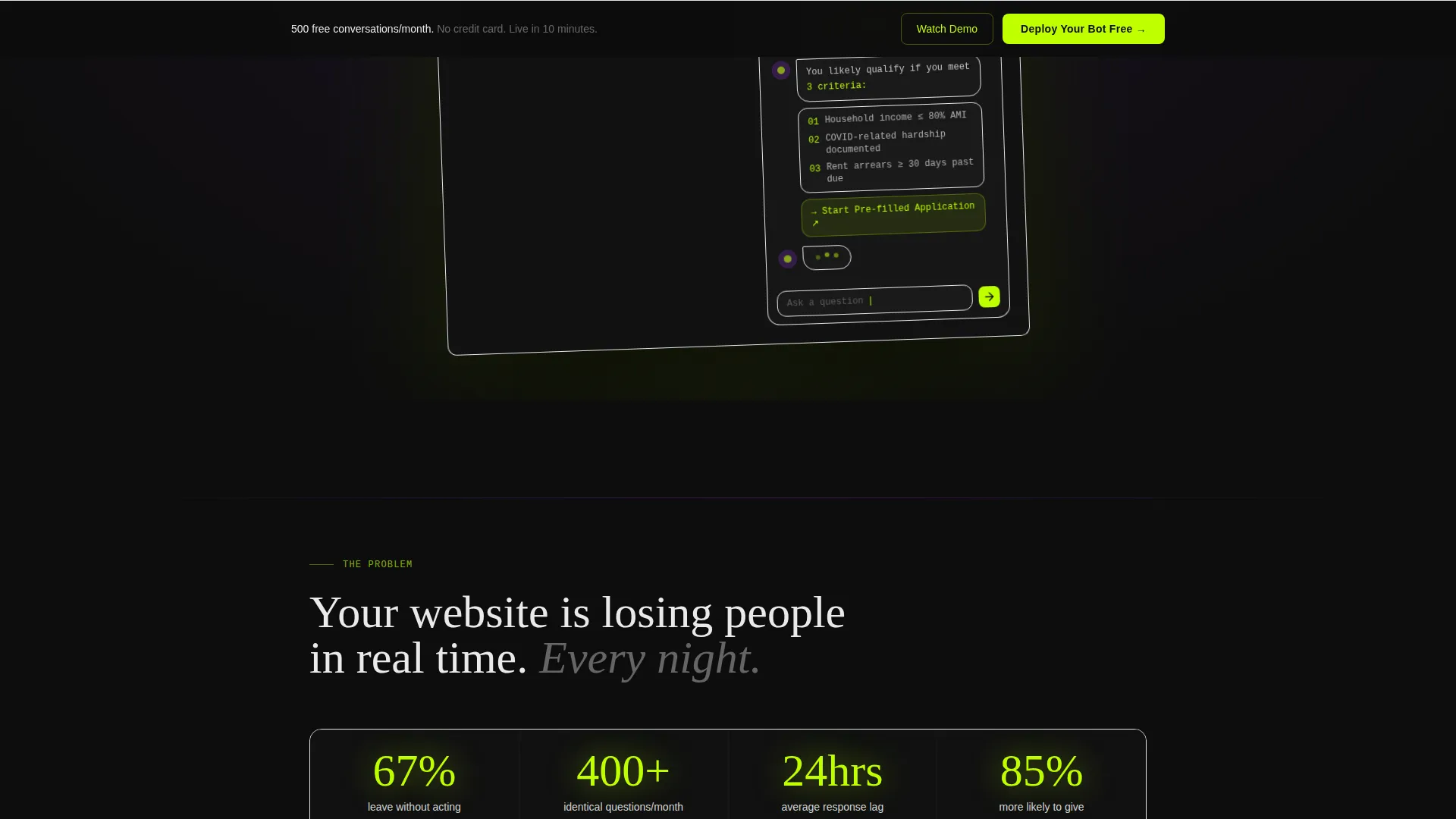
- 67% of nonprofit website visitors leave without taking any action
- After-hours inquiries go unanswered until the next business day
- Generic FAQ pages and ignored contact forms lose donors and beneficiaries in real time
What you get with this template
You get a fully structured, motion-driven landing page that walks a visitor from sector-wide pain to product-specific solution. Every section is purposeful. The layout is opinionated, fast to customize, and built around a clear freemium conversion path.
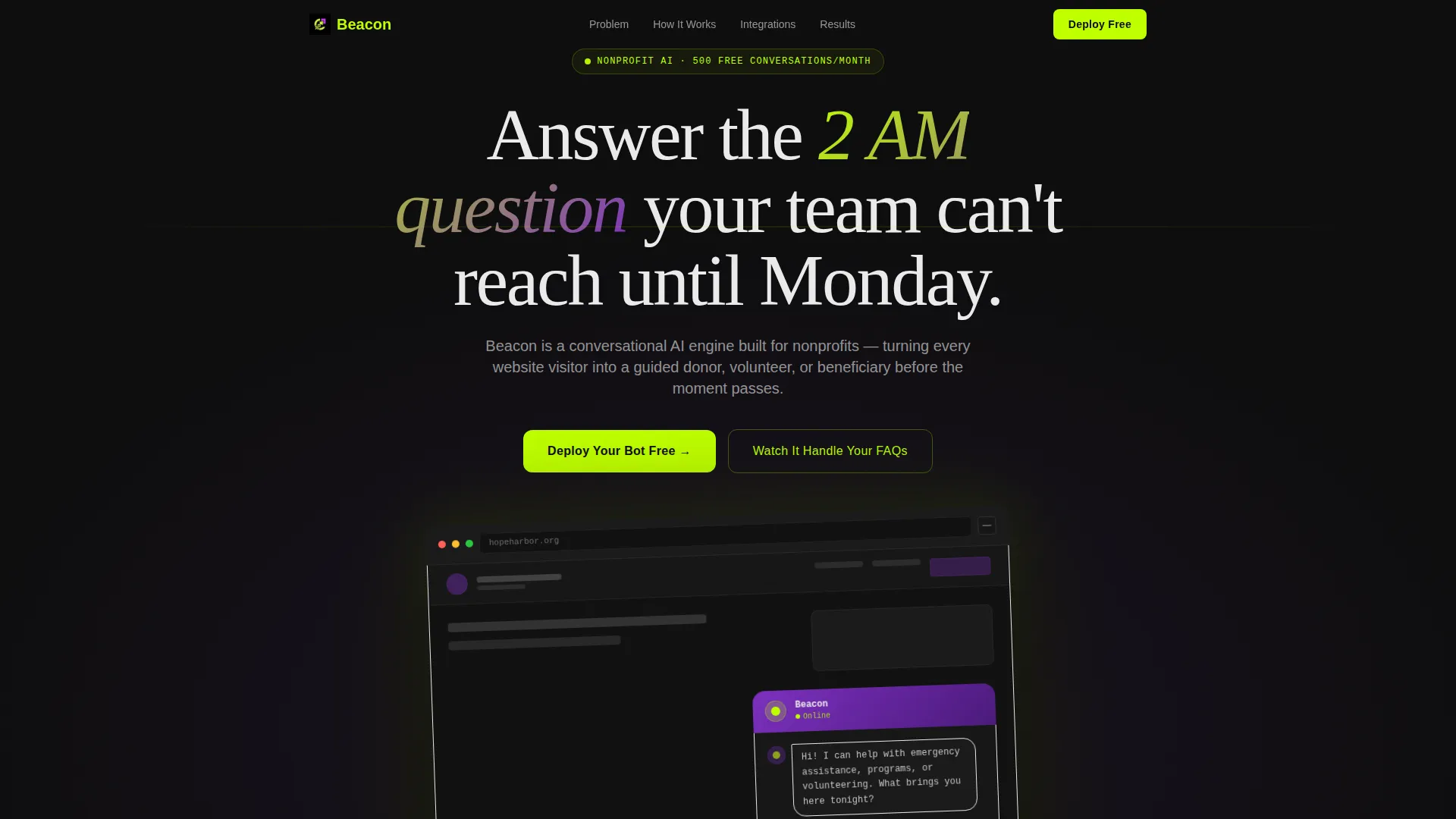
- A browser-framed chatbot product screenshot as the hero, angled on a void-black background with a lime glow
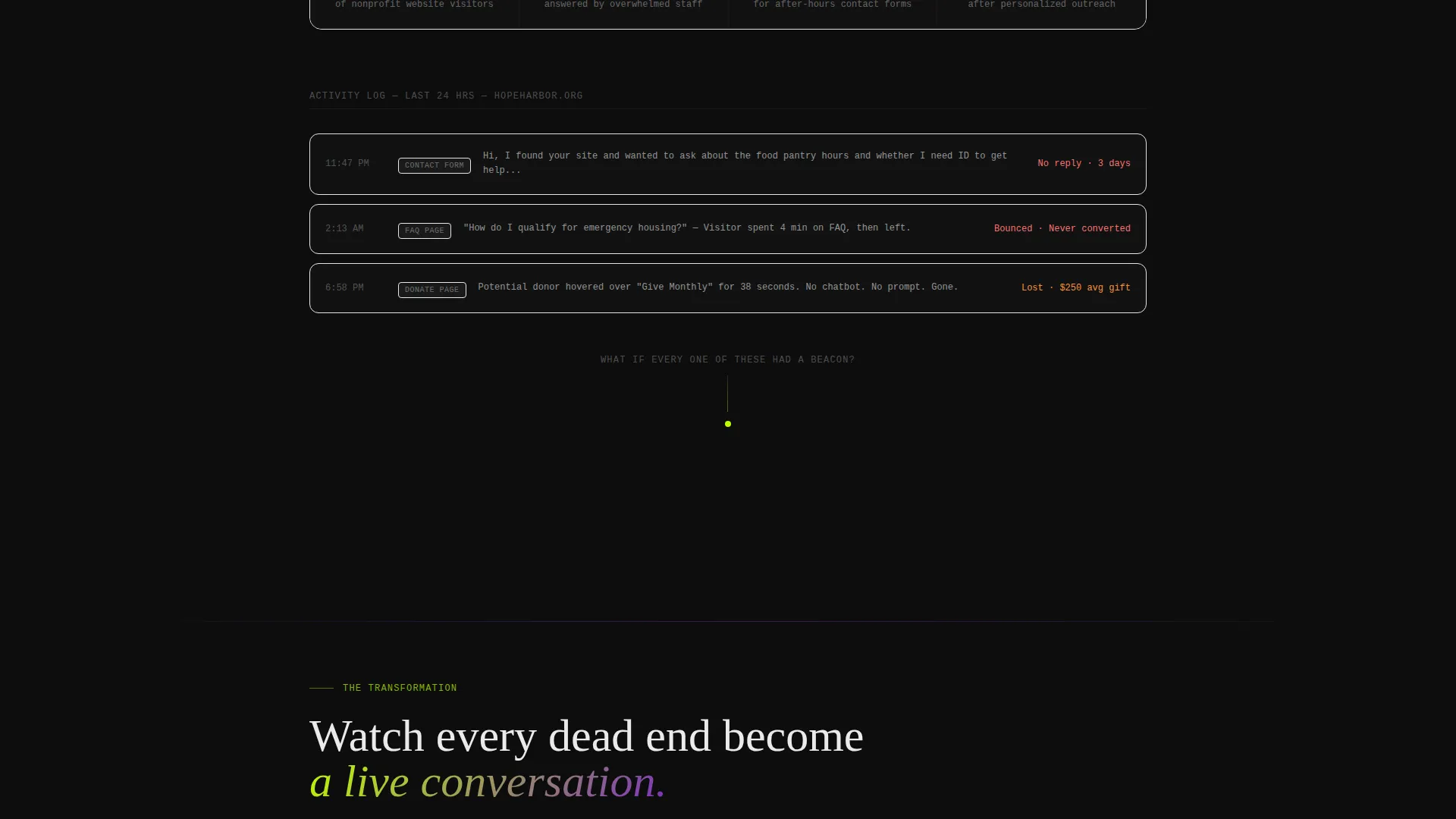
- Animated stat counter, dissolving problem panels, and a scrolling chat log of missed opportunities
- A two-step deployment form with use-case selection and a live sandbox demo path
Feature list
This section covers the core built-in components and interactive behaviors included in the Beacon template.
Animated Problem-to-Solution Arc
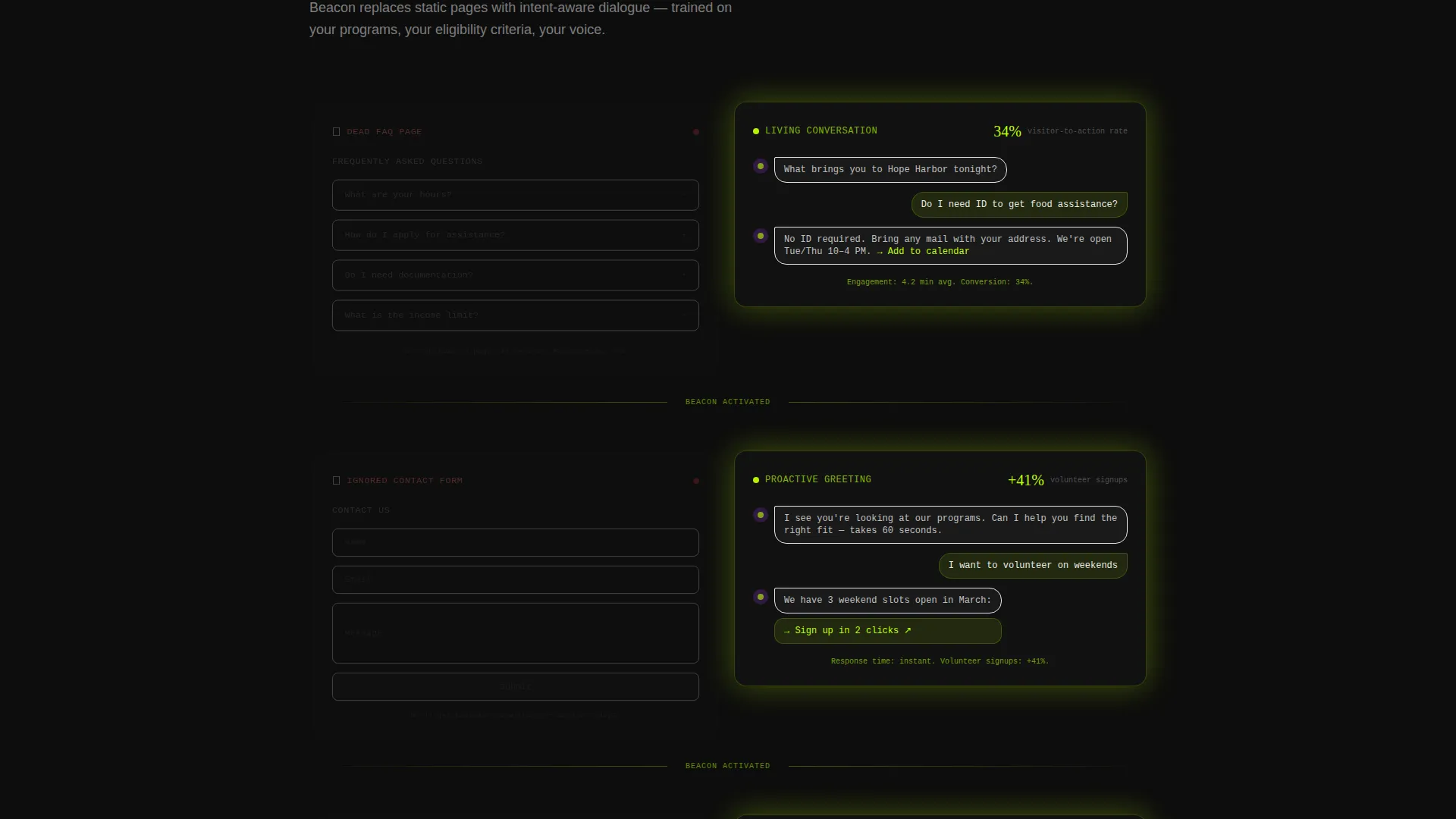
Each scroll reveal dissolves a problem panel and rebuilds it as a working solution. A dead FAQ page becomes a live conversation. A silent after-hours page becomes a 24-hour intake assistant. The easing is snappy and slightly glitchy, with elements translating in from off-screen and snapping to position.
Browser-Framed Product Hero
The header features a realistic browser-framed chatbot widget mid-conversation. The chat thread shows a visitor asking about emergency rental assistance eligibility and receiving a personalized three-step answer with a pre-filled application link. A blinking cursor and pulsing typing indicator are built into the scene.
Live Stat Counter Animation
The first scroll reveal triggers an upward-counting stat animation. The opening figure, 67% of nonprofit website visitors leave without acting, animates into view, setting the emotional tone before any feature is mentioned.
Two-Step Freemium Deployment Form
The primary call to action opens a two-step form. Step one collects organization name and website URL. Step two asks for primary use case and monthly site traffic range. No credit card is required. The free tier supports 500 conversations per month.
Live Sandbox Demo Path
A secondary conversion path labeled "Watch It Handle Your FAQs" links visitors to a live sandbox. Visitors paste their own website URL and see a demo chatbot generated in real time, a low-friction way to prove value before any commitment.
Sticky Bottom Call-to-Action Bar
After the third scroll reveal, a sticky bottom bar appears carrying the primary "Deploy Your Bot Free" call to action. It stays in view as the visitor continues scrolling, reinforcing the offer at the moment conversion intent is highest.
Page sections overview
| Section | Purpose |
|---|---|
| Hero product screenshot | Opens with the chatbot widget mid-conversation to anchor the product immediately |
| Animated stat counter | Triggers 67% departure-rate figure to establish sector-wide pain |
| Missed opportunity log | Shows a real chat log of unanswered forms, generic FAQs, and hold music |
| Problem dissolve panels | Scroll-triggered reveals transform each pain point into a live solution |
| Integration diagram | Slides donor-tool logos into a connected visual showing chatbot compatibility |
| Freemium deployment form | Two-step form captures org name, URL, use case, and traffic range |
| Sandbox demo path | Secondary call to action lets visitors generate a demo bot from their own site URL |
| Sticky call to action bar | Persistent bottom bar reinforces the free deployment offer after third reveal |
Design & branding system
The visual identity follows a Dynamic Motion theme built on an Acid Digital color system. Dark backgrounds stay dominant throughout. Motion is the primary decorative element, not imagery, not illustration.
- Void black (#0D0D0D) as the base background, electric lime (#BFFF00) on calls to action and animated chat bubbles, synthetic violet (#7B2FBE) pulsing through gradient borders and hover states, and interface white (#EAEAEA) carrying body text
- Scroll-reveal animation with snappy, slightly glitchy easing, elements translate in from off-screen and snap to final position
- No stock photography used anywhere; the product screenshot is the only visual centrepiece
Mobile & speed optimization
The scroll-reveal interactions and sticky bar are designed to work within a single-page layout that keeps the conversion path intact on any screen size. The template structure supports a lean, focused build.
- Single-page layout removes unnecessary navigation weight and keeps visitor focus on the conversion arc
- Sticky bottom call-to-action bar repositions gracefully for smaller screens without breaking the flow
- Motion-first design relies on CSS and layout transitions rather than heavy media assets
How this template helps you convert
Beacon builds conversion momentum across the full scroll journey. Every visual decision narrows attention toward the deployment form.
- The opening stat counter creates immediate emotional urgency, making visitors feel the cost of inaction before the product is even introduced.
- The Problem-to-Solution arc dissolves objections in real time, each scroll tick shows the chatbot replacing a specific failure point, reducing skepticism progressively.
- The two-step freemium form removes friction at the moment of highest intent, and the live sandbox demo path gives hesitant visitors a no-commitment proof point.
Other information about this template
Beacon is built specifically for the nonprofit AI chatbot niche, where buyer trust is harder to earn and the stakes of inaction feel personal. The template is designed to support that context at every scroll position.
- The integration showcase section displays donor-tool logos sliding into a connected diagram, signaling compatibility with tools already in a nonprofit's stack
- The free tier messaging, 500 conversations per month, no credit card, is built into the hero and the sticky bar, so the offer is never ambiguous
- This template works well for teams positioning their chatbot as an after-hours intake assistant, a donor engagement tool, or a program eligibility guide
Theme
Dynamic Motion
Creative direction
Problem→Solution Arc
Color system
Acid Digital
Style
Scroll Reveal (Progressive)
Direction
Freemium/Trial
Page Sections
Problem-to-solution Scroll Arc
Browser-framed Product Hero
Animated Stat Counter Reveal
Two-step Freemium Deployment Form
Live Sandbox Demo Path
Sticky Bottom Call-to-action Bar
Related questions
Does this template require coding to set up?
Can I change the color palette to match my brand?
What conversion model does this template support?
Is the chatbot in the hero section a live widget?
Who is the free tier messaging designed for?



